Why part 5 moves from pixels to language
In Part 3 on EgoHumanoid, we looked at the problem through human data: egocentric demonstrations can expand the coverage of a robot policy. In Part 4 on VIRAL, the focus was RGB pixel-to-action: the robot observes camera images and proprioception, then outputs actions for loco-manipulation. FRoM-W1 follows a different axis: language-conditioned whole-body motion generation. Instead of asking "what does the camera see, and what action should the robot take now?", FRoM-W1 asks "what whole-body motion should this natural-language instruction become, and how can a G1 execute that motion stably?".
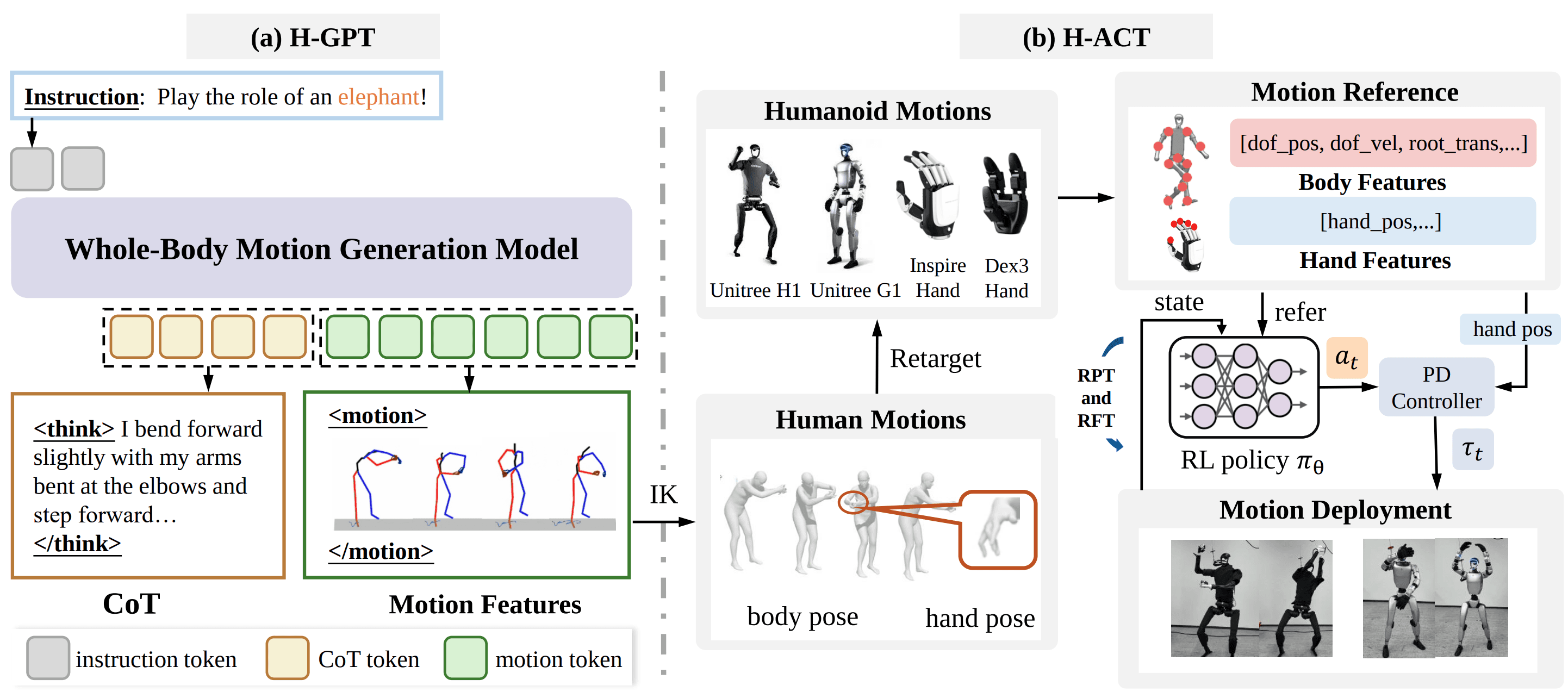
The OpenMOSS/FRoM-W1 repository describes a two-stage framework. The first stage is H-GPT, a language-driven whole-body human motion generator trained on large-scale human motion data, with Chain-of-Thought prompting to improve instruction understanding. The second stage is H-ACT, which retargets generated human motions into robot-specific actions, trains motion tracking policies through reinforcement learning in simulation, and deploys them through a modular sim-to-real stack. The FRoM-W1 paper states the same split: H-GPT produces semantically meaningful human motion, while H-ACT retargets and controls humanoids such as Unitree H1 and G1 under gravity, contacts, and actuator constraints.
This article is a practical tutorial, not a long paper review. We will follow QUICKSTART.md: run H-GPT/scripts/demo.py through python -m scripts.demo, load configs/assets.yaml, use configs/exp/1217_config_motionx_stage2_body_hands_llama_vqvae2kx1k_cotv3_t2mx.yaml, generate motion from scripts/instructions.txt, then pass the output through H-ACT/retarget/main.py. After that, we will read the model artifacts on Hugging Face: H-GPT LoRA adapters and H-ACT G1 student policies. For broader context outside this series, read the WholeBodyVLA open-source guide and GR00T VisualSim2Real on G1.
Series roadmap
- OpenWBT: G1 Teleop in MuJoCo/Isaac: build a debuggable whole-body teleoperation environment.
- TWIST2: PICO Teleop and G1 Sim2Real: collect robot data with PICO teleoperation, Redis, and a low-level controller.
- EgoHumanoid: Human Demos to G1 VLA: connect human demos to robot actions through view and action alignment.
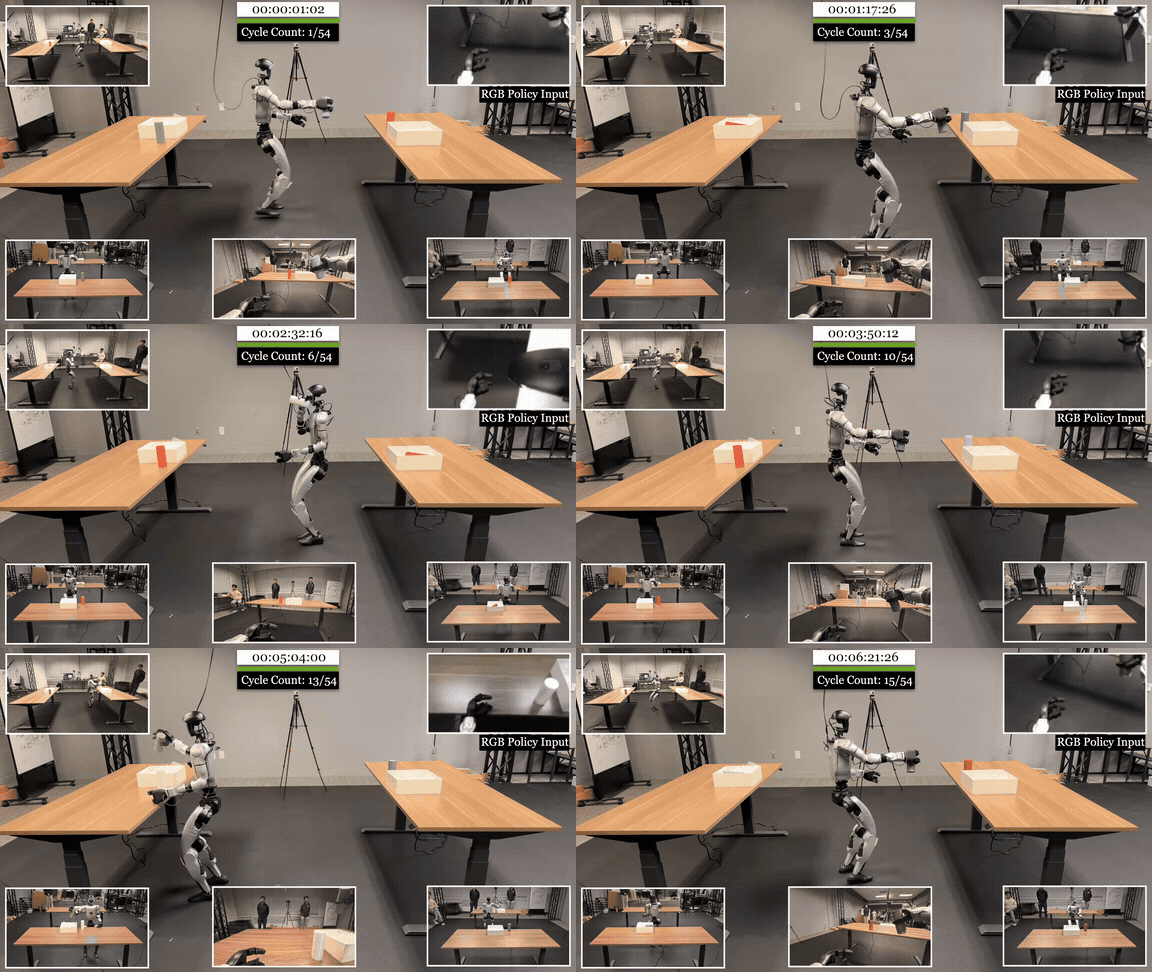
- VIRAL: RGB Sim2Real for G1 Loco-Manip: train a privileged teacher, distill an RGB student, and deploy zero-shot.
- FRoM-W1: Text to Motion to G1 Policy: turn language into human motion, retarget it to G1, and track it with a policy.
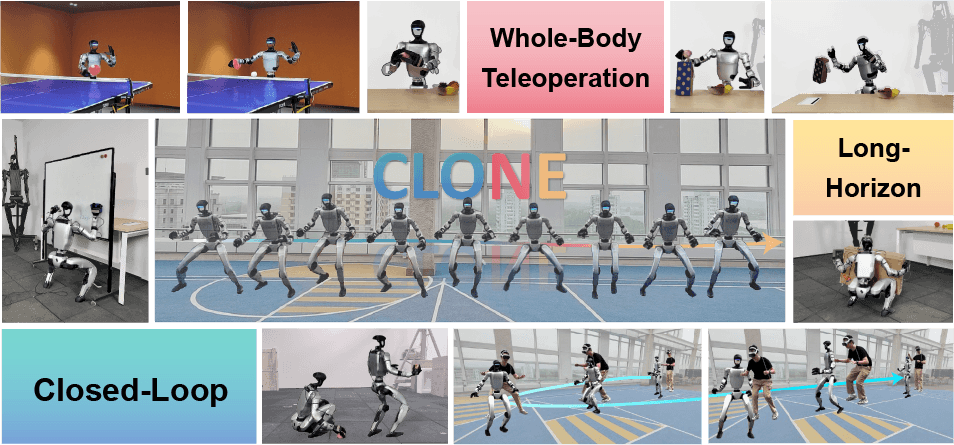
- CLONE: Closed-Loop Whole-Body Teleop: treat closed-loop teleoperation as a long-term data stack.
Mental model: H-GPT is the language brain, H-ACT is the robot body
You can read FRoM-W1 as a five-step pipeline:
Natural language instruction
  "conduct an orchestra", "box", "squat", "play the role of elephant"
        |
        v
H-GPT
  CoT reasoning + motion token generation
        |
        v
Whole-body human motion
  623-dimensional motion features / SMPL-X-like representation
        |
        v
H-ACT retarget
  SMPL-X / keypoints -> robot joints + dexterous hand joints
        |
        v
G1 motion tracking policy
  pretrained / fine-tuned RL controller executes the sequence
The key design choice is that FRoM-W1 does not try to train one end-to-end model directly from text to torque. That idea sounds attractive, but it is hard to debug. Natural language lives at a semantic level; torque, contact, and balance live at a low physical level. FRoM-W1 inserts a useful intermediate representation: human whole-body motion. This representation is rich enough to describe legs, arms, torso, and hands; human enough to exploit datasets such as Motion-X and HumanML3D-X; and separate enough from the robot that it can be retargeted to H1, G1, or different hands.
H-GPT handles "intent to human motion". H-ACT handles "human motion to stable robot execution". Beginners should keep this boundary clear, because many setup bugs come from mixing the two stages. If scripts.demo fails, you are debugging model dependencies, Llama/LoRA, VQ-VAE, dataset paths, or H-GPT config. If retarget/main.py fails, you are debugging SMPL/MANO assets, robot XML, hand type, or the .npy input format expected by H-ACT.
Technical references to keep open
| Source | Why it matters | Detail to remember |
|---|---|---|
| FRoM-W1 README | Repository overview, datasets, checkpoints, and folder structure | H-GPT lives under H-GPT/; H-ACT lives under H-ACT/ |
| FRoM-W1 QUICKSTART | Minimal inference and retargeting path | The H-GPT command uses --cfg_assets, --cfg, --task t2m, and --example |
| H-GPT README | Motion tokenizer, LoRA generator, and TRAIN.STAGE |
vae reads motion features; lm_pretrain and lm_instruct read motion tokens |
| H-ACT README | Retargeting, policy training, and deployment | Retargeting currently supports H1, G1, Dex3, and InspireHand |
| FRoM-W1 paper | Why the two-stage design exists | H-GPT generates motion; H-ACT retargets, tracks, and bridges sim-to-real |
| FRoM-W1 models on Hugging Face | Download LoRA, tokenizer, motion tokenizer, and H-ACT student policies | H-GPT LoRA is an adapter for Llama-3.1-8B; the G1 student folder contains model_50000.pt |
Step 1: clone and create the environment
The official quickstart uses Python 3.10. With new robotics repositories, do not upgrade versions casually when the README pins an environment, because packages such as smplx, torch, pytorch3d, transformers, peft, accelerate, and visualization dependencies can break in non-obvious ways.
git clone -b main --single-branch [email protected]:OpenMOSS/FRoM-W1.git
cd FRoM-W1

conda create -n fromw1 python=3.10
conda activate fromw1
pip install -r requirements.txt
If you are only reading this article to understand the pipeline, you do not need to download every dataset. If you want to run inference, however, H-GPT still needs its dependency folder. The quickstart expects H-GPT/deps/ to contain the Llama base model, body models, GloVe files, and evaluation models. The important pieces for inference are the base Meta-Llama-3.1-8B, body model assets, the motion tokenizer, and the motion generator checkpoint. This is where many first runs fail: the LoRA adapter is downloaded, but the base model is missing, or the checkpoint path in the config points to the wrong directory.
A useful minimum structure to inspect is:
FRoM-W1/
  H-GPT/
    configs/
    deps/
      Meta-Llama-3.1-8B/
      body_models/
      glove_motionx/
      glove_t2m/
      t2m/
    experiments/
    scripts/
      instructions.txt
  H-ACT/
    retarget/
      assets/
      data/
      models/
Do not edit source code until you are sure the checkpoint paths in YAML are correct. In H-GPT, the two paths that most often need edits are the VQ-VAE tokenizer path and the generation model path. In H-ACT retargeting, the two common missing paths are models/smpl and models/mano.
Step 2: prepare instructions for H-GPT
The file H-GPT/scripts/instructions.txt is the text input. Start with a few short prompts, one instruction per line:
conduct an orchestra with both hands
play the role of an elephant
perform a slow boxing combo
squat down and stand up smoothly
Do not start with a long scene-level command such as "walk to a red table, pick up a cup, turn right, wave to a person, then sit down". H-GPT is a text-to-motion generator for whole-body human motion, not a full scene planner with perception, object grounding, and closed-loop task execution. Begin with clear motion phrases that a human body can express, then increase complexity after the pipeline is stable.
If the prompt is abstract, CoT can help the model decompose intent into motion primitives, but it does not guarantee that the result is dynamically easy for a G1. For example, "play the role of an elephant" may generate arm-swinging, torso bending, and slow stepping. H-GPT may consider that semantically correct, but H-ACT still has to retarget it to the robot's legs, arms, hands, and tracking policy. That is why visualization comes before retargeting.
Step 3: run H-GPT/scripts/demo.py
The minimal inference command from QUICKSTART.md is:
cd H-GPT

CUDA_VISIBLE_DEVICES=0 python -m scripts.demo \
  --cfg_assets ./configs/assets.yaml \
  --cfg configs/exp/1217_config_motionx_stage2_body_hands_llama_vqvae2kx1k_cotv3_t2mx.yaml \
  --task t2m \
  --example ./scripts/instructions.txt
This command runs the scripts.demo module, which corresponds to H-GPT/scripts/demo.py. The four flags matter:
| Flag | Meaning | Common failure |
|---|---|---|
--cfg_assets ./configs/assets.yaml |
Shared asset paths for models, body models, tokenizers, and dependencies | YAML points to folders that were not downloaded |
--cfg configs/exp/1217_config_motionx_stage2_body_hands_llama_vqvae2kx1k_cotv3_t2mx.yaml |
Experiment config for body + hands, Llama, VQ-VAE 2k x 1k, CoT v3, and t2mx | Checkpoint and tokenizer do not match |
--task t2m |
Text-to-motion inference | Wrong task branch or loader behavior |
--example ./scripts/instructions.txt |
Input instruction file | Empty file, encoding issue, or overly long prompts |
The output usually lands under H-GPT/results/<result_folder>. The folder name depends on timestamp and config. After generation, visualize the motion:
python -m hGPT.data.motionx.visualization.plot_3d_global \
  --path ./results/<result_folder>
At this stage you are not looking for a polished demo video. You are checking three basic signals: the motion roughly matches the instruction, limbs do not explode, and the sequence length is reasonable. If the body twists badly, floats away, or the hands jitter continuously, do not send it directly into retargeting. Retargeting cannot fix a broken source motion; it only maps a plausible human motion into the target embodiment.
Step 4: understand the three H-GPT TRAIN.STAGE values
You do not need to train H-GPT to run the quickstart, but understanding TRAIN.STAGE helps you debug the configs. The H-GPT README splits training into three stages:
TRAIN.STAGE |
Stage name | Main input | Main output | When you touch it |
|---|---|---|---|---|
"vae" |
VQ-VAE tokenizer | Raw whole-body motion features from MOTION_FEAT_PATH |
Discrete motion tokens, codebook, decoder | Training a new tokenizer or changing the motion representation |
"lm_pretrain" |
LM pretrain | Pre-computed motion tokens from MOTION_TOKEN_PATH |
Llama-3.1-8B fine-tuned with LoRA to generate motion tokens | Learning text-to-motion on the base dataset |
"lm_instruct" |
LM instruct | Motion tokens plus instruction/CoT data | Better instruction following and abstract prompt handling | Improving natural-language generalization |
Stage "vae" learns the "alphabet of motion". Continuous motion is awkward for a language model, so VQ-VAE compresses motion into discrete tokens. Stage "lm_pretrain" learns the language of those tokens: conditioned on text and context, the model predicts the next motion tokens. Stage "lm_instruct" makes the model follow user instructions better, especially prompts that are not simple action labels. FRoM-W1 uses Chain-of-Thought to turn an instruction into a temporally structured motion description before generating tokens.
The H-GPT checkpoints on Hugging Face deserve careful reading. For example, the H-GPT HumanML3D-X CoT LoRA folder contains adapter_config.json, adapter_model.safetensors, and tokenizer files. This is a LoRA adapter, not the full base Llama model. If you get missing Llama weight errors, the likely cause is that the base model is not present under H-GPT/deps/Meta-Llama-3.1-8B, or that the merge/loading path is incorrect.
Step 5: move generated motion into H-ACT retargeting
After H-GPT generates motion, H-ACT expects motion feature sequences under H-ACT/retarget/data/623. The quickstart describes this structure:
H-ACT/retarget/data/
  623/
    data1.npy
    data2.npy
  smplx/
  output/
The 623 folder stores the 623-dimensional motion data generated by H-GPT. The smplx folder stores intermediate SMPL-X motion sequences. The output folder stores final robot and dexterous-hand joint sequences. For beginners, the lowest-risk path is to run the example motion already included in the repository first, prove that retargeting works, and only then replace it with your own H-GPT output.
Before running retargeting, download the human body and hand models:
H-ACT/retarget/models/
  smpl/
    SMPL_NEUTRAL.pkl
    SMPL_MALE.pkl
    SMPL_FEMALE.pkl
  mano/
    MANO_LEFT.pkl
    MANO_RIGHT.pkl
Then download the retargeting assets from Hugging Face and place them under:
H-ACT/retarget/assets/
  beta/
  meta/
  robot/
    dex3/
    g1/
    h1/
    inspire/
These assets have their own licensing and download flow, so not every file can be bundled directly in the repository. If main.py fails while loading SMPL or MANO, do not debug the policy yet. It is still an asset setup problem. If it loads the robot XML but produces a strange output shape, then inspect the target robot and hand type.
Step 6: run H-ACT/retarget/main.py
The official command is short:
cd ../H-ACT/retarget
python main.py
The important selection happens inside main.py. The quickstart notes that the robot and hand choices can be changed around the target lines:
robot_data = process_data(amass_data, "G1")
hand_data = retarget_from_rotvec(smpl_dict["poses"][:, 66:], hand_type="dex3")
"G1" selects the target robot. hand_type="dex3" selects the dexterous hand. The quickstart lists Unitree H1, Unitree G1, Inspire Hand, and Dex3 Hand as supported options. If your lab has a G1 but not a Dex3 hand, you need to revisit the hand configuration and deployment stack. Correct robot retargeting with the wrong hand setup can look fine in the lower body while still producing unusable hand actions.
An example output may include a small tensor, a line about loading Mujoco kinematics, and a shape such as (256, 29). Do not treat that as proof that the motion is hardware-ready. It only means the retargeting pipeline produced a sequence. You still need a viewer, simulation tracking, and safety checks before a real robot receives commands.
Step 7: from retargeted sequence to G1 policy
Retargeting gives you a reference motion. A real G1 does not track that reference safely just because joint angles exist. A humanoid needs a controller that remains stable under gravity, ground contact, actuator delay, torque limits, and morphology mismatch. That is why H-ACT includes a policy stage.
H-ACT follows the reinforcement-learning motion tracking direction. The H-ACT README says the action execution policy builds on Human2Humanoid and supports Unitree H1 and Unitree G1. On Hugging Face, the G1 OmniH2O student folder contains env_cfg.json, train_cfg.json, and model_50000.pt; the G1 OmniH2O student filter folder has a similar structure. Here, STUDENT should be understood as a trained G1 tracking policy checkpoint, not as the H-GPT language model.
The full path after retargeting usually looks like this:
H-GPT output .npy
  -> H-ACT retarget output .pkl
  -> motion asset folder of the deployment/tracking framework
  -> G1 motion controller config points to motion_name
  -> simulation tracking smoke test
  -> real robot deployment through a safety interface
The quickstart mentions RoboJuDo as the deployment framework: copy the retargeted g1+dex3 file into the motion asset directory, update motion_name in the G1 motion control config, then run the simulation pipeline. This article stops before real hardware deployment because a wrong joint limit, latency assumption, or hand configuration can make the robot fall. For a new lab, the reasonable milestone is to run H-GPT, retarget to G1, inspect policy tracking in simulation, and only then discuss hardware.
Beginner debug checklist
| Symptom | Likely cause | Fix |
|---|---|---|
scripts.demo reports missing Llama weights |
LoRA was downloaded but the base model is absent | Download Meta-Llama-3.1-8B and verify paths in assets.yaml |
| Generated motion is empty or very short | instructions.txt format issue or prompt mismatch |
Try squat down and stand up first |
| Visualization shows twisted limbs | Checkpoint/tokenizer mismatch or out-of-distribution motion | Use the correct 1217...t2mx.yaml config and a shorter prompt |
retarget/main.py fails on SMPL/MANO |
Licensed model files are missing | Put SMPL_*.pkl and MANO_*.pkl in the expected folders |
| Retargeting runs but hand output is wrong | Wrong hand_type or missing hand asset |
Check dex3 or inspire under assets/robot |
| Sim tracking falls quickly | Source motion is too hard, controller mismatch, or no fine-tuning | Test a short slow motion and use a G1 checkpoint matching your embodiment |
Avoid debugging from the end of the pipeline. If the tracking policy falls, it does not automatically mean the H-ACT policy is bad. H-GPT may have generated a motion that is too fast, retargeting may have produced a joint path beyond limits, or the contact sequence may be unsuitable. Check each boundary: text, visualization, retarget output, simulation tracking, then hardware.
FRoM-W1 versus VIRAL
FRoM-W1 and VIRAL both serve humanoid whole-body intelligence, but they do not solve the same input problem.
| Comparison axis | FRoM-W1 | VIRAL |
|---|---|---|
| Main input | Natural language instruction | RGB image + proprioception |
| Intermediate representation | Human whole-body motion, SMPL-X/623D features, robot retarget sequence | Privileged teacher action, RGB student observation |
| Main stages | H-GPT motion generation; H-ACT retargeting and tracking policy | PPO teacher in simulation; RGB student via DAgger/BC |
| Strength | Generates open-ended whole-body motion from language and can reuse one instruction across embodiments/policies | Handles pixel-to-action loco-manipulation in scenes with objects, cameras, lighting, and materials |
| Risk | Motion may be semantically right but dynamically hard to track | Requires large simulation scale, domain randomization, camera alignment, and hand SysID |
| Best use | Dance, squat, boxing, gestures, and language-indexed motion libraries | Scene-reactive tasks such as placing, grasping, carrying, and long-horizon object transport |
VIRAL is a strong answer to "the robot sees this scene; how should it act?". It learns in simulation, uses a privileged teacher, distills an RGB/proprioceptive student, and deploys zero-shot. FRoM-W1 answers "a user describes a skill; how do we turn it into executable whole-body motion?". It does not replace a perception policy; it creates motion priors and motion libraries that are useful for controllers, retargeting, demo generation, and language-conditioned skill interfaces.
In a real lab, the two directions complement each other. FRoM-W1 can generate candidate motions from text for references, warm starts, or data augmentation. VIRAL can provide closed-loop visual corrections when the robot interacts with real objects. With only FRoM-W1, the robot may perform a beautiful motion while ignoring that a box is 10 cm away from the expected location. With only VIRAL, the robot may react to objects well but lack a broad text-to-motion interface for expressive skills, gestures, and diverse motion libraries.
A practical G1 lab workflow
If you have a 4090 workstation and a G1 in the lab, do not target "text prompt directly runs on the real robot" on day one. A safer workflow is:
- Run H-GPT with three short prompts: squat, box, conduct orchestra.
- Visualize each motion and reject anything that jitters, twists, or moves too fast.
- Retarget each file through
H-ACT/retarget/main.pyto the correct G1 and hand setup. - Run tracking in simulation, logging joint error, base drift, and contact failures.
- Choose one slow motion with limited contact complexity, such as squat or an arm gesture.
- Only after stable simulation, move to a deployment framework with E-stop, joint limits, torque limits, and clear space around the robot.
For beginners, the first win is not "the robot performs like the project-page video". The first win is knowing which file belongs to which stage, and knowing whether a failure belongs to H-GPT, retargeting, or policy tracking. Once that boundary is clear, you can increase prompt difficulty and change embodiments.
Conclusion
FRoM-W1 is the fifth stack in this series because it fills a gap that pixel-to-action pipelines do not directly cover: turning natural language into whole-body motion that can be retargeted to humanoids. H-GPT generates human motion from text with a tokenizer, Llama LoRA, and CoT. H-ACT turns that motion into robot sequences, then uses tracking policies so G1 can execute them more stably in simulation and in the real world.
The most practical part of FRoM-W1 is not one magic command. It is the clean separation of boundaries: text input, generated motion, SMPL-X/intermediate representation, retargeted G1 joints, and tracking policy. If you debug along those boundaries, FRoM-W1 becomes a strong lab stack for building language-conditioned motion libraries for humanoids.