Why TWIST2 is the second stack
In Part 1 on OpenWBT, we started with a pragmatic whole-body teleoperation stack: Apple Vision Pro, joysticks, lower-body policies, and upper-body IK for Unitree G1/H1. OpenWBT is a good first system because it separates the problem into debuggable pieces. But if your lab wants to collect whole-body imitation data and eventually train humanoid VLA policies, you need a stack that streams full-body operator motion, retargets it to the robot, tracks it with a low-level RL controller, records data, and transfers the same control path from simulator to real G1.
That is where TWIST2 fits. The paper TWIST2: Scalable, Portable, and Holistic Humanoid Data Collection System describes a mocap-free teleoperation system using PICO 4 Ultra, two PICO Motion Trackers on the legs, handheld controllers, and a 2-DoF robot neck for egocentric active vision. The official amazon-far/TWIST2 repository provides a ready checkpoint at assets/ckpts/twist2_1017_20k.onnx, simulator and real-robot launch scripts, a GUI, and a data-recording entrypoint.
This post is written as a lab-side walkthrough. We go from the ONNX checkpoint to a real-hardware loop with bash run_motion_server.sh, bash sim2sim.sh, bash teleop.sh, and bash sim2real.sh. The central idea is simple: Redis acts as the bus between high-level motion streaming and the low-level RL controller. If you are following the series, the next post will move to EgoHumanoid and egocentric humanoid data, while Part 4 will look at VIRAL for retargeting and validation.
Series roadmap
- OpenWBT: G1 Teleop in MuJoCo/Isaac: build the environment and understand the joystick/IK split.
- TWIST2: PICO Teleop and G1 Sim2Real: connect retargeting, motion streaming, RL control, and data recording through Redis.
- EgoHumanoid: egocentric data for manipulation: connect first-person observations to robot pose and action traces.
- VIRAL: retargeting and skill validation: evaluate external motion sources before training policies.
- FromW1: moving skills onto real hardware: handle latency, contacts, and actuator limits.
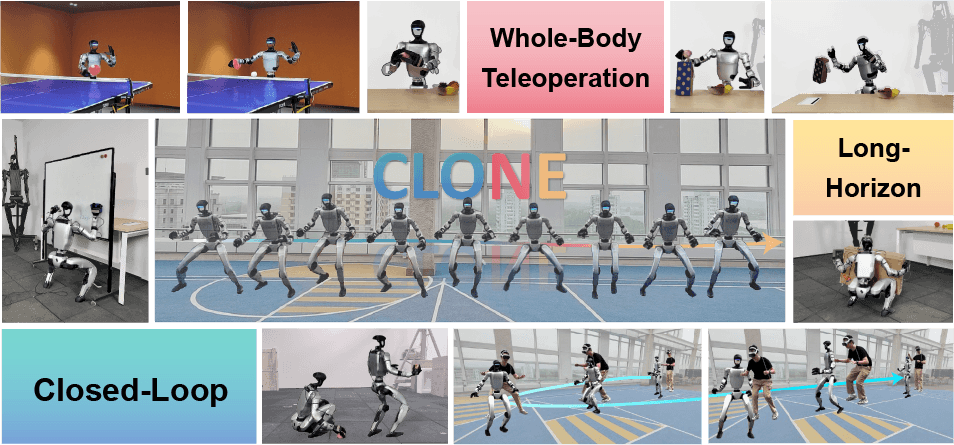
- CLONE: closed-loop whole-body teleop: treat closed-loop teleoperation as a long-horizon data stack.
Technical references to keep open
| Source | Why it matters | Key detail |
|---|---|---|
| TWIST2 README | Installation and main workflow | Two Conda environments: twist2 for training/deploy/data collection and gmr for online retargeting |
| TWIST2 arXiv | System-level architecture | Low-level control runs at 50 Hz; high-level commands come from teleop or a visual policy |
sim2real.sh |
Checkpoint path, network interface, and real-robot flags | Uses assets/ckpts/twist2_1017_20k.onnx, --net, --device cuda, and --use_hand |
teleop.sh |
Online PICO teleoperation | Activates gmr, calls xrobot_teleop_to_robot_w_hand.py, targets 100 FPS |
twist2_dataset.yaml |
Training your own controller | Update root_path to your downloaded dataset; motions carry weights and descriptions |

Mental model: Redis is the backbone
TWIST2 is not one monolithic process. It is split into two layers:
High-level side
  offline motion server or PICO teleop
  -> retargeting / motion library
  -> 35D mimic observation + hand pose + neck command
  -> Redis keys

Low-level side
  simulator controller or real G1 controller
  -> read robot state / simulated state
  -> read commands from Redis
  -> build observation history
  -> ONNX policy
  -> target 29 DoF body + optional dexterous hands
For beginners, the key point is that bash sim2sim.sh and bash sim2real.sh do not generate full-body motion from PICO by themselves. They run the low-level controller and read action_body_unitree_g1_with_hands, action_hand_left_unitree_g1_with_hands, action_hand_right_unitree_g1_with_hands, and action_neck_unitree_g1_with_hands from Redis. Those keys are produced by bash run_motion_server.sh for offline replay, or by bash teleop.sh for live PICO teleoperation.
The right debug order is therefore:
# Terminal 0: Redis
redis-server --daemonize yes

# Terminal 1: high-level offline stream to warm up Redis keys
bash run_motion_server.sh

# Terminal 2: low-level simulator controller
bash sim2sim.sh

# Terminal 3: replace offline stream with PICO teleop after sim is stable
bash teleop.sh

# Terminal 4: only after sim testing and robot safety checks
bash sim2real.sh
The TWIST2 README recommends warming up Redis with the motion server before first running sim2sim. The reason is practical: the low-level policy expects valid command data from the first control frame. If Redis has no key, the controller may fail JSON parsing, read empty values, or start from a stale command. Think of Redis as a minimal topic bus: easy to inspect and restart, but without the type safety and schema guarantees you would expect from a carefully designed ROS message layer.
Step 1: prepare environments and Redis
TWIST2 uses two Conda environments because Isaac Gym usually requires Python 3.8, while GMR and online retargeting use a newer Python stack. The README suggests a twist2 environment for controller training, controller deployment, and data collection:
conda create -n twist2 python=3.8
conda activate twist2

cd rsl_rl && pip install -e . && cd ..
cd legged_gym && pip install -e . && cd ..
cd pose && pip install -e . && cd ..

pip install redis[hiredis]
pip install onnx onnxruntime-gpu
pip install customtkinter
Then create the retargeting environment:
conda create -n gmr python=3.10 -y
conda activate gmr

# Install GMR following the TWIST2 README
pip install -e /path/to/GMR
Run Redis locally while testing on a laptop:
sudo apt install -y redis-server
sudo systemctl enable redis-server
sudo systemctl start redis-server
redis-cli ping
If the high-level process runs on a different machine, the README shows how to bind Redis to 0.0.0.0 and disable protected mode. Do not do this casually on a shared network. TWIST2's default Redis path has no authentication. If port 6379 is exposed on a shared Wi-Fi, another machine could write robot commands. For real lab use, keep the robot network isolated, restrict firewall rules to known IP addresses, or tunnel Redis over SSH.
Step 2: understand twist2_1017_20k.onnx
The repository provides assets/ckpts/twist2_1017_20k.onnx so you can test the system directly. sim2real.sh points to that file:
ckpt_path=${SCRIPT_DIR}/assets/ckpts/twist2_1017_20k.onnx

python server_low_level_g1_real.py \
  --policy ${ckpt_path} \
  --net ${net} \
  --device cuda \
  --use_hand
Inside server_low_level_g1_real.py, the policy is loaded through ONNX Runtime. If CUDAExecutionProvider is available, it runs on GPU; otherwise it falls back to CPU. The controller sets num_actions = 29, so the body output is a 29-joint action relative to default_dof_pos. After clipping the action, the real target is:
target_dof_pos = default_dof_pos + raw_action * action_scale
This is not a direct torque policy. The policy emits desired joint positions, and the robot wrapper sends targets to a lower PD control layer. That distinction matters because debugging should happen in layers: 35D mimic command, 29D policy output, and real actuator tracking.
The observation layout is also worth unpacking:
| Component | Size | Meaning |
|---|---|---|
n_mimic_obs |
35 | Whole-body command: root xy velocity, root height, roll/pitch, yaw angular velocity, 29 joint references |
n_proprio |
92 | Angular velocity, roll/pitch, scaled joint position, scaled joint velocity, last action |
n_obs_single |
127 | 35 + 92 for one frame |
history_len |
10 | Short history so the policy sees recent dynamics |
total_obs_size |
1402 | 127 * 11 + 35, including current frame, history, and future mimic |
When the simulator or real robot behaves badly, log these layers in order. If action_body_* in Redis is already wrong, the problem is in the motion server or teleop side. If Redis is sane but target_dof_pos is jerky, suspect observation scaling, history, latency, or policy runtime. If target positions are smooth but the real robot shakes, inspect network interface, robot mode, PD settings, actuator temperature, and joint limits.
Step 3: run the offline motion server
run_motion_server.sh is the easiest way to create high-level commands without using PICO. The script selects an example motion from assets/example_motions, changes into deploy_real, and runs server_motion_lib.py for unitree_g1_with_hands with visualization and local Redis.
conda activate twist2
bash run_motion_server.sh
You can change the motion file in the script:
motion_file="${script_dir}/assets/example_motions/0807_yanjie_walk_001.pkl"
In server_motion_lib.py, MotionLib loads the motion, then every control_dt = 0.02 seconds it builds a mimic observation. 0.02 seconds corresponds to 50 Hz, matching the low-level controller timing discussed in the paper. The command is published to Redis as action_body_<robot>, while hand command defaults to zeros and neck command defaults to [0, 0].
A common mistake is a robot-name mismatch. run_motion_server.sh uses unitree_g1_with_hands, while older scripts or local modifications may use unitree_g1. Redis keys depend on that name. If the real controller reads action_body_unitree_g1_with_hands but the motion server publishes action_body_unitree_g1, the robot may stand still or consume a stale key. During debugging, check:
redis-cli keys '*unitree_g1*'
redis-cli get action_body_unitree_g1_with_hands
Step 4: run sim2sim before touching real hardware
sim2sim.sh uses the same ONNX checkpoint, but runs the low-level controller in MuJoCo:
conda activate twist2
bash sim2sim.sh
The script calls server_low_level_g1_sim.py with ../assets/g1/g1_sim2sim_29dof.xml, the ONNX policy, --measure_fps 1, --policy_frequency 100, and --limit_fps 1. The README reports an expected policy FPS of around 50 Hz after decimation. If your laptop cannot hold that rate, policy execution quality can degrade. Treat 50 Hz as an operational requirement for low-level motion tracking, not as a cosmetic benchmark number.
Sim2sim checklist:
| Check | How | Expected result |
|---|---|---|
| Redis is alive | redis-cli ping |
PONG |
| Body command exists | redis-cli get action_body_unitree_g1_with_hands |
JSON list of length 35 |
| Simulator opens | Watch MuJoCo | G1 does not fall or shake badly at idle |
| FPS is sufficient | Read controller terminal | Near 50 Hz after decimation |
| Offline motion is active | Run run_motion_server.sh in another terminal |
The robot begins tracking the motion |
If the simulated robot stays still while the motion server is running, do not start editing the policy. First check Redis keys, redis_ip, robot name, and whether the motion server already finished its motion and interpolated back to the default pose.
Step 5: replace offline motion with PICO teleop
Once sim2sim is stable with offline replay, move to teleop.sh:
conda activate gmr
bash teleop.sh
The script calls:
python xrobot_teleop_to_robot_w_hand.py \
  --robot unitree_g1 \
  --actual_human_height 1.6 \
  --redis_ip localhost \
  --target_fps 100 \
  --measure_fps 1
The script comment notes that actual_human_height should be slightly smaller than the operator's real height because PICO pose estimation is imperfect. Do not treat 1.6 as universal. For a 1.75 m operator, start lower, inspect knee and hip tracking in simulation, and adjust. The goal is to avoid retargeted poses that make G1 squat too deeply, step too far, or tilt the pelvis outside the distribution learned by the policy.
xrobot_teleop_to_robot_w_hand.py has a clear state machine:
| State | Meaning | Use case |
|---|---|---|
idle |
Send the default mimic observation | Prepare operator and check streams |
teleop |
Retarget PICO/SMPL-X to G1 and send commands | Live control |
pause |
Hold the last safe pose or command | Pause between episodes |
exit |
Interpolate back to default and terminate | End the session |
The controller mapping is also practical. Right controller key_one cycles idle -> teleop -> pause -> teleop. Left controller key_one exits. Left axis_click triggers an emergency stop by killing the sim2real process. Trigger and grip open and close the hands. The left stick controls xy velocity, and the right stick controls yaw. Compared with OpenWBT, TWIST2 uses PICO whole-body streaming as the main mimic source, while still letting the operator inject velocity and hand control through the controllers.
The function extract_mimic_obs_whole_body builds the 35D mimic observation:
[base_vel_x, base_vel_y,
 root_z,
 roll, pitch,
 yaw_angular_velocity,
 29 robot_joint_positions]
After retargeting, the teleop process writes these Redis keys:
action_body_unitree_g1_with_hands
action_hand_left_unitree_g1_with_hands
action_hand_right_unitree_g1_with_hands
action_neck_unitree_g1_with_hands
t_action
controller_data
If you plan to train a VLA later, keep t_action and controller_data with camera and proprioception logs. They let you reconstruct when the operator paused, closed a hand, rotated yaw, or sent explicit velocity commands.
Step 6: move to real G1 with sim2real.sh
Only run real hardware after sim2sim is stable. The README's real-robot flow is:
- Turn on G1 and connect the laptop to the robot through Ethernet.
- Put the laptop on the robot subnet, for example
192.168.123.222/24. - Verify
ping 192.168.123.164. - Use the Unitree remote to put the robot into deploy/dev mode.
- Change
net=eno1insim2real.shto the actual laptop interface. - Start the low-level controller first, then run offline motion or teleop from another terminal.
Command:
conda activate twist2
bash sim2real.sh
server_low_level_g1_real.py asks the robot to move to the default pose, waits for remote confirmation, and then starts the policy loop. In that loop it reads robot state through G1RealWorldEnv, publishes body and hand state to Redis, reads body/hand/neck commands from Redis, builds the 1402-dimensional observation, runs the ONNX policy, and sends target joint positions to the robot. With --use_hand, it also initializes Dex3_1_Controller and controls both hands.
Safe operating habits:
| Risk | Mitigation |
|---|---|
| Wrong network interface | Always inspect ip addr, ping the robot, and print --net before launch |
| Stale Redis keys | Use redis-cli flushdb in a test network before a new session, then warm up with the motion server |
| Operator enters teleop too abruptly | Start in idle, watch sim, then switch to teleop |
| Low FPS | Run with --measure_fps; if it cannot hold near 50 Hz, do not move to real hardware |
| Wrong hand command | Test body-only first, then enable --use_hand |
| Robot shakes at idle | Stop, then inspect default pose, PD gains, joint limits, and the 35D command |
twist2_dataset.yaml: when to edit it
If you only use the provided checkpoint, you do not need to retrain the controller. If you want to train your own controller or add motion data, legged_gym/motion_data_configs/twist2_dataset.yaml is the entry point. It contains a root_path pointing to the author's local motion folder and a list of motion files such as OMOMO_g1_GMR/...pkl, each with weight: 1.0 and description: general movement.
Update it like this:
root_path: /data/twist2/motion_data
motions:
  - file: OMOMO_g1_GMR/sub1_clothesstand_000.pkl
    weight: 1.0
    description: general movement
Three rules:
| Rule | Why it matters |
|---|---|
root_path must point to your unzipped dataset |
Leaving the author's local path will make training fail |
| Motions should already be retargeted to the G1 format | The tracker learns robot-specific joint references |
| Do not change weights casually | Weights shape the training distribution; over-weighting dynamic clips can weaken idle or slow tracking |
When you add lab-collected motions, keep a separate manifest: source, operator, target robot, license, collection date, retargeting script, and sim2sim test result. This naturally connects to the VnRobo posts on WholeBodyVLA data and WBC and sim2real evaluation.
GUI and data recording
TWIST2 includes a tiny shell entrypoint:
conda activate twist2
python gui.py
The GUI is more than a cosmetic wrapper. gui.py creates terminal panels for offline motion, online teleop, sim2sim, sim2real, data recording, neck control, ZED teleop/policy, and start/kill/clear buttons. In a lab with many terminals, this reduces operator mistakes. Still, learn the underlying commands first. If the GUI fails, you need to know which Python file bash sim2sim.sh or bash teleop.sh is actually running.
Data recording uses:
bash data_record.sh
The script activates twist2, changes into deploy_real, sets robot_ip="192.168.123.164", uses data_frequency=30, and runs server_data_record.py --frequency ${data_frequency} --robot_ip ${robot_ip}. The 30 Hz logging rate is not the same as the 50 Hz low-level policy rate or the 100 FPS teleop target. When aligning datasets, use timestamps and interpolation. Do not assume every stream shares the same frequency.
TWIST2 vs OpenWBT
| Criterion | TWIST2 | OpenWBT |
|---|---|---|
| Main VR device | PICO 4 Ultra, controllers, and two PICO Motion Trackers on the legs | Apple Vision Pro and joystick |
| Design goal | Portable, mocap-free, full whole-body teleop and data collection | Practical whole-body teleop for G1/H1 with lower/upper-body split |
| High-level command | 35D mimic obs: root velocity/height/orientation plus 29 joint references | Lower-body joystick/skill policies and upper-body IK from hand pose |
| Low-level policy FPS | Paper/README expect around 50 Hz after decimation | Public README does not expose the same 50 Hz policy-FPS contract |
| Teleop FPS | teleop.sh sets --target_fps 100 |
Depends on web, VR, ROS, and runner setup |
| Inter-process bus | Redis keys for body, hands, neck, and controller data | Python/ROS/WebRTC pipeline through repository entrypoints |
| GUI | gui.sh and gui.py provide multi-panel control |
README mainly uses separate scripts and commands |
| Data recording | data_record.sh, default 30 Hz |
Public repo does not expose an equivalent root-level data_record.sh |
| Strength | Structured whole-body imitation collection that can feed VLA work | Clear control split and a good G1/H1 baseline |
| Caveat | PICO pose is less accurate than high-end mocap at elbows/knees; Redis/retargeting adds process complexity | Not a full PICO whole-body tracking stack; data recording is less central in the public repo |
If your lab is new to G1, use OpenWBT to understand networking, robot modes, and safety first. Once real-hardware operation is stable, move to TWIST2 to collect full-body demonstrations and start building a VLA-ready dataset. The two stacks are not direct substitutes. They answer different questions: can the robot execute stable whole-body teleop, and can the lab collect synchronized whole-body imitation data at scale?
Real-session checklist
[ ] Redis is local and not exposed to an untrusted network
[ ] `redis-cli ping` returns PONG
[ ] `run_motion_server.sh` publishes a 35D command
[ ] `sim2sim.sh` holds near 50 Hz and the simulated G1 is stable
[ ] `teleop.sh` receives PICO stream and idle/teleop/pause works
[ ] `actual_human_height` has been tuned in simulation
[ ] Real G1 is reachable over Ethernet
[ ] `sim2real.sh` uses the correct network interface
[ ] Remote/killswitch is ready and the operator is outside the danger zone
[ ] `data_record.sh` is started only after the control loop is stable
Conclusion
TWIST2 is worth studying because it shows that a humanoid VLA stack does not begin with a language model. It begins with a real control loop: high-level motion replay or PICO teleop produces a 35D mimic observation, Redis carries commands, the low-level RL tracker uses an ONNX checkpoint to control 29 DoF on G1, optional hand control handles dexterous hands, and the recorder captures episodes for later learning. Once that loop is stable, VLA training has a trustworthy data source and an actuator interface that can survive real deployment.
In the next post, EgoHumanoid raises a different question: how do we turn egocentric observations and action traces into a useful humanoid manipulation dataset?