Why VIRAL is the fourth stack
In Part 1 on OpenWBT, we started with debuggable whole-body teleoperation in MuJoCo and Isaac before touching real hardware. In Part 2 on TWIST2, the focus moved to direct robot data collection with PICO teleoperation, a Redis bus, and a low-level controller. In Part 3 on EgoHumanoid, the question became data scale: can egocentric human demonstrations, plus a limited amount of robot data, co-train a VLA policy for a G1 humanoid?
VIRAL takes a different route. The NVlabs/GR00T-VisualSim2Real repository describes VIRAL as a visual sim-to-real framework for humanoid loco-manipulation on the Unitree G1. The paper VIRAL: Visual Sim-to-Real at Scale for Humanoid Loco-Manipulation emphasizes that the robot learns entirely in simulation and then deploys zero-shot to real hardware from RGB and proprioception. In short: EgoHumanoid uses human egocentric data to add real-world diversity, while VIRAL tries to make simulation rich enough for an RGB student policy to transfer to the real G1.
This post does not try to reproduce the full paper at multi-GPU scale. The practical goal is narrower: set up NVlabs/GR00T-VisualSim2Real, understand the teacher-student workflow, run the PPO teacher through gr00t/rl/train_agent_trl.py +exp=loco_manip/walk_stand_place_grasp_turn_homie, distill an RGB DAgger student through wsdpt_student_for_teacher_v8q8.002_resnet_rgb_delay.yaml, read important Hydra fields such as teacher_actor_path, num_envs, and env.config.reset_from_dataset.enable, then export ONNX with gr00t/rl/eval_agent_trl.py num_envs=1.
For broader context outside this series, also read Running GR00T-VisualSim2Real for G1 and the WholeBodyVLA open-source guide. This post focuses on one concrete path: VIRAL's walk_stand_place_grasp_turn_homie task.
Series roadmap
- OpenWBT: G1 Teleop in MuJoCo/Isaac: build the environment, verify ONNX policies, and understand lower-body joystick plus upper-body IK.
- TWIST2: PICO Teleop and G1 Sim2Real: use PICO teleoperation, Redis, and a low-level controller to collect direct robot data.
- EgoHumanoid: Human Demos to G1 VLA: turn egocentric human demos into robot-ready data through view and action alignment.
- VIRAL: RGB Sim2Real for G1 Loco-Manip: train a privileged teacher in simulation, distill an RGB student, randomize visuals, and export the policy.
- FromW1: Moving Skills onto Real Hardware: handle latency, contacts, and actuators when moving from sim to hardware.
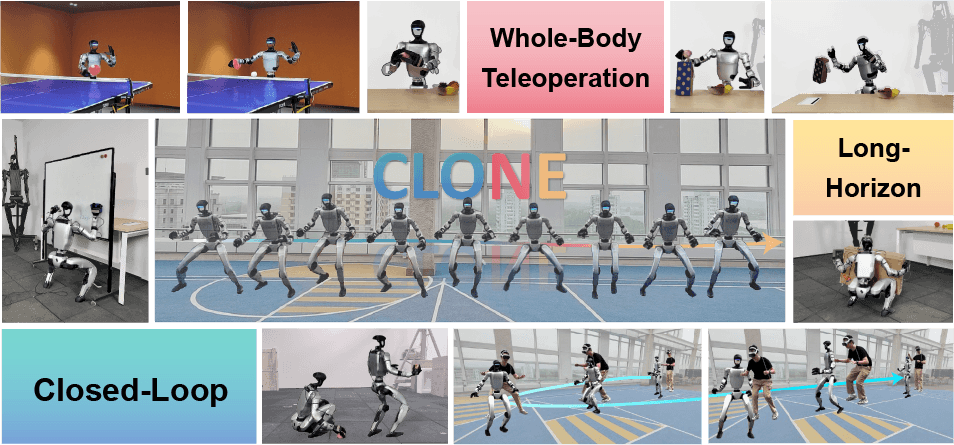
- CLONE: Closed-Loop Whole-Body Teleop: treat closed-loop teleoperation as a long-horizon data stack.
Technical references to keep open
| Source | Why it matters | Detail to remember |
|---|---|---|
| GR00T-VisualSim2Real README | Install, teacher training, student training, evaluation, ONNX export | The repository uses Isaac Sim 5.1, Isaac Lab, TRL, and Hydra |
| VIRAL paper | Understand the teacher-student design and sim-to-real recipe | The teacher has privileged full state; the student uses RGB; domain randomization and camera/hand alignment matter |
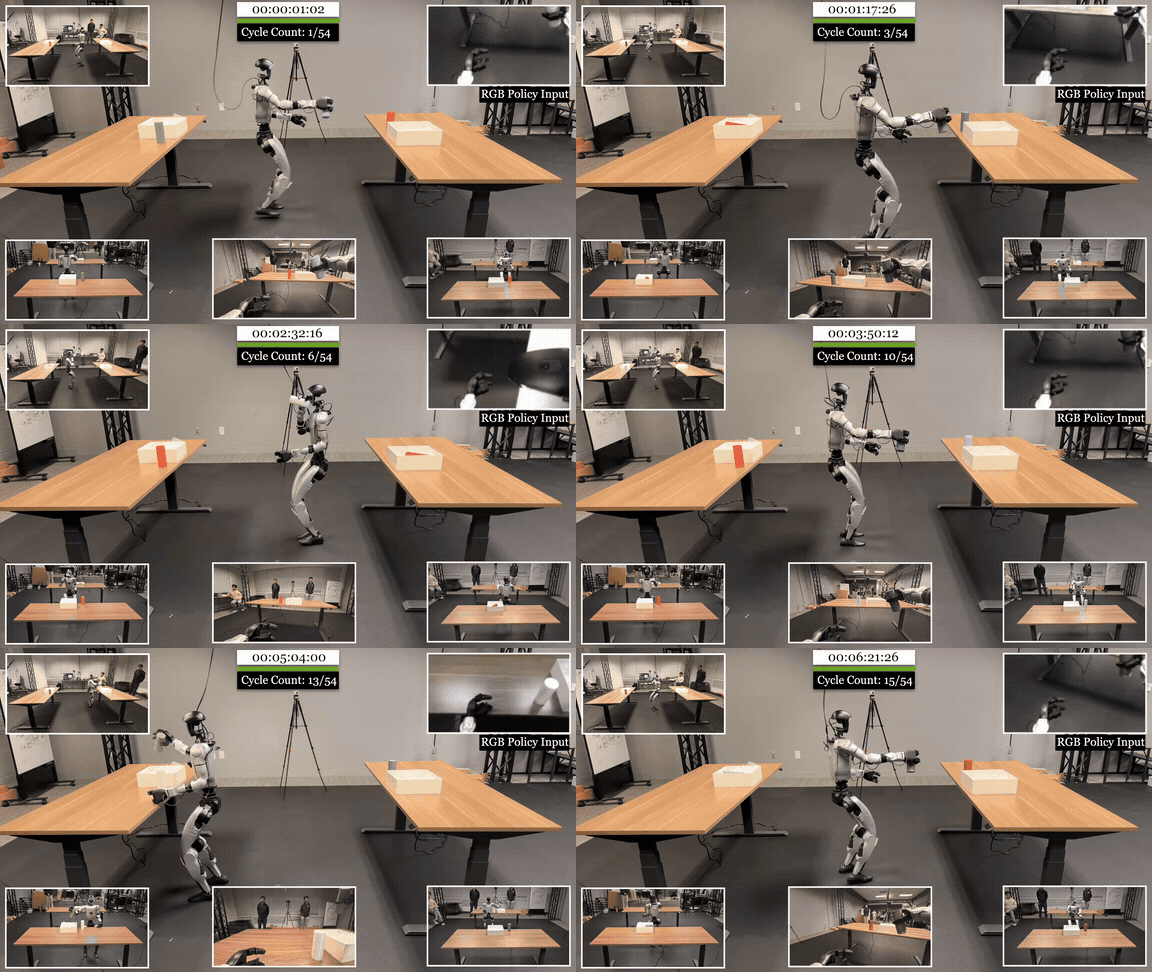
| VIRAL project page | Inspect tasks, failure cases, and generalization | The page shows variation across tray position, objects, table height, lighting, and 54 loco-manipulation cycles |
| Student config YAML | Read teacher_actor_path, cameras, DAgger, and ResNet RGB delay |
This is the distillation config for a student trained from a teacher checkpoint |
| EgoHumanoid paper | Compare against a human-egocentric-data pipeline | EgoHumanoid co-trains human and robot data through view/action alignment, not simulation alone |
Mental model: the teacher sees full state, the student sees RGB
The hardest part of VIRAL is not the training command. It is the split into two policies:
Isaac Sim 5.1 / Isaac Lab
  G1 robot, objects, table, tray, contacts, task stage
        |
        v
Privileged PPO teacher
  obs: full state, object pose, hand-object transform, target, contact-like signals
  action: homie command + right arm + finger primitive
        |
        | rollouts + teacher action labels
        v
RGB DAgger student
  obs: minimal proprioception + delayed RGB image
  backbone: ResNet18 vision encoder + MLP
  action: same action space as the teacher
        |
        v
eval_agent_trl.py num_envs=1
  checkpoint -> exported ONNX
        |
        v
G1 deployment stack
The teacher is allowed to "cheat" in the training sense: it can use information that the real robot will not directly measure at runtime, such as object position, hand-object transforms, target place/lift positions, and task stage. That makes the long-horizon PPO problem easier. But such a teacher is not a deployable visual policy. The student is the deployable policy: it receives observations closer to the real system, mainly RGB camera input and proprioception.
DAgger matters because the student is not only trained on a static set of clean teacher states. The student runs in closed loop inside simulation; when it drifts away from the teacher's ideal trajectory, the teacher can still provide the corrective action at that new state. For humanoid loco-manipulation, this difference is large. A few centimeters of base error can change the camera view, move the wrist out of reach, and make an offline behavior cloning policy leave its training distribution. Online DAgger produces more "student is slightly wrong but still recoverable" states, which is exactly what the real robot needs.
Step 1: install the VIRAL environment
The official README expects Ubuntu 22.04, an NVIDIA driver at least 535, Conda or Mamba, Isaac Sim 5.1, and Isaac Lab. The repository uses Python 3.11, PyTorch 2.7.0 with CUDA 12.8 wheels, then installs Isaac Sim through pip:
conda create -n viral python=3.11 -y
conda activate viral

pip install torch==2.7.0 torchvision==0.22.0 \
  --index-url https://download.pytorch.org/whl/cu128

pip install isaacsim==5.1.0.0 isaacsim-rl==5.1.0.0
Install Isaac Lab from source, then install the repository:
pip install setuptools poetry-core flatdict

pip install --no-build-isolation -e <path-to-IsaacLab>/source/isaaclab
pip install --no-build-isolation -e <path-to-IsaacLab>/source/isaaclab_assets \
  -e <path-to-IsaacLab>/source/isaaclab_tasks \
  -e "<path-to-IsaacLab>/source/isaaclab_rl[all]"

pip install numpy==1.26.0

cd <path-to-GR00T-VisualSim2Real>
pip install -e .
pip install numpy==1.26.0
Run two smoke checks before training:
python -c "import isaaclab; print(isaaclab.__file__)"
python -c "from gr00t.rl.envs.base_task.base_task import BaseTask; print('OK')"
If the second command fails, do not start editing YAML yet. The issue is usually the editable install, the Isaac Lab path, or a numpy/Python version conflict. With Isaac Sim and Isaac Lab, a small version mismatch can produce a very noisy error. Lock the environment first; tune num_envs later.
Step 2: train the PPO teacher
The teacher path in this post uses the experiment below:
HYDRA_FULL_ERROR=1 accelerate launch --num_processes 1 \
  gr00t/rl/train_agent_trl.py \
  +exp=loco_manip/walk_stand_place_grasp_turn_homie \
  num_envs=48 \
  project_name=wsdpt_teacher
The walk_stand_place_grasp_turn_homie.yaml experiment composes several Hydra config groups:
| Config group | Main value | Meaning |
|---|---|---|
/algo |
ppo |
Train the teacher with PPO |
/env |
walk_stand_place_grasp_turn_homie |
The walk, stand, place, grasp, turn task |
/simulator |
isaacsim |
Isaac Sim backend |
/robot |
g1/g1_43dof |
Unitree G1 43-DOF robot config |
/obs |
obs_walk_stand_place_grasp_turn_homie |
Rich observation set for the teacher |
/rewards |
reward_wsdpt_butterflyV8_q_2_teacher |
Reward shaping for the WSDPT task |
/trainer |
trl_homie_api |
Trainer wrapper used by the repository |
The YAML itself may set num_envs to 2048 for serious training. The README example uses num_envs=48. The important point for beginners is that the command-line value overrides the experiment default through Hydra. If your GPU only has 24 GB of memory, start much lower:
HYDRA_FULL_ERROR=1 accelerate launch --num_processes 1 \
  gr00t/rl/train_agent_trl.py \
  +exp=loco_manip/walk_stand_place_grasp_turn_homie \
  num_envs=8 \
  headless=True \
  project_name=wsdpt_teacher_smoke \
  experiment_name=wspgt_teacher_smoke
num_envs is the number of parallel simulation environments. Raising it collects rollouts faster, but memory use grows with robots, objects, contact sensors, observation buffers, and camera rendering when cameras are enabled. The teacher does not use RGB rendering, so it is usually lighter than the student. Still, this loco-manipulation task is heavy because it includes the G1 model, a table, objects, a tray, hand primitives, and many termination conditions.
To visually inspect the simulation, add:
headless=False
Use the GUI as a debugging tool, not as the default long-run mode. It is useful for checking whether the robot spawns correctly, whether objects are in reasonable positions, and whether the task stage changes as expected. For real training, run headless.
Step 3: understand env.config.reset_from_dataset.enable
The environment config includes an important reset block:
env:
  config:
    reset_from_dataset:
      enable: True
      use_motion_file_dir: True
      motion_file_dir: "gr00t/rl/data/motions/g1_wsdpt/33demos_675_775"
      num_per_sample: 10
      sample_interval_s: 0.1
      resample_every: 1000
This tells the simulator that episodes can be reset from a motion/demo dataset instead of always starting from the same initial state. For a long task such as walk-stand-place-grasp-turn, this acts like reference state initialization. It lets the teacher encounter more stages of the task: walking to the table, preparing to place, transitioning into grasp, and turning after manipulation. If every episode starts from frame zero, PPO may spend a long time before it sees reward from later stages.
For debugging, use the field intentionally:
| Goal | Override to try | Why |
|---|---|---|
| Inspect clean environment spawn | env.config.reset_from_dataset.enable=False |
Easier to reason about the initial state |
| Follow the repository recipe | Keep it True |
Better for learning the long-horizon task |
| Diagnose dataset path errors | Use HYDRA_FULL_ERROR=1 and num_envs=1 |
The stack trace is easier to read |
Do not disable reset_from_dataset only because it looks complex. In long-horizon whole-body tasks, reset and curriculum logic often matter as much as reward design. If the dataset path is missing or the demos are in the wrong location, fix the data path first instead of silently training a different task.
Step 4: evaluate the teacher checkpoint
Once you have a checkpoint, evaluate it with:
python gr00t/rl/eval_agent_trl.py \
  +checkpoint=logs_rl/<experiment_dir>/model_step_044500.pt
At this point, you are asking three practical questions:
| Question | Good sign | Bad sign |
|---|---|---|
| Is the robot walking stably? | No knee contact, no strong drift, no fall during stage changes | Termination from knee contact, low height, or gravity |
| Does the right arm approach the object? | The wrist reaches the object region before the finger primitive closes | The arm swings too fast or knocks the object away |
| Does the task stage progress? | Walk, stand, place, grasp, turn happen in order | The robot stays in one stage or resets early |
The teacher must be good enough before training the student. If the teacher cannot grasp reliably in simulation, the RGB student will not fix that. The student is learning to imitate the teacher under harder observations; it is not a magic upgrade from a weak policy.
Step 5: distill the RGB student with DAgger
The student uses this experiment config:
gr00t/rl/config/exp/loco_manip/wsdpt_student_for_teacher_v8q8.002_resnet_rgb_delay.yaml
The README workflow is to set teacher_actor_path, then launch training:
teacher_actor_path: logs_rl/<your_teacher_experiment>/model_step_XXXXXX.pt
HYDRA_FULL_ERROR=1 accelerate launch --num_processes 1 \
  gr00t/rl/train_agent_trl.py \
  +exp=loco_manip/wsdpt_student_for_teacher_v8q8.002_resnet_rgb_delay \
  num_envs=8 \
  headless=True \
  experiment_name=wsdpt_student \
  project_name=wsdpt_student_debug
The original student YAML may set num_envs: 1024, enable RGB cameras, use camera resolution [108, 192], enable RGB and disable depth. The README uses num_envs=8 as a debugging run. The student is heavier than the teacher because every environment needs rendered images. If VRAM usage jumps compared with teacher training, that is expected.
Important fields:
| Field | Location | Practical meaning |
|---|---|---|
teacher_actor_path |
top-level student YAML | Path to the PPO teacher checkpoint, loaded by network_load_dict.teacher_actor.path |
num_envs |
top-level or command line | Number of parallel environments; start small for RGB students |
enable_cameras |
top-level and simulator config | Required for the vision student |
simulator.config.cameras.camera_resolutions |
student YAML | RGB image size, here 108 x 192 |
obs.rgb_image_delay_step |
RGB-delay obs config | Selects latest or delayed RGB frames |
algo.config.use_dagger |
DAgger algo config | Enables DAgger/BC-style training from the teacher |
algo.config.enforce_teacher_rollout |
student YAML | Forces teacher rollout logic during distillation |
algo.config.ratio_teacher_rollout |
student YAML | Controls the teacher rollout ratio |
algo.config.network_load_dict.teacher_actor.path |
student YAML | Points to ${teacher_actor_path} |
algo.config.actor.backbone.vision_module |
student YAML | ResNet vision encoder, defaulting to pretrained ResNet18 |
The student's observations are much less privileged than the teacher's. actor_obs includes base angular velocity, projected gravity, previous actions, DOF position/velocity without fingers, delta actions, and homie commands. vision_obs uses rgb_image_delayed. The teacher, meanwhile, still sees object and target state. That is the teacher-student gap: the teacher knows where the object is in state; the student must infer it from pixels.
Step 6: RGB delay and domain randomization
The config name includes rgb_delay because the student should not assume the camera image arrives instantly. On a real robot, camera capture, drivers, preprocessing, policy inference, and actuator commands all introduce latency. The observation config supports:
obs:
  rgb_image_delay_random: False
  rgb_image_delay_resample_on_reset: False
  rgb_image_delay_step: 1
  rgb_image_delay_step_min: 1
  rgb_image_delay_step_max: 5
  history_save_interval: 1
rgb_image_delay_step=1 means the student uses the latest frame in the buffer. To train with randomized delay, you can override:
obs.rgb_image_delay_random=True \
obs.rgb_image_delay_resample_on_reset=True \
obs.rgb_image_delay_step_min=1 \
obs.rgb_image_delay_step_max=5
Do not turn on random delay, heavy visual randomization, and aggressive camera extrinsic noise all at once in the first run. Layer the difficulty so failures are attributable. A practical order is:
- Train an RGB student without random delay at low
num_envs. - Add mild camera extrinsics randomization.
- Add image, material, and lighting randomization according to the recipe.
- Add randomized RGB delay if the real rollout stack has noticeable latency.
The VIRAL paper emphasizes large-scale visual domain randomization across lighting, materials, camera parameters, image quality, and sensor delays. For a smaller lab, randomization that is too strong too early can prevent the student from learning at all. Keep a clean baseline run for comparison.
Step 7: export ONNX
The README states that evaluation with num_envs=1 automatically exports the policy as ONNX:
python gr00t/rl/eval_agent_trl.py \
  +checkpoint=logs_rl/<student_experiment_dir>/model_step_XXXXXX.pt \
  num_envs=1
The model is written under:
<experiment_dir>/exported/
Why does num_envs=1 matter? Real deployment does not run 1024 robots in parallel. Export should produce a graph with input and output shapes suitable for one robot. If you export with an unexpected batch shape or observation layout, the ONNX file may exist but fail in the runtime deployment path. Before moving the ONNX file forward, check:
| Check | How |
|---|---|
| Correct observation inputs | Print actor obs and vision obs shapes during eval |
| Correct camera feed | Run one short episode with headless=False and inspect the RGB frame |
| Correct action dimension | The student config uses robot.actions_dim: 31 for 15 + 14 + 2 according to repo comments |
| Export artifact exists | Inspect the exported/ folder after eval |
| No privileged dependency | Confirm the actor uses actor_obs + vision_obs, not teacher_obs |
VIRAL versus EgoHumanoid
Both stacks target visual policy learning for G1 loco-manipulation, but they assume different data sources:
| Axis | VIRAL | EgoHumanoid |
|---|---|---|
| Main data source | Large-scale simulation in Isaac Sim/Isaac Lab | Egocentric human demos plus robot teleoperation data |
| Learning recipe | Privileged RL teacher, RGB DAgger student | Co-train a VLA policy on aligned human/robot data |
| Runtime observation | RGB plus minimal proprioception | Egocentric RGB plus a unified language/action schema |
| Embodiment gap handling | Real-to-sim camera/hand alignment and visual domain randomization | View alignment and action alignment between humans and robots |
| Strength | Does not require large real human/robot demo collection; simulator is controllable | Human data provides real scene diversity and helps generalization outside the lab |
| Weakness | Requires a high-quality simulator, significant compute, and careful randomization | Human-to-robot alignment is difficult and the data pipeline is long |
| Best use case | A lab with strong Isaac Sim compute and limited robot time | A lab that can collect diverse human demos and a smaller set of good robot demos |
A common misunderstanding is that VIRAL is "data-light." It is not. It replaces real-world data collection with simulation compute, curriculum, and randomization. EgoHumanoid is not simply "no simulation" either. It shifts the burden to data alignment so human video and human motion can become robot-compatible. For a practical lab, choose based on constraints:
| Lab condition | Stack to prioritize |
|---|---|
| Strong GPU workstation, limited robot time | VIRAL smoke tests and small-scale teacher/student training |
| PICO/ZED setup and many people able to collect demos in diverse places | EgoHumanoid-style data pipeline |
| Need a real robot demo quickly | OpenWBT or TWIST2 first, VIRAL/EgoHumanoid later |
| Serious RGB sim-to-real research goal | VIRAL, because its domain randomization and teacher-student design directly target that question |
Common beginner mistakes
Training the student before the teacher is good enough. This is the most expensive mistake. An RGB student cannot magically exceed a poor teacher on this task. Evaluate the teacher with both GUI inspection and metrics first.
Setting num_envs too high. The YAML may use 1024 or 2048 environments, but that is not a universal machine setting. On one GPU, begin with 4, 8, or 16 environments to validate the pipeline.
Misunderstanding Hydra overrides. +exp=... selects the experiment; num_envs=8 overrides a top-level value; obs.rgb_image_delay_random=True overrides a nested field. If you override the wrong path, Hydra may create an unexpected field or fail depending on mode. Keep HYDRA_FULL_ERROR=1 enabled.
Disabling cameras while training the student. The student config needs enable_cameras: true and simulator RGB cameras. If you disable cameras to save memory, you are no longer training the RGB student.
Confusing teacher_actor_path with the student checkpoint. teacher_actor_path must point to a PPO teacher checkpoint. The student checkpoint is passed to +checkpoint=... when evaluating the student.
Lab checklist
# 1. Verify install
python -c "from gr00t.rl.envs.base_task.base_task import BaseTask; print('OK')"

# 2. Teacher smoke test
HYDRA_FULL_ERROR=1 accelerate launch --num_processes 1 \
  gr00t/rl/train_agent_trl.py \
  +exp=loco_manip/walk_stand_place_grasp_turn_homie \
  num_envs=4 \
  headless=False \
  project_name=wsdpt_teacher_smoke \
  experiment_name=wspgt_teacher_gui

# 3. Teacher training, headless
HYDRA_FULL_ERROR=1 accelerate launch --num_processes 1 \
  gr00t/rl/train_agent_trl.py \
  +exp=loco_manip/walk_stand_place_grasp_turn_homie \
  num_envs=48 \
  headless=True \
  project_name=wsdpt_teacher

# 4. Teacher evaluation
python gr00t/rl/eval_agent_trl.py \
  +checkpoint=logs_rl/<teacher_experiment>/model_step_XXXXXX.pt

# 5. Student distillation
HYDRA_FULL_ERROR=1 accelerate launch --num_processes 1 \
  gr00t/rl/train_agent_trl.py \
  +exp=loco_manip/wsdpt_student_for_teacher_v8q8.002_resnet_rgb_delay \
  teacher_actor_path=logs_rl/<teacher_experiment>/model_step_XXXXXX.pt \
  num_envs=8 \
  headless=True \
  experiment_name=wsdpt_student_rgb_delay \
  project_name=wsdpt_student_debug

# 6. Student evaluation + ONNX export
python gr00t/rl/eval_agent_trl.py \
  +checkpoint=logs_rl/<student_experiment>/model_step_XXXXXX.pt \
  num_envs=1
For a beginner, the first success condition is not the real robot picking up an object immediately. The first success condition is: the environment spawns, the teacher checkpoint evaluates, the RGB student trains without crashing, an ONNX artifact appears under exported/, and you understand what each Hydra override changes.
Conclusion
VIRAL is worth studying because it cleanly shows a modern sim-to-real path for humanoids: train a difficult skill with a privileged teacher in Isaac Sim, distill an RGB student through DAgger, bridge sim-to-real with domain randomization and alignment, then export a deployable policy. Compared with EgoHumanoid, it depends less on human egocentric data but requires a stronger simulator, more compute, and stricter debugging discipline.
In this series, VIRAL is the simulation-first visual policy stack. It does not replace OpenWBT, TWIST2, or EgoHumanoid. It adds another route toward whole-body humanoid VLA: first make the simulator strong enough, then force the student to learn from observations that resemble the real robot.