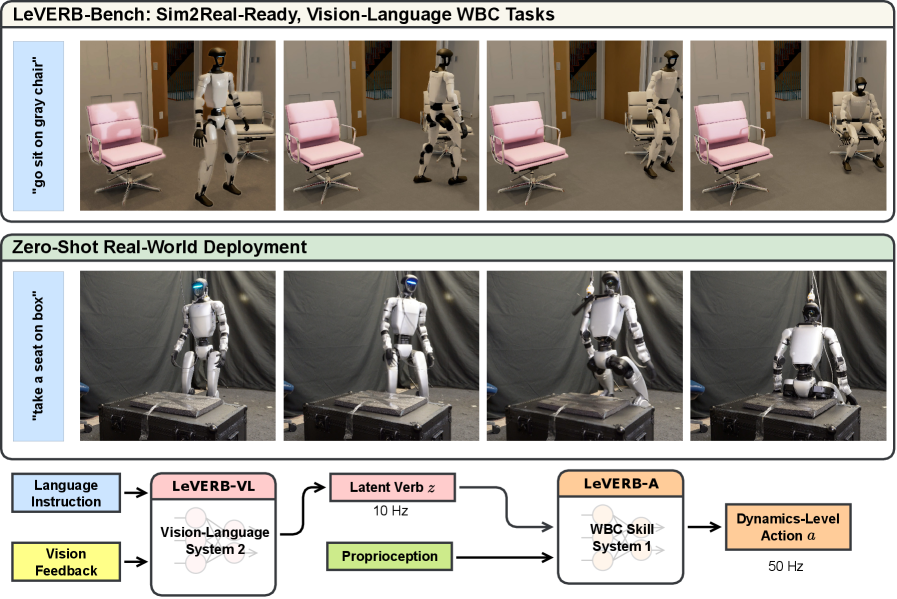
GR00T-VisualSim2Real is NVIDIA's open-source repository for two important humanoid robotics projects: VIRAL and DoorMan. Both target the same practical question: can we train a policy entirely in simulation, use RGB cameras plus proprioception, and transfer it zero-shot to a real Unitree G1 without collecting more real-world fine-tuning data?
This guide is written so a beginner can follow the workflow, but the workload itself is not beginner-sized. VIRAL and DoorMan are whole-body visual loco-manipulation systems. The robot must balance, walk, position its body, use dexterous hands, interact with objects or doors, and recover from small closed-loop errors. The VIRAL paper reports that reliable teacher and student training depends heavily on compute scale, with experiments scaling to tens of GPUs and up to 64 GPUs. DoorMan also reports multi-GPU phases for student distillation and GRPO. A realistic goal for a small lab is therefore: install the stack, run smoke tests, train a reduced teacher/student setup, evaluate in Isaac Lab, export ONNX, and only deploy on real hardware after camera alignment, safety, and whole-body control are solid.
If you are new to robot VLA and policy training, read fine-tuning GR00T N1, the WholeBodyVLA open-source guide, and humanoid sim-to-real transfer first. GR00T-VisualSim2Real sits at the intersection of those topics: large-scale simulation, privileged RL teachers, vision students, domain randomization, and deployment on a real humanoid.
Original papers and repository
Official repository: NVlabs/GR00T-VisualSim2Real. The README states that the repository contains application code for VIRAL and DoorMan, built on Isaac Lab/Isaac Sim 5.1 with TRL and Hydra. It supports PPO teacher training, DAgger student distillation, evaluation, and ONNX export.
The two original papers:
| Project | Paper | Main task | Robot | Key result |
|---|---|---|---|---|
| VIRAL | Visual Sim-to-Real at Scale for Humanoid Loco-Manipulation | Walk, stand, grasp, drop, turn, repeat | Unitree G1 | RGB policy runs zero-shot for up to 54 loco-manipulation cycles |
| DoorMan | Opening the Sim-to-Real Door for Humanoid Pixel-to-Action Policy Transfer | Open diverse doors from RGB | Humanoid/Unitree G1-style stack | Teacher-student-bootstrap with GRPO, up to 31.7% faster than human teleoperators |
The core idea is simple but powerful. A teacher policy is trained in simulation with privileged state: full robot state, object state, door state, contact information, target poses, or other values that are easy in simulation but unavailable on the real robot. That teacher may be strong, but it is not directly deployable. A student policy then learns to imitate the teacher using only deployment-like observations, mainly RGB camera input and proprioception. In DoorMan, NVIDIA adds a GRPO fine-tuning stage after DAgger so the student becomes more consistent under partial observability during a long articulated-object task.
Minimal pipeline:
Isaac Lab simulation
        |
        v
Privileged teacher (PPO)
  obs: full state, object/door state, targets, contacts
  action: whole-body delta action / joint targets
        |
        | rollouts + teacher actions
        v
Vision student (DAgger + BC)
  obs: RGB camera + proprioception + action history
  action: same low-level action space
        |
        | optional for DoorMan
        v
Student bootstrap / GRPO fine-tuning
  reward: mostly task success, closed-loop consistency
        |
        v
Evaluation -> ONNX export -> real robot deployment
VIRAL versus DoorMan
VIRAL is the broader framework for humanoid loco-manipulation. Its project page shows Unitree G1 walking to a table, standing, grasping an object, dropping or turning, and repeating the behavior across many cycles. The paper emphasizes three main technical groups: delta action space and reference state initialization for the teacher, tiled rendering and online DAgger for the student, and visual domain randomization plus real-to-sim alignment for cameras and dexterous hands.
DoorMan is narrower but physically harder. Opening a door is not just "reach the handle." The robot must estimate distance from RGB, move the base to the right pose, grasp the handle, pull or push along the hinge dynamics, maintain balance under changing contact forces, and adjust when the door state is only partially visible. DoorMan therefore adds staged-reset exploration for long-horizon teacher training and GRPO fine-tuning for the student. The DoorMan project page reports a three-stage training budget: PPO teacher on 1 L40s GPU for about 6 hours, DAgger student distillation on 32 L40s GPUs for about 24 hours, and GRPO on 64 L40s GPUs for about 12 hours. Treat those as sizing references, not as mandatory settings for a small smoke test.
Policy architecture
The main code lives under gr00t/rl/. The important pieces are:
| Path | Role |
|---|---|
train_agent_trl.py |
Training entry point for both teacher and student |
eval_agent_trl.py |
Evaluates checkpoints and exports ONNX when num_envs=1 |
config/exp/loco_manip/ |
Hydra experiment configs for loco-manipulation tasks |
config/robot/g1/ |
Unitree G1 robot configuration, including the G1 43-DOF model |
config/obs/ |
Observation groups: privileged observations, RGB, proprioception |
config/domain_rand/ |
Visual and physics randomization |
envs/loco_manip/ |
Task implementations |
trl/trainer/ |
PPO and distillation trainers |
A common beginner mistake is treating GR00T-VisualSim2Real like VLM fine-tuning on a static text-image dataset. It is not. This is closed-loop robot policy training. The simulator produces a rollout, the policy outputs actions, those actions move the robot, and the next state depends on the policy's previous mistakes. If observation timing, camera intrinsics, action scaling, or hand dynamics differ between simulation and the real robot, the policy can fail even when simulated reward looks strong.
The teacher learns the hard skill first with privileged observations. The student does not explore from scratch. It learns, "given this RGB frame and this proprioceptive state, what would the teacher do?" DAgger is more robust than offline behavior cloning because the student runs in the loop; when it drifts away from the teacher's distribution, the teacher can still provide corrective actions. That matters for humanoids because a few centimeters of base or wrist error can break a grasp.
Hardware and software requirements
The repository README lists the baseline environment:
| Item | Recommendation |
|---|---|
| OS | Ubuntu 22.04 |
| NVIDIA driver | >= 535 |
| Python | 3.11 |
| PyTorch | 2.7.0 with CUDA 12.8 wheels |
| Isaac Sim | 5.1 |
| Isaac Lab | Version compatible with Isaac Sim 5.1 |
| GPU | At least one strong NVIDIA GPU for smoke tests; many GPUs for serious training |
| Tracking | Weights & Biases by default |
If you only have a single RTX 4090 or one L40s, start with small num_envs, run headless, evaluate often, and do not expect to reproduce the full paper. Visual policies consume VRAM through the simulator, camera rendering, rollout batches, and the network. For student training, the README's num_envs=8 debug command is a much more realistic starting point than the teacher example with num_envs=48.
Installation
The commands below closely follow the official README. Use a dedicated conda or mamba environment because Isaac Sim, PyTorch, and NumPy version conflicts are common.
conda create -n viral python=3.11 -y
conda activate viral

pip install torch==2.7.0 torchvision==0.22.0 \
  --index-url https://download.pytorch.org/whl/cu128

pip install isaacsim==5.1.0.0 isaacsim-rl==5.1.0.0
Install Isaac Lab from source:
pip install setuptools poetry-core flatdict

pip install --no-build-isolation -e <path-to-IsaacLab>/source/isaaclab
pip install --no-build-isolation -e <path-to-IsaacLab>/source/isaaclab_assets \
  -e <path-to-IsaacLab>/source/isaaclab_tasks \
  -e "<path-to-IsaacLab>/source/isaaclab_rl[all]"

pip install numpy==1.26.0
python -c "import isaaclab; print(isaaclab.__file__)"
Install GR00T-VisualSim2Real:
cd <path-to-GR00T-VisualSim2Real>
pip install -e .
pip install numpy==1.26.0

python -c "from gr00t.rl.envs.base_task.base_task import BaseTask; print('OK')"
If import isaaclab fails, the usual causes are a mismatched Isaac Sim version, the wrong Python environment, or NumPy being upgraded by another dependency. The repository README explicitly pins numpy==1.26.0 again after installing the package.
Train a VIRAL teacher with PPO
The teacher uses full state in simulation. The README gives this command:
HYDRA_FULL_ERROR=1 accelerate launch --num_processes 1 \
  gr00t/rl/train_agent_trl.py \
  +exp=loco_manip/walk_stand_place_grasp_turn_homie \
  num_envs=48 \
  project_name=wsdpt_teacher
Key arguments:
| Argument | Meaning |
|---|---|
+exp=... |
Selects the Hydra experiment config |
num_envs=48 |
Number of parallel environments; faster but more VRAM |
project_name |
Weights & Biases project name |
headless=True/False |
Run without GUI or open Isaac Sim for inspection |
env.config.reset_from_dataset.enable |
Enables reset from demonstration data if the config supports it |
For a first run, reduce the scale:
HYDRA_FULL_ERROR=1 accelerate launch --num_processes 1 \
  gr00t/rl/train_agent_trl.py \
  +exp=loco_manip/walk_stand_place_grasp_turn_homie \
  num_envs=8 \
  headless=True \
  experiment_name=teacher_smoke_g1 \
  project_name=viral_debug
You do not need a good reward curve immediately. A smoke test only needs to prove that Isaac Lab launches, the environment resets, GPU memory is stable, checkpoints are written under logs_rl/<experiment_name>/, and metrics reach W&B. After that, increase num_envs, tune reward scales, or open the GUI to debug posture and contact behavior.
Evaluate the teacher
Once you have a checkpoint:
python gr00t/rl/eval_agent_trl.py \
  +checkpoint=logs_rl/<teacher_experiment>/model_step_044500.pt
Evaluation checklist:
| Symptom | Interpretation |
|---|---|
| Robot stands but does not reach | Locomotion is acceptable, manipulation reward or target observations may be wrong |
| Reaches correctly but fails to grasp | Hand SysID, finger action scale, or contact model may be off |
| Sim success but jerky actions | Action smoothing, delta action scale, latency, or randomization need work |
| GUI looks good but headless metrics are bad | Seed, environment count, or Hydra override changed |
Train a VIRAL student with DAgger
The student needs a trained teacher checkpoint. The README asks you to set teacher_actor_path inside the student experiment config:
# gr00t/rl/config/exp/loco_manip/wsdpt_student_for_teacher_v8q8.002_resnet_rgb_delay.yaml
teacher_actor_path: logs_rl/<your_teacher_experiment>/model_step_XXXXXX.pt
Then launch training:
HYDRA_FULL_ERROR=1 accelerate launch --num_processes 1 \
  gr00t/rl/train_agent_trl.py \
  +exp=loco_manip/wsdpt_student_for_teacher_v8q8.002_resnet_rgb_delay \
  num_envs=8 \
  headless=True \
  experiment_name=wsdpt_student \
  project_name=wsdpt_student_debug
The config name tells you something important: the student uses ResNet RGB input and delay randomization. On a real robot, images do not arrive at the policy at exactly the same time as joint states. Camera exposure, networking, preprocessing, and inference all add latency. If simulation does not randomize delay, the student can learn a clean timing assumption that breaks during deployment.
Evaluate the student:
python gr00t/rl/eval_agent_trl.py \
  +checkpoint=logs_rl/<student_experiment>/model_step_XXXXXX.pt
When you evaluate with num_envs=1, the repository exports ONNX automatically:
python gr00t/rl/eval_agent_trl.py \
  +checkpoint=logs_rl/<student_experiment>/model_step_XXXXXX.pt \
  num_envs=1
The export is saved under:
logs_rl/<student_experiment>/exported/
DoorMan: training a door-opening policy
DoorMan uses the same teacher-student philosophy, but the task is articulated loco-manipulation. Its project page describes randomization over mass, handle type, hinge damping, stiffness, texture, and background. That is a major difference from simple pick-and-place: the door physics determine reaction forces on the robot, and a small grasping error can destabilize the base.
DoorMan pipeline:
Phase 1: PPO privileged teacher
  - staged reset so the teacher does not explore the full horizon from scratch
  - privileged obs include door state, handle pose, hinge state

Phase 2: DAgger vision student
  - RGB-only perception + proprioception
  - learns teacher actions in closed loop

Phase 3: GRPO bootstrap
  - fine-tunes the student with task-success rewards
  - improves consistency when observations are missing or delayed
Because the public README does not list a dedicated DoorMan command the way it lists the VIRAL commands, the practical workflow is to locate the door experiment configs in the version of the repository you have:
find gr00t/rl/config/exp -iname "*door*" -o -iname "*doorman*"
Then run the same training entry point:
HYDRA_FULL_ERROR=1 accelerate launch --num_processes 1 \
  gr00t/rl/train_agent_trl.py \
  +exp=<door_or_doorman_teacher_exp> \
  num_envs=8 \
  headless=True \
  experiment_name=doorman_teacher_smoke \
  project_name=doorman_debug
For DoorMan, do not skip staged reset. If the robot starts far from the door, does not know where the handle is, does not know the hinge response, and receives sparse success reward, PPO can spend a long time discovering useful trajectories. Staged reset breaks the horizon into easier subproblems: near the handle, already grasped, actively pulling, near completion. Once the teacher is stable, the student can learn from diverse rollouts.
Inference and deployment on Unitree G1
Real deployment needs two layers: policy inference and whole-body control. The GR00T-WholeBodyControl documentation describes a ZMQ-based PolicyServer pipeline: the inference client reads camera/state, queries the policy server, and publishes actions to a C++ deploy stack. With GR00T-VisualSim2Real, if you export a student policy to ONNX, the principle is the same: the policy must receive the correct RGB/proprioception tensors, output the action space expected by the controller, and run at a stable control cadence.
Deployment diagram:
Camera server on G1  --->  inference client  --->  action publisher
Joint/IMU state      --->        |                    |
                                 v                    v
                         policy checkpoint       C++ whole-body control
                              or ONNX                  |
                                                       v
                                                Unitree G1 actuators
If you use the GR00T-WholeBodyControl PolicyServer, the manual setup looks like:
# GPU machine
uv run python gr00t/eval/run_gr00t_server.py \
  --model-path /path/to/your/finetuned_model \
  --embodiment-tag UNITREE_G1_SONIC \
  --device cuda:0 \
  --port 5550
Inference client:
source .venv_inference/bin/activate
python gear_sonic/scripts/run_vla_inference.py \
  --host <policy_server_ip> \
  --port 5550 \
  --embodiment-tag unitree_g1_sonic \
  --prompt "open the door" \
  --camera-host 192.168.123.164
For a DoorMan or VIRAL policy that is not a language-conditioned GR00T N1 model, you may not need a prompt; however, the interface principles remain the same: action publish rate, action horizon, camera host, latency compensation, and initial pose must match the controller. The inference documentation lists defaults such as 50 Hz action publishing, 2.5 Hz inference rate, and action horizon 40 for the VLA stack. For a custom ONNX policy, measure end-to-end latency rather than only model forward time.
Paper results and how to interpret them
VIRAL reports an RGB-based policy on Unitree G1 performing continuous loco-manipulation for up to 54 cycles, with generalization across tray position, cylinder position, robot position, table height, lighting, table cloth color, table type, and object variety. The project page also shows a realistic development timeline: many failures before stable grasping, then walk-stand-grasp, and finally long repeated cycles.
DoorMan reports a policy trained entirely in simulation with pure RGB perception, transferring zero-shot across diverse doors, handles, textures, and locations. The paper and project page report performance up to 31.7% faster than human teleoperators in completion time, and the GRPO fine-tuning stage improves success rate by roughly 20-30%.
Those numbers do not mean cloning the repository will reproduce the paper immediately. They depend on compute scale, randomization quality, camera alignment, hand SysID, the controller, safety setup, and hardware calibration. For a small lab, define milestones instead:
| Stage | Goal |
|---|---|
| 1 | Import the package, launch Isaac Lab, reset the G1 task |
| 2 | Run a teacher smoke test and avoid NaN checkpoints |
| 3 | Evaluate the teacher and inspect reasonable behavior |
| 4 | Distill a small RGB student |
| 5 | Export ONNX and verify tensor I/O |
| 6 | Run sim-to-sim with latency and camera randomization |
| 7 | Perform real-robot dry runs with no payload and E-stop |
| 8 | Attempt the real task with speed limits and a safety spotter |
Troubleshooting
| Problem | Common cause | Fix |
|---|---|---|
import isaaclab fails |
Isaac Lab is not installed editable or the wrong env is active | Activate the right conda env and reinstall source packages |
| Isaac Sim crashes when cameras are enabled | Not enough VRAM or incompatible driver | Reduce num_envs, run headless, update driver |
| Training becomes NaN | Reward/action scale too large, unstable contacts | Lower learning rate, check action clipping |
| Student does not learn | Wrong teacher path or RGB observation mismatch | Print Hydra config and verify teacher_actor_path |
| Sim works but real robot fails | Camera FOV, delay, or hand SysID mismatch | Align camera, randomize delay, remeasure finger response |
| Door task does not progress | Reward is too sparse | Use staged reset and curriculum |
Conclusion
GR00T-VisualSim2Real is important because it turns visual sim-to-real humanoid manipulation from isolated demos into a reusable research pipeline: privileged teachers, vision students, large-scale rendering, domain randomization, real-to-sim alignment, and export for deployment. VIRAL shows that Unitree G1 can execute repeated RGB-based loco-manipulation. DoorMan shows that articulated objects such as doors can also be handled by policies trained in simulation.
If you start today, do not start with the real robot. Start with a teacher smoke test in Isaac Lab, then a small student distillation run, then sim-to-sim evaluation with latency and camera randomization. Once the policy survives those steps, deployment on Unitree G1 becomes an engineering process rather than a guess.
References
- NVlabs/GR00T-VisualSim2Real GitHub
- VIRAL arXiv paper
- VIRAL project page
- DoorMan arXiv paper
- DoorMan project page
- Isaac Lab humanoid imitation examples
- GR00T-WholeBodyControl VLA inference docs