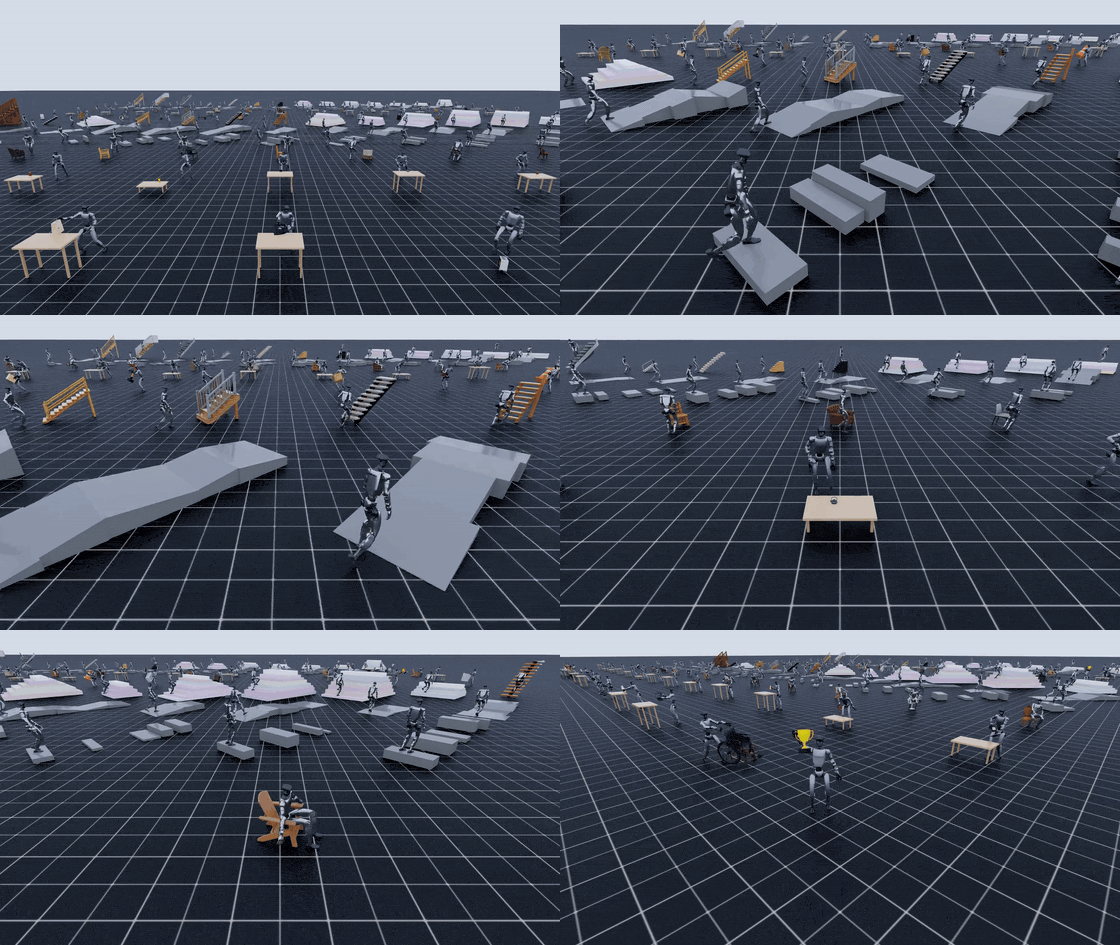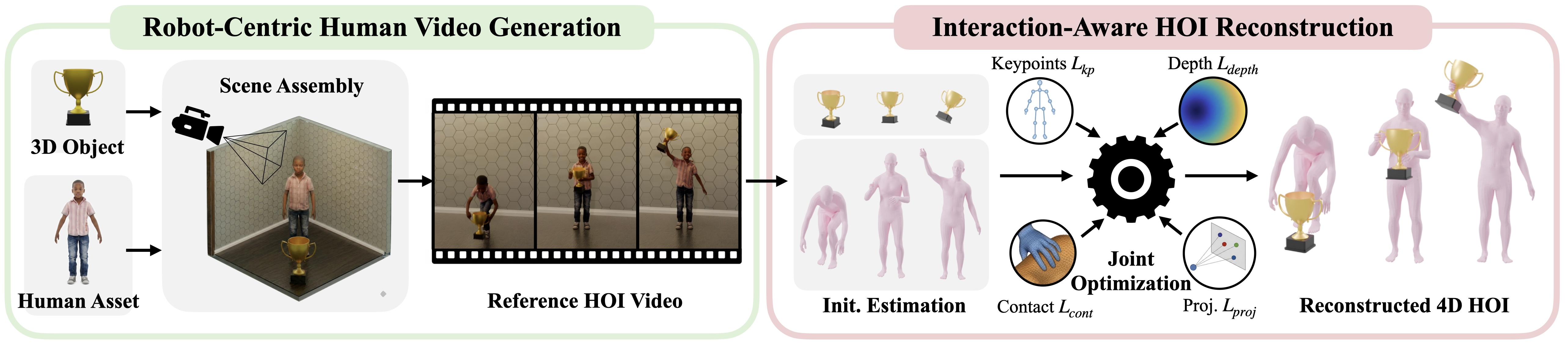
In part 3, we obtained 4D HOI output: an SMPL-X human, 6-DoF object poses, contact data, and visualization. In part 4, we separated two data regimes: manipulation with moving objects, and locomotion/sitting with fixed scene geometry. Part 5 is the bridge from "human reconstruction" to "Unitree G1 motion library".
The key point is simple: the downstream policy does not train directly on SMPL-X. SMPL-X is a human body model; Unitree G1 has a different topology, joint limits, hands, legs, body proportions, and kinematic constraints. GRAIL therefore needs a retargeting step that turns human-object trajectories into robot-object trajectories. The central script is grail/retargeting/scripts/retarget_pipeline.sh. It is not one opaque command. It calls three explicit stages: grail.retargeting.retarget, grail.retargeting.process, and grail.retargeting.compute_bps.
Technical sources used for this walkthrough:
- GRAIL project page
- GRAIL GitHub README
- GRAIL retargeting docs
retarget_pipeline.shretarget.shprocess.shcompute_bps.sh- GMR: General Motion Retargeting, Basis Point Sets paper
Series Roadmap
- 3D Assets and Terrain for GRAIL: asset generation, object prompts, sharding, and downstream file contracts.
- 2D HOI Videos with Blender and Kling: conditioning renders, camera/depth output, and video foundation model generation.
- 4D HOI Reconstruction: GEM, SAM2, MoGe: human pose, object tracking, optimization, filtering, and visualization.
- Static Terrain Locomotion: curbs, slopes, stairs, and sitting as static-scene 4D HOI.
- Retargeting Trajectories to Unitree G1: this article.
- Training and Data Export: packaging demonstrations, training trackers/policies, and preparing sim-to-real data.
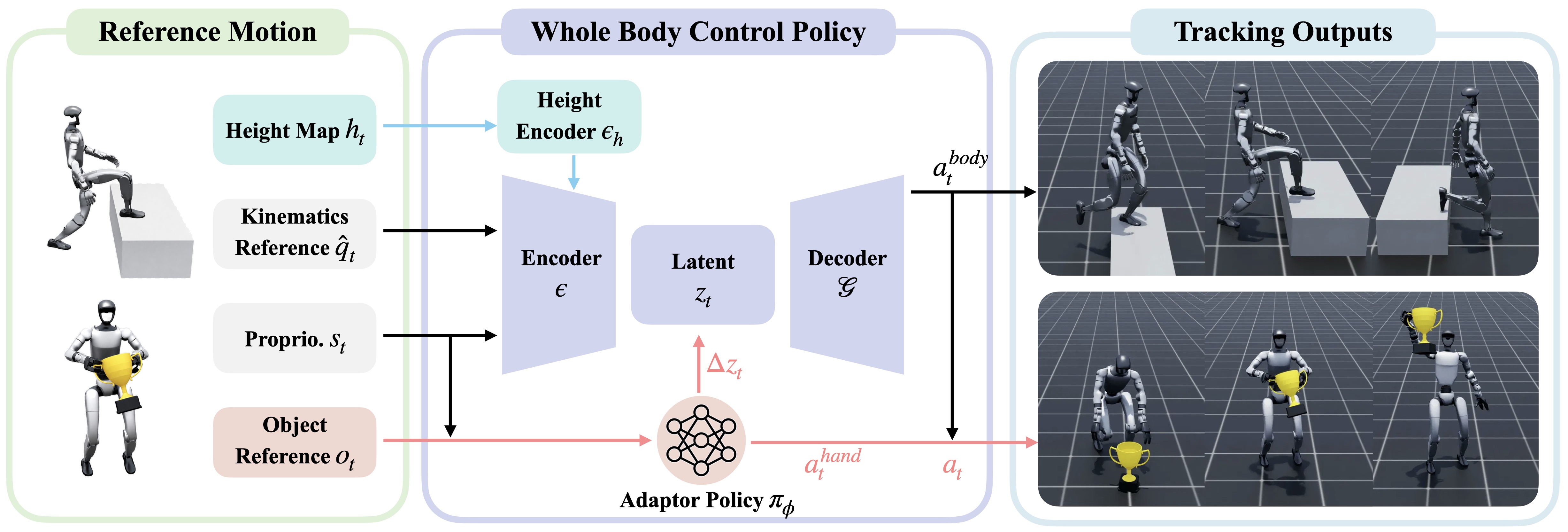
For broader whole-body policy context, see Humanoid loco-manipulation and G1 terrain walking with reinforcement learning. Those articles explain why retargeting is not just renaming joints: the data must preserve balance, timing, contact, and hand-object relationships.
What You Will Learn
By the end of this article, you should know:
- Where valid
4dhoi_recon_validinputs come from and how they enterretarget_pipeline.sh. - Why stage 1 uses
grail.retargeting.retargetto convert SMPL-X motion tounitree_g1. - How stage 2,
grail.retargeting.process, addshand_action_left,hand_action_right, table geometry, and contact filtering around the lift frame. - How
--lift_thresholdand--grasp_anticipation_framesdirectly affect hand-close timing. - How stage 3,
grail.retargeting.compute_bps, creates object shape embeddings underbps/. - When to use
--zero_out_wristand when to skipprocess.sh.
The recommended end-to-end command in the GRAIL docs looks like this:
conda activate sonic
export DISPLAY=:1

bash grail/retargeting/scripts/retarget_pipeline.sh \
  data/genhoi/benchmark_v3/generation/4dhoi_recon_valid/Hunyuan \
  benchmark_v3_0203
The first argument is the folder containing valid reconstructions. The second argument is the motion-library folder name under data/motion_lib/. If the output name is benchmark_v3_0203, the first stage writes:
data/motion_lib/benchmark_v3_0203/
  robot/
  objects/
  object_usd/
  meta/
After processing, GRAIL creates a hand-action version:
data/motion_lib/benchmark_v3_0203_ha/
  robot/
  objects/
  meta/
If the dataset has multiple object USDs, the BPS stage creates:
data/motion_lib/benchmark_v3_0203/
  bps/
    _basis.npy
    <object_name>.npy
Input-Output Map
For beginners, this pipeline is best understood as a format conversion step with a small amount of physical bookkeeping. 4dhoi_recon_valid is the reconstruction output. It still speaks the language of human-object interaction: SMPL-X poses, object poses, object meshes, contact points, and scene metadata. data/motion_lib/<name> is more robot-ready: G1 joint trajectories, object trajectories, USD assets for Isaac Lab, and metadata that task-general trackers can read.
| Stage | Main input | Main output | Meaning |
|---|---|---|---|
retarget |
4dhoi_recon_valid/... |
data/motion_lib/<name>/{robot,objects,object_usd,meta} |
Convert SMPL-X human poses to Unitree G1 motion and convert object meshes to USD |
process |
data/motion_lib/<name> |
data/motion_lib/<name>_ha/{robot,objects,meta} |
Add hand actions, table pose/size, filtered contacts, and per-motion files |
compute_bps |
data/motion_lib/<name>/object_usd/*.usd |
data/motion_lib/<name>/bps/*.npy |
Encode object shape as a fixed vector for policy observations |
The motion-library name matters. Avoid names like test if you run many batches. Prefer names that capture dataset, date, or config: comasset_pickup_g1_20260607, terrain_v6_zero_wrist, benchmark_v3_0203. When something fails, the folder name will tell you which run it came from.
What retarget_pipeline.sh Actually Does
retarget_pipeline.sh is short, but it encodes the default path:
bash grail/retargeting/scripts/retarget_pipeline.sh \
  <DATA_DIR> \
  <OUTPUT_FOLDER> \
  [extra_retarget_args...]
The arguments are:
DATA_DIR: the filtered reconstruction folder, for exampledata/genhoi/.../generation/4dhoi_recon_valid/Hunyuan.OUTPUT_FOLDER: the folder name underdata/motion_lib/, for examplebenchmark_v3_0203.- Remaining arguments are usually forwarded to the retargeting stage.
There is one important exception: --treat_hands_equally or --treat-hands-equally is separated and forwarded to the processing stage, because it controls hand-action post-processing rather than IK retargeting. Other flags, such as --zero_out_wrist, go to grail.retargeting.retarget.
A simplified flow:
# 1. SMPL-X -> Unitree G1
bash grail/retargeting/scripts/retarget.sh \
  "${DATA_DIR}" "${OUTPUT_FOLDER}" "${RETARGET_ARGS[@]}"

# 2. Hand actions + table geometry
bash grail/retargeting/scripts/process.sh \
  "${OUTPUT_FOLDER}" "${PROCESS_ARGS[@]}"

# 3. BPS if multiple object USDs exist
USD_COUNT=$(find "data/motion_lib/${OUTPUT_FOLDER}/object_usd" -name "*.usd" | wc -l)
if [[ "${USD_COUNT}" -gt 1 ]]; then
  bash grail/retargeting/scripts/compute_bps.sh "${OUTPUT_FOLDER}"
fi
The USD_COUNT > 1 condition is intentional. For a single-object dataset, BPS does not add much discriminative information because the object shape is constant across motions. For multi-object datasets such as ComAsset or RoboCasa-style data, the policy needs to know whether it is handling a bottle, box, drill, mug, or another shape. BPS provides that shape signal as a fixed-size observation.
Stage 1: grail.retargeting.retarget
The first stage is called through retarget.sh:
python -m grail.retargeting.retarget \
  --data_dir "${DATA_DIR}" \
  --all \
  --robot unitree_g1 \
  --output_dir "data/motion_lib/${OUTPUT_FOLDER}" \
  --no_viewer
It reads SMPL-X human poses and object trajectories from grail.pipelines.recon_4dhoi output, then creates a G1 motion library. According to the retarget.py docstring, this stage does three main things.
First, it can bake G1 body proportions into the SMPL-X model through G1ProportionSMPLX. This reduces mismatch between the human in the video and the target robot. If the source body is much taller, has much longer arms, or uses proportions unlike G1, the IK solver is forced to chase targets that may not be feasible. Earlier GRAIL stages are designed to keep the character closer to G1 proportions, which makes this stage more reliable than retargeting arbitrary in-the-wild human videos.
Second, it calls GMR through grail.adapters.gmr. GMR is kinematics-based retargeting: it takes motion on the source embodiment, solves inverse kinematics on the target robot, and applies temporal smoothing so the motion is not jittery. For G1, the target is not just hand position. Retargeting must keep the pelvis/root, feet, knees, ankles, torso, and arms in a plausible relationship so a tracker can follow the reference in simulation.
Third, it converts object meshes to USD and attaches object trajectories. This part is easy to underestimate. If you only have robot joint trajectories but no object USD, the policy does not know what shape it is interacting with or where that object lives in the simulator. The object_usd/ output provides Isaac Lab-ready assets, while objects/ stores the object's 6-DoF trajectory over time.
After this stage, each motion typically has matching robot, object, metadata, and asset files:
data/motion_lib/<name>/
  robot/<motion_id>.pkl      # G1 root, pose_aa, dof, root_rot, smpl_joints, fps
  objects/<motion_id>.pkl    # object root_pos, root_quat, contact points, fps
  meta/<motion_id>.pkl       # object_name, table info when available
  object_usd/<object>.usd    # object mesh converted for the simulator
Before moving on, count the files:
find data/motion_lib/benchmark_v3_0203/robot -name "*.pkl" | wc -l
find data/motion_lib/benchmark_v3_0203/objects -name "*.pkl" | wc -l
find data/motion_lib/benchmark_v3_0203/meta -name "*.pkl" | wc -l
find data/motion_lib/benchmark_v3_0203/object_usd -name "*.usd" | wc -l
If robot/ has fewer files than expected, the failure is in retargeting or the input reconstruction. If object_usd/ is empty, mesh conversion failed or the input mesh is not where the stage expects it.
--zero_out_wrist for Terrain and Sitting
Not every dataset needs hand IK. For pickup and tabletop manipulation, wrist pose and hand contact are task-critical. For stairs, curbs, slopes, and many sitting clips, the object or scene is large environment geometry; the hands are not controlling a grasped object. GRAIL's retargeting docs recommend --zero_out_wrist for terrain/sitting data to skip hand IK:
bash grail/retargeting/scripts/retarget.sh \
  data/genhoi/results_terrain_v6/generation/4dhoi_recon_valid/Hunyuan \
  terrain_v6 \
  --zero_out_wrist
For terrain, you usually skip process.sh as well, because you do not need hand_action_left/right. A locomotion policy cares about the root, legs, terrain geometry, and ground contact more than hand open/close commands. If you still run process.sh, it may search for an object lift frame. Terrain does not lift from its initial pose, so --skip_no_lift can reject motions or send you debugging in the wrong direction.
A practical rule:
| Dataset | Need wrist/hand actions? | Recommended path |
|---|---|---|
| Pick up object from table | Yes | Full retarget_pipeline.sh |
| Pick up object from ground | Yes | Full retarget_pipeline.sh, inspect lift threshold |
| Carry or push a moving object | Yes, but may need task-specific tuning | Retarget + process, inspect contacts carefully |
| Stairs/curb/slope | No | retarget.sh --zero_out_wrist, skip process.sh |
| Sitting on a fixed chair | Usually no | retarget.sh --zero_out_wrist, consider skipping process.sh |
Stage 2: grail.retargeting.process
The processing stage turns retargeted motion into a version with hand actions and cleaned table geometry:
python -m grail.retargeting.process \
  --input data/motion_lib/benchmark_v3_0203 \
  --output data/motion_lib/benchmark_v3_0203_ha \
  --meta_pkl data/g1_smplx/g1_skeleton_meta.pkl \
  --include_contact_points \
  --grasp_from_lift \
  --lift_threshold 0.02 \
  --grasp_anticipation_frames 10 \
  --skip_no_lift \
  --per_object
The _ha suffix means "hand action". In robot/<motion_id>.pkl, this stage adds:
hand_action_left   # shape (T,), usually -1.0 means open and 1.0 means closed
hand_action_right  # shape (T,), usually -1.0 means open and 1.0 means closed
The default legacy path assumes right-hand pickup. It zeroes the left arm into a default pose, keeps hand_action_left open, and closes hand_action_right around the grasp. If you add --treat_hands_equally, the pipeline preserves both arms and derives left/right hand actions symmetrically from each hand's contact timing. This is useful for two-handed interactions or for generated datasets where you cannot assume the right hand always grasps first.
Quick comparison:
| Mode | Left arm | hand_action_left |
hand_action_right |
Use case |
|---|---|---|---|---|
| Default | Moved to default pose | Open | Closes from lift/contact timing | Right-hand pickup, legacy path |
--treat_hands_equally |
Preserved | Derived from left-hand contact | Derived from right-hand contact | Bimanual data or uncertain grasping hand |
The stage also handles table geometry. If meta/<motion_id>.pkl contains table_pos and table_quat, the _ha/meta/ output keeps table_pos, table_quat, and table_size. The parser default for --table_size is [1.5, 0.7, 0.04] meters. The code also includes logic to adjust the table to reduce lower-body/table intersection in some cases: it uses forward kinematics from skeleton metadata, checks whether lower-body segments intersect the table plane, and shifts the table along the y-axis if needed. As a beginner, you usually do not need to tune this immediately. Just remember that the table is not decorative. It is geometry used by pickup-from-table tasks, so a bad table pose can teach the robot to grasp from a surface that does not match the object.
--lift_threshold: When Is the Object Lifted?
The wrapper default for --lift_threshold is 0.02, or 2 cm. When --grasp_from_lift is enabled, process.py reads object_motion[f]["root_pos"][:, 0, 2], stores the initial z value, and finds the first frame satisfying:
obj_z > initial_z + lift_threshold
That frame becomes lift_frame. If no frame crosses the threshold and --skip_no_lift is enabled, the motion is skipped. That is why logs can say "object never lifted above 0.02m".
A 2 cm threshold is reasonable for pickup because it prevents tiny z-axis noise from being treated as a real lift. But it is not universal. If the object is very small, the reconstruction is slightly low, or the task is sliding rather than lifting, understand the task before lowering the threshold.
| Symptom | Possible cause | Action |
|---|---|---|
| Many motions are skipped as "no lift" | Object never rises by 2 cm, or reconstructed z is too low | Inspect video/reconstruction; try --lift_threshold 0.01 only if the task is truly a light pickup |
| Hand closes too late | Lift frame happens after true contact | Increase --grasp_anticipation_frames or use contact timing with --treat_hands_equally |
| Hand closes too early | Contact or lift is detected too early from noise | Keep threshold at 0.02, reduce anticipation, inspect contact points |
| Terrain gets skipped | Terrain is not a lifted object | Do not run process.sh; use --zero_out_wrist during retargeting |
Do not lower --lift_threshold only to get more output files. If the object never leaves the table, the motion may not be a successful pickup. Keeping failed data can teach the policy that the hand closes while the object does not follow, or that the object moves without a reliable grasp.
--grasp_anticipation_frames: Closing Before Lift
A robot cannot wait until the object is already airborne before closing its hand. In pickup data, the hand should close before or near the lift moment. --grasp_anticipation_frames controls this timing. process.sh reads the value from GRAIL_GRASP_ANTICIPATION_FRAMES, with a default of 10.
The simplified logic is:
grasp_start_frame = lift_frame - grasp_anticipation_frames
hand_action_right[grasp_start_frame:] = 1.0
With --treat_hands_equally, each hand gets a separate action based on that hand's contact before lift. If one hand has no contact at or before lift, it can remain open.
At 50 FPS:
grasp_anticipation_frames |
Approximate time | Effect |
|---|---|---|
| 0 | 0 ms | Closes at the lift frame, often too late |
| 5 | 100 ms | Slightly early close, useful for short motions |
| 10 | 200 ms | Default balanced setting for common pickup |
| 20 | 400 ms | Earlier close, useful for large objects but may create fake grasps |
Start with the default 10. Change it only after watching replay or visualization and seeing that the hand command is clearly misaligned with contact.
Stage 3: grail.retargeting.compute_bps
BPS stands for Basis Point Set. The idea from Prokudin and colleagues is to avoid feeding an entire point cloud or mesh into a network. Instead, choose a fixed set of basis points and encode an object by the distance from each basis point to the nearest surface point. GRAIL uses a compact version: by default --num_basis 10, it samples the object surface, centers it at the centroid, normalizes it to a unit bounding sphere, and saves a 10-D distance vector.
The wrapper command is:
python -m grail.retargeting.compute_bps \
  --object_usd_dir data/motion_lib/benchmark_v3_0203/object_usd \
  --output_dir data/motion_lib/benchmark_v3_0203/bps
Output:
data/motion_lib/benchmark_v3_0203/bps/
  _basis.npy
  cordless_drill.npy
  mug.npy
  bottle.npy
  ...
_basis.npy makes the basis reproducible. Each <object>.npy is the shape embedding for that object. During training, a policy can receive object pose, robot state, and BPS embedding to distinguish small, long, round, or box-like objects without parsing USD meshes inside the RL loop.
BPS does not replace collision geometry. The USD is still needed for simulation and contact. BPS is a compact observation for the neural network. If the dataset has only one object, the wrapper skips this stage because shape does not vary across motions.
Debug by Folder
When the pipeline fails, do not read logs randomly. Debug by output folder:
| Folder | If missing | Check |
|---|---|---|
robot/ |
SMPL-X to G1 retargeting failed | Input 4dhoi_recon_valid, GMR installation, --robot unitree_g1, viewer/display |
objects/ |
Object trajectory was not packaged | Whether reconstruction contains object pose and the category path is correct |
object_usd/ |
Mesh conversion failed | Source mesh, IsaacLab/USD dependencies, output permissions |
meta/ |
Task metadata is missing | Reconstruction metadata, object name, table data |
<name>_ha/robot/ |
Processing skipped motions | --lift_threshold, --skip_no_lift, contact points |
bps/ |
BPS not created | Whether more than one USD exists and whether pxr/usd-core imports correctly |
A good smoke test is to run 3-5 motions end-to-end, then inspect pkl keys with joblib:
import joblib

motion = joblib.load("data/motion_lib/benchmark_v3_0203_ha/robot/<motion_id>.pkl")
key = list(motion.keys())[0]
print(motion[key].keys())

obj = joblib.load("data/motion_lib/benchmark_v3_0203_ha/objects/<motion_id>.pkl")
print(obj[key].keys())
For manipulation, the robot motion should contain dof, pose_aa, root_trans_offset, root_rot, fps, and hand_action_left/right. The object motion should contain root_pos, root_quat, fps, and contact points if contact export is enabled.
Conclusion
retarget_pipeline.sh is the most important conversion step before training. It takes 4dhoi_recon_valid reconstruction output and creates the motion-library layout that trackers and policies understand: robot, objects, object_usd, meta, and for multi-object datasets, bps. The retarget stage solves the morphology problem from SMPL-X to Unitree G1. The process stage turns contact/lift timing into hand_action_left/right, adds table geometry, and rejects motions without a real lift. The compute_bps stage turns object shape into a fixed observation embedding.
The key decision is to classify the dataset before running the command. For pickup/manipulation, run the full pipeline and inspect --lift_threshold, --grasp_anticipation_frames, and --treat_hands_equally. For terrain/sitting, use --zero_out_wrist during retargeting and usually skip hand-action processing. In part 6, we will use this motion library to train trackers/policies and prepare data for sim-to-real.