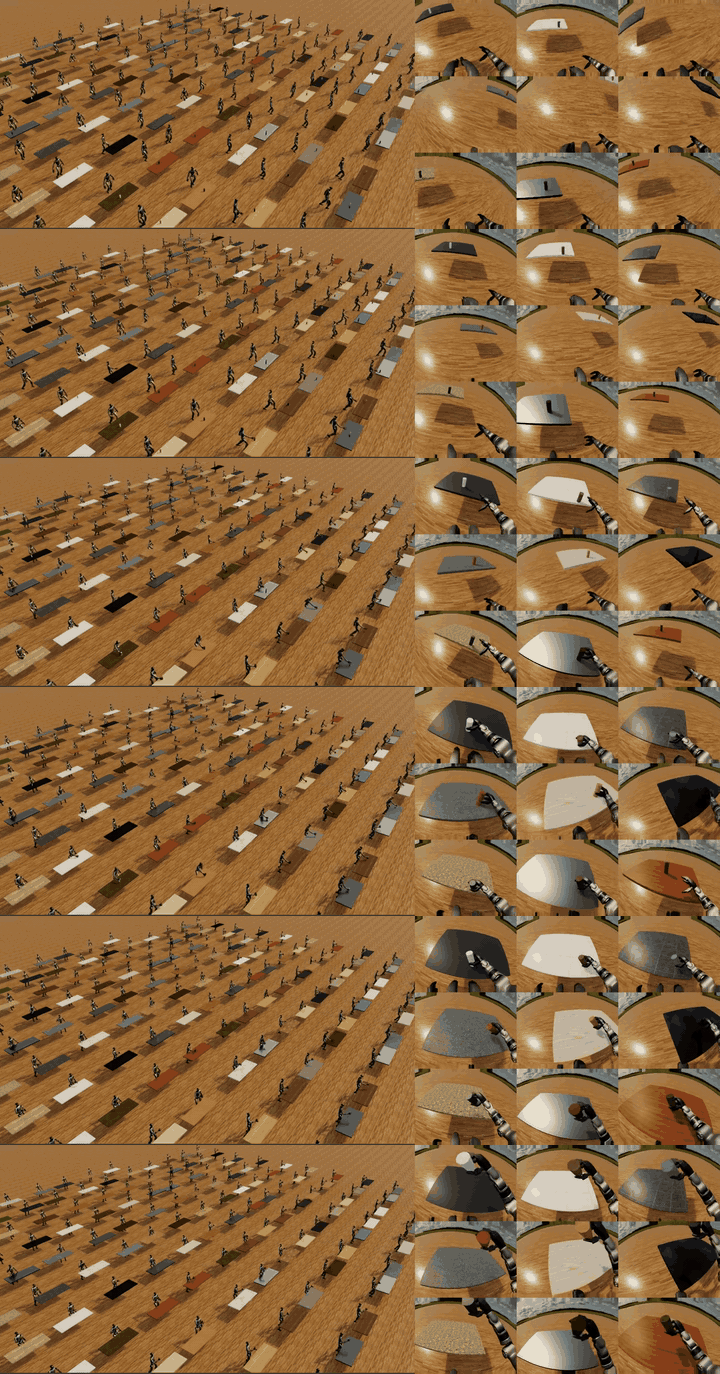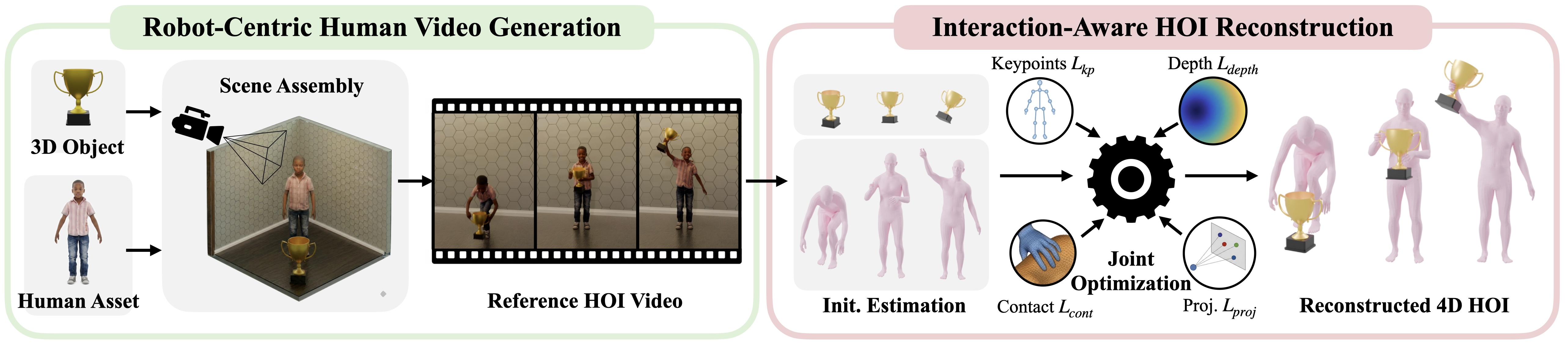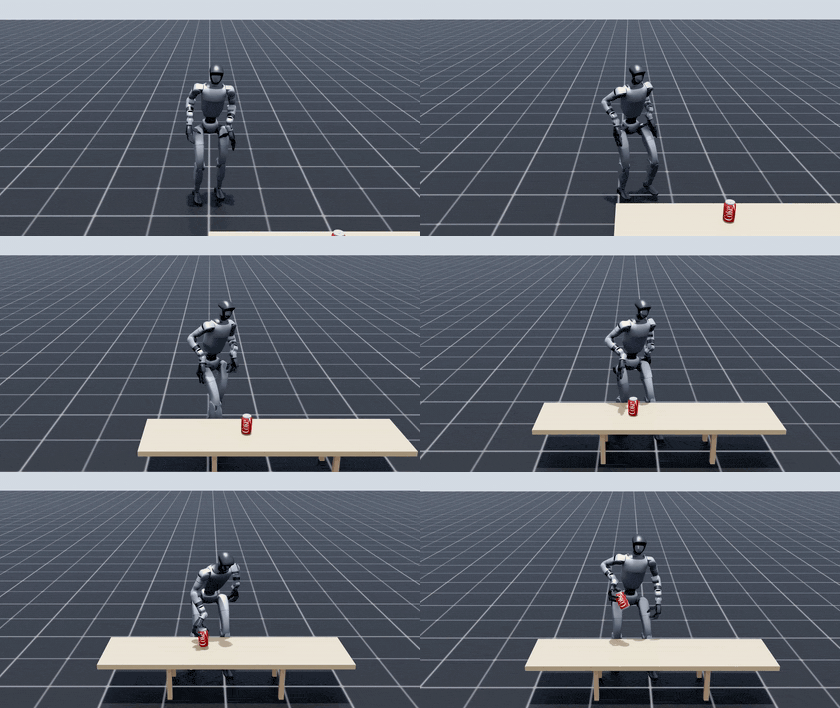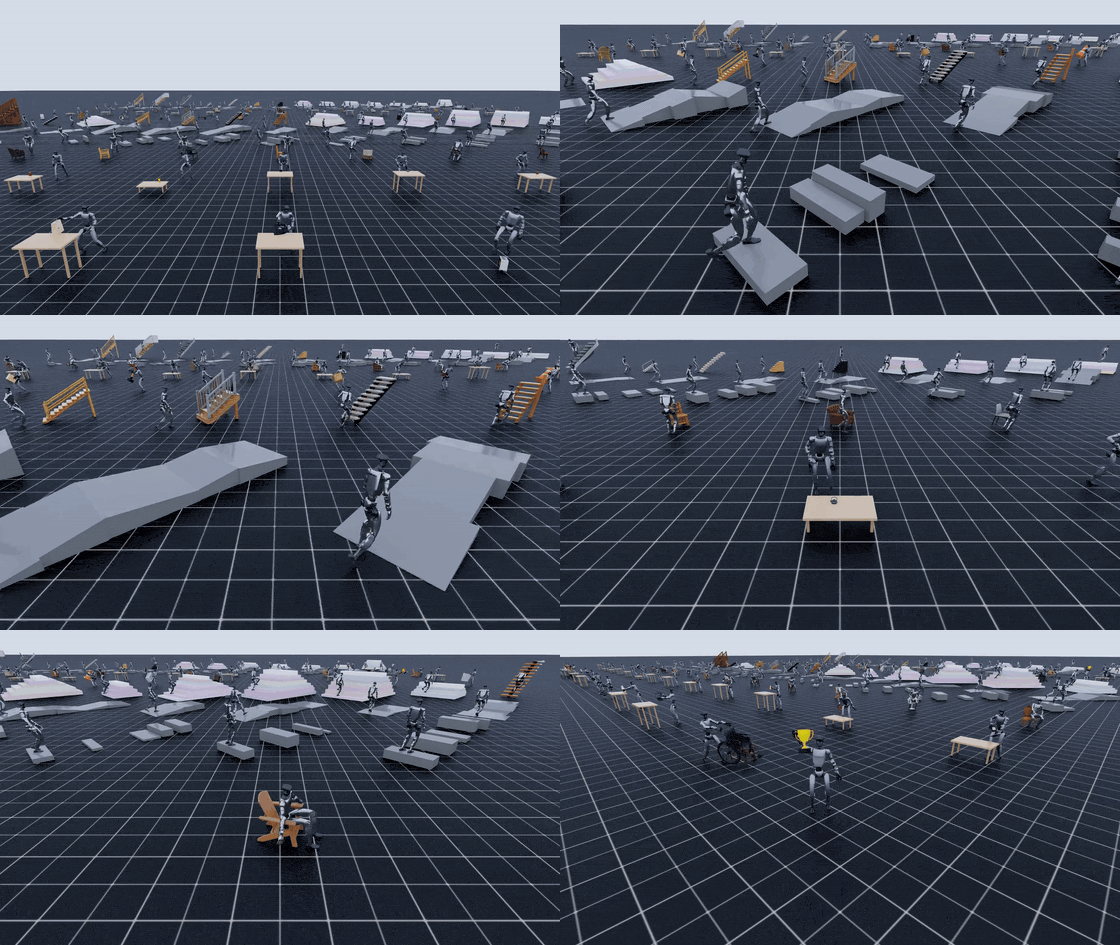
GRAIL is a fully digital data-generation pipeline for humanoid loco-manipulation. Instead of rebuilding physical rooms, teleoperating a robot for every scene, or motion-capturing every interaction, it starts from 3D assets, metric scenes, known cameras, and robot-proportioned characters. Those ingredients are then used to generate videos, reconstruct metric 4D human-object interaction, retarget trajectories to Unitree G1, and train policies.
This first article focuses on the first layer: assets. GRAIL exposes two practical asset paths:
grail.pipelines.gen_terrain: proceduralcurb,slope, andstairsgeneration. Each generated terrain asset containsmodel.obj,model.mtl, andtexture.jpg.grail.pipelines.gen_3d_assets: text-driven object asset generation from YAML lists such asconfigs/gen_3d/example_objects.yamlandconfigs/gen_3d/chairs.yaml, using OpenAI image/prompt helpers and Hunyuan3D-2.1 for mesh and texture generation.
For beginners, the key idea is simple: an asset is not just a visual object. It is a data contract for the whole pipeline. Blender needs it to render the conditioning scene. FoundationPose needs enough geometry and texture to recover object pose. Isaac Lab needs metric scale, stable collision, and physically plausible contact. A pretty mesh can still break the pipeline if it is too small, too symmetric, incorrectly scaled, articulated but exported as one rigid body, or sitting on a generated display base that was never intended to exist.
Roadmap series
- 3D Assets and Terrain in GRAIL: the two asset paths, object prompts, sharding, and downstream compatibility.
- Generating 2D HOI from 3D Scenes: Blender conditioning renders, video-model calls, and 2D human-object interaction outputs.
- Reconstructing Metric 4D HOI: pose estimation, object tracking, trajectory optimization, and why known scene context matters.
- Static-Terrain Locomotion: using curbs, slopes, and stairs to generate walking and traversal demonstrations.
- Retargeting Trajectories to Unitree G1: converting human/object motion into robot-compatible whole-body targets.
- Training Policies and Exporting Data: packaging demonstrations, training trackers/policies, and preparing sim-to-real data.
Two Asset Paths
The two paths serve different skill families. Terrain assets are scene-centric: the robot must traverse geometry. Object assets are object-centric: the robot must approach, orient its body and hands, grasp, lift, push, pull, carry, or sit.
| Path | Module | Input | Main output | Used for |
|---|---|---|---|---|
| Procedural terrain | grail.pipelines.gen_terrain |
`--type curb | slope | stairs |
| Hunyuan3D objects | grail.pipelines.gen_3d_assets |
YAML/JSON object list, OpenAI API, Hunyuan environment | model.obj, model.mtl, model.jpg, intermediate images |
Pickup, manipulation, sitting, object-aware policies |
The terrain generator is lightweight: no GPU and no external service are required. It writes OBJ/MTL/texture assets directly. The Hunyuan3D path is heavier: it runs in the separate hunyuan Conda environment, relies on Hunyuan3D-2.1 checkpoints, and uses OpenAI calls for prompt enhancement, reference-image generation, image verification, and real-world height estimation. Hunyuan3D's own documentation describes a two-stage shape-plus-texture approach; GRAIL wraps that capability with robotics-specific filtering and scaling.
Path 1: Procedural Terrain
Basic commands:
# Generate 300 assets for each terrain type: curb, slope, stairs
python -m grail.pipelines.gen_terrain \
  --type all \
  --num 300 \
  --output_dir data/Terrain

# Generate one type
python -m grail.pipelines.gen_terrain --type curb --num 40
python -m grail.pipelines.gen_terrain --type slope --num 100 --seed 1234
python -m grail.pipelines.gen_terrain --type stairs --num 50 --output_dir data/syn_stairs
Each generated terrain lands in its own folder:
data/Terrain/
  curb_000/
    model.obj
    model.mtl
    texture.jpg
  curb_001/
    model.obj
    model.mtl
    texture.jpg
  slope_000/
    model.obj
    model.mtl
    texture.jpg
Those three files are deliberate. model.obj stores vertices, normals, UVs, and faces. model.mtl defines the material and points to the texture. texture.jpg is a simple color atlas that makes the pieces visually distinct in Blender/Cycles. In the generator, each piece gets a tile in a 256-pixel texture grid. The OBJ references model.mtl, and the MTL maps diffuse color through texture.jpg.
Curbs
curb is built from multiple boxes with randomized width, height, gaps, and lateral offsets. This means a curb asset is not one perfect sidewalk block. It is a short obstacle sequence with two to five segments. The height range is small enough for stepping behavior rather than unrealistic climbing, and the gaps force the locomotion policy to handle non-uniform foot placement.
When inspecting a curb asset, ask:
- Is the height large enough to require gait adaptation?
- Do the gaps create meaningful foot-placement choices?
- Are the top surfaces flat and clean enough for stable contact?
For locomotion training, curbs are useful because they test reactive stepping and balance recovery without introducing the full complexity of stairs.
Slopes
slope is generated as wedge geometry extruded across width. Each asset has two to five segments, randomized lengths and widths, and height changes that can go up or down. The code also keeps a minimum surface height to avoid degenerate geometry.
Slopes differ from curbs because contact is continuous. The robot does not step onto a discrete ledge, but center-of-mass control, torso pitch, friction margins, and stance timing all become harder. A useful slope asset should be wide enough for a humanoid stance, steep enough to matter, and clean enough that contact is not dominated by mesh artifacts.
Stairs
stairs creates three to eight steps. Each step is a box with randomized rise and tread. The --uniform flag makes rise and tread fixed within a staircase:
# Uniform stairs, easier for debugging foot placement
python -m grail.pipelines.gen_terrain \
  --type stairs \
  --num 50 \
  --uniform \
  --output_dir data/syn_stairs_uniform
For beginners, uniform stairs are the better first debug target. Non-uniform stairs are valuable for robustness, but when a run fails you have more possible causes: reconstruction, terrain geometry, controller limits, foot timing, or policy generalization.
Why Scale Is Baked for G1
The terrain generator comments explain that the sizes are pre-scaled for the G1-retargeted character, roughly 70 percent of human SMPL-X height. Older downstream setups could apply obj_scale: [0.6, 0.6, 0.6] at render time. In the current generator, that scale is baked into the mesh, so downstream rendering can use obj_scale: [1.0, 1.0, 1.0].
That design reduces beginner mistakes. If model.obj looks a little small in a viewport, do not immediately scale it by eye. Check units in meters and compare the asset against the G1 character. Visual intuition is often wrong when the camera, character proportions, and terrain are all part of a metric robotics pipeline.
Path 2: Hunyuan3D Object Assets
The smoke-test command:
conda run -n hunyuan python -m grail.pipelines.gen_3d_assets \
  -i configs/gen_3d/example_objects.yaml \
  -o data/gen_example
example_objects.yaml contains six objects:
- Wooden dining chair with slat back
- Metal bar stool with wooden seat
- Classic leather armchair brown
- Cordless power drill
- Red ceramic coffee mug
- Hardcover book standing upright
chairs.yaml contains 70 chair variants, including iconic, traditional, rustic, modern, industrial, outdoor, specialty, rocking, school, and Asian-inspired chairs. It exists because sitting demos need many rigid chair-like objects with plausible seats, backs, legs, and contact surfaces.
The object pipeline is not a single text-to-mesh call. It is a staged robotics asset pipeline:
- Read a YAML or JSON list of object descriptions.
- Sort the list and slice it if sharding is enabled.
- Use a chat model to rewrite each prompt for 3D reconstruction.
- Generate a 1024 x 1024 reference image.
- Use a vision model to verify that the image matches the object and is suitable for HOI.
- Remove the background and resize the object into a 512 x 512 transparent canvas.
- Run Hunyuan3D shape generation and save
mesh.glb. - Run Hunyuan3D texture painting and export textured
model.objplus materials. - Estimate real-world object height from the generated image.
- Scale OBJ vertices so the mesh height matches the estimate.
- Clean intermediate files and keep the files needed by downstream stages.
The final folder layout usually looks like this:
data/gen_example/
  cordless_power_drill/
    model.obj
    model.mtl
    model.jpg
    generated_512.png
    generated_raw.png
  red_ceramic_coffee_mug/
    model.obj
    model.mtl
    model.jpg
    generated_512.png
    generated_raw.png
If scaling happened, model_original.obj may be kept as a backup. When debugging metric scale, compare the bounding boxes of model_original.obj and model.obj.
Prompt Selection: Avoiding GRAIL Failure Modes
A good robotics asset prompt is different from a good marketing image prompt. You do not need the most dramatic render. You need clear geometry, a plausible real-world size, an unambiguous canonical pose, and reliable contact.
| Prefer | Why it helps |
|---|---|
| A single rigid object | Hunyuan3D exports one mesh; downstream stages assume no true articulation |
| Largest dimension around 5-150 cm | Visible in renders and plausible for humanoid manipulation |
| Asymmetric or feature-rich surfaces | FoundationPose can lock onto orientation more easily |
| Natural feet, base, or contact surface | Reduces phantom plinths or floor/table clipping |
| Specific material and shape words | Produces more consistent reference images and textures |
| Avoid | Failure mode |
|---|---|
| Spoons, screws, paperclips, single coins | Too small in 1280 x 720 renders; contact is ambiguous |
| Refrigerators, sofas, vehicles | Too large for indoor scenes and reachable workspaces |
| Scissors, drawers, foldable chairs, fridge doors | Articulation gets baked into one rigid mesh |
| Plain spheres, generic balls, orbs | Rotational symmetry makes 6D orientation degenerate |
| "Minimalist cube", "pedestal", "display block" | The generator may add a flat slab or plinth under the object |
Weak and stronger prompt examples:
# Weak: too generic or likely to create symmetry/base problems
- Cube stool
- Ball
- Tool
- Chair

# Stronger: scale cues, material, orientation cues, contact surface
- Compact concrete cube side table on four small recessed rubber feet
- Soccer ball with visible panel seams and asymmetric colored logo
- Cordless power drill with black rubber grip and red battery pack
- Wooden dining chair with slat back and four straight legs
A simple test: imagine placing the object manually in Blender. If the prompt does not tell you which side is the front, where the bottom is, or what part the robot should contact, the prompt is probably under-specified.
Sharding with Job Chunks
Generating 70 chairs or a few hundred objects on one GPU can take time. GRAIL supports fan-out with --num_job_chunks and --job_chunk_idx:
python -m grail.pipelines.gen_3d_assets \
  -i configs/gen_3d/chairs.yaml \
  -o data/gen_chairs \
  --num_job_chunks 4 \
  --job_chunk_idx 0
Four-worker example:
# Worker 0
conda run -n hunyuan python -m grail.pipelines.gen_3d_assets \
  -i configs/gen_3d/chairs.yaml -o data/gen_chairs \
  --num_job_chunks 4 --job_chunk_idx 0

# Worker 1
conda run -n hunyuan python -m grail.pipelines.gen_3d_assets \
  -i configs/gen_3d/chairs.yaml -o data/gen_chairs \
  --num_job_chunks 4 --job_chunk_idx 1

# Worker 2
conda run -n hunyuan python -m grail.pipelines.gen_3d_assets \
  -i configs/gen_3d/chairs.yaml -o data/gen_chairs \
  --num_job_chunks 4 --job_chunk_idx 2

# Worker 3
conda run -n hunyuan python -m grail.pipelines.gen_3d_assets \
  -i configs/gen_3d/chairs.yaml -o data/gen_chairs \
  --num_job_chunks 4 --job_chunk_idx 3
Internally, the object list is sorted and sliced as objects[job_chunk_idx :: num_job_chunks]. That makes the split deterministic for a fixed input file and chunk count. If a worker dies halfway through, the default behavior is to skip objects whose folder already contains model.obj, so rerunning the same command continues the batch.
Sharding checklist:
- Use the same
-iand-ofor every worker. - Run
job_chunk_idxfrom0toN - 1, neverN. - Do not edit the YAML file while workers are running.
- Watch OpenAI API quota because every object can trigger chat, image, and vision calls.
- Use
--no-skip-existingonly when you intentionally want to regenerate existing assets.
Preparing Assets for Blender
GRAIL uses Blender in the 2D HOI stage to render the conditioning scene. Common asset problems are broken texture paths, bad normals, incorrect origin, wrong scale, and geometry that appears fine in a mesh viewer but fails once placed under the character.
Quick checklist:
[ ] The object folder contains model.obj, model.mtl, and texture/model.jpg.
[ ] MTL paths are relative, not absolute paths from another machine.
[ ] The bounding box is plausible in meters.
[ ] The bottom of the object sits near the floor or support surface.
[ ] The object has a clear front/back if the task depends on approach direction.
[ ] Texture is not uniformly white or black; there are features for rendering and tracking.
For procedural terrain, preserve the generated output unless you have a specific reason to change it. For Hunyuan3D objects, it is reasonable to open assets in Blender to inspect scale and orientation, but avoid undocumented manual edits across a large dataset. Reproducibility matters more than one-off cleanup.
Preparing Assets for FoundationPose
FoundationPose supports 6D pose estimation and tracking for novel objects using a CAD/mesh model or reference images. In GRAIL, that means the mesh is not just visual decoration; it contributes to object pose observability. If an object is perfectly round, several rotations can produce the same image. The tracker has no visual evidence to recover a unique orientation.
To make assets FoundationPose-friendly:
- choose asymmetric objects or objects with directional texture;
- avoid overly glossy surfaces if rendering produces unstable highlights;
- keep metric scale consistent with the scene;
- avoid tiny geometric details that disappear after resizing;
- keep
generated_raw.pngandgenerated_512.pngfor debugging the mesh source.
A red mug with a handle is a better object than a plain white cylinder. A cordless drill with a colored battery pack is easier than a featureless toolbox block.
Preparing Assets for Isaac Lab
Isaac Lab can spawn scene prims from USD, URDF, or OBJ assets, and its documentation emphasizes a configuration-driven approach to adding assets into a scene. GRAIL's early outputs are OBJ/MTL/texture files, but downstream simulation often benefits from converting or wrapping them as USD so you can attach collision, mass, friction, restitution, and material properties in a controlled way.
Beginners often confuse visual mesh with collision mesh. The visual mesh can be detailed and textured. The collision mesh should be simpler, watertight when possible, and stable under contact. For small objects like drills, mugs, and books, a convex collision or simple decomposition is often better than using the visual mesh directly. For stairs, slopes, and curbs, collision must match the support surfaces closely enough that foot contacts do not become noisy.
Isaac Lab checklist:
[ ] The asset is in metric scale before USD conversion.
[ ] Up-axis and origin are verified in the conversion tool.
[ ] Collision geometry is not unnecessarily complex.
[ ] Mass, friction, and restitution match the task.
[ ] Terrain has no obvious flipped normals or non-manifold surfaces.
[ ] The object has no phantom base that changes contact behavior.
For a broader Isaac Lab foundation, see NVIDIA Isaac Lab: GPU-Accelerated RL Training from Zero. For a related G1 visual sim-to-real workflow, see GR00T Visual Sim-to-Real on G1 and Isaac Lab.
Recommended Beginner Workflow
Do not start with all 70 chairs. First run a tiny terrain batch, then the six-object smoke test, then a sharded chair batch.
# 1. Small terrain batch to validate output paths
python -m grail.pipelines.gen_terrain \
  --type stairs \
  --num 3 \
  --uniform \
  --output_dir data/debug_stairs

# 2. Object smoke test
conda run -n hunyuan python -m grail.pipelines.gen_3d_assets \
  -i configs/gen_3d/example_objects.yaml \
  -o data/debug_objects \
  --max-image-retries 2

# 3. Chair batch after the smoke test passes
conda run -n hunyuan python -m grail.pipelines.gen_3d_assets \
  -i configs/gen_3d/chairs.yaml \
  -o data/gen_chairs \
  --num_job_chunks 2 \
  --job_chunk_idx 0
After each step, inspect the generated files:
find data/debug_stairs -maxdepth 2 -type f | sort
find data/debug_objects -maxdepth 2 -type f | sort
You want consistent file structure before moving to Blender or reconstruction. If model.mtl is missing, textures will not load. If model.obj is missing, downstream stages will fail. If generated_raw.png clearly shows the wrong object, regenerate that object before spending compute on HOI generation.
Technical Sources
The technical details in this article are based on the public NVlabs/GRAIL repository, the GRAIL project page, Hunyuan3D-2, FoundationPose, and the Isaac Lab spawning-prims documentation. In practice, always prefer the documentation version that matches the GRAIL commit you are running, because model paths, checkpoints, and Docker images can change.
Conclusion
Assets are easy to underestimate because no robot is moving yet. In GRAIL, though, asset quality determines the stability of every later stage: conditioning renders, 4D reconstruction, retargeting, tracking policies, and sim-to-real deployment. For terrain, control the type, seed, count, and baked G1 scale. For objects, choose rigid, asymmetric, correctly sized prompts with natural contact surfaces. When scaling a batch, use --num_job_chunks and --job_chunk_idx instead of duplicating config files by hand.
The next article moves from static assets to generated interaction: Blender renders and video-model calls for 2D HOI.