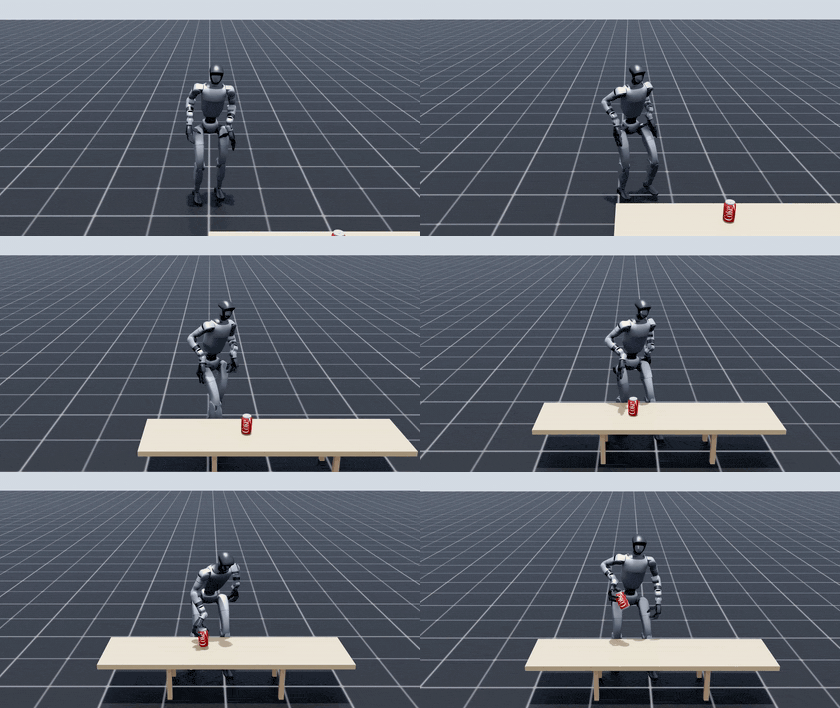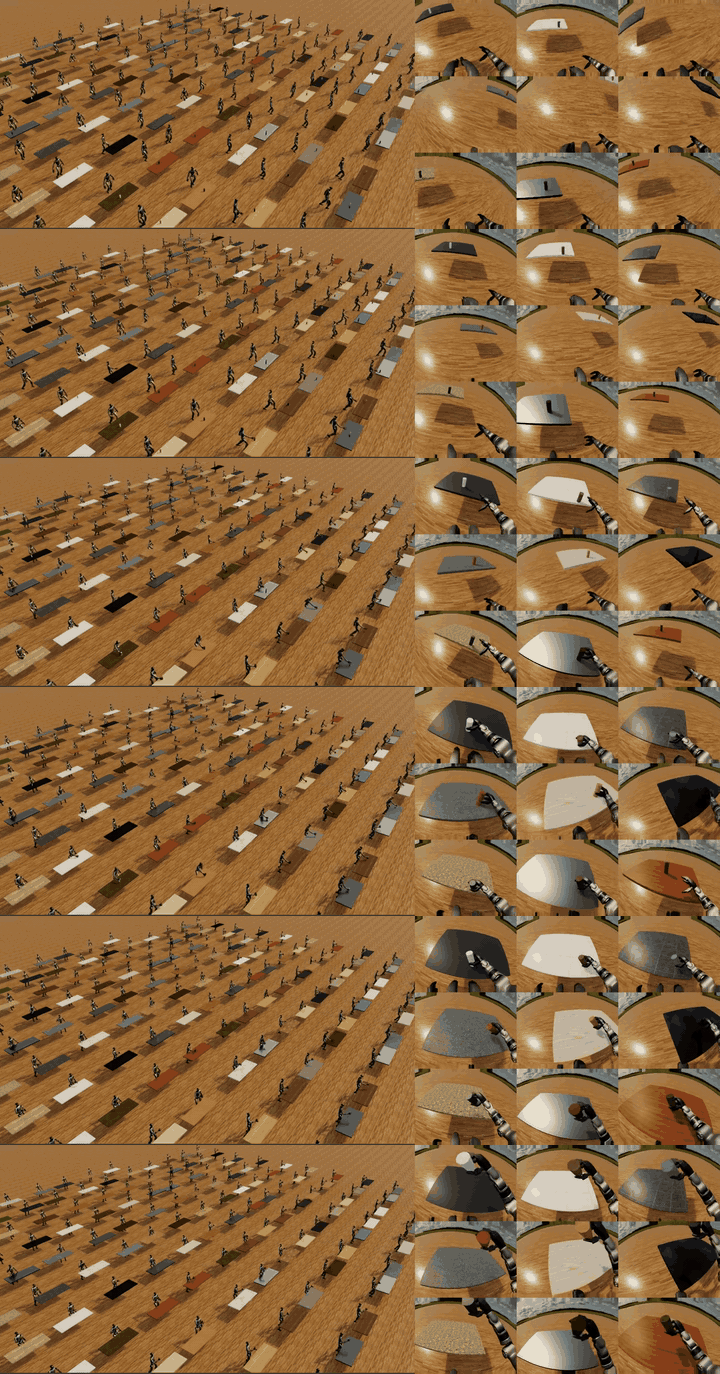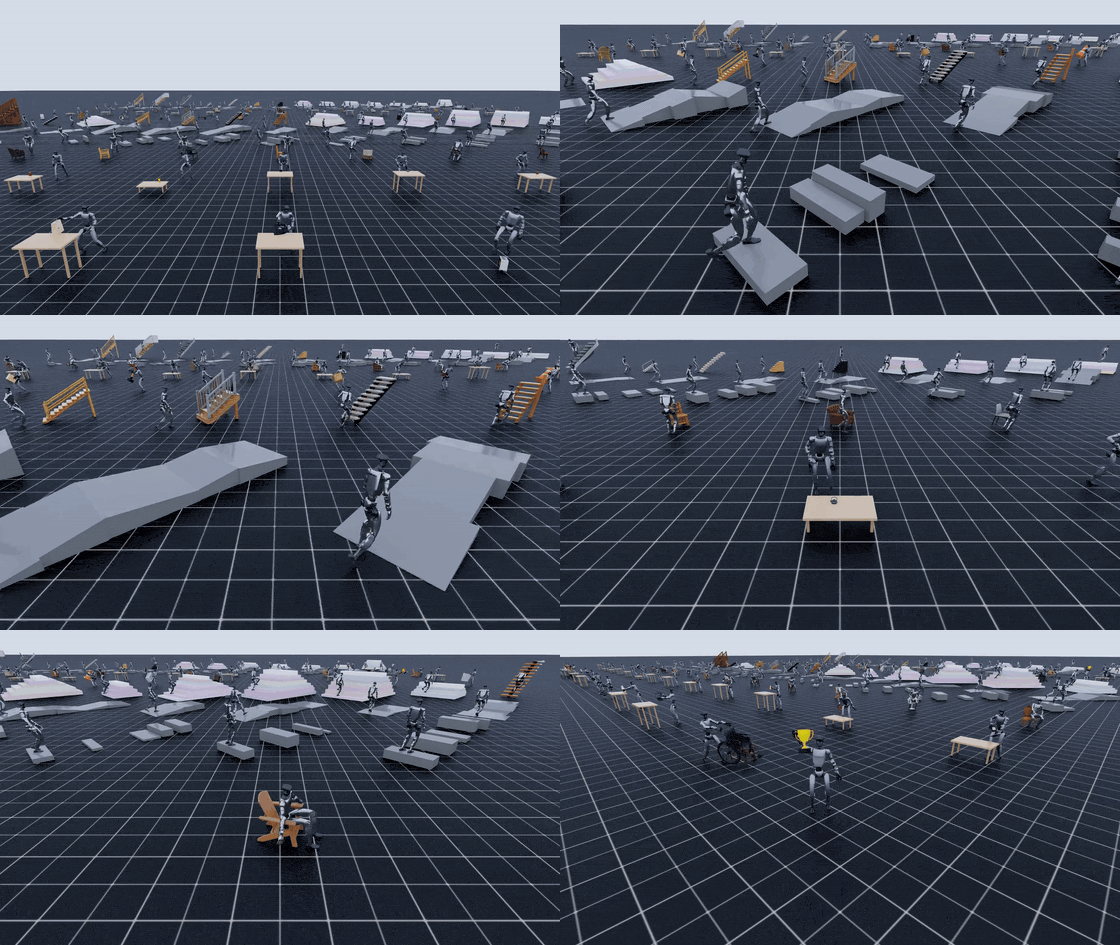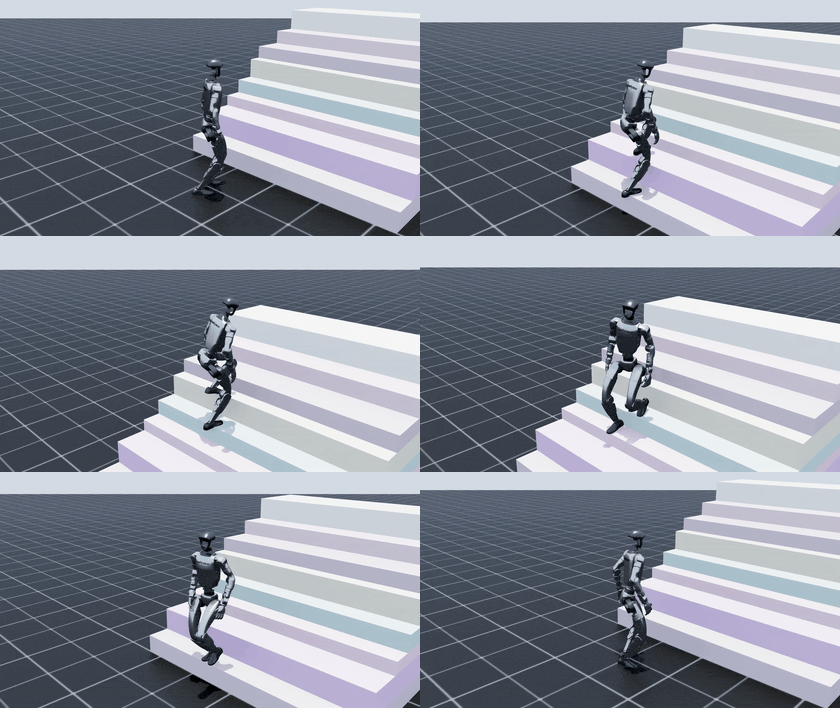
In part 3, we walked through the manipulation branch of GRAIL: from an RGB video, the pipeline estimates human pose, masks and depth, tracks the object's 6-DoF pose with FoundationPose, then runs HOIOptimizer to recover a time-varying human-object trajectory. Part 4 changes the assumption. Not every "object" in 4D HOI is something that gets lifted, pushed, or rotated in the hands. For curbs, slopes, stairs, and chairs, the important part of the scene usually stays fixed. The human moves around it, steps on it, places a foot against it, or sits on it.
That is why GRAIL includes locomotion/sitting configs such as configs/recon_4dhoi/loco_smplx.yaml. The official reconstruction docs describe this file as the SMPL-X config for locomotion, terrain, and sitting. In the config, pipeline.is_static_obj: true says that the object or terrain has no global motion, so the object-tracking stage can bypass FoundationPose and emit static poses directly. At the same time, filter_object_motion: static_only in the filtering stage keeps the type of reconstruction the locomotion branch actually needs: a human interacting with a fixed scene, not a video where the object is accidentally dragged around like a manipulation target.
Technical sources used for this walkthrough:
- GRAIL project page
- GRAIL GitHub README
- 4D HOI Reconstruction docs
- loco_smplx.yaml
- manip_smplx.yaml
- gen_terrain.py
- FoundationPose, SAM2, MoGe, Isaac Lab
Series Roadmap
- 3D Assets and Terrain for GRAIL: asset generation, object prompts, sharding, and downstream file contracts.
- 2D HOI Videos with Blender and Kling: conditioning renders, camera/depth output, and video foundation model generation.
- 4D HOI Reconstruction: GEM, SAM2, MoGe: human pose, object tracking, optimization, filtering, and visualization.
- Static Terrain Locomotion: curbs, slopes, stairs, and sitting as static-scene 4D HOI.
- Retargeting Trajectories to Unitree G1: converting human/object trajectories into robot targets.
- Training and Data Export: packaging demonstrations, training trackers/policies, and preparing sim-to-real data.
For broader locomotion context, see G1 terrain walking with reinforcement learning and Humanoid loco-manipulation. Those articles explain why terrain contact, foot placement, and whole-body balance matter as much as object grasping.
What You Will Learn
By the end of this article, you should know:
- Why GRAIL treats curbs, slopes, stairs, and sitting as static-scene 4D HOI.
- How to generate a terrain dataset such as
syn_stairswithgrail.pipelines.gen_terrain. - How to run reconstruction with
configs/recon_4dhoi/loco_smplx.yaml. - How
filter_object_motion: dynamic_onlyfor manipulation differs fromstatic_onlyfor locomotion/sitting. - How to inspect the outputs before moving to part 5: retargeting to Unitree G1.
The key point: "static object" does not mean the interaction is simple. Stairs do not move, but the human must place feet on the correct steps, keep balance, raise the hips, adjust the torso, and avoid penetrating the mesh. A chair does not fly upward, but sitting is still contact-rich whole-body motion: feet, hips, back, and sometimes hands can all matter.
The Right Mental Model: Dynamic Object vs. Static Scene
In manipulation, the object is an entity with its own trajectory. Imagine a person picking up a cordless drill from a table. The drill changes translation, rotation, contact state, and may leave its support surface. Reconstruction must know where the drill is in every frame because the downstream policy needs to learn the relationship between hands, object pose, and object motion.
In terrain locomotion, the "object" is usually part of the environment. A curb, slope, or staircase has a mesh, material, pose, scale, camera relationship, and mask. But it does not move by itself during the clip. When a human steps onto a staircase, the things that change are the human pose, foot contact, root trajectory, hip height, and whole-body kinematics. The terrain is fixed geometry that creates constraints.
Sitting sits between locomotion and manipulation. A chair is clearly an object, but in a "sit down on the chair" clip, the chair usually stays still. We do not want the tracker to conclude that the chair slides along with the person just because the legs or torso occlude it. In GRAIL, this is a static-object interaction: the human changes state from standing to sitting, while the chair anchors the scene.
| Scenario | Should the object/scene move? | Suitable config | Filter mode | Reason |
|---|---|---|---|---|
| Pick up a drill | Yes | manip_smplx.yaml |
dynamic_only |
Object motion is the core task signal |
| Push a box | Yes | manip_smplx.yaml |
dynamic_only |
Object translation must be reconstructed |
| Step over a curb | No | loco_smplx.yaml |
static_only |
The curb is fixed geometry; the human moves |
| Walk on a slope | No | loco_smplx.yaml |
static_only |
The slope changes contact normals and foot placement |
| Climb stairs | No | loco_smplx.yaml |
static_only |
The staircase has no independent trajectory |
| Sit down on a chair | Usually no | loco_smplx.yaml or a sitting variant |
static_only |
The chair is a support surface, not a pickup object |
How loco_smplx.yaml Differs from manip_smplx.yaml
Both configs have the same broad purpose: take a 2D HOI video and recover 4D data that is clean enough for robot learning. They still use human pose estimation, mask/depth preprocessing, optimization, filtering, and visualization. The difference is the physical assumption about the object.
In manip_smplx.yaml, the config comment describes dynamic-object HOI: the human picks up, pushes, or pulls an object, and the object moves during the interaction. Therefore pipeline.is_static_obj is false. The object-pose stage runs FoundationPose to estimate the object's 6-DoF pose in every frame. Then stage 5 uses filter_object_motion: "dynamic_only" to reject reconstructions where the object barely moves. For manipulation, a static object is often a sign that the video does not match the task or that tracking failed.
In loco_smplx.yaml, the config comment describes static-object scenarios: terrain features such as curbs, slopes, stairs, and sitting interactions. The object does not move during the clip, so FoundationPose is bypassed. Stage 3 still exists in the pipeline flow, but instead of solving a dynamic trajectory, it emits static poses based on the known scene/object pose. Stage 5 uses filter_object_motion: "static_only" to keep reconstructions where the object is static. For locomotion, a static object is not a failure; it is the correct condition.
A compact snippet to remember:
# configs/recon_4dhoi/manip_smplx.yaml
filtering:
  filter_object_motion: "dynamic_only"

pipeline:
  is_static_obj: false
# configs/recon_4dhoi/loco_smplx.yaml
filtering:
  filter_object_motion: "static_only"
  object_static_thr: 0.02

pipeline:
  is_static_obj: true
object_static_thr is the threshold used to distinguish a static object from an object with meaningful motion. Do not treat it as a universal physical constant. It is a reconstruction-quality threshold. If the asset scale is wrong, the camera is too far away, or the video has strong jitter, you still need to inspect the visualization instead of trusting logs alone.
Why Bypassing FoundationPose Makes Sense
FoundationPose is powerful for 6D object pose estimation and tracking, especially when a CAD or mesh model is available. For manipulation, it solves a real problem: the object may leave its initial position, rotate in the hand, become partially occluded, and reappear. The pipeline needs a per-frame object pose.
Terrain is a different problem. Stairs, curbs, and slopes are fixed in the scene created before video generation. The camera, mesh, scale, and first-frame pose are already known from the asset/video pipeline. If you still force FoundationPose to track them as dynamic objects, you add an unnecessary source of noise. A few frames of occlusion by a foot can change the mask, cause tracker jitter, or drag the pose toward the moving person. The result can be a "moving staircase" in the data even though the physical scene is fixed.
Bypassing FoundationPose keeps the static scene in its proper role:
- The terrain pose stays stable for the whole clip.
- The optimizer focuses on human trajectory, foot contact, and depth alignment.
- Stage filtering does not reject a good clip just because the object does not move.
- The output is better aligned with retargeting and policy training, where the robot must learn to move over a fixed scene.
It also saves time. The GRAIL docs list FoundationPose at about 40 seconds per video on an L40S in the normal branch. For large terrain batches, skipping dynamic tracking reduces both runtime and failure modes.
Generating syn_stairs with gen_terrain
If you read part 1, you already saw GRAIL's procedural terrain branch. The grail.pipelines.gen_terrain script generates synthetic curb, slope, and stairs assets and exports each asset as OBJ/MTL/texture. The code comments state that terrain dimensions are pre-scaled for the G1-retargeted character, about 70% of a human SMPL-X height; that lets downstream configs use obj_scale: [1.0, 1.0, 1.0] instead of scaling at render time.
From the root of the GRAIL repository, generate a stairs batch:
python -m grail.pipelines.gen_terrain \
  --type stairs \
  --num 50 \
  --seed 20260607 \
  --output_dir data/syn_stairs
A terrain folder usually looks like this:
data/syn_stairs/
  stairs_0000/
    model.obj
    model.mtl
    texture.jpg
  stairs_0001/
    model.obj
    model.mtl
    texture.jpg
  ...
To generate curbs, slopes, and stairs together:
python -m grail.pipelines.gen_terrain \
  --type all \
  --num 300 \
  --seed 20260607 \
  --output_dir data/syn_terrain
For beginners, the four most important parameters are:
| Parameter | Meaning | Practical guidance |
|---|---|---|
--type |
Choose curb, slope, stairs, or all |
Start with stairs for this tutorial |
--num |
Number of assets to generate | 20-50 is enough for a first pipeline test |
--seed |
Random seed | Always set it so bugs are reproducible |
--output_dir |
Asset output path | Use a clear dataset name such as data/syn_stairs |
Do not start by generating thousands of assets. Generate a small set, run it through 2D HOI/video generation, reconstruction, and visualization. If the terrain is too steep, the steps are too tall, the texture causes mask errors, or the camera cannot see the feet, you want to find that early.
Running recon_4dhoi with the Locomotion Config
After you have 2D HOI videos for the stairs dataset, the basic reconstruction command is:
python -m grail.pipelines.recon_4dhoi \
  --dataset syn_stairs \
  --results_dir results \
  --config configs/recon_4dhoi/loco_smplx.yaml
If your environment exposes a recon_4dhoi CLI wrapper, the equivalent idea is:
recon_4dhoi \
  --dataset syn_stairs \
  --results_dir results \
  --config configs/recon_4dhoi/loco_smplx.yaml
To run one specific video:
python -m grail.pipelines.recon_4dhoi \
  --video_id syn_stairs/<category>/<video_name> \
  --results_dir results \
  --config configs/recon_4dhoi/loco_smplx.yaml
In GRAIL, default video discovery searches under:
results/generation/videos_kling/<dataset>/<category>/*.mp4
Valid filtered outputs land under:
results/generation/4dhoi_recon_smplx_valid/<dataset>/<category>/<video_id>/
  hoi_data/hoi_data.pkl
  mesh_data/
  result_vis/input.mp4
  result_vis/recon_result.mp4
  result_vis/recon_comparison.mp4
  result_vis/recon_result_top_view.mp4
  result_vis/recon_result.html
For locomotion, the first file to inspect is recon_comparison.mp4: it tells you whether the body mesh follows the human in the video. The second is recon_result_top_view.mp4: it shows root trajectory and foot placement relative to the staircase from above. A clip can look fine from the original camera but be wrong along the depth axis; top view reveals the human walking through a step or standing offset from the staircase.
Checklist Before Trusting the Output
Static-object mode does not automatically turn every stairs video into good data. It only sets the correct assumption for the object. You still need to check the basics:
| Check | Good sign | Failure sign | Action |
|---|---|---|---|
| Body pose | Skeleton/mesh follows the person | Feet drift, hips jump, scale changes | Recheck the 2D video or human-pose stage |
| Foot contact | Feet are close to the step or slope surface | Feet penetrate the mesh or float | Check depth, camera, and terrain scale |
| Static object | Stairs/chair remains fixed | Terrain mesh jitters or slides | Confirm loco_smplx.yaml and is_static_obj: true |
| Mask/depth | Human and object are separated | Mask merges feet with stairs, depth bends | Inspect first-frame masks, move camera closer |
| Filtering | Good clips appear in _valid |
Everything is invalid | Read threshold logs, check static_only and object_static_thr |
A practical trick: if you only change optimizer or filtering parameters, you do not need to rerun the whole stack. Once stages 1-3 have stable cache, you can skip the early stages:
python -m grail.pipelines.recon_4dhoi \
  --dataset syn_stairs \
  --results_dir results \
  --config configs/recon_4dhoi/loco_smplx.yaml \
  --skip_step1 \
  --skip_step2 \
  --skip_step3
But if you change the video, first-frame mask, asset mesh, camera, or scale, be careful with old cache. --skip_done is useful for large batches, but it can also make you think a new config has been applied while the pipeline is still using old artifacts.
Sitting Is Still Static-Scene Interaction
Sitting often confuses beginners because the chair is clearly an object. In manipulation, the object is something the robot or human controls. In sitting, the chair is support geometry. The reconstruction goal is not to learn how to lift the chair. It is to learn whole-body motion while lowering the center of mass, moving the hips backward, maintaining foot support, avoiding falls, and creating plausible contact with the seat.
For that reason, is_static_obj: true is usually the right assumption for a "sit down on a chair" clip. If you use dynamic tracking, occlusion between legs, torso, and chair can make FoundationPose create fake chair motion. The downstream retargeting stage may receive a scene where the chair slightly follows the human's hips. For a robot policy, that is dangerous data: the policy can learn that the support surface adapts to the robot, while in the real world the chair stays still.
When inspecting sitting output, do not only check hip contact. Also look at:
- Whether both feet keep support before the hips touch the chair.
- Whether knees and hips bend in a plausible range.
- Whether the human mesh penetrates deeply into the seat or chair back.
- Whether the root trajectory is pulled toward the chair too aggressively.
- Whether the chair remains fixed in the HTML/MP4 visualization.
If the clip shows a person pulling the chair out and then sitting down, it is no longer a simple static sitting task. You may need to split it into two tasks: dynamic-object manipulation for the chair-pulling phase, and static sitting for the sitting phase. Mixing both into one static config can erase real object motion; running everything as dynamic can damage the phase where the chair should be fixed. For a humanoid-policy dataset, separating the tasks is usually cleaner.
Static-Scene 4D HOI Is Still 4D HOI
A common misunderstanding is: if the object does not move, is this still 4D HOI? Yes. 4D HOI does not require every entity to be dynamic. "4D" means 3D over time. The human pose changes over time, contact changes over time, the distance between feet and terrain changes over time, and the downstream robot needs those signals.
In locomotion, static scene geometry can be more important than object motion. Terrain geometry determines feasible motion:
- A curb requires enough foot clearance, not just forward walking.
- A slope changes contact normals, affecting ankle and hip strategy.
- Stairs require a sequence of foot placements on discrete steps.
- Chair sitting requires center-of-mass transfer and a new support contact at the hips.
If you force these tasks into dynamic-object reconstruction, the pipeline may optimize the wrong target. It spends capacity solving unnecessary object motion when what needs to be clean is the human root trajectory, foot contact, and scene alignment.
When Not to Use Static-Object Mode
Do not use static mode blindly whenever you see terrain or a chair. Ask one question first: does that object really stay fixed during the clip?
| Question | If yes | Config to consider |
|---|---|---|
| Does the person lift the object from the ground or table? | Real object motion exists | manip_smplx.yaml |
| Does the person push or pull a chair, box, or cart? | Translation/rotation exists | Dynamic manipulation config |
| Are the stairs/slope fixed scene geometry? | The scene stays still | loco_smplx.yaml |
| Does the person only sit down on a fixed chair? | The chair is a support surface | loco_smplx.yaml |
| Does the clip include pulling the chair and then sitting? | Two phases exist | Split tasks or create a custom config |
In short: use static mode when object pose is a condition of the scene, not the result of the action. Use dynamic mode when object pose is a state variable the robot must control.
Batch Runs and Sharding
Once the terrain dataset is stable, you can shard the run. The GRAIL docs include the --job_chunk_idx and --num_job_chunks pattern for splitting videos across workers:
python -m grail.pipelines.recon_4dhoi \
  --dataset syn_stairs \
  --results_dir results \
  --config configs/recon_4dhoi/loco_smplx.yaml \
  --job_chunk_idx 0 \
  --num_job_chunks 8 \
  --skip_done
The second worker uses --job_chunk_idx 1, continuing up to 7. Even in static mode, keep visualization enabled for a subset. Large batches without visual inspection can silently accumulate scale or camera errors.
A healthy workflow is:
- Generate 20-50 terrain assets with
gen_terrain. - Produce a small batch of 2D HOI videos.
- Run
loco_smplx.yamlon the first 5-10 videos. - Inspect
recon_comparison.mp4, top view, and HTML. - Fix assets, camera, or prompts if needed.
- Run the large batch with sharding and
--skip_done. - Send only
_validoutputs to retargeting.
Conclusion
loco_smplx.yaml is not a minor variation of the manipulation config; it encodes a different physical assumption. For manipulation, the object must move, FoundationPose should track 6-DoF pose, and dynamic_only helps reject data without object motion. For curbs, slopes, stairs, and sitting, a fixed scene is correct. pipeline.is_static_obj: true bypasses FoundationPose to avoid fake trajectories, while filter_object_motion: static_only keeps the interactions that a locomotion policy needs.
When using GRAIL, classify the task before running reconstruction: is object pose the controlled state, or is it fixed environment geometry? That answer determines the config, the filter, the debugging path, and the quality of the data you send into retargeting.