Starting Point: What is the RISE Pipeline?
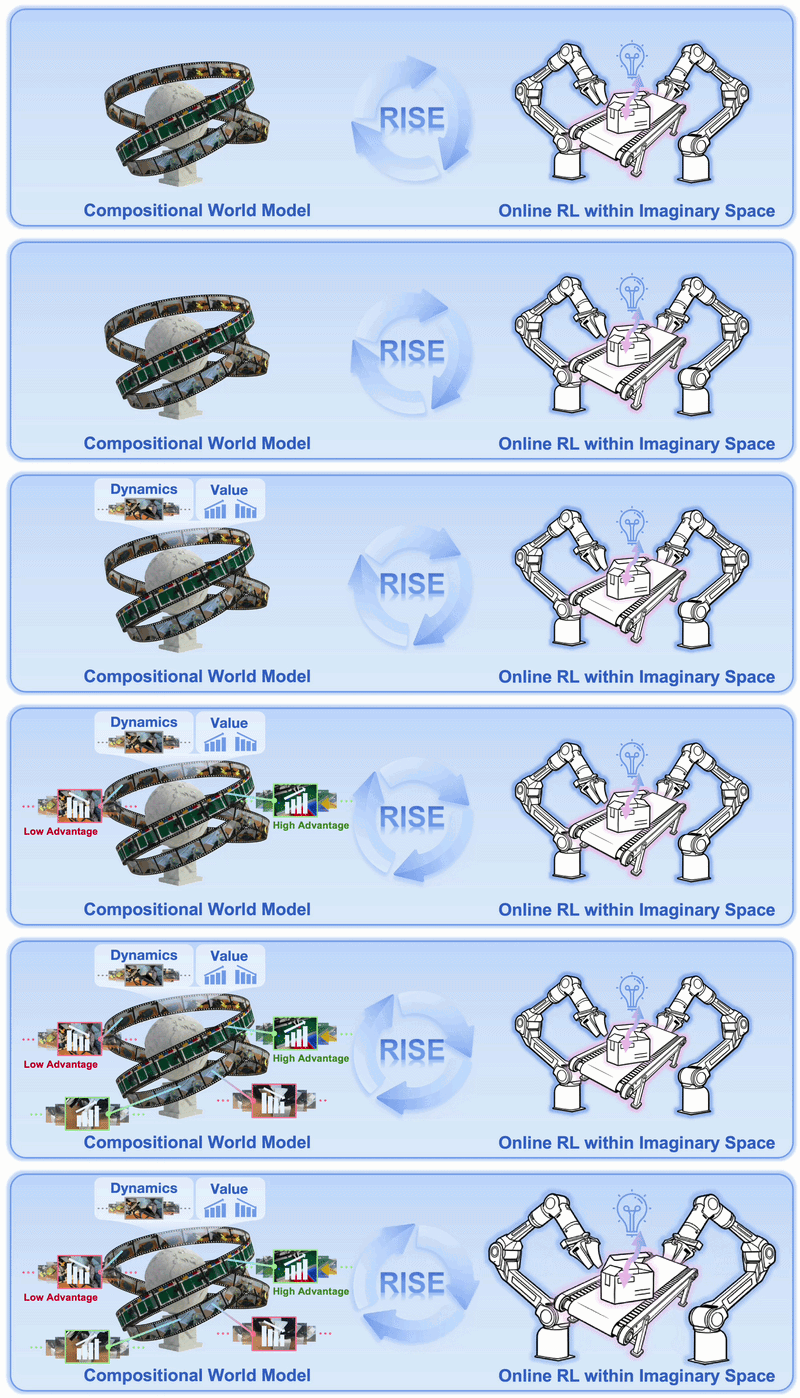
If you've already read the architectural deep-dive on RISE, you know the core idea: instead of running reinforcement learning directly on the physical robot — which is slow to reset, risks hardware damage, and has low throughput — RISE lets the policy "practice in its head." The policy proposes an action, a world model imagines the future, a value model scores the outcome, then the policy is improved via advantage signals without ever actuating the robot arm again.
The paper RISE: Self-Improving Robot Policy with Compositional World Model from OpenDriveLab and collaborators was accepted at RSS 2026. The official code lives at github.com/OpenDriveLab/RISE under Apache 2.0.
This guide focuses on the practical question: how do you actually run this pipeline end-to-end?
The full pipeline has four stages that must run in strict order:
Stage 1 → Data preparation     (HDF5 → LeRobot format)
Stage 2 → Offline training      (policy + value model)
Stage 3 → Dynamics model       (world model CDM)
Stage 4 → Online self-improvement (RL inside imagination)
Each stage depends on the output of the previous one. Skipping or misordering stages will cause the online loop to fail silently.
Hardware and Software Requirements
RISE is not something you can run on a laptop or standard workstation. The online self-improvement loop requires at least 4 GPUs, and the original paper uses 8×A100 for training and evaluation.
Minimum hardware:
- 4× A100/H100 40GB GPU (or equivalent) for "Complete Sharing" mode
- 8× GPU to reproduce the paper's results
- System RAM: ≥ 64 GB
- Storage: ≥ 500 GB SSD (large dynamics model checkpoint + video dataset)
Software requirements:
- Python 3.11.14 — not 3.12+, this matters
- CUDA 12.x
- Conda (or mamba for faster installs)
- ffmpeg (for video resizing in the dynamics model stage)
If you only have 4 GPUs and want to test, use "Complete Sharing" configuration (explained in Stage 5). Throughput will be lower but the pipeline will run.
Stage 1: Environment Setup
# Create conda environment with Python 3.11.14
conda create -n rise python=3.11.14 -y
conda activate rise

# Clone the repo
git clone https://github.com/OpenDriveLab/RISE.git
cd RISE

# Install all dependencies via the install script
bash install.sh
install.sh handles the heavy dependencies: an OpenPI fork (VLA backbone), LTX-Video (video generation backbone for the dynamics model), Ray (distributed training framework), and robot control libraries. First-time installation takes 15–30 minutes depending on network speed.
Version note: RISE uses a fork of OpenPI with modifications for advantage conditioning. Do not install vanilla OpenPI from pip — use the version pinned in install.sh.
Stage 2: Data Preparation — HDF5 to LeRobot
RISE was developed on the Piper robot from AgileX Robotics with a three-camera setup:
- 1 head camera (overhead view)
- 2 wrist cameras (left and right)
This matters because the dynamics model must generate multi-view futures simultaneously. If your robot has a different camera count or layout, you'll need to update the camera config in the dynamics model section.
2a. Raw data structure (HDF5)
Data collected from the robot is saved as HDF5 files with videos stored separately:
raw_dataset/
└── aloha_mobile_dummy/
    ├── episode_000.hdf5       # joint angles, actions
    ├── episode_001.hdf5
    └── video/
        ├── episode_000_cam_high.mp4
        ├── episode_000_cam_left_wrist.mp4
        └── episode_000_cam_right_wrist.mp4
2b. Convert to LeRobot format
LeRobot is HuggingFace's standard format for robot learning data, using parquet for actions/states and mp4 for videos. RISE provides a conversion script for ALOHA HDF5 data:
cd RISE/policy_and_value/policy_offline_and_value

python examples/aloha_real/convert_to_lerobot.py \
  --data-dir /path/to/raw_dataset \
  --repo-ids aloha_mobile_dummy \
  --prompt "Pick up the block and sort it by color" \
  --save-dir /path/to/lerobot_output \
  --save_repoid brick_sorting
The most important argument is --prompt: this is the natural language task description used to condition the VLA policy. Keep it concise, unambiguous, and faithful to the actual task. This prompt will be used throughout the entire pipeline.
Expected output layout after conversion:
brick_sorting/
├── data/
│   └── chunk-000/
│       ├── episode_000000.parquet
│       └── episode_000001.parquet
├── meta/
│   ├── info.json
│   ├── episodes.jsonl
│   ├── episodes_stats.jsonl
│   └── tasks.jsonl
└── videos/
    └── chunk-000/
        └── *.mp4
2c. Resize videos for the dynamics model
The dynamics model needs video at 256×192 resolution for efficient training and inference. RISE provides an ffmpeg script for this:
cd RISE/dynamics/dynamics_model
./preprocess.sh brick_sorting
The script creates videos_small/ alongside the original videos/ directory, leaving the originals intact. After this step, the dataset is ready for both offline policy training and dynamics model training.
How much data does the paper use? Approximately 100–200 demonstration episodes per task. Fewer than 50 episodes will cause the dynamics model to overfit and generate unstable imagined futures.
Stage 3: Offline Training — Policy and Value Model
This is the "baseline training" stage before any self-improvement. You need to train two independent models: a VLA policy and a value model.
3a. Compute normalization statistics
Run once to compute the mean and standard deviation of the action and observation spaces:
cd RISE/policy_and_value/policy_offline_and_value
python scripts/compute_norm_stats_fast.py --config-name Compute_norm
Results are cached. No need to rerun unless you add new data.
3b. Registered configs
RISE registers three configs in src/openpi_value/training/config.py:
| Config | Purpose | Estimated time |
|---|---|---|
Policy_offline_release |
Train VLA policy (OpenPI backbone) | 1–2 days / 8×A100 |
value_release |
Train value model (progress estimator) | 12–24 hours / 8×A100 |
Compute_norm |
Compute normalization stats | <30 minutes |
3c. Train policy and value model
# Train offline policy on 8 GPUs
bash train.sh Policy_offline_release 8

# Train value model on 8 GPUs
bash train.sh value_release 8
Both can run in parallel if you have enough GPUs. Resuming after interruption is straightforward:
bash train.sh Policy_offline_release 8 --resume
3d. Label dataset with value predictions
After obtaining a value model checkpoint, you need to label the entire dataset with per-frame advantage signals. This is the critical "bridge step": the policy will learn to weight demonstrations by action quality, not just blindly imitate all of them equally.
bash label_value.sh vis_value_release_joint_T \
  /path/to/checkpoints/value_release_joint/<experiment>/<step>
This runs value model inference over every frame in the dataset and appends advantage scores to the parquet files.
To visualize value predictions and verify quality:
bash vis_value.sh vis_value_release_joint_T \
  /path/to/checkpoints/value_release_joint/<experiment>/<step>
A well-trained value model should show high advantage near task-completion frames and low (or negative) advantage at frames far from the goal.
Stage 4: Dynamics Model — Controllable Dynamics Model
The Controllable Dynamics Model (CDM) is the most distinctive component of RISE compared to other robot RL pipelines. CDM is a world model that learns to generate multi-view video futures conditioned on action sequences and current state. It is built on the LTX-Video backbone.
CDM is not a generic video generator — it is action-conditioned. You can "ask" it: "if the robot executes this action chunk, what will the workspace look like from all three cameras?"
4a. Data structure for CDM
CDM uses the same LeRobot dataset as offline training but needs the resized videos from step 2c. Place the dataset under the dataset/ directory in the repo:
cp -r /path/to/brick_sorting RISE/dynamics/dynamics_model/dataset/
4b. Download LTX-Video backbone
CDM fine-tunes from the pretrained LTX-Video checkpoint. Follow the download instructions in dynamics/dynamics_model/README.md.
4c. Fine-tune CDM on robot data
cd RISE/dynamics/dynamics_model
# Run the training script per docs/dynamics_model.md
CDM must learn two things:
- The appearance of your specific robot workspace (lab environment, specific objects)
- The relationship between actions and visual changes (gripper moves left → how does the image change?)
Key insight: CDM does not need to generate photorealistic video. It only needs to be accurate enough for the value model to estimate task progress. In practice, imagined videos are often slightly blurry at fine details but still clearly distinguish "gripper approaching object" from "gripper moving away."
Stage 5: Online Self-Improvement Loop
This is where all previous stages converge. The policy "improves itself in imagination" by:
- Rolling out the policy inside CDM (no physical robot needed)
- Value model scores each imagined trajectory
- Compute advantage = imagined reward − baseline
- Update policy weights via advantage signals
5a. Launch Ray and start the online loop
bash policy_and_value/policy_online/examples/embodiment/run_embodiment.sh rl_release
The first run takes ~10 minutes to:
- Load the CDM checkpoint (large)
- Load policy and value model checkpoints
- Compile torch graphs with
torch.compile - Initialize the Ray cluster
This is expected. Subsequent runs (and resumes) start much faster.
To disable torch compilation for debugging:
# In your config file
actor:
  model:
    openpi:
      use_torch_compile: False
5b. GPU allocation strategies
The online loop runs three concurrent components: env (CDM inference), rollout (policy rollout), actor (policy update). There are three allocation strategies:
Partial Sharing — default, balanced tradeoff:
cluster:
  num_nodes: 1
  component_placement:
    env: 0-3
    rollout: 4-7
    actor: 0-7
Complete Sharing — when you only have 4 GPUs:
cluster:
  num_nodes: 1
  component_placement:
    env,rollout,actor: all
Complete Separation — highest throughput, needs ≥12 GPUs:
cluster:
  num_nodes: 1
  component_placement:
    env: 0-1
    rollout: 2-5
    actor: 6-7
5c. Offline/online data ratio — critical parameter
RISE ablation studies show that offline_data_ratio = 0.6 is optimal: 60% demonstration data, 40% imagined rollouts. Too much online data causes the policy to forget demonstration quality and collapse.
algorithm:
  offline_data_ratio: 0.6
  num_group_envs: 32  # number of parallel imagined environments
num_group_envs directly affects throughput. With 4 GPUs assigned to env, setting num_group_envs: 32 means each GPU handles 8 imagined environments in parallel.
5d. Multi-node training
For larger datasets or more complex tasks, you can scale to multiple nodes:
bash policy_and_value/policy_online/examples/embodiment/run_embodiment_ray_unified_multi_task.sh rl_release
In multi-node config: for 2 nodes × 8 GPUs = 16 total, placement indices range from 0–15.
5e. Resuming online training
runner:
  resume_dir: logs/20251221-00:15:14/${runner.logger.experiment_name}/checkpoints/global_step_13000
Update the timestamp and experiment name to match your target log directory.

Results on Three Real-World Tasks
The paper reports results on three dexterous manipulation tasks:
| Task | Offline Baseline | After RISE Self-Improve | Improvement |
|---|---|---|---|
| Dynamic Brick Sorting | ~50% | ~85% | +35% |
| Backpack Packing | ~40% | ~85% | +45% |
| Box Closing | ~50% | ~85% | +35% |
The critical point: all improvement comes without a single additional real-robot interaction after the initial offline training. This is the fundamental difference from traditional online RL, which requires thousands of physical rollouts.
Common Pitfalls
1. Wrong Python version. RISE is tested specifically on Python 3.11.14. Using 3.12+ can break certain older dependencies in install.sh. Always verify with conda info before starting.
2. Skipping the value labeling step. The label_value.sh step in Stage 3d is mandatory. If you skip it, the online loop will run but advantage signals will be effectively zero — no improvement happens.
3. CDM underfitting. If CDM is undertrained (too few epochs or too little data), imagined futures will be unrealistic. Check CDM loss curves before launching the online loop. The imagined video quality should show plausible motion, not just static noise.
4. OOM with Complete Sharing. When all components share the same GPU pool, peak VRAM can exceed the sum of each component's individual footprint due to memory fragmentation. If you hit OOM, reduce num_group_envs or switch to Partial Sharing.
5. Stale Ray cluster. If the online loop is killed abruptly, Ray may leave zombie processes. Before resuming, run ray stop then ray start to get a clean cluster state.
6. Offline/online ratio too low. Keeping offline_data_ratio < 0.4 consistently leads to policy forgetting and performance collapse after a few thousand steps. The paper validated this via ablation — don't tune it too aggressively.
Comparison with Other Robot RL Approaches
| Approach | Needs real robot for RL? | Needs simulator? | Has VLA? | Setup complexity |
|---|---|---|---|---|
| Direct on-robot RL | ✅ Many | ❌ | ❌ | Low but slow |
| Isaac Lab RL | ❌ | ✅ Required | ❌ Typically | High |
| DreamerV3 | ❌ | ❌ | ❌ | Medium |
| RISE | ❌ After offline | ❌ Not needed | ✅ OpenPI | High |
RISE fills a specific gap: you already have a VLA policy baseline from imitation learning, you want to improve it further, but you don't have a good simulator for your specific robot (e.g., a new arm with no MuJoCo model), and you're not willing to run thousands of physical RL episodes.
Summary
The RISE pipeline has four stages with a clear logic: data preparation standardizes the format for everything downstream; offline training creates a baseline policy and evaluation signal; the dynamics model creates an "internal simulator" learned from real robot data; the online loop uses all three to improve the policy in imagination.
The hardest part is the dynamics model stage: CDM needs sufficient data (≥100 episodes), correct resolution (256×192), and enough training to generate quality imagined futures. If CDM is weak, the entire online loop fails.
For a deeper look at how RISE works architecturally, see RISE: VLA self-improvement via world model imagination. To understand the LeRobot data format used throughout this pipeline, see the LeRobot ecosystem guide.