What is UMI? How to collect VLA robot data without teleop
If you want to teach a robot arm to do something — fold a cloth, pour water, assemble parts — you need a large number of demonstrations. This post explains why that's a hard problem, and why Universal Manipulation Interface (UMI) from Stanford is one of the most practical ideas to solve it.
This is the first post in a 7-part series on UMI + VLA. After reading this, you'll understand why UMI was created, how the full pipeline works, and what you need to get started.
The problem: teaching a robot a real task
Imagine you want to teach a robot arm to pick up a cup and place it in a tray. Simple enough. But if you want the robot to do that across 20 different positions, 10 different cup types, under 3 lighting conditions — you need hundreds or thousands of successful demonstrations.
Traditional approaches:
1. Classical programming: Write code for each case. Brittle, slow, doesn't generalize.
2. Reinforcement Learning (RL): Robot learns through trial and error. Requires millions of trials, usually simulation-only, difficult to transfer to the real world.
3. Imitation Learning (IL): A human demonstrates, the robot learns from it. Faster than RL, easier to implement. But one big question remains: who demonstrates, and how?
Teleop: good but doesn't scale
The most common way to collect imitation learning demos is teleoperation — a human remotely controls the robot via joystick, haptic device, or spacemouse. You watch through the robot's camera, control each joint, and the data gets logged.
The problem:
Each demo = the real robot is fully occupied
1 robot + 1 operator = ~1-3 demos/minute
100 demos = hours of robot time
Real robots are expensive ($20,000–$100,000+)
Real robots can break from accidental collisions during teleop
If you need 500 demos across 5 different tasks with 3 different robots, you're looking at months of work and real hardware risk.
There's a simple question: why does the human operator have to sit behind a screen to control the robot, instead of just using their own hands to do the task directly?
The core idea of UMI
In 2024, Chelsea Finn's group at Stanford published Universal Manipulation Interface. The central idea:
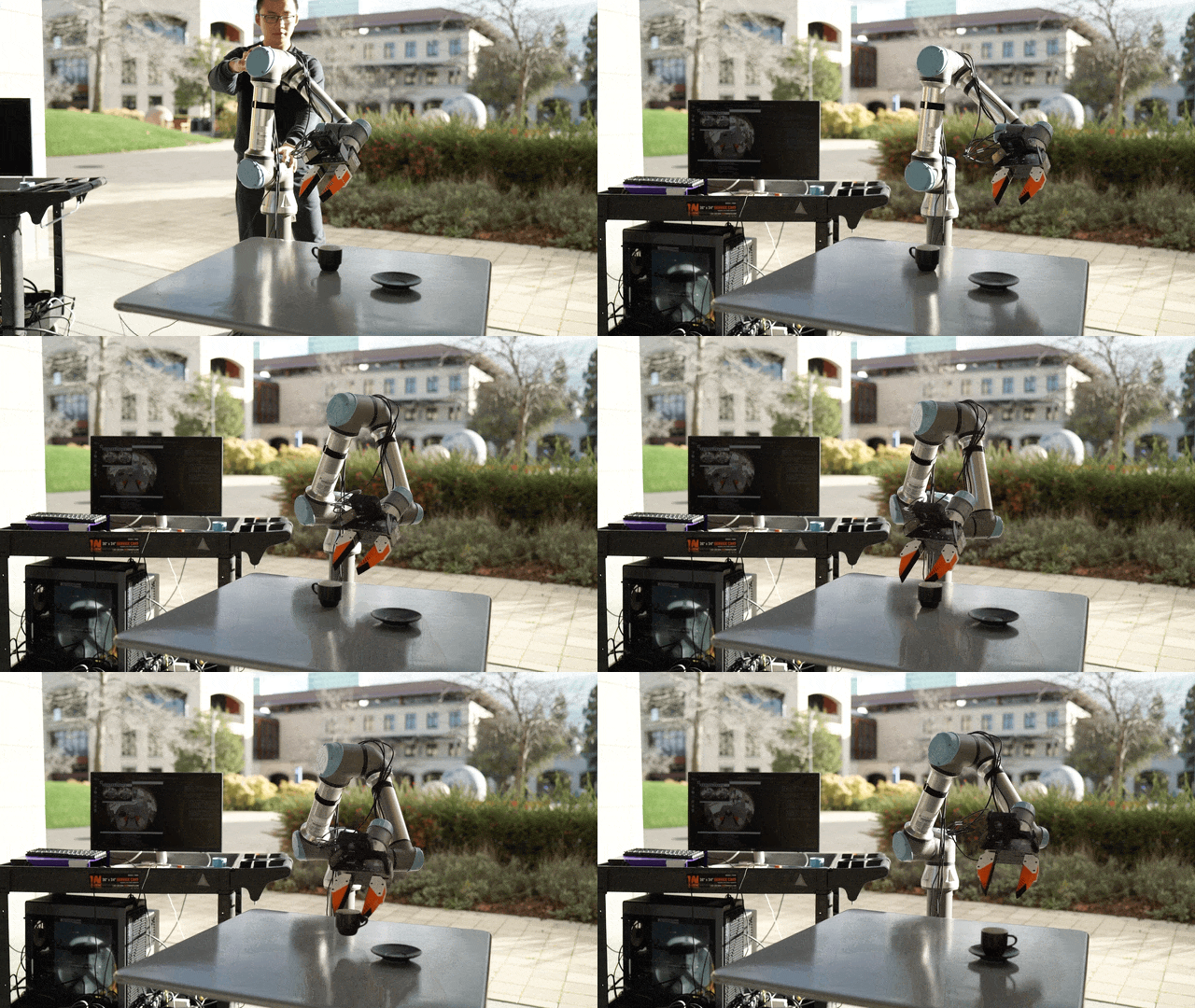
Don't control the robot. Hold a fake gripper with a camera, do the task in the real world, then transfer that demonstration to the robot.
The operator holds a handheld gripper (3D printed, with a GoPro camera and finger mechanism). They stand in front of a workspace and directly perform the task — picking up objects, folding cloth, rearranging items. The camera records the wrist-eye view. A SLAM system computes the gripper's 6DoF pose in 3D space.
Operator holds handheld gripper
    → Camera records wrist view
    → GoPro + IMU feeds SLAM
    → SLAM computes 6DoF trajectory
    → System combines: pose + gripper width + camera stream
    → Converts to replay buffer format
    → Train policy (Diffusion Policy or VLA)
    → Deploy to real robot
Result: 5–10× faster data collection, no real robot needed during the collection phase, can collect in many different environments.
Why does this work?
If the human's wrist geometry is different from the robot's, why does a policy trained on human demos work on the robot?
UMI addresses this by designing the handheld gripper to match the robot gripper geometry as closely as possible:
- Same camera-to-fingertip distance
- Same camera angle relative to the gripper axis
- Same open/close range
- The hand grip is designed so the operator's wrist pose approximates the robot's wrist pose
This is the key difference from "use any gripper you have" approaches: every design decision in UMI is aimed at minimizing the observation gap and embodiment gap between demonstration and deployment.
Pipeline overview
Here's the big picture for the full series:
[Part 2] Print and assemble the gripper
          ↓
[Part 3] Record demos + run SLAM pipeline
          ↓ (scripts_slam_pipeline/00-07)
          ↓ replay_buffer.zarr.zip
[Part 4] Train Diffusion Policy
          ↓ (train.py + eval_real_umi.py)
          ↓ policy checkpoint
[Part 5] Scale to two arms (bimanual)
          ↓ (demo_real_bimanual_robots.py)
[Part 6] Upgrade to D405 (optional)
[Part 7] Whole-body: UMI + mocap/VR
Each step has clear inputs and outputs. You can stop at Part 4 and already have a working manipulation policy.
What you need
Required hardware (full series):
| Item | Estimated cost | Notes |
|---|---|---|
| 3D printer | Already have / rent | FDM, PETG or PLA+ is sufficient |
| GoPro (Hero 7+ or 10/11) | ~$150–400 | Original UMI uses GoPro fisheye |
| PETG + TPU filament | ~$30–50 | Body + soft fingers |
| Screws, springs | ~$10–20 | M2/M3 assorted |
| Robot arm with SDK (Franka, UR5, etc.) | Already have | For policy deployment |
| GPU for training | Already have / cloud | Minimum 12 GB VRAM |
You don't need a humanoid or whole-body robot to start. Parts 1–5 only need a standard robot arm or bimanual arm setup.
Software: Ubuntu 20.04/22.04, Python 3.10, CUDA 11.8+, Git, conda
Knowledge required: Basic Python, basic Linux terminal, basic understanding of neural networks. You do not need ROS or prior robotics experience.
Common beginner mistakes to avoid
1. "Just swap GoPro for RealSense and it's fine" No. The GoPro in UMI provides IMU data and 155° fisheye for SLAM. RealSense D405 lacks the GoPro IMU and has a much narrower FOV. Part 6 covers when and how to upgrade to D405.
2. "More demos = better policy" Quality matters more than quantity. 50 clean, diverse demos beat 200 repetitive ones.
3. "Train a big VLA first for better results" Always train a small Diffusion Policy baseline first. If the baseline can't learn, a big VLA won't help — the problem is in the data, not the model size.
7-post series roadmap
| Post | Title | Level | Output |
|---|---|---|---|
| 1 | What is UMI? (this post) | Beginner | Understand concept |
| 2 | Build your first gripper: 3D print and assembly | Beginner | 1 working UMI unit |
| 3 | Record demos and run the SLAM pipeline | Intermediate | replay_buffer.zarr.zip |
| 4 | Train Diffusion Policy and test on a robot | Intermediate | Working policy |
| 5 | Go bimanual: two-arm UMI pipeline | Intermediate | Bimanual policy |
| 6 | Upgrade to D405: when and how | Advanced | D405 setup |
| 7 | Whole-body: UMI + mocap/VR | Advanced | Architecture plan |
If you only have a standard robot arm and want the fastest result: read posts 1–4 and skip 5–7 until you need them.
References
- UMI project page
- real-stanford/universal_manipulation_interface
- Chi et al., 2024 — UMI paper
- Diffusion Policy paper