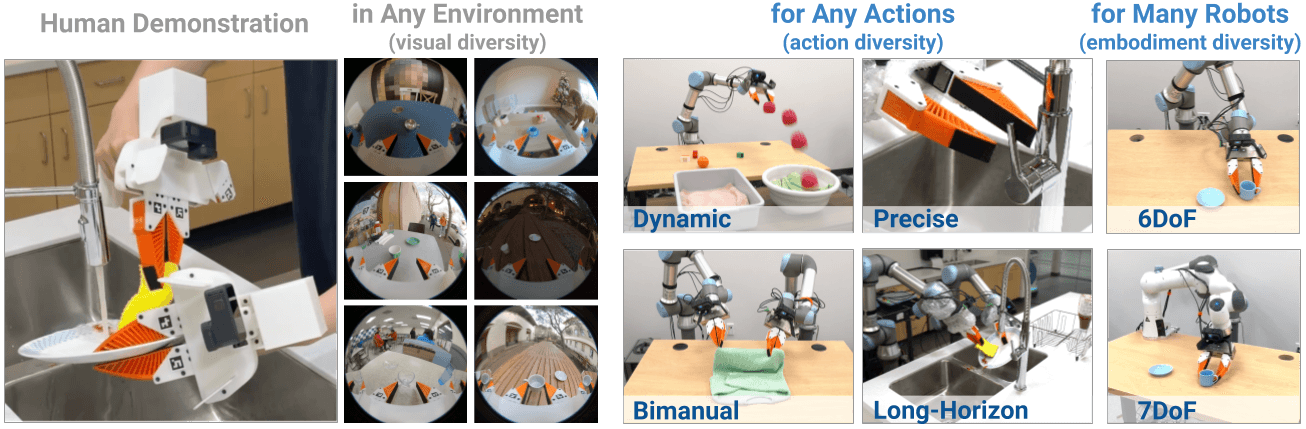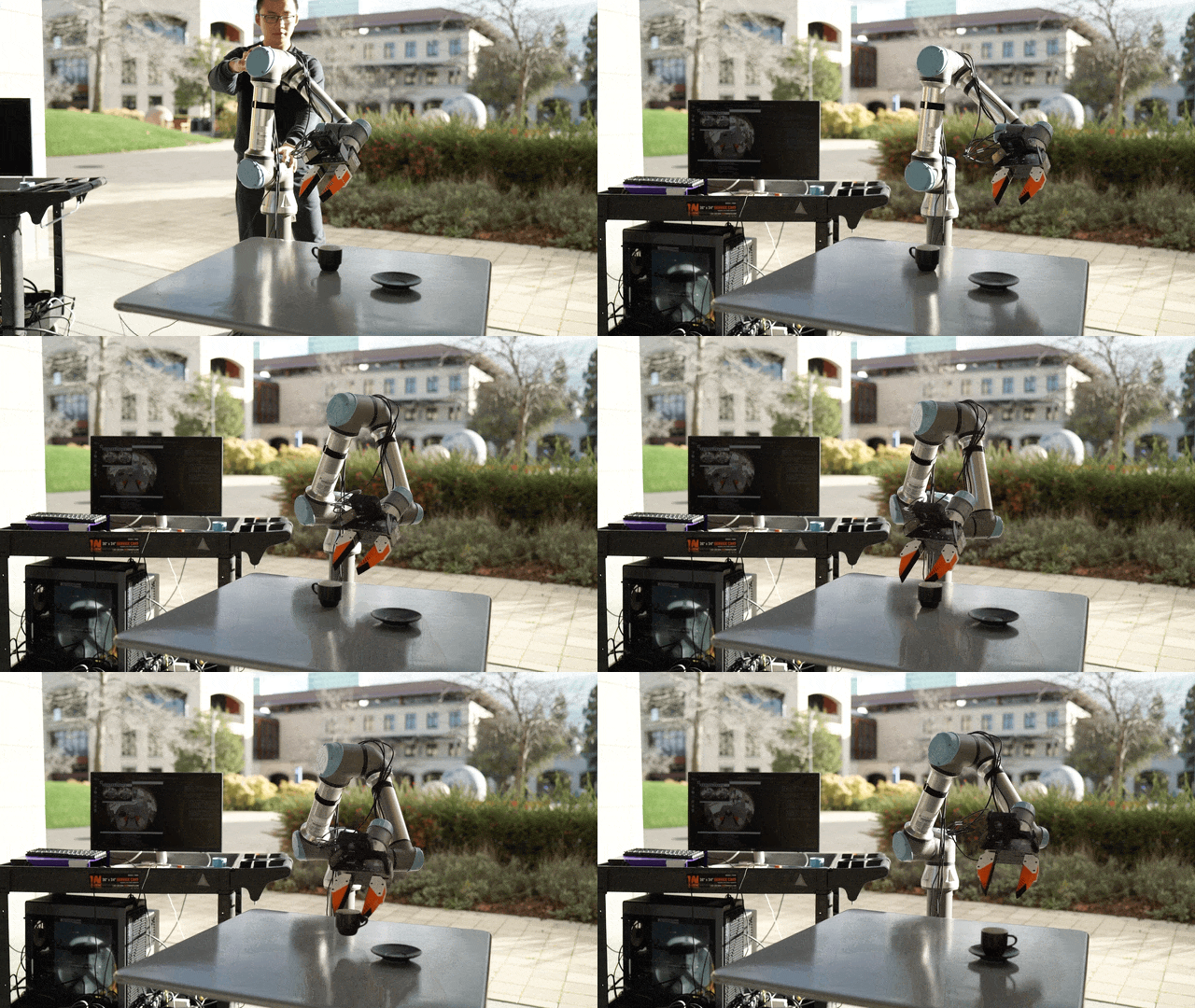
Train your first UMI Diffusion Policy and test on a real robot arm
This is Part 4 in the UMI + VLA series. This post assumes you have a replay_buffer.zarr.zip from Part 3.
Goal: train a Diffusion Policy baseline, understand the training curve, and run eval_real_umi.py to test the policy on a real robot.
Why train Diffusion Policy first, not a big VLA?
This question comes up often. The practical answer:
1. Much faster debugging. Diffusion Policy trains in hours on one GPU. A 3B+ VLA needs multiple GPUs and takes 1–2 days. If your data has issues (misaligned timestamps, noisy poses, wrong coordinate frame), you want to find out fast with a small model.
2. Reference baseline. If your VLA later doesn't work, you need to know: is the problem in the data or the model? A small baseline gives you a comparison point.
3. VLAs are not magic. VLAs improve language conditioning and generalization, but can't rescue bad data. If the Diffusion Policy baseline can't learn anything, a VLA won't either.
Training environment setup
cd universal_manipulation_interface
conda activate umi

# Check CUDA
python -c "import torch; print(torch.cuda.is_available(), torch.version.cuda)"
VRAM requirements:
- UMI Diffusion Policy (RGB-only, single camera): 1× 12–24 GB
- UMI Diffusion Policy (2 cameras): 1× 24 GB recommended
- If VRAM is limited: reduce
batch_sizein the config
View official configs
ls diffusion_policy/config/
ls diffusion_policy/config/task/

# Configs for UMI single-arm:
# - diffusion_policy/config/task/umi.yaml
# - diffusion_policy/config/train_diffusion_unet_timm_umi_workspace.yaml
# - diffusion_policy/config/train_diffusion_transformer_umi_workspace.yaml
Read diffusion_policy/config/task/umi.yaml to understand the dataset keys the config expects. They must match the keys in your replay_buffer.zarr.zip.
Training: official command
UMI uses the Hydra config system. Basic command:
python train.py --config-name=train_diffusion_unet_timm_umi_workspace \
  task.dataset.dataset_path=/absolute/path/to/replay_buffer.zarr.zip \
  training.seed=42
Transformer architecture variant:
python train.py --config-name=train_diffusion_transformer_umi_workspace \
  task.dataset.dataset_path=/absolute/path/to/replay_buffer.zarr.zip \
  training.seed=42
Useful Hydra overrides:
# Reduce batch size if OOM
python train.py --config-name=train_diffusion_unet_timm_umi_workspace \
  task.dataset.dataset_path=/path/to/replay_buffer.zarr.zip \
  training.batch_size=16 \
  training.num_epochs=500

# Change output directory
python train.py --config-name=train_diffusion_unet_timm_umi_workspace \
  task.dataset.dataset_path=/path/to/replay_buffer.zarr.zip \
  hydra.run.dir=outputs/umi_run_001
See all options:
python train.py --help
python train.py --config-name=train_diffusion_unet_timm_umi_workspace --cfg job
Reading training metrics
Watch these metrics while training:
Train loss: should decrease consistently. If it oscillates with no downward trend → learning rate needs adjustment or data has issues.
Val loss: if config has a validation split, val loss should decrease alongside train loss. A large gap = overfitting.
Epoch count: UMI typically needs 500–2000 epochs depending on dataset size. Don't stop too early.
Good signs:
Epoch 50:  train_loss=0.08, val_loss=0.09
Epoch 200: train_loss=0.04, val_loss=0.05
Epoch 500: train_loss=0.02, val_loss=0.03
Bad signs:
Epoch 50:  train_loss=0.08
Epoch 200: train_loss=0.08  ← not decreasing = wrong learning rate or data issue
Epoch 500: train_loss=0.09  ← increasing = unstable training
If loss doesn't decrease after 100 epochs:
- Verify the replay buffer path is correct
- Check dataset keys match the config
- Visualize 1–2 samples from the dataset to confirm data format
Checkpoint inspection
After training, checkpoints are in the output directory:
ls outputs/umi_run_001/checkpoints/

python -c "
import torch
ckpt = torch.load('outputs/umi_run_001/checkpoints/latest.ckpt', map_location='cpu')
print('Epoch:', ckpt.get('epoch', 'N/A'))
print('Train loss:', ckpt.get('train_loss', 'N/A'))
"
Deploy to robot: eval_real_umi.py
UMI includes an official script for running the policy on a real robot:
python scripts_real/eval_real_umi.py --help

python scripts_real/eval_real_umi.py \
  --input outputs/umi_run_001/checkpoints/latest.ckpt \
  --output data/eval/run_001 \
  --frequency 10
Before any real robot evaluation, MANDATORY:
[ ] Hardware E-stop connected and tested
[ ] Joint limits set in robot config
[ ] Workspace box constraint declared
[ ] Dry-run if robot SDK supports it
[ ] Someone standing by the E-stop at all times
[ ] Initial speed set low (50% or less)
Robot adapter
eval_real_umi.py requires a robot adapter — a Python class connecting policy outputs to your robot SDK. UMI repo includes adapters for Franka and some other robots in scripts_real/. Check what's available:
ls scripts_real/
# control_franka.py, control_robots.py, control_wsg_spacemouse.py, ...
If your robot doesn't have an existing adapter, you'll need to implement the interface.
Test scenarios: easy to hard
Start with the easiest scenario first:
| Scenario | Purpose |
|---|---|
| Object at exact demo position | Basic sanity check |
| Object shifted 5 cm from demo | Small spatial generalization |
| Object shifted 10–15 cm | Larger spatial generalization |
| Slightly different lighting | Visual robustness |
| Object different color, same shape | Object generalization |
If the first scenario fails (exact position still fails) → policy problem. Check:
- Is camera calibration correct?
- Does the action convention (relative vs absolute) match?
- Is the coordinate frame consistent?
Common errors
| Error | Cause | Fix |
|---|---|---|
| Loss doesn't decrease | Wrong path or data format mismatch | Print 1 sample from dataset, compare with config expected keys |
| OOM during training | Batch size too large | Reduce training.batch_size to 8–16 |
| Robot moves erratically | Action scale wrong | Check normalization in config; add workspace constraints |
| Policy fails to reproduce demo | Wrong gripper width in data | Re-run ArUco detection with better settings |
| Loss NaN | Learning rate too high or gradient explode | Lower lr, add gradient clipping |
If baseline works: next steps
If the Diffusion Policy baseline performs well (>60% success on easy scenario), you can:
- Collect more data — 100–200 demos for the current task
- Add diverse scenarios — different lighting, positions, object variations
- Scale to bimanual — Part 5
- Fine-tune a VLA — if you want language conditioning (GR00T or other)
Don't rush to VLA fine-tuning if the baseline isn't stable — fix the data first.
References
- real-stanford/universal_manipulation_interface
- Diffusion Policy paper (Chi et al., 2023)
- UMI paper (Chi et al., 2024)