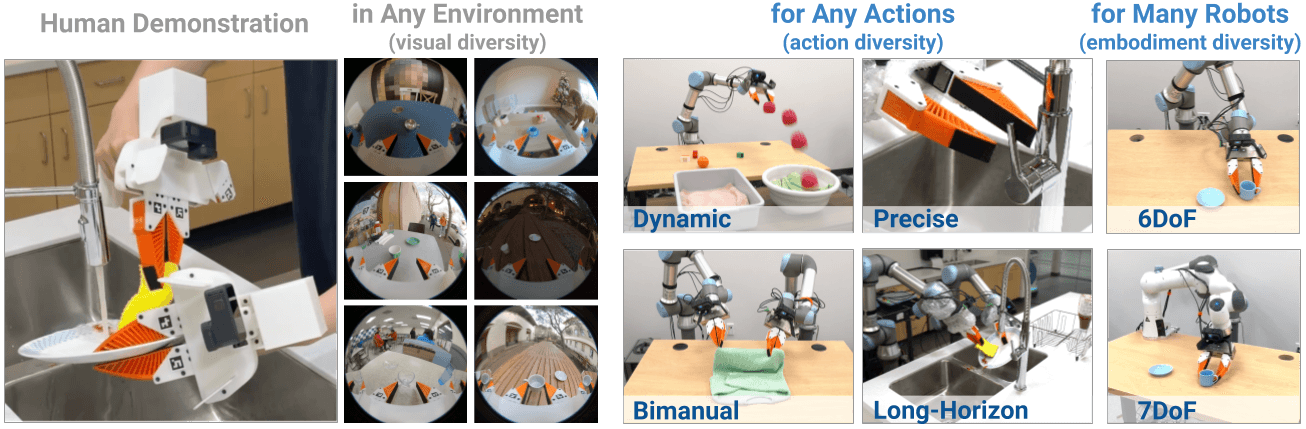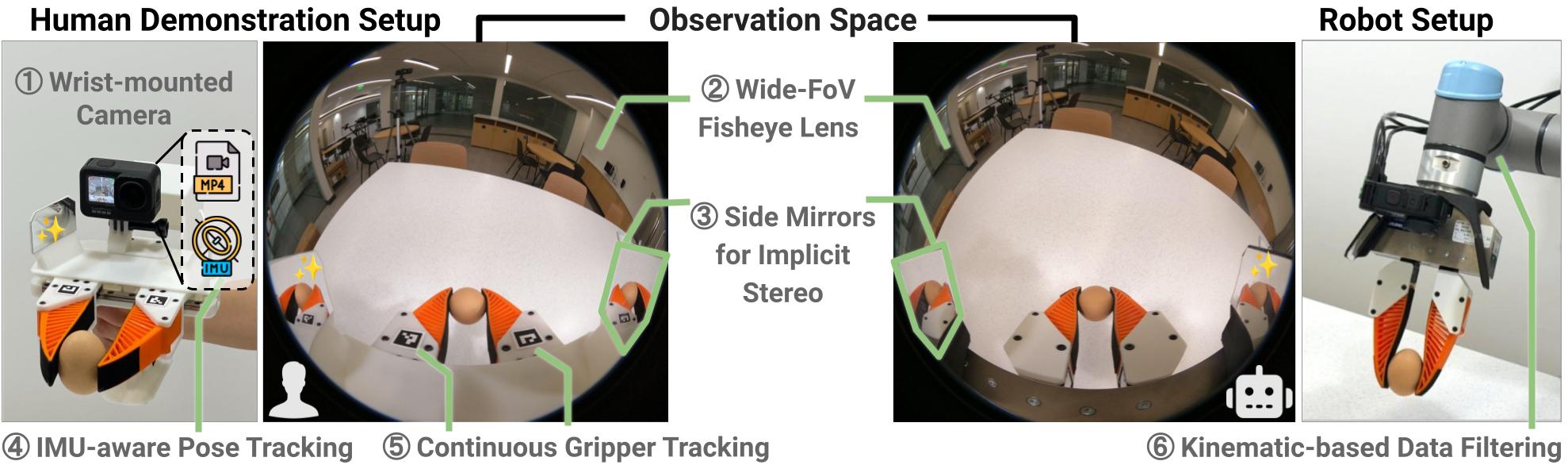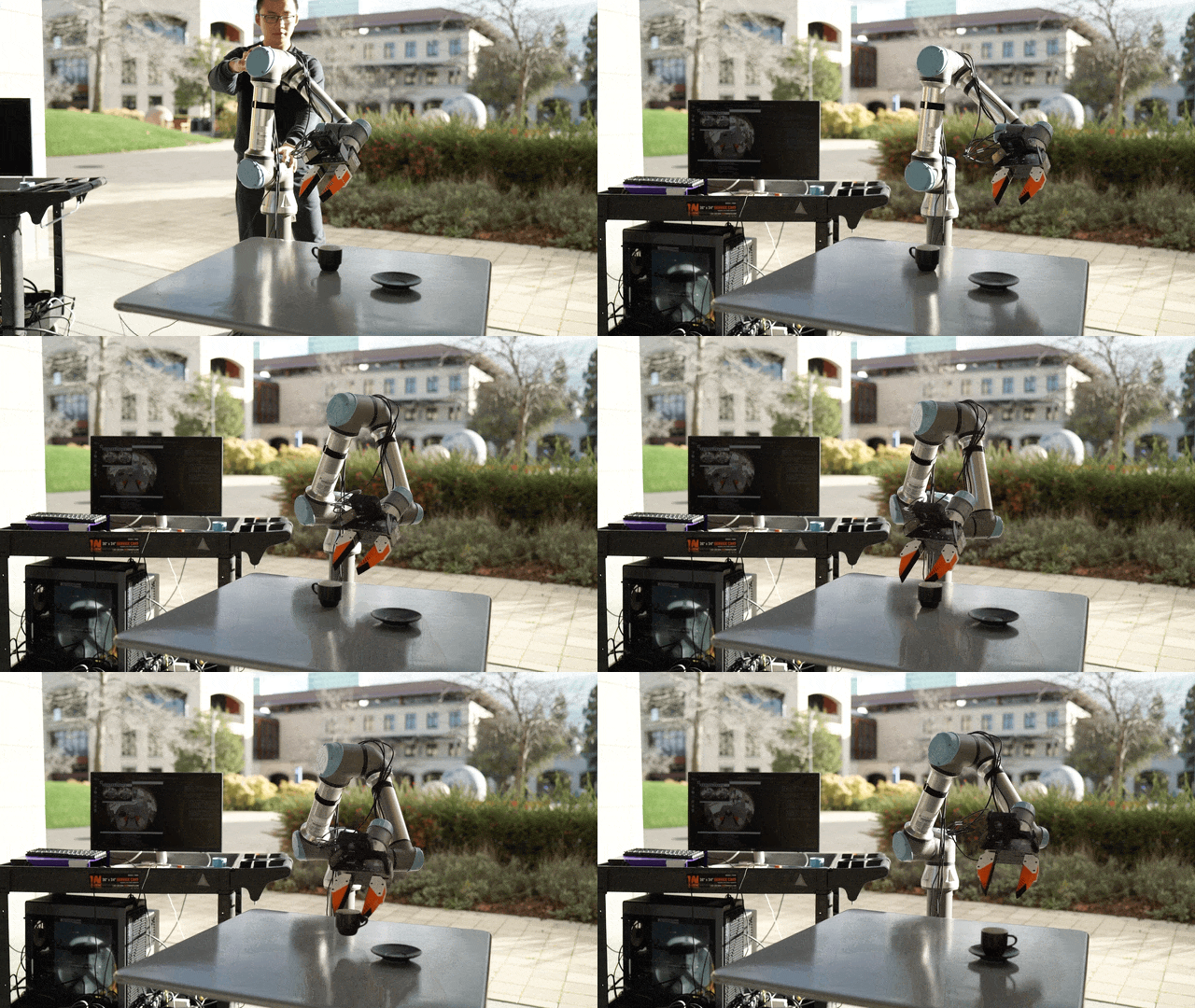
Collect single-arm UMI demos and run the official SLAM pipeline
This is Part 3 in the UMI + VLA series. This post assumes you have a working UMI handheld unit (see Part 2).
Goal: collect at least 20 quality demos and export a replay_buffer.zarr.zip — the input for policy training in Part 4.
Environment setup
git clone https://github.com/real-stanford/universal_manipulation_interface.git
cd universal_manipulation_interface

conda create -n umi python=3.10 -y
conda activate umi

# Install dependencies (follow official README)
pip install -e .
Check the README for the current dependency versions — use environment.yml or requirements.txt if provided.
Workspace setup before recording
1. Choose a clear task
Start with something simple that has an observable result:
- Pick a 20×20 cm block from position A and place it at position B
- Open a simple box lid
- Sort objects into a tray
Avoid tasks where success/failure is hard to measure automatically.
2. Prepare the workspace
[ ] Flat table, enough area (~60cm × 60cm workspace)
[ ] Uniform lighting — avoid strong shadows from one side
[ ] No moving objects in background
[ ] Object placed within robot arm reach
[ ] Calibration board (ChArUco/AprilTag) placed next to workspace
3. Run calibration once per new setup
python scripts/calibrate_gripper_range.py --help
python scripts/calibrate_uvc_camera_latency.py --help
python scripts/calibrate_slam_tag.py --help
Read --help for each script to understand the required arguments. Each outputs a JSON calibration file. Save to a calib/ folder and don't delete them.
Recording demos: standard workflow
Step 1: Configure GoPro
- Power on, select: Video, 4K or 1080p, 60fps, Linear or Fisheye mode
- Check battery is full or plugged in
- Check SD card has enough space (~1–2 GB per 10 minutes of video)
- Turn on GoPro before starting demos — let the IMU warm up
Step 2: Place the ArUco calibration board
Place the calibration board in the corner of the workspace, visible from the GoPro camera for at least 10 seconds at the start and end of each demo. SLAM needs it to initialize the coordinate frame.
Step 3: Record demos
Hold the UMI gripper and stand in front of the workspace:
- Point camera at calibration board for ~2 seconds (SLAM initialization)
- Perform the task at a deliberate, moderate pace — no jerking or rushing
- Open/close the gripper clearly at grasp and release points
- Hold for 1–2 seconds at grasp/release points to let encoder data stabilize
- After the task, point the camera back at the board for 1–2 seconds
- Stop recording
Minimum demo counts:
| Purpose | Demos needed |
|---|---|
| Pipeline smoke test | 5 demos |
| Check if policy can learn at all | 20 demos |
| Reliable baseline | 50 demos |
| Production quality | 100–200 demos |
Step 4: Organize files
mkdir -p data/raw/task_pick_cube/session_001
# Copy GoPro video files into this folder
# Name convention: demo_001.MP4, demo_002.MP4, ...
Running the SLAM pipeline: 8 official scripts
This is the core processing step. The pipeline has 8 official scripts, run in order:
Script 00: Process videos
python scripts_slam_pipeline/00_process_videos.py --help
Processes raw GoPro video: format conversion, frame extraction, preparation for SLAM.
Script 01: Extract GoPro IMU
python scripts_slam_pipeline/01_extract_gopro_imu.py --help
Extracts IMU data (accelerometer + gyroscope) from GoPro .MP4 metadata. This IMU is what makes UMI different from purely visual systems.
Script 02: Create map
python scripts_slam_pipeline/02_create_map.py --help
Uses the calibration board and ORB-SLAM3 to create a sparse map of the workspace. You typically need 1–2 "mapping clips" — slow clips panning around the workspace without doing a task.
If this step fails: check that the calibration board is clearly visible, lighting is adequate, and GoPro fisheye mode is on.
Script 03: Batch SLAM
python scripts_slam_pipeline/03_batch_slam.py --help
Runs SLAM on all demo videos to compute the 6DoF gripper trajectory. This is the most time-consuming step (~1–5 minutes per demo).
Expected output: a trajectory file per demo. Check afterward:
# Trajectories should be smooth, no large jumps
# If many NaN values or pose jumps > 5 cm/frame → that demo may need to be rejected
Script 04: Detect ArUco
python scripts_slam_pipeline/04_detect_aruco.py --help
Detects the ArUco marker on the jaw in each frame → computes gripper width over time.
If detection rate is low (<70%): the tag may be blurred (too fast motion), insufficient lighting, or tag too small. Fix: print a larger tag, collect at slower speed.
Script 05: Run calibrations
python scripts_slam_pipeline/05_run_calibrations.py --help
Combines calibration data (camera intrinsics, extrinsics, timing offset) with trajectory data to produce calibrated poses.
Script 06: Generate dataset plan
python scripts_slam_pipeline/06_generate_dataset_plan.py --help
Creates a plan file specifying which demos to include, timing windows, and action representation convention.
Review the output file — it lists all demos with validity flags. Reject demos with:
- Non-smooth trajectory (drift above threshold)
- Low gripper width detection rate
- Too short duration (<2 seconds)
- Robot IK infeasibility (if you've set up an IK filter)
Script 07: Generate replay buffer
python scripts_slam_pipeline/07_generate_replay_buffer.py --help
Final script: combines everything into replay_buffer.zarr.zip. This is the file you'll use for training in Part 4.
Verify output:
python -c "
import zarr
z = zarr.open('replay_buffer.zarr.zip', 'r')
print(z.tree())
print('Total demos:', len(z['meta']['episode_ends']))
"
Expected keys: robot0_eef_pos, robot0_eef_rot_axis_angle, robot0_gripper_width, camera0_rgb.
Data quality checks
Don't train on raw output. Verify first:
1. Visualize trajectories from 3–5 random demos
python scripts/slam_pose_replay.py --help
Trajectories must be smooth. If you see teleports or large drift → exclude those demos.
2. Check gripper width signal
Width signal should:
- Not be stuck at 0 or max throughout the demo (except during grasp/release)
- Be smooth, no sudden spikes
- Match the timing of your actions when recording
3. Check frame count
Each demo should have a frame count appropriate for its duration. If the actual FPS is lower than expected → video processing may have an issue.
File structure after processing
data/
├── raw/
│   └── task_pick_cube/
│       └── session_001/
│           ├── demo_001.MP4
│           └── ...
├── processed/
│   └── task_pick_cube/
│       ├── trajectories/
│       ├── gripper_width/
│       └── dataset_plan.json
└── replay_buffer.zarr.zip   ← input for Part 4
Common errors
| Error | Cause | Fix |
|---|---|---|
| SLAM tracking fails | Not enough background features | Add texture to workspace (stick a pattern on the table) |
| Low ArUco detection rate | Motion blur or poor lighting | Slow down, improve lighting, use larger tag |
| Replay buffer missing keys | Pipeline interrupted | Re-run from scripts 06–07 |
| Many demos rejected | Workspace too small | Expand workspace, avoid IK limits |
| IMU data missing | Unsupported GoPro model | Use GoPro Hero 7 Black or newer |
Definition of done — before moving to Part 4
[ ] At least 20 quality demos collected
[ ] All 8 SLAM scripts ran successfully
[ ] replay_buffer.zarr.zip has all expected keys
[ ] 3–5 trajectories visualized and smooth
[ ] Gripper width signal looks correct
[ ] Dataset plan has low rejection rate
If everything checks out — continue to Part 4: train Diffusion Policy.