This is the final post in the 15-part Classical Robot Arm Controller series. We have covered FK/IK and Jacobian, trajectory planning, MoveJ/MoveL/MoveC, blending, motion profiles, jogging and servo control, and collision-aware motion planning with MoveIt2. Now comes the most real-world test: putting everything on a physical robot.
Goal of this article: by the end you will be able to connect ROS 2 to a UR robot (or URSim), send trajectories via joint_trajectory_controller, use ur_rtde from both Python and C++, and have enough logging to debug anything that goes wrong.
The simulation-first philosophy
Golden rule when working with real robots: never run new code directly on hardware. A robot arm weighs tens of kilograms and can move at up to 3 m/s — one wrong command can destroy a fixture, injure someone, or damage the robot.
The standard workflow:
New code → URSim (virtual robot) → thorough testing → real UR robot
URSim is Universal Robots' official simulator that behaves almost identically to a real robot over the network. Code that works on URSim is far safer to transfer to hardware.
Step 1 — Run URSim with Docker
Universal Robots provides an official Docker image — no VirtualBox needed:
# Run URSim for UR5e (e-Series)
docker run --rm -it \
  -p 5900:5900 \
  -p 6080:6080 \
  -p 29999:29999 \
  -p 30001-30004:30001-30004 \
  -e ROBOT_MODEL=UR5 \
  universalrobots/ursim_e-series
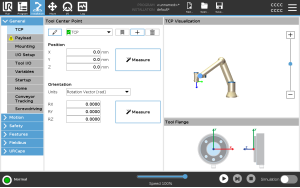
Open a browser at http://localhost:6080/vnc.html — the Polyscope UI appears with the robot in "Normal" state.
Key ports:
| Port | Protocol | Used for |
|---|---|---|
| 30001 | Primary Interface | Robot state, program upload |
| 30002 | Secondary Interface | Program execution |
| 30004 | RTDE | Real-time data exchange (ur_rtde) |
| 29999 | Dashboard Server | Power on/off, brake release |
With the host network mode, URSim's default IP is typically 192.168.56.101.
Step 2 — ros2_control architecture
ros2_control is ROS 2's standard hardware abstraction layer. Instead of writing a custom driver for every robot, everything talks through the same interface. UR provides ur_robot_driver as a hardware plugin:
ros2_control stack:
┌──────────────────────────────────────────┐
│           Controller Manager             │  ← manages controller lifecycle
├─────────────────────┬────────────────────┤
│  scaled_JTC         │  io_status_ctrl    │  ← Controllers (plugins)
├─────────────────────┴────────────────────┤
│           Resource Manager               │  ← manages hardware resources
├──────────────────────────────────────────┤
│     UrPositionHardwareInterface          │  ← ur_robot_driver hardware plugin
├──────────────────────────────────────────┤
│         UR Robot / URSim                 │  ← real hardware or simulator
└──────────────────────────────────────────┘
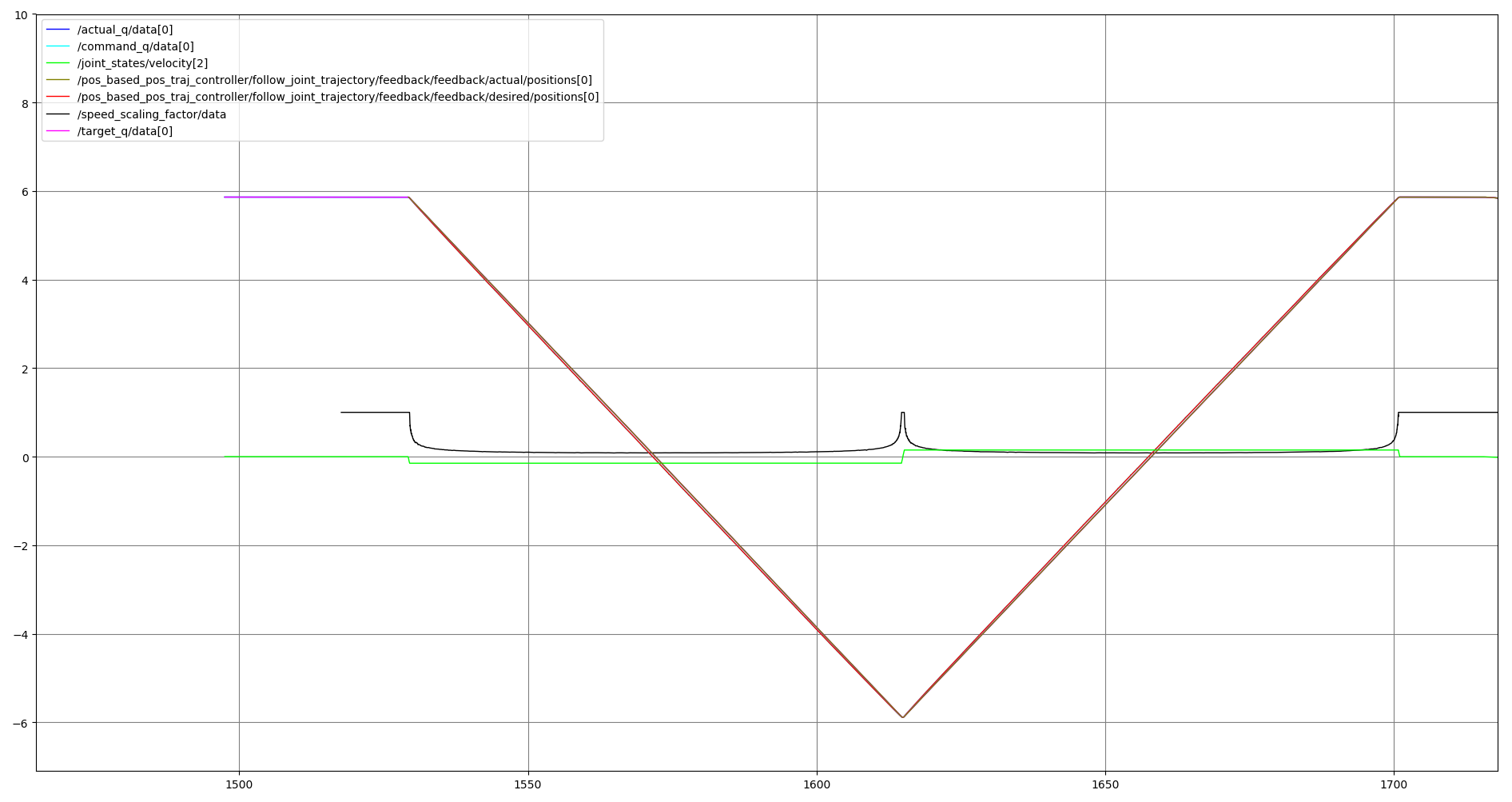
scaled_joint_trajectory_controller is the UR driver's default controller. Unlike the standard joint_trajectory_controller, it reads the robot's speed scaling factor (the slider on the Teach Pendant) and respects safety compliance: if the robot hits a safeguard stop, the trajectory pauses in place and resumes exactly where it left off.
Step 3 — Install and launch UR ROS2 Driver
# ROS 2 Humble + Ubuntu 22.04 (recommended)
sudo apt install ros-humble-ur

# Or build from source:
mkdir -p ~/ros2_ws/src && cd ~/ros2_ws/src
git clone https://github.com/UniversalRobots/Universal_Robots_ROS2_Driver.git
cd ~/ros2_ws && colcon build --packages-select ur_robot_driver
source install/setup.bash
Launch the driver against URSim
# Terminal 1: launch the driver (URSim default IP 192.168.56.101)
ros2 launch ur_robot_driver ur_control.launch.py \
  ur_type:=ur5e \
  robot_ip:=192.168.56.101 \
  launch_rviz:=true

# Fake hardware (no URSim / robot needed):
ros2 launch ur_robot_driver ur_control.launch.py \
  ur_type:=ur5e \
  robot_ip:=yyy.yyy.yyy.yyy \
  use_fake_hardware:=true \
  launch_rviz:=true
Important: before the driver can connect to URSim or a real robot, you must:
- Install the "External Control" URCap on Polyscope
- Configure your ROS 2 machine's IP inside the URCap
- Create and run an "External Control" program on the Teach Pendant
After a successful launch, verify the controllers are active:
# Terminal 2
ros2 control list_controllers
Expected output:
scaled_joint_trajectory_controller[...] active
io_and_status_controller[...]           active
joint_state_broadcaster[...]            active
Step 4 — Send JointTrajectory via ROS 2
trajectory_msgs/JointTrajectory is the standard message for sending trajectories. Each waypoint is a JointTrajectoryPoint with positions, velocities, and time_from_start.
Python — Send via FollowJointTrajectory action
#!/usr/bin/env python3
"""Send a trajectory to the UR robot via ROS 2 action."""

import rclpy
from rclpy.node import Node
from rclpy.action import ActionClient
from control_msgs.action import FollowJointTrajectory
from trajectory_msgs.msg import JointTrajectory, JointTrajectoryPoint
from builtin_interfaces.msg import Duration
import math

class TrajectoryExecutor(Node):
    def __init__(self):
        super().__init__('trajectory_executor')
        self._action_client = ActionClient(
            self,
            FollowJointTrajectory,
            '/scaled_joint_trajectory_controller/follow_joint_trajectory'
        )

    def send_trajectory(self):
        self._action_client.wait_for_server()
        self.get_logger().info('Action server ready.')

        goal = FollowJointTrajectory.Goal()
        goal.trajectory.joint_names = [
            'shoulder_pan_joint', 'shoulder_lift_joint',
            'elbow_joint', 'wrist_1_joint',
            'wrist_2_joint', 'wrist_3_joint'
        ]

        # Waypoint 1: safe home position
        p1 = JointTrajectoryPoint()
        p1.positions = [0.0, -math.pi/2, 0.0, -math.pi/2, 0.0, 0.0]
        p1.velocities = [0.0] * 6
        p1.time_from_start = Duration(sec=3, nanosec=0)

        # Waypoint 2: pick position (adjust for your actual workspace)
        p2 = JointTrajectoryPoint()
        p2.positions = [math.pi/4, -math.pi/3, math.pi/2, -math.pi/4, math.pi/2, 0.0]
        p2.velocities = [0.0] * 6
        p2.time_from_start = Duration(sec=6, nanosec=0)

        goal.trajectory.points = [p1, p2]

        self.get_logger().info('Sending trajectory goal...')
        future = self._action_client.send_goal_async(goal)
        rclpy.spin_until_future_complete(self, future)

        goal_handle = future.result()
        if not goal_handle.accepted:
            self.get_logger().error('Goal rejected!')
            return

        result_future = goal_handle.get_result_async()
        rclpy.spin_until_future_complete(self, result_future)
        result = result_future.result().result
        self.get_logger().info(f'Done. error_code={result.error_code}')

def main():
    rclpy.init()
    node = TrajectoryExecutor()
    node.send_trajectory()
    rclpy.shutdown()

if __name__ == '__main__':
    main()
Step 5 — ur_rtde Python: prototype before writing C++
ur_rtde is a low-level library that speaks the RTDE protocol directly (port 30004), no ROS 2 required. Use the Python bindings to validate your motion logic before investing in the C++ implementation.
pip install ur-rtde
moveJ, moveL and tracking error logging
import rtde_control
import rtde_receive
import math

ROBOT_IP = "192.168.56.101"   # URSim — swap for real robot IP when deploying

rtde_c = rtde_control.RTDEControlInterface(ROBOT_IP)
rtde_r = rtde_receive.RTDEReceiveInterface(ROBOT_IP)

# Read current state
q_actual = rtde_r.getActualQ()
print(f"Current joints: {[f'{v:.4f}' for v in q_actual]}")

# moveJ — joint-space motion (safe, predictable)
q_target = [0.0, -math.pi/2, math.pi/2, -math.pi/2, -math.pi/2, 0.0]
rtde_c.moveJ(q_target, speed=1.05, acceleration=1.4)   # blocking

# Log tracking error right after stop
q_after = rtde_r.getActualQ()
tracking_err = [abs(q_target[i] - q_after[i]) for i in range(6)]
print(f"Tracking error (rad): {[f'{e:.6f}' for e in tracking_err]}")
print(f"Max error: {max(tracking_err):.6f} rad")

# moveL — straight-line TCP motion in Cartesian space
# pose = [x, y, z, rx, ry, rz] — meters + axis-angle (radians)
pose_target = [0.3, -0.4, 0.5, 0.0, math.pi, 0.0]
rtde_c.moveL(pose_target, speed=0.25, acceleration=1.2)

tcp_after = rtde_r.getActualTCPPose()
print(f"TCP after moveL: {[f'{v:.4f}' for v in tcp_after]}")

rtde_c.disconnect()
rtde_r.disconnect()
servoJ — real-time streaming at 500 Hz
import rtde_control
import rtde_receive
import time
import math

rtde_c = rtde_control.RTDEControlInterface(ROBOT_IP)
rtde_r = rtde_receive.RTDEReceiveInterface(ROBOT_IP)

DT = 0.002          # 500 Hz control loop (minimum recommended: 125 Hz)
LOOKAHEAD = 0.1     # Lookahead time (0.03–0.2 s) — higher = smoother but more lag
GAIN = 300          # Servo gain (100–2000) — higher = tighter tracking but more vibration

q_start = rtde_r.getActualQ()
t = 0.0
duration = 3.0

while t < duration:
    loop_start = time.time()

    # Trajectory: joint 0 oscillates ±0.2 rad (sin wave)
    q_cmd = list(q_start)
    q_cmd[0] = q_start[0] + 0.2 * math.sin(2 * math.pi * t / duration)

    rtde_c.servoJ(q_cmd, velocity=0.0, acceleration=0.0,
                  dt=DT, lookahead_time=LOOKAHEAD, gain=GAIN)

    q_actual = rtde_r.getActualQ()
    err = abs(q_cmd[0] - q_actual[0])
    loop_ms = (time.time() - loop_start) * 1000
    print(f"t={t:.3f}s | cmd={q_cmd[0]:.4f} | act={q_actual[0]:.4f} "
          f"| err={err:.4f} rad | loop={loop_ms:.1f}ms")

    elapsed = time.time() - loop_start
    if elapsed < DT:
        time.sleep(DT - elapsed)
    t += DT

rtde_c.servoStop()
rtde_c.disconnect()
rtde_r.disconnect()
Step 6 — ur_rtde C++: CMakeLists.txt and implementation
Install ur_rtde from source
git clone https://gitlab.com/sdurobotics/ur_rtde.git
cd ur_rtde && mkdir build && cd build
cmake .. -DCMAKE_BUILD_TYPE=Release
make -j$(nproc)
sudo make install    # installs to /usr/local/
CMakeLists.txt
cmake_minimum_required(VERSION 3.16)
project(ur_rtde_controller CXX)

set(CMAKE_CXX_STANDARD 17)
set(CMAKE_CXX_STANDARD_REQUIRED ON)

# Find ur_rtde (after sudo make install)
find_package(ur_rtde REQUIRED)

# If installed to a non-standard path:
# find_package(ur_rtde REQUIRED PATHS "/usr/local/lib/cmake/ur_rtde")

add_executable(ur_controller src/ur_controller.cpp)
target_link_libraries(ur_controller PRIVATE ur_rtde::rtde)
Build and run:
mkdir build && cd build
cmake .. -DCMAKE_BUILD_TYPE=Release
make -j$(nproc)

# Connect to URSim
./ur_controller 192.168.56.101

# Real robot (swap IP)
./ur_controller 192.168.1.100
src/ur_controller.cpp — full implementation with logging
#include <ur_rtde/rtde_control_interface.h>
#include <ur_rtde/rtde_receive_interface.h>
#include <iostream>
#include <iomanip>
#include <fstream>
#include <vector>
#include <chrono>
#include <cmath>
#include <algorithm>
#include <thread>
#include <string>

using namespace ur_rtde;
using Clock = std::chrono::high_resolution_clock;

// ── CSV Logger ───────────────────────────────────────────────────────────────
class RobotLogger {
    std::ofstream file_;
public:
    explicit RobotLogger(const std::string& filename) : file_(filename) {
        file_ << "ts_ms,"
              << "j0t,j1t,j2t,j3t,j4t,j5t,"
              << "j0a,j1a,j2a,j3a,j4a,j5a,"
              << "max_err_rad,latency_ms\n";
    }
    void log(double ts,
             const std::vector<double>& target,
             const std::vector<double>& actual,
             double max_err, double latency) {
        file_ << std::fixed << std::setprecision(6) << ts;
        for (double v : target) file_ << ',' << v;
        for (double v : actual)  file_ << ',' << v;
        file_ << ',' << max_err << ',' << latency << '\n';
    }
};

static double maxError(const std::vector<double>& a,
                       const std::vector<double>& b) {
    double mx = 0.0;
    for (std::size_t i = 0; i < a.size(); ++i)
        mx = std::max(mx, std::abs(a[i] - b[i]));
    return mx;
}

// ── MoveJ with logging ───────────────────────────────────────────────────────
void executeMoveJ(RTDEControlInterface& rtde_c,
                  RTDEReceiveInterface& rtde_r,
                  const std::vector<double>& q_target,
                  double speed = 1.05, double accel = 1.4) {
    std::cout << "MoveJ → [";
    for (double q : q_target) std::cout << std::setprecision(3) << q << ' ';
    std::cout << "]\n";

    auto t0 = Clock::now();
    rtde_c.moveJ(q_target, speed, accel);   // blocking
    double elapsed = std::chrono::duration<double, std::milli>(
        Clock::now() - t0).count();

    double err = maxError(q_target, rtde_r.getActualQ());
    std::cout << std::fixed << std::setprecision(4)
              << "  Done: t=" << elapsed << "ms, max_err=" << err << " rad\n";
}

// ── MoveL with logging ───────────────────────────────────────────────────────
void executeMoveL(RTDEControlInterface& rtde_c,
                  RTDEReceiveInterface& rtde_r,
                  const std::vector<double>& pose_target,
                  double speed = 0.25, double accel = 1.2) {
    std::cout << "MoveL → [";
    for (double p : pose_target) std::cout << std::setprecision(4) << p << ' ';
    std::cout << "]\n";

    auto t0 = Clock::now();
    rtde_c.moveL(pose_target, speed, accel);
    double elapsed = std::chrono::duration<double, std::milli>(
        Clock::now() - t0).count();

    double err = maxError(pose_target, rtde_r.getActualTCPPose());
    std::cout << std::fixed << std::setprecision(4)
              << "  Done: t=" << elapsed << "ms, max_err=" << err << " m/rad\n";
}

// ── ServoJ real-time loop ─────────────────────────────────────────────────────
void executeServoJ(RTDEControlInterface& rtde_c,
                   RTDEReceiveInterface& rtde_r,
                   double duration_s = 3.0,
                   const std::string& log_file = "servo_log.csv") {
    const double DT       = 0.002;
    const double LOOKAHEAD = 0.1;
    const int    GAIN     = 300;

    RobotLogger logger(log_file);
    auto q_start = rtde_r.getActualQ();

    std::cout << "ServoJ demo start (" << duration_s << "s)...\n";

    double t = 0.0;
    int samples = 0;
    double sum_err = 0.0, max_lat = 0.0;
    auto t_begin = Clock::now();

    while (t < duration_s) {
        auto loop_start = Clock::now();

        auto q_cmd = q_start;
        q_cmd[0] += 0.2 * std::sin(2.0 * M_PI * t / duration_s);

        rtde_c.servoJ(q_cmd, 0.0, 0.0, DT, LOOKAHEAD, GAIN);

        auto after_servo = Clock::now();
        double latency = std::chrono::duration<double, std::milli>(
            after_servo - loop_start).count();

        auto q_actual = rtde_r.getActualQ();
        double err = maxError(q_cmd, q_actual);
        double ts = std::chrono::duration<double, std::milli>(
            after_servo - t_begin).count();

        logger.log(ts, q_cmd, q_actual, err, latency);
        sum_err += err;
        max_lat = std::max(max_lat, latency);
        ++samples;

        if (samples % 50 == 0)
            std::cout << "  t=" << std::fixed << std::setprecision(2) << t
                      << "s | err=" << std::setprecision(4) << err
                      << " rad | lat=" << std::setprecision(2) << latency << "ms\n";

        double used = std::chrono::duration<double>(Clock::now() - loop_start).count();
        if (used < DT)
            std::this_thread::sleep_for(std::chrono::duration<double>(DT - used));
        t += DT;
    }

    rtde_c.servoStop();
    std::cout << "\n=== ServoJ Summary ===\n"
              << "Samples : " << samples << "\n"
              << "Avg err : " << std::fixed << std::setprecision(5)
              << (sum_err / samples) << " rad\n"
              << "Max lat : " << std::setprecision(2) << max_lat << " ms\n"
              << "Log     : " << log_file << "\n";
}

// ── main ──────────────────────────────────────────────────────────────────────
int main(int argc, char* argv[]) {
    const std::string ip = (argc > 1) ? argv[1] : "192.168.56.101";

    std::cout << "Connecting to " << ip << " ...\n";
    RTDEControlInterface rtde_c(ip);
    RTDEReceiveInterface rtde_r(ip);
    std::cout << "Connected.\n\n";

    std::vector<double> q_home = {0.0, -M_PI/2, 0.0, -M_PI/2, 0.0, 0.0};
    executeMoveJ(rtde_c, rtde_r, q_home, 0.5, 0.5);      // low speed for first test

    std::vector<double> q_pick = {M_PI/4, -M_PI/3, M_PI/2, -M_PI/4, M_PI/2, 0.0};
    executeMoveJ(rtde_c, rtde_r, q_pick);

    std::vector<double> pose_above = {0.300, -0.400, 0.500, 0.0, M_PI, 0.0};
    executeMoveL(rtde_c, rtde_r, pose_above);

    std::cout << "\nStarting servoJ demo...\n";
    executeServoJ(rtde_c, rtde_r, 3.0, "servo_log.csv");

    std::cout << "\nReturning home...\n";
    executeMoveJ(rtde_c, rtde_r, q_home, 0.5, 0.5);

    rtde_c.disconnect();
    rtde_r.disconnect();
    std::cout << "Done.\n";
    return 0;
}
Step 7 — Analysing the tracking-error log
import csv
import statistics

with open("servo_log.csv") as f:
    rows = list(csv.DictReader(f))

errors    = [float(r["max_err_rad"]) for r in rows]
latencies = [float(r["latency_ms"])  for r in rows]

print(f"Samples  : {len(rows)}")
print(f"Error    : mean={statistics.mean(errors):.4f}  "
      f"max={max(errors):.4f} rad")
print(f"Latency  : mean={statistics.mean(latencies):.2f}  "
      f"max={max(latencies):.2f} ms")
print()
print("Reference benchmarks:")
print("  servoJ error (good)  : < 0.001 rad (~0.06°)")
print("  servoJ error (ok)    : < 0.005 rad (~0.29°)")
print("  Loop latency target  : < 2 ms  (exact 500 Hz)")
Warning signs to look for in the log:
- Latency spikes > 5 ms → CPU preemption; consider
isolcpusor aPREEMPT_RTkernel - Error drifting upward over time → GAIN too low or LOOKAHEAD too long
- Error spikes at direction reversals → robot approaching a joint limit; re-check workspace
Step 8 — TCP frames and pose verification
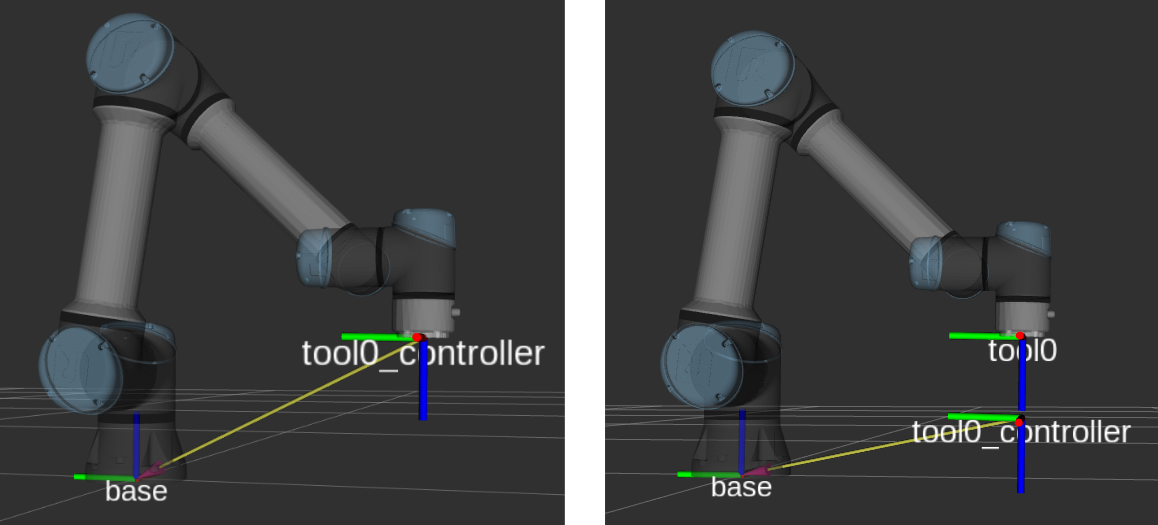
When calling moveL, it is essential to understand the TCP frame. UR robots use:
x, y, z— TCP position (metres) in the robot base framerx, ry, rz— rotation in axis-angle format (radians) — not Euler angles
# Check the active TCP frame
tcp = rtde_r.getActualTCPPose()
print(f"TCP: x={tcp[0]:.4f}m  y={tcp[1]:.4f}m  z={tcp[2]:.4f}m")
print(f"     rx={tcp[3]:.4f}  ry={tcp[4]:.4f}  rz={tcp[5]:.4f} rad")

# Read joint torques — useful for detecting collisions
torques = rtde_r.getActualMoment()
print(f"Torques: {[f'{t:.1f}Nm' for t in torques]}")
Step 9 — Pre-deployment checklist for a real robot
Once code is stable on URSim, run through this checklist before touching hardware:
- Emergency stop within reach — no more than one step away
- Workspace clear — no people or obstacles within the arm's reach
- Speed slider at 10% on the Teach Pendant for first runs
- "External Control" program running on the Teach Pendant
- Joint limits verified — all
q_targetvalues within [-2π, 2π] - IP address updated — from
192.168.56.101to the real robot's IP - TCP offset correct — if using a gripper or tool, set TCP in Polyscope
- Move to home first — get a feel for speed and travel distance at 10%
# Run with the real robot
./ur_controller 192.168.1.100   # real robot IP
Series wrap-up
Across 15 articles we built a complete robot arm controller stack from foundations to production:
| Group | Articles | Content |
|---|---|---|
| Foundations | 1–5 | FK/IK, Jacobian, C++ setup, robot model, IK solver |
| Motion primitives | 6–12 | Frames, MoveJ, MoveL, MoveC, blending, S-curve profiles |
| Advanced | 13–14 | Jogging & servoJ, collision-aware planning (MoveIt2/OMPL) |
| Real robot | 15 | ros2_control + ur_rtde + logging (this article) |
The difference between a good robotics engineer and an average one isn't knowing more algorithms — it's the simulation-first mindset, enough logging to debug surprising hardware behaviour, and understanding every abstraction layer from a joint command down to metal. You now have all three.
Related Posts
- Collision-aware motion planning: MoveIt2 & OMPL — previous article: plan trajectories around obstacles
- Jogging and servo control: joint jog and TCP twist — servoJ in the context of jogging
- FK/IK and Jacobian: the mathematical foundation of robot arms — return to the fundamentals