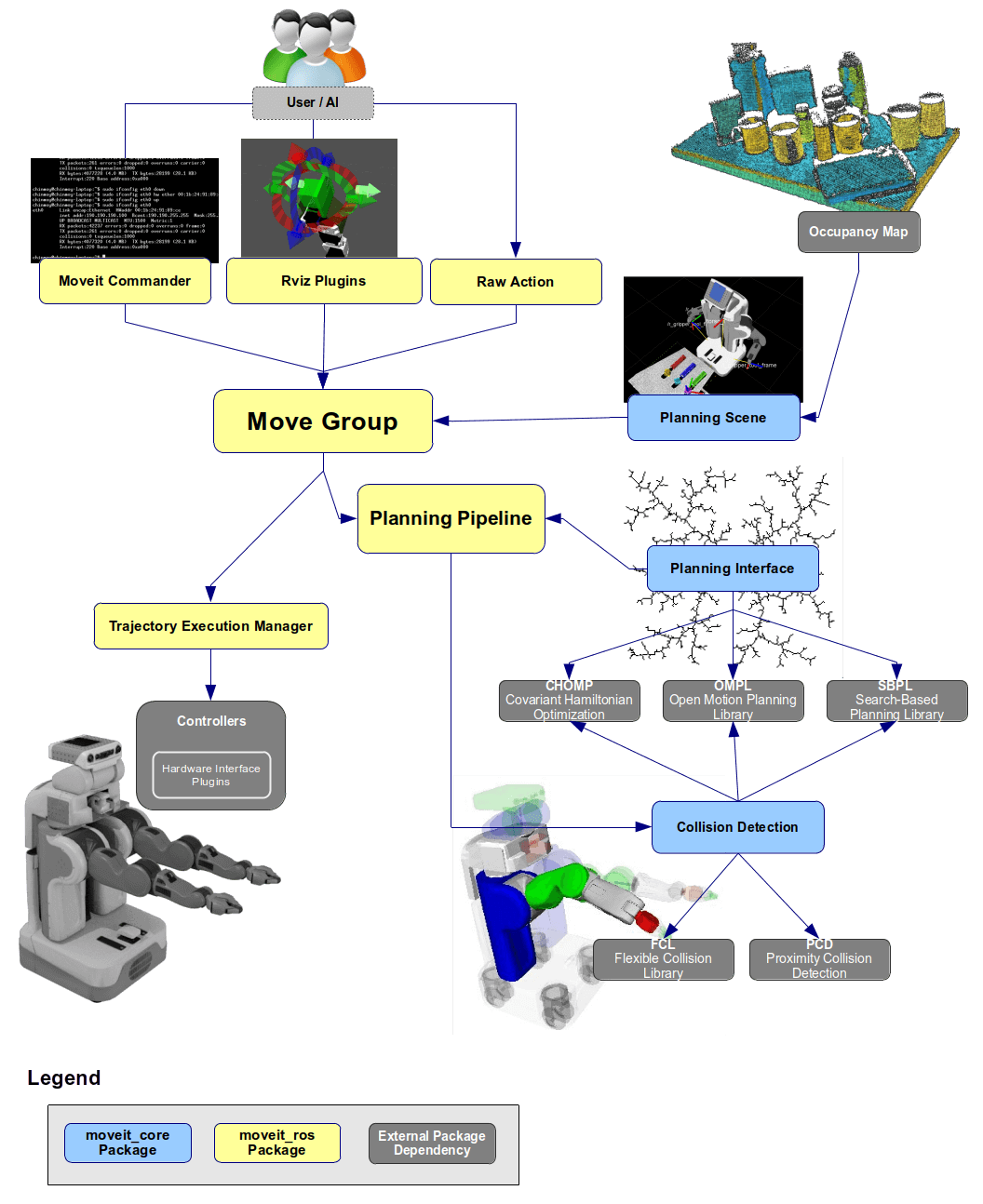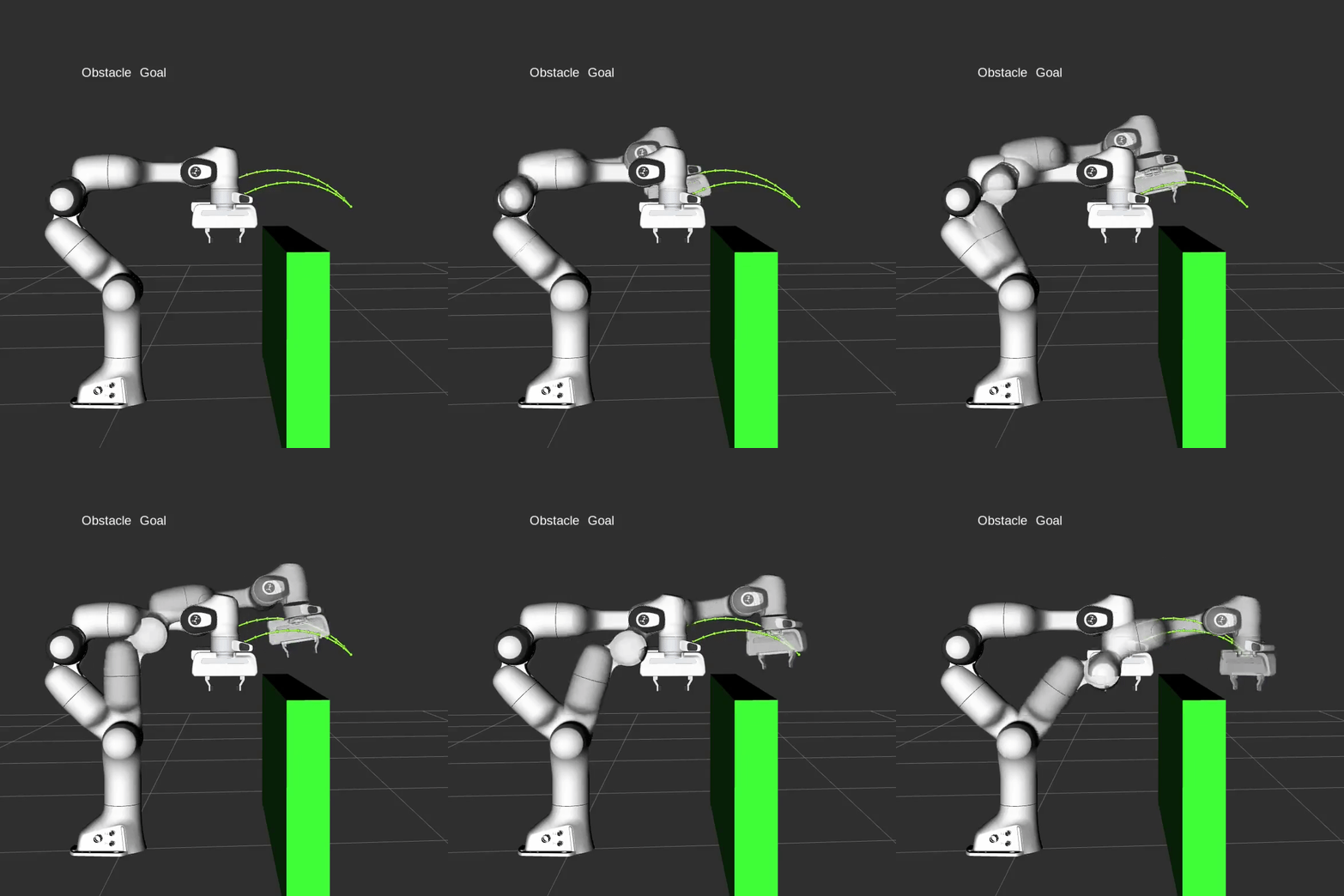
In Part 13 on Jogging and Servo Control, we controlled the robot joint-by-joint in real time. But manual jogging has a critical weakness: the operator must avoid obstacles manually. This article solves that problem — automatic collision-aware motion planning using MoveIt2 and OMPL.
Instead of hand-crafting paths, we let an algorithm find a trajectory through joint space that automatically avoids all obstacles. The result: you say "go to position X" and hit execute.
1. Why Motion Planning?
Imagine a welding robot in a factory: a moving conveyor belt, fixed support columns, hanging cables. Manual jogging through that environment is both slow and dangerous.
Motion planning answers the fundamental question: "How do we get from configuration A to B without hitting anything?"
The full pipeline:
Start config → [Planner finds C_free path] → Goal config
                         ↑
               Collision checker validates each step
2. Configuration Space (C-space) — The Mathematical Foundation
Before diving into code, we need to understand C-space — the concept all motion planners rely on.
2.1 What is C-space?
A 6-DOF robot (6 joints) has a 6-dimensional C-space. Each point in this space is a vector:
q = [θ₁, θ₂, θ₃, θ₄, θ₅, θ₆]
representing a complete robot configuration — knowing q means knowing everything about the robot's pose.
C-space divides into two regions:
- C_free: Configurations where the robot does NOT collide with anything
- C_collision: Configurations where the robot hits an obstacle (table, wall, self-collision)
Workspace (3D)                      C-space (6D)
─────────────────────────────────   ──────────────────────────────────
Robot = complex 3D rigid body       Robot = a SINGLE POINT
Obstacles = 3D solid shapes         Obstacles = "forbidden" REGIONS
Path = complex 3D trajectory        Path = a curve through C_free
The key insight: Instead of computing collision for every link at every step, we transform the problem into finding a path between two points in C_free. Sampling-based planners do exactly this.
2.2 Why Sampling-based?
Computing C_free exactly (explicitly) for a 6-DOF robot is NP-hard — not practical in real time. Instead, sampling-based planners randomly sample configurations and check whether each sample is collision-free. They are probabilistically complete: if a solution exists, the algorithm will find it given enough time.
3. Sampling-based Planners — RRT, RRT-Connect, PRM
OMPL provides dozens of algorithms. Three are most important:
3.1 RRT — Rapidly-Exploring Random Tree
RRT grows a tree from the start configuration, expanding randomly toward the goal:
Each iteration:
1. q_rand  = sample_random_in_C_space()    // random point in C-space
2. q_near  = nearest_node_in_tree(q_rand)  // closest tree node
3. q_new   = step_toward(q_near, q_rand)   // move one step
4. if collision_free(q_near → q_new):
       tree.add_node(q_new)
5. if q_new ∈ goal_region: SUCCESS
Pros: Simple, works well in high-dimensional spaces. Cons: Not optimal — paths can be unnecessarily "zig-zaggy."
3.2 RRT-Connect — MoveIt2 Default
Key improvement: instead of 1 tree from start, grow 2 trees simultaneously — one from start and one from goal. They grow toward each other until they connect.
Tree_A (from start) ──────────────► [MEET] ◄──────────────── Tree_B (from goal)
Why it's the default: RRT-Connect is typically 5-10× faster than single RRT because both trees actively search for each other instead of one tree wandering randomly.
3.3 PRM — Probabilistic Roadmap Method
PRM is a multi-query planner: build a roadmap once, reuse it for many planning queries.
Phase 1 — Build (once):
  Sample many random points in C_free
  Connect nearby points → graph (roadmap)

Phase 2 — Query (for each plan request):
  Connect start + goal to existing roadmap
  Find shortest path on graph (A* or Dijkstra)
When to use PRM: A welding robot repeating 100 identical moves per day in a static environment. Build the roadmap once (a few seconds), then each query takes milliseconds.
Quick Comparison
| Criterion | RRT | RRT-Connect | PRM |
|---|---|---|---|
| Type | Single-query | Single-query | Multi-query |
| Average speed | Slow | Fast | Fast (after build) |
| Optimal? | No | No | No (PRM* is) |
| Best for | Debugging, learning | Production | Repeated queries |
| MoveIt2 default? | No | Yes | No |
4. Package Setup — CMakeLists.txt and package.xml
4.1 Package Structure
my_moveit_pkg/
├── CMakeLists.txt
├── package.xml
├── src/
│   └── motion_planner.cpp
└── scripts/
    └── motion_planner.py
4.2 CMakeLists.txt
cmake_minimum_required(VERSION 3.8)
project(my_moveit_pkg)

find_package(ament_cmake REQUIRED)
find_package(rclcpp REQUIRED)
find_package(moveit_core REQUIRED)
find_package(moveit_ros_planning REQUIRED)
find_package(moveit_ros_planning_interface REQUIRED)
find_package(geometry_msgs REQUIRED)
find_package(moveit_msgs REQUIRED)
find_package(shape_msgs REQUIRED)

add_executable(motion_planner src/motion_planner.cpp)
target_include_directories(motion_planner PUBLIC
  $<BUILD_INTERFACE:${CMAKE_CURRENT_SOURCE_DIR}/include>
  $<INSTALL_INTERFACE:include>)
target_compile_features(motion_planner PUBLIC c_std_99 cxx_std_17)
ament_target_dependencies(motion_planner
  rclcpp
  moveit_core
  moveit_ros_planning
  moveit_ros_planning_interface
  geometry_msgs
  moveit_msgs
  shape_msgs
)

install(TARGETS motion_planner
  DESTINATION lib/${PROJECT_NAME})

install(PROGRAMS scripts/motion_planner.py
  DESTINATION lib/${PROJECT_NAME})

# MUST be last — gathers all declared info and registers with ament
ament_package()
4.3 package.xml
<?xml version="1.0"?>
<package format="3">
  <name>my_moveit_pkg</name>
  <version>0.0.1</version>
  <description>Collision-aware motion planning with MoveIt2</description>
  <maintainer email="[email protected]">Your Name</maintainer>
  <license>Apache-2.0</license>

  <buildtool_depend>ament_cmake</buildtool_depend>

  <depend>rclcpp</depend>
  <depend>moveit_core</depend>
  <depend>moveit_ros_planning</depend>
  <depend>moveit_ros_planning_interface</depend>
  <depend>geometry_msgs</depend>
  <depend>moveit_msgs</depend>
  <depend>shape_msgs</depend>

  <export>
    <build_type>ament_cmake</build_type>
  </export>
</package>
4.4 Build with colcon
cd ~/ros2_ws
colcon build --packages-select my_moveit_pkg --symlink-install
source install/setup.bash
--symlink-install creates symlinks instead of copying files — Python scripts can be changed without rebuilding. For MoveIt2, add --parallel-workers 2 if you have less than 16GB RAM since some MoveIt packages are memory-intensive.
5. MoveGroupInterface C++ — Planning Around Obstacles
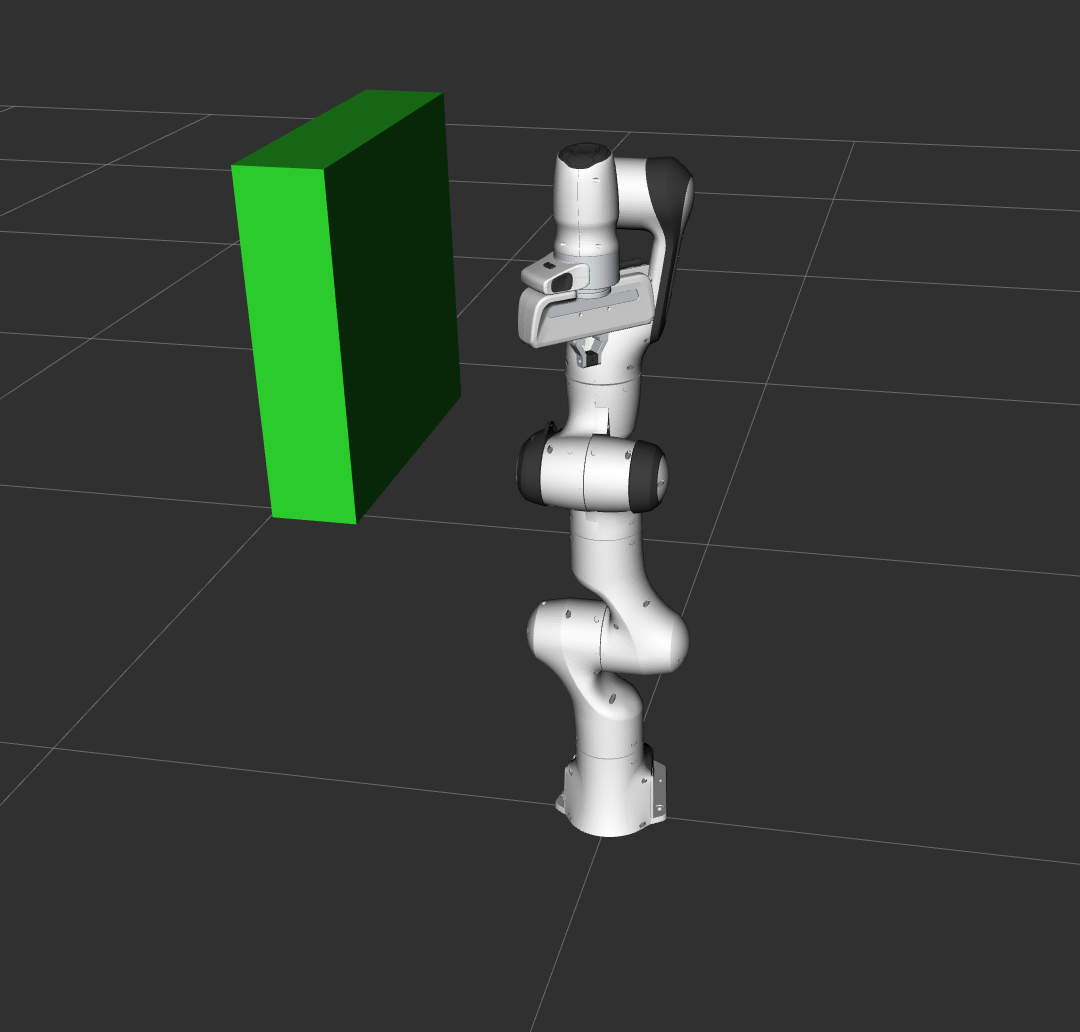
This is the core of the article: using MoveGroupInterface to add obstacles, plan, and execute.
#include <moveit/move_group_interface/move_group_interface.hpp>
#include <moveit/planning_scene_interface/planning_scene_interface.hpp>
#include <moveit_msgs/msg/collision_object.hpp>
#include <shape_msgs/msg/solid_primitive.hpp>
#include <geometry_msgs/msg/pose.hpp>
#include <rclcpp/rclcpp.hpp>
#include <thread>

int main(int argc, char* argv[])
{
    rclcpp::init(argc, argv);
    auto node = std::make_shared<rclcpp::Node>(
        "motion_planner",
        rclcpp::NodeOptions().automatically_declare_parameters_from_overrides(true)
    );
    auto logger = node->get_logger();

    // Spin node in separate thread to avoid blocking main thread
    rclcpp::executors::SingleThreadedExecutor executor;
    executor.add_node(node);
    std::thread spinner([&executor]() { executor.spin(); });

    // ============================================================
    // Step 1: Initialize MoveGroupInterface
    // ============================================================
    const std::string PLANNING_GROUP = "panda_arm";
    moveit::planning_interface::MoveGroupInterface move_group(node, PLANNING_GROUP);
    moveit::planning_interface::PlanningSceneInterface planning_scene_interface;

    // Cache raw pointer for faster kinematics access
    const moveit::core::JointModelGroup* joint_model_group =
        move_group.getCurrentState()->getJointModelGroup(PLANNING_GROUP);

    RCLCPP_INFO(logger, "Planning frame: %s", move_group.getPlanningFrame().c_str());
    RCLCPP_INFO(logger, "End-effector link: %s", move_group.getEndEffectorLink().c_str());

    // ============================================================
    // Step 2: Add collision object to planning scene
    // ============================================================
    moveit_msgs::msg::CollisionObject collision_object;
    collision_object.header.frame_id = move_group.getPlanningFrame();
    collision_object.id = "box1";

    // Geometry: 5cm × 5cm × 50cm box
    shape_msgs::msg::SolidPrimitive primitive;
    primitive.type = primitive.BOX;
    primitive.dimensions.resize(3);
    primitive.dimensions[primitive.BOX_X] = 0.05;
    primitive.dimensions[primitive.BOX_Y] = 0.05;
    primitive.dimensions[primitive.BOX_Z] = 0.5;

    // Position: in front of robot
    geometry_msgs::msg::Pose box_pose;
    box_pose.orientation.w = 1.0;
    box_pose.position.x = 0.48;
    box_pose.position.y = 0.0;
    box_pose.position.z = 0.25;

    collision_object.primitives.push_back(primitive);
    collision_object.primitive_poses.push_back(box_pose);
    collision_object.operation = collision_object.ADD;

    planning_scene_interface.addCollisionObjects({collision_object});
    RCLCPP_INFO(logger, "Added 'box1' to planning scene");

    // Wait for scene to update (addCollisionObjects is async)
    rclcpp::sleep_for(std::chrono::seconds(1));

    // ============================================================
    // Step 3: Plan path around the box
    // ============================================================
    geometry_msgs::msg::Pose target_pose;
    target_pose.orientation.w = 1.0;
    target_pose.position.x = 0.28;
    target_pose.position.y = 0.4;
    target_pose.position.z = 0.5;
    move_group.setPoseTarget(target_pose);

    move_group.setPlannerId("RRTConnectkConfigDefault");
    move_group.setPlanningTime(10.0);
    move_group.setMaxVelocityScalingFactor(0.3);
    move_group.setMaxAccelerationScalingFactor(0.3);

    moveit::planning_interface::MoveGroupInterface::Plan plan;
    bool success = (move_group.plan(plan) ==
                    moveit::core::MoveItErrorCode::SUCCESS);

    if (success) {
        RCLCPP_INFO(logger, "Planning succeeded! Executing...");
        move_group.execute(plan);
    } else {
        RCLCPP_ERROR(logger, "Planning FAILED — try increasing planning time");
    }

    // ============================================================
    // Step 4: Attach object (simulates grasping)
    // ============================================================
    // When attached, MoveIt2 treats the object as part of the robot
    // → collision check includes the held object when planning next moves
    move_group.attachObject(collision_object.id, "panda_hand");
    RCLCPP_INFO(logger, "Object attached to gripper");

    geometry_msgs::msg::Pose target_pose2;
    target_pose2.orientation.w = 1.0;
    target_pose2.position.x = -0.3;
    target_pose2.position.y = 0.4;
    target_pose2.position.z = 0.5;
    move_group.setPoseTarget(target_pose2);

    success = (move_group.plan(plan) == moveit::core::MoveItErrorCode::SUCCESS);
    if (success) move_group.execute(plan);

    move_group.detachObject(collision_object.id);

    rclcpp::shutdown();
    spinner.join();
    return 0;
}
Why do we need std::thread spinner? MoveGroupInterface communicates with move_group_node via ROS topics and services — it needs an active executor to send/receive messages. Spinning in a separate thread prevents deadlock when the main thread blocks at plan().
addCollisionObjects is async — the scene doesn't update immediately. Always sleep or verify the object exists in the scene before planning.
6. RobotModel and RobotState — Direct Kinematics Access
Sometimes you need to compute FK/IK directly without planning. RobotModel + RobotState make this possible.
#include <moveit/robot_model_loader/robot_model_loader.hpp>
#include <moveit/robot_model/robot_model.hpp>
#include <moveit/robot_state/robot_state.hpp>

// Load kinematic model from URDF (robot_description parameter)
robot_model_loader::RobotModelLoader model_loader(node, "robot_description");
moveit::core::RobotModelPtr robot_model = model_loader.getModel();

// RobotState: robot state at a specific moment in time
moveit::core::RobotState robot_state(robot_model);
const moveit::core::JointModelGroup* jmg =
    robot_model->getJointModelGroup("panda_arm");

robot_state.setToDefaultValues();
robot_state.update();

// Forward Kinematics: compute end-effector transform
const Eigen::Isometry3d& eef_tf =
    robot_state.getGlobalLinkTransform("panda_hand");
RCLCPP_INFO(logger, "EEF: x=%.3f y=%.3f z=%.3f",
    eef_tf.translation().x(),
    eef_tf.translation().y(),
    eef_tf.translation().z());

// Inverse Kinematics: find joint angles for a target pose
geometry_msgs::msg::Pose ik_target;
ik_target.position.x = 0.3;
ik_target.position.y = 0.2;
ik_target.position.z = 0.5;
ik_target.orientation.w = 1.0;

bool ik_found = robot_state.setFromIK(jmg, ik_target, 0.1 /*timeout_s*/);
if (ik_found) {
    std::vector<double> jvals;
    robot_state.copyJointGroupPositions(jmg, jvals);
    RCLCPP_INFO(logger, "IK: joint[0]=%.3f rad", jvals[0]);
}

// Compute Jacobian
Eigen::MatrixXd jacobian;
Eigen::Vector3d ref_point(0, 0, 0);
robot_state.getJacobian(jmg,
    robot_state.getLinkModel("panda_hand"),
    ref_point, jacobian);

// Validate joint bounds
robot_state.enforceBounds();
bool valid = robot_state.satisfiesBounds();
The distinction between RobotModel and RobotState:
RobotModel: immutable kinematic structure (links, joints, limits from URDF) — load once, use foreverRobotState: a snapshot at a specific time — changes as the robot moves
7. Python with moveit_py — Rapid Experimentation
moveit_py is the official Python binding for MoveIt2. No compilation needed — ideal for quickly testing planners and parameters.
#!/usr/bin/env python3
"""motion_planner.py — moveit_py API demo"""

import rclpy
from moveit.planning import MoveItPy
from geometry_msgs.msg import PoseStamped

def main():
    rclpy.init()
    logger = rclpy.logging.get_logger("moveit_py_demo")

    # Initialize — automatically connects to move_group_node
    panda = MoveItPy(node_name="motion_planner_py")
    panda_arm = panda.get_planning_component("panda_arm")

    # ─── Method 1: Plan to predefined named state ───
    panda_arm.set_start_state_to_current_state()
    panda_arm.set_goal_state(configuration_name="ready")
    result = panda_arm.plan()
    if result:
        panda.execute(result.trajectory, blocking=True)
        logger.info("Reached 'ready' state")

    # ─── Method 2: Plan to a specific Cartesian pose ───
    pose_goal = PoseStamped()
    pose_goal.header.frame_id = "panda_link0"
    pose_goal.pose.orientation.w = 1.0
    pose_goal.pose.position.x = 0.28
    pose_goal.pose.position.y = -0.2
    pose_goal.pose.position.z = 0.5

    panda_arm.set_start_state_to_current_state()
    panda_arm.set_goal_state(
        pose_stamped_msg=pose_goal,
        pose_link="panda_link8"
    )
    result = panda_arm.plan()
    if result:
        panda.execute(result.trajectory, blocking=True)
        logger.info("Pose goal reached!")
    else:
        logger.error("Planning failed! Try increasing planning_time.")

    # ─── Method 3: Multi-pipeline (parallel planners, take fastest result) ───
    from moveit.planning import MultiPipelinePlanRequestParameters
    multi_params = MultiPipelinePlanRequestParameters(
        panda, ["ompl_rrtc", "pilz_lin"]
    )
    result = panda_arm.plan(multi_params)
    if result:
        logger.info(f"Best plan from: {result.planner_id}")

    rclpy.shutdown()

if __name__ == "__main__":
    main()
Adding collision objects via Python:
from moveit_msgs.msg import CollisionObject
from shape_msgs.msg import SolidPrimitive
from geometry_msgs.msg import Pose

with panda.get_planning_scene_monitor().read_write() as scene:
    obj = CollisionObject()
    obj.id = "table"
    obj.header.frame_id = "panda_link0"
    obj.operation = CollisionObject.ADD

    primitive = SolidPrimitive()
    primitive.type = SolidPrimitive.BOX
    primitive.dimensions = [0.8, 1.2, 0.05]

    pose = Pose()
    pose.position.z = -0.025
    pose.orientation.w = 1.0

    obj.primitives = [primitive]
    obj.primitive_poses = [pose]
    scene.apply_collision_object(obj)
    scene.current_state.update()
Unlike the C++ addCollisionObjects() which is asynchronous, apply_collision_object() inside the context manager is synchronous — the scene updates immediately when you exit the with block.
8. OMPL Planner Configuration in YAML
Change planners and parameters without modifying code:
# config/ompl_planning.yaml
planning_plugin: ompl_interface/OMPLPlanner
request_adapters:
  - default_planning_request_adapters/ResolveConstraintFrames
  - default_planning_request_adapters/ValidateWorkspaceBounds
  - default_planning_request_adapters/CheckStartStateBounds
  - default_planning_request_adapters/CheckStartStateCollision
response_adapters:
  - default_planning_response_adapters/AddTimeOptimalParameterization
  - default_planning_response_adapters/ValidateSolution
  - default_planning_response_adapters/DisplayMotionPath

panda_arm:
  default_planner_config: RRTConnectkConfigDefault
  planner_configs:
    - RRTConnectkConfigDefault
    - RRTkConfigDefault
    - PRMkConfigDefault

  RRTConnectkConfigDefault:
    type: geometric::RRTConnect
    range: 0.0        # 0 = auto-compute from joint limits
  RRTkConfigDefault:
    type: geometric::RRT
    range: 0.0
    goal_bias: 0.05   # 5% chance to sample directly toward goal
  PRMkConfigDefault:
    type: geometric::PRM
    max_nearest_neighbors: 10
request_adapters and response_adapters form the pre/post-processing pipeline:
CheckStartStateCollision: immediately rejects invalid start statesAddTimeOptimalParameterization: adds optimal velocity timestamps to the trajectory
9. RViz Simulation — Recommended Workflow
Always test in RViz before running on real hardware.
# Terminal 1: Launch MoveIt2 with Panda demo
ros2 launch moveit2_tutorials move_group.launch.py

# Terminal 2: Build and run C++ node
cd ~/ros2_ws
colcon build --packages-select my_moveit_pkg
source install/setup.bash
ros2 run my_moveit_pkg motion_planner

# Terminal 3: Run Python script (no build needed)
ros2 run my_moveit_pkg motion_planner.py
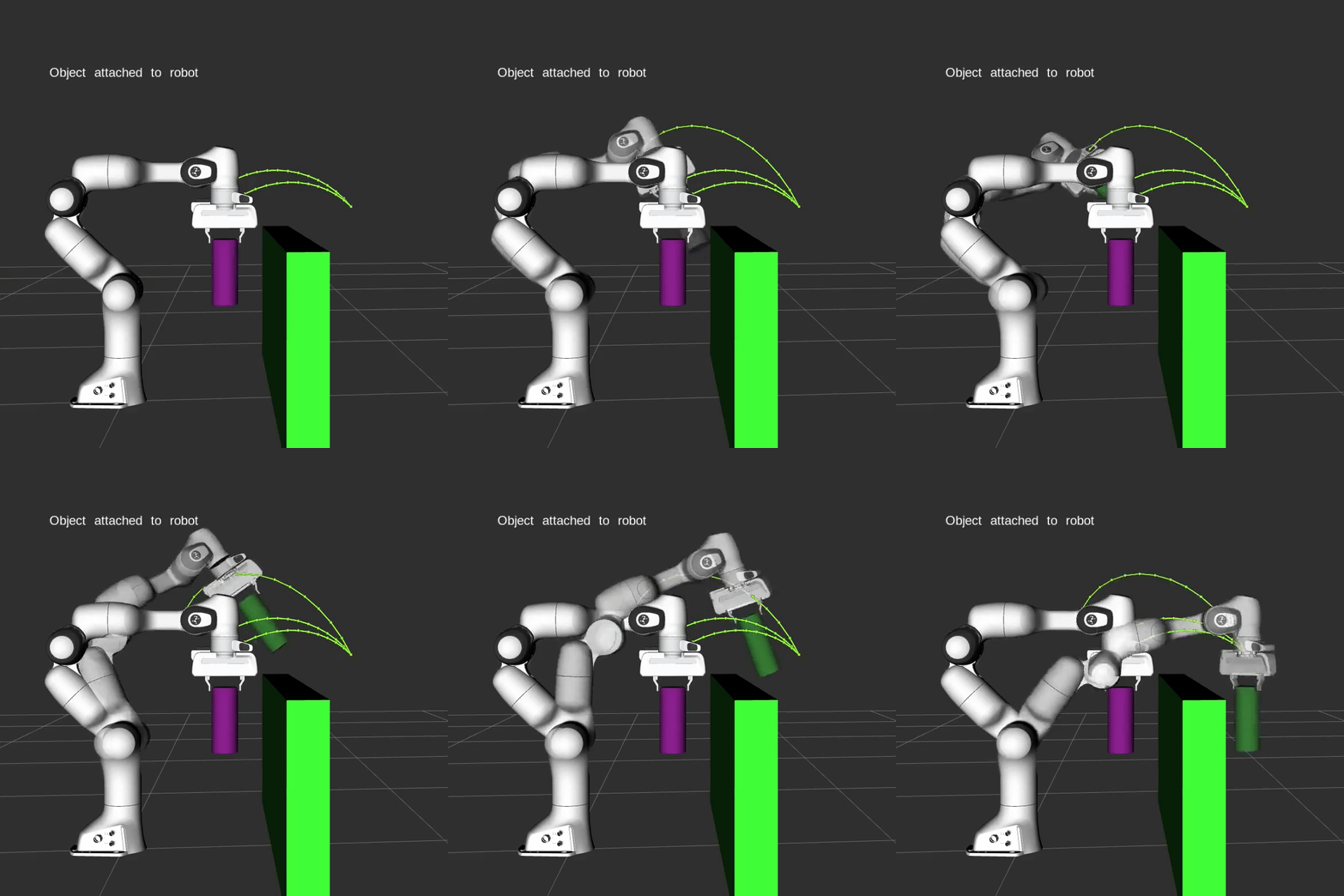
Checklist before executing on real hardware:
- Planning succeeded in RViz (green trajectory preview)
- No sudden large joint angle jumps
- Velocity scaling ≤ 0.3 for the first run
- Collision objects match real-world positions
- No joint limit violations throughout the trajectory
- Tested with multiple different start states (planner is non-deterministic)
10. Common Debugging
"Planning failed after Xs":
- Increase
setPlanningTime(30.0)— RRT needs more time for narrow passages - Verify the goal pose is within workspace (check via FK)
- Confirm the goal pose doesn't overlap with a collision object
"Invalid Motion Plan":
- Start state is in collision — robot is already inside an object
- Clear and re-add scene:
planning_scene_interface.removeCollisionObjects({"box1"})
"ABORTED: controller failed":
- Trajectory controller timeout — reduce velocity scaling or increase timeout
- Check joint limits in the trajectory message
RRT-Connect vs RRT:*
- RRT-Connect: fast, not optimal — use for production
- RRT*: slow, converges to optimal — use when path length matters
11. Conclusion
Collision-aware motion planning is not magic — it's C-space + sampling + collision checking, repeated until a valid path is found. The standard workflow:
1. Define planning scene (addCollisionObjects)
2. Set start + goal state (setPoseTarget / setJointValueTarget)
3. plan() → path through C_free
4. execute() on robot or simulation
5. If failed → increase planning time, try different planner, verify workspace
The next article (Part 15: Integration and System Testing) will combine all knowledge from this series — from FK/IK to jogging to motion planning — into a complete, deployable controller.