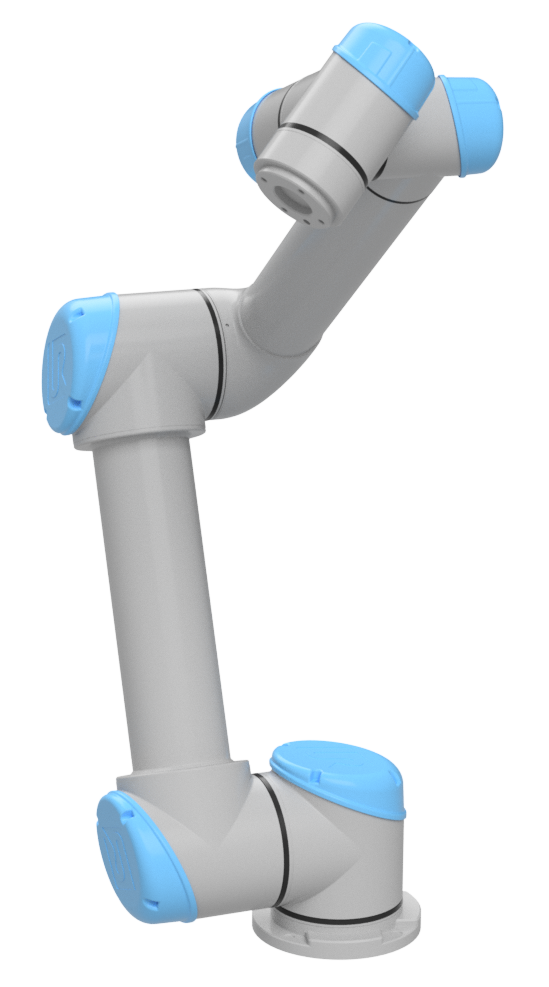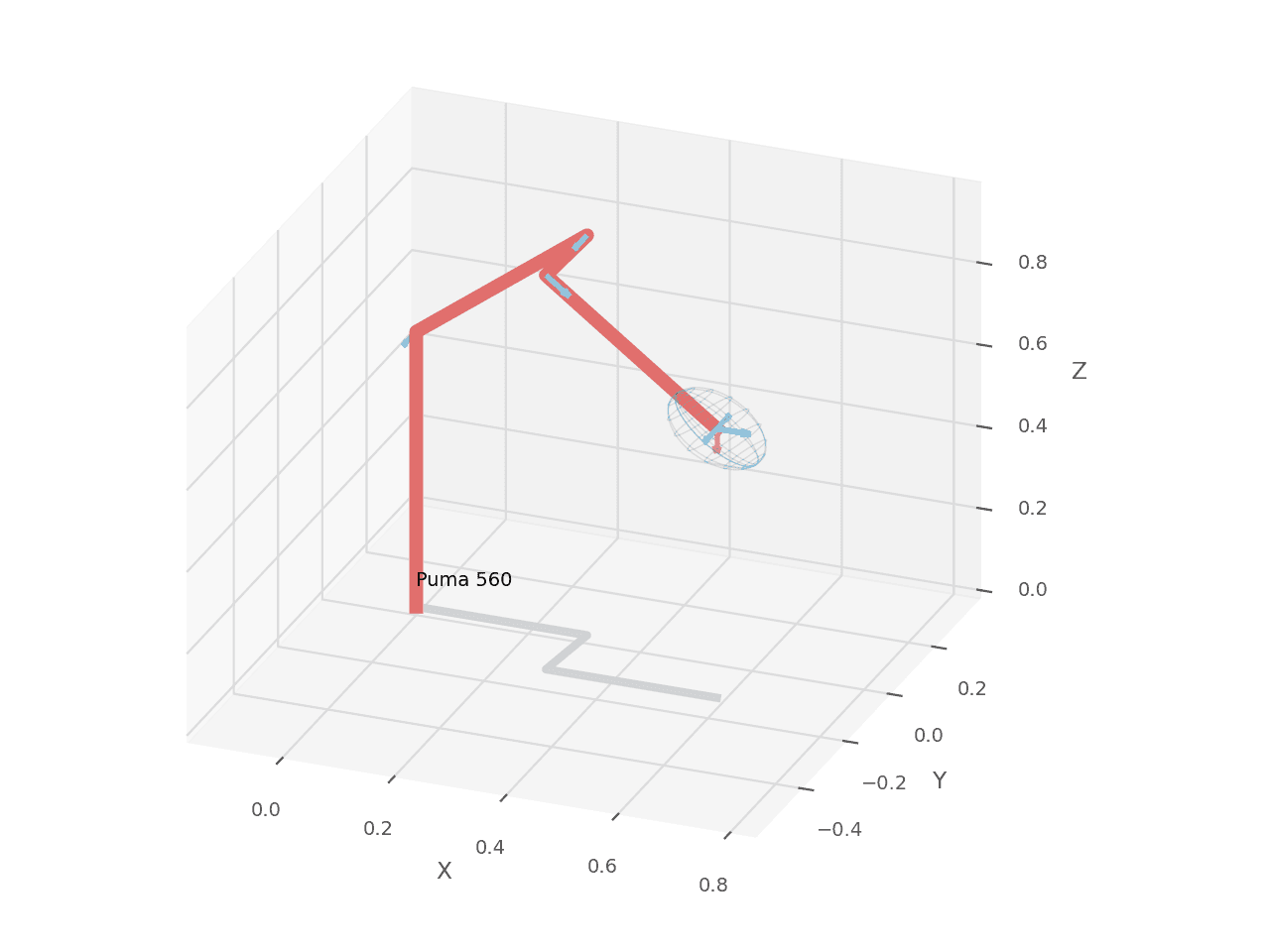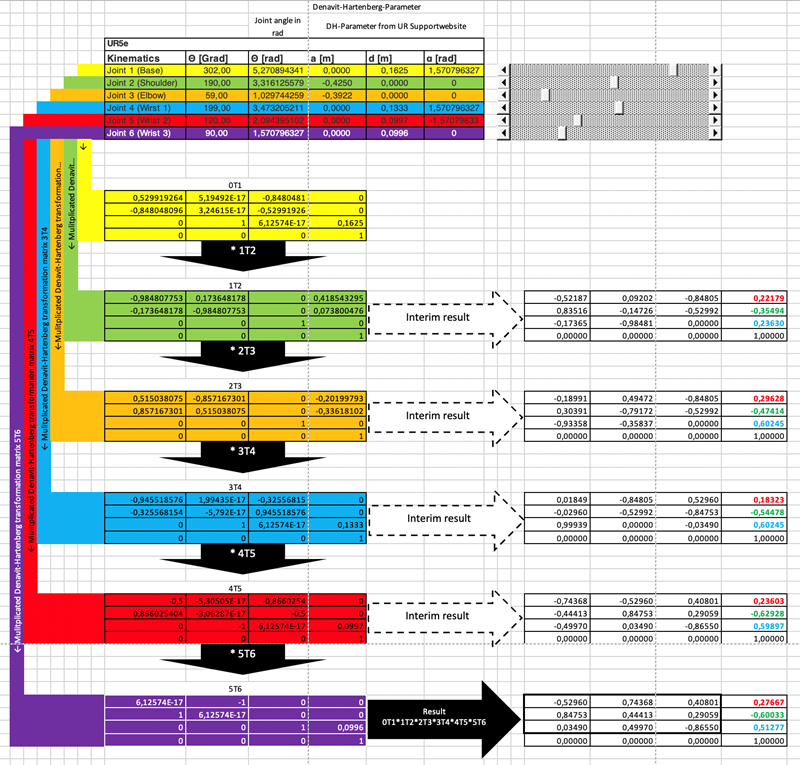
Trong bài 3, ta đã thống nhất cách nhìn robot arm như một chuỗi joint, link, frame và transform. Bài này đi sâu vào đúng một việc: forward kinematics. Với một vector góc khớp q, ta tính pose của TCP trong base frame:
q = [q1, q2, q3, q4, q5, q6]^T ---> T_base_tool in SE(3)
Đây là nền của toàn bộ controller cổ điển. MoveJ cần FK để hiển thị pose hiện tại. MoveL cần FK để kiểm tra đường TCP. Jogging theo tool frame cần FK để biết trục tool đang quay về hướng nào. IK ở bài 5 sẽ đi chiều ngược lại, từ pose về joint. Jacobian và singularity sẽ tách sang bài 6, vì nếu nhồi cả FK, IK và Jacobian vào một bài thì beginner thường mất dấu convention ngay từ đầu.
Bài này có ba tầng. Tầng đầu là tính bằng tay cho một cấu hình UR5 cụ thể. Tầng hai là tự code từ số 0 bằng Python và C++/Eigen. Tầng ba là validate bằng thư viện thật: Robotics Toolbox for Python và Pinocchio 3.x. Nguồn DH chính dùng ở đây là trang Universal Robots DH parameters. Robotics Toolbox có class DHRobot và hàm fkine() trong tài liệu DH models. Với Pinocchio, API cần nhớ là pin.forwardKinematics() rồi pin.updateFramePlacements(); theo release GitHub, Pinocchio 3.9.0 là bản 3.x mới nhất được phát hành trước ngày 13/06/2026.
FK thực sự tính gì?
Một pose 3D cứng thường được viết bằng ma trận homogeneous 4x4:
T = [ R  p ]
    [ 0  1 ]
R là rotation 3x3, p là translation 3x1. Nếu R trực chuẩn và det(R) = 1, T thuộc nhóm SE(3). Trong code controller, ta không nên trả về riêng (x, y, z, roll, pitch, yaw) ở tầng lõi, vì Euler angle có nhiều convention và dễ singular. Hãy tính FK thành SE(3) trước; muốn hiển thị Euler, quaternion hay axis-angle thì convert ở UI hoặc API layer.
Với tay máy serial 6 bậc tự do, FK là tích ma trận:
T_0_6 = A_1(q1) * A_2(q2) * A_3(q3) * A_4(q4) * A_5(q5) * A_6(q6)
Nếu có TCP offset, ta nhân tiếp:
T_base_tcp = T_0_6 * T_flange_tcp
Trong bài này, để tập trung vào FK, ta lấy TCP trùng với frame cuối DH, tức T_flange_tcp = I. Khi làm robot thật, tool hút, đầu hàn, camera hoặc gripper đều cần offset riêng; phần frame và TCP quay lại ở bài frames và jogging.
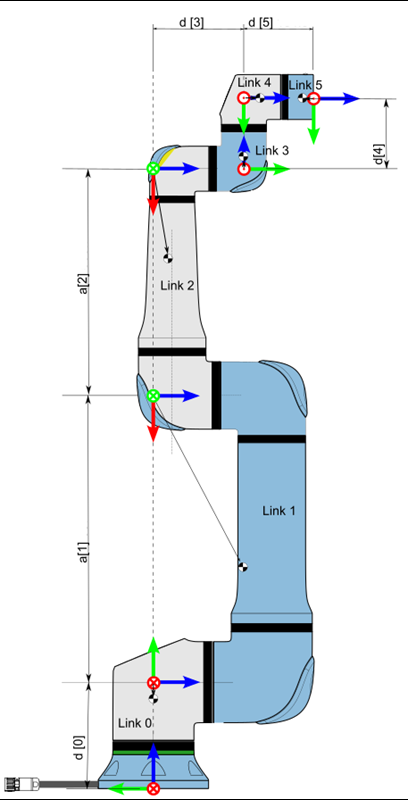
Standard DH cho UR5
Ta dùng standard DH với công thức:
A_i = RotZ(theta_i) * TransZ(d_i) * TransX(a_i) * RotX(alpha_i)
Ma trận tương ứng là:
A_i =
[ cosθ  -sinθ cosα   sinθ sinα   a cosθ ]
[ sinθ   cosθ cosα  -cosθ sinα   a sinθ ]
[ 0      sinα        cosα        d      ]
[ 0      0           0           1      ]
Bảng DH nominal cho UR5 theo Universal Robots:
| Joint | a (m) |
d (m) |
alpha (rad) |
|---|---|---|---|
| 1 | 0 | 0.089159 | pi/2 |
| 2 | -0.425 | 0 | 0 |
| 3 | -0.39225 | 0 | 0 |
| 4 | 0 | 0.10915 | pi/2 |
| 5 | 0 | 0.09465 | -pi/2 |
| 6 | 0 | 0.0823 | 0 |
Có hai lưu ý thực tế. Thứ nhất, đây là model nominal, không phải calibration riêng của từng robot. UR thật có file calibration để bù sai số sản xuất; nếu bạn muốn khớp tuyệt đối với teach pendant thì phải dùng calibration đó. Thứ hai, một số thư viện hoặc URDF dùng frame convention khác standard DH. Nếu kết quả lệch 90 độ hoặc đổi dấu trục, đừng vội sửa số DH; hãy kiểm tra frame trước.
Tính bằng tay cho một cấu hình cụ thể
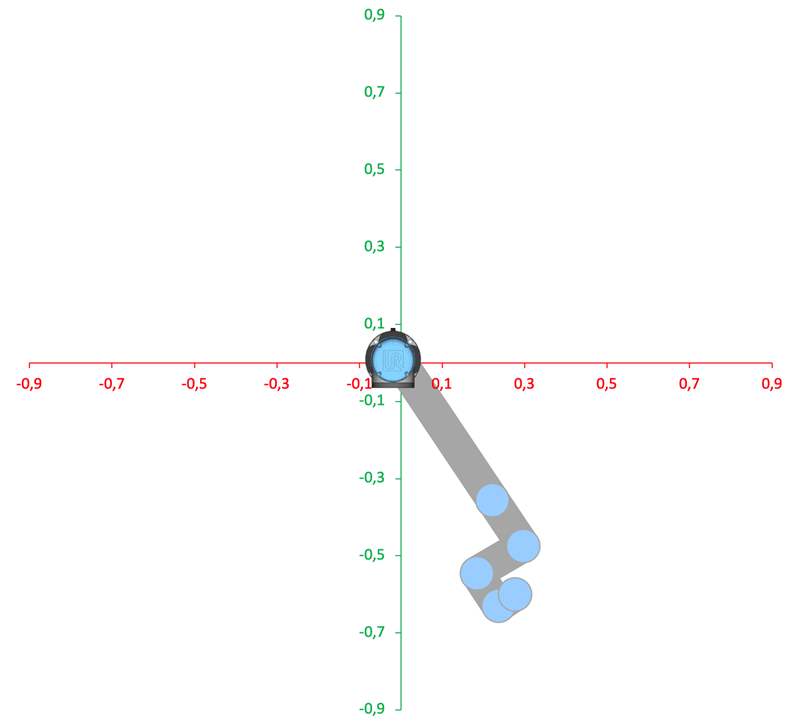
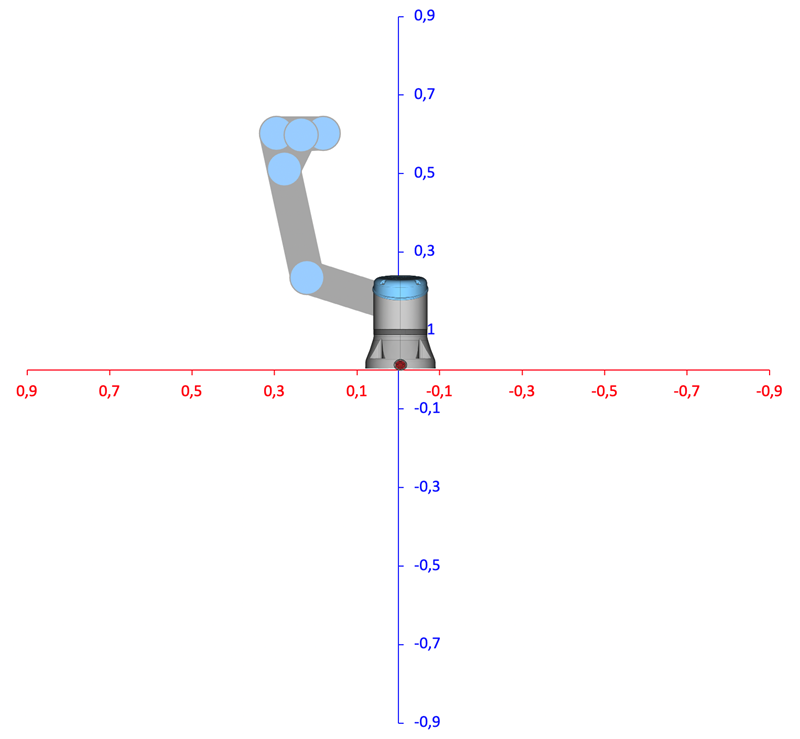
Ta chọn cấu hình UR5:
q = [30°, -60°, 90°, -120°, -90°, 45°]
  = [0.523599, -1.047198, 1.570796, -2.094395, -1.570796, 0.785398] rad
Thay từng theta_i = q_i vào công thức DH, ta được sáu ma trận sau. Tôi làm tròn 6 chữ số để dễ đọc; khi test nên giữ tolerance cỡ 1e-6.
A1 =
[  0.866025  -0.000000   0.500000   0.000000 ]
[  0.500000   0.000000  -0.866025   0.000000 ]
[  0.000000   1.000000   0.000000   0.089159 ]
[  0.000000   0.000000   0.000000   1.000000 ]

A2 =
[  0.500000   0.866025  -0.000000  -0.212500 ]
[ -0.866025   0.500000  -0.000000   0.368061 ]
[  0.000000   0.000000   1.000000   0.000000 ]
[  0.000000   0.000000   0.000000   1.000000 ]

A3 =
[  0.000000  -1.000000   0.000000  -0.000000 ]
[  1.000000   0.000000  -0.000000  -0.392250 ]
[  0.000000   0.000000   1.000000   0.000000 ]
[  0.000000   0.000000   0.000000   1.000000 ]

A4 =
[ -0.500000   0.000000  -0.866025  -0.000000 ]
[ -0.866025  -0.000000   0.500000  -0.000000 ]
[  0.000000   1.000000   0.000000   0.109150 ]
[  0.000000   0.000000   0.000000   1.000000 ]

A5 =
[  0.000000   0.000000   1.000000   0.000000 ]
[ -1.000000   0.000000   0.000000  -0.000000 ]
[  0.000000  -1.000000   0.000000   0.094650 ]
[  0.000000   0.000000   0.000000   1.000000 ]

A6 =
[  0.707107  -0.707107   0.000000   0.000000 ]
[  0.707107   0.707107  -0.000000   0.000000 ]
[  0.000000   0.000000   1.000000   0.082300 ]
[  0.000000   0.000000   0.000000   1.000000 ]
Để thấy phép nhân chuỗi diễn ra thế nào, ta nhân dần:
T0_2 = A1 * A2 =
[  0.433013   0.750000   0.500000  -0.184030 ]
[  0.250000   0.433013  -0.866025  -0.106250 ]
[ -0.866025   0.500000   0.000000   0.457220 ]
[  0.000000   0.000000   0.000000   1.000000 ]

T0_3 = T0_2 * A3 =
[  0.750000  -0.433013   0.500000  -0.478218 ]
[  0.433013  -0.250000  -0.866025  -0.276099 ]
[  0.500000   0.866025   0.000000   0.261095 ]
[  0.000000   0.000000   0.000000   1.000000 ]

T0_4 = T0_3 * A4 =
[  0.000000   0.500000  -0.866025  -0.423643 ]
[  0.000000  -0.866025  -0.500000  -0.370626 ]
[ -1.000000   0.000000  -0.000000   0.261095 ]
[  0.000000   0.000000   0.000000   1.000000 ]

T0_5 = T0_4 * A5 =
[ -0.500000   0.866025   0.000000  -0.505612 ]
[  0.866025   0.500000  -0.000000  -0.417951 ]
[ -0.000000   0.000000  -1.000000   0.261095 ]
[  0.000000   0.000000   0.000000   1.000000 ]
Cuối cùng:
T0_6 = T0_5 * A6 =
[  0.258819   0.965926   0.000000  -0.505612 ]
[  0.965926  -0.258819  -0.000000  -0.417951 ]
[  0.000000   0.000000  -1.000000   0.178795 ]
[  0.000000   0.000000   0.000000   1.000000 ]
Vậy TCP nominal nằm tại:
p = [-0.505612, -0.417951, 0.178795] m
và orientation là rotation matrix:
R =
[ 0.258819   0.965926   0.000000 ]
[ 0.965926  -0.258819  -0.000000 ]
[ 0.000000   0.000000  -1.000000 ]
Bạn có thể kiểm tra nhanh R^T R = I và det(R) = 1. Nếu hai điều kiện này không đúng, thường là bạn đã trộn thứ tự nhân, dùng degree thay vì radian, hoặc nhầm standard DH với modified DH.
Python từ số 0
Đoạn Python dưới đây cố ý không gọi thư viện robotics. Ta tự định nghĩa RotX, RotY, RotZ, Trans, rồi ghép thành DH. Khi dạy beginner, cách này tốt hơn là gọi ngay robot.fkine(q), vì bạn nhìn thấy từng phép nhân.
import numpy as np

def rotx(alpha: float) -> np.ndarray:
    c, s = np.cos(alpha), np.sin(alpha)
    return np.array([
        [1, 0, 0, 0],
        [0, c, -s, 0],
        [0, s, c, 0],
        [0, 0, 0, 1],
    ], dtype=float)

def roty(beta: float) -> np.ndarray:
    c, s = np.cos(beta), np.sin(beta)
    return np.array([
        [c, 0, s, 0],
        [0, 1, 0, 0],
        [-s, 0, c, 0],
        [0, 0, 0, 1],
    ], dtype=float)

def rotz(theta: float) -> np.ndarray:
    c, s = np.cos(theta), np.sin(theta)
    return np.array([
        [c, -s, 0, 0],
        [s, c, 0, 0],
        [0, 0, 1, 0],
        [0, 0, 0, 1],
    ], dtype=float)

def trans(x: float, y: float, z: float) -> np.ndarray:
    T = np.eye(4)
    T[:3, 3] = [x, y, z]
    return T

def dh_standard(a: float, d: float, alpha: float, theta: float) -> np.ndarray:
    return rotz(theta) @ trans(0, 0, d) @ trans(a, 0, 0) @ rotx(alpha)

UR5_DH = [
    (0.0,      0.089159,  np.pi / 2),
    (-0.425,   0.0,       0.0),
    (-0.39225, 0.0,       0.0),
    (0.0,      0.10915,   np.pi / 2),
    (0.0,      0.09465,  -np.pi / 2),
    (0.0,      0.0823,    0.0),
]

def forward_kinematics(q: np.ndarray) -> np.ndarray:
    if q.shape != (6,):
        raise ValueError("UR5 expects q with shape (6,)")

    T = np.eye(4)
    for (a, d, alpha), theta in zip(UR5_DH, q):
        T = T @ dh_standard(a, d, alpha, theta)
    return T

if __name__ == "__main__":
    q = np.deg2rad([30, -60, 90, -120, -90, 45])
    T = forward_kinematics(q)
    np.set_printoptions(precision=6, suppress=True)
    print(T)
Kết quả phải gần:
[[ 0.258819  0.965926  0.       -0.505612]
 [ 0.965926 -0.258819 -0.       -0.417951]
 [ 0.        0.       -1.        0.178795]
 [ 0.        0.        0.        1.      ]]
Một checklist nhỏ trước khi chuyển sang C++:
| Check | Cách kiểm tra |
|---|---|
| Radian | np.deg2rad() chỉ ở boundary input |
| Rotation hợp lệ | np.allclose(R.T @ R, I) |
| Determinant | np.linalg.det(R) gần 1.0 |
| Đơn vị | mọi a, d, p đều là mét |
| Thứ tự nhân | T = T @ A_i, không phải A_i @ T |
C++ production với Eigen::Isometry3d
Trong controller C++, ta muốn API rõ hơn một script Python. Một cách gọn là có DHJoint::transform(theta) và forwardKinematics(q) trả Eigen::Isometry3d.
// include/arm_kinematics/kinematics.hpp
#pragma once

#include <array>
#include <numbers>
#include <Eigen/Geometry>

namespace arm_kinematics {

struct DHJoint {
  double a;
  double d;
  double alpha;

  Eigen::Isometry3d transform(double theta) const;
};

class UR5Kinematics {
 public:
  Eigen::Isometry3d forwardKinematics(const Eigen::Vector<double, 6>& q) const;

 private:
  static constexpr std::array<DHJoint, 6> dh_ = {{
      {0.0,      0.089159,  std::numbers::pi / 2.0},
      {-0.425,   0.0,       0.0},
      {-0.39225, 0.0,       0.0},
      {0.0,      0.10915,   std::numbers::pi / 2.0},
      {0.0,      0.09465,  -std::numbers::pi / 2.0},
      {0.0,      0.0823,    0.0},
  }};
};

}  // namespace arm_kinematics
// src/kinematics.cpp
#include "arm_kinematics/kinematics.hpp"

#include <cmath>

namespace arm_kinematics {

Eigen::Isometry3d DHJoint::transform(double theta) const {
  const double c = std::cos(theta);
  const double s = std::sin(theta);
  const double ca = std::cos(alpha);
  const double sa = std::sin(alpha);

  Eigen::Matrix4d m;
  m << c, -s * ca,  s * sa, a * c,
       s,  c * ca, -c * sa, a * s,
       0,       sa,      ca,     d,
       0,        0,       0,     1;

  Eigen::Isometry3d T = Eigen::Isometry3d::Identity();
  T.matrix() = m;
  return T;
}

Eigen::Isometry3d UR5Kinematics::forwardKinematics(
    const Eigen::Vector<double, 6>& q) const {
  Eigen::Isometry3d T = Eigen::Isometry3d::Identity();
  for (int i = 0; i < 6; ++i) {
    T = T * dh_[i].transform(q[i]);
  }
  return T;
}

}  // namespace arm_kinematics
Tôi dùng Isometry3d thay vì Matrix4d ở public API vì ý nghĩa type tốt hơn: đây là rigid transform, không phải ma trận bất kỳ. Bên trong DHJoint::transform() vẫn set matrix trực tiếp để tránh hiểu nhầm thứ tự composition của Eigen.
CMake và GoogleTest
CMakeLists.txt tối thiểu:
cmake_minimum_required(VERSION 3.22)
project(arm_fk LANGUAGES CXX)

set(CMAKE_CXX_STANDARD 20)
set(CMAKE_CXX_STANDARD_REQUIRED ON)

find_package(Eigen3 3.4 REQUIRED NO_MODULE)

add_library(arm_kinematics src/kinematics.cpp)
target_include_directories(arm_kinematics PUBLIC include)
target_link_libraries(arm_kinematics PUBLIC Eigen3::Eigen)

include(FetchContent)
FetchContent_Declare(
  googletest
  URL https://github.com/google/googletest/archive/refs/tags/v1.14.0.zip
)
set(gtest_force_shared_crt ON CACHE BOOL "" FORCE)
FetchContent_MakeAvailable(googletest)

enable_testing()

add_executable(fk_test tests/fk_test.cpp)
target_link_libraries(fk_test PRIVATE arm_kinematics GTest::gtest_main)

include(GoogleTest)
gtest_discover_tests(fk_test)
Unit test:
// tests/fk_test.cpp
#include "arm_kinematics/kinematics.hpp"

#include <cmath>
#include <numbers>
#include <gtest/gtest.h>

using arm_kinematics::UR5Kinematics;

TEST(UR5ForwardKinematics, MatchesHandComputedPose) {
  UR5Kinematics fk;

  Eigen::Vector<double, 6> q;
  constexpr double pi = std::numbers::pi;
  q << pi / 6.0, -pi / 3.0, pi / 2.0,
       -2.0 * pi / 3.0, -pi / 2.0, pi / 4.0;

  const Eigen::Isometry3d T = fk.forwardKinematics(q);

  Eigen::Matrix4d expected;
  expected << 0.258819,  0.965926,  0.000000, -0.505612,
              0.965926, -0.258819, -0.000000, -0.417951,
              0.000000,  0.000000, -1.000000,  0.178795,
              0.000000,  0.000000,  0.000000,  1.000000;

  EXPECT_TRUE(T.matrix().isApprox(expected, 1e-6));
}

TEST(UR5ForwardKinematics, RotationIsValid) {
  UR5Kinematics fk;
  Eigen::Vector<double, 6> q;
  q << 0.2, -1.1, 1.4, -0.7, 0.9, -0.3;

  const Eigen::Matrix3d R = fk.forwardKinematics(q).rotation();
  EXPECT_TRUE((R.transpose() * R).isApprox(Eigen::Matrix3d::Identity(), 1e-12));
  EXPECT_NEAR(R.determinant(), 1.0, 1e-12);
}
Build và test:
cmake -S . -B build -DCMAKE_BUILD_TYPE=Release
cmake --build build -j
ctest --test-dir build -V
Nếu test đầu tiên fail vài milimet, kiểm tra số d1. Một số package UR5 cũ dùng 0.08946, trong khi bảng UR nominal ở trên dùng 0.089159. Chỉ một sai khác 0.301 mm ở d1 cũng đủ làm expected pose lệch.
Validate bằng Robotics Toolbox
Robotics Toolbox for Python cho phép tạo DHRobot từ chính bảng DH của ta rồi gọi fkine(). Đây là cách validate tốt vì cùng convention standard DH, khác implementation.
import numpy as np
import roboticstoolbox as rtb
from roboticstoolbox import DHRobot, RevoluteDH

ur5 = DHRobot(
    [
        RevoluteDH(d=0.089159, a=0.0,      alpha=np.pi / 2),
        RevoluteDH(d=0.0,      a=-0.425,   alpha=0.0),
        RevoluteDH(d=0.0,      a=-0.39225, alpha=0.0),
        RevoluteDH(d=0.10915,  a=0.0,      alpha=np.pi / 2),
        RevoluteDH(d=0.09465,  a=0.0,      alpha=-np.pi / 2),
        RevoluteDH(d=0.0823,   a=0.0,      alpha=0.0),
    ],
    name="UR5_nominal_UR_DH",
)

q = np.deg2rad([30, -60, 90, -120, -90, 45])
T = ur5.fkine(q).A

expected = np.array([
    [0.258819,  0.965926,  0.0, -0.505612],
    [0.965926, -0.258819,  0.0, -0.417951],
    [0.0,       0.0,      -1.0,  0.178795],
    [0.0,       0.0,       0.0,  1.0],
])

np.testing.assert_allclose(T, expected, atol=1e-6)
print(T)
Bạn cũng có thể gọi rtb.models.DH.UR5(), nhưng hãy in bảng DH trước. Tài liệu Robotics Toolbox ghi rõ class UR5 dùng standard DH và đơn vị SI, nhưng parameter có thể được package làm tròn hoặc theo revision khác. Khi viết tutorial, tôi thích tạo model thủ công để mọi số trong bài, Python và C++ trùng nhau.
Validate bằng Pinocchio 3.x
Pinocchio thường được dùng với URDF, dynamics, Jacobian và planning stack lớn hơn. Nhưng FK của Pinocchio cũng là chuẩn production. Với Pinocchio 3.x, pattern quan trọng là:
pin.forwardKinematics(model, data, q)
pin.updateFramePlacements(model, data)
T = data.oMf[frame_id]
Để validate đúng bảng DH trong bài, đoạn dưới dựng một model Pinocchio tối giản: mỗi joint là revolute quanh z, còn phần cố định sau joint là TransZ(d) * TransX(a) * RotX(alpha). Frame tool0 được gắn sau joint 6.
import numpy as np
import pinocchio as pin

def dh_fixed(a, d, alpha):
    R = pin.rpy.rpyToMatrix(alpha, 0.0, 0.0)  # RotX(alpha)
    p = np.array([a, 0.0, d])
    return pin.SE3(R, p)

dh = [
    (0.0,      0.089159,  np.pi / 2),
    (-0.425,   0.0,       0.0),
    (-0.39225, 0.0,       0.0),
    (0.0,      0.10915,   np.pi / 2),
    (0.0,      0.09465,  -np.pi / 2),
    (0.0,      0.0823,    0.0),
]

model = pin.Model()
parent = 0

# Joint 1 has no previous fixed DH segment.
joint_ids = []
for i in range(6):
    placement = pin.SE3.Identity() if i == 0 else dh_fixed(*dh[i - 1])
    joint_id = model.addJoint(parent, pin.JointModelRZ(), placement, f"joint_{i + 1}")
    joint_ids.append(joint_id)
    parent = joint_id

tool_frame = pin.Frame(
    "tool0",
    joint_ids[-1],
    0,
    dh_fixed(*dh[-1]),
    pin.FrameType.OP_FRAME,
)
frame_id = model.addFrame(tool_frame)

data = model.createData()
q = np.deg2rad([30, -60, 90, -120, -90, 45])

pin.forwardKinematics(model, data, q)
pin.updateFramePlacements(model, data)
T = data.oMf[frame_id].homogeneous

expected = np.array([
    [0.258819,  0.965926,  0.0, -0.505612],
    [0.965926, -0.258819,  0.0, -0.417951],
    [0.0,       0.0,      -1.0,  0.178795],
    [0.0,       0.0,       0.0,  1.0],
])
np.testing.assert_allclose(T, expected, atol=1e-6)
print(T)
Khi chuyển sang URDF thật, code sẽ ngắn hơn:
import pinocchio as pin
from pinocchio.robot_wrapper import RobotWrapper

robot = RobotWrapper.BuildFromURDF("ur5.urdf", package_dirs=["."])
q = robot.model.neutralConfiguration
pin.forwardKinematics(robot.model, robot.data, q)
pin.updateFramePlacements(robot.model, robot.data)
tool_id = robot.model.getFrameId("tool0")
print(robot.data.oMf[tool_id].homogeneous)
Nhưng đừng so ma trận URDF với DH một cách mù quáng. URDF của UR thường có base_link, base, flange, tool0 và visual/collision frames; các frame đó không nhất thiết trùng hoàn toàn với frame DH bạn tự gán. Trước khi kết luận "Pinocchio sai" hay "DH sai", hãy in tên frame và vẽ frame tree.
Những lỗi FK hay gặp
Lỗi đầu tiên là dùng degree trong core. UI có thể nhập degree, teach pendant có thể hiển thị degree, nhưng kinematics nên nhận radian. Hãy convert ở boundary.
Lỗi thứ hai là nhầm thứ tự nhân. Với convention trong bài, T = T * A_i. Nếu bạn viết T = A_i * T, pose cuối sẽ là một robot khác.
Lỗi thứ ba là trộn standard DH và modified DH. Cùng bốn ký hiệu a, d, alpha, theta, nhưng thứ tự transform khác. Nếu lấy bảng standard DH rồi đưa vào class modified DH, rotation có thể nhìn "gần đúng" ở vài pose nhưng sai nặng ở pose khác.
Lỗi thứ tư là quên tool offset. FK tới flange không phải FK tới mũi hàn. Nếu tool dài 150 mm, sai số sẽ rất rõ khi xoay cổ tay.
Lỗi cuối cùng là validate chỉ bằng một pose. Một pose có thể vô tình đi qua cấu hình làm lỗi bị che. Hãy test qz, pose trong bài, và vài vector random. Với random pose, kiểm tra rotation hợp lệ và cross-check Python/C++.
Kết luận
Forward kinematics không phải "công thức phụ" trong controller. Nó là hàm đo lường hình học trung tâm: từ joint encoder, controller biết TCP đang ở đâu. Nếu FK đúng, ta có nền sạch để làm IK, Jacobian, MoveL và jogging. Nếu FK sai, mọi tầng phía sau chỉ đang sửa triệu chứng.
Ngoài series này, bạn có thể đọc thêm ROS2 Control Hardware Interface để thấy FK đi vào tầng driver như thế nào, và MoveIt 2 Motion Planning để thấy model hình học được dùng trong planning có vật cản.
Trong bài tiếp theo, ta sẽ giải inverse kinematics: từ T_base_tcp tìm q, xử lý nhiều nghiệm, joint limit và numerical solver. Sau đó, Jacobian sẽ cho ta quan hệ vận tốc qdot -> twist, chính là nền của servo jogging và singularity handling.