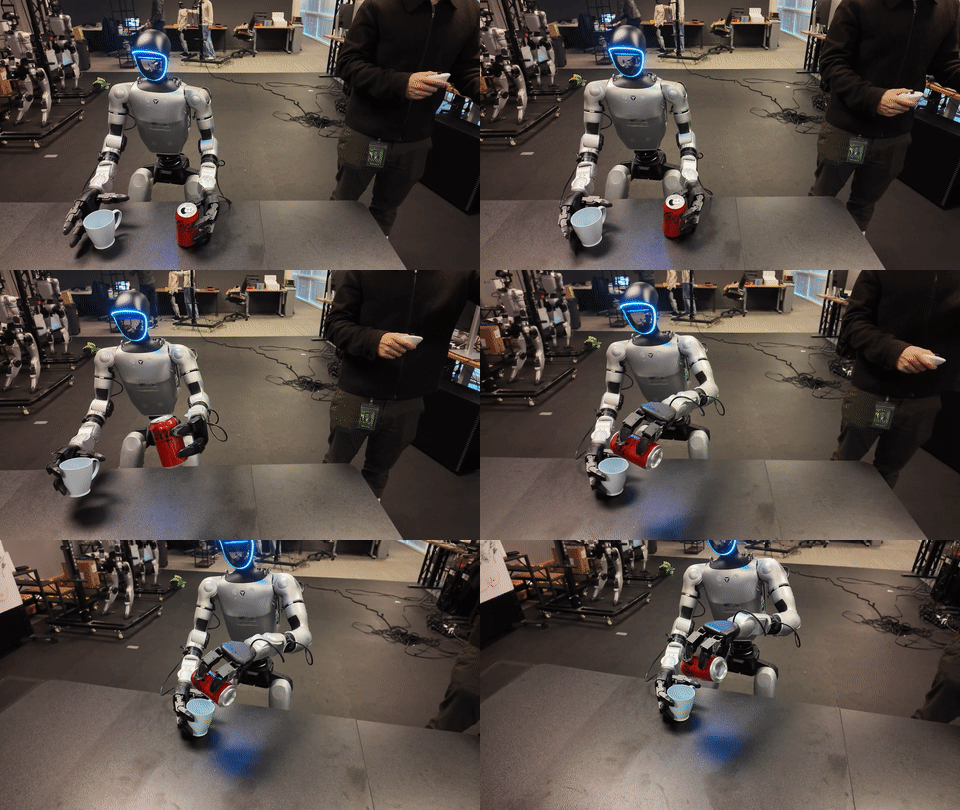
In part 4, we followed the C++ deployment layer: ONNX, TensorRT, ZMQ output, and the real-time control loop. Part 5 connects that runtime to the layer that makes VLA training possible: PICO VR teleoperation and LeRobot data collection. If part 4 answered "how does the policy run on the robot?", this article answers "how do we collect human demonstrations that a VLA can learn from?".
The useful idea in SONIC is that the VLA does not need to learn the full low-level humanoid controller from scratch. The NVlabs VLA workflow documentation describes a latent-action interface where the VLA predicts a 64-dimensional SONIC motion token plus 7 left-hand joints and 7 right-hand joints. SONIC then decodes that compact action into full-body control at 50 Hz. Because of that, teleop data is not just video and joint angles. It is a synchronized story containing language, ego-view camera, robot proprioception, motion tokens, SMPL pose, planner commands, and hand actions.
Keep these technical references open while reading:
| Source | What to verify |
|---|---|
| Data Collection for VLA | tmux/manual commands, ports 5555/5556/5557, camera viewer, LeRobot output |
| VLA Workflow | How teleop data flows into Isaac-GR00T N1.7 fine-tuning and latent actions |
install_pico.sh |
.venv_teleop, Python 3.10, gear_sonic[teleop], XRoboToolkit |
pico_manager_thread_server.py |
POSE/PLANNER/VR_3PT modes, PICO combos, ZMQ ports 5556/5557 |
launch_data_collection.py |
tmux launcher using --input-type zmq_manager |
run_data_exporter.py |
Frame writing, camera, SMPL pose, robot state, dataset creation |
| GR00T LeRobot v2 data format | data/, videos/, meta/info.json, modality.json, tasks.jsonl layout |
If you are new to the series, read part 1 on SONIC architecture first to understand encoders, decoders, and tokens, then part 3 on SONIC data and training to see why SMPL, motion libraries, and token state appear in this pipeline. Outside the series, LeRobot for G1 humanoids and dual-arm VLA fine-tuning provide useful dataset context.
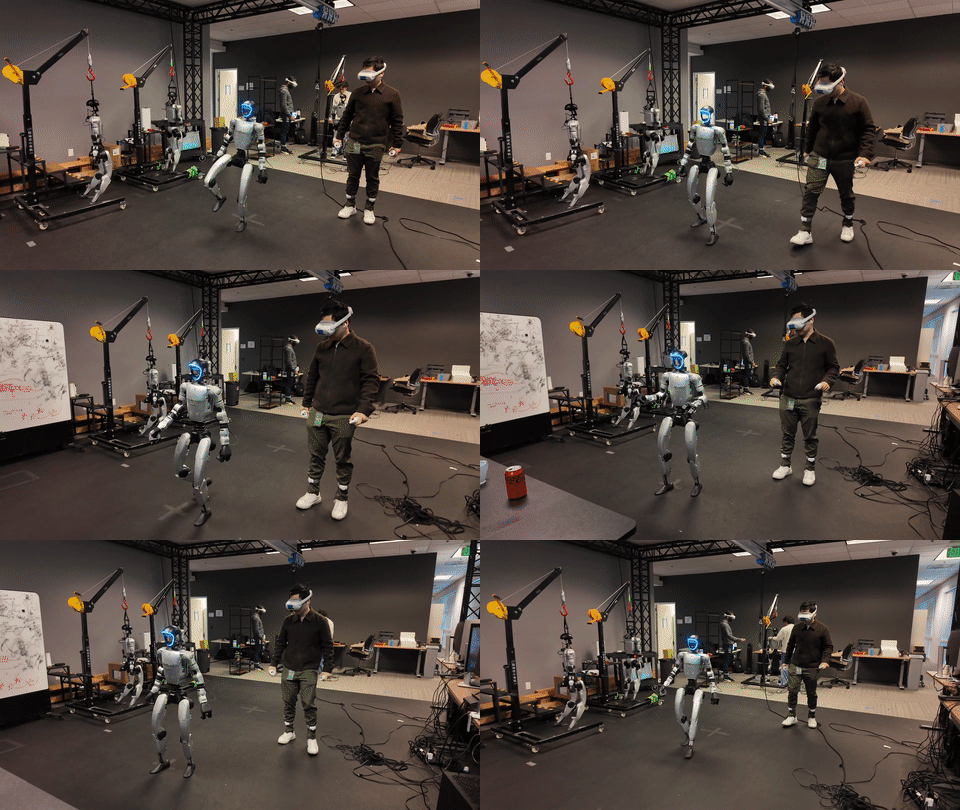
1. The big picture: teleop is not just remote control
In traditional industrial robotics, teleoperation often means sending velocity or pose targets directly from a human operator. In SONIC, teleop has an additional purpose: creating learnable demonstrations. A good recording session must synchronize at least four data streams:
| Data stream | Source | Why it matters in the dataset |
|---|---|---|
| Ego-view camera | Camera server or MuJoCo image publisher, port 5555 |
Visual observation for the VLA |
| PICO/SMPL/VR pose | pico_manager_thread_server.py, port 5556 |
Action intent, SMPL pose, wrist/hand targets, stream mode |
| Robot state | C++ deploy g1_debug, port 5557 |
Proprioception, WBC action, root orientation, token state |
| Task prompt | CLI --task-prompt |
Language annotation in tasks.jsonl and parquet |
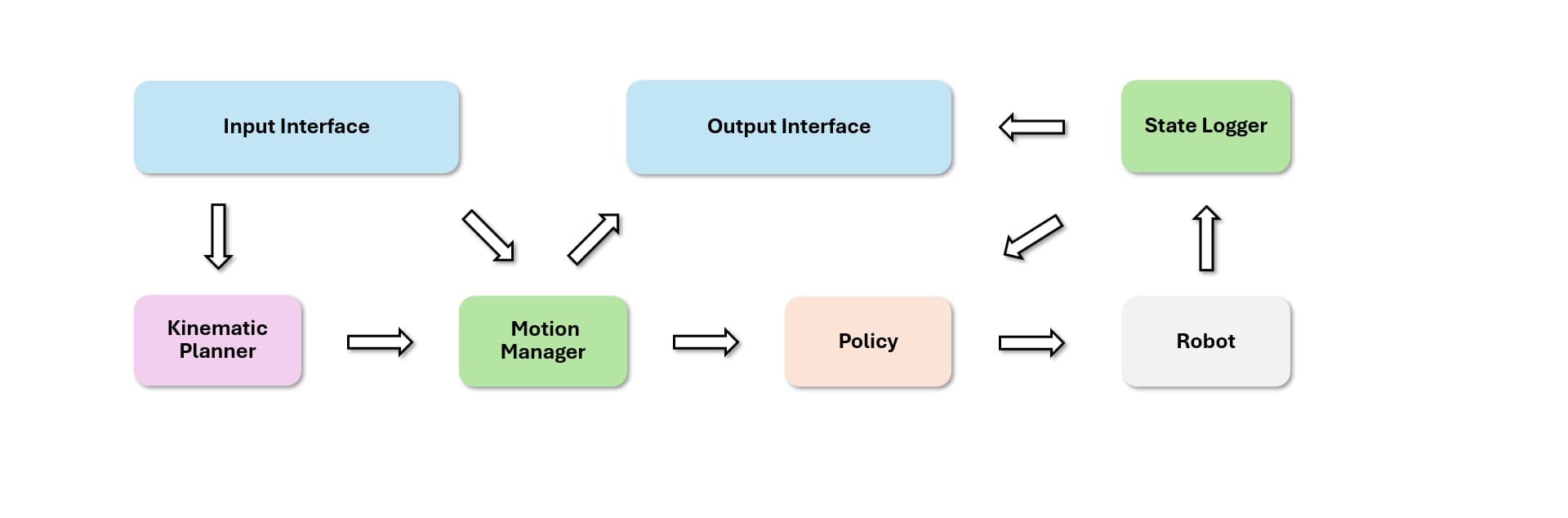
PICO does not directly command motors. It publishes pose, planner command, or VR 3-point targets over ZMQ. The C++ deployment process runs with --input-type zmq_manager, receives those commands, routes them through the SONIC policy or planner, and sends motor commands to the robot. In parallel, the data exporter subscribes to the same ZMQ streams so it can record what the robot saw, what state the robot was in, what the human requested, and what SONIC produced.
Here is the simplified flow:
PICO headset + controllers
        |
        v
pico_manager_thread_server.py  -- PUB tcp://*:5556
        |                         topics: pose, planner, manager_state
        +---------------------> C++ deploy --input-type zmq_manager
        |                         publishes g1_debug + robot_config on 5557
        v
run_data_exporter.py <--------- camera server on 5555
        |
        v
LeRobot v2.1 dataset: parquet + MP4 + meta/*.json
For VLA collection, --input-type zmq_manager is the right deployment input type because it tells the C++ runtime that commands come from a ZMQ manager, not from local keyboard or gamepad input. If this flag is wrong, the PICO streamer may still publish data and the exporter may still record some signals, but the policy will not receive the operator's command through the intended path.
2. install_pico.sh: a dedicated teleop environment
install_scripts/install_pico.sh is more than a package install script. It builds a dedicated .venv_teleop environment with the correct Python version, native SDK, and teleop dependencies. Its main flow is:
- Detect the machine architecture with
uname -m, such asx86_64on a workstation oraarch64on a Jetson Orin. - Install
uvif it is missing. - Install a
uv-managed Python 3.10 with development headers. - Remove the old
.venv_teleop, then create a new virtual environment with the promptgear_sonic_teleop. - Install
gear_sonic[teleop]. - Install
cmake,pybind11, andsetuptools, then install the XRoboToolkit SDK. - On
aarch64, if the native library is missing, buildPXREARobotSDKfrom theorinbranch. - On desktop or non-onboard machines, also install
gear_sonic[sim]andunitree_sdk2_pythonfor sim bridge support.
This is a common beginner trap: PICO teleop needs the XRoboToolkit native SDK, not only Python modules. If you see an xrobotoolkit_sdk import error, or if body data never arrives from PICO, check this install path before blaming the policy. The standard command from the repository root is:
bash install_scripts/install_pico.sh
source .venv_teleop/bin/activate
python gear_sonic/scripts/pico_manager_thread_server.py --manager
On a real robot setup, the PICO headset, workstation, and G1 should be on a stable network. The official data collection docs mention 192.168.123.164 as the default G1 robot IP when a workstation connects to the robot camera server. For teleop, network quality affects more than video. It affects pose command timing and dataset synchronization.
3. The three ZMQ ports: 5555, 5556, 5557
This stack has three default ports that are worth memorizing:
| Port | Producer | Consumer | Content |
|---|---|---|---|
5555 |
Camera server or run_sim_loop.py --enable-image-publish |
run_data_exporter.py, run_camera_viewer.py |
Camera frames, usually ego_view, optionally wrist cameras |
5556 |
pico_manager_thread_server.py |
C++ deploy and data exporter | Topics pose, planner, manager_state |
5557 |
C++ deploy zmq_output_handler |
Data exporter and PICO planner feedback | Topics g1_debug, robot_config |
run_data_exporter.py explicitly avoids a ROS 2 dependency. Robot state comes from the g1_debug topic on port 5557, SMPL pose comes from the pose topic on port 5556, and camera data comes through ComposedCameraClientSensor. Robot configuration is read from the robot_config topic on the same state socket. If the exporter cannot receive robot_config, it cannot confidently write correct robot metadata.
For simulation, the docs use:
python gear_sonic/scripts/run_sim_loop.py \
  --enable-image-publish --enable-offscreen --camera-port 5555
The C++ deployment pane usually runs:
cd gear_sonic_deploy
./deploy.sh --input-type zmq_manager sim
For a real robot with the camera server on the G1:
python gear_sonic/scripts/run_data_exporter.py \
  --task-prompt "pick up the cup" \
  --camera-host 192.168.123.164 \
  --camera-port 5555
To inspect camera feeds before recording:
python gear_sonic/scripts/run_camera_viewer.py \
  --camera-host localhost \
  --camera-port 5555
The camera viewer does not write a LeRobot dataset. It displays all detected camera streams in an OpenCV window, uses R to start or stop raw MP4 recording, and uses Q to quit. This is the step you should run before collecting real demonstrations: check exposure, ego-view angle, vibration, frame drops, and whether wrist cameras are actually present.
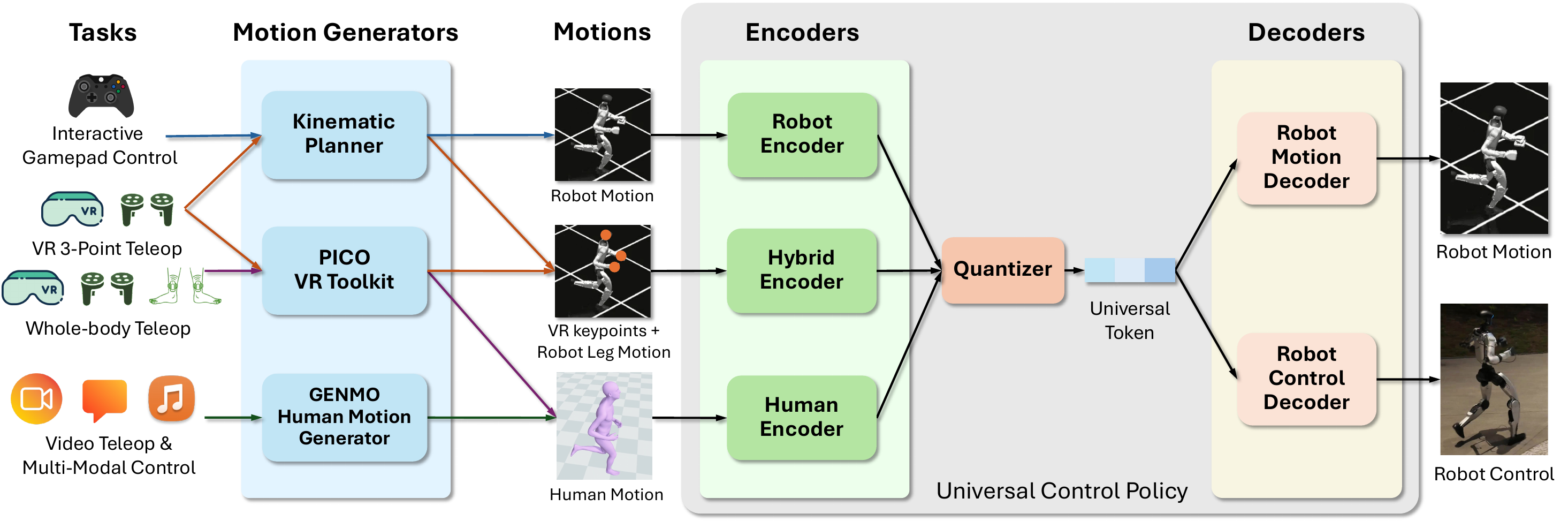
4. PICO manager: POSE, PLANNER, and VR_3PT
In pico_manager_thread_server.py, StreamMode has these values:
| Mode | Value | Practical meaning |
|---|---|---|
OFF |
0 | No command stream for policy control |
POSE |
1 | Stream full SMPL/body pose from PICO for SONIC tracking |
PLANNER |
2 | Use joystick/controller input to drive the locomotion planner |
PLANNER_FROZEN_UPPER_BODY |
3 | Move the lower body with the planner while holding upper-body targets |
POSE_PAUSE |
4 | Pause pose while the left menu button is held, then return to POSE |
PLANNER_VR_3PT |
5 | Use planner locomotion plus VR 3-point upper-body targets |
What users often call "VR_3PT" is implemented as PLANNER_VR_3PT: the robot still needs the planner for walking, while the upper body follows three VR keypoints. The _process_3pt_pose() helper extracts Root/Pelvis, Left Wrist, Right Wrist, and Neck from SMPL joints, converts Unity coordinates into the robot frame, applies rotation offsets, and returns the three non-root keypoints. The code uses Neck instead of Head because Neck is more stable for upper-body orientation.
Important PICO combinations:
| Combo | Effect |
|---|---|
A+B+X+Y |
From OFF, start policy in PLANNER; while running, emergency stop to OFF |
A+X |
Toggle between POSE and PLANNER in the main chain |
B+Y |
Toggle between POSE and PLANNER_FROZEN_UPPER_BODY |
| Left axis click | Enter or leave PLANNER_VR_3PT from the current planner mode |
| Hold left menu | In POSE, switch to POSE_PAUSE; release to return to POSE |
| Left Grip + A | Toggle episode recording |
| Left Grip + B | Mark the current episode as aborted/discarded |
Inside the planner loop, A+B increments the locomotion mode and X+Y decrements it. The available modes include IDLE, SLOW_WALK, WALK, RUN, kneeling and lying states, crawling, boxing, hooks, jump, stealth walk, and injured walk. Joysticks control movement, facing direction, speed, and height. From the operator's perspective, the PICO controllers act as a mode switch, a pose source, and a locomotion remote at the same time.
5. Collecting data with the tmux launcher
launch_data_collection.py is the easiest entry point when you want the full stack in one tmux session. Its defaults are important: deploy_input_type is zmq_manager, pico_manager is enabled, camera_viewer is enabled, and camera_port is 5555. For simulation:
python gear_sonic/scripts/launch_data_collection.py --sim
The launcher creates a sonic_data_collection session with panes for C++ deployment, PICO manager, data exporter, and camera viewer. If --sim is passed, it also opens a MuJoCo simulator window. The official docs note that the launcher automatically uses .venv_data_collection when the current Python environment does not provide the required dependencies, so you do not always need to activate that environment manually.
For a real robot:
python gear_sonic/scripts/launch_data_collection.py \
  --camera-host 192.168.123.164 \
  --task-prompt "pick up the cup"
With wrist cameras:
python gear_sonic/scripts/launch_data_collection.py \
  --camera-host 192.168.123.164 \
  --task-prompt "pick up the cup" \
  --record-wrist-cameras
One practical detail: the C++ deployment pane may wait for confirmation before the robot starts control. Do not begin recording just because tmux opened. Wait until C++ initialization is complete, verify that camera viewer has frames, confirm that the PICO manager sees body data, and only then use Left Grip + A to start an episode. To detach the session, use Ctrl+b then d; to reattach, run tmux attach -t sonic_data_collection.
6. run_data_exporter.py: what does one LeRobot frame contain?
The exporter runs at --data-collection-frequency 50 Hz by default. On each tick, it polls robot state ZMQ, polls PICO ZMQ, checks recording commands, reads camera frames, and adds one frame to Gr00tDataExporter.
Important fields include:
| Field | Source | Meaning |
|---|---|---|
observation.images.ego_view |
Camera | Main visual observation for the VLA |
observation.state |
Robot model + g1_debug |
Full robot configuration, including body and hands |
observation.eef_state |
Forward kinematics | Left and right wrist pose, position plus quaternion per side |
action.wbc |
Last action from SONIC/C++ | Whole-body action after WBC |
action.motion_token |
token_state, if present |
64-dimensional latent motion token |
teleop.smpl_joints |
PICO pose mode | 24 joints x 3, flattened to 72 |
teleop.smpl_pose |
PICO pose mode | 63-dimensional SMPL body pose |
teleop.stream_mode |
manager_state |
Whether the frame came from POSE, PLANNER, or VR_3PT |
teleop.left_hand_joints, teleop.right_hand_joints |
PICO trigger/grip or planner message | 7-dimensional hand actions per side |
teleop.vr_3pt_position, teleop.vr_3pt_orientation |
VR_3PT | Three keypoints and orientations for upper-body control |
The exporter uses SMPL pose only when the stream mode is POSE or POSE_PAUSE and the message is not stale. The code uses a roughly 100 ms age threshold for SMPL pose; if the message is too old, it writes zeros instead of trusting stale pose data. For PLANNER_VR_3PT, it uses planner messages and a roughly 200 ms threshold. This is why process_dataset.py matters after collection: stale frames and aborted episodes can still exist on disk.
Recording has two control paths. From PICO, Left Grip + A toggles recording, and Left Grip + B marks the episode for discard. From keyboard-over-ZMQ, key c toggles recording and key x discards the episode through port 5580. During real teleop, the PICO combinations are usually better because the operator does not have to leave the controllers.
7. LeRobot v2.1 output: parquet, MP4, and metadata
The data collection docs say datasets are saved under <root-output-dir>/<dataset-name>/, with outputs/<timestamp>/ as the common default. The LeRobot v2.1 / GR00T LeRobot structure contains tabular data, videos, and metadata:
outputs/my_dataset/
├── data/
│   └── chunk-000/
│       ├── episode_000000.parquet
│       └── episode_000001.parquet
├── videos/
│   └── chunk-000/
│       └── observation.images.ego_view/
│           ├── episode_000000.mp4
│           └── episode_000001.mp4
└── meta/
    ├── info.json
    ├── modality.json
    ├── episodes.jsonl
    └── tasks.jsonl
Some older exporter documentation may show a simpler data/train-00000.parquet layout, but the GR00T LeRobot v2 data-format docs and process_dataset.py both handle chunked patterns such as data/chunk-{episode_chunk:03d}/episode_{episode_index:06d}.parquet and video episode_*.mp4 paths. When in doubt, trust meta/info.json because it stores the path templates and feature schema.
Each component has a specific job:
| File | Role |
|---|---|
episode_*.parquet |
One row per frame: state, action, timestamp, episode index, task index, annotation |
episode_*.mp4 |
Encoded camera video, usually ego view and optionally wrist cameras |
meta/info.json |
FPS, feature schema, total frames/episodes, path templates, script_config, possibly discarded_episode_indices |
meta/modality.json |
GR00T-specific metadata that splits concatenated state/action arrays into semantic fields |
meta/tasks.jsonl |
Mapping from task_index to natural-language task prompt, such as "pick up the cup" |
meta/episodes.jsonl |
Per-episode metadata: length, tasks, and index |
modality.json is especially important for GR00T. In standard LeRobot, state and action can be concatenated arrays. GR00T needs to know which slice means left leg, right leg, wrist pose, root orientation, motion token, SMPL pose, planner movement, or VR 3-point orientation. features_sonic_vla.py builds this modality config from the RobotModel rather than manually hardcoding every index. If you copy parquet files but forget meta/modality.json, training may load the files while interpreting dimensions incorrectly.
8. process_dataset.py: clean before fine-tuning
After collecting demonstrations, do not immediately start fine-tuning. process_dataset.py does three main jobs:
- Remove episodes flagged as discarded in
meta/info.json. - Remove frames where
teleop.smpl_poseis all zeros, plus frozen lead-in frames before them. - Merge multiple sessions into one dataset when
script_configmatches.
Clean one dataset into a new directory:
python gear_sonic/scripts/process_dataset.py \
  --dataset-path outputs/my_dataset \
  --output-path outputs/my_dataset_cleaned
Process in place:
python gear_sonic/scripts/process_dataset.py \
  --dataset-path outputs/my_dataset
If the session was collected with VR_3PT, pay attention to the official warning: teleop.smpl_pose will be all zeros because VR_3PT uses raw VR positions and orientations instead of SMPL body parameters. If stale-SMPL cleaning remains enabled, the script can remove every frame. Use:
python gear_sonic/scripts/process_dataset.py \
  --dataset-path outputs/my_dataset \
  --output-path outputs/my_dataset_cleaned \
  --no-remove-stale-smpl
To merge multiple sessions:
python gear_sonic/scripts/process_dataset.py \
  --dataset-path outputs/session1 outputs/session2 outputs/session3 \
  --output-path outputs/merged_dataset
The script checks script_config before merging. That guard matters: a VLA can silently learn the wrong mapping if the same observation.state dimension refers to different robot, camera, or wrist-camera setups across sessions.
9. Checklist for a clean recording session
Before recording, walk through this checklist:
| Step | Check |
|---|---|
| Teleop install | install_pico.sh completed and .venv_teleop can import xrobotoolkit_sdk |
| Camera | run_camera_viewer.py sees frames on port 5555; exposure and viewpoint are usable |
| Deployment | deploy.sh --input-type zmq_manager initialized and C++ publishes robot_config |
| PICO | pico_manager_thread_server.py --manager receives body data and mode combos work |
| Prompt | --task-prompt describes the task; avoid "demo" for real training data |
| Recording | Left Grip + A starts/stops; Left Grip + B discards failed attempts |
| Post-processing | Run process_dataset.py; use --no-remove-stale-smpl for VR_3PT sessions |
For beginners, the most common failure is not a bad model. It is a misaligned dataset: camera recording from the wrong host, PICO publishing while C++ is not using zmq_manager, exporter missing robot_config, or a single task prompt reused across different tasks. Treat every episode as a supervised learning example: visual input, robot state, action, and language annotation must describe the same event.
Conclusion
Part 5 turns SONIC from a controller into a complete VLA data pipeline. install_pico.sh builds the teleop environment; pico_manager_thread_server.py turns PICO into a multi-mode manager; launch_data_collection.py combines C++ deploy, PICO, exporter, and camera viewer in tmux; run_data_exporter.py synchronizes camera, robot state, and teleop signals; process_dataset.py cleans the dataset before fine-tuning.
If you remember one sentence, remember this: --input-type zmq_manager is the input contract for the PICO manager, and LeRobot v2.1 is the output contract for VLA training. When both ends are correct, you can collect whole-body manipulation demonstrations where the VLA learns what to do while SONIC continues to handle how the humanoid body should move.
In the final part, we will move from teleop data to MotionBricks, the latent generative motion layer that complements the SONIC ecosystem.