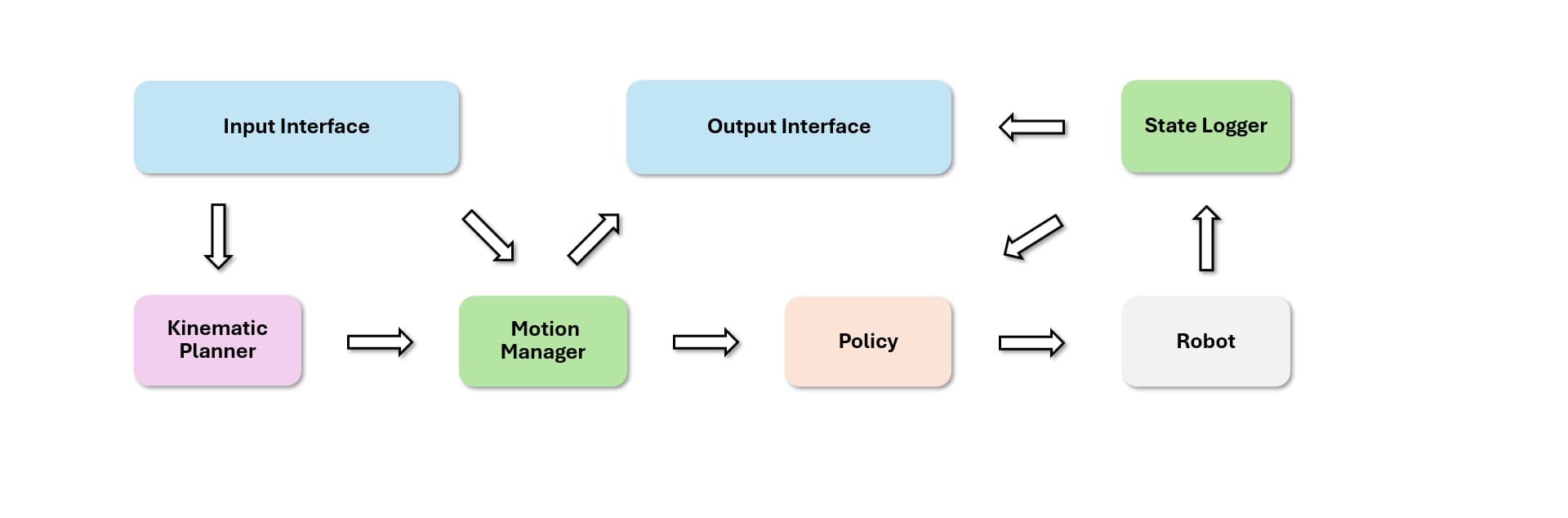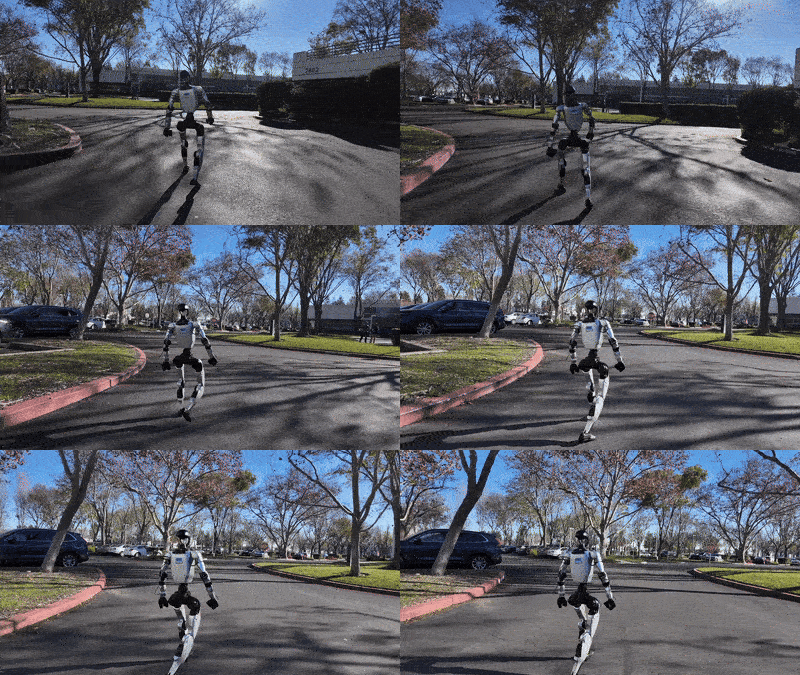
In part 1, we treated SONIC as an architecture: multiple encoders, a shared latent token space, and a whole-body decoder. In part 2, we ran sim2sim and evaluation to check whether a checkpoint behaves correctly. In part 3, we followed the data and training path down to ONNX export. Part 4 moves into the last layer before real hardware: the C++ deployment stack in gear_sonic_deploy.
This article is not a line-by-line C++ commentary. The goal is to make the deployment program flow readable for beginners. We will trace how deploy.sh builds the command, how g1_deploy_onnx_ref.cpp creates real-time threads, how TRTInference/InferenceEngine.cpp converts ONNX into TensorRT engines, how observation_config.hpp defines the observation contract, how encoder.hpp turns high-dimensional observations into token_state, how zmq_output_handler.hpp publishes debug telemetry, and how visualize_motion.py subscribes to that stream to render target and measured robot poses in MuJoCo.
If you have deployed a small ONNX model before, this stack may look long. For humanoids, the extra structure is justified. The policy runs at 50 Hz, the command writer runs at 500 Hz, input and planning run in separate threads, ZMQ must not stall the control loop, and every tensor dimension must match across ONNX, TensorRT, and YAML.
Keep these technical references open while reading:
| Source | What to verify |
|---|---|
| GR00T-WholeBodyControl repository | Repo structure, gear_sonic_deploy, README, and media |
deploy.sh |
Interface resolution, default paths, build, and C++ launch command |
g1_deploy_onnx_ref.cpp |
Main app, thread model, state machine, input/output interfaces |
InferenceEngine.cpp |
ONNX parsing, TensorRT build cache, CUDA buffers, enqueue |
| Download Models docs | model_encoder.onnx, model_decoder.onnx, observation_config.yaml, planner_sonic.onnx |
| TensorRT C++ API docs | C++ context for ONNX import and runtime engines |
For broader vnrobo deployment context, also see deploying GR00T N1 on Unitree G1 and ASAP for Unitree G1 sim-to-real. They are not substitutes for the SONIC stack, but they help place TensorRT, WBC, and sim-to-real deployment in a real robot workflow.

1. What problem does the deployment stack solve?
During training, SONIC can run inside Isaac Lab with Python, Hydra configs, vectorized environments, and .pt checkpoints. Deployment has a different objective: read robot or MuJoCo state, assemble observations in the exact order expected by the model, run inference fast enough, publish motor commands at a stable rate, and expose enough telemetry for an operator to understand what is happening.
That is why gear_sonic_deploy is split into layers:
| Layer | Main file | Role |
|---|---|---|
| Launcher | deploy.sh |
Select sim/real interface, check files, source env, build, launch binary |
| Main control app | g1_deploy_onnx_ref.cpp |
Build G1Deploy, DDS I/O, input, policy, encoder, planner, output |
| TensorRT backend | TRTInference/InferenceEngine.cpp |
Convert ONNX to .trt, load engine, allocate CUDA buffers |
| Observation config | observation_config.hpp and observation_config.yaml |
Declare which policy and encoder observations are enabled |
| Encoder | encoder.hpp |
Convert obs_dict into encoded_tokens, usually 64 dimensions |
| Policy decoder | control_policy.hpp with model_decoder.onnx |
Convert obs_dict into 29 Unitree G1 motor actions |
| Planner | localmotion_kplanner_tensorrt.hpp with planner_sonic.onnx |
Generate locomotion reference trajectories |
| Debug output | zmq_output_handler.hpp |
Publish msgpack topics g1_debug and robot_config |
| Visualization | visualize_motion.py |
Subscribe to ZMQ and render target/measured robot, VR points, temperatures |
This is a common production robotics pattern: a simple launcher, a strict real-time control process, an inference backend with cached engines, and a debug stream that is separated from the command path. When debugging, do not start with the neural network. Start with the launcher, then file paths, observation dimensions, TensorRT tensor names, the control loop, and finally the output stream.
2. Export and place the four artifacts
For a self-trained checkpoint or a released .pt checkpoint, the bridge into C++ deployment is ONNX export. From the repository root, the usual command is:
python gear_sonic/eval_agent_trl.py \
  +checkpoint=/path/to/sonic_release/last.pt \
  +headless=True \
  ++num_envs=1 \
  +export_onnx_only=true
The C++ deployment stack then needs four artifacts:
| Artifact | Used by | Meaning |
|---|---|---|
model_encoder.onnx |
EncoderEngine in encoder.hpp |
Encodes reference, teleop, or SMPL observations into tokens |
model_decoder.onnx |
PolicyEngine in control_policy.hpp |
Produces 29 motor actions from the policy observation |
planner_sonic.onnx |
LocalMotionPlannerTensorRT |
Generates motion reference from locomotion commands |
observation_config.yaml |
ObservationConfigParser |
Declares policy and encoder observation layouts |
The official NVlabs model download guide lists the same files when downloading from Hugging Face: model_encoder.onnx, model_decoder.onnx, observation_config.yaml, and planner_sonic.onnx. One detail matters: deploy.sh does not take the decoder path directly by default. It takes a checkpoint prefix through --cp, then constructs:
CHECKPOINT_DECODER="${CHECKPOINT}_decoder.onnx"
CHECKPOINT_ENCODER="${CHECKPOINT}_encoder.onnx"
Because the default CHECKPOINT is policy/release/model, the default files are:
policy/release/model_decoder.onnx
policy/release/model_encoder.onnx
The default observation config is:
policy/release/observation_config.yaml
The default planner path is currently:
planner/target_vel/V2/planner_sonic.onnx
If your downloaded files use a different layout, pass explicit paths through deploy.sh rather than editing the C++ code:
cd gear_sonic_deploy

bash deploy.sh sim \
  --cp policy/release/model \
  --obs-config policy/release/observation_config.yaml \
  --planner planner/target_vel/V2/planner_sonic.onnx \
  --input-type keyboard \
  --output-type zmq
For a real robot, replace sim with real or a concrete network interface:
bash deploy.sh real \
  --cp policy/release/model \
  --obs-config policy/release/observation_config.yaml \
  --planner planner/target_vel/V2/planner_sonic.onnx \
  --input-type manager \
  --output-type all
A beginner-friendly warning: if a file exists but TensorRT cannot load it, it may still be a Git LFS pointer, a partially downloaded Hugging Face artifact, or a model paired with the wrong observation config. In SONIC, the YAML file is part of the model contract, not a cosmetic runtime setting.
3. deploy.sh: from sim mode to the C++ command
deploy.sh is a practical launcher. It does four main jobs.
First, it resolves the network interface. If you run:
bash deploy.sh sim
the script selects the loopback interface, usually lo on Linux or lo0 on macOS, and sets ENV_TYPE=sim. If you run:
bash deploy.sh real
it looks for an interface with an IP matching 192.168.123.x, the common Unitree robot network range. If it cannot find one, it falls back to a non-loopback interface or a default interface name.
Second, it checks required files. The required files are decoder ONNX, encoder ONNX, observation config, planner ONNX, and a motion data directory. This early check is valuable because it prevents the C++ process from failing later after a full build.
Third, it sources the environment and builds with just build. The script also checks TensorRT_ROOT, cmake, clang, git, and just. In sim mode, it appends --disable-crc-check because MuJoCo does not need the same CRC validation path as a real robot.
Fourth, it constructs the final command:
just run g1_deploy_onnx_ref "$TARGET" "$CHECKPOINT_DECODER" "$MOTION_DATA" \
  --obs-config "$OBS_CONFIG" \
  --encoder-file "$CHECKPOINT_ENCODER" \
  --planner-file "$PLANNER" \
  --input-type "$INPUT_TYPE" \
  --output-type "$OUTPUT_TYPE" \
  --zmq-host "$ZMQ_HOST"
Notice the positional model argument: the second argument to the binary is the decoder model, while the encoder is passed through --encoder-file. That design makes sense because the decoder or policy is mandatory for producing motor actions. The encoder is used only when token_state is enabled in observation_config.yaml. If the policy does not use tokens, the encoder can be ignored. If the policy expects tokens but no encoder file is provided, tokens may be supplied externally, but you must understand the zero-token and timeout risks.
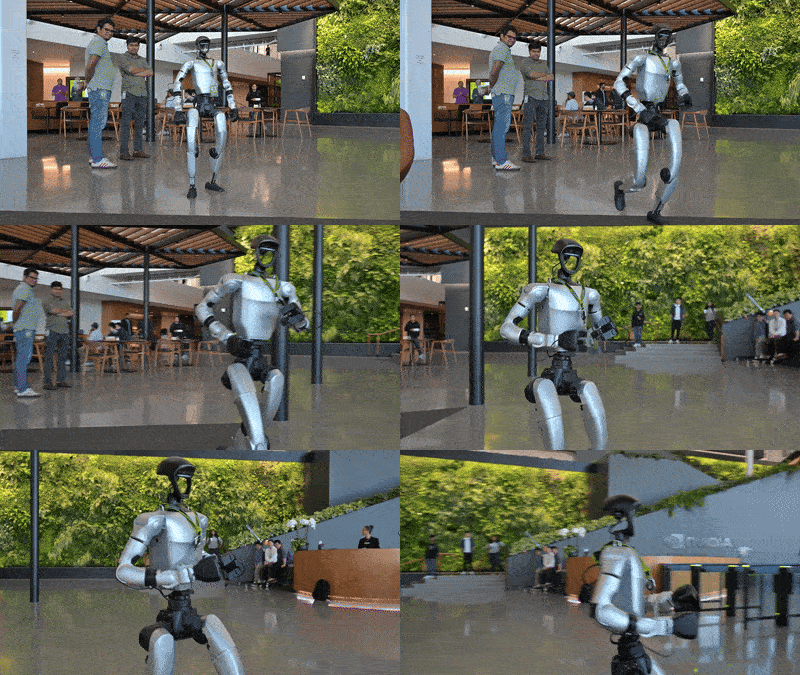
4. g1_deploy_onnx_ref.cpp: the runtime backbone
The top comment in g1_deploy_onnx_ref.cpp is unusually useful. The app creates four recurrent threads through CreateRecurrentThreadEx:
| Thread | Rate | Responsibility |
|---|---|---|
| Input | 100 Hz | Poll keyboard, gamepad, ZMQ, or manager input |
| Control | 50 Hz | Gather observations, run encoder/policy, create motor commands, publish output |
| Planner | 10 Hz | Re-plan locomotion trajectory when a planner is enabled |
| Command writer | 500 Hz | Send low-level motor commands through DDS |
The runtime state machine is:
INIT -> WAIT_FOR_CONTROL -> CONTROL
In INIT, the robot waits for a valid LowState and ramps toward the default standing pose. In WAIT_FOR_CONTROL, the system keeps republishing config for debug subscribers and waits for the operator start signal. In CONTROL, every 50 Hz tick runs the main pipeline:
GatherRobotStateToLogger: read IMU, joint state, hand state, and log them intoStateLogger.GatherInputInterfaceData: snapshot input from keyboard, gamepad, ZMQ, or manager.UpdateHeadingState: align robot heading and reference motion heading.GatherObservations: fill the policy observation buffer according toobservation_config.yaml.- If the encoder is active, build encoder observations, run
EncoderEngine, and writetoken_state. CreatePolicyCommand: run the decoder or policy TensorRT engine to produce 29 motor actions.- Update Dex3 hands if hand targets are present.
- Publish ZMQ or ROS2 output.
- Write motion logs if enabled.
- Advance the current frame or blend planner motion.
The mental model is compact:
robot state + reference/input
        |
        v
observation_config.yaml defines the observation vector
        |
        +--> encoder ONNX/TensorRT -> token_state
        |
        v
decoder ONNX/TensorRT -> 29-motor action
        |
        v
low-level command writer at 500 Hz
Because the control thread runs at 50 Hz, work inside the tick must avoid blocking. ZMQ output uses non-blocking send. TensorRT engines are built and cached before steady-state inference. CUDA graphs are captured for policy and encoder execution to reduce kernel launch overhead. These are performance details, but on a humanoid they are also safety details: uneven control timing can lead to poor commands.
5. TensorRT inference: ONNX is not the runtime
TRTInference/InferenceEngine.cpp is the shared backend used by the encoder, decoder, and planner. It has two phases.
Build phase:
- Check whether the ONNX file exists.
- Hash the ONNX contents, GPU device name, and precision.
- Create a
.trtfilename in the same directory, with prefixes such aspolicy_,encoder_, orplanner_. - If a
.trtfile exists and its hash matches, reuse it. - Otherwise, create a TensorRT builder, an explicit-batch network, and an ONNX parser.
- Parse the ONNX file.
- Create an optimization profile for dynamic axes when needed.
- Enable FP16 when requested and supported by the GPU.
- Build a serialized network, write the 64-byte hash, then write the engine to disk.
Runtime phase:
- Deserialize the
.trtfile, skipping the first 64 bytes because they contain the hash. - Create an execution context.
- Inspect all I/O tensors, shapes, and data types.
- Allocate input and output CUDA buffers.
- Bind tensor addresses to the context.
SetInputDatacopies host data to device.EnqueuecallsenqueueV3.GetOutputDatacopies device output back to host.
The practical lesson is that .onnx is an exchange format; .trt is an optimized engine for a particular GPU, TensorRT version, and precision setting. Because the cache hash includes device name and precision, changing GPU or switching FP16/FP32 can trigger a rebuild. The NVlabs deployment documentation also warns that the expected TensorRT versions matter; a mismatched runtime can lead to incorrect planner output, which is a robot behavior problem, not a minor software warning.
6. observation_config.yaml: the most important contract
The release observation config declares a policy observation with total dimension 436:
observations:
  - name: "token_state"
    enabled: true
  - name: "his_base_angular_velocity_10frame_step1"
    enabled: true
  - name: "his_body_joint_positions_10frame_step1"
    enabled: true
  - name: "his_body_joint_velocities_10frame_step1"
    enabled: true
  - name: "his_last_actions_10frame_step1"
    enabled: true
  - name: "his_gravity_dir_10frame_step1"
    enabled: true
The encoder section declares:
encoder:
  dimension: 64
  use_fp16: false
  encoder_modes:
    - name: "g1"
      mode_id: 0
    - name: "teleop"
      mode_id: 1
    - name: "smpl"
      mode_id: 2
observation_config.hpp parses this simplified YAML and validates the logic: if the token_state observation is enabled, the encoder section must exist and have dimension > 0; if token_state is disabled, the encoder section is ignored. For each observation, C++ has a registry mapping name to dimension and gather function. During initialization, the app sums dimensions and offsets, then compares that total with the actual model input dimension. If they do not match, deployment should fail early.
This is a common failure mode when exporting your own ONNX files: replacing model_encoder.onnx while keeping an old observation_config.yaml. One public GitHub issue in the repo shows an encoder model with input dimension 1751 while the config summed to 1762. A difference of 11 values is enough to stop deployment because TensorRT cannot infer which observation should be removed.
Use this rule:
model_encoder.onnx
model_decoder.onnx
observation_config.yaml
planner_sonic.onnx
should travel together from the same release or export. Do not mix a new model with an old config unless you manually verify tensor shapes and observation offsets.
7. Choosing input type: keyboard, gamepad, ZMQ, manager
g1_deploy_onnx_ref.cpp supports several input interfaces. For this article, the important five are:
--input-type |
When to use it | Notes |
|---|---|---|
keyboard |
Beginner sim2sim, reference motion test, planner test | Easiest to debug |
gamepad |
Locomotion control through the wireless controller | Uses remote data from LowState |
zmq |
An external process streams pose or motion into deployment | Default topic pose, port 5556 |
zmq_manager |
ZMQ with pose, command, and planner topics | Useful for demos or higher-level stacks |
manager |
All-in-one switching between keyboard, gamepad, and ZMQ | Uses Shift+1/2/3/4 in the manager tutorial |
ROS2 input also exists in the code when the binary is built with HAS_ROS2, but for this walkthrough treat it as build-dependent. A good learning order is keyboard -> gamepad -> zmq -> manager. Do not start with manager if you do not yet know whether the individual mode works.
Keyboard sim2sim example:
bash deploy.sh sim \
  --input-type keyboard \
  --output-type zmq
ZMQ manager with debug output:
bash deploy.sh sim \
  --input-type zmq_manager \
  --output-type all \
  --zmq-host localhost
For output, the code creates a ZMQ output interface when --output-type zmq or all is selected. ROS2 output is created when --output-type ros2 or all is selected, but only if the binary is built with ROS2 support. If you pass ros2 in a build without ROS2, validation or interface creation will depend on the compile flag.
8. ZMQ output and visualize_motion.py
zmq_output_handler.hpp publishes through one ZMQ PUB socket. The default output port is 5557 and the default topic is g1_debug. The message is not JSON; it is a msgpack payload prefixed by the topic string:
[topic_prefix][msgpack payload]
The payload includes state and visualization fields:
| Group | Example keys |
|---|---|
| Metadata | control_loop_type, index, ros_timestamp |
| IMU/base | base_quat, base_ang_vel, body_torso_quat |
| Joint state | body_q, body_dq, hand q/dq |
| Action | last_action, hand actions |
| Encoder | token_state |
| Target visualization | base_trans_target, base_quat_target, body_q_target |
| Measured visualization | base_trans_measured, base_quat_measured, body_q_measured |
| VR | vr_3point_position, vr_3point_orientation, vr_3point_compliance |
The socket options are selected for a control loop: send high-water mark 10, send buffer 32 KB, linger 0, and non-blocking sends. If a subscriber is slow, the system drops old messages rather than stalling the robot. That is the right tradeoff for debug telemetry: motor command timing is more important than a GUI receiving every frame.
visualize_motion.py is the subscriber and viewer. It supports three input modes:
python visualize_motion.py --motion_dir reference/example/
python visualize_motion.py --csv_path some_motion.csv
python visualize_motion.py \
  --realtime_debug_url tcp://localhost:5557 \
  --realtime_debug_topic g1_debug
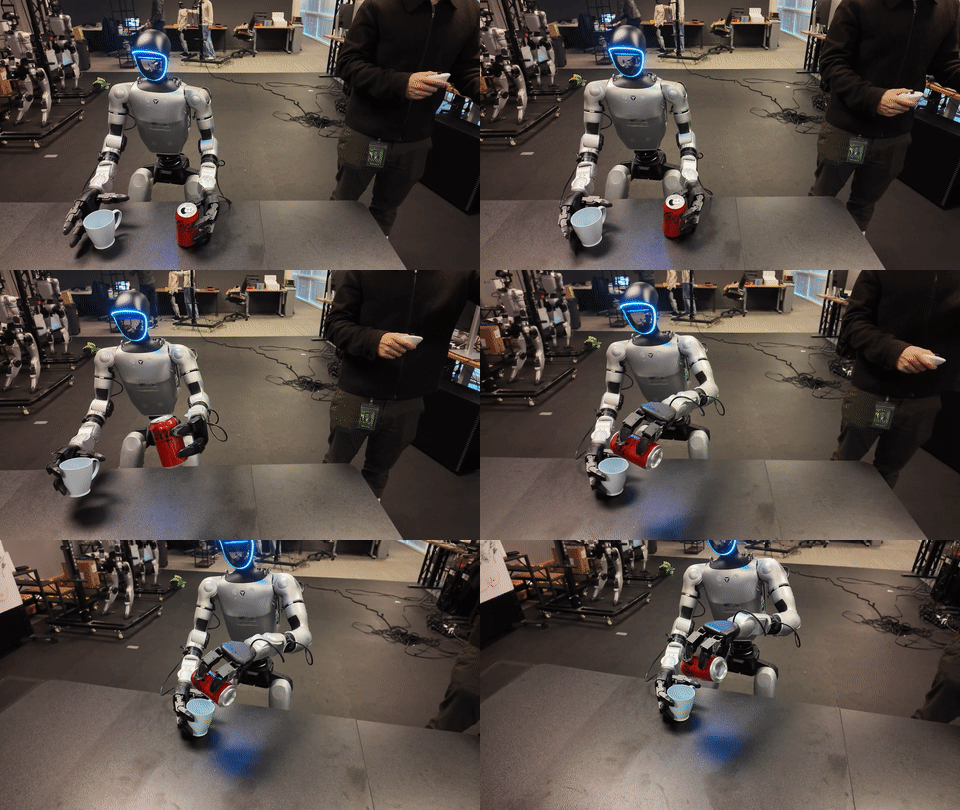
In realtime mode, the script subscribes to the topic, unpacks msgpack, then updates a dictionary containing target pose, measured pose, VR 3-point data, and motor temperatures if present. It then uses the MuJoCo viewer to render multiple overlays: target robot, measured robot, reference or ghost robot, and a temperature visualization robot. If the target walks one trajectory while measured state lags or diverges, that is a signal to inspect the policy, planner, observations, or robot state.
9. A beginner debug checklist
When deployment does not run, debug in a straight line:
- Did
deploy.shresolve the correct interface? Sim should use loopback; real should use the robot network. - Is
TensorRT_ROOTset to the expected version? NVlabs lists specific versions for desktop and Jetson. - Do
model_decoder.onnx,model_encoder.onnx,observation_config.yaml, andplanner_sonic.onnxcome from the same release or export? - Is
--cpa prefix? Usepolicy/release/model, notpolicy/release/model_decoder.onnx. - Does the policy input tensor have name
obs_dictand output tensor have nameaction? - Does the encoder input tensor have name
obs_dictand output tensor have nameencoded_tokens? - Does the observation dimension log match the model input dimension?
- Does the planner path include
V0,V1, orV2? The code infers planner version from the path. - If using ZMQ, do publisher and subscriber agree on host, port, and topic?
- If the visualization stays blank, check
--output-type zmq|alland runvisualize_motion.py --realtime_debug_url tcp://localhost:5557.
One safety note: do not use a real robot to debug problems that can be debugged in MuJoCo. The official Quick Start also recommends getting comfortable with sim2sim before deploying on hardware. With a humanoid, “the binary starts” does not mean “it is safe to start control.” Let sim, ZMQ output, and the visualization viewer prove that the pipeline is synchronized first.
10. Conclusion
SONIC deployment is not just “load ONNX and infer.” It is a small real-time system: the shell launcher selects interfaces and files, the C++ app splits work across threads, TensorRT builds and caches engines, the observation config locks the tensor contract, the encoder produces tokens, the decoder produces actions, the planner produces reference motion, ZMQ exports telemetry, and the MuJoCo viewer lets the operator compare target and measured states.
If you remember one sentence from this part, make it this: debug deployment by artifact contracts, not by intuition. The contract is the set of four files model_encoder.onnx, model_decoder.onnx, planner_sonic.onnx, and observation_config.yaml, plus the input and output mode you selected. Once those agree and the ZMQ viewer shows consistent target/measured state, you have a solid base for part 5: teleoperation and VLA with SONIC.