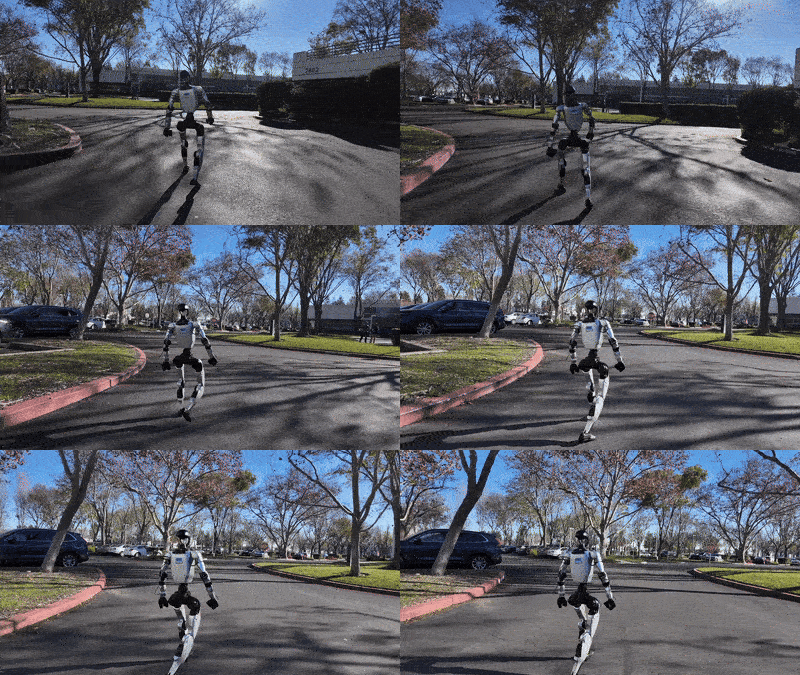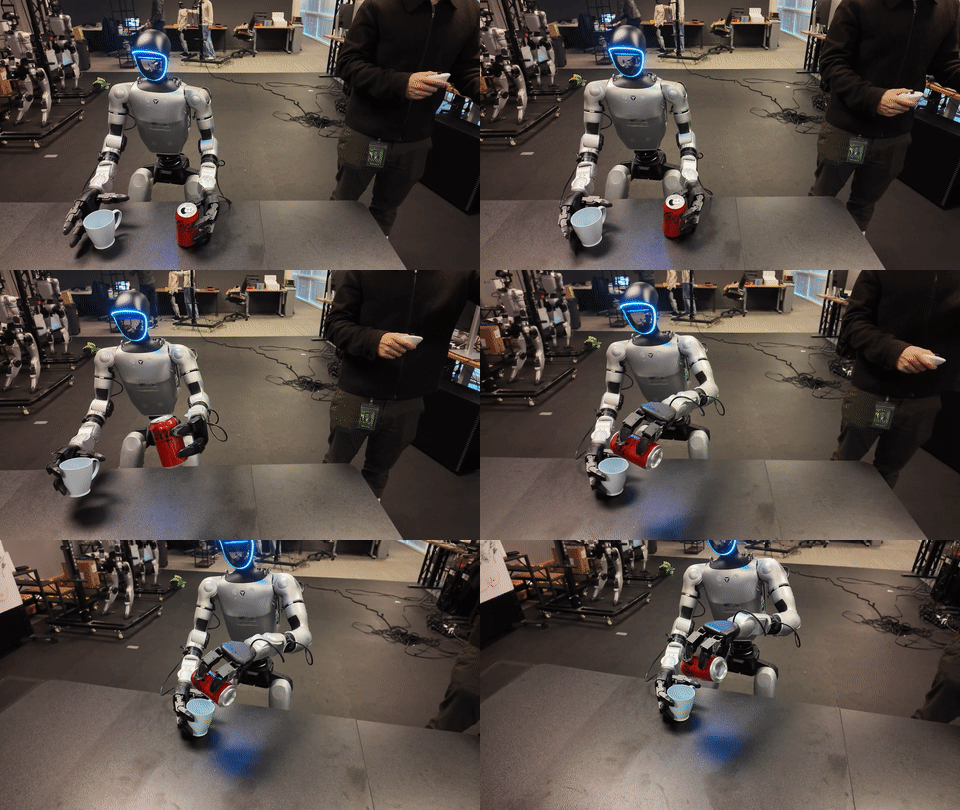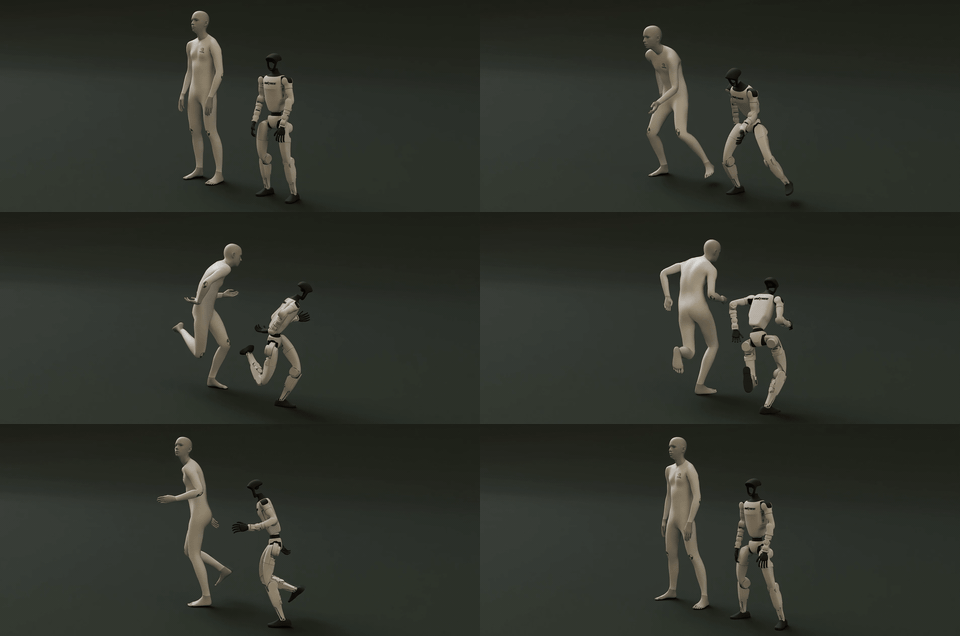
In part 1, we treated SONIC as a whole-body control policy built around multiple encoders and a shared token space. In part 2, we moved from checkpoint to MuJoCo sim2sim and Isaac Lab evaluation. Part 3 goes back to the piece that often decides whether training works at all: the data pipeline.
This article follows the actual data path in NVlabs/GR00T-WholeBodyControl. We will start from BONES-SEED in Unitree G1 CSV and SOMA BVH formats, convert them into motion_lib PKLs with gear_sonic/data_process/convert_soma_csv_to_motion_lib.py and extract_soma_joints_from_bvh.py, filter unsuitable motions with filter_and_copy_bones_data.py, and then configure training with either +exp=manager/universal_token/all_modes/sonic_release or +exp=manager/universal_token/all_modes/sonic_bones_seed.
If you are a beginner, do not start by trying to reproduce a huge training run. Use this article as a data map: which file contains which representation, why 120 fps data is downsampled to 30 fps, why motion_file, smpl_motion_file, and soma_motion_file are separate paths, and why filtering removes about 8.7% of the 142K+ motion set.
For broader VNROBO context before diving into the scripts, keep the whole-body VLA retargeting article and the GR00T whole-body SONIC training/export article nearby. They do not replace NVIDIA's official documentation, but they connect human-motion retargeting, robot datasets, and policy export to a practical robotics workflow.
Keep these technical sources open:
| Source | What to verify |
|---|---|
| SONIC Training Guide | Convert, filter, train, eval, and SOMA encoder commands |
| Training Data docs | BONES-SEED statistics, SOMA/BVH format, and Unitree G1 CSV format |
| Data process scripts | The three conversion/filtering scripts in the repository |
| BONES-SEED on Hugging Face | Original dataset, license, and download structure |
| GEAR-SONIC project page | Universal control policy and scaling context |
1. What BONES-SEED contributes to SONIC
BONES-SEED is a large motion-capture dataset for humanoid robotics. The GR00T-WBC training data documentation describes it as 142,220 motions, made of 71,132 original motions and 71,088 mirrored motions, totaling roughly 288 hours at 120 fps from 522 performers. It includes natural-language descriptions, temporal segmentation labels, skeleton metadata, and multiple output formats.
For SONIC, the important point is not just scale. BONES-SEED provides motion in formats that map directly to humanoid control:
| Format | Role in the pipeline |
|---|---|
| SOMA Proportional BVH | A per-actor skeleton that preserves body proportions, useful for human-motion research |
| SOMA Uniform BVH | A standardized skeleton that is easier to process in batches |
| Unitree G1 CSV | Retargeted robot joint trajectories, MuJoCo-compatible and ready for robot motion tracking |
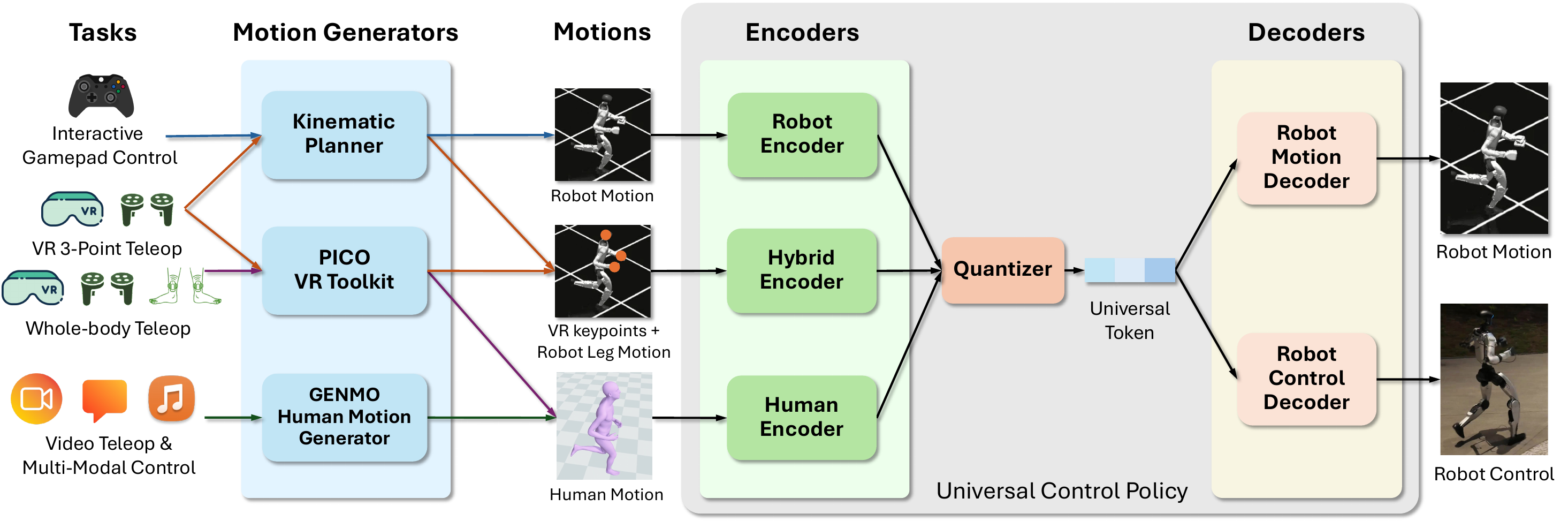
SONIC learns from several representations. sonic_release uses three main encoders: G1 robot motion, teleop, and SMPL. sonic_bones_seed adds a fourth encoder for SOMA skeletons. That means the same source motion can play different roles: G1 CSV for the robot encoder, SMPL PKL for the human-motion encoder, and processed SOMA BVH for the SOMA encoder.
A common beginner mistake is treating motion_lib as one generic dataset. In this repository, motion_file, smpl_motion_file, and soma_motion_file are separate inputs for separate reference formats. Converting G1 CSVs gives you robot motion PKLs. Extracting BVH gives you SOMA skeleton PKLs. Neither one automatically gives you SMPL data.
2. Recommended data layout
The training guide recommends placing processed data at the repository root. For the full pipeline, use this mental model:
GR00T-WholeBodyControl/
├── data/
│   ├── motion_lib_bones_seed/
│   │   ├── robot/              # PKLs from Unitree G1 CSV, before filtering
│   │   ├── robot_filtered/     # Filtered G1 PKLs, about 130K motions
│   │   ├── soma/               # PKLs from SOMA BVH, before filtering
│   │   └── soma_filtered/      # Filtered SOMA PKLs, matching the robot subset
│   └── smpl_filtered/          # Processed SMPL human-motion PKLs
├── gear_sonic/
└── sonic_release/
For quick tests, you can use sample_data/robot_filtered and sample_data/smpl_filtered from Hugging Face. For serious training, use the full dataset. The rule is simple: each Hydra override must point to the right format. motion_file should not point to BVH. soma_motion_file should not point to G1 CSV. The conversion scripts create one PKL per motion and preserve the session structure so filtering and copying can be resumed or inspected later.
3. Convert Unitree G1 CSV to motion_lib PKL
The main script for G1 CSV is:
python gear_sonic/data_process/convert_soma_csv_to_motion_lib.py \
    --input /path/to/bones_seed/g1/csv/ \
    --output data/motion_lib_bones_seed/robot \
    --fps 30 \
    --fps_source 120 \
    --individual \
    --num_workers 16
The file name contains soma_csv, but the script supports several input modes, including flat BONES-SEED CSV files. In BONES-SEED mode, each CSV is a motion, usually stored inside a session directory. The --individual flag writes one .pkl per motion instead of one giant dictionary. That is the practical choice for a 142K-motion dataset because it is easier to resume, filter, and copy.
Here is what the script does internally:
| Step | Practical detail |
|---|---|
| Read CSV | Uses root_translateX/Y/Z, root_rotateX/Y/Z, and 29 joint columns ending in _dof |
| Convert units | Root translation from centimeters to meters; joint angles from degrees to radians |
| Root rotation | Converts Euler xyz degrees into a quaternion |
| Joint order | BONES-SEED CSV is already in MuJoCo/MJCF actuator order, so the script marks it as joint_order="mj" |
pose_aa |
Builds axis-angle values for the 29 G1 DoFs with hardcoded joint axes |
| Output | Writes root_trans_offset, pose_aa, dof, root_rot, a placeholder smpl_joints, and fps |
Two details matter for beginners.
First, --fps_source 120 --fps 30 is not cosmetic. BONES-SEED source data is 120 fps, while the documented training pipeline uses 30 fps. The script uses stride-based frame skipping: 120 to 30 means keeping every fourth frame. When the source fps is an exact multiple of the target fps, this simple strategy keeps the CSV and BVH frame counts aligned.
Second, the smpl_joints field in the robot PKL is a zero placeholder. It keeps the motion_lib schema compatible. It does not turn robot data into SMPL data. The human-motion encoder still needs its own smpl_motion_file.
A converted robot motion entry is conceptually:
motion_name:
  root_trans_offset: (T, 3)      # root/pelvis translation, meters
  root_rot:          (T, 4)      # root quaternion
  dof:               (T, 29)     # G1 joint positions, radians
  pose_aa:           (T, 30, 3)  # pelvis + 29 actuated joints as axis-angle
  fps:               30
4. Why filtering removes about 8.7% of motions
After conversion, the docs run:
python gear_sonic/data_process/filter_and_copy_bones_data.py \
    --source data/motion_lib_bones_seed/robot \
    --dest data/motion_lib_bones_seed/robot_filtered \
    --workers 16
The training guide says this step removes motions the G1 robot cannot or should not perform, such as furniture interaction, vehicles, acrobatics, and elevated-surface motions. It removes about 8.7% of the data, leaving roughly 130K motions out of the 142K set. Using 142,220 as the reference count, 8.7% corresponds to roughly 12K removed motions. This is a practical robot-training filter, not a statement that the removed mocap is low quality.
The key implementation detail: filter_and_copy_bones_data.py is a filename/path keyword filter, not a physics-based feasibility classifier. It scans session directories, finds .pkl files, builds a name_to_check from the parent folder and file basename, and filters files whose names contain default keywords. It preserves metadata.pkl, copies accepted files into the destination directory, and prints a summary with total files, copied files, and filtered files.
The default keywords show the intent:
bed, bike, chair, climb, sitting, table, ladder, crutch,
scooter, acrobatics_, cartwheel, handstand, stair,
box_jump, walking_on_edge, push_obstacle, ...
Why remove these groups?
| Filtered group | Practical reason |
|---|---|
| Chairs, beds, tables | The motion depends on objects or support surfaces not present in the base training environment |
| Bikes and scooters | Human kinematics are coupled to a vehicle, not a free-standing G1 |
| Stairs, high boxes, elevated edges | The motion requires special contact geometry and can produce infeasible references |
| Handstands, cartwheels, acrobatics | Contacts, impacts, and actuator ranges are very different from ordinary locomotion |
| Crutches and obstacle pushing | External objects and contact forces are not represented correctly in a simple tracking setup |
Use --dry-run to preview the filter without copying. If you are adapting the pipeline to another embodiment or want a stricter subset, --add-keywords lets you add exclusion keywords. The script also supports --filter_file; when an include list is present, files must avoid the exclusion keywords and match at least one include keyword.
5. Extract SOMA joints from BVH
If you are using sonic_release, you do not need the SOMA encoder. If you want the extended sonic_bones_seed configuration, you need soma_motion_file. The extraction command is:
python gear_sonic/data_process/extract_soma_joints_from_bvh.py \
    --input /path/to/bones_seed/bvh/ \
    --output data/motion_lib_bones_seed/soma \
    --fps 30 \
    --num_workers 16 \
    --skip_existing
Then filter the extracted SOMA PKLs with the same keyword filter:
python gear_sonic/data_process/filter_and_copy_bones_data.py \
    --source data/motion_lib_bones_seed/soma \
    --dest data/motion_lib_bones_seed/soma_filtered \
    --workers 16
The BVH script does more than the command suggests. It parses the BVH hierarchy and motion section, computes forward kinematics, and extracts a 26-joint SOMA subset: hips, spine, chest, neck, head, shoulders, arms, forearms, hands, selected finger joints for hand orientation, legs, shins, feet, and toes. It uses the Hips joint as the local reference, subtracts global translation so soma_joints are body-local, converts centimeters to meters, converts Y-up coordinates into Z-up with (x, y, z) -> (x, -z, y), downsamples to 30 fps, and writes PKL files.
A SOMA PKL entry contains:
motion_name:
  soma_joints:    (T, 26, 3)  # Z-up, meters, body-local
  soma_root_quat: (T, 4)      # wxyz
  soma_transl:    (T, 3)      # hips world position
  fps:            30
  joint_names:    [26 SOMA joint names]
Unlike the robot PKL, a SOMA PKL does not contain 29 G1 dof trajectories. It contains human skeleton joint positions. That is why it belongs in soma_motion_file, not motion_file.
6. Choose sonic_release or sonic_bones_seed
The training docs define the difference clearly:
| Config | Encoders | When to use it |
|---|---|---|
sonic_release |
G1, teleop, SMPL | Default path; matches the released checkpoint; use for ordinary fine-tuning and evaluation |
sonic_bones_seed |
G1, teleop, SMPL, SOMA | Extended training with a SOMA skeleton encoder from BVH-derived joints |
If you are starting out, use sonic_release. It has fewer moving parts, matches the released checkpoint, and is sufficient for most eval and fine-tuning workflows. Switch to sonic_bones_seed once you have prepared soma_filtered and understand the BVH/SOMA representation.
Basic training with sample data:
python gear_sonic/train_agent_trl.py \
    +exp=manager/universal_token/all_modes/sonic_release \
    num_envs=16 headless=True \
    ++manager_env.commands.motion.motion_lib_cfg.motion_file=sample_data/robot_filtered \
    ++manager_env.commands.motion.motion_lib_cfg.smpl_motion_file=sample_data/smpl_filtered
Training with full robot and SMPL data:
python gear_sonic/train_agent_trl.py \
    +exp=manager/universal_token/all_modes/sonic_release \
    num_envs=4096 headless=True \
    ++manager_env.commands.motion.motion_lib_cfg.motion_file=data/motion_lib_bones_seed/robot_filtered \
    ++manager_env.commands.motion.motion_lib_cfg.smpl_motion_file=data/smpl_filtered
Fine-tuning from the released checkpoint:
python gear_sonic/train_agent_trl.py \
    +exp=manager/universal_token/all_modes/sonic_release \
    +checkpoint=sonic_release/last.pt \
    num_envs=4096 headless=True \
    ++manager_env.commands.motion.motion_lib_cfg.motion_file=data/motion_lib_bones_seed/robot_filtered \
    ++manager_env.commands.motion.motion_lib_cfg.smpl_motion_file=data/smpl_filtered
Training with the SOMA encoder:
accelerate launch \
    --multi_gpu --num_machines=8 --num_processes=64 \
    --machine_rank=$MACHINE_RANK \
    --main_process_ip=$MASTER_ADDR \
    --main_process_port=$MASTER_PORT \
    gear_sonic/train_agent_trl.py \
    +exp=manager/universal_token/all_modes/sonic_bones_seed \
    num_envs=4096 headless=True \
    ++manager_env.commands.motion.motion_lib_cfg.motion_file=data/motion_lib_bones_seed/robot_filtered \
    ++manager_env.commands.motion.motion_lib_cfg.smpl_motion_file=data/smpl_filtered \
    ++manager_env.commands.motion.motion_lib_cfg.soma_motion_file=data/motion_lib_bones_seed/soma_filtered
The Hydra syntax matters. +exp=... selects the experiment config. ++manager_env.commands.motion.motion_lib_cfg.motion_file=... overrides a deeply nested field. If you mistype the field name, Hydra may create an unexpected field or fail depending on the config mode, and the policy will not use the data you think it is using. For beginners, copy the full key names first and only change the path values.
7. Monitoring whether training is healthy
The training docs give a few useful signals:
| Metric | Good range | Practical interpretation |
|---|---|---|
rewards/total |
3.0+ |
Total imitation/tracking reward is high enough |
rewards/anchor_pos_err |
< 0.15 m |
Root or anchor tracking error is under control |
rewards/body_pos_err |
< 0.10 m |
Body position tracking is converging |
throughput/fps |
about 4000+ |
Rollout/training throughput is reasonable |
time_out |
> 0.90 |
Episodes usually finish naturally instead of terminating early |
Checkpoints are saved periodically under:
logs_rl/TRL_G1_Track/<experiment_name>-<timestamp>/
├── model_step_002000.pt
├── config.yaml
└── ...
For evaluation, use the workflow from part 2. The documented targets are success_rate > 0.97, mpjpe_l < 30 mm, and mpjpe_g < 200 mm. The docs also state that a well-converged policy can reach above 0.98 success rate and below 29 mm mpjpe_l after around 100K iterations. Do not rely on a single metric alone. Render videos and inspect foot sliding, jitter, early termination, and whether the motion semantics still match the reference.
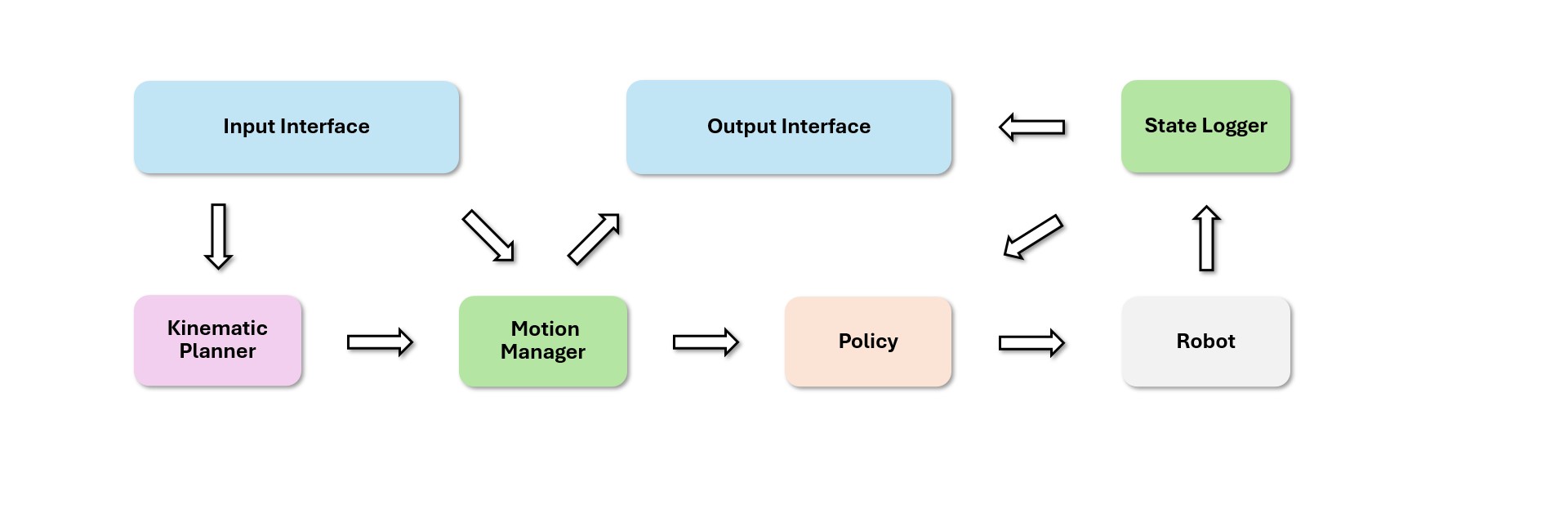
8. Common failure checklist
| Symptom | Common cause | Fix |
|---|---|---|
| Training says no motions were found | Path override is wrong or points to the wrong format | Check motion_file, smpl_motion_file, and soma_motion_file |
| Robot and SOMA frame counts differ unexpectedly | Source fps or downsampling is inconsistent | Use --fps_source 120 --fps 30 for CSV and --fps 30 for BVH |
| Motion loads but tracking is poor | Unfiltered object/surface/acrobatics motions are included | Run filtering and test on a small subset first |
| GPU runs out of memory | num_envs is too high |
Reduce to 16, 32, or 128 for debugging |
| Released checkpoint reads strange paths | Embedded config contains internal training paths | Override motion paths with local sample or full data paths |
| SOMA training does not use SOMA data | You are using sonic_release, or soma_filtered is missing |
Switch to sonic_bones_seed and prepare BVH-derived PKLs |
A good rule: before launching thousands of environments, convert a few sessions, run a dry-run filter, replay reference motion, and then scale. Robotics data pipelines are fragile around units, coordinate frames, joint order, and fps. SONIC provides scripts for those details; your job is to use the correct input mode and the correct path for each encoder.
9. Takeaway
SONIC training does not begin at train_agent_trl.py. It begins with normalized motion data. BONES-SEED G1 CSV goes through convert_soma_csv_to_motion_lib.py to become robot motion_lib PKLs. BONES-SEED BVH goes through extract_soma_joints_from_bvh.py to become SOMA skeleton PKLs. Both should be filtered with filter_and_copy_bones_data.py to remove motions that depend on special objects, surfaces, or contacts, reducing the dataset by about 8.7% and leaving roughly 130K more suitable motions for G1 tracking.
After that, the config choice is straightforward: sonic_release for the default G1/teleop/SMPL workflow; sonic_bones_seed when you add the SOMA encoder. The three paths to remember are motion_file, smpl_motion_file, and soma_motion_file. Once these are correct, the rest of the training stack becomes much easier to debug.
In part 4, we will move to runtime: ONNX encoder/decoder export, the ZMQ protocol, the C++ deployment loop, and the checks you need before thinking about hardware.