Why read SONIC through the repository?
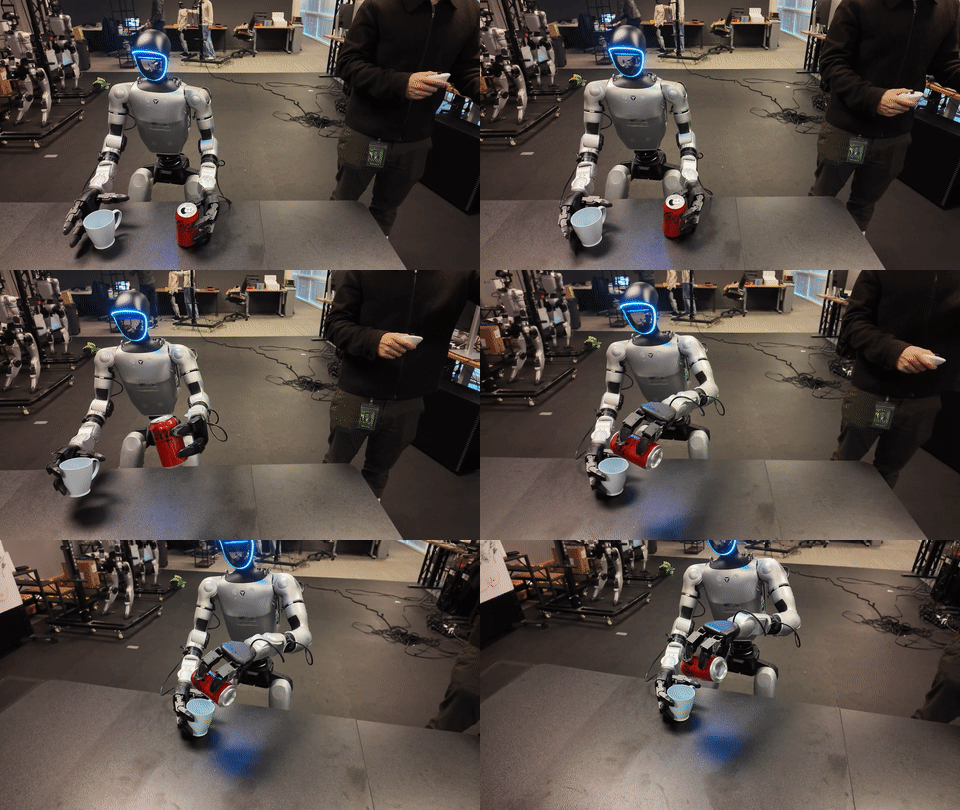
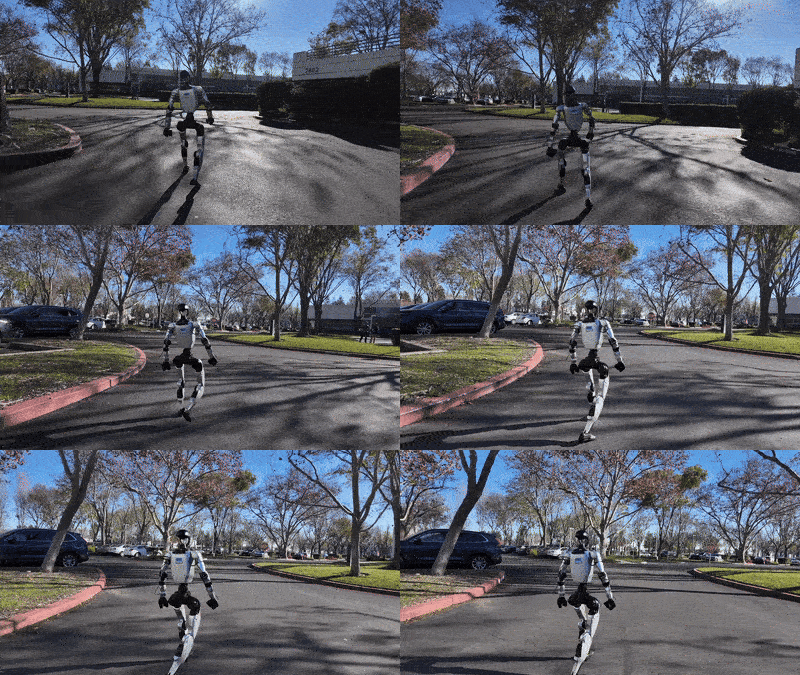
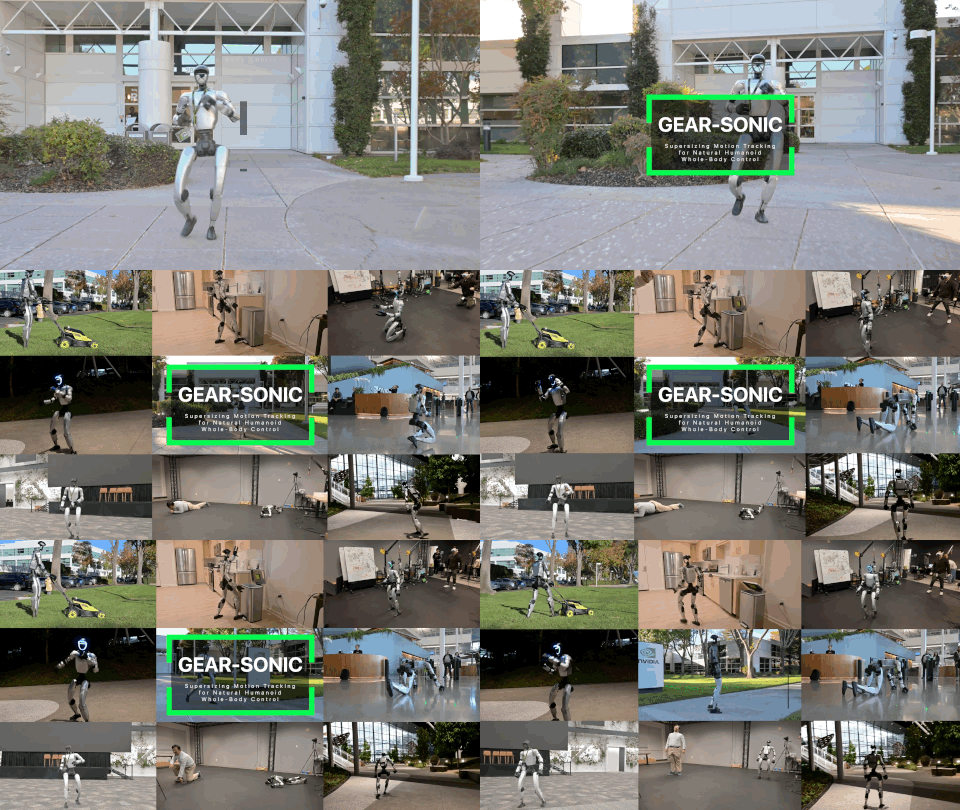
SONIC, short for Supersizing Motion Tracking for Natural Humanoid Whole-Body Control, is one of the most useful recent systems to study if you care about humanoid whole-body control. The core idea is not to write one controller for walking, another controller for crawling, another controller for VR teleoperation, and yet another controller for VLA loco-manipulation. SONIC frames humanoid control as a scalable motion tracking problem. A single policy learns broad human motion priors from large motion-capture data, then uses a shared token interface to accept different command sources.
That sounds clean in a paper, but beginners often get lost when they open the code. The paper talks about scaling, universal token space, real-time kinematic planners, zero-shot transfer, and VLA-driven whole-body tasks. The repository contains Python training code, C++ deployment code, ONNX models, MuJoCo simulation, Isaac Lab evaluation, data converters, teleoperation tools, and older decoupled WBC components. The practical question is: which folder represents which concept?
The official NVlabs/GR00T-WholeBodyControl repository gives us a concrete map. Its README states that the codebase hosts checkpoints and scripts for training, evaluating, and deploying advanced humanoid whole-body controllers. It currently includes Decoupled WBC, the GEAR-SONIC series, and MotionBricks. This first article focuses on three concrete stacks you need before reading the rest of the series: decoupled_wbc, gear_sonic, and gear_sonic_deploy.
If you have read our earlier posts on deploying GR00T N1 on Unitree G1, whole-body data pipelines, or ASAP for Unitree G1, treat this article as the architectural map. The goal is not to run a real robot today. The goal is to understand how the paper's ideas map to repo entry points such as download_from_hf.py, check_environment.py, and gear_sonic/eval_agent_trl.py.
Roadmap series
The GR00T SONIC Humanoid Whole-Body Control series has six parts. You are reading part 1.
- SONIC Architecture for Humanoid WBC: repo map, three main stacks, and how to connect the paper to code.
- SONIC Sim Evaluation in Isaac Lab and MuJoCo: checkpoint evaluation, rendering, success rate, MPJPE, and tracking failures.
- SONIC Data and Training: Bones-SEED, motion_lib PKL, SMPL, SOMA, PPO, and multi-GPU training.
- Deploying SONIC over ZMQ: C++ inference, ONNX encoder/decoder, protocol v4, latency, and safety loops.
- SONIC Teleop and VLA: PICO VR, LeRobot datasets, Isaac-GR00T N1.7, and the latent action interface.
- MotionBricks in the SONIC Ecosystem: latent generative motion, interactive control, and how it complements tracking policies.
The three stacks inside GR00T-WholeBodyControl
Start by reading the repository as a multi-layer system, not as a single Python package. The three SONIC-related stacks serve different jobs.
decoupled_wbc is the older decoupled whole-body control stack used by NVIDIA GR00T N1.5 and N1.6. The Decoupled WBC documentation describes it as a software stack for loco-manipulation experiments across multiple humanoid platforms, with primary support for Unitree G1. Its design separates lower-body and upper-body responsibilities. The lower body is handled by an RL policy for balance and locomotion. The upper body can be driven by IK or teleoperation policy for hands, wrists, and manipulation targets. This design is practical because feet and contacts have hard real-time stability requirements, while arms often follow task or human targets.
gear_sonic is the training and evaluation stack. This is where you find gear_sonic/train_agent_trl.py, gear_sonic/eval_agent_trl.py, gear_sonic/data_process/convert_soma_csv_to_motion_lib.py, Hydra configs under gear_sonic/config, and environment modules under gear_sonic/envs. If you want to understand how the policy learns, how motion data enters Isaac Lab, how observations are configured, how PPO is launched, or how success rate and MPJPE are measured, you are in the gear_sonic layer.
gear_sonic_deploy is the C++ inference and deployment stack. The README calls it the C++ inference stack for deploying SONIC policies on real hardware. This layer includes ONNX models, TensorRT dependencies, G1-specific deployment code, CMake builds, reference data, and scripts for MuJoCo sim2sim or hardware execution. When the paper says SONIC can run in real time, the practical deployment question lives here: how are the encoder, decoder, observation config, planner, and low-latency control loop packaged so the policy can drive a robot?
Here is the beginner version:
| Stack | When to read it | Main idea |
|---|---|---|
decoupled_wbc |
You want the GR00T N1.5/N1.6 baseline and separated leg/arm teleop | RL lower body, IK upper body, G1 teleop |
gear_sonic |
You want to train, fine-tune, evaluate, or inspect the learned token policy | Isaac Lab, PPO, motion_lib, encoders, decoder |
gear_sonic_deploy |
You want sim2sim or real-time deployment | ONNX, TensorRT, C++, ZMQ, G1 deployment |
The key distinction is that gear_sonic is not just a "Python deployment version", and gear_sonic_deploy is not where you train faster. They are different stages of the same controller lifecycle. One stage optimizes the controller in simulation. The other packages the learned controller into a real-time inference stack.
What is a universal-token policy?
The SONIC paper v3 states that the team scaled motion tracking along three axes: network size from 1.2M to 42M parameters, dataset size beyond 100M frames from 700 hours of motion capture, and compute up to roughly 21k GPU hours. Those numbers matter, but the architecture is just as important. SONIC's main interface is a universal token space.
The repository training guide describes SONIC as a universal-token architecture for controlling a 29-DoF Unitree G1 humanoid by imitating human motion-capture data. Multiple parallel encoders accept different motion input formats:
G1: robot joint trajectories.Teleop: VR tracking targets, typically head and two wrists.SMPL: joint positions from a parametric human body model.SOMA: BVH-derived skeleton joints, used in the extended configuration.
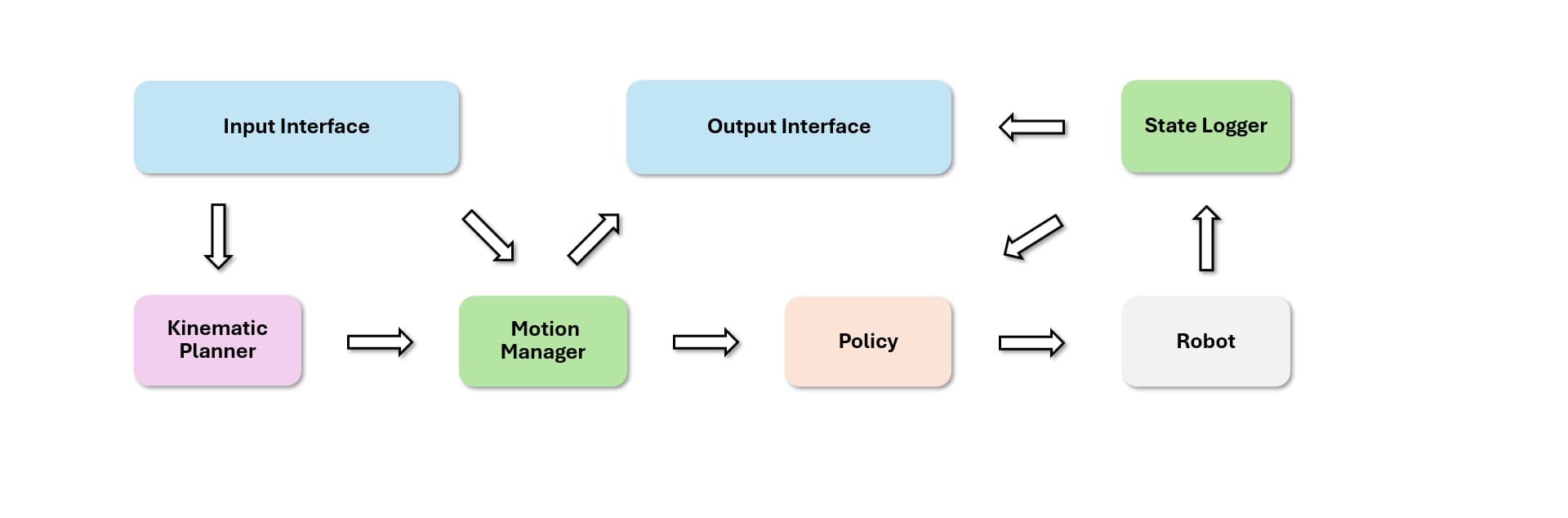
These encoders do not directly output raw joint commands. They project their inputs into a shared latent token space through FSQ, or Finite Scalar Quantization. A single decoder then converts those tokens into robot actions. This lets the same decoder serve multiple command sources: retargeted robot trajectories, VR teleoperation, human video, text-generated motion, music-driven motion, or VLA outputs.
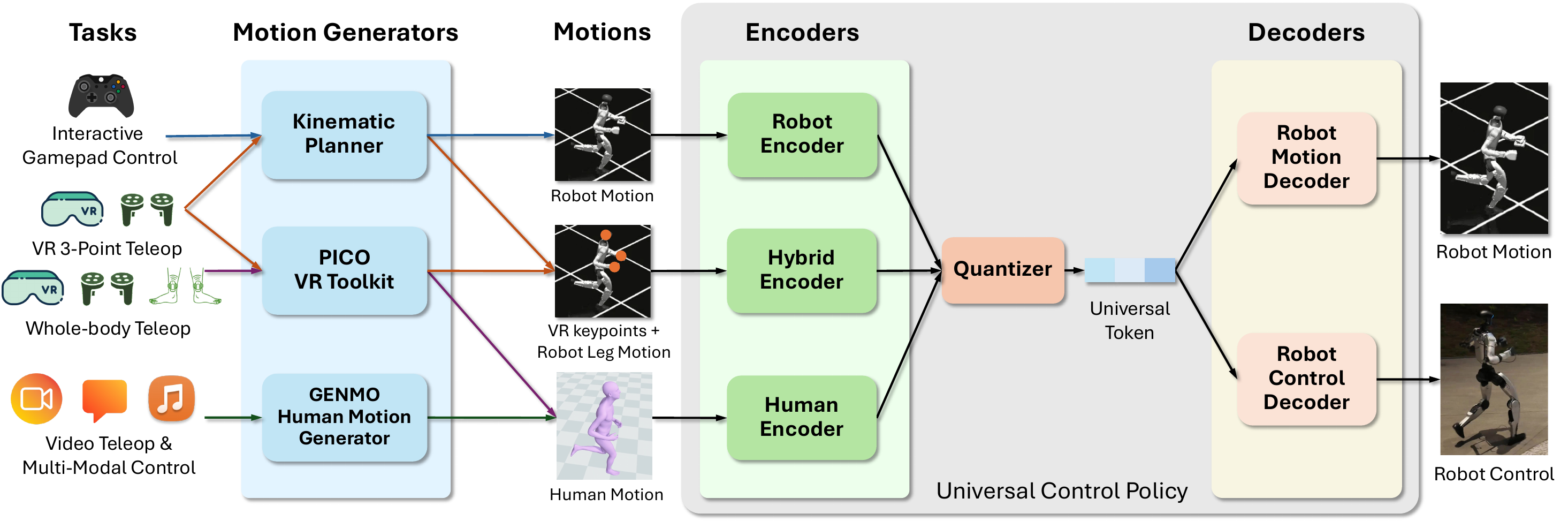
A simplified pipeline looks like this:
motion input
  |-- G1 robot trajectory
  |-- VR teleop targets
  |-- SMPL human joints
  |-- SOMA/BVH skeleton
        |
        v
specialized encoder
        |
        v
shared quantized token space
        |
        v
SONIC decoder
        |
        v
full-body robot actions at control rate
The VLA workflow documentation makes this design concrete. Instead of predicting raw joint angles, the VLA predicts SONIC latent motion tokens. The docs describe this as a compact 64-dimensional representation. The full action space per inference step is 78-dimensional: a 64-dimensional motion token plus 7 left-hand joints and 7 right-hand joints. SONIC then decodes the latent into full-body joint commands at 50 Hz. In plain terms, the VLA reasons about what to do, while SONIC handles how the body should walk, balance, reach, and coordinate.
This is why later parts of this series separate teleoperation, VLA, and deployment. If you think of VLA robotics as direct image-to-joint prediction, you miss the most important middle layer. SONIC's latent motion token is compact, reusable, and tied to a learned whole-body human motion prior.
Mapping the paper to repository entry points
When reading the paper, you encounter concepts such as scaling trends, universal tracking, kinematic planners, sim-to-real deployment, zero-shot unseen motion, and VLA-driven loco-manipulation. When opening the repository, you see scripts and folders. This table connects the two:
| Paper concept | Start reading here |
|---|---|
| Pretrained checkpoints and ONNX deployment models | download_from_hf.py |
| Environment validation before training or deployment | check_environment.py |
| Universal-token training | gear_sonic/train_agent_trl.py and gear_sonic/config |
| Evaluation, success rate, MPJPE, render videos | gear_sonic/eval_agent_trl.py |
| Motion data conversion and filtering | gear_sonic/data_process/* |
| Real-time inference and hardware deployment | gear_sonic_deploy |
| Decoupled GR00T N1.5/N1.6 baseline | decoupled_wbc |
download_from_hf.py downloads artifacts from the Hugging Face repository nvidia/GEAR-SONIC. In the default deployment mode, it downloads model_encoder.onnx, model_decoder.onnx, observation_config.yaml, and the kinematic planner planner_sonic.onnx unless you pass --no-planner. With --training, it downloads the PyTorch checkpoint sonic_release/last.pt, its config, and large SMPL data. With --sample, it downloads a small sample dataset for quick start. This is one of the first files beginners should read because it tells you where the repository expects each artifact to live.
check_environment.py is the pre-flight check. It validates Python, Git LFS, CUDA, PyTorch, disk space, Isaac Lab, the gear_sonic package, training dependencies such as Hydra, TRL, Transformers, Accelerate and W&B, plus deployment dependencies such as TensorRT. Its Git LFS check is not cosmetic. The repository contains large meshes, ONNX files, and binary assets. If you clone without pulling LFS objects, some files become tiny pointer files, which can cause confusing simulation or deployment failures.
gear_sonic/eval_agent_trl.py is the natural next entry point after you have a checkpoint. It requires Isaac Lab, loads config from the checkpoint when available, rewrites some older internal module paths to release paths under gear_sonic.*, merges Hydra overrides, and runs evaluation in the Isaac Lab environment. The training guide documents two useful modes: metrics and render. Metrics use eval_callbacks=im_eval, num_envs=128, and tracking/eval terminations. Render mode enables manager_env.config.render_results=True and saves videos. Part 2 of this series will walk through that path.
Why scaling matters for humanoid WBC
Traditional humanoid policies are often trained for a narrow behavior set: walking, getting up, kicking, crawling, or tracking a small motion dataset. SONIC makes a different bet: if motion tracking gives dense supervision from mocap, it can be scaled more like a foundation model. The current paper version reports three scaling axes:
| Scaling axis | Values discussed in SONIC | Meaning |
|---|---|---|
| Model size | 1.2M, 16M, 42M parameters | Larger policies can capture broader motion priors |
| Data size | 4M, 10M, 22M, 100M frames | More diverse motion reduces narrow skill overfitting |
| Compute | about 2k, 9k, 21k GPU hours | More GPUs and training time support convergence |
The largest setup is described as 128 GPUs over 7 days, or about 21k GPU hours. Evaluation is not limited to motions seen during training. The paper uses held-out test-content for novel motion content, test-repetition for new performances of known motion types, and PHUMA from a different retargeting pipeline. Metrics include success rate, local MPJPE, velocity distance, and acceleration distance. For beginners, the headline is not just "42M parameters". The important point is that scaling is tested through generalization: unseen motions, different repetitions, different datasets, simulation, and real-world transfer.
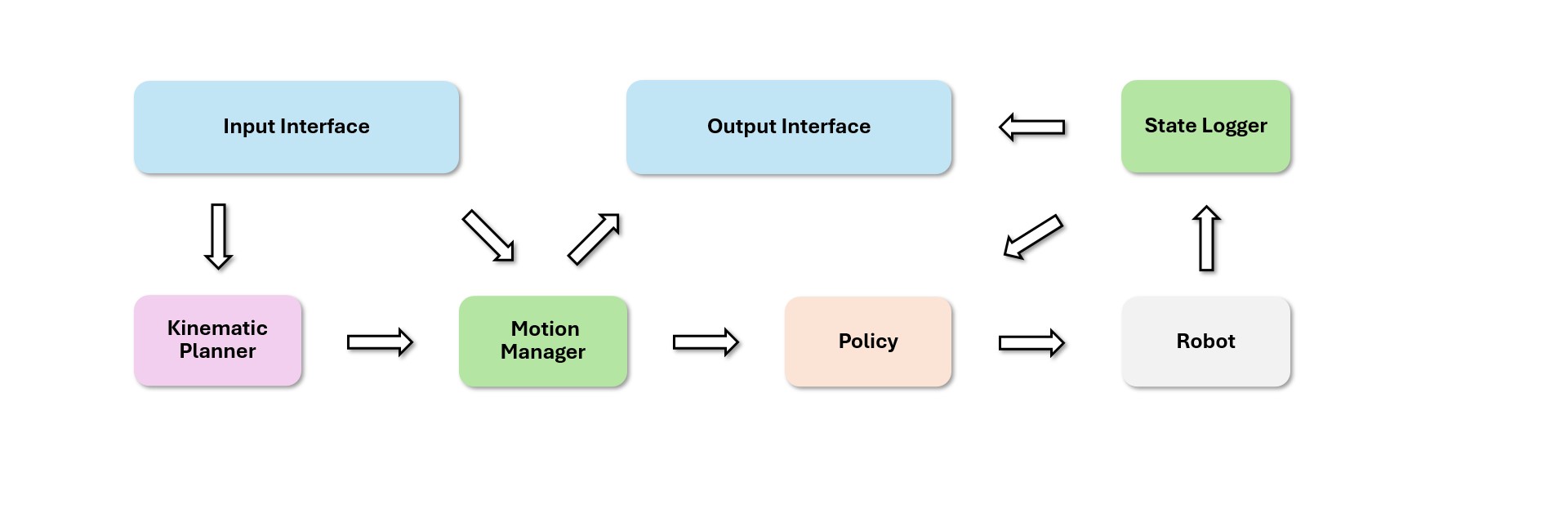
This is different from reward engineering each individual skill. If you want a robot to crawl on elbows, you can design rewards for body height, elbow contact, forward velocity, energy, and smoothness. If tomorrow you want an injured walking style or a kneeling reach, you may need another reward design. SONIC uses motion capture as dense supervision: where the body should be, how limbs should move, and what physically plausible velocity and acceleration look like. With enough data and compute, the policy learns a broad whole-body prior instead of a collection of isolated tricks.
A safe beginner workflow
If you are new to SONIC, do not start with the real robot. Start with repository literacy and simulation:
- Read the README and official documentation.
- Clone the repository with Git LFS and pull large assets.
- Run
python check_environment.pyto see what is missing. - Run
python download_from_hf.py --samplefor a small sample dataset. - Install the environment that matches your use case: Isaac Lab Python for training,
.venv_simfor MuJoCo simulation, and C++ build dependencies for real deployment. - Run checkpoint evaluation or rendering with
gear_sonic/eval_agent_trl.py. - Only after understanding observations, action scale, PD gains, safety, and networking should you move toward
gear_sonic_deployon hardware.
The command skeleton looks like this:
# General environment check
python check_environment.py

# Download ONNX deployment models into gear_sonic_deploy/
python download_from_hf.py

# Download training checkpoint and large SMPL data
python download_from_hf.py --training

# Download small sample data for quick tests
python download_from_hf.py --sample

# Evaluate checkpoint metrics
python gear_sonic/eval_agent_trl.py \
  +checkpoint=<path_to_checkpoint.pt> \
  +headless=True \
  ++eval_callbacks=im_eval \
  ++run_eval_loop=False \
  ++num_envs=128
These commands are not enough to run on every machine because Isaac Lab, CUDA, TensorRT, and Git LFS depend on the local environment. They are enough to show the repository's rails: download artifacts, validate the environment, run Python training/evaluation, then move to the C++ deployment stack.
Read decoupled_wbc as a baseline, not as dead code
It is tempting to skip decoupled_wbc because SONIC is the newer system. That would be a mistake. Decoupled WBC is an excellent baseline architecture for understanding humanoid loco-manipulation. It shows a common engineering pattern: let a lower-body policy handle stability and navigation, let the upper body track hand or manipulation targets, and let teleoperation or a planner provide commands.
The Decoupled WBC documentation includes scripts for running a G1 control loop in simulation or on a real robot, plus keyboard controls for activating the policy, holding or releasing the robot, moving forward and backward, strafing, yawing, and zeroing navigation commands. It also documents a teleoperation loop using PICO controllers, with other supported devices such as LeapMotion and HTC Vive with Joy-Con controllers. These details explain why SONIC needs a universal control interface. If every teleop device, planner, and VLA path drives a different controller, the system becomes hard to scale. A shared token space gives those interfaces one common control target.
Put differently, decoupled_wbc answers: "How did GR00T-style systems combine locomotion and manipulation before SONIC?" gear_sonic answers: "How do we train a generalist motion policy from large motion data?" gear_sonic_deploy answers: "How do we package that learned policy into a real-time robot control stack?"
Things to be careful about
First, do not confuse training artifacts with deployment artifacts. download_from_hf.py defaults to ONNX deployment models under gear_sonic_deploy. Adding --training downloads the PyTorch checkpoint and SMPL data under the repo root. These modes support different workflows.
Second, do not ignore observation_config.yaml. In WBC, observations are part of the controller contract. If joint ordering, normalization, history, frame conventions, or sensor fields differ between training and deployment, the policy may output numerically valid actions that are physically wrong.
Third, treat Git LFS as a required dependency. Large robot assets and ONNX models are tracked through LFS. The environment checker explicitly detects suspiciously small files that look like LFS pointers. This is a common failure mode in large robotics repositories.
Fourth, remember the embodiment assumptions. The training guide describes Unitree G1 with 29 DoF. If your robot variant, firmware, hands, waist, or joint ordering differ, you need to verify mappings carefully. A motion foundation model does not remove hardware constraints, actuator behavior, PD gains, or network safety requirements.
Technical sources
This article is based on the official NVlabs/GR00T-WholeBodyControl repository, the GEAR-SONIC project page, the SONIC arXiv paper, the Training Guide, the VLA Workflow, and the Decoupled WBC reference.