What This Article Is For
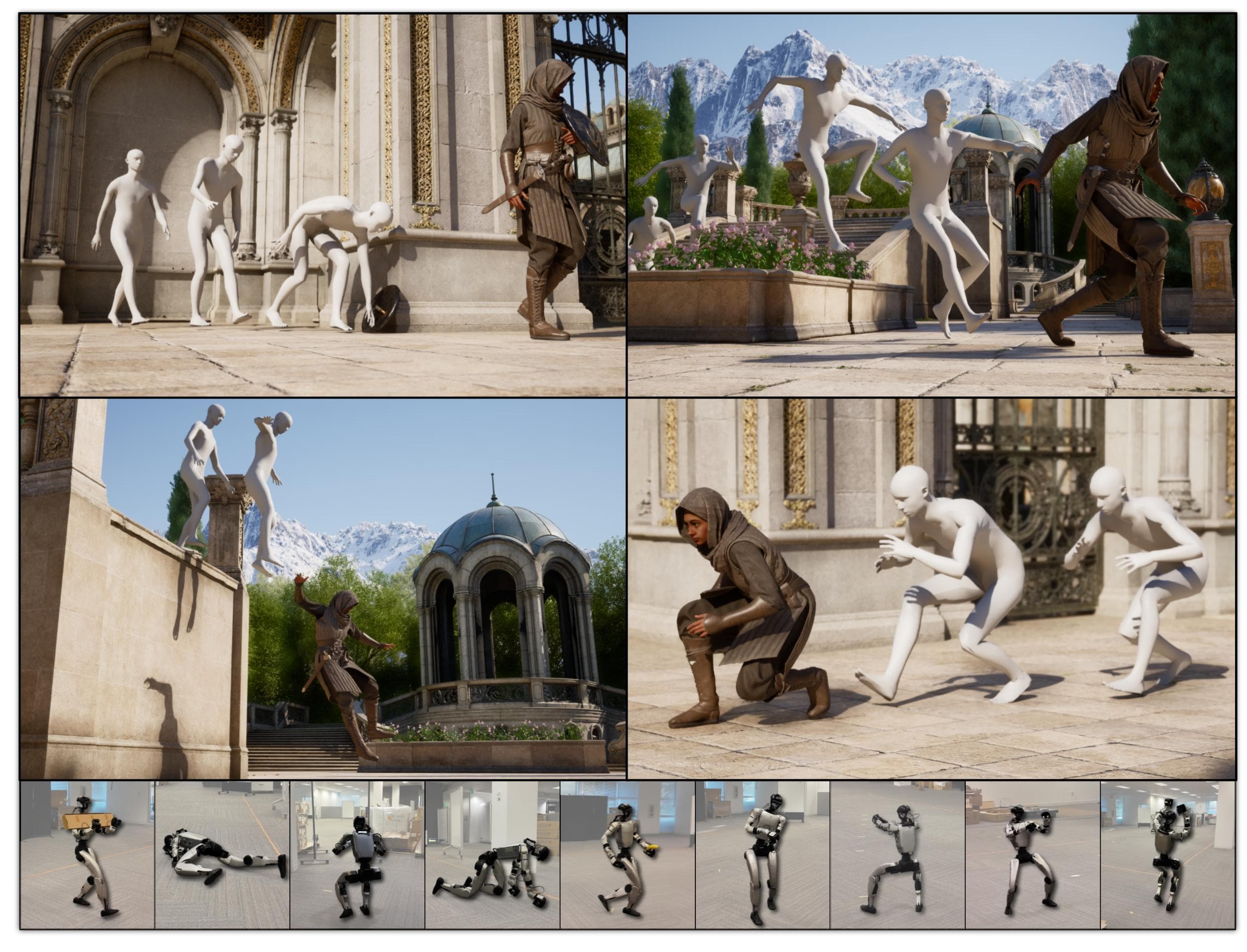
The first five articles in this series covered SONIC's architecture, simulation evaluation, training data, ZMQ deployment, and teleoperation/VLA integration. Article 6 closes the series with a layer that has become central to the GR00T Whole-Body Control stack: MotionBricks. If SONIC is the whole-body control policy that makes a humanoid execute motion, MotionBricks is the real-time motion generation layer that turns a high-level intent into motion tokens or smart primitives.
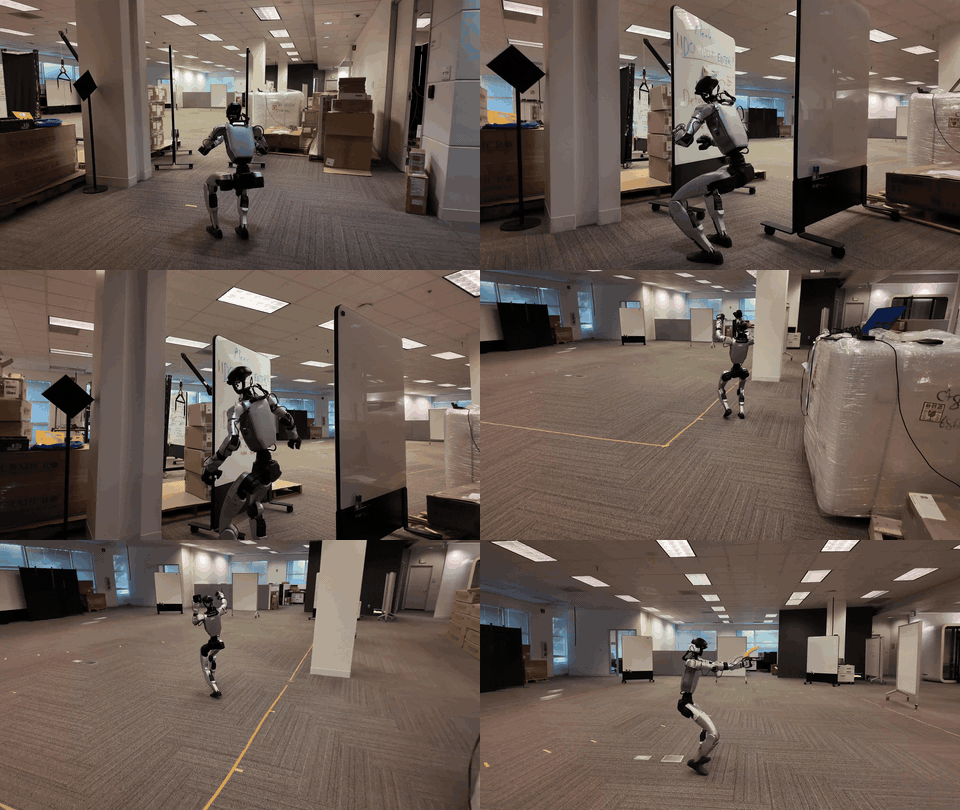
The first practical detail is release status. MotionBricks currently ships as a preview subproject inside NVlabs/GR00T-WholeBodyControl under motionbricks/. Its README describes two shipped pieces: an interactive G1 demo and a self-contained synthetic training pipeline. The project page reports 15,000 FPS with 2 ms latency over a backbone covering more than 350,000 motion skills. Treat that as a research throughput claim for the motion-generation backbone, not as a motor control frequency for a physical humanoid. A real robot is still limited by actuator loops, state estimation, safety checks, and policy inference rate.
This article connects three pieces:
- MotionBricks produces or encodes motion through a VQVAE, pose model, and root model.
- SONIC can consume motion tokens through the
token_stateobservation. - ZMQ Protocol v4 can stream a precomputed
token_statedirectly into the policy decoder, bypassing the robot-side encoder.
If you have not read the earlier parts, revisit GR00T SONIC Architecture, Deploying SONIC with ZMQ, and Teleop and VLA for SONIC. Outside this series, useful background includes the WholeBodyVLA training pipeline and the WholeBodyVLA open-source guide.
What Problem MotionBricks Solves
Whole-body control has a large gap between intent and torque. A user, planner, or VLA may request walking forward, switching gait style, crawling low, avoiding an object, holding an item, sitting down, or jumping over a bench. A low-level policy cannot directly execute that sentence. It needs a stable continuous state, a reference motion, or a compact latent action that can be decoded into motor commands.
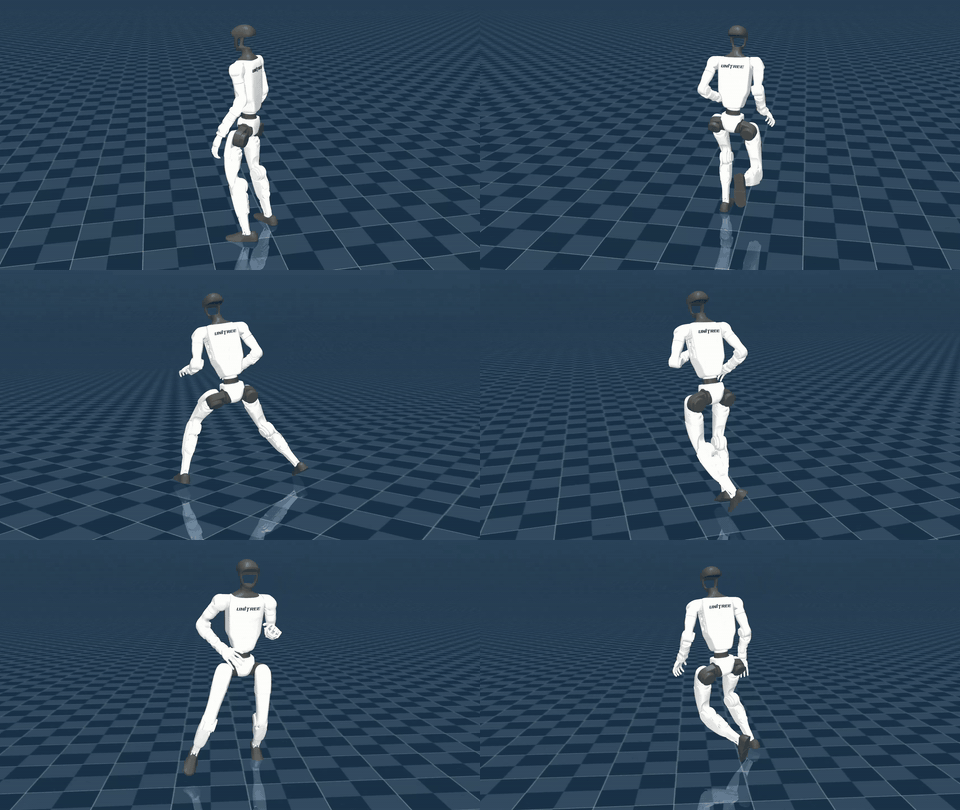
MotionBricks sits in that middle layer. The paper describes two main ideas: a modular latent generative backbone and smart primitives. The backbone learns a large motion space. Smart primitives provide a control interface for navigation, style changes, keyframes, object interaction, and scene interaction without hand-authoring an animation graph. In the robotics demo, this layer does not replace physical control. It creates reference motion or token-level commands that a whole-body controller can track.
For SONIC, a useful mental model is:
| Layer | Role |
|---|---|
| User, planner, or VLA | Produces intent: direction, style, manipulation, token, or keyframe |
| MotionBricks | Generates motion features, pose tokens, or root trajectory |
| ZMQ v4 | Packages a precomputed token in token_state |
| SONIC decoder policy | Uses token_state and live robot state to output control actions |
| Robot or simulator | Executes the action and updates history/state |
The reason Protocol v4 matters is simple: it allows an external source to send precomputed tokens. Earlier protocols send motion frames and let the robot-side encoder convert those frames into token observations. Protocol v4 skips that step. If the policy observation config includes token_state, the decoder receives the token directly.
The Files To Read Under motionbricks/
The MotionBricks README gives a compact project structure. For a beginner, six paths matter most:
| Path | What to learn |
|---|---|
scripts/interactive_demo_g1.py |
G1 MuJoCo demo where control signals are generated and the motion backbone produces new frames |
scripts/train_vqvae.py |
VQVAE training, effectively the motion tokenizer for pose |
scripts/train_pose.py |
Pose backbone training, using a pretrained VQVAE to encode motion into discrete tokens |
scripts/train_root.py |
Root backbone training, predicting continuous root motion without a VQVAE |
motionbricks/data/synthetic_dataset.py |
Synthetic dataset that verifies the training pipeline without BONES-SEED |
out/motionbricks_* |
Checkpoints, configs, skeleton files, and statistics for VQVAE, pose, and root models |
The checkpoints under out/ are managed with Git LFS. The README recommends checking file sizes so you do not accidentally use LFS pointer files. The expected sizes are roughly 273 MB for out/motionbricks_vqvae/version_1/checkpoints/*.ckpt, 1.6 GB for out/motionbricks_pose/version_1/checkpoints/*.ckpt, and 391 MB for out/motionbricks_root/version_1/checkpoints/*.ckpt. If a checkpoint is around 1 KB, you have the pointer file, not the real weights.
cd GR00T-WholeBodyControl
git lfs pull --include="motionbricks/out/**" --exclude=""
git lfs pull --include="motionbricks/assets/skeletons/g1/meshes/**" --exclude=""
cd motionbricks
This is especially important for the G1 demo. Without real checkpoints and mesh assets, imports may still succeed, but the runtime will fail or load the wrong artifacts.
The G1 Demo: Reading scripts/interactive_demo_g1.py
scripts/interactive_demo_g1.py is the easiest entry point. The script creates demo_agent = navigation_demo(args), resets the full agent, and then steps a MuJoCo loop. Each loop performs four operations:
- Get the current generated pose from
demo_agent.full_agent.get_next_frame(). - Get context from
get_context_motion_features()orget_context_mujoco_qpos(). - Ask the controller to create
control_signalsfrom the viewer, MuJoCo model, and MuJoCo data. - Call
demo_agent.full_agent.generate_new_frames(control_signals, dt)to generate more motion.
The bottom of the file exposes the options that matter. --humanoid_xml defaults to assets/skeletons/g1/scene_29dof.xml. --result_dir defaults to ./out. --controller can be wasd or random. --use_qpos=1 passes MuJoCo qpos context instead of motion-feature context. --generate_dt=2.0 multiplies the controller dt to choose how far ahead to generate new frames.
A minimal run is:
DISPLAY=:1 python scripts/interactive_demo_g1.py
WASD controls movement relative to the camera. Style keys such as V, Z, X, B, R, T, C, E, F, G, and Q select styles like slow walk, crawling, boxing walk, stealth, injured walk, happy dance, zombie walk, and others. The important distinction: this demo is not the ZMQ deployment path. It is the simplest environment for observing MotionBricks generating motion frames before you connect those tokens to SONIC's runtime.
VQVAE: The Motion Tokenizer in scripts/train_vqvae.py
The VQVAE turns continuous motion into a structured latent or discrete representation. In the preview release, scripts/train_vqvae.py is designed so beginners can verify the training loop without downloading the real dataset. It loads the config from:
out/motionbricks_vqvae/version_1/hparams.yaml
Then it patches the config for single-GPU training: devices = 1, num_nodes = 1, max_steps = args.max_steps, accelerator = "auto", and strategy = "auto". It also rewrites skeleton and motion-stat paths to the version directory:
out/motionbricks_vqvae/version_1/skeleton
out/motionbricks_vqvae/version_1/stats/motion
The beginner trap is the motion representation. The script calls load_motion_rep(conf), then computes feat_dim = len(motion_rep.indices['all']). Synthetic data is not an arbitrary tensor; its feature dimension must match the model's motion representation. The dataset comment gives G1Skeleton34 as an example with about 418 features. If this dimension is wrong, the failure usually appears later as a network shape error.
Quick smoke test:
python scripts/train_vqvae.py --max_steps 100 --batch_size 8 --num_samples 500
In a real setup, the VQVAE learns a compact pose-token space. In the synthetic setup, random tensors will not produce meaningful robot motion. The purpose is to validate config loading, data padding, Hydra/OmegaConf instantiation, Lightning trainer wiring, and motion-representation shape.
The Pose Model: Generating Full-Body Motion Tokens
scripts/train_pose.py is where MotionBricks starts to look like a motion generator. It loads:
out/motionbricks_pose/version_1/hparams.yaml
It also uses SyntheticMotionDataset, but it differs from VQVAE training in one important way: the pose model requires a pretrained VQVAE. The script comment says the VQVAE checkpoint is loaded automatically from the path in the config. At runtime it prints VQVAE loaded: {model.vqvae_model_loaded}, which is the first thing to check when training behaves strangely.
The flow is:
- Load the motion representation and feature dimension.
- Create synthetic motion clips with lengths between 80 and 200 frames.
- Instantiate
pose_vqvae_networkusingmotion_rep.dual_rep.local_motion_rep. - Instantiate
backbone_networkusing the fullmotion_rep. - Build the Lightning model with the VQVAE network, backbone, optimizer, and scheduler.
Quick smoke test:
python scripts/train_pose.py --max_steps 100 --batch_size 8 --num_samples 500
For a SONIC integration, the pose model is the natural source of full-body pose tokens. If a VLA says "move forward in an injured style" or a planner selects a smart locomotion primitive, the pose backbone can turn that command into latent motion. That token is a candidate for token_state, provided its dimension and semantics match the policy decoder's expected token space.
The Root Model: Continuous Base Motion
scripts/train_root.py loads:
out/motionbricks_root/version_1/hparams.yaml
This script does not load a VQVAE. Its comment states that the root model directly predicts continuous root motion values. That distinction matters. The pose model handles body pose in token space; the root model handles base trajectory, heading, height, or other continuous root-related quantities.
The synthetic root dataset uses longer clips: min_frames=200, max_frames=400. That makes sense because root trajectory needs a longer horizon to model direction, speed, and drift. In humanoid robotics, root motion is not just an animation coordinate. It is connected to base frame convention, heading reference, foot placement, and whether the tracking policy can keep the robot upright.
Quick smoke test:
python scripts/train_root.py --max_steps 100 --batch_size 8 --num_samples 500
When connecting to SONIC, do not assume pose token alone is enough. If the pose token implies a sidestep but the root trajectory or heading reference disagrees, the decoder may receive contradictory signals. A practical adapter should export a package containing pose token, root/heading metadata, and optional hand joints for manipulation.

Synthetic Data Is Not Real Training Data
motionbricks/data/synthetic_dataset.py is short, but it explains the training interface. SyntheticMotionDataset returns:
{"keyid": idx, "motion": motion}
Here motion is a random tensor with shape [T, feat_dim], where T is randomly sampled between min_frames and max_frames. collate_batch() pads variable-length sequences into [B, T, D] and returns motion_len, motion_pad_mask, and batch_size.
This leads to a clean interpretation:
| Correct interpretation | Incorrect interpretation |
|---|---|
| Synthetic data verifies the end-to-end training pipeline | Synthetic data trains deployable robotics behavior |
| It tests shape, config, padding, dataloader, and optimizer wiring | It replaces BONES-SEED or real motion capture data |
| It helps you implement a custom dataset loader | It is enough to train a G1 policy for hardware |
The README points to BONES-SEED for real training data. The project page and paper describe a large motion corpus covering hundreds of thousands of skills or clips, depending on the exact counting convention. For a small lab, the practical path is to use synthetic data for smoke tests, then replace the dataset class with a loader for retargeted G1 motion.
ZMQ Protocol v4: Direct token_state Injection
The GR00T Whole-Body Control ZMQ documentation describes Protocol v4 as token-only streaming. It streams precomputed tokens into the policy and bypasses the encoder entirely. The only required field is:
| Field | Shape | Dtype | Meaning |
|---|---|---|---|
token_state |
[D] |
f32 or f64 |
Motion token array; dimension must match encoder.dimension in the observation config |
Optional fields include frame_index, left_hand_joints, right_hand_joints, and body_quat_w. frame_index is for logging only. Hand joints can be applied directly to Dex3 hands. body_quat_w can update the heading reference during token streaming.
The critical condition is that the policy must have an encoder configuration and a token_state observation. If the model has no encoder, documented as encode_mode == -2, the token may be received but will not affect the inference pipeline. In other words, not every SONIC policy automatically understands MotionBricks tokens. The observation config must match.
A minimal message can be thought of as:
payload = {
    "protocol_version": 4,
    "token_state": token.astype("float32"),  # shape [64] if encoder.dimension = 64
    "frame_index": np.array([frame_id], dtype=np.int32),
}
For loco-manipulation with Dex3 hands:
payload = {
    "protocol_version": 4,
    "token_state": motion_token.astype("float32"),
    "frame_index": np.array([frame_id], dtype=np.int32),
    "left_hand_joints": left_dex3.astype("float32"),
    "right_hand_joints": right_dex3.astype("float32"),
    "body_quat_w": heading_quat.astype("float32"),
}
In Deploying SONIC with ZMQ, ZMQ was a stream for motion tracking data. This article adds the token path: instead of streaming joints or SMPL frames and relying on a robot-side encoder, you can stream latent actions that were computed outside the robot process.
Designing a MotionBricks-to-SONIC Adapter
Because the preview release is not yet a fully embedded MotionBricks robotics stack, do not assume there is already a complete motionbricks_to_sonic.py adapter. Start from the contract:
MotionBricks primitive
  -> pose/root generator
  -> token_state [D]
  -> ZMQ v4 publisher
  -> SONIC decoder policy observation
  -> action.wbc / robot control
A practical adapter checklist looks like this:
| Step | Check |
|---|---|
| Dimension | token_state.shape[0] must equal encoder.dimension, often 64 in the docs examples |
| Rate | The publisher does not need to run at 15,000 Hz; it only needs to feed fresh tokens to the control loop |
| Coordinate frame | MotionBricks root/heading convention must match the SONIC deployment convention |
| History | The decoder still uses his_* observations from live robot state, so the first frames need a stable warm-up |
| Safety | Out-of-distribution tokens can create motions outside hardware limits; test in simulation first |
| Fallback | If v4 loses token data or sees a dimension mismatch, fall back to reference motion or idle |
System-level pseudo-code:
while running:
    command = read_user_or_vla_command()
    primitive = motionbricks.plan(command)
    pose_token = pose_model.sample(primitive, context)
    root_state = root_model.predict(primitive, context)

    token_state = adapter.pack_token(pose_token, root_state)
    assert token_state.shape == (encoder_dim,)

    zmq_pub.send({
        "protocol_version": 4,
        "token_state": token_state,
        "frame_index": frame_id,
        "body_quat_w": root_state.heading_quat,
    })
In real code, adapter.pack_token() is the hard part. It must know which token distribution the decoder policy was trained to consume. If the SONIC decoder was trained with one encoder and MotionBricks emits tokens from another VQVAE distribution, the vector may have the right shape but the wrong meaning. That usually requires alignment, retraining, or a bridge model.
Why 15,000 FPS Is Not a Robot Control Rate
MotionBricks' 15,000 FPS and 2 ms latency claim is impressive, but beginners should read it carefully. In animation or motion generation, FPS usually means generated motion-frame throughput, often on a GPU and sometimes under favorable batching or benchmark conditions. A physical humanoid is constrained by actuator communication, state estimation, network latency, safety filters, and policy inference.
The correct use pattern is:
- MotionBricks generates or refreshes motion tokens faster than the control loop needs.
- The ZMQ publisher keeps the freshest token and can use conflate behavior to drop stale messages.
- The SONIC decoder runs at the deployment rate that has been tested.
- The safety layer checks joint limits, torque, contacts, and fall conditions.
If MotionBricks generates 100 candidate tokens while the robot consumes one, the other 99 do not automatically improve the robot. The quality comes from semantic alignment, consistent coordinate frames, a suitable horizon, and a token distribution that the decoder policy was trained to understand.
A Safe Experimental Roadmap
A conservative roadmap has four loops:
| Loop | Goal | Do not do yet |
|---|---|---|
| 1. Local demo | Run interactive_demo_g1.py, understand control keys and style switching |
Do not connect hardware |
| 2. Training smoke test | Run train_vqvae.py, train_pose.py, and train_root.py with synthetic data |
Do not evaluate motion quality |
| 3. ZMQ dry run | Send a dummy token_state with the correct dimension into a simulator policy |
Do not stream random tokens to hardware |
| 4. Real adapter | Convert primitives into aligned tokens, test sim-to-sim, then sim-to-real | Do not skip fall and safety checks |
Log at least the following:
frame_index,token_norm,token_dim,body_quat_w,decoder_action_norm,base_lin_vel,base_ang_vel,fall_flag
1001,3.82,64,"1,0,0,0",0.44,"0.20,0.01,0.00","0,0,0.03",false
1002,3.79,64,"0.999,0,0,0.04",0.46,"0.22,0.01,0.00","0,0,0.04",false
If token norm spikes or action norm jumps immediately after a primitive switch, stop in simulation. The common causes are normalization mismatch, frame convention mismatch, or a token distribution the decoder has never seen.
Conclusion
MotionBricks makes whole-body control more scalable because it moves intent into a primitive/token space instead of forcing every behavior into raw velocity commands or hand-authored animation graphs. In the current repo, beginners can study the pipeline through interactive_demo_g1.py, the three training scripts, and SyntheticMotionDataset. The VQVAE acts as the tokenizer, the pose model generates full-body motion in token space, and the root model handles continuous base trajectory.
The cleanest connection to SONIC is ZMQ Protocol v4: token_state is injected directly into the decoder policy observation. But correct shape is not enough. The token must have the semantics the policy expects, the root and heading conventions must match, and safety must be validated in simulation. When those conditions hold, MotionBricks can become the smart-primitive layer above SONIC: a VLA or user selects intent, MotionBricks generates latent motion, and SONIC turns that latent into stable whole-body control.