GR00T N1 + G1 (Post 4): deploying GR00T-WBC on Unitree G1 — GEAR + SONIC
This is post 4 of the GR00T N1 + Unitree G1 series. The previous post produced a fine-tuned checkpoint. This post: deploying the full stack on a real G1 — VLA inference + WBC control running simultaneously.
Before reading: Deploying on a real robot always carries risk. Follow the order in this post: sim first → each component in isolation → full stack. Don't skip any step.
Deploy environment setup
git clone https://github.com/NVlabs/GR00T-WholeBodyControl.git
cd GR00T-WholeBodyControl

pip install -e .

# Install Unitree SDK2
pip install unitree_sdk2py

# Verify G1 connection
python -c "
from unitree_sdk2py.core.channel import ChannelFactory
factory = ChannelFactory.Instance()
factory.Init(0, 'eth0')   # replace eth0 with your interface
print('G1 connected')
"
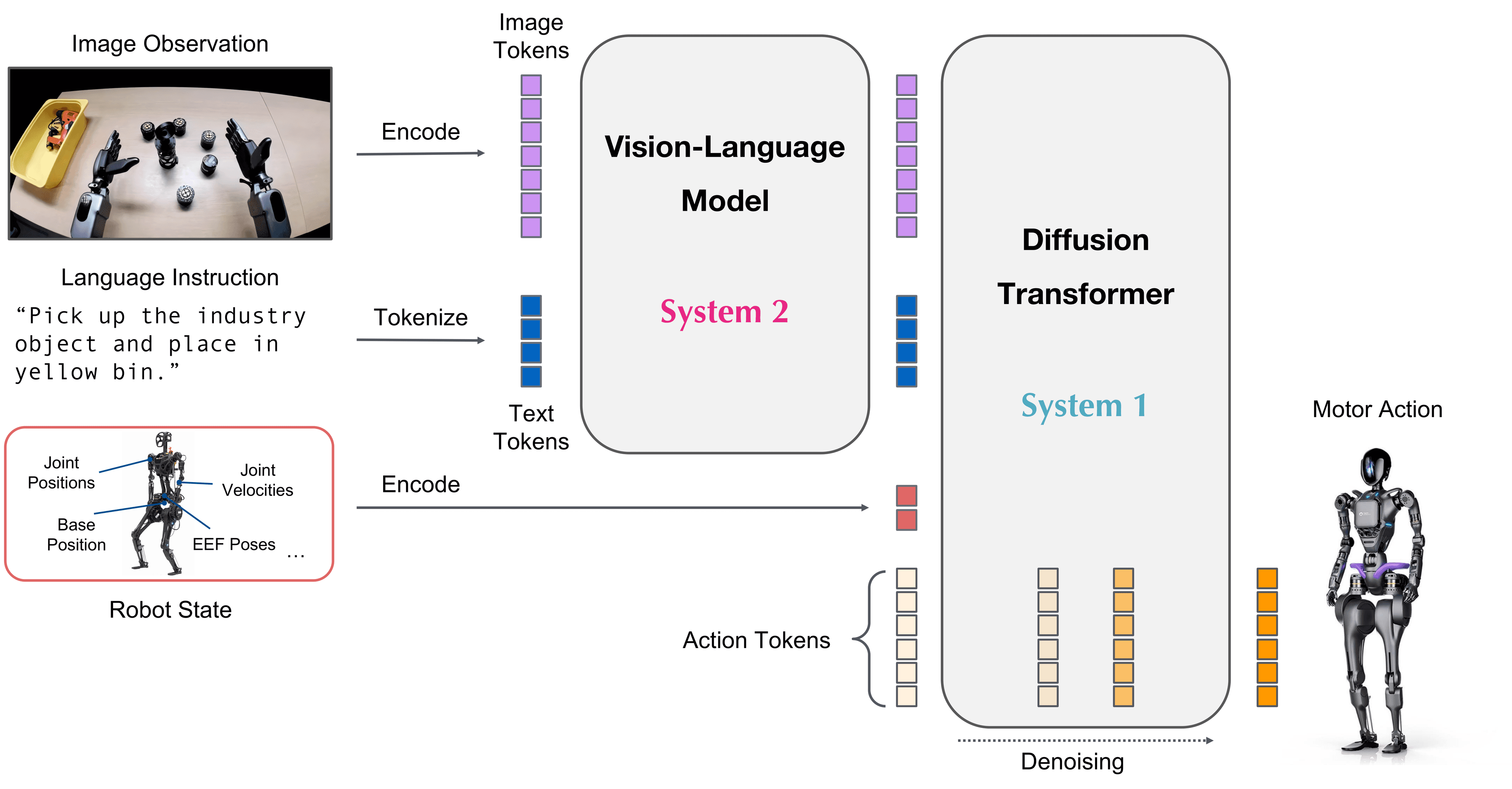
Deploy architecture: 3 parallel processes
Process 1 (CPU/GPU):  GR00T N1 VLA        6Hz
Process 2 (CPU):      GEAR upper body     50Hz
Process 3 (CPU):      SONIC locomotion   200Hz
Process 4 (LAN):      G1 joint drivers   500Hz
Three processes run on the workstation, communicating via shared memory + ZMQ:
[N1 inference] --ZMQ--> [GEAR] --shared mem--> [SONIC] --Unitree SDK--> [G1]
      ↑ camera frames                                     ← joint states
G1 configuration in GR00T-WBC
# Robot configuration file
cat groot_wbc/robots/g1/joint_config.yaml
# groot_wbc/robots/g1/joint_config.yaml
robot_name: "g1"
urdf_path: "robots/g1/g1.urdf"
dof: 29

# Joint order MUST match Unitree SDK joint index
left_arm_joints:
  - left_shoulder_pitch_joint   # index 13
  - left_shoulder_roll_joint    # index 14
  - left_shoulder_yaw_joint     # index 15
  - left_elbow_joint            # index 16
  - left_wrist_roll_joint       # index 17
  - left_wrist_pitch_joint      # index 18
  - left_wrist_yaw_joint        # index 19

right_arm_joints:
  - right_shoulder_pitch_joint  # index 20
  # ... same pattern

leg_joints:
  - left_hip_yaw_joint          # index 0
  - left_hip_roll_joint         # index 1
  # ... 12 joints for legs

waist_joint:
  - waist_yaw_joint             # index 12

ee_frames:
  left: "left_hand_palm_link"
  right: "right_hand_palm_link"

# Safety limits
joint_pos_limits:
  left_shoulder_pitch_joint: [-2.87, 2.87]   # rad
  left_elbow_joint: [-0.52, 2.97]
  # ... per joint

joint_vel_limits:
  default: 5.0   # rad/s, per joint
Adapting for other robots
# groot_wbc/robots/your_robot/joint_config.yaml
robot_name: "your_robot"
urdf_path: "robots/your_robot/your_robot.urdf"
dof: 35   # change to match your robot

# SDK-specific: each robot SDK has its own joint ordering
# You need to map URDF joint names → SDK joint indices
# Check your robot's SDK docs for the index ordering

left_arm_joints:
  - "your_left_shoulder_1"   # must match names in URDF exactly
  - "your_left_shoulder_2"
  # ...

# For arm-only robots (no legs):
leg_joints: []
waist_joint: []
Running the deploy: step by step
Step 1: Test SONIC locomotion (no VLA)
Run SONIC first to verify balance and locomotion work independently:
# Stand still and maintain balance
python scripts/run_sonic.py \
  --robot g1 \
  --mode stand \
  --duration 30   # 30 seconds

# Walk forward
python scripts/run_sonic.py \
  --robot g1 \
  --mode walk \
  --velocity 0.3   # m/s forward
Verify: G1 must stand steadily, no lean, no joint oscillation. If oscillation → reduce kd in pd_gains.yaml.
Step 2: Test GEAR upper body (no VLA)
# Send manual wrist pose target to test GEAR
python scripts/test_gear.py \
  --robot g1 \
  --target_left "0.4 0.2 0.8 0 0 0 1"  # xyz + quat
  --target_right "0.4 -0.2 0.8 0 0 0 1"
Verify: Robot arm moves to target pose smoothly, no jerking, no joint limit violations.
Step 3: Test GR00T N1 inference (no robot)
# Run N1 inference offline with dummy camera images
python scripts/test_n1_inference.py \
  --checkpoint ./runs/g1_pickplace/checkpoint_best/ \
  --robot g1 \
  --instruction "pick up the red cup" \
  --test_images path/to/test_images/

# Output: action predictions every ~150ms
# Check output format is correct and contains no NaN
Step 4: Full stack in sim
# Run full stack (N1 + GEAR + SONIC) in Isaac Sim first
python scripts/run_full_stack_sim.py \
  --robot g1 \
  --checkpoint ./runs/g1_pickplace/checkpoint_best/ \
  --task PickPlace \
  --instruction "pick up the red cup" \
  --render

# You should see G1 sim: standing straight, arm moving to object, gripper closing
Step 5: Full stack on real robot
Only proceed after steps 1-4 all pass:
# Start each component in order

# Terminal 1: SONIC (locomotion) — start first
python groot_wbc/run_sonic.py \
  --robot g1 \
  --mode loco_manip    # whole-body mode

# Terminal 2: GEAR (upper body) — start after SONIC is stable
python groot_wbc/run_gear.py \
  --robot g1 \
  --mode active

# Terminal 3: N1 VLA inference
python groot_wbc/run_n1.py \
  --checkpoint ./runs/g1_pickplace/checkpoint_best/ \
  --robot g1 \
  --instruction "pick up the red cup"

# Terminal 4: Monitor
python scripts/monitor.py --robot g1
PD gains tuning for G1
Default gains in GR00T-WBC are tuned for G1 but may need adjustment per firmware version:
# groot_wbc/robots/g1/pd_gains.yaml
# Upper body — arms
left_shoulder_pitch_joint: {kp: 150, kd: 10}
left_shoulder_roll_joint:  {kp: 150, kd: 10}
left_shoulder_yaw_joint:   {kp: 100, kd: 8}
left_elbow_joint:          {kp: 80,  kd: 5}
left_wrist_roll_joint:     {kp: 40,  kd: 3}
left_wrist_pitch_joint:    {kp: 40,  kd: 3}

# Lower body — legs
left_hip_yaw_joint:        {kp: 200, kd: 15}
left_hip_roll_joint:       {kp: 200, kd: 15}
left_hip_pitch_joint:      {kp: 300, kd: 20}
left_knee_joint:           {kp: 300, kd: 20}
left_ankle_pitch_joint:    {kp: 60,  kd: 4}
left_ankle_roll_joint:     {kp: 40,  kd: 3}
When to increase kp: robot responds slowly, doesn't reach target pose in time.
When to increase kd: oscillation/ringing after reaching target.
Rule: increase kp until you see oscillation, then increase kd to damp it.
Safety checklist before running on real robot
[ ] E-stop ready and tested (Unitree remote or hardware kill switch)
[ ] G1 on flat floor, no obstacles within 1m
[ ] Joint limits set in joint_config.yaml
[ ] Velocity cap enabled: max_joint_vel: 3.0 (rad/s)
[ ] Torque cap enabled: max_torque: 80.0 (Nm) per joint
[ ] SONIC tested in stand mode for ≥ 60 seconds without falling
[ ] GEAR tested for arm movement without self-collision
[ ] Workstation on stable LAN (not wireless)
[ ] Monitor terminal running
[ ] Second person ready to E-stop if something goes wrong
Next: Sim2real + Evaluation with humanoid-bench.
References
- GR00T-WholeBodyControl GitHub
- GR00T-WBC paper (arxiv:2506.08000)
- Unitree SDK2 Python
- HOVER paper (arxiv:2501.01595)