GR00T N1 + G1 (Post 5): sim2real transfer, domain randomization, and eval with humanoid-bench
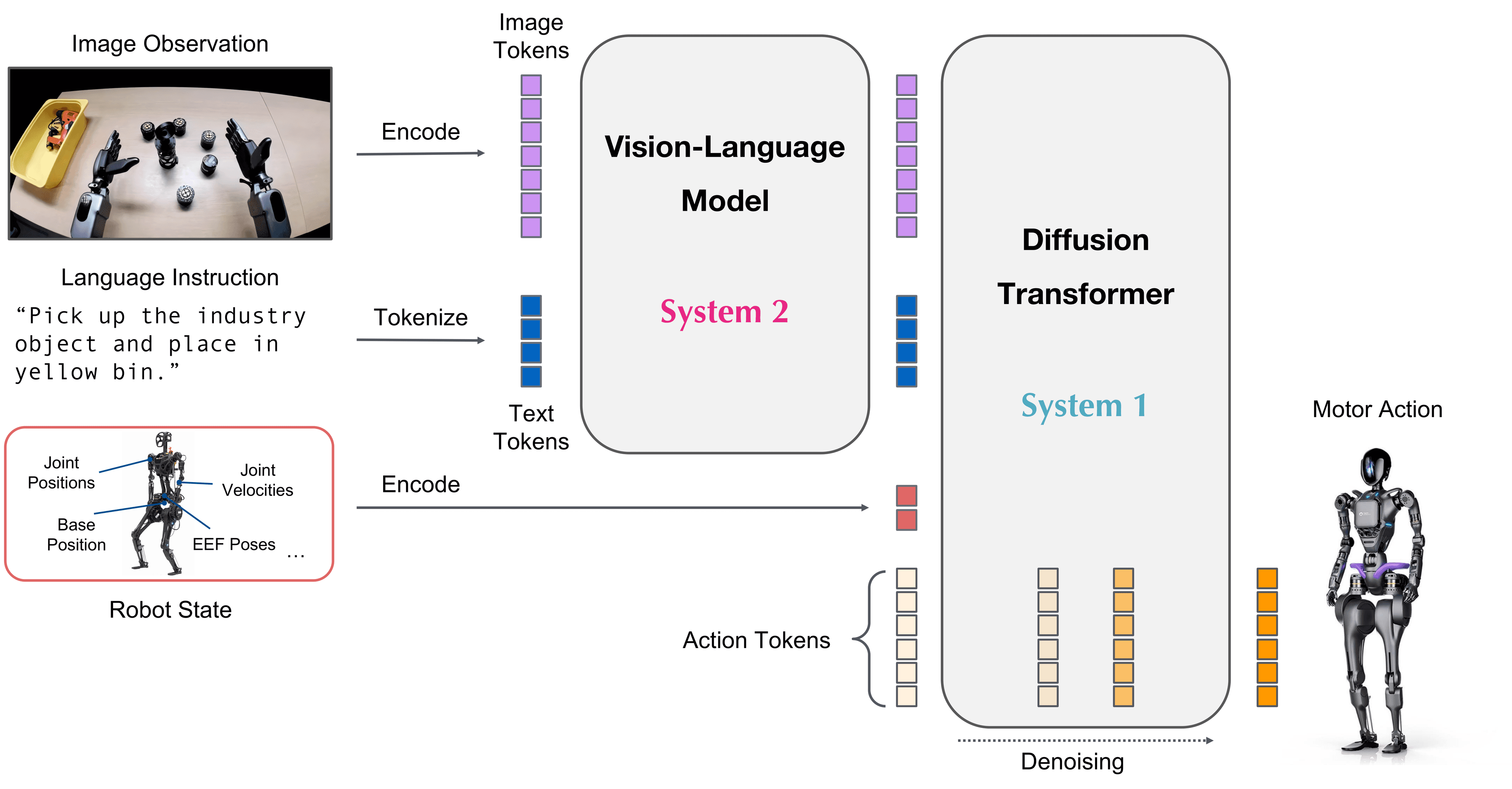
This is the final post of the GR00T N1 + Unitree G1 series. The previous post deployed the stack on G1. This post: making it reliably work outside sim — sim2real transfer — and measuring performance scientifically.
What is the sim2real gap and why does it matter
When you train in Isaac Sim and deploy on a real G1, you'll encounter the "sim2real gap" — behavior looks great in sim but differs on the real robot. Main causes:
Sim:                        Real robot:
├── Ideal friction           ├── Carpet/tile/dust changes friction
├── Exact joint torques      ├── Motor backlash, gear compliance
├── Zero sensor noise        ├── IMU noise, encoder jitter
├── Instantaneous actuators  ├── Actuator delay ~5-10ms
├── Perfect mass params      ├── Payload, component wear
└── No cable drag            └── Cable tension affects joints
No sim is perfect. The goal is to narrow the gap enough that the policy from sim still works on real.
Domain Randomization in Isaac Lab
The primary solution: randomize simulation parameters during training so the policy learns to be more robust.
# Isaac Lab domain randomization config
# File: groot_wbc/configs/domain_rand_g1.yaml

domain_randomization:
  enabled: true

  # Friction randomization
  ground_friction:
    range: [0.5, 1.5]        # realistic range: 0.6–1.2 depending on floor
    sample_per_episode: true  # resample each episode

  robot_friction:
    range: [0.3, 0.8]         # joint-level friction

  # Mass randomization (±20%)
  body_mass:
    range: [0.8, 1.2]         # scale factor
    per_body: true

  # Actuator delay
  actuator_delay_ms:
    range: [0, 15]            # 0–15ms random delay

  # Sensor noise
  imu_noise:
    gyro_std: 0.02            # rad/s
    accel_std: 0.1            # m/s²

  joint_encoder_noise:
    std: 0.005                # rad, per joint

  # Push perturbations (makes robot robust to external forces)
  random_push:
    enabled: true
    force_range: [0, 50]      # N
    interval_s: [3, 8]        # every 3-8 seconds
    direction: "random"
Apply during training:
python scripts/finetune.py \
  --config configs/finetune_g1_pickplace.yaml \
  --domain_rand configs/domain_rand_g1.yaml
Domain randomization typically increases training time by ~30% but sim2real transfer improves noticeably.
Actuator Modeling: the biggest gap to close
Actuator delay is the largest source of sim2real gap. G1 uses servo motors with ~8ms delay:
# Add actuator model to Isaac Lab env
# File: groot_wbc/envs/g1_env.py

from isaaclab.actuators import DelayedPDActuator

actuator_cfg = DelayedPDActuator(
    joint_names_expr=[".*"],   # all joints
    effort_limit=150.0,
    velocity_limit=5.0,

    # PD params (match real robot)
    stiffness={".*shoulder.*": 150.0, ".*elbow.*": 80.0, ".*hip.*": 200.0},
    damping={".*shoulder.*": 10.0, ".*elbow.*": 5.0, ".*hip.*": 15.0},

    # Delay modeling
    delay_range=(0.005, 0.012),  # 5–12ms delay range

    # Gear compliance
    gear_ratio={".*": 1.0},
    armature={".*": 0.01},       # rotor inertia
)
After adding the actuator model, sim performance will drop slightly but real-robot transfer improves.
Evaluating with humanoid-bench
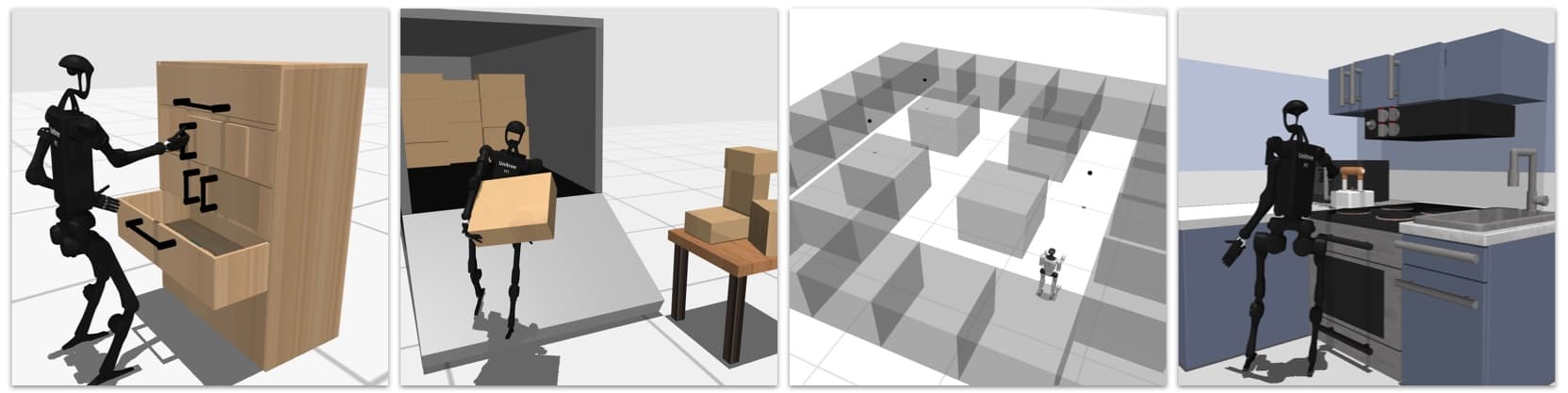
Before claiming "the policy works," you need specific numbers. humanoid-bench is the standard for comparing against papers.
Installation
git clone https://github.com/carlosferrazza/humanoid-bench.git
cd humanoid-bench
pip install -e .

# Add G1 model
cp groot_wbc/robots/g1/g1.xml humanoid_bench/assets/robots/
Running eval
# Evaluate pick-and-place task
python humanoid_bench/evaluate.py \
  --robot g1 \
  --task "h1_pick_place"   # or G1-equivalent task
  --policy_checkpoint ./runs/g1_pickplace/checkpoint_best/ \
  --num_episodes 100 \
  --seed 42

# Output:
# Task: h1_pick_place | Robot: G1
# Episodes: 100
# Success rate:      82/100 = 82%
# Mean episode time: 14.3s ± 2.1s
# Grasp success:     91/100 = 91%
# Place success:     82/100 (given successful grasp)
Key metrics
| Metric | Meaning | Target |
|---|---|---|
| Success rate | Task completion | ≥ 80% sim, ≥ 60% real |
| Grasp success | Correctly grasping object | ≥ 90% |
| Mean episode time | Speed | < 20s for simple pick-place |
| Balance fall rate | Robot falls during eval | 0% |
Eval on real robot
# With real G1 — run eval via Unitree SDK
python humanoid_bench/evaluate_real.py \
  --robot g1 \
  --policy_checkpoint ./runs/g1_pickplace/checkpoint_best/ \
  --num_episodes 20 \   # fewer because real robot is slower
  --task "pick_place_red_cup"
Debug guide: common failure modes
1. Robot loses balance when arm extends far
Symptom: G1 tips forward when arm extends > 0.5m.
Cause: SONIC CoM estimation wrong when arm configuration changes.
Fix:
# groot_wbc/configs/sonic_g1.yaml
com_compensation:
  arm_mass_fraction: 0.15   # increase from 0.10 if robot has heavy arms
  update_rate_hz: 50        # increase for faster CoM updates
2. Arm jerks when receiving new target from N1
Symptom: Arm movement not smooth, jerks every ~150ms (matching N1 inference rate).
Cause: GEAR not smoothing transitions between new and old targets.
Fix:
# groot_wbc/configs/gear_g1.yaml
target_smoothing:
  enabled: true
  alpha: 0.3   # EMA filter — 0.1 (very smooth) to 0.9 (responsive)
3. Gripper won't release object
Symptom: Gripper closes OK but won't open at the right time.
Cause: N1 not predicting gripper open strongly enough, or threshold too high.
Fix:
# Lower threshold to make gripper open more easily
action_config:
  gripper_open_threshold: 0.3   # from 0.5 down to 0.3
4. Object position prediction is off by 5-10cm
Symptom: Arm reaches the wrong position consistently.
Cause: Camera calibration wrong or lighting different from training.
Fix:
- Recalibrate wrist cameras:
python scripts/calibrate_cameras.py - Collect more data under varied lighting conditions
5. Large sim2real gap — works in sim but fails on real
Most common cause: actuator delay not modeled in sim.
Quick fix: add actuator_delay_ms: [5, 12] to domain rand config and retrain ~50 epochs.
Improving the policy — if performance isn't good enough
In order of things to try:
- Collect more data — add 50 demos, especially from failure cases
- Increase data diversity — different lighting, different object positions
- Increase domain randomization — wider friction range, larger push forces
- Fine-tune further from best checkpoint, with lower lr (1e-5)
- Check camera calibration — the most overlooked cause
Series wrap-up
Across 5 posts, you've covered the complete pipeline:
| Post | Input | Output |
|---|---|---|
| 1: Architecture | — | Understand decoupled architecture |
| 2: Data | Robot + sim | LeRobot dataset |
| 3: Training | LeRobot dataset | GR00T N1 checkpoint |
| 4: Deploy | Checkpoint + G1 | Stack running on robot |
| 5: Eval (this post) | Stack on robot | Benchmark numbers + fixes |
Adapting for other robots: posts 1, 2, and 4 each have a specific "adapt guide" — swap URDF + joint config is 80% of the work.
References
- GR00T-WBC paper (arxiv:2506.08000)
- humanoid-bench (arxiv:2312.03586)
- Isaac Lab domain randomization docs
- Sim2real survey for legged robots (arxiv:2109.14635)