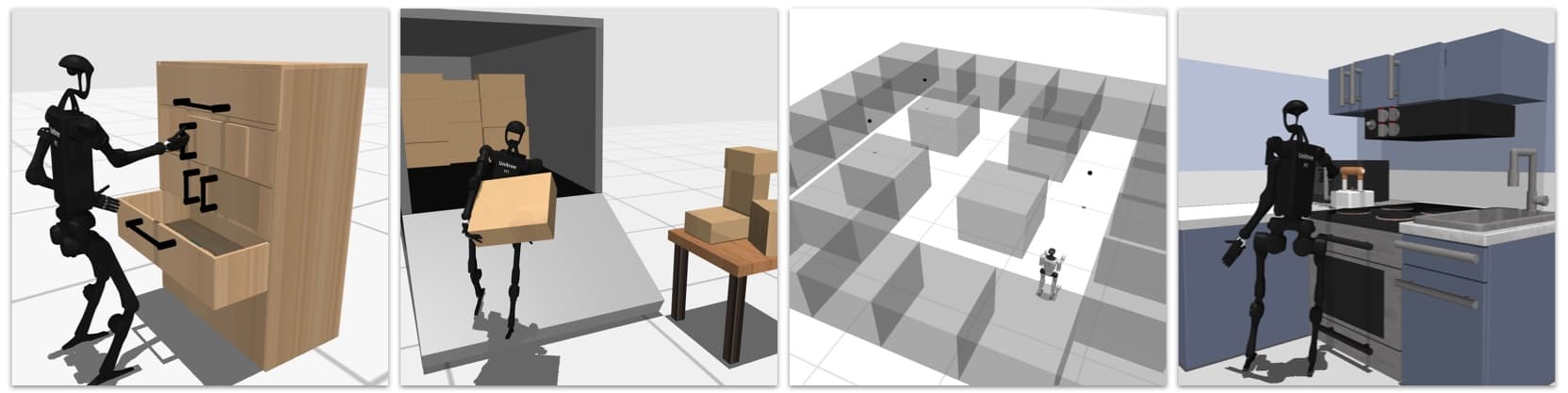
GR00T N1 + G1 (Post 2): data collection in Isaac Lab and xr_teleoperate → LeRobot
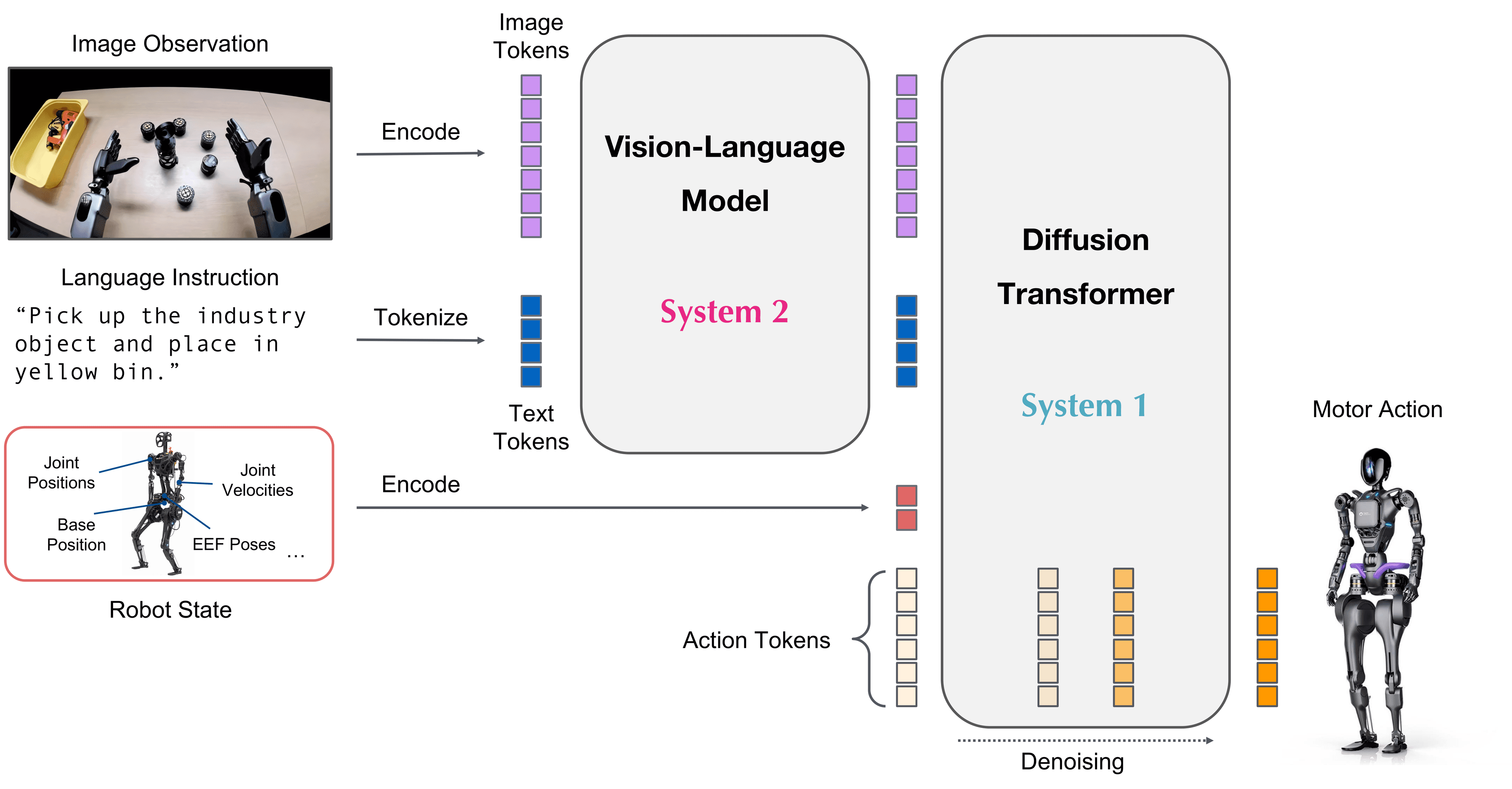
This is post 2 of the GR00T N1 + Unitree G1 series. The previous post covered the architecture. This post: actually collecting data — two tracks depending on whether you have hardware.
Track A (no G1): Isaac Lab simulation teleop → LeRobot
Track B (real G1): xr_teleoperate with Meta Quest 3 → LeRobot
Both tracks produce the same output format: a LeRobot dataset — the standard input for GR00T N1 fine-tuning.
What is LeRobot format?
LeRobot is HuggingFace's standard dataset format for robot learning. GR00T N1 uses this format because it generalizes across all robots.
dataset/
├── meta/
│   └── info.json           ← robot type, joints, camera names, fps
├── data/
│   └── chunk-000/
│       ├── episode_000000/ ← one demonstration
│       │   ├── observation.images.left_wrist.mp4
│       │   ├── observation.images.right_wrist.mp4
│       │   ├── observation.images.head.mp4
│       │   └── data.parquet ← joint states + actions + timestamps
│       ├── episode_000001/
│       └── ...
└── stats.json              ← mean/std for normalization
A data.parquet file contains:
timestamp | obs/joint_pos (29,) | obs/joint_vel (29,) | action/left_ee_pose (7,) | action/right_ee_pose (7,) | action/gripper (2,)
Track A: Isaac Lab simulation (no G1 needed)
Install Isaac Lab
# Requires Isaac Sim 4.x (free from NVIDIA Omniverse launcher)
# Then install Isaac Lab
git clone https://github.com/isaac-sim/IsaacLab.git
cd IsaacLab

# Install into Isaac Sim Python environment
./isaaclab.sh --install

# Verify
python -c "import isaaclab; print('OK')"
Clone Isaac-GR00T and teleop env
git clone https://github.com/NVIDIA/Isaac-GR00T.git
cd Isaac-GR00T

# Install dependencies
pip install -e ".[isaaclab]"

# See available task environments
ls getting_started/demo_collection/
Collect data with keyboard teleop
GR00T repo provides a teleop controller for G1 in Isaac Lab:
cd Isaac-GR00T

# Launch teleop environment — G1 in Isaac Sim
python getting_started/demo_collection/collect_demos_teleop.py \
  --robot g1 \
  --task PickPlace \
  --num_demos 50 \
  --output_dir ./data/g1_pickplace \
  --teleop_device keyboard

# Keyboard controls in sim:
#   WASD      — move left end-effector
#   IJKL      — move right end-effector
#   Q/E       — up/down
#   Space     — toggle gripper
#   Enter     — save demo, start next
#   Esc       — discard current demo
Swap robot in Isaac Lab
# In collect_demos_teleop.py, robot is loaded via URDF path:
robot_cfg = RobotCfg(
    urdf_path="robots/g1/g1.urdf",              # ← change this path
    joint_config="robots/g1/joint_config.yaml"  # ← change this config
)

# Example for Agility Digit:
robot_cfg = RobotCfg(
    urdf_path="robots/digit/digit.urdf",
    joint_config="robots/digit/joint_config.yaml"
)
Convert to LeRobot format
# After collecting enough demos, convert to LeRobot
python getting_started/demo_collection/convert_to_lerobot.py \
  --input_dir ./data/g1_pickplace \
  --output_dir ./data/g1_pickplace_lerobot \
  --robot g1 \
  --fps 30

# Verify the dataset
python -c "
from lerobot.common.datasets.lerobot_dataset import LeRobotDataset
ds = LeRobotDataset('./data/g1_pickplace_lerobot')
print(f'Episodes: {ds.num_episodes}')
print(f'Frames: {ds.num_frames}')
print(f'Keys: {ds.features.keys()}')
"
Track B: xr_teleoperate with real G1
Hardware needed
- Unitree G1 with
unitree_sdk2SDK - Meta Quest 3 ($499) — recommended for price and ease of setup
- A workstation on the same LAN as the G1
Setup
git clone https://github.com/unitreerobotics/xr_teleoperate.git
cd xr_teleoperate

pip install -r requirements.txt

# Install Unitree SDK
pip install unitree_sdk2py

# Connect G1:
# 1. Power on G1, connect LAN cable workstation ↔ G1
# 2. Set IP: sudo ifconfig eth0 192.168.123.100 (per Unitree docs)
# 3. Verify: ping 192.168.123.161 (G1 default IP)
Run teleoperation
# Terminal 1: start robot controller
python teleop/robot_controller.py \
  --robot g1 \
  --mode arm_only    # or whole_body to also move legs

# Terminal 2: connect Meta Quest
python teleop/quest_receiver.py \
  --quest_ip 192.168.123.XXX   # Quest IP on your LAN

# Terminal 3: start recording
python teleop/record_demo.py \
  --output_dir ./demos/g1_task1 \
  --task_name "pick_red_cup" \
  --cameras left_wrist right_wrist head
In Quest:
- Open xr_teleoperate app (sideloaded APK)
- Use hands to control robot arms — movement retargeted automatically
- Pinch fingers = close gripper
- Look in a direction → head camera records that view
Convert to LeRobot
python convert/convert_xr_to_lerobot.py \
  --input_dir ./demos/g1_task1 \
  --output_dir ./data/g1_task1_lerobot \
  --robot g1

# For other robots — xr_teleoperate supports any robot with joint names:
python convert/convert_xr_to_lerobot.py \
  --input_dir ./demos/your_robot_task \
  --output_dir ./data/your_robot_lerobot \
  --robot_config path/to/your/joint_config.yaml
Data quality checklist
Before running fine-tune, verify your dataset:
python getting_started/demo_collection/verify_dataset.py \
  --dataset_dir ./data/g1_pickplace_lerobot

# Checks that run:
# [x] Number of episodes >= 50 (minimum)
# [x] No NaN in joint positions
# [x] Camera frames synced with joint data (< 5ms offset)
# [x] Demo length 5-30 seconds (too short or too long both bad)
# [x] Success rate > 80% (don't collect too many failed demos)
Tips for good data:
| Tip | Reason |
|---|---|
| Collect at least 50 demos for simple tasks, 200+ for complex | Policy needs enough variance to generalize |
| Vary object position every 5 demos | Prevents policy from overfitting to one position |
| Demo at moderate speed — not too fast, not too slow | Joint velocity must stay within operating range |
| Record failed demos too (but label separately) | Use for data augmentation later |
| Keep camera frame rate consistent (30Hz) | Inconsistent FPS breaks temporal modeling |
Visual dataset inspection
# Replay one episode in Isaac Sim to verify
python getting_started/demo_collection/replay_demo.py \
  --dataset_dir ./data/g1_pickplace_lerobot \
  --episode_idx 0 \
  --robot g1

# Or inspect per-camera video
python -c "
import cv2
from lerobot.common.datasets.lerobot_dataset import LeRobotDataset

ds = LeRobotDataset('./data/g1_pickplace_lerobot')
for frame in ds.get_episode_frames(0, camera='observation.images.left_wrist'):
    cv2.imshow('left_wrist', frame)
    cv2.waitKey(33)  # 30fps
"
Summary: what you need before post 3
./data/g1_pickplace_lerobot/
├── meta/info.json          ← robot: g1, cameras: 3, fps: 30
├── data/chunk-000/
│   ├── episode_000000/ ... episode_000049/
│   └── (at least 50 episodes)
└── stats.json
Next: Fine-tune GR00T N1 with the collected dataset.
References
- Isaac-GR00T data collection guide
- xr_teleoperate README
- LeRobot dataset format docs
- Isaac Lab installation