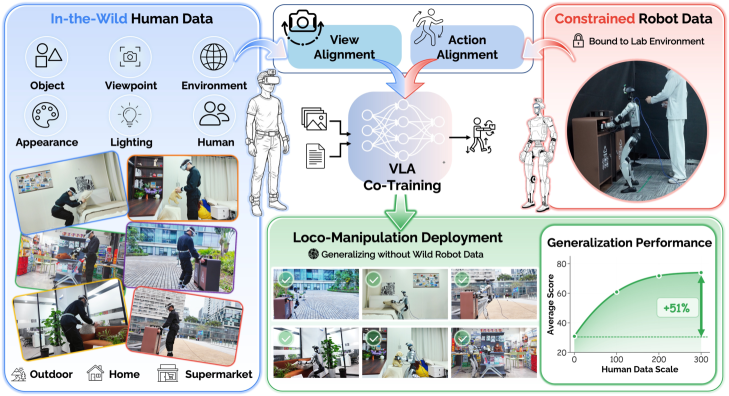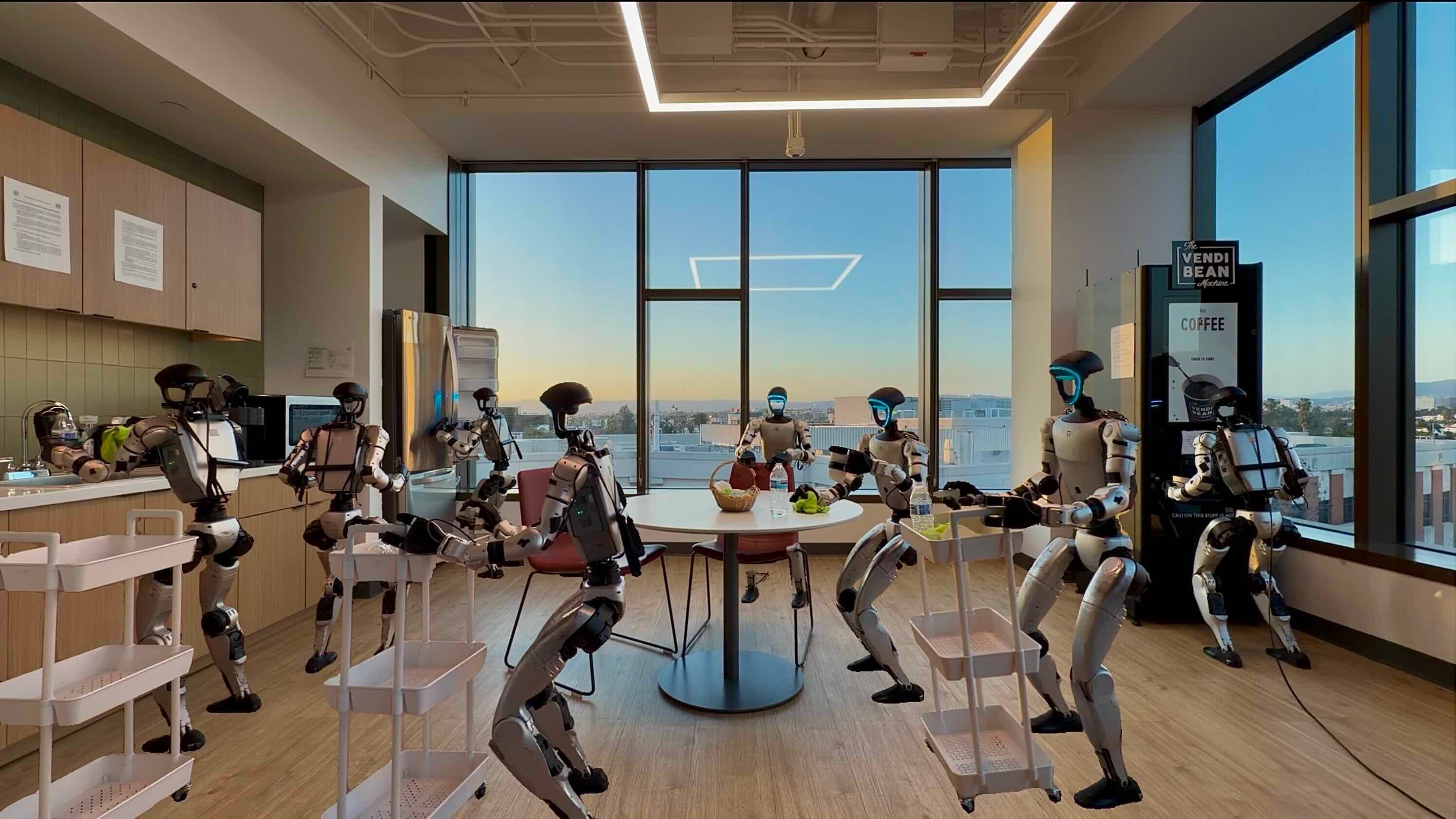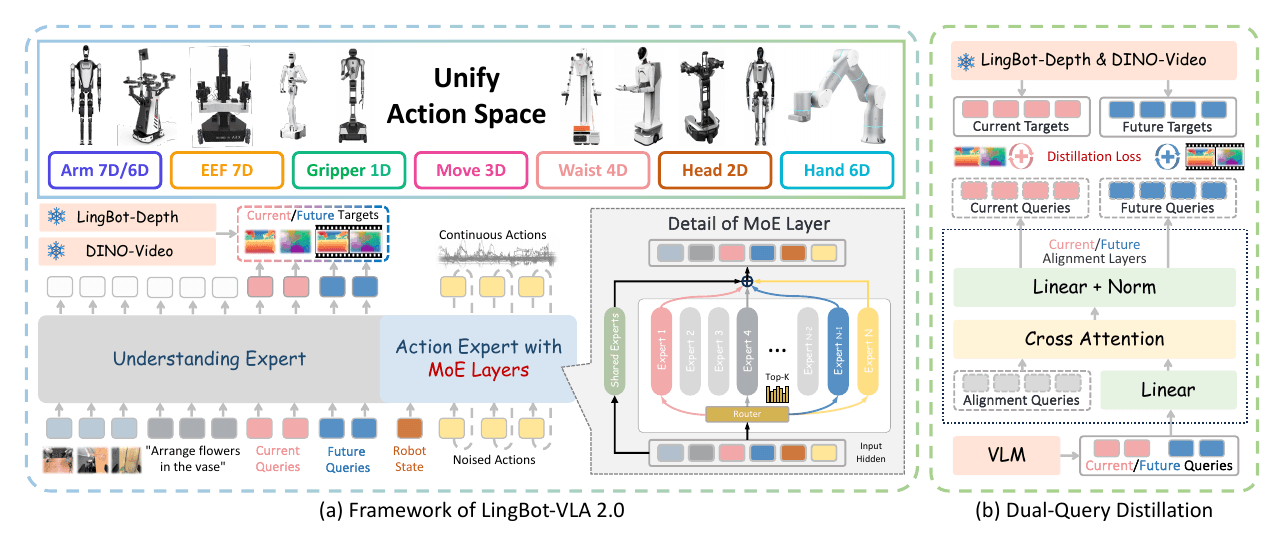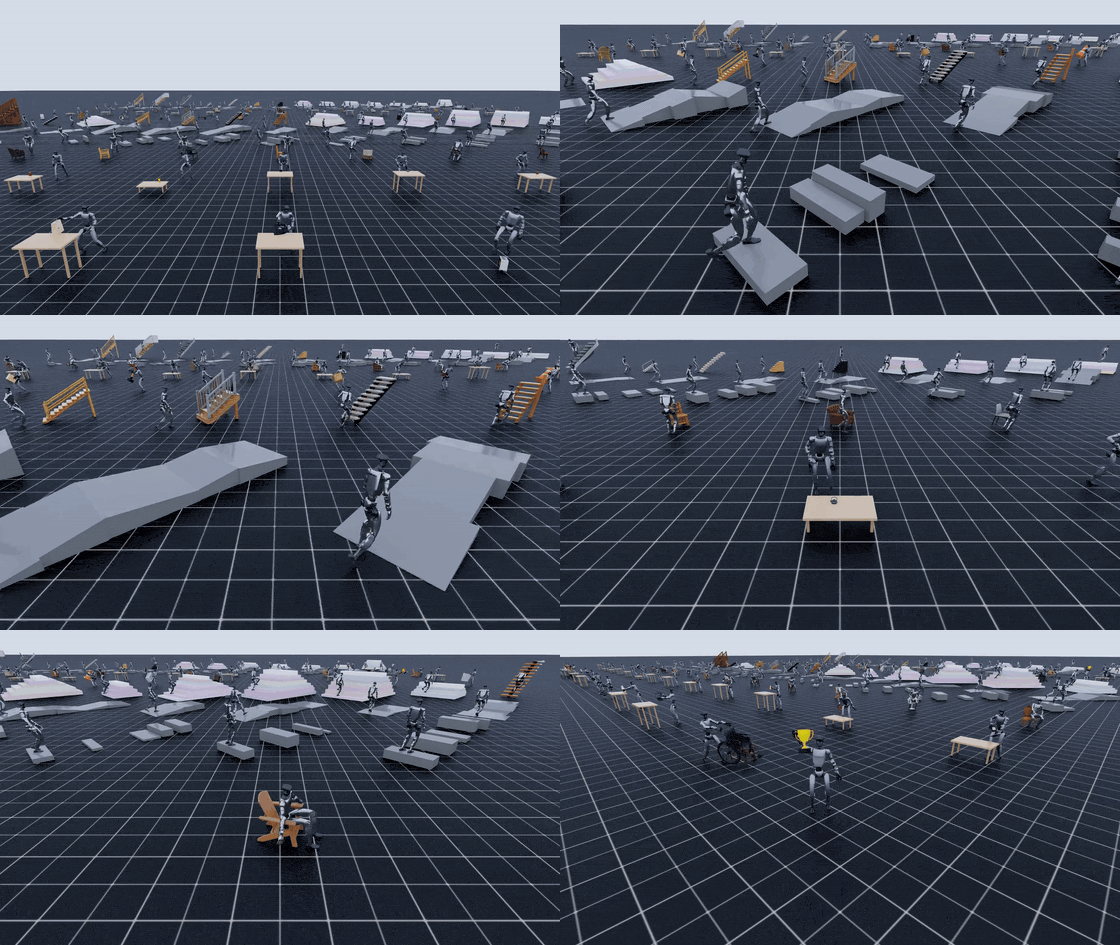
What problem does GRAIL solve?
Whole-body manipulation on a humanoid is not just arm control. A Unitree G1 has to walk into a useful pose, adjust its center of mass, coordinate torso and hands, maintain balance, make contact with an object, and recover to a stable posture. Collecting this data with teleoperation or motion capture is possible, but it is expensive to scale. Every new object, height, terrain shape, chair, stair, and manipulation style requires another round of physical setup and human operation.
GRAIL, short for Generating Humanoid Loco-Manipulation from 3D Assets and Video Priors, proposes a more scalable route: keep data generation fully digital until deployment. The original paper is available as arXiv:2606.05160, the project page is hosted by NVIDIA Research, the code is in NVlabs/GRAIL, and the released dataset is on Hugging Face.
The key idea is subtle but important. GRAIL does not start from random internet videos and try to guess all geometry afterward. It starts from a fully specified 3D configuration: object mesh, camera intrinsics and extrinsics, metric scale, environment depth, and a SMPL-X character pre-fitted to Unitree G1-like proportions. Then it uses a video foundation model to synthesize a human-object interaction video, reconstructs metric 4D human-object trajectories, retargets them to the G1, trains tracking policies in simulation, and distills them into egocentric visual policies.
If you are new to VLA models, start with VLA models in robotics. This guide focuses on the data pipeline and how to use GRAIL-style data to fine-tune whole-body manipulation policies.
The paper idea in one diagram
Think of GRAIL as a data factory for humanoid loco-manipulation:
3D object / terrain asset
        |
        v
Known 3D scene + G1-proportioned human character
        |
        v
Blender render first frame + VLM prompt
        |
        v
Video foundation model creates human-object video
        |
        v
4D HOI reconstruction
  - SMPL-X body and hands
  - object 6-DoF pose
  - metric depth and contact optimization
        |
        v
Retarget SMPL-X -> Unitree G1
        |
        v
SONIC task-general tracking in Isaac Lab
        |
        v
Egocentric RGB policy / VLA fine-tuning
        |
        v
Real Unitree G1 deployment
The paper reports more than 20,000 generated sequences across tabletop pick-up, ground pick-up, whole-body manipulation, sitting, curbs, slopes, and stairs. Using only GRAIL-generated data, the authors deploy on a real Unitree G1 and report 84% success for diverse object pick-up and 90% success for stair climbing. For pick-up, they train 200 approach-and-pick-up sequences per object across cubes, apples, tea boxes, carrots, and wet wipes; unseen objects still average 80% success.
Architecture: three data layers, two policy layers
GRAIL is not a single neural network. It is a pipeline that combines graphics, video generation, 4D reconstruction, retargeting, physics-based tracking, and visual policy learning.
| Layer | Input | Output | Main tools |
|---|---|---|---|
| Asset-conditioned video generation | 3D asset, scene, camera, prompt | Synthetic HOI video | Blender, VLM, Kling AI |
| 4D HOI reconstruction | Video plus known scene context | SMPL-X motion plus object 6-DoF | GEM-SMPL, WiLoR, FoundationPose, SAM2, MoGe |
| Robot retargeting | SMPL-X and object motion | G1 joint trajectory plus USD assets | GMR, Isaac Lab |
| Task-general tracking | Retargeted motion library | Executable robot actions | SONIC |
| Visual/VLA policy | Egocentric RGB plus proprioception | Latent tokens/actions | Diffusion/VLA-style policy, optional GR00T fine-tune |
1. Robot-centric human video generation
GRAIL generates human videos rather than robot videos because current video foundation models have stronger priors for humans manipulating objects, sitting, stepping, carrying, and pushing. Human reconstruction tools are also more mature than robot reconstruction tools. SMPL-X, MANO, ViTPose, WiLoR, and related estimators provide usable body and hand motion from video.
To reduce morphology mismatch, the human character is pre-fitted to the Unitree G1 body proportions. The video still looks like a human interaction, but its body scale and limb proportions are closer to the target humanoid, which makes retargeting easier.
A minimal generation run looks like this:
# Smoke-test example from the GRAIL docs
source .env   # OPENAI_API_KEY, KLING_ACCESS_KEY, KLING_SECRET_KEY, HF_TOKEN

python -m grail.pipelines.gen_terrain \
  --type stairs \
  --num 5 \
  --output_dir data/syn_stairs

python -m grail.pipelines.gen_2dhoi \
  --dataset ComAsset \
  --category cordless_drill \
  --character kid \
  --results_dir results \
  --video_model_api kling-ai
Blender renders the first frame with known camera parameters. A VLM turns the rendered frame into an interaction prompt, and the video foundation model synthesizes the interaction under a static-camera setup. Because the camera and scene are known, later reconstruction does not need to infer everything from scratch.
2. 4D human-object interaction reconstruction
This is the most technical part of the system. The output cannot just be a plausible video. It must be a trajectory that can supervise robot learning:
sample = {
    "human": "SMPL-X pose per frame",
    "object": "6-DoF pose per frame",
    "contacts": "hand/object or body/scene contact labels",
    "camera": "known intrinsics and extrinsics",
    "scale": "metric scale aligned to rendered scene",
}
Human motion is estimated with GEM-SMPL/GENMO as SMPL-X. Hands are refined with WiLoR/MANO, interpolated through missing detections, and smoothed to reduce jitter. Object motion is tracked with FoundationPose, initialized from the known first-frame object pose. FoundationPose receives the object mesh, texture, and camera parameters, which makes 6-DoF tracking much better conditioned than unconstrained in-the-wild tracking.
GRAIL then runs joint optimization because independent estimates often create floating contacts, penetration, scale drift, or foot skating. The optimization objective combines several losses:
| Loss | Purpose |
|---|---|
L_kp |
Keep body and hand keypoints aligned with the video |
L_proj |
Keep object projection aligned with FoundationPose |
L_depth |
Align metric depth using MoGe plus known background depth |
L_cont |
Encourage plausible hand-object or body-scene contact |
L_reg |
Reduce foot skating, velocity drift, and temporal jitter |
For beginners, the important lesson is that the known 3D scene turns an ambiguous video problem into a constrained reconstruction problem. GRAIL knows the camera, object mesh, scene scale, and background depth. That gives depth alignment and contact alignment a real geometric anchor.
3. Retargeting to Unitree G1
After reconstruction, the motion is still human SMPL-X motion. GRAIL uses GMR to retarget it to the Unitree G1. The expected output is a robot-ready motion library:
data/motion_lib/<name>/
  robot/       # G1 joint trajectories, one pkl per motion
  objects/     # object 6-DoF trajectories
  object_usd/  # Isaac Lab-ready USD assets
  meta/        # table pose, object name, sequence metadata
  bps/         # shape encoding for multi-object manipulation
End-to-end retargeting:
conda activate sonic
export DISPLAY=:1

bash grail/retargeting/scripts/retarget_pipeline.sh \
  data/genhoi/benchmark_v3/generation/4dhoi_recon_valid/Hunyuan \
  benchmark_v3_0203
Individual stages:
python -m grail.retargeting.retarget \
  --data_dir data/genhoi/benchmark_v3/generation/4dhoi_recon_valid/Hunyuan \
  --all \
  --robot unitree_g1 \
  --no_viewer \
  --output_dir data/motion_lib/benchmark_v3_0203

python -m grail.retargeting.process \
  --input data/motion_lib/benchmark_v3_0203 \
  --output data/motion_lib/benchmark_v3_0203_ha \
  --meta_pkl grail/retargeting/data/g1_skeleton_meta.pkl \
  --include_contact_points \
  --grasp_from_lift \
  --lift_threshold 0.02 \
  --grasp_anticipation_frames 10 \
  --skip_no_lift \
  --per_object

python -m grail.retargeting.compute_bps \
  --object_usd_dir data/motion_lib/benchmark_v3_0203/object_usd \
  --output_dir data/motion_lib/benchmark_v3_0203/bps
For terrain or sitting data, GRAIL recommends --zero_out_wrist because those tasks do not require hand IK.
Installing GRAIL
The repository is tested on Ubuntu 22.04+ with NVIDIA GPUs including A6000, RTX 4090, RTX 5090, and RTX 6000 Ada. It uses three environments:
| Env | Python | Used for |
|---|---|---|
grail |
3.10 | 2D generation, 4D reconstruction, optimization |
hunyuan |
3.10 | Hunyuan3D-2.1 asset generation |
sonic |
3.11 | retargeting, Isaac Lab, task-general tracking |
The easiest setup path is Docker:
docker pull docker.io/nvgrail/grail:latest

docker run --gpus all -it --shm-size=16g \
  -v /path/to/grail:/workspace/grail \
  docker.io/nvgrail/grail:latest

cd /workspace/grail
bash scripts/setup/install_env_docker.sh
bash scripts/setup/download_checkpoints.sh
conda activate grail
source .env
If you need full retargeting or SONIC training:
bash scripts/setup/install_env_sonic.sh
Minimum environment variables:
export CUDA_HOME=/usr/local/cuda-12.1
export PYOPENGL_PLATFORM=egl
export OMNI_KIT_ACCEPT_EULA=Yes
export OPENAI_API_KEY=<your-key>
export KLING_ACCESS_KEY=<your-key>
export KLING_SECRET_KEY=<your-key>
export HF_TOKEN=<your-token>
Plan for disk usage. GEM-SMPL is roughly 14 GB, GEM-SOMA is roughly 6.4 GB, FoundationPose is roughly 250 MB, and the setup also pulls SMPL-X body models and RealESRGAN. Isaac Sim/Lab for the sonic environment adds a large extra install.
Training: from motion library to policy
GRAIL trains task-general tracking policies on top of SONIC instead of fitting a separate controller for every object. For manipulation, it adds an object-aware latent adaptor. The adaptor reads object state and motion context, modulates controller latent tokens, and emits hand actions. For terrain and sitting, GRAIL uses a scene-aware tracker with a height-map encoder, which helps the controller adapt stepping and body alignment to scene geometry.
A pick-up smoke test:
conda activate sonic
export HYDRA_FULL_ERROR=1 PYTHONUNBUFFERED=1 WANDB_MODE=offline

cd imports/SONIC
python -u train_agent_trl.py \
  +exp=manager/universal_token/hoi/pnp_table \
  num_envs=4 \
  headless=True \
  ++algo.config.num_learning_iterations=3 \
  ++manager_env.config.gpu_collision_stack_size_exp=28 \
  ++manager_env.commands.motion.motion_lib_cfg.motion_file=${DATA_DIR}/robot \
  ++manager_env.commands.motion.motion_lib_cfg.object_motion_file=${DATA_DIR}/objects \
  ++manager_env.config.object_usd_path=${DATA_DIR}/object_usd \
  ++manager_env.commands.motion.motion_lib_cfg.bps_dir=${BPS_DIR}
A more realistic 8-GPU launch:
conda activate sonic
export HYDRA_FULL_ERROR=1 PYTHONUNBUFFERED=1

cd imports/SONIC
accelerate launch --num_processes=8 train_agent_trl.py \
  +exp=manager/universal_token/hoi/pnp_table \
  num_envs=2048 \
  headless=True \
  ++manager_env.commands.motion.motion_lib_cfg.motion_file=${DATA_DIR}/robot \
  ++manager_env.commands.motion.motion_lib_cfg.object_motion_file=${DATA_DIR}/objects \
  ++manager_env.config.object_usd_path=${DATA_DIR}/object_usd \
  ++manager_env.commands.motion.motion_lib_cfg.bps_dir=${BPS_DIR}
Fine-tuning from a public reference checkpoint:
python -u train_agent_trl.py \
  +exp=manager/universal_token/hoi/pnp_table \
  num_envs=2048 \
  headless=True \
  ++resume=True \
  ++checkpoint=models/pnp_table/last.pt \
  experiment_dir=${FINETUNE_DIR} \
  ++algo.config.num_learning_iterations=10000 \
  ++manager_env.commands.motion.motion_lib_cfg.motion_file=${DATA_DIR}/robot \
  ++manager_env.commands.motion.motion_lib_cfg.object_motion_file=${DATA_DIR}/objects \
  ++manager_env.config.object_usd_path=${DATA_DIR}/object_usd \
  ++manager_env.commands.motion.motion_lib_cfg.bps_dir=${BPS_DIR}
For whole-body VLA fine-tuning, there are two practical ways to use GRAIL:
- Train the GRAIL tracker first, then distill it into an egocentric RGB policy as in the paper.
- Export GRAIL episodes into your VLA dataset format, mix them with a small amount of real teleoperation, and fine-tune a model such as GR00T or a similar policy.
The project page states that the authors also evaluate GRAIL for GR00T fine-tuning. Early co-training uses a 95% GRAIL / 5% teleoperation mixture, improving grasping success over teleoperation-only training and reducing cases where the policy gets stuck before reaching the target. For production, keep some real teleoperation data. It calibrates camera pose, latency, hand compliance, surface friction, and object appearance gaps that synthetic data will not fully cover.
A simple VLA export schema:
def export_episode(grail_motion):
    return {
        "observation": {
            "rgb": render_egocentric(grail_motion),
            "proprio": grail_motion["robot_state"],
            "language": "pick up the object and place it on the table",
        },
        "action": {
            "base": grail_motion["base_velocity"],
            "joints": grail_motion["g1_joint_targets"],
            "hands": grail_motion["hand_dof_pos"],
        },
        "metadata": {
            "object_usd": grail_motion["object_asset"],
            "source": "GRAIL",
            "sim_fps": 25,
        },
    }
If you are building a LeRobot-style pipeline, keep the same discipline: standardize the episode format, log RGB/proprio/action cleanly, and validate sim-to-real behavior before running the real robot.
Inference on Unitree G1
In the paper deployment, the real robot streams head-camera RGB and proprioceptive input to a desktop with an NVIDIA RTX 5090. The desktop runs inference and streams actions back to the G1. The camera is a Luxonis OAK-D W, and inference runs at 10 Hz.
The runtime loop looks like this:
OAK-D W RGB frame
        |
        v
Visual policy / VLA
        |
        v
Latent token or action chunk
        |
        v
SONIC controller / low-level action decoder
        |
        v
Unitree G1 joints + hands
        |
        v
New proprioception and camera frame
Deployment checklist:
| Item | Why it matters |
|---|---|
| Camera extrinsics | Wrong camera pose shifts reaching behavior |
| Joint limits | Synthetic actions may exceed real hardware limits |
| Latency | 10 Hz control needs buffering and watchdogs |
| Hand calibration | Real G1 hand contact differs from simulation |
| Emergency stop | Whole-body manipulation can cause falls and collisions |
| Domain randomization | Randomize lighting, texture, object pose, and camera noise |
A common beginner mistake is deploying too early. Validate each layer first: visualize the trajectory, replay it in Isaac Lab, test the tracker headless, test the visual policy in simulation, run shadow mode on the G1, and only then allow the robot to apply real force.
Results and what they mean
| Experiment | Main result |
|---|---|
| HOI generation on 20 objects | GRAIL reaches 88.9% tracking SR, higher than HOIDiff, CHOIS, and DAViD |
| Task-general tracking | Full model reaches 81.4% SR, above HDMI at 48.5% and ResMimic at 49.2% |
| Real-world pick-up | 84% average on seen objects, 80% on unseen objects |
| Real-world stair climbing | 90% success |
| Dataset scale | More than 20,000 sequences, 1,000 object assets, and 1,000 terrain configurations |
The important takeaway is not only the success rate. GRAIL shows that synthetic data can become useful for humanoid manipulation when it is geometrically controlled. Video priors provide motion realism, known 3D scenes provide metric grounding, and physics simulation filters the data into robot-executable trajectories.
GRAIL still has limitations. It needs 3D assets, simulator-ready scenes, and a video foundation model that follows the intended interaction. Reconstruction can degrade under heavy occlusion, fast motion, inconsistent object appearance, or FoundationPose tracking failure. The filtering stage discards some sequences. Task-general trackers also still need training or fine-tuning when the motion family changes substantially.
Where to start
If you want to try this on a workstation:
- Install the Docker image and run the
cordless_drillquick start. - Inspect
recon_result.mp4andrecon_comparison.mp4. - Retarget one small motion to G1.
- Run the SONIC smoke test with
num_envs=4. - Export the motion into your policy episode format.
- Deploy on real hardware only after stable simulation replay.
GRAIL is a strong fit when you need more humanoid manipulation data than you can reasonably collect with teleoperation. For Unitree G1, the recipe is clear: use 3D assets to define the scene, video priors to generate behavior, 4D reconstruction to recover trajectories, SONIC to turn trajectories into control, and VLA fine-tuning to map perception to action.