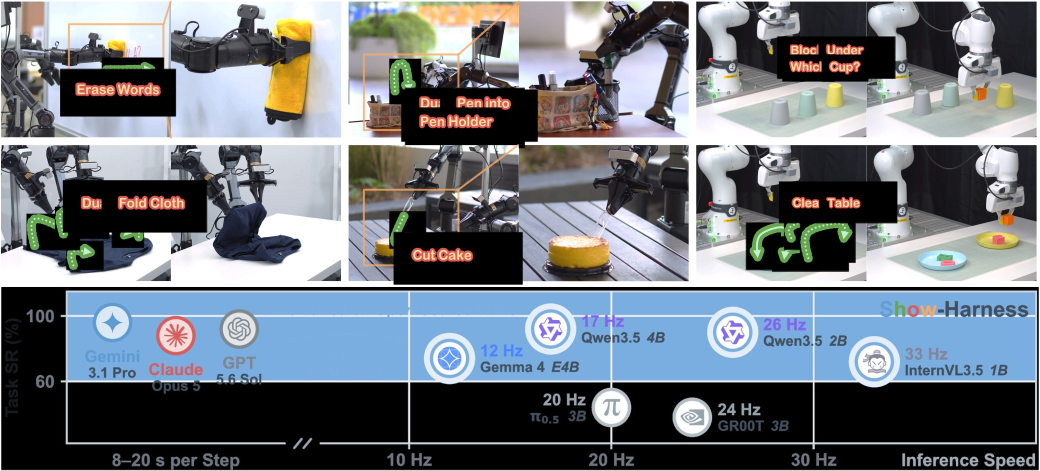
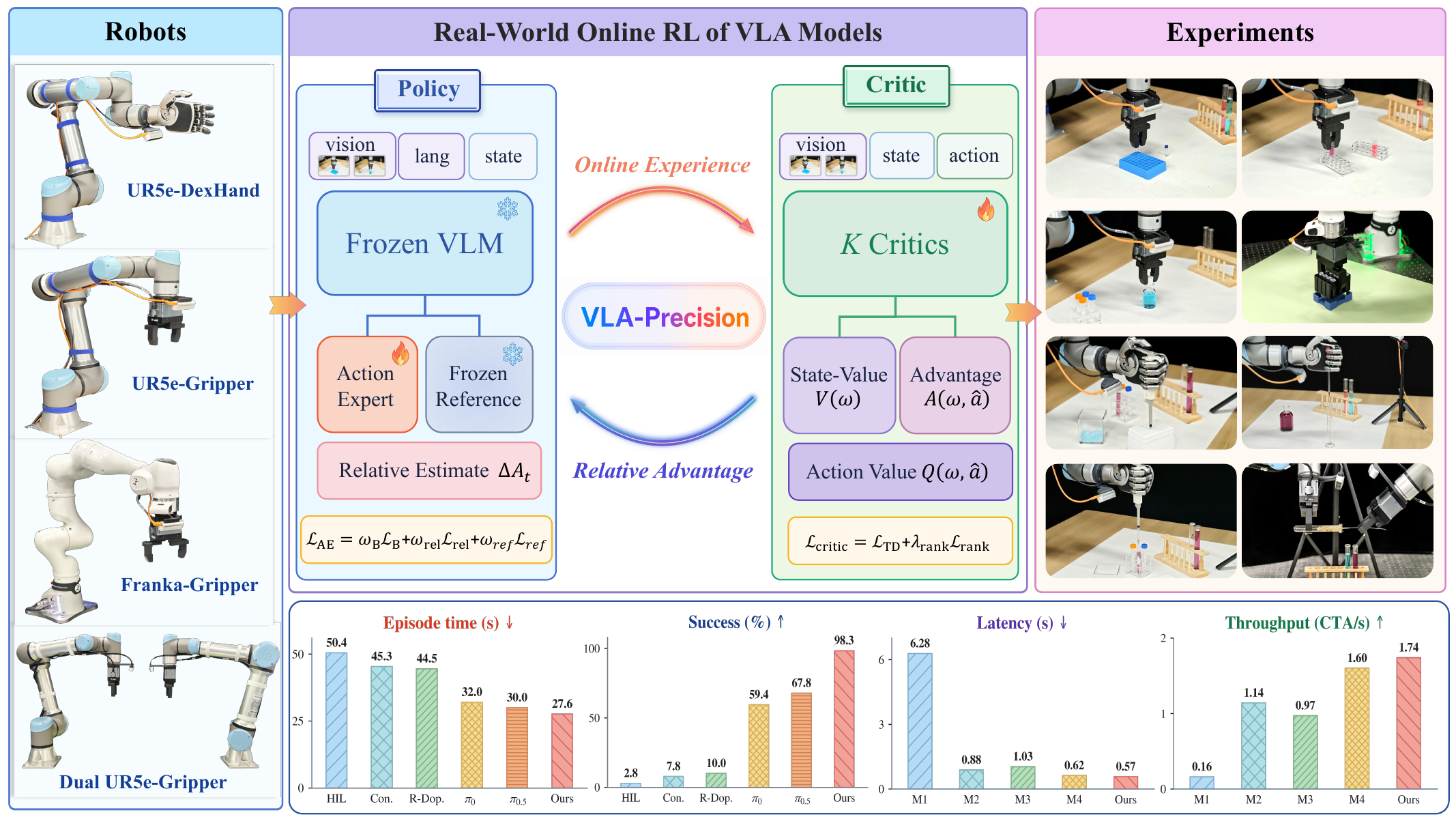
Imagine telling a robot: "Pick up the blue cup" — and it does, even though it was never trained on that specific cup. No data collection, no fine-tuning, no trajectory programming. That is the promise of "Pick Up Anything" — the zero-shot demo Galaxea Dynamics shipped alongside open-sourcing the G0 Plus model in January 2026.
What makes it stand out: Galaxea claims you can get the whole system running in under 30 minutes using Docker. This guide walks you through the entire process — from the paper's idea and dual-system architecture, to installation, downloading checkpoints, running the demo, and fine-tuning on your own task.
What are G0 and G0 Plus?
G0 is the first open-source Vision-Language-Action (VLA) model from Galaxea Dynamics, released with the paper "Galaxea Open-World Dataset and G0 Dual-System VLA Model" (arXiv:2509.00576, September 2025). The goal of the GalaxeaVLA project is to push real-world manipulation forward: long-horizon (multi-step), few-shot (little data), and most importantly — running on real robots in real human environments.
G0 Plus is the upgraded version, pre-trained on over 2,000 hours of real-world robot data (versus 500+ hours for the original). It is the model powering the "Pick Up Anything" demo: the robot takes natural-language commands and grasps objects it has never seen in training — true zero-shot embodied intelligence.
To see where G0 fits in today's VLA landscape, read the overview on VLA in Robot Manipulation first.
Dual-System Architecture: a slow brain + fast muscles
The core of G0 is its dual-system architecture — splitting robot intelligence into two complementary parts, inspired by the "thinking fast and slow" idea from psychology:
| Component | Role | Speed |
|---|---|---|
| G0-VLM | "System 2" — planner: multimodal reasoning, breaks big tasks into subtasks | Slow, step-wise |
| G0-VLA | "System 1" — executor: generates fine-grained actions, low-level real-time control | Fast, continuous |
G0-VLM is a Vision-Language Model that looks at camera images + the user command, then decides "what to do next" (e.g., "move to the table" → "reach toward the cup" → "close the gripper"). G0-VLA takes that subtask plus the current observation and produces the action sequence to drive the robot joints.
This separation lets G0 handle long, complex tasks that a single model cannot. If you have read about OpenHelix — Dual-System VLA, you will recognize this as the broader trend shaping the new generation of VLAs.
Inside G0-VLA
G0-VLA is built on the PaliGemma-3B backbone (google/paligemma-3b-pt-224) — a 3-billion-parameter VLM from Google. The action-generating part is an Action Transformer trained with a flow-matching loss (a technique similar to diffusion, producing smooth and accurate actions).
The G0-VLA training pipeline has two major stages:
- Stage 1 — Cross-embodiment pre-training: The VLM is pre-trained on data from many different robots, autoregressively (predicting the next token). The robot learns "general world knowledge."
- Stage 2 — Single-embodiment pre-training: Training continues on the Galaxea Open-World Dataset, with camera views and instructions specific to a single robot type, using a flow-matching loss on the Action Transformer.
A key finding of the paper: single-embodiment pre-training is the decisive factor for real-world performance. Training across many random robots sounds more "general," but in practice the noise from different viewpoints and dynamics hurts the model. This is the opposite stance to pure cross-embodiment approaches like X-VLA — a trade-off worth pondering.
The Galaxea Open-World Dataset
G0's strength comes from data. The Galaxea Open-World Dataset (GOD) contains over 500 hours of real-world mobile manipulation data, collected in genuine living environments: homes, kitchens, retail stores, offices.
Three things make GOD stand out:
- Consistent embodiment — all data is collected on the same robot type, eliminating noise from hardware differences.
- Subtask-level annotations — every clip has detailed language annotations for each small step, not just one overall command.
- Standard formats — released as LeRobot and RLDS on HuggingFace, easy to plug into existing pipelines. If you are new to LeRobot, see the LeRobot ecosystem guide.
Open-source checkpoints
GalaxeaVLA provides several checkpoints on HuggingFace for different purposes:
| Checkpoint | Params | Used for |
|---|---|---|
G0_3B_base |
3B | Baseline for fine-tuning |
G0Plus_3B_base |
3B | Enhanced pre-training (2k hours+), high-quality fine-tuning |
G0Tiny_250M_base |
250M | Edge deployment, SmolVLM2 backbone |
G0Plus_PP_CKPT |
3B | Ready-to-deploy pick-and-place checkpoint |
The G0Tiny variant is especially interesting: just 250M parameters, built on the SmolVLM2-500M backbone, it can run on-device directly on the Orin of an R1 Pro robot with TensorRT, reaching up to 10 Hz. This is the "tiny VLA" direction, similar to VLA-Adapter — running on commodity hardware.
The checkpoint used for the "Pick Up Anything" demo is G0Plus_PP_CKPT.
Hardware requirements
Before starting, check your GPU:
| Task | Minimum VRAM | Recommended GPU |
|---|---|---|
| Inference | > 8 GB | RTX 4090 |
| Full fine-tuning | > 70 GB | A100 80GB / H20 96GB |
One important note: the complete "Pick Up Anything" demo needs a real robot — specifically a Galaxea R1Lite or R1Pro. If you do not have a robot, you can still download the checkpoints, run offline inference on data, and fine-tune — only the physical robot control needs the hardware.

Part 1: Set up the environment
GalaxeaVLA uses uv as its package manager (much faster than pip). Install the repo:
# Clone the repo
git clone https://github.com/OpenGalaxea/GalaxeaVLA
cd GalaxeaVLA

# Sync dependencies with uv
uv sync --index-strategy unsafe-best-match
source .venv/bin/activate
uv pip install -e .

# ffmpeg is needed for video data processing
sudo apt install ffmpeg
Tip: Install
uvoutside any conda environment to avoid conflicts. If downloads are slow in your region, the repo ships mirror configurations — check the README to enable them.
For the "Pick Up Anything" demo over Docker, you need three additional components on the host machine:
# 1. Docker Engine — verify after install
sudo docker --version
sudo docker run hello-world

# 2. CUDA 12.8
cd ~/Downloads
wget https://developer.download.nvidia.com/compute/cuda/12.8.0/local_installers/cuda_12.8.0_570.86.10_linux.run
sudo sh cuda_12.8.0_570.86.10_linux.run
ls /usr/local/cuda-12.8/   # verify

# 3. NVIDIA Container Toolkit — so Docker can use the GPU
sudo apt-get install -y nvidia-container-toolkit
sudo nvidia-ctk runtime configure --runtime=docker
sudo systemctl restart docker
Do not forget to add your user to the docker group so you don't need sudo every time.
Part 2: Download checkpoints from HuggingFace
The demo needs two sets of weights. Download them and place them in the right folders:
# Install the huggingface CLI if you don't have it
pip install -U "huggingface_hub[cli]"

# Create the demo directory structure
mkdir -p ~/g0plus_ros2/data/google

# 1. The G0 Plus pick-and-place checkpoint
huggingface-cli download OpenGalaxea/G0Plus_PP_CKPT \
  --local-dir ~/g0plus_ros2/data/G0Plus_PP_CKPT/

# 2. The PaliGemma-3B backbone
huggingface-cli download google/paligemma-3b-pt-224 \
  --local-dir ~/g0plus_ros2/data/google/paligemma-3b-pt-224/
The resulting structure must be:
~/g0plus_ros2/data/
├── G0Plus_PP_CKPT/          # G0 Plus weights
└── google/
    └── paligemma-3b-pt-224/ # VLM backbone
Part 3: Run the "Pick Up Anything" demo
This is the "magical 30 minutes" part. The workflow splits into two sides: the robot and the host machine.
Step 1 — Check the robot connection. The R1Lite robot has an IP like 10.42.0.<PORT> (default port 180):
ping 10.42.0.180
ssh [email protected]
Step 2 — Start the robot side. SSH into the robot and run the test script:
ssh [email protected]
./model_test.sh
Step 3 — Start the host side. On the machine with a GPU, run the main Docker script:
cd ~/g0plus_ros2
./g0plus_hs_start_v1.sh
This script is interactive — it asks you for 6 inputs: the execution mode, the Qwen model for the planner, API keys, the robot port (default 180), and the Docker container name. After you answer, the container pulls the model up and gets ready.
Step 4 — Control it from the app. Galaxea provides the EHI App for Android (downloadable from HuggingFace):
- Install the EHI App, connect your phone to the same WiFi network as the host machine.
- Open the "Pick Up Anything Demo" page.
- Enter the host machine's WiFi IP (e.g.,
192.168.23.9), press Connect. - Issue commands by voice or text: "Pick up the water bottle", "Pick up the red block"…
The robot will reason and execute on its own — no extra programming. That is zero-shot.
Part 4: Fine-tune on your own task
If your task is too niche for zero-shot to handle well, you can fine-tune G0 Plus. Three preparation steps:
- Create a task config in
configs/tasks/real/— the repo ships examples for R1Lite and R1Pro. - Install ffmpeg (done in Part 1).
- Configure environment variables — cache directories, API keys.
Then run fine-tuning with a single line:
# Syntax: finetune.sh <num GPUs> <task config path>
bash scripts/run/finetune.sh 8 configs/tasks/real/r1lite_my_task.yaml
Remember that full fine-tuning needs > 70GB VRAM. With smaller GPUs, consider PEFT/LoRA techniques or use the lighter G0Tiny variant.
To run inference on a real robot after fine-tuning, you also need the companion repo EFMNode — the bridge connecting the model to the robot's ROS 2 stack.

Results & evaluation
The G0 paper evaluates the model on three groups of tasks, giving a fairly complete picture:
- Tabletop manipulation — picking, placing, arranging objects on a table.
- Few-shot learning — learning a new task from only a few demos.
- Long-horizon mobile manipulation — long tasks where the robot moves and manipulates at once.
The biggest conclusion: single-embodiment pre-training combined with GOD is the key to strong real-world performance. And the "Pick Up Anything" demo proves something even more convincing — G0 Plus handles objects unseen in training, turning VLA from a "lab experiment" into something that works in the real world.
Pitfalls for beginners
- The license is not pure Apache. Code committed before Jan 4, 2026 uses Apache 2.0; after that it uses the G0 PLUS Community License — which restricts commercial use without separate permission. Read it carefully before putting it into a product.
- "30 minutes" assumes you already have a robot. That number counts the software setup. If you don't have an R1Lite/R1Pro, start with offline inference.
- CUDA version must match. The demo requires CUDA 12.8 — the wrong version causes
nvidia-container-toolkiterrors immediately. - Local network. The app, host, and robot must be on the same subnet. "Connect" failures are usually a firewall issue or a different network.
- Don't confuse G0 Plus with G0Tiny. G0 Plus 3B gives top quality but is heavy; G0Tiny 250M is for the edge but weaker. Choose based on your hardware and real-time needs.
Conclusion
GalaxeaVLA G0 Plus is one of the most "beginner-friendly" open-source VLA stacks available today: a clear dual-system architecture, ready-to-deploy checkpoints, neat Docker packaging, and a "Pick Up Anything" demo showing that zero-shot manipulation is mature enough to run in the real world. If you want to step into VLA without the budget for massive data collection, this is a great starting point.
Suggested next step: download G0Plus_PP_CKPT, try offline inference on a few frames, and only invest in robot hardware once you understand the pipeline.