Why OpenHLM matters now
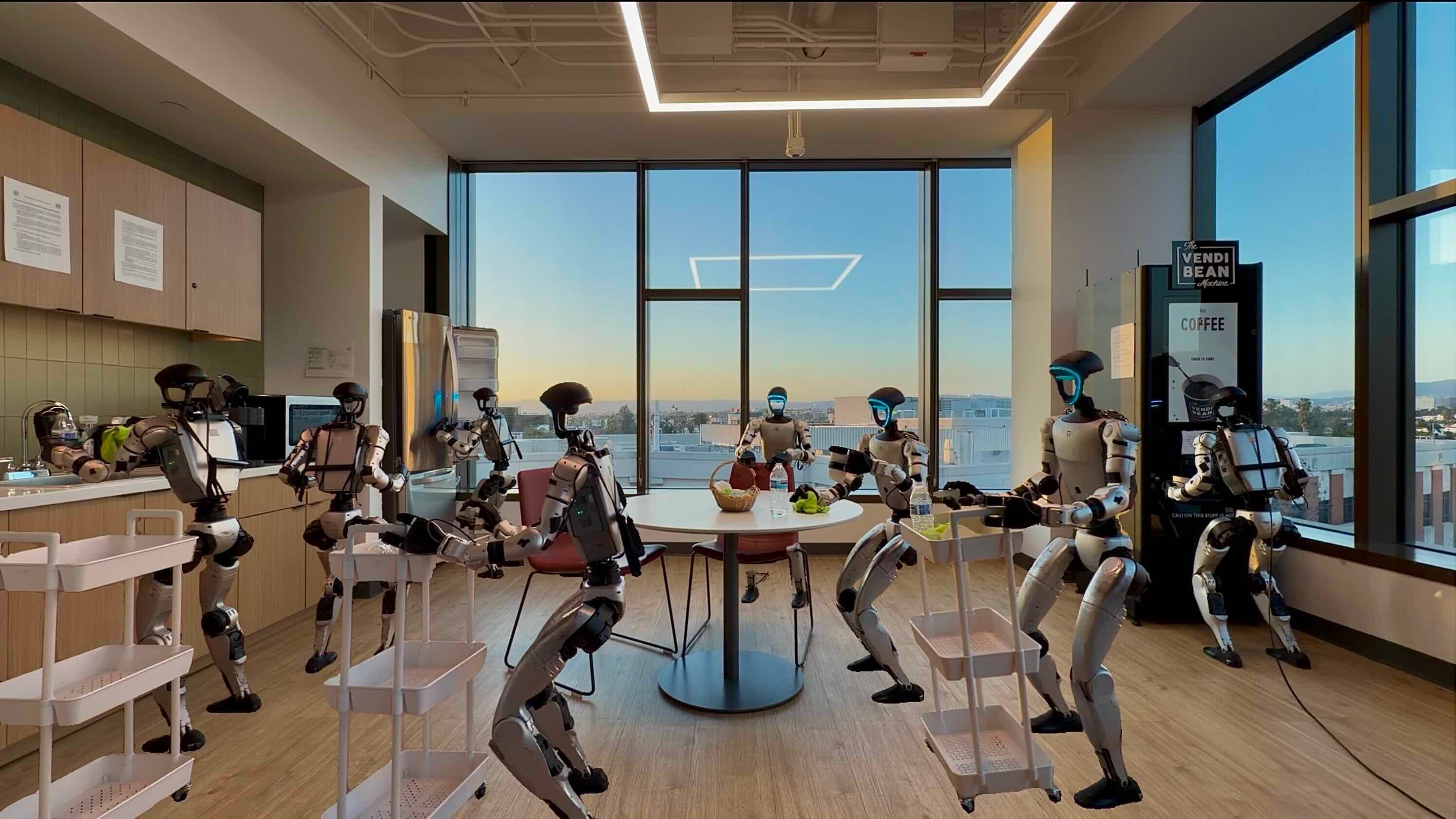
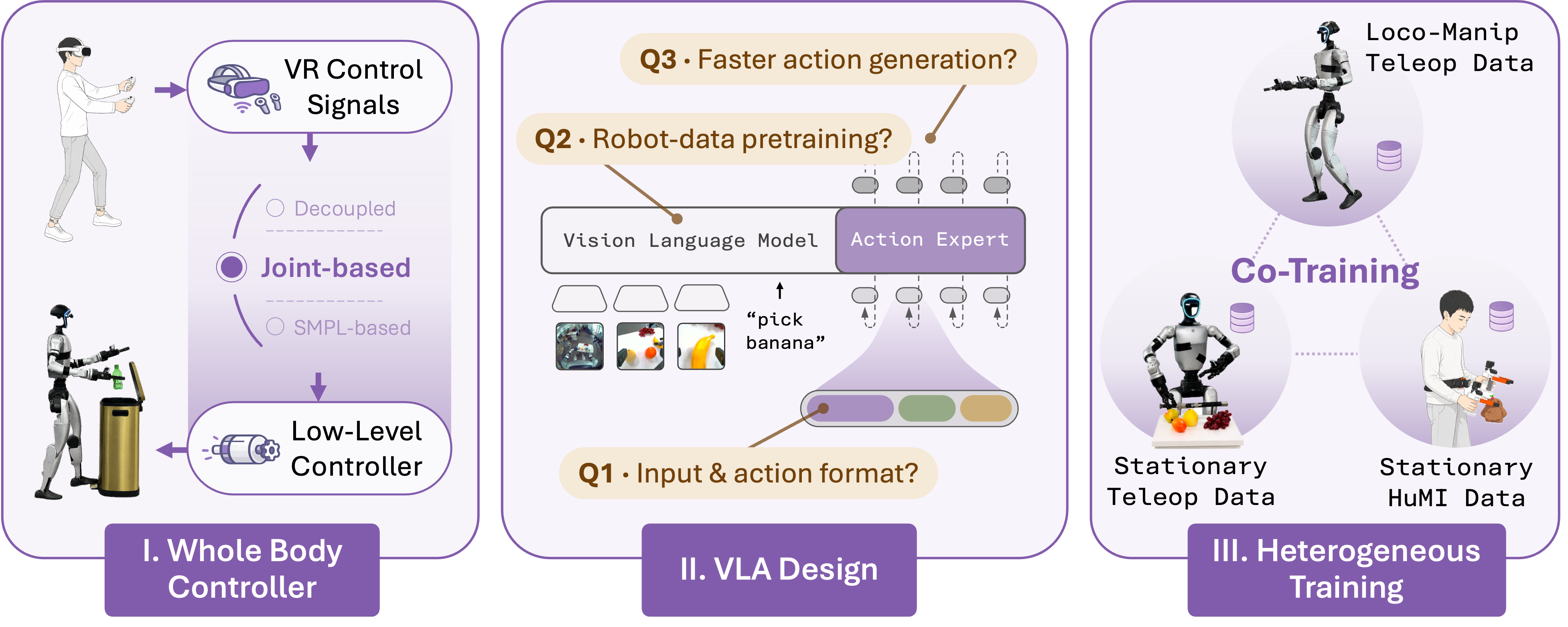
OpenHLM, short for Open Humanoid Loco-Manipulation, is an open-source recipe for a problem that is much harder than robot-arm pick-and-place: a humanoid must look at the scene, understand a language instruction, walk to the right place, squat or lean when needed, reach with one or both hands, sometimes recruit the feet or torso, and complete a manipulation task. The original paper, OpenHLM: An Empirical Recipe for Whole-Body Humanoid Loco-Manipulation, is valuable because it is not just a model release. It is a controlled empirical study of three practical questions: how should a humanoid be teleoperated, how should an existing VLA such as pi0.5 be adapted to the full body, and can HuMI co-training reduce the cost of whole-body teleoperation?
If you have read about LeRobot v0.5 on G1, ASAP delta-action sim2real, or GR00T SONIC teleop VLA, OpenHLM sits right at the intersection of those threads: Unitree G1, whole-body control, and VLA policies. Unlike many humanoid demos that stitch a locomotion controller to arm IK, OpenHLM aims for a whole-body native policy: the VLA predicts actions for the full humanoid action space instead of treating the legs as a mobile base.
The primary sources to read alongside this guide are the project page at https://openhlm-project.github.io/, arXiv paper 2606.22174, GitHub repo OpenHLM-project/OpenHLM, dataset OpenHLM/OpenHLM-data, checkpoints OpenHLM/OpenHLM-ckpts, and the LeRobot Unitree G1 documentation. This article turns those sources into a beginner-friendly implementation map before you touch real hardware.
Paper idea: stop splitting humanoids into "legs" and "arms"
In many current humanoid stacks, the high-level policy does not really control a humanoid. It usually emits commands for the arms, torso, base height, and navigation velocity, while an RL controller underneath handles balance and walking. This is easy to deploy, but it turns the humanoid into a wheeled dual-arm robot with legs. If the task requires knees, feet, deep squatting, or a full-body workspace extension, the action space has already removed those possibilities.
OpenHLM starts from a simple hypothesis: if the demonstrations hide many degrees of freedom, the VLA will never learn coordinated whole-body behavior. The paper compares three interfaces:
| Interface | Idea | Main limitation |
|---|---|---|
| Decoupled control | IK for the upper body, locomotion controller for the lower body | Legs act like a base; body parts are hard to use as manipulators |
| VR 3-point | Track head and two wrists from VR | Not enough constraints for all joints |
| Joint-based whole-body teleop | Operator controls full joint targets | Harder to operate, but the action space is fully expressive |
The paper shows that joint-based whole-body teleoperation is the only interface that completes all representative tasks. This is the foundation of the word native in native whole-body VLA: the policy does not ask a separate module for permission to squat, step, turn the torso, or use the feet. It predicts a joint-level action vector for the whole body.
What is inside the OpenHLM architecture?
The OpenHLM repository is organized into three main blocks.
The first block is GR00T-WholeBodyControl4OpenHLM. This is the robot-side whole-body control stack for Unitree G1: VR teleoperation, synchronized data collection, simulation utilities, and deployment interfaces. It builds on the whole-body control, SONIC, and GR00T ecosystem so the robot can receive policy targets at useful frequency while maintaining balance.
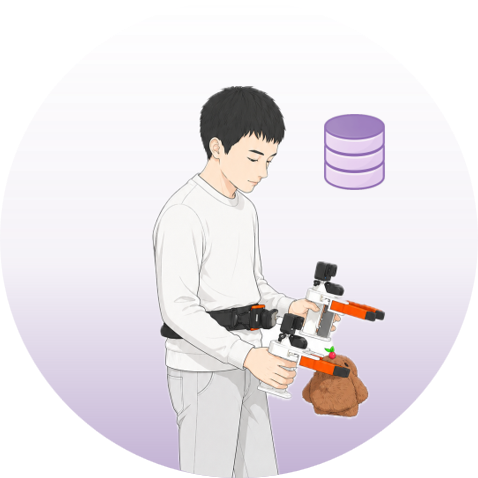
The second block is HuMI4OpenHLM. HuMI means Humanoid Manipulation Interface, an analog of UMI for humanoids. The operator does not need the robot in the loop. They use hand-held grippers, body trackers, GoPros or wrist-view cameras, and an IK pipeline that retargets hand, pelvis, and foot trajectories into joint positions compatible with the humanoid. HuMI is not perfect because visual and action domain gaps remain large, but it is much cheaper than standing next to a G1 and collecting full-body teleoperation for every new object.
The third block is openpi4OpenHLM. This is the VLA training and inference side. OpenHLM uses a pi0.5/OpenPI-style backbone, converts data into LeRobot format, computes normalization statistics, fine-tunes a policy, serves it over a websocket, and lets the robot client request actions during deployment.
The full data path looks like this:
Language instruction + camera images + proprioception
        |
        v
pi0.5/OpenPI VLA backbone
        |
        v
34-D whole-body action chunk
        |
        v
GR00T/SONIC whole-body control layer
        |
        v
Unitree G1 joints, grippers, waist, locomotion behavior
One subtle finding is that there is no single magic architecture trick. Action projection, action ordering, absolute vs relative targets, and proprioceptive inputs all matter, but the largest practical lessons are broader: initialize from a robot-pretrained VLA rather than random or VLM-only weights, keep the action space whole-body, and use multi-step flow matching inference even when a one-step model reports a lower validation MSE.
HLM-12 benchmark: what must the policy do?
The HLM-12 benchmark contains 12 language-conditioned tasks split into four families. The first family is pick-and-place with locomotion: walk to an object, grasp it, carry it, and place it correctly. The second is workspace extension: squat, lean, move the torso, or step to reach high or low targets. The third is body-as-tool: use body parts beyond the hands as part of the manipulation. The fourth is loco-manipulation under constraints: open jars, pull objects, or manipulate in restricted spaces.
That matters because many classic VLA benchmarks, such as LIBERO or tabletop ALOHA tasks, do not force the policy to decide how the body should move. In HLM-12, the robot can fail even when the arm trajectory looks plausible, because the lower body never brings the workspace to the right place. This is also why the paper treats validation action MSE as a weak proxy: an action can have low MSE but still miss the timing of a squat or foot placement and fail in rollout.
The project page reports strong task progress across the HLM tasks, and the paper states that OpenHLM reaches 89% average task progress on the 8 training tasks. For held-out tasks, co-training with stationary teleoperation or HuMI tests whether cheaper data can extend the policy to new objects and language instructions without collecting full whole-body teleoperation for everything.
Hardware and environment preparation
If your goal is only to understand the paper, you do not need a robot. If you want to reproduce the pipeline, the real requirements are substantial. The robot data collection hardware in the OpenHLM README includes a Unitree G1, an Ubuntu PC, an NVIDIA GPU, two ChangingTek CTAG2F90-D grippers, two Intel RealSense D405 cameras mounted on the wrists, one Unitree SV1-25 fisheye stereo camera on the head, a PICO4U VR kit with HMD, handheld controllers and leg trackers, plus 3D-printed mounts.
HuMI data collection uses five HTC Vive trackers: two for hand-held grippers, one for the pelvis, and two for the feet. It also needs a Windows machine to stream tracker poses through SteamVR, a Linux or macOS machine for online/offline IK and data processing, two GoPro cameras for wrist-view video, and clamps or grippers for camera mounting.
Before trying the real system, split your goal into three levels:
- Read-only reproduction: read the paper, inspect the project page, understand the benchmark, do not run code.
- Training dry run: use
example_demonstrationfrom the Hugging Face dataset to test conversion, norm stats, and training commands. - Real robot deployment: do this only with a G1, a safe area, emergency stop, supervision, and repeated simulation or manual teleop checks.
For networking, the Unitree G1 typically uses IP 192.168.123.164; the connected PC should use a static IP on the same subnet, such as 192.168.123.222 in the OpenHLM README or 192.168.123.200 in the LeRobot docs. The LeRobot docs also call out unitree_sdk2_python, cyclonedds, pinocchio from conda-forge, and the unitree_g1 extra when installing LeRobot.
Installing the robot-side and PC-side stack
On the PC side, the OpenHLM README asks you to complete the GR00T-WholeBodyControl setup first: install TensorRT, build C++ deployment, download model checkpoints, run the sim2sim quick start, and set up PICO VR. Then install the OpenHLM-specific dependencies:
cd src/GR00T-WholeBodyControl4OpenHLM/
uv pip install --python .venv_teleop/bin/python -e ./gear_sonic/thirdparty/GMR
uv pip install --python .venv_teleop/bin/python -e ./openpi-client

cd ./gear_sonic/thirdparty/XRoboToolkit-Orin-Video-Sender
sudo apt update
sudo apt install build-essential pkg-config libopencv-dev \
  libgstreamer1.0-dev libgstreamer-plugins-base1.0-dev \
  libglib2.0-dev libzmq3-dev libssl-dev
make
On the robot side, the repo points to a hardware setup repository:
git clone https://github.com/Tendourisu/hardware4OpenHLM.git
cd path/to/hardware4OpenHLM
uv run hardware_setup
Then the PC runs the data collection script:
cd src/GR00T-WholeBodyControl4OpenHLM/scripts
bash launch_data_collection.sh
Do not treat the safety warning as boilerplate. Whole-body teleoperation can make the robot fall or swing its arms. Start with low gains, clear the area, test in simulation first, and keep people out of the robot workspace during bring-up.
Collecting HuMI data and converting to LeRobot
HuMI is the part that makes OpenHLM more practical. Full whole-body teleop gives the strongest data, but it is expensive: it needs a real robot, skilled operators, scene resets, overheating management, and hardware risk. HuMI collects demonstrations from humans, then uses IK to convert them into episodes with action semantics compatible with joint-based whole-body teleop.
The HuMI workflow in the README has three steps:
uv run online-ik pick --rpc-address tcp://<windows_machine_ip>:4242
uv run run-pipeline data/<humi_session> --gopro_timezone +08:00
uv run generate-final data/<humi_session>
The first command streams tracker poses from Windows and SteamVR and runs online IK. The second aligns GoPro video with tracker and IK trajectories and builds dataset_plan.pkl. The third exports synchronized episodes into data/<humi_session>/final_data. Once you have raw robot demos or HuMI demos, the training code expects data in LeRobot format:
uv run examples/unitree_g1/convert_g1_data_to_lerobot.py \
  --data_dir ./example_demonstration/20260520_1602_example_1 \
  --repo_name OpenHLM/example
For multiple folders:
uv run examples/unitree_g1/convert_g1_data_to_lerobot_multi.py \
  --parent_dir ./example_demonstration \
  --dataset_folders 20260520_1602_example_1 20260520_1602_example_2 \
  --repo_name OpenHLM/example
LeRobot format matters because it standardizes episode metadata, video streams, state and action tensors, task prompts, and dataset statistics. If you are already familiar with the LeRobot ecosystem guide, think of OpenHLM as a specialization for G1 whole-body data.
Training the policy: pi0.5 with action_dim 34
Inside src/openpi4OpenHLM, install the training environment:
cd src/openpi4OpenHLM
GIT_LFS_SKIP_SMUDGE=1 uv sync
GIT_LFS_SKIP_SMUDGE=1 uv pip install -e .
cp -r ./src/openpi/models_pytorch/transformers_replace/* \
  .venv/lib/python3.11/site-packages/transformers/

uv run examples/convert_jax_model_to_pytorch.py \
  --checkpoint_dir gs://openpi-assets/checkpoints/pi05_base \
  --config_name pi05_aloha \
  --output_path ~/.cache/openpi/openpi-assets/checkpoints/pi05_base_pytorch
The README example uses Pi0Config(pi05=True, action_dim=34, action_horizon=50, discrete_state_input=True), LeRobotG1DataConfig(repo_id="OpenHLM/example"), batch size 256, a cosine decay learning-rate schedule from 1e-4 to 1e-5, AdamW, a weight loader from pi0.5 base, and num_train_steps=30_000.
Before training, compute normalization statistics:
CUDA_VISIBLE_DEVICES=0 uv run scripts/compute_norm_stats.py \
  --config-name openhlm_example \
  --max-frames 500000
Then launch distributed training:
CUDA_VISIBLE_DEVICES=0,1,2,3 uv run torchrun --standalone \
  --nnodes=1 --nproc_per_node=4 scripts/train_pytorch.py \
  openhlm_example \
  --save-interval 10000 \
  --batch_size 128 \
  --no-enable-gradient-checkpointing \
  --enable-training-compile \
  --pytorch-weight-path ~/.cache/openpi/openpi-assets/checkpoints/pi05_base_pytorch \
  --exp-name openhlm_example
If you do not have multiple GPUs, reduce batch size and process count. But avoid changing many variables at once. The OpenHLM paper emphasizes one-variable-at-a-time experiments; your lab should do the same. Change the dataset, action representation, camera view, or checkpoint initialization one step at a time so rollout failures remain diagnosable.
Co-training: stationary teleop versus HuMI
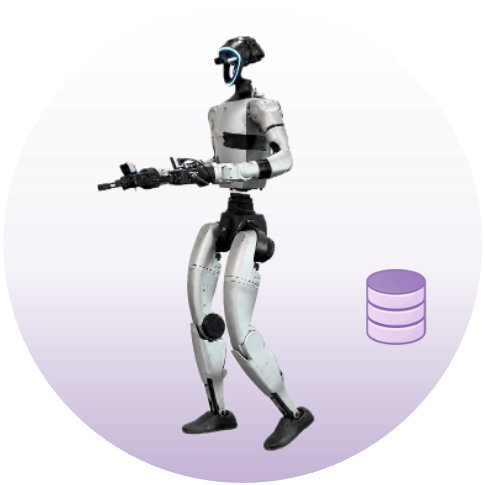
OpenHLM studies two cheaper alternatives to full whole-body teleop. Stationary teleop still uses the real humanoid, but the feet stay planted and the task is manipulation-only. It is cheaper because episodes are shorter, resets are faster, and the robot moves less. HuMI is cheaper still because the robot is not in the loop; humans collect data with trackers and cameras.
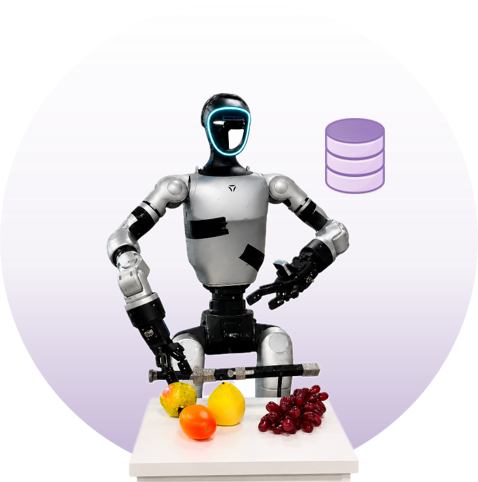
The result is easy to remember: stationary co-training can provide both new semantic understanding and new manipulation motion. HuMI co-training is very strong for semantic understanding, such as new objects and language prompts, but at the current data scale it does not reliably teach a completely new motion like vessel tilting in the pouring task. The paper points to two domain gaps: cameras and grippers differ, and human motion after IK retargeting is still not the same as directly teleoperating the robot.
The project page gives a compact cost comparison:
| Data source | Demo cost on held-out task | Best role |
|---|---|---|
| Whole-body teleop | 21 min/task | Oracle-quality motion + semantics |
| Stationary teleop | 13 min/task | Manipulation motion + semantics |
| HuMI | 7 min/task | Cheap semantic grounding for new objects/language |
For tasks 9-11, the project page reports 36% progress for the 8-task baseline, 84% for HuMI co-training, 89% for stationary co-training, and 96% for an 11-task teleop oracle. The paper also states that, across the 4 held-out tasks, co-training can lift average progress from 33% to around 87% with stationary data, while HuMI is strongest on motion-reuse tasks.
Inference and deployment on G1
Deployment is split into a policy server and a robot client. The server runs on a GPU machine:
cd src/openpi4OpenHLM
CUDA_VISIBLE_DEVICES=0 uv run scripts/serve_policy.py \
  --env SONICG1 \
  --num-steps 10 \
  policy:checkpoint \
  --policy.config=openhlm_example \
  --policy.dir=path/to/trained/checkpoint
On the robot/client side, start the low-level stream first:
cd src/GR00T-WholeBodyControl4OpenHLM/scripts
bash deploy_stream.sh
In a second terminal, start the OpenPI deployment client:
cd src/GR00T-WholeBodyControl4OpenHLM/scripts
python openpi-eval/main.py \
  --control_hz 30 \
  --max_steps 10000 \
  --save_video \
  --instruction "put the lemon on the shelf" \
  --exp_name openhlm_example
The --control_hz 30 flag is a reminder that latency is not a side detail. A humanoid is balancing continuously. If the websocket, camera stream, or policy inference jitters, rollout can fail even with a good checkpoint. Beginners should test each layer independently: camera stream, low-level balance, manual teleop, policy server action shape, then autonomous execution.
Results and how to read them
In the long-horizon fruit task, the robot starts from a home pose, walks to a low table, picks fruit 1 with the right hand, walks to a medium-height table, picks fruit 2 with the left hand, then walks to a tall shelf and places the fruits into separate containers. There are five fruit types, giving 20 ordered pairs. GR00T N1.6 and Psi0 receive full loco-manipulation teleop for all 20 pairs, for 120 demonstrations. OpenHLM with HuMI co-training receives full loco-manipulation teleop only for 6 pairs from banana, peach, and mangosteen, then uses HuMI demonstrations for 14 pairs involving lemon or tomato.
The project page reports 87.5% task progress for OpenHLM with HuMI co-training using 1.14 hours of demonstration time, while GR00T N1.6 reaches 57.5% with 2.70 hours, and Psi0 reaches 48.8% with 2.70 hours. The OpenHLM teleop oracle is higher but needs more whole-body teleoperation. The important conclusion is not that one checkpoint magically wins. It is that simply mixing humanoid data into pretraining is insufficient; teleoperation interface, action representation, proprioception, and co-training details determine rollout quality.
Do not read the result as "HuMI replaces robot data." The paper is explicit that HuMI is currently stronger for semantic grounding than for novel motion. A practical recipe is: collect a diverse core of whole-body teleop, add stationary teleop for hard manipulation motions, then use HuMI to expand object and language coverage at low cost.
Deployment checklist for a small lab
If you have a G1 and want a serious starting path, use this checklist:
| Stage | Goal | Exit criteria |
|---|---|---|
| Safety bring-up | Robot standing, network, E-stop, camera stream | Low-level controller works in sim and real |
| Manual teleop | Operator controls the full body | 10-20 episodes without dangerous behavior |
| Dataset dry run | Convert example data to LeRobot | Norm stats finish, sample tensor shapes are correct |
| First fine-tune | Train from pi0.5 base | Loss looks sane, checkpoint loads |
| Shadow inference | Server returns actions without strong actuation | Action dim, frequency, and latency are acceptable |
| Low-risk rollout | Simple task in a clear area | Robot completes a partial task safely |
| Co-training | Add stationary or HuMI data | No regression on training tasks, improvement on held-out objects |
Beginners often want to jump straight into training, but with humanoids bad data and bad latency are more dangerous than small models. Log every episode, save video, save state/action streams, and review failures by category: perception, language grounding, grasp, balance, timing, workspace, or low-level tracking.
When should you use OpenHLM?
OpenHLM is a strong fit if you are building a whole-body VLA stack for a real humanoid, especially Unitree G1, and want a recipe backed by a paper, code, dataset, and checkpoints. It is also useful if you do not own a G1 but want to understand how a lab designs benchmarks and co-training for humanoid loco-manipulation.
Do not treat OpenHLM as "install and the robot works." The hardware is complex, dependencies are deep, and safety cannot be outsourced to a VLA. But as a research direction, OpenHLM gives a clear lesson: humanoid manipulation will not go far if the policy only controls arms on a walking base. To make humanoids useful in human environments, demonstrations, action spaces, and policies must all treat the whole body as a manipulation tool.