When Humanoid Meets VLA: Pi0-FAST on Unitree G1
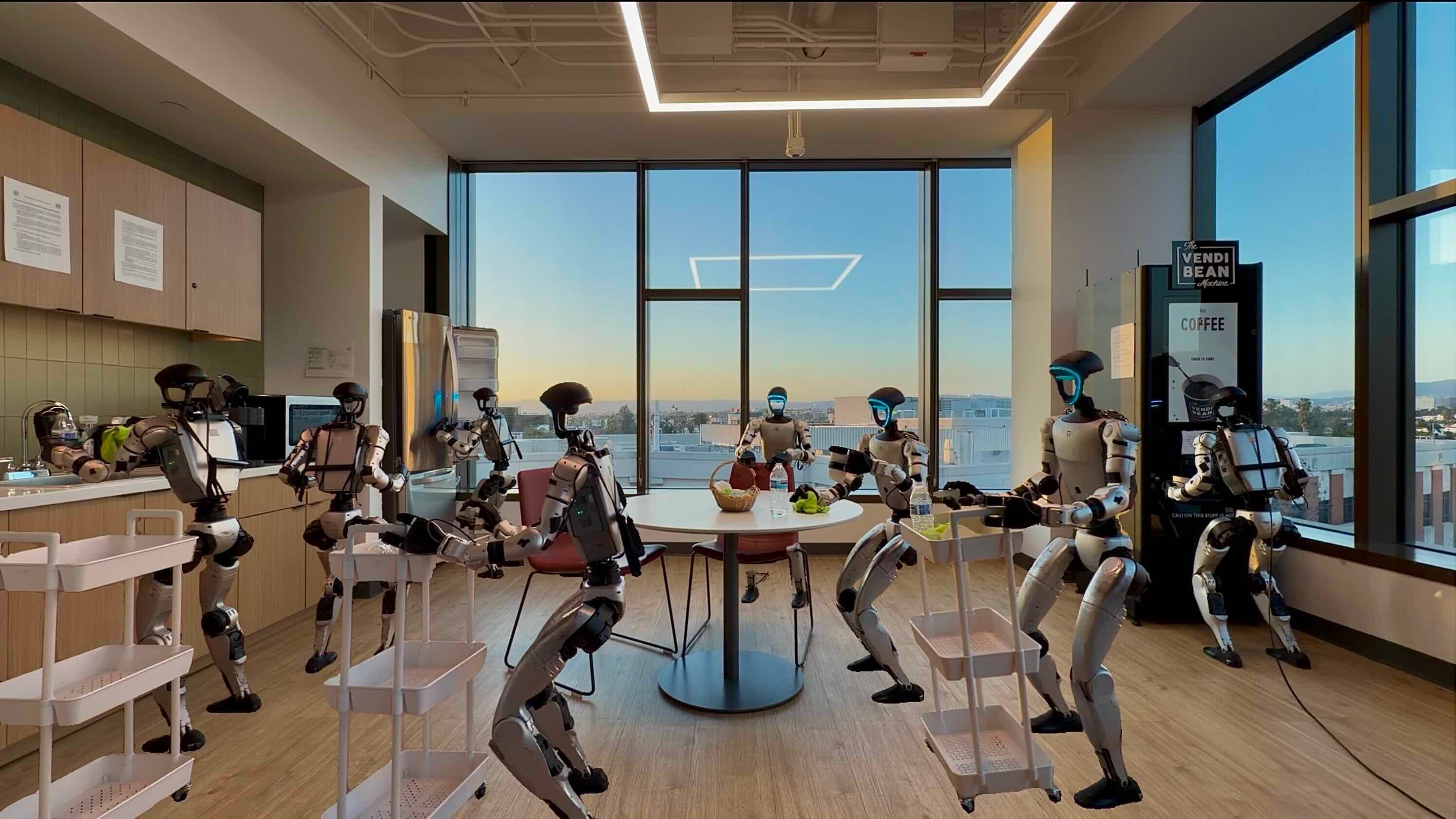
Picture this: a humanoid robot — the Unitree G1 with 29 degrees of freedom, two articulated arms, and legs strong enough to walk — tasked not just to stand and pick up objects, but to navigate a room, approach a target, and execute high-precision manipulation. This is loco-manipulation, and LeRobot v0.5.0 is the first open-source framework to make this accessible.
Released in March 2026, LeRobot v0.5.0 marks a historic milestone: for the first time, a humanoid robot is fully integrated into an open-source training pipeline — from data collection through VLA policy training to real-time inference with Real-Time Chunking. The policy chosen to inaugurate the Unitree G1? Pi0-FAST — an autoregressive VLA 5× faster than the original Pi0.
This guide walks you through the complete pipeline: understanding G1's architecture in LeRobot, setting up the environment, teleoperating with the Homunculus Exoskeleton, collecting whole-body datasets, training Pi0-FAST, and deploying with RTC. If you've already read the Pi0-FAST training guide and the v0.5 overview, this is your next step — bringing everything onto real hardware.
Unitree G1 in LeRobot v0.5.0: The First Humanoid
Why G1 is LeRobot's "first humanoid"
Before v0.5.0, LeRobot supported robot arms (SO-100, Koch, Panda, WidowX) and mobile manipulators, but no humanoids. G1 broke that barrier for three reasons:
- More open than Boston Dynamics — G1 has a full SDK with no commercial license required for custom software integration
- Accessible price point — G1 sits around $16,000, far below other research-grade humanoids
- Large community — Unitree has an established ecosystem from Go2, Go1, and H1; a wealth of community code already exists
Two variants: 23-DoF vs 29-DoF
LeRobot v0.5.0 supports both variants:
| Spec | G1 23-DoF | G1 29-DoF |
|---|---|---|
| Legs (per side) | 6 joints | 6 joints |
| Arms (per side) | 4 joints | 7 joints |
| Hands | No | 3 DoF/hand |
| Walking speed | 2 m/s | 2 m/s |
| Arm payload | 3 kg | 1.5 kg |
| Use case | Heavy locomotion | Dexterous manipulation |
For whole-body loco-manipulation (walking + using hands), the 29-DoF variant is preferred for its arm flexibility and the ability to grasp objects with the dexterous hands.
Two locomotion controllers: Holoso vs GR00T
This is the most distinctive aspect of the G1 integration. LeRobot doesn't write its own locomotion controller — instead, it integrates with two external controllers:
HolosomaLocomotionController (open-source):
- Fully open-source, code is inspectable and modifiable
- Controls locomotion (walk, stop, turn) via velocity commands
- Better for research and experimentation
- More complex installation due to dependency chain
GR00T-WholeBodyControl (NVIDIA):
- Uses NVIDIA GR00T foundation model as the locomotion backbone
- Higher performance, better balance recovery
- Requires NVIDIA GPU on the robot (Jetson AGX Orin or equivalent)
- Better suited for production deployment
Which to choose? If you're doing research and want deep understanding → Holoso. If you want the best results out of the box → GR00T.
Pi0-FAST: Why It's the Ideal Policy for G1
The problem with diffusion on humanoids
The original Pi0 uses flow matching (a form of diffusion). Each inference step requires 10-50 denoising iterations, each a full forward pass through a 2B parameter network. The result: inference latency of 300–600ms on typical GPUs.
For a static robot arm, 300ms latency is acceptable — you wait an extra 0.3 seconds before the robot acts. For a humanoid that's actively walking, 300ms latency is catastrophic — the robot can lose balance in that window.
Pi0-FAST solves this by switching from diffusion to autoregressive generation. Instead of iterative denoising, Pi0-FAST predicts action tokens in a single pass — like an LLM generating text, but generating robot joint angles instead.
Pi0-FAST architecture in detail
Input:
  - Camera images (RGB, 224×224 or 448×448)
  - Text instruction ("Pick up the cup and walk to the table")
  - Robot state (joint positions, velocities)

↓

SigLIP Vision Tower (ViT-So400M)
  - Encodes images into visual tokens
  - Patch size: 16×16, 576 tokens/image

↓

PaliGemma Backbone (Gemma 2B)
  - Multimodal attention between visual + text + state tokens
  - KV-cache for optimized inference

↓

FAST Action Tokenizer
  - Normalize action chunk (quantile normalization)
  - DCT per dimension (same algorithm as JPEG, but for time series)
  - Quantize + prune insignificant DCT coefficients
  - Output: ~20 discrete tokens instead of 50×29 = 1,450 floats

↓

Autoregressive decoding (Gemma action head)
  - Generate FAST tokens one by one
  - Decode back to continuous joint angles

Output: Action chunk (50 steps × 29 DoF = 1,450 values)
FAST tokenization is the key innovation. By applying a Discrete Cosine Transform (DCT) — the same algorithm JPEG uses to compress images — to joint angle time series, FAST compresses 1,450 floats into ~20 discrete tokens. A 10× compression ratio. This doesn't just speed up inference; it also improves learning efficiency by drastically shortening the sequence length.
Inference speed comparison
| Policy | Latency on RTX 4090 | Control frequency | Suitable for WBC? |
|---|---|---|---|
| Pi0 (diffusion) | 300–600ms | 1.5–3 Hz | No |
| Pi0-FAST (autoregressive) | 60–120ms | 8–16 Hz | Yes |
| SmolVLA | 40–80ms | 12–25 Hz | Yes |
| ACT | 20–40ms | 25–50 Hz | Yes |
Pi0-FAST at 8–16 Hz is responsive enough for loco-manipulation when combined with Real-Time Chunking.
Real-Time Chunking: Solving High-Latency Inference
Even at 8 Hz, you have 125ms latency — during which the robot has already taken 6–7 locomotion steps. This is where Real-Time Chunking (RTC) comes in.
How RTC works
Instead of waiting for inference to finish before executing actions, RTC lets the robot continue executing the current chunk while the next chunk is being inferred in the background. When the new chunk is ready, RTC doesn't hard-cut to it but smoothly blends between them:
Timeline (without RTC):
t=0   [Inference A: 120ms] → [Execute chunk A: 500ms] → [Inference B: 120ms] → ...

Timeline (with RTC):
t=0   [Inference A: 120ms]
t=120   [Execute A] + [Inference B: running in background]
t=240   [Blend A→B smoothly]
t=360   [Execute B] + [Inference C: running in background]
...
RTC adds a guidance term to the denoising process: it "pulls" the new chunk toward the steps already executed in the old chunk to ensure continuity. Without RTC, you see jerky motion — every time the policy replans, the robot stutters. With RTC, motion is smooth as if running at 25+ Hz.
For G1 whole-body control, RTC is especially critical for the locomotion component — losing balance control for even a few frames can cause a fall.
Environment Setup
System requirements
- GPU: RTX 4080/4090 or A100 (for real-time Pi0-FAST inference)
- RAM: 32 GB+ (G1 state observations are large)
- OS: Ubuntu 22.04 (tested) or Ubuntu 20.04
- Python: 3.12 (required by LeRobot v0.5.0)
- CUDA: 12.1+
Installing LeRobot v0.5.0 with G1 support
# Clone LeRobot
git clone https://github.com/huggingface/lerobot.git
cd lerobot

# Create Python 3.12 virtual environment
python3.12 -m venv venv
source venv/bin/activate

# Install LeRobot with G1 dependencies
pip install -e ".[unitree_g1]"

# If using HolosomaLocomotionController
pip install -e ".[unitree_g1,holoso]"

# If using GR00T
pip install -e ".[unitree_g1,groot]"
Install Unitree SDK
# Unitree SDK2 Python bindings
pip install unitree-sdk2py

# Verify robot connection (robot must be on same LAN)
python -c "from unitree_sdk2py.core.channel import ChannelFactory; print('SDK OK')"
Download pretrained Pi0-FAST checkpoint
python -c "
from huggingface_hub import snapshot_download
snapshot_download(
    repo_id='lerobot/pi0fast-base',
    local_dir='./checkpoints/pi0fast-base'
)
"
Teleoperation with Homunculus Exoskeleton
Homunculus is an open-source 7-DoF exoskeleton developed by the LeRobot community for G1 whole-body teleoperation. It tracks the operator's arm and hand movements and maps them to G1's arms and hands.

Setting up teleoperation
python lerobot/scripts/control_robot.py \
  --robot.type=unitree_g1 \
  --robot.variant=29dof \
  --robot.controller=HolosomaLocomotionController \
  --control.type=teleoperate \
  --control.fps=30 \
  --control.display_cameras=true
On first run, the script prompts you to calibrate the Homunculus — hold arms in neutral position to establish the reference frame. This takes about 2 minutes.
Collecting a whole-body dataset
Target task: teach G1 to "walk to the table, pick up a cup, carry it to the target location."
python lerobot/scripts/control_robot.py \
  --robot.type=unitree_g1 \
  --robot.variant=29dof \
  --robot.controller=HolosomaLocomotionController \
  --control.type=record \
  --control.fps=30 \
  --control.single_task="Walk to table, pick up cup, carry to target" \
  --control.repo_id="your_username/g1-cup-transport" \
  --control.num_episodes=100 \
  --control.push_to_hub=true
Data collection tips for WBC:
- Episode length: Whole-body tasks run 30–60 seconds vs. 5–15 seconds for arm-only. Ensure your buffer is large enough.
- Camera placement: Mount at least 2 cameras: 1 chest camera (egocentric view) and 1 external overhead camera.
- Locomotion diversity: Vary locomotion style — straight walking, left/right turns, stop-and-wait — so the policy learns to generalize.
- Minimum 50 episodes for single tasks, 100+ recommended for WBC due to the much larger action space.
Training Pi0-FAST for Unitree G1
Training configuration
Pi0-FAST requires training the FAST tokenizer first, then fine-tuning the main model. This is different from ACT or Diffusion Policy.
Step 1: Train FAST tokenizer on your dataset
python lerobot/scripts/train_fast_tokenizer.py \
  --dataset.repo_id="your_username/g1-cup-transport" \
  --tokenizer.vocab_size=512 \
  --tokenizer.chunk_size=50 \
  --tokenizer.dct_components=0.95 \
  --output_dir="./checkpoints/fast-tokenizer-g1"
Key parameters:
vocab_size=512: Number of discrete tokens. Increase to 1024 for complex action spaces (29-DoF WBC needs more capacity than arm-only)chunk_size=50: Steps per action chunk. 50 ≈ 1.67 seconds at 30 Hzdct_components=0.95: Retain DCT coefficients until 95% of variance is explained
Step 2: Fine-tune Pi0-FAST
python lerobot/scripts/train.py \
  --policy.type=pi0fast \
  --policy.pretrained="./checkpoints/pi0fast-base" \
  --dataset.repo_id="your_username/g1-cup-transport" \
  --policy.fast_tokenizer_path="./checkpoints/fast-tokenizer-g1" \
  --training.batch_size=32 \
  --training.num_epochs=100 \
  --training.learning_rate=1e-4 \
  --training.use_amp=true \
  --output_dir="./checkpoints/pi0fast-g1-cup" \
  --wandb.enable=true
Training hardware requirements
| Config | GPU | VRAM | Time/epoch (100 eps) |
|---|---|---|---|
| Pi0-FAST full | A100 80GB | 60 GB | ~15 min |
| Pi0-FAST + PEFT/LoRA | RTX 4090 | 20 GB | ~25 min |
| Pi0-FAST + PEFT/LoRA | RTX 3090 | 18 GB | ~40 min |
No A100? Use PEFT/LoRA fine-tuning — train only adapter layers while keeping the backbone frozen:
python lerobot/scripts/train.py \
  --policy.type=pi0fast \
  --policy.pretrained="./checkpoints/pi0fast-base" \
  --training.peft.enabled=true \
  --training.peft.method=lora \
  --training.peft.rank=16 \
  --training.peft.alpha=32 \
  # ... other parameters as above
Inference with Real-Time Chunking
Deploying the policy on G1
python lerobot/scripts/control_robot.py \
  --robot.type=unitree_g1 \
  --robot.variant=29dof \
  --robot.controller=HolosomaLocomotionController \
  --control.type=inference \
  --policy.path="./checkpoints/pi0fast-g1-cup" \
  --control.fps=30 \
  --control.rtc.enabled=true \
  --control.rtc.execution_horizon=10 \
  --control.rtc.max_guidance_weight=2.0 \
  --control.task="Walk to table, pick up cup, carry to target"
Key RTC parameters
execution_horizon=10: Blend 10 steps from the new chunk with the old chunk. Increase if motion is jerky.max_guidance_weight=2.0: Strength of the "pull" toward the old chunk. Higher = smoother but less reactive.prefix_attention_schedule=exponential: How guidance weight decays over time.
Results and Benchmarks
Based on results from the LeRobot team and community experiments on G1:
| Task | Policy | Success Rate | Avg Completion Time |
|---|---|---|---|
| Pick & place (standing) | Pi0-FAST + RTC | 87% | 8.2s |
| Pick & place (standing) | ACT | 82% | 6.1s |
| Loco-manip: cup transport | Pi0-FAST + RTC | 71% | 24.3s |
| Loco-manip: cup transport | Pi0-FAST (no RTC) | 43% | 31.1s |
| Door opening (walking) | Pi0-FAST + RTC | 58% | 18.7s |
Key takeaways:
- RTC boosts loco-manipulation success from 43% → 71% — the largest impact is on tasks combining locomotion with manipulation
- ACT is faster for simple pick-and-place, but Pi0-FAST generalizes better to unseen tasks
- 100 episodes is the sweet spot for WBC — more data still helps but with diminishing returns
Common Pitfalls
1. Robot loses balance during policy replanning
- Cause: Latency too high, or RTC not enabled
- Fix: Enable
--control.rtc.enabled=trueand increaseexecution_horizon
2. Training loss doesn't decrease
- Cause: FAST tokenizer not trained on your dataset — using default arm-only tokenizer
- Fix: Train a custom tokenizer first with
train_fast_tokenizer.py
3. Locomotion controller won't connect
- Cause: Unitree SDK can't discover robot IP
- Fix: Set
export ROBOT_IP=192.168.123.1and verify LAN connectivity
4. OOM when training full Pi0-FAST
- Fix: Add
--training.gradient_checkpointing=trueand--training.peft.enabled=true
Conclusion
LeRobot v0.5.0 + Pi0-FAST + Unitree G1 is the most capable open-source stack available today for whole-body loco-manipulation. The pipeline isn't without challenges — complex setup, high GPU requirements, and the need for at least 100 demonstration episodes — but this is the first time in history you can do all of this without paying for a proprietary framework.
The natural next step is tackling more complex tasks: carrying objects up stairs, opening a refrigerator, or interacting with humans in dynamic environments. The framework is ready — what remains is data collection and experimentation.