Why this article starts with VR teleop
In part 1 of this series, we mapped humanoid data as a chain of surfaces: raw files, standardized datasets, simulation data, model checkpoints, and evaluation logs. Part 2 zooms into one concrete path: how PICO VR and ZED Mini recordings in EgoHumanoid become HDF5 files that can be used for humanoid VLA training.
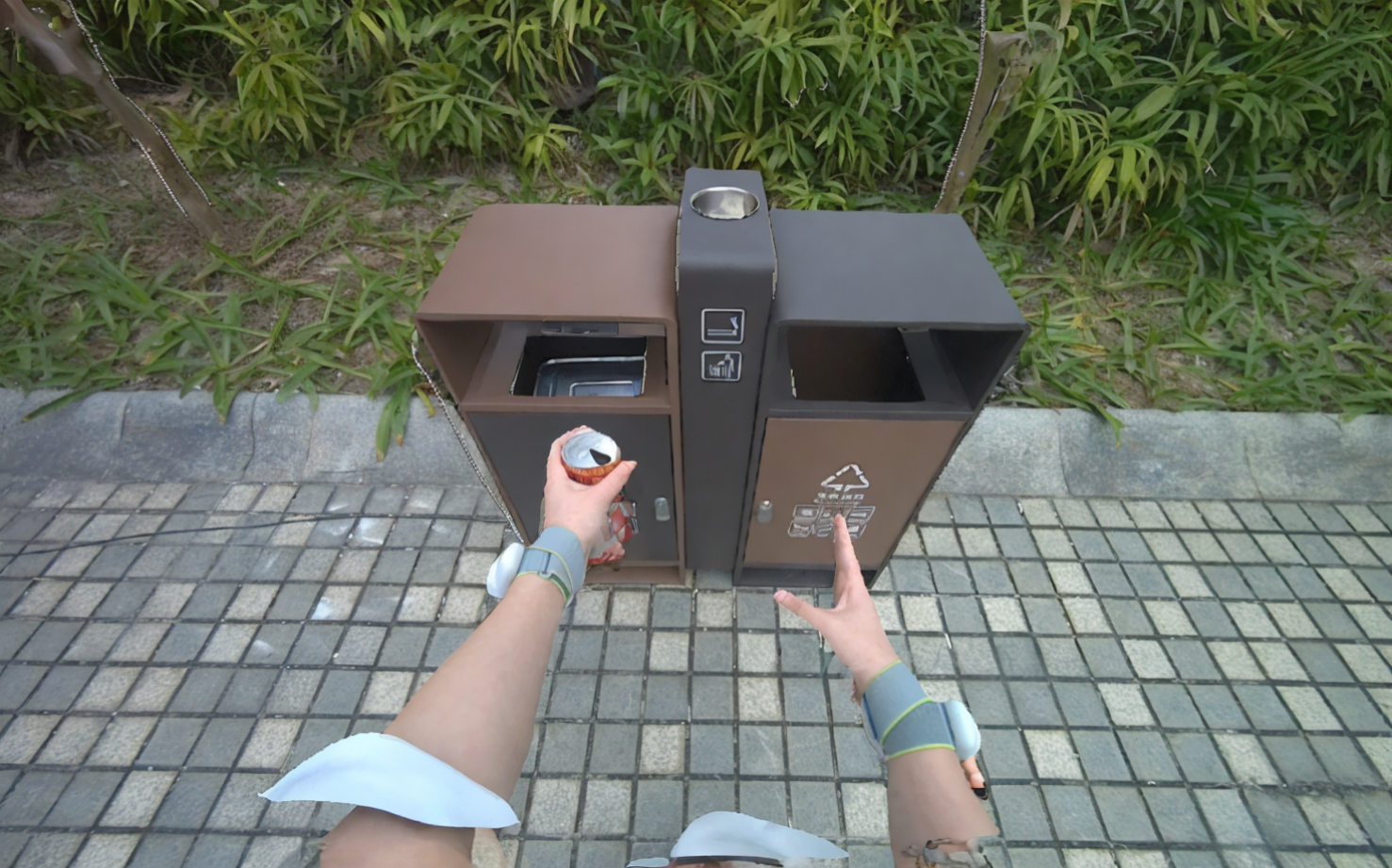
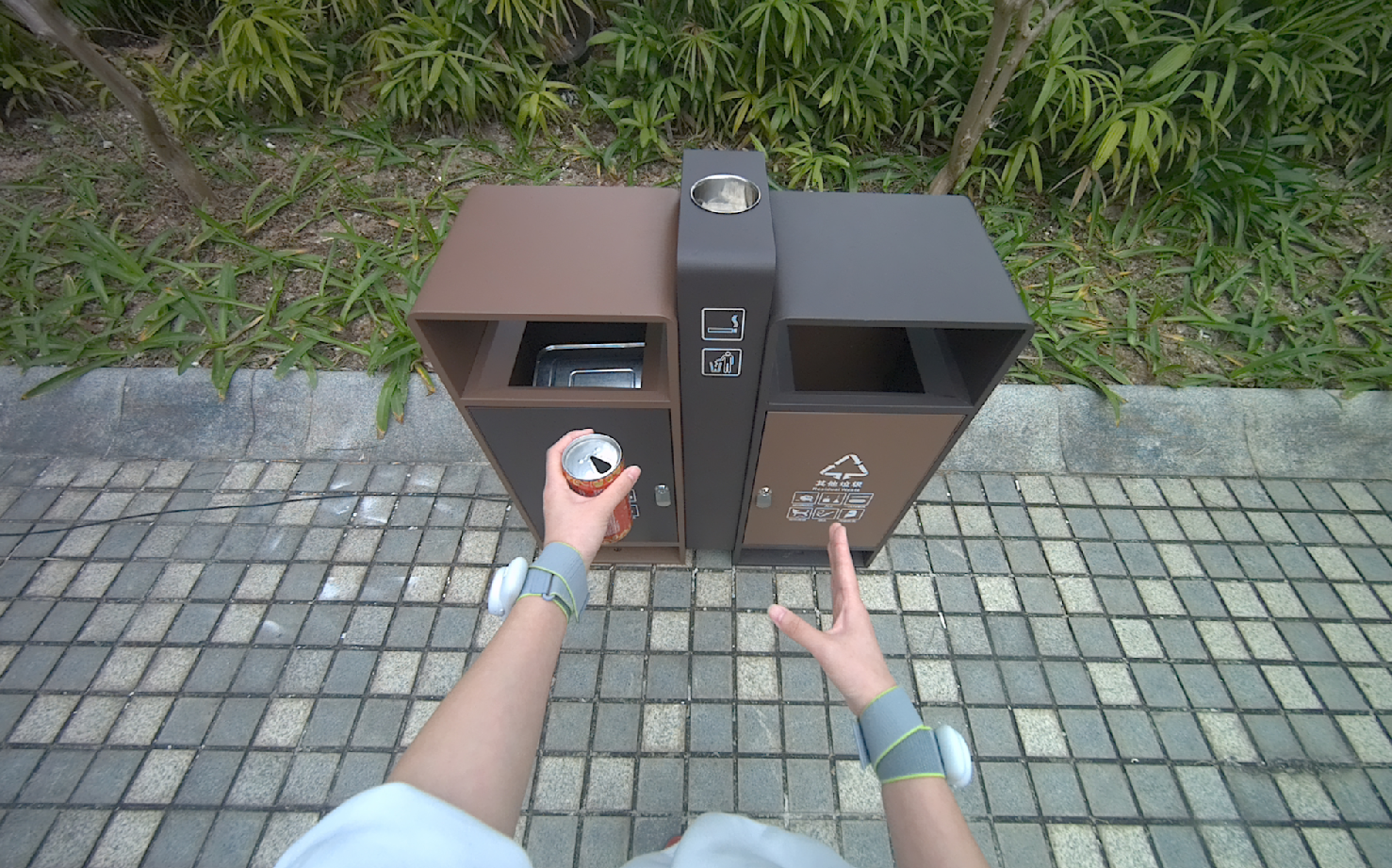
The important detail is that EgoHumanoid is not only classic robot teleoperation. The OpenDriveLab paper describes a robot-free setup where a human demonstrator performs tasks in the real world while wearing a VR headset, trackers, and an egocentric camera. The collected data is then aligned so it can be co-trained with a smaller amount of robot data. The project page emphasizes that egocentric human data improves generalization, especially in environments where a robot did not directly collect demonstrations. The main references are the EgoHumanoid paper, the project page, and the OpenDriveLab/EgoHumanoid repository.
This article does not begin with abstract legal ownership. It opens the dataset folder and asks:
| Audit question | Why it matters |
|---|---|
| What exactly is captured in a VR demo? | You can separate personal/behavioral data from technical sensor streams |
| Where are velocity commands created? | You avoid mistaking navigation_command for raw joystick input |
| Where does binary hand open/close status come from? | You know hand_status is derived from hand pose, not raw hand pose itself |
| How are ZED camera frames merged into HDF5? | You can audit image consent and timestamp synchronization |
| Which files need consent and licensing metadata? | You avoid building a dataset that can train models but cannot be shared or commercialized |
If you are building humanoid VLA data infrastructure, read this alongside GR00T whole-body real data and LeRobot v0.5 with G1 whole-body control, because those topics sit downstream of the HDF5 packaging step.
Series roadmap
- Humanoid Data Map 2026
- VR Teleop: PICO/ZED to HDF5
- View alignment and action alignment
- Simulation and synthetic demonstrations
- Human video and robot-free data
- The VLA stack and downstream control
Mental model: from headset wearer to trainable episode
EgoHumanoid has two data branches: robot teleoperation and human robot-free demonstration. This article focuses on the human branch. According to the data_collection/human_data README, the system uses PICO VR, ZED Mini, and MeshCat to record synchronized full-body tracking, hand tracking, controller poses, and video. The README also lists a default collection interval of 0.01 seconds, roughly 100Hz for the tracking stream.
A minimal chain looks like this:
Human demonstrator
  -> PICO full-body + hand tracking
  -> ZED Mini SVO2 video with depth
  -> episode_N.hdf5      # pose, controller, hand, timestamps
  -> episode_N.svo2      # binocular camera recording
  -> processed/hdf5 + processed/svo2
  -> final HDF5 with navigation, images, hand_status
  -> optional LeRobot conversion
  -> VLA training
For beginners, the easy trap is the word "teleop." In robot teleoperation, an operator controls a real robot, so the raw data often already contains robot state and robot action. In EgoHumanoid's robot-free VR demos, the human is not necessarily controlling a physical robot during recording. They are creating an egocentric human demonstration. The pipeline must therefore derive robot-compatible actions: lower-body commands, end-effector movement, and hand open/close states.
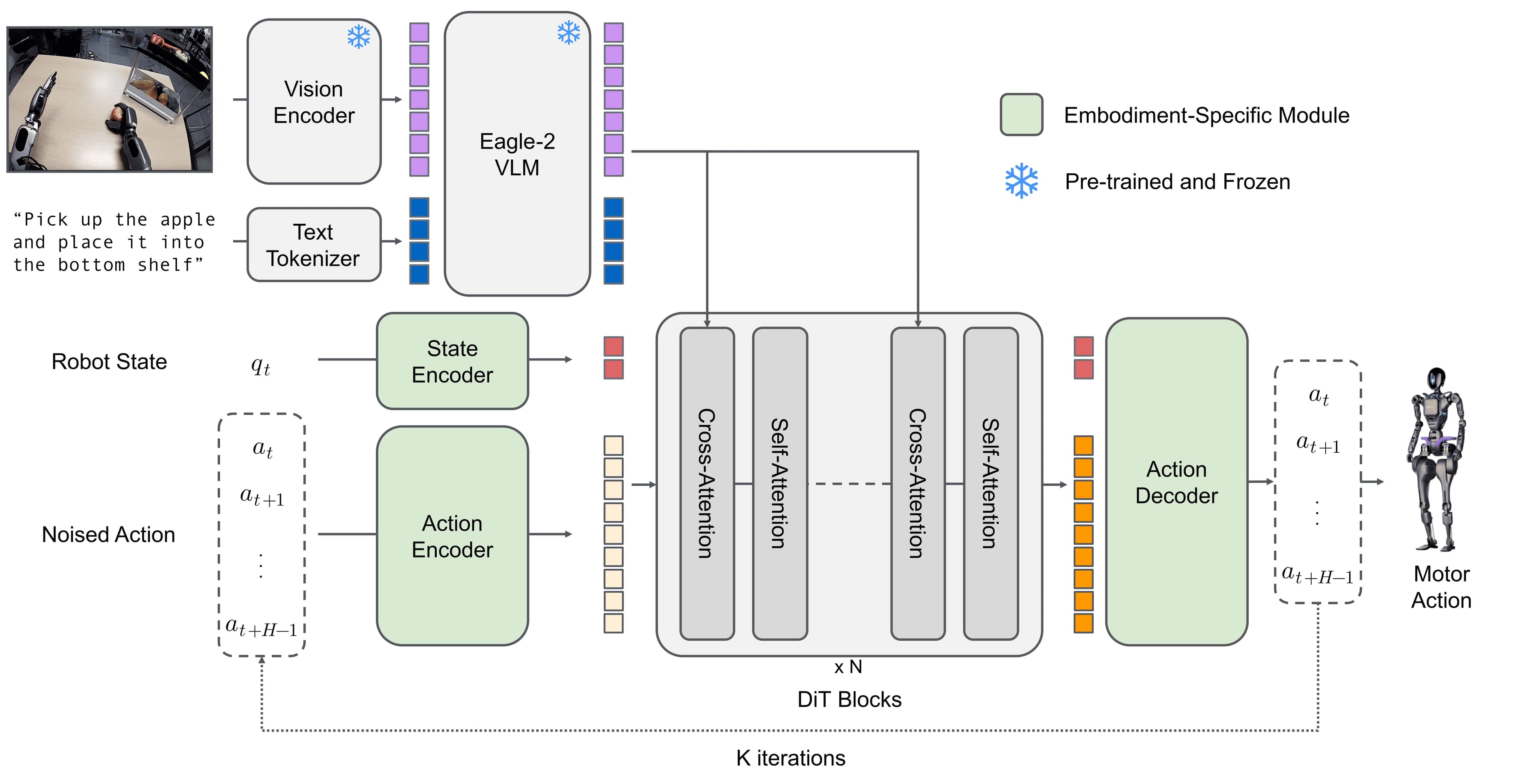
The EgoHumanoid project page describes action alignment in three parts: upper body becomes 6-DoF delta end-effector commands, lower body becomes discrete velocity commands, and dexterous hands become binary open/close labels. This article audits the file-level path for two of the easiest pieces to inspect: lower-body commands and hand status.

Stage 0: collection in data_collection/human_data
The relevant collection directory is:
data_collection/human_data/
  README.md
  requirements.txt
  scripts/
    human_data_collection.py
    svo2_to_mp4.py
The README lists the minimum hardware as a PICO VR headset with full-body tracking support, a ZED Mini depth camera, and a Linux PC running Ubuntu 22.04 or 24.04. Collection starts with:
cd data_collection/human_data

python scripts/human_data_collection.py --name <dataset_name>

python scripts/human_data_collection.py \
  --data-dir <save_dir> \
  --name <dataset_name> \
  --visualize-zed
The operating workflow is direct: the program initializes the PICO SDK, ZED Mini, and MeshCat; the operator opens http://localhost:7000/static/ to view the 3D skeleton; the operator enters an episode index; the human performs a demonstration; Space ends the episode; HDF5 and SVO2 files are saved automatically.
A session output usually looks like this:
data_collection/
  body_data/
    episode_0.hdf5
    episode_0.svo2
    episode_1.hdf5
    episode_1.svo2
The raw HDF5 schema is described in the README:
| Raw HDF5 dataset | Typical shape | Audit meaning |
|---|---|---|
body_pose |
(frames, 24, 7) |
24 body joint poses, each with position and quaternion |
left_controller_pose |
(frames, 7) |
Left controller pose |
right_controller_pose |
(frames, 7) |
Right controller pose |
left_hand_pose |
(frames, 26, 7) |
26 left-hand joint poses |
right_hand_pose |
(frames, 26, 7) |
26 right-hand joint poses |
left_hand_active |
(frames,) |
Whether left-hand tracking is active |
right_hand_active |
(frames,) |
Whether right-hand tracking is active |
local_timestamps_ns |
(frames,) |
Local PC timestamps in nanoseconds |
episode_N.svo2 |
separate file | ZED Mini video, including binocular stream and depth depending on configuration |
From a data ownership perspective, this is the most sensitive layer. body_pose and hand_pose are not face images, but they are still behavioral traces: gait, arm range, manipulation style, reaction speed, and operator habits. episode_N.svo2 is more sensitive because it can contain the real environment, surrounding people, screens, signs, documents, customer items, or objects with their own IP restrictions. If the dataset will be shared outside the collecting team, consent should not merely say "participated in an experiment." It should explicitly cover model training, format conversion, image extraction, video preview, publication of samples, partner sharing, and commercial use.
A minimum manifest should live next to the raw data:
dataset_id: pillow_placement_home_2026_06_10
collector: team_a
operator_id: op_014
consent_form_version: v3_robot_learning_2026
consent_scope:
  train_internal_models: true
  publish_examples: false
  share_with_partners: false
  commercial_use: true
environment:
  location_type: home_mockup
  bystanders_present: false
  sensitive_displays_visible: false
hardware:
  headset: PICO
  camera: ZED Mini
  recording_format: hdf5_svo2
license:
  raw_hdf5: internal_restricted
  raw_svo2: internal_restricted
  processed_hdf5: internal_restricted
Do not wait until LeRobot conversion to add metadata. Once episodes are downsampled, merged, and sharded, reconstructing operator consent or usage scope becomes much harder.
Stage 1: Reorder Episodes
Processing happens under:
data_alignment/human_data_process/
  run_human_data_pipeline.sh
  scripts/reorder_episodes_for_raw.py
  process_navigation_pipeline.py
  downsample_episode.py
  merge_camera_only.py
  add_hand_status.py
The human_data_process README expects raw data to be organized in date/batch folders:
input_dir/
  2025-01-15_batch1/
    episode_0.hdf5
    episode_0.svo2
    episode_1.hdf5
    episode_1.svo2
  2025-01-15_batch2/
    ...
The full pipeline command is:
cd data_alignment/human_data_process

./run_human_data_pipeline.sh \
  --input_dir /path/to/raw_data \
  --output_dir /path/to/intermediate \
  --final-output-dir /path/to/final \
  --file all
Reorder Episodes scans {date}_{batch} subfolders, sorts episodes chronologically, and copies them into:
processed/
  hdf5/
    episode_0.hdf5
    episode_1.hdf5
  svo2/
    episode_0.svo2
    episode_1.svo2
Technically, this stage does not create a new learning signal. It standardizes order and naming so the later stages do not need to understand the original collection history. From a governance perspective, it is still critical because it can destroy context. If the raw folder was named 2026-06-10_factory_a_operator_014_batch2, and the processed file is only episode_17.hdf5, you have lost operator, location, and batch context unless a manifest or mapping file preserves it.
Stage 1 audit checklist:
| Check | Practical reason |
|---|---|
| Is there a raw path to processed episode mapping? | Needed for takedown if an operator withdraws consent |
| Are file hashes recorded before and after copy? | Needed to verify files were not modified outside the pipeline |
| Do HDF5 and SVO2 indices stay paired? | A mismatch can merge the wrong camera stream later |
| Are date, batch, operator, and task stored in metadata? | Sequential filenames are not enough for governance |
A simple mapping file:
processed_episode,raw_hdf5,raw_svo2,operator_id,task,consent_id
episode_000017,2026-06-10_batch2/episode_3.hdf5,2026-06-10_batch2/episode_3.svo2,op_014,pillow_placement,consent_2026_v3
Stage 2: Navigation Pipeline
This is the most important stage if you want to know where velocity commands come from. The README says Navigation Pipeline reads body_pose, uses skeleton keypoints such as pelvis and hip landmarks, applies coordinate transforms, smooths the trajectory with a Savitzky-Golay filter, estimates tangent direction, and generates velocity commands [vx, vy, yaw_rate] in the local body frame. The pipeline can also produce PNG comparison plots for validation.
Run this stage alone:
python process_navigation_pipeline.py \
  --dataset-dir /data/processed \
  --baseline-sec 15 \
  --tangent-lag 5 \
  --overwrite \
  --no-png
Beginner mental model:
body_pose over time
  -> pelvis/hip trajectory
  -> smoothed path
  -> local tangent direction
  -> frame-to-frame velocity
  -> navigation_command = [vx, vy, yaw_rate]
navigation_command is not raw joystick input. It is derived from human body motion. This is an easy place to mislabel a dataset. If a dataset card says "humanoid actions," a reader may assume the field came from a robot controller. In the human robot-free branch, this command is the result of action alignment from human pose into a representation that a humanoid policy can consume.
Wrapper parameters worth recording:
| Parameter | README default | Effect |
|---|---|---|
--baseline-sec |
15 |
Trajectory smoothing window |
--tangent-lag |
5 |
Frames used to estimate tangent direction |
--with-png |
off | Produces validation plots when enabled |
--skip-navigation |
off | Skips this stage if commands are already injected |
This is also a subtle ownership boundary. Raw pose comes from the demonstration process, but velocity commands are generated by the processing pipeline. If team A collects raw data and team B writes the navigation pipeline, who owns the derived commands? The answer depends on contract and license, but metadata should at least record the derivation:
derived_fields:
  navigation_command:
    source_fields: [body_pose, local_timestamps_ns]
    method: EgoHumanoid process_navigation_pipeline.py
    baseline_sec: 15
    tangent_lag: 5
    generated_by: data_team_b
    generated_at: 2026-06-10T10:20:00Z
Stage 3: Downsample
Raw tracking can run at a higher frequency than the intended training dataset. Downsample reduces the stream frequency with a sliding window, with default factor 5. It averages navigation commands, creates discrete teleop_navigate_command values by thresholding, and computes delta_height between frames.
Run it alone:
python downsample_episode.py \
  --dataset-dir /data/processed \
  --downsample-rate 5 \
  --overwrite
Important outputs:
| Field | Raw or derived? | Meaning |
|---|---|---|
navigation_command |
derived continuous field | [vx, vy, yaw_rate] after processing |
teleop_navigate_command |
derived discrete field | Thresholded command suitable for a discrete action space |
delta_height |
derived field | Height change between frames, useful when a person crouches, reaches, or changes posture |
Downsampling is not just an I/O optimization. It changes what the model can learn. A quick hand correction or a short body turn can be smoothed away. A continuous velocity may become a discrete class. If a trained policy later fails at tasks requiring fast correction, the audit question is not only "do we have enough data?" It is also "did the downsample stage erase the useful detail?"
Minimum metadata:
processing:
  downsample:
    rate: 5
    command_aggregation: sliding_window_average
    discrete_command_method: thresholding
    preserves_raw: true
For beginners, keep raw HDF5 and final HDF5 separate. Do not overwrite raw episodes with downsampled files. Raw data is evidence; downsampled data is a training artifact.
Stage 4: Merge Camera
Merge Camera joins ZED video with the downsampled HDF5 data. According to the README, the script reads binocular frames from SVO2 files, matches them to downsampled HDF5 timestamps using binary search, compresses images as JPEG at quality 95, and writes left/right images into the final HDF5.
Run it alone:
python merge_camera_only.py \
  --dataset-dir /data/processed \
  --output-dir /data/final \
  --num-workers 32
The final HDF5 gains these fields:
| Field | Audit meaning |
|---|---|
observation_image_left |
JPEG-compressed left camera frames |
observation_image_right |
JPEG-compressed right camera frames |
camera_timestamp |
Matched camera timestamp |
timestamp_diff_ms |
Synchronization error between camera and data timestamps |
This is where privacy risk increases sharply. Before Stage 4, a processed HDF5 may mostly contain pose and command fields. After Stage 4, the final HDF5 includes real images. If you publish a sample HDF5, upload it to a dataset hub, or show it to a customer, you are sharing a visual environment, not just motion vectors.
Checklist before merging or publishing:
| Question | Answer before training or sharing |
|---|---|
| Do non-operator people appear in the frame? | If yes, you need consent or a redaction policy |
| Are screens, papers, product labels, or license plates visible? | If yes, mark the episode as sensitive |
Is timestamp_diff_ms too large? |
Poor sync means the model can learn mismatched image/action pairs |
| Are JPEG quality and resize settings recorded? | Needed for reproducible training |
| Does raw SVO2 have a different license than processed HDF5? | You may allow internal training but forbid image redistribution |
A practical policy is to license by artifact layer:
license_by_artifact:
  raw_svo2:
    access: restricted
    reason: contains unredacted environment video
  final_hdf5_with_images:
    access: internal_training_only
    redistribution: prohibited
  derived_command_only_hdf5:
    access: partner_shareable
    redistribution: case_by_case
Stage 5: Hand Status
The final stage creates hand_status. The README describes it as binary hand open/close status computed with a square wave approximation and written into the final HDF5 as [left, right], where 1 means closed and 0 means open.
Run it alone:
python add_hand_status.py \
  --raw /data/processed/hdf5 \
  --mid /data/final \
  --target /data/final \
  --downsample 5 \
  --num_workers 32
Data flow:
left_hand_pose + right_hand_pose
  -> downsample alignment
  -> open/close approximation
  -> hand_status[:, 0] = left hand
  -> hand_status[:, 1] = right hand
hand_status is tiny but important. A humanoid dexterous hand policy does not always need all 26 joints from each human hand. Early-stage policies often only need to know whether the hand should be open or closed, especially when the downstream robot hand or gripper is controlled with a binary abstraction. This stage reduces dimensionality and improves portability between human embodiment and robot embodiment.
But dimensionality reduction also destroys information. If a demonstration involves light contact, two-finger pinching, or fingertip rotation, binary open/close may be too crude. When manipulation fails, audit whether the task is truly compatible with a binary hand label.
Metadata to record:
derived_fields:
  hand_status:
    source_fields: [left_hand_pose, right_hand_pose]
    representation: binary_open_close
    closed_value: 1
    open_value: 0
    downsample_rate: 5
    known_limitations:
      - loses finger-level contact detail
      - unsuitable for fine dexterous manipulation without raw hand poses
Final HDF5: audit every field
The processing README lists the main final HDF5 fields. A useful audit classification is:
| Final HDF5 field | Source | Raw/derived | Consent or licensing metadata needed |
|---|---|---|---|
body_pose |
raw HDF5 | raw but downsampled | operator consent, behavioral data scope |
navigation_command |
body pose trajectory | derived | pipeline version, smoothing parameters, derived-rights |
teleop_navigate_command |
navigation command | derived | threshold method, action-space definition |
delta_height |
body pose | derived | pipeline version |
observation_image_left |
SVO2 | compressed raw visual data | visual consent, location release, redistribution scope |
observation_image_right |
SVO2 | compressed raw visual data | same as left camera |
camera_timestamp |
SVO2/HDF5 sync | derived metadata | synchronization method |
timestamp_diff_ms |
sync calculation | derived metadata | quality threshold |
hand_status |
hand pose | derived | source pose consent, labeling method |
A beginner-friendly inspection script:
import h5py

path = "final/episode_0.hdf5"

with h5py.File(path, "r") as f:
    for key in f.keys():
        obj = f[key]
        shape = getattr(obj, "shape", None)
        dtype = getattr(obj, "dtype", None)
        print(key, shape, dtype)

    if "timestamp_diff_ms" in f:
        diff = f["timestamp_diff_ms"][:]
        print("max sync error ms:", diff.max())
        print("mean sync error ms:", diff.mean())

    if "hand_status" in f:
        status = f["hand_status"][:]
        print("left closed ratio:", status[:, 0].mean())
        print("right closed ratio:", status[:, 1].mean())
If timestamp_diff_ms has large outliers, that episode may not be safe to train on. If hand_status is always 0 or always 1, hand tracking may have failed, the task may not involve grasping, or the open/close approximation may not fit the episode.
Running the pipeline with control
The run_human_data_pipeline.sh wrapper supports dry runs, skipped stages, and validation plots. For a new team, I recommend three passes:
# Pass 1: preview without writing
./run_human_data_pipeline.sh \
  --input_dir /data/raw \
  --output_dir /data/processed \
  --final-output-dir /data/final \
  --dry-run

# Pass 2: full pipeline with trajectory plots
./run_human_data_pipeline.sh \
  --input_dir /data/raw \
  --output_dir /data/processed \
  --final-output-dir /data/final \
  --with-png

# Pass 3: rerun only hand status if the labeling logic changes
./run_human_data_pipeline.sh \
  --input_dir /data/raw \
  --output_dir /data/processed \
  --final-output-dir /data/final \
  --skip-reorder \
  --skip-navigation \
  --skip-downsample \
  --skip-merge
Useful options:
| Option | When to use it |
|---|---|
--file hdf5/svo2/all |
Reorder only one file type |
--workers |
Speed up copying and camera merge |
--baseline-sec |
Tune navigation smoothing |
--tangent-lag |
Tune velocity direction estimation |
--downsample-rate |
Match the target training FPS |
--with-png |
Review trajectories before training |
--dry-run |
Audit commands before processing a large dataset |
--skip-* |
Rerun one stage without disturbing the others |
Consent and license: what needs metadata?
This is the part robotics teams often skip because they are busy training. In a series about who owns humanoid robot data in 2026, file-level governance is the core issue.
| Artifact | What it can contain | Risk | Metadata you should require |
|---|---|---|---|
Raw episode_*.hdf5 |
body pose, hand pose, controller pose, timestamps | behavioral biometric traces, operator style | operator consent, task, location type, retention policy |
Raw episode_*.svo2 |
binocular/depth video | bystanders, environment, documents, screens | visual consent, redaction status, redistribution limit |
| Reordered HDF5/SVO2 | renamed copies | provenance loss | raw path mapping, file hash, consent id |
| Navigation-injected HDF5 | derived velocity commands | mistaken as real robot action | pipeline version, parameters, generated_by |
| Downsampled HDF5 | lower-frequency/discrete action fields | lost motion detail | downsample rate, threshold method |
| Final HDF5 with images | JPEG images + commands + hand status | privacy plus action labels | field-level license, publish policy, takedown path |
| Converted LeRobot dataset | Parquet/MP4/schema | easy to distribute, hard to control downstream | dataset card, license, allowed use, source provenance |
The EgoHumanoid repository currently lists Apache 2.0 for the project code and says the OpenPI models/code are also provided under Apache 2.0, but that does not automatically solve the rights for your own collected data. Code license, model license, raw video consent, and dataset distribution license are four different layers.
A minimum DATASET_CARD.md:
# Dataset Card

## Collection
- Hardware: PICO VR, ZED Mini
- Collection path: data_collection/human_data
- Tasks: pillow placement, trash disposal
- Operators: anonymized IDs only

## Consent
- Consent form: v3_robot_learning_2026
- Allowed use: internal model training, commercial deployment
- Not allowed: public raw video release
- Withdrawal path: contact [email protected]

## Processing
- Pipeline: EgoHumanoid data_alignment/human_data_process
- Stages: reorder, navigation, downsample, merge camera, hand status
- Downsample rate: 5
- Navigation baseline-sec: 15
- Tangent lag: 5

## Artifacts
- raw HDF5: restricted
- raw SVO2: restricted
- final HDF5: internal training only
- derived command-only export: partner review required
Conclusion
EgoHumanoid's PICO/ZED pipeline is useful because it forces us to look at humanoid data at the right grain size: episode_0.hdf5, episode_0.svo2, navigation_command, teleop_navigate_command, observation_image_left, timestamp_diff_ms, and hand_status. Once you know which fields are raw and which are derived, the question "who owns the data?" becomes less vague.
Short summary:
| Layer | What to remember |
|---|---|
| Collection | PICO/ZED records pose, hand, controller, timestamp, and video per episode |
| Reorder | Renames and sorts files, so provenance mapping is required |
| Navigation | Creates [vx, vy, yaw_rate] from body pose, not from raw joystick input |
| Downsample | Reduces frequency and discretizes commands, which can remove detail |
| Merge Camera | Adds ZED images into final HDF5 and increases privacy risk |
| Hand Status | Creates binary open/close labels from hand pose, useful but coarse |
| Governance | Consent and license must follow each artifact, not just the code repository |
The next article goes deeper into view alignment and action alignment: the point where human recordings start becoming truly humanoid-compatible data.
Technical sources
- OpenDriveLab/EgoHumanoid GitHub
- PICO + ZED Mini Data Collection README
- Human Data Processing Pipeline README
- EgoHumanoid arXiv paper
- EgoHumanoid project page