Vì sao bài này bắt đầu từ VR teleop
Ở bài 1 của series, chúng ta đã lập bản đồ các lớp dữ liệu humanoid: file thô, dataset đã chuẩn hóa, dữ liệu mô phỏng, checkpoint model và log đánh giá. Bài 2 đi sâu vào một đường ống cụ thể hơn: dữ liệu người đeo PICO VR và ZED Mini trong EgoHumanoid được biến thành HDF5 train được như thế nào.
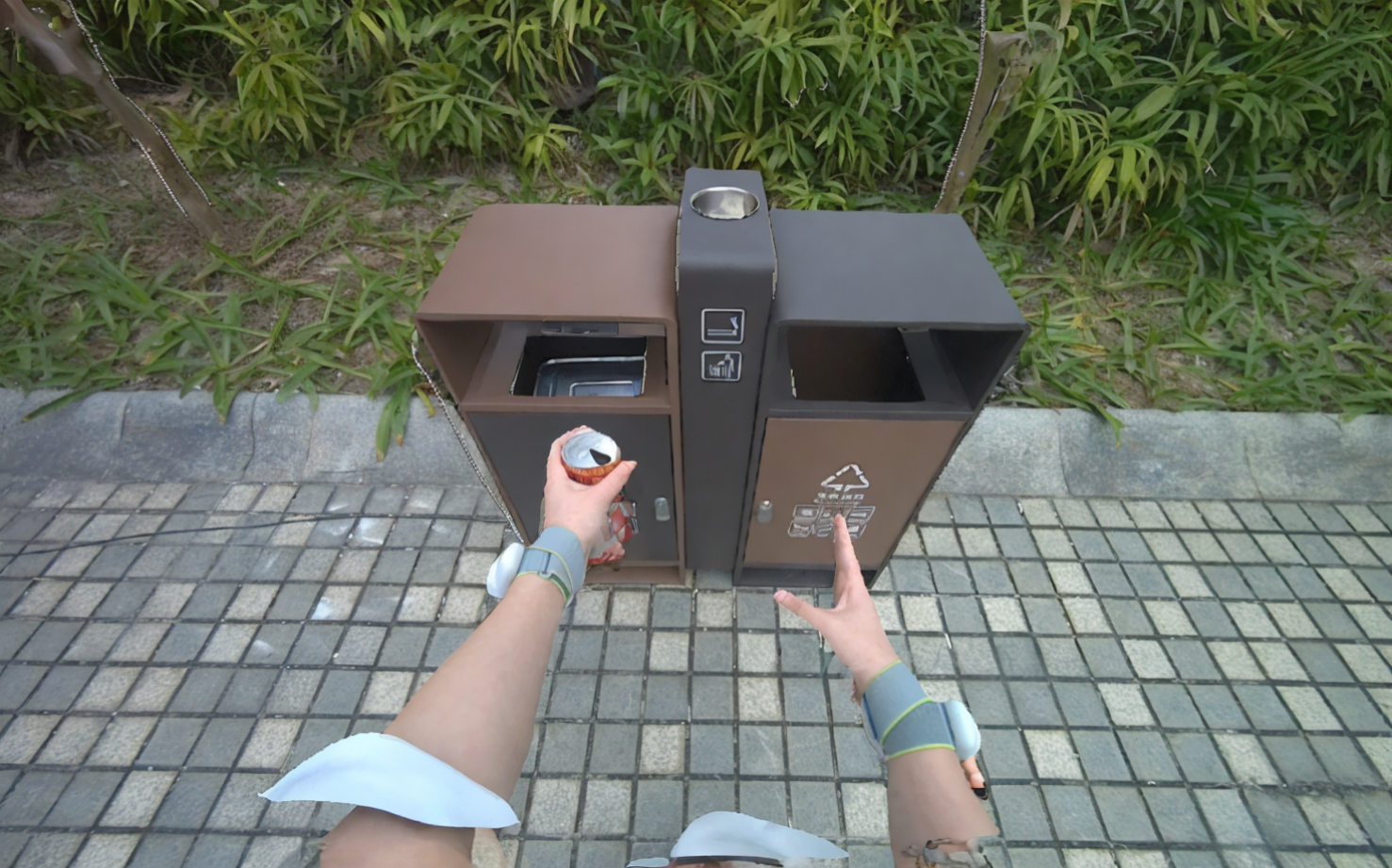
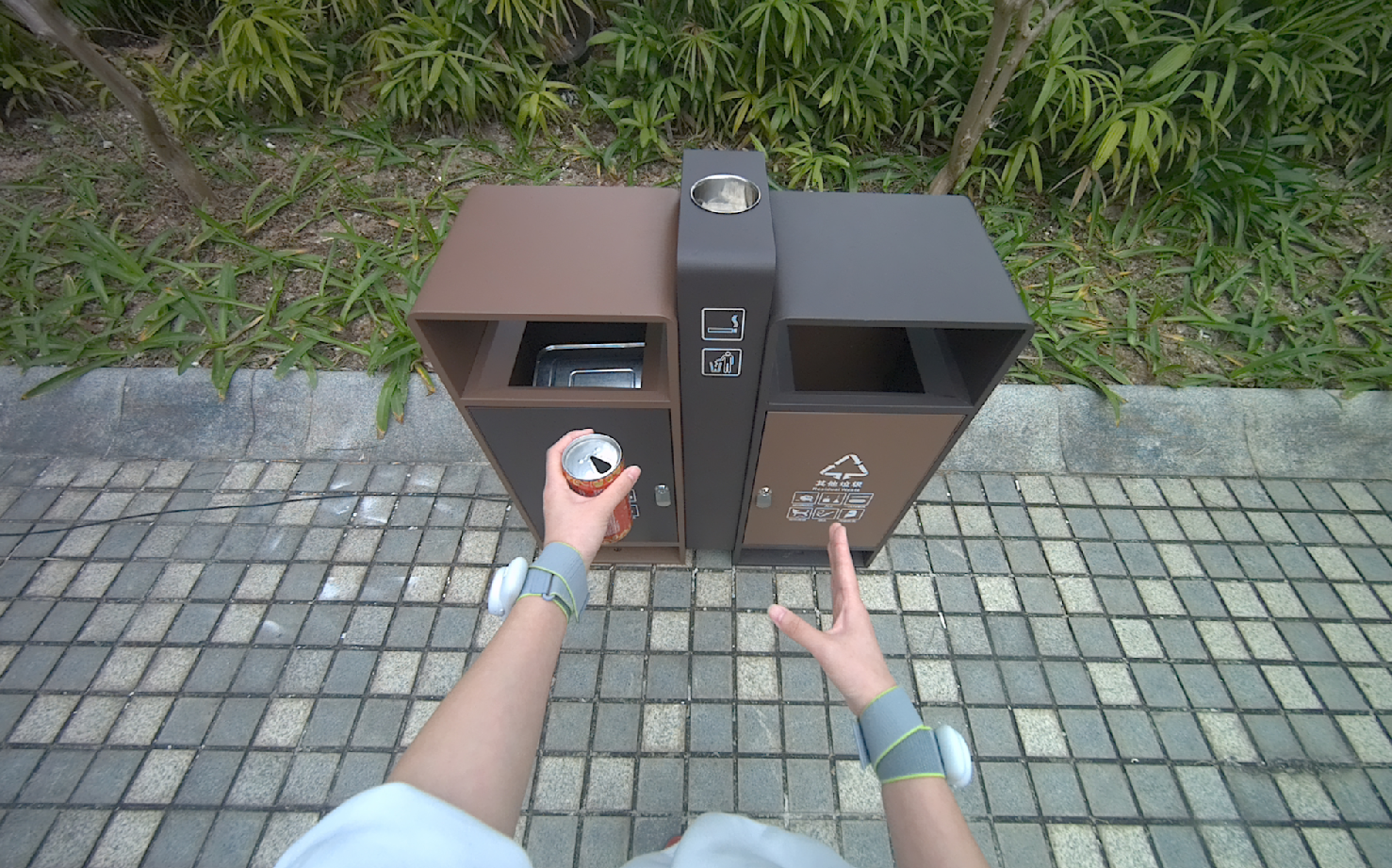
Điểm quan trọng: EgoHumanoid không chỉ là teleoperation robot theo nghĩa truyền thống. Paper của nhóm OpenDriveLab mô tả một setup robot-free, trong đó người thực hiện demonstration ngoài đời thật, đeo VR headset/tracker và camera egocentric, rồi dữ liệu đó được alignment để co-train VLA với một lượng robot data nhỏ hơn. Trang project nhấn mạnh rằng dữ liệu human egocentric giúp tăng generalization, đặc biệt ở môi trường robot chưa từng thu thập trực tiếp. Nguồn chính nên đọc trước là EgoHumanoid paper, project page và repo OpenDriveLab/EgoHumanoid.
Trong bài này, ta không bàn pháp lý trừu tượng. Ta mở folder và hỏi:
| Câu hỏi audit | Vì sao quan trọng? |
|---|---|
| VR demo ghi những field nào? | Biết field nào là dữ liệu cá nhân/hành vi thật, field nào là sensor stream kỹ thuật |
| Lệnh vận tốc được tính ở stage nào? | Không nhầm navigation_command là input operator nhập trực tiếp |
| Trạng thái tay mở/đóng được tạo ở đâu? | Biết hand_status là label dẫn xuất, không phải raw hand pose |
| Camera ZED được merge vào HDF5 ra sao? | Kiểm tra đồng bộ timestamp và quyền sử dụng hình ảnh |
| File nào cần consent/licensing metadata? | Tránh dataset train được nhưng không thể chia sẻ hoặc thương mại hóa |
Nếu bạn đang xây data pipeline cho humanoid VLA, bài này nên được đọc cùng GR00T WholeBody data thật và LeRobot v0.5 với G1 whole-body control, vì các bài đó nằm ở lớp training/deployment sau khi dữ liệu đã được đóng gói.
Roadmap series
- Bản đồ dữ liệu humanoid 2026
- Teleop VR: từ PICO/ZED đến HDF5
- View alignment và action alignment
- Simulation và synthetic demonstration
- Human video và dữ liệu robot-free
- VLA stack và quyền kiểm soát cuối chuỗi
Mental model: từ người đeo headset đến episode train được
EgoHumanoid có hai nhánh dữ liệu: robot teleoperation và human robot-free demonstration. Bài này tập trung vào nhánh người. Theo README data_collection/human_data, hệ thống dùng PICO VR, ZED Mini và MeshCat để ghi synchronized full-body tracking, hand tracking, controller pose và video. README cũng cho biết collection interval mặc định là 0.01 giây, tức khoảng 100Hz cho tracking stream.
Một chain tối giản:
Human demonstrator
  -> PICO full-body + hand tracking
  -> ZED Mini SVO2 video with depth
  -> episode_N.hdf5      # pose, controller, hand, timestamps
  -> episode_N.svo2      # binocular camera recording
  -> processed/hdf5 + processed/svo2
  -> final HDF5 with navigation, images, hand_status
  -> optional LeRobot conversion
  -> VLA training
Với beginner, điểm dễ nhầm là chữ "teleop". Trong robot teleop, operator điều khiển robot thật, nên raw data thường đã chứa robot state/action. Trong robot-free VR demo của EgoHumanoid, người không nhất thiết điều khiển robot thật tại thời điểm ghi. Họ đang tạo một demonstration egocentric của hành vi người. Vì thế pipeline phải suy ra các action tương thích với humanoid: lower-body command, end-effector movement và hand open/close.
Trang project EgoHumanoid mô tả action alignment theo ba mảnh: upper body về 6-DoF delta end-effector, lower body về discrete velocity commands, dexterous hand về binary open/close. Bài này đi vào phần file-level của hai mảnh rất dễ audit: lower body command và hand status.

Stage 0: thu thập trong data_collection/human_data
Thư mục collection quan trọng là:
data_collection/human_data/
  README.md
  requirements.txt
  scripts/
    human_data_collection.py
    svo2_to_mp4.py
Theo README, phần cứng tối thiểu gồm PICO VR headset có full-body tracking, ZED Mini depth camera và PC Linux Ubuntu 22.04 hoặc 24.04. Khi chạy collection:
cd data_collection/human_data

python scripts/human_data_collection.py --name <dataset_name>

python scripts/human_data_collection.py \
  --data-dir <save_dir> \
  --name <dataset_name> \
  --visualize-zed
Workflow vận hành rất trực tiếp: chương trình khởi tạo PICO SDK, ZED Mini và MeshCat; người vận hành mở http://localhost:7000/static/ để xem skeleton 3D; nhập episode index; thực hiện demonstration; nhấn Space để kết thúc episode; HDF5 và SVO2 được lưu tự động.
Output của một session thường giống:
data_collection/
  body_data/
    episode_0.hdf5
    episode_0.svo2
    episode_1.hdf5
    episode_1.svo2
README mô tả schema HDF5 thô như sau:
| Dataset trong raw HDF5 | Shape điển hình | Ý nghĩa audit |
|---|---|---|
body_pose |
(frames, 24, 7) |
24 joint body pose, mỗi joint gồm vị trí và quaternion |
left_controller_pose |
(frames, 7) |
Pose controller trái |
right_controller_pose |
(frames, 7) |
Pose controller phải |
left_hand_pose |
(frames, 26, 7) |
26 joint tay trái |
right_hand_pose |
(frames, 26, 7) |
26 joint tay phải |
left_hand_active |
(frames,) |
Tracking tay trái có active không |
right_hand_active |
(frames,) |
Tracking tay phải có active không |
local_timestamps_ns |
(frames,) |
Timestamp local PC ở nanosecond |
episode_N.svo2 |
file riêng | Video ZED Mini, gồm luồng binocular và depth tùy cấu hình |
Từ góc nhìn ownership, đây là lớp nhạy cảm nhất. body_pose và hand_pose không phải ảnh mặt, nhưng vẫn là biometric-like behavioral trace: dáng đi, biên độ tay, cách thao tác, tốc độ phản ứng. episode_N.svo2 còn nhạy hơn vì có hình ảnh môi trường thật, vật thể, người xung quanh, màn hình máy tính, biển hiệu hoặc thông tin khách hàng. Nếu dataset sẽ được chia sẻ ra ngoài team, consent không nên chỉ ghi "đồng ý tham gia thí nghiệm"; nó cần nói rõ dữ liệu có thể được dùng để train model robot, chuyển format, trích ảnh, tạo video preview và publish sample hay không.
Một manifest tối thiểu nên nằm cạnh raw data:
dataset_id: pillow_placement_home_2026_06_10
collector: team_a
operator_id: op_014
consent_form_version: v3_robot_learning_2026
consent_scope:
  train_internal_models: true
  publish_examples: false
  share_with_partners: false
  commercial_use: true
environment:
  location_type: home_mockup
  bystanders_present: false
  sensitive_displays_visible: false
hardware:
  headset: PICO
  camera: ZED Mini
  recording_format: hdf5_svo2
license:
  raw_hdf5: internal_restricted
  raw_svo2: internal_restricted
  processed_hdf5: internal_restricted
Đừng đợi đến lúc convert sang LeRobot mới thêm metadata. Sau khi file đã được downsample, merge camera và split thành shards, truy ngược operator hoặc consent scope sẽ khó hơn nhiều.
Stage 1: Reorder Episodes
Pipeline xử lý nằm trong:
data_alignment/human_data_process/
  run_human_data_pipeline.sh
  scripts/reorder_episodes_for_raw.py
  process_navigation_pipeline.py
  downsample_episode.py
  merge_camera_only.py
  add_hand_status.py
README human_data_process nói input nên được tổ chức theo batch ngày tháng:
input_dir/
  2025-01-15_batch1/
    episode_0.hdf5
    episode_0.svo2
    episode_1.hdf5
    episode_1.svo2
  2025-01-15_batch2/
    ...
Lệnh full pipeline:
cd data_alignment/human_data_process

./run_human_data_pipeline.sh \
  --input_dir /path/to/raw_data \
  --output_dir /path/to/intermediate \
  --final-output-dir /path/to/final \
  --file all
Stage Reorder Episodes scan các subfolder kiểu {date}_{batch}, sort episode theo thời gian và copy sang:
processed/
  hdf5/
    episode_0.hdf5
    episode_1.hdf5
  svo2/
    episode_0.svo2
    episode_1.svo2
Về kỹ thuật, stage này không tạo signal học mới. Nó chuẩn hóa thứ tự và naming để các stage sau không phải hiểu lịch sử collection. Về ownership, stage này lại rất quan trọng vì nó có thể làm mất ngữ cảnh gốc. Nếu raw folder ban đầu là 2026-06-10_factory_a_operator_014_batch2, sau reorder chỉ còn episode_17.hdf5, bạn vừa mất thông tin operator/location/batch nếu không có manifest hoặc mapping file.
Checklist audit cho Stage 1:
| Kiểm tra | Cách nghĩ thực dụng |
|---|---|
| Có mapping raw path -> processed episode không? | Cần để takedown một episode nếu operator rút consent |
| Có hash file trước/sau copy không? | Cần để biết file không bị sửa ngoài pipeline |
| Có giữ cả HDF5 và SVO2 cùng index không? | Nếu lệch index, merge camera stage có thể ghép sai video |
| Có ghi ngày, batch, operator, task ở metadata không? | Tên file tuần tự không đủ cho governance |
Một file mapping đơn giản:
processed_episode,raw_hdf5,raw_svo2,operator_id,task,consent_id
episode_000017,2026-06-10_batch2/episode_3.hdf5,2026-06-10_batch2/episode_3.svo2,op_014,pillow_placement,consent_2026_v3
Stage 2: Navigation Pipeline
Đây là stage quan trọng nhất nếu bạn muốn hiểu lệnh vận tốc đến từ đâu. Theo README, Navigation Pipeline đọc body_pose, dùng các keypoint skeleton như pelvis và hip landmarks, áp dụng coordinate transform, làm mượt trajectory bằng Savitzky-Golay filter, ước lượng tangent direction và tạo velocity command [vx, vy, yaw_rate] trong local body frame. Pipeline có thể xuất PNG comparison plot để validation.
Chạy riêng stage này:
python process_navigation_pipeline.py \
  --dataset-dir /data/processed \
  --baseline-sec 15 \
  --tangent-lag 5 \
  --overwrite \
  --no-png
Tư duy beginner:
body_pose over time
  -> pelvis/hip trajectory
  -> smoothed path
  -> local tangent direction
  -> frame-to-frame velocity
  -> navigation_command = [vx, vy, yaw_rate]
navigation_command không phải joystick raw input. Nó là signal dẫn xuất từ chuyển động người. Đây là điểm rất dễ tạo hiểu nhầm trong license và model card. Nếu bạn nói "dataset có action humanoid", người đọc có thể tưởng đó là command từ robot controller. Với nhánh human robot-free, command này là kết quả action alignment từ pose người sang representation phù hợp cho humanoid.
Thông số mặc định trong script wrapper cũng đáng ghi vào metadata:
| Tham số | Default trong README | Tác động |
|---|---|---|
--baseline-sec |
15 |
Window làm mượt trajectory |
--tangent-lag |
5 |
Số frame dùng để ước lượng hướng tangent |
--with-png |
off | Xuất plot validation nếu bật |
--skip-navigation |
off | Bỏ qua stage nếu đã inject command |
Ở đây có một ranh giới ownership tinh tế: raw pose thuộc về quá trình demonstration, nhưng velocity command là dữ liệu do pipeline tạo ra. Nếu team A thu raw data nhưng team B viết navigation pipeline, ai sở hữu command dẫn xuất? Câu trả lời phụ thuộc hợp đồng và license, nhưng ít nhất metadata phải ghi rõ:
derived_fields:
  navigation_command:
    source_fields: [body_pose, local_timestamps_ns]
    method: EgoHumanoid process_navigation_pipeline.py
    baseline_sec: 15
    tangent_lag: 5
    generated_by: data_team_b
    generated_at: 2026-06-10T10:20:00Z
Stage 3: Downsample
Raw tracking có thể ở tần số cao hơn tần số train mong muốn. Stage Downsample giảm frequency bằng sliding window, default factor 5, trung bình hóa navigation command, tạo teleop_navigate_command rời rạc bằng thresholding và tính delta_height giữa các frame.
Chạy riêng:
python downsample_episode.py \
  --dataset-dir /data/processed \
  --downsample-rate 5 \
  --overwrite
Output quan trọng:
| Field | Raw hay dẫn xuất? | Ý nghĩa |
|---|---|---|
navigation_command |
dẫn xuất liên tục | [vx, vy, yaw_rate] sau xử lý |
teleop_navigate_command |
dẫn xuất rời rạc | command đã threshold, phù hợp action space discrete |
delta_height |
dẫn xuất | thay đổi chiều cao giữa frame, hữu ích khi người cúi/ngẩng/đổi tư thế |
Downsample không chỉ là tối ưu I/O. Nó thay đổi bản chất dữ liệu học. Một thao tác tay nhanh hoặc một bước đổi hướng ngắn có thể bị làm mượt. Một command vận tốc liên tục có thể bị biến thành lớp rời rạc. Nếu model sau này thất bại ở thao tác cần phản xạ nhanh, câu hỏi audit không chỉ là "data có đủ không", mà là "stage downsample có xóa mất chi tiết không".
Metadata tối thiểu:
processing:
  downsample:
    rate: 5
    command_aggregation: sliding_window_average
    discrete_command_method: thresholding
    preserves_raw: true
Với beginner, hãy luôn giữ raw HDF5 và final HDF5 tách biệt. Đừng overwrite raw bằng file đã downsample. Dữ liệu raw là bằng chứng; dữ liệu downsample là sản phẩm train.
Stage 4: Merge Camera
Stage Merge Camera nối video ZED với HDF5 đã downsample. Theo README, script đọc binocular frames từ SVO2, match chúng với timestamp HDF5 bằng binary search, nén ảnh JPEG quality 95 và ghi left/right images vào HDF5 final. Chạy riêng:
python merge_camera_only.py \
  --dataset-dir /data/processed \
  --output-dir /data/final \
  --num-workers 32
Final HDF5 sẽ có các field:
| Field | Ý nghĩa audit |
|---|---|
observation_image_left |
frame camera trái đã nén JPEG |
observation_image_right |
frame camera phải đã nén JPEG |
camera_timestamp |
timestamp camera được match |
timestamp_diff_ms |
sai lệch sync giữa camera và data timestamp |
Đây là nơi privacy risk tăng mạnh. Trước Stage 4, processed HDF5 có thể chủ yếu là pose và command. Sau Stage 4, final HDF5 chứa ảnh thật. Nếu bạn định public sample HDF5, upload lên Hugging Face hoặc dùng trong demo cho khách hàng, bạn đang chia sẻ visual environment, không chỉ motion vectors.
Checklist trước khi merge hoặc publish:
| Câu hỏi | Nên trả lời trước khi train/share |
|---|---|
| Có ai ngoài operator xuất hiện trong frame không? | Nếu có, cần consent hoặc blur policy |
| Có màn hình, giấy tờ, nhãn sản phẩm, biển số không? | Nếu có, đánh dấu episode nhạy cảm |
timestamp_diff_ms có quá lớn không? |
Sync kém làm action/image lệch, model học sai |
| JPEG quality và resize có được ghi lại không? | Cần để reproduce training |
| SVO2 gốc có license khác processed HDF5 không? | Có thể cho train nội bộ nhưng không cho phân phối ảnh |
Một policy thực dụng là chia license theo lớp:
license_by_artifact:
  raw_svo2:
    access: restricted
    reason: contains unredacted environment video
  final_hdf5_with_images:
    access: internal_training_only
    redistribution: prohibited
  derived_command_only_hdf5:
    access: partner_shareable
    redistribution: case_by_case
Stage 5: Hand Status
Stage cuối cùng tạo hand_status. README mô tả nó tính binary hand open/close status bằng square wave approximation và ghi vào final HDF5 dưới dạng [left, right], trong đó 1 là closed và 0 là open.
Chạy riêng:
python add_hand_status.py \
  --raw /data/processed/hdf5 \
  --mid /data/final \
  --target /data/final \
  --downsample 5 \
  --num_workers 32
Từ góc nhìn dữ liệu:
left_hand_pose + right_hand_pose
  -> downsample alignment
  -> open/close approximation
  -> hand_status[:, 0] = left hand
  -> hand_status[:, 1] = right hand
hand_status là label rất nhỏ nhưng cực kỳ quan trọng. Với humanoid dexterous hand, không phải mọi model đều cần toàn bộ 26 joint tay. Nhiều policy giai đoạn đầu chỉ cần biết tay đang mở hay đóng để điều khiển gripper hoặc dexterous hand ở chế độ nhị phân. Vì vậy stage này làm giảm dimensionality và tăng tính portable giữa embodiment người và robot.
Nhưng giảm dimensionality cũng làm mất thông tin. Nếu demonstration có cầm nhẹ, kẹp bằng hai ngón, xoay vật bằng đầu ngón, hand_status open/close có thể quá thô. Khi audit thất bại manipulation, hãy kiểm tra xem task có thật sự phù hợp với binary hand label không.
Metadata cần ghi:
derived_fields:
  hand_status:
    source_fields: [left_hand_pose, right_hand_pose]
    representation: binary_open_close
    closed_value: 1
    open_value: 0
    downsample_rate: 5
    known_limitations:
      - loses finger-level contact detail
      - unsuitable for fine dexterous manipulation without raw hand poses
Final HDF5: audit từng field
README pipeline liệt kê final HDF5 gồm các field chính. Ta có thể phân loại như sau:
| Final HDF5 field | Nguồn | Raw/dẫn xuất | Metadata consent/licensing cần có |
|---|---|---|---|
body_pose |
raw HDF5 | raw nhưng downsampled | operator consent, biometric behavior scope |
navigation_command |
body pose trajectory | dẫn xuất | pipeline version, smoothing params, derived-rights |
teleop_navigate_command |
navigation command | dẫn xuất | threshold method, action space definition |
delta_height |
body pose | dẫn xuất | pipeline version |
observation_image_left |
SVO2 | raw visual đã nén | visual consent, location release, redistribution scope |
observation_image_right |
SVO2 | raw visual đã nén | giống camera trái |
camera_timestamp |
SVO2/HDF5 sync | dẫn xuất metadata | sync method |
timestamp_diff_ms |
sync calculation | dẫn xuất metadata | quality threshold |
hand_status |
hand pose | dẫn xuất | source pose consent, label method |
Một script audit đơn giản cho beginner:
import h5py

path = "final/episode_0.hdf5"

with h5py.File(path, "r") as f:
    for key in f.keys():
        obj = f[key]
        shape = getattr(obj, "shape", None)
        dtype = getattr(obj, "dtype", None)
        print(key, shape, dtype)

    if "timestamp_diff_ms" in f:
        diff = f["timestamp_diff_ms"][:]
        print("max sync error ms:", diff.max())
        print("mean sync error ms:", diff.mean())

    if "hand_status" in f:
        status = f["hand_status"][:]
        print("left closed ratio:", status[:, 0].mean())
        print("right closed ratio:", status[:, 1].mean())
Nếu timestamp_diff_ms có outlier lớn, episode đó có thể không nên dùng để train. Nếu hand_status toàn 0 hoặc toàn 1, có thể tracking tay lỗi, task không có grasp, hoặc square wave approximation không phù hợp.
Chạy pipeline có kiểm soát
Wrapper run_human_data_pipeline.sh hỗ trợ dry run, skip stage và validation plot. Với team mới, tôi khuyên chạy theo ba pass:
# Pass 1: preview, không ghi gì
./run_human_data_pipeline.sh \
  --input_dir /data/raw \
  --output_dir /data/processed \
  --final-output-dir /data/final \
  --dry-run

# Pass 2: chạy đủ pipeline và xuất plot trajectory
./run_human_data_pipeline.sh \
  --input_dir /data/raw \
  --output_dir /data/processed \
  --final-output-dir /data/final \
  --with-png

# Pass 3: chỉ rerun hand status nếu thay logic label
./run_human_data_pipeline.sh \
  --input_dir /data/raw \
  --output_dir /data/processed \
  --final-output-dir /data/final \
  --skip-reorder \
  --skip-navigation \
  --skip-downsample \
  --skip-merge
Bảng option đáng nhớ:
| Option | Khi nào dùng |
|---|---|
--file hdf5/svo2/all |
Khi chỉ muốn reorder một loại file |
--workers |
Tăng tốc copy/merge camera |
--baseline-sec |
Điều chỉnh độ mượt navigation |
--tangent-lag |
Điều chỉnh hướng vận tốc |
--downsample-rate |
Khớp FPS train mong muốn |
--with-png |
Review trajectory trước khi train |
--dry-run |
Audit command trước khi xử lý dữ liệu lớn |
--skip-* |
Rerun một stage mà không phá các stage khác |
Consent và license: file nào cần ghi gì?
Đây là phần nhiều team robotics bỏ qua vì quá bận train model. Nhưng trong series "Ai sở hữu dữ liệu robot hình người 2026", file-level governance là phần trung tâm.
| Artifact | Có thể chứa gì? | Rủi ro | Metadata bắt buộc nên có |
|---|---|---|---|
Raw episode_*.hdf5 |
body pose, hand pose, controller pose, timestamps | behavioral biometric, operator style | operator consent, task, location type, retention |
Raw episode_*.svo2 |
binocular/depth video | người khác, môi trường, tài liệu, màn hình | visual consent, redaction status, redistribution limit |
| Reordered HDF5/SVO2 | bản copy đổi tên | mất provenance | mapping raw path, hash, consent id |
| Navigation-injected HDF5 | velocity command dẫn xuất | nhầm là robot action thật | pipeline version, params, generated_by |
| Downsampled HDF5 | action đã giảm tần số/rời rạc hóa | mất chi tiết | downsample rate, threshold method |
| Final HDF5 with images | ảnh JPEG + command + hand status | vừa có privacy vừa có action label | license theo field, publish policy, takedown path |
| Converted LeRobot dataset | Parquet/MP4/schema | dễ share rộng, dễ mất kiểm soát downstream | dataset card, license, allowed use, source provenance |
EgoHumanoid repo hiện ghi project license Apache 2.0 cho code và nói OpenPI models/code theo Apache 2.0, nhưng điều đó không tự động giải quyết quyền của mọi dữ liệu bạn tự thu. Code license, model license, raw video consent và dataset distribution license là bốn lớp khác nhau.
Một DATASET_CARD.md tối thiểu:
# Dataset Card

## Collection
- Hardware: PICO VR, ZED Mini
- Collection path: data_collection/human_data
- Tasks: pillow placement, trash disposal
- Operators: anonymized IDs only

## Consent
- Consent form: v3_robot_learning_2026
- Allowed use: internal model training, commercial deployment
- Not allowed: public raw video release
- Withdrawal path: contact [email protected]

## Processing
- Pipeline: EgoHumanoid data_alignment/human_data_process
- Stages: reorder, navigation, downsample, merge camera, hand status
- Downsample rate: 5
- Navigation baseline-sec: 15
- Tangent lag: 5

## Artifacts
- raw HDF5: restricted
- raw SVO2: restricted
- final HDF5: internal training only
- derived command-only export: partner review required
Kết luận
Pipeline PICO/ZED của EgoHumanoid là ví dụ tốt vì nó buộc ta nhìn dữ liệu humanoid ở đúng mức hạt: episode_0.hdf5, episode_0.svo2, navigation_command, teleop_navigate_command, observation_image_left, timestamp_diff_ms, hand_status. Một khi bạn biết field nào là raw và field nào là dẫn xuất, câu hỏi "ai sở hữu dữ liệu" trở nên ít mơ hồ hơn.
Tóm tắt ngắn:
| Lớp | Điều cần nhớ |
|---|---|
| Collection | PICO/ZED ghi pose, hand, controller, timestamp và video theo episode |
| Reorder | Đổi thứ tự/tên file, cần mapping provenance |
| Navigation | Tạo [vx, vy, yaw_rate] từ body pose, không phải joystick raw |
| Downsample | Giảm tần số và tạo command rời rạc, có thể làm mất chi tiết |
| Merge Camera | Đưa ảnh ZED vào final HDF5, làm tăng rủi ro privacy |
| Hand Status | Tạo binary open/close từ hand pose, tiện train nhưng thô |
| Governance | Consent/license phải đi theo artifact, không chỉ đi theo repo code |
Bài tiếp theo sẽ đi sâu hơn vào view alignment và action alignment: vì sao biến đổi góc nhìn và action space là nơi dữ liệu người bắt đầu trở thành dữ liệu humanoid thật sự.
Nguồn kỹ thuật
- OpenDriveLab/EgoHumanoid GitHub
- PICO + ZED Mini Data Collection README
- Human Data Processing Pipeline README
- EgoHumanoid arXiv paper
- EgoHumanoid project page