Fine-Tune UnifoLM-WLA-1.0 for Unitree G1: tabletop and whole-body manipulation
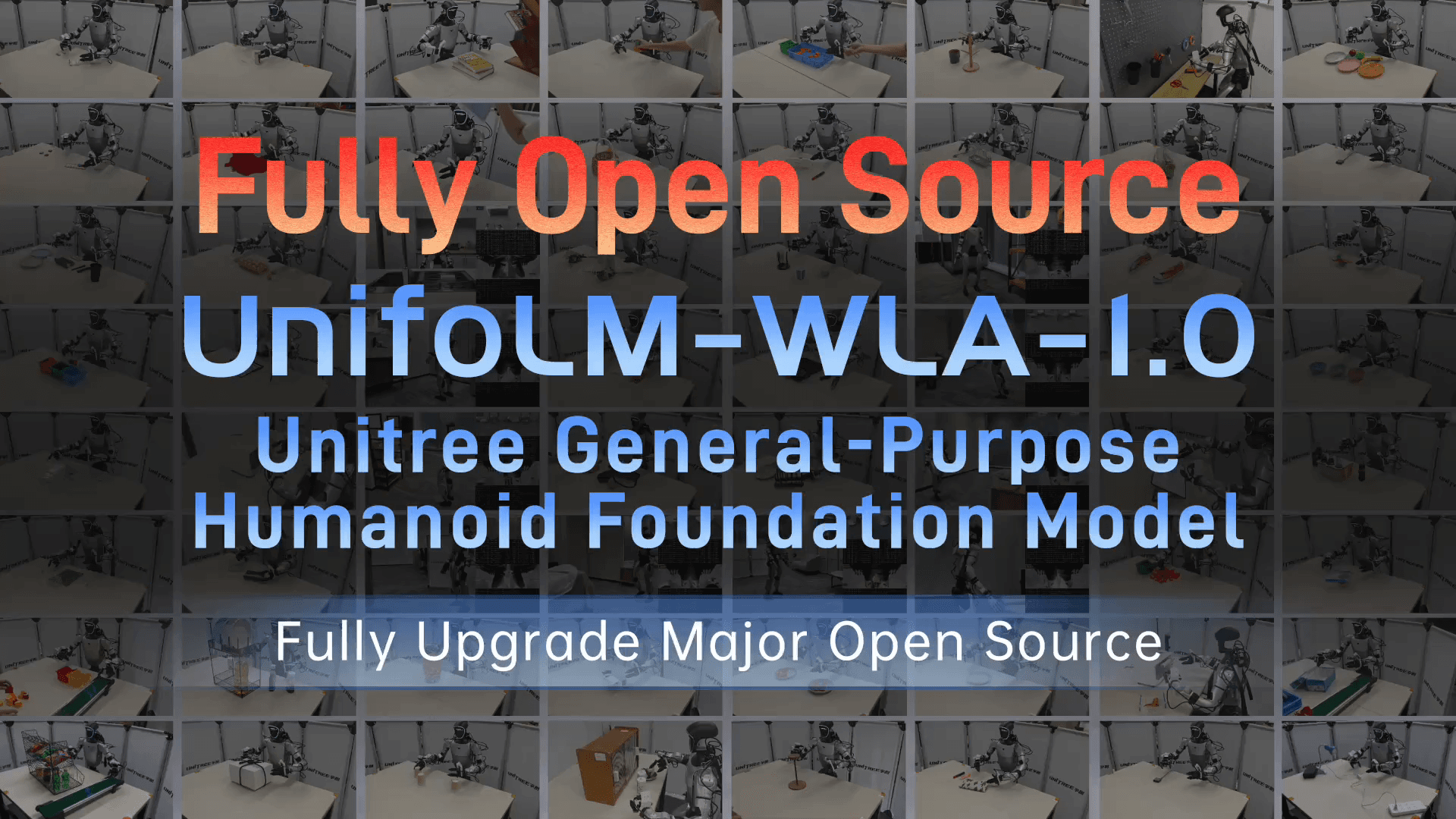
UnifoLM-WLA-1.0 is Unitree's upgraded open release for humanoid manipulation. The short version: it is a 6B-parameter robot foundation model trained on roughly 2,500 hours of real-robot data, and the official project reports one model coordinating 64 Unitree G1 tasks: 54 tabletop manipulation tasks and 10 whole-body manipulation tasks. The useful part for builders is that this is not just a demo video. Unitree released the repo, the UnifoLM-WLA-1.0-Base checkpoint, the UnifoLM-ER-1 and UnifoLM-ER-Flow reasoner models, Dex1 and WBT dataset collections, action-state processing docs, evaluation scripts, full fine-tuning scripts, and LoRA fine-tuning scripts.
If you have followed our earlier UnifoLM-VLA + G1 architecture guide or the older G1 fine-tuning walkthrough, treat this guide as the more practical 2026 version. The base checkpoint is public, the data specification is explicit, and whole-body action slots are documented instead of being left as an exercise for the reader.
What problem does UnifoLM-WLA-1.0 solve?
Humanoid manipulation is not just arm control. A G1 standing in front of a table must understand the object, follow a language instruction, predict which part of the scene will change, keep balance, choose arm trajectories, command a gripper or dexterous hand, and avoid lower-body motions that destabilize the robot. For a simple tabletop task you can often lock the lower body and command the arms. For whole-body manipulation such as picking up a pillow, organizing shelves, making a bed, or loading plates into a dishwasher, the policy must coordinate base, torso, waist, arms, hands, and legs.
UnifoLM-WLA-1.0 can be read as a three-layer system:
| Layer | Job | Main component |
|---|---|---|
| Embodied Reasoner | Understand images, instructions, spatial relations, and interaction targets | UnifoLM-ER-1, based on Qwen3-VL-4B |
| Interaction/world modeling | Predict future dynamic regions in the scene | optical flow, dynamic masks, VQ-VAE tokens |
| WLA action expert | Generate continuous action chunks for the robot | UnifoLM-ER-Flow + MMDiT action expert |
The official project page says UnifoLM-ER-1 is trained on more than 5 million samples across image point prediction, object detection, multi-image reasoning, 2D trajectory prediction, 3D object detection, and spatial question answering. UnifoLM-ER-Flow then introduces discrete action tokens and future dynamic-region mask tokens, aligning vision, language, predicted scene change, and robot actions. The WLA model builds on this backbone and adds an MMDiT flow decoder for continuous actions.
The project idea: predict the changing region before acting
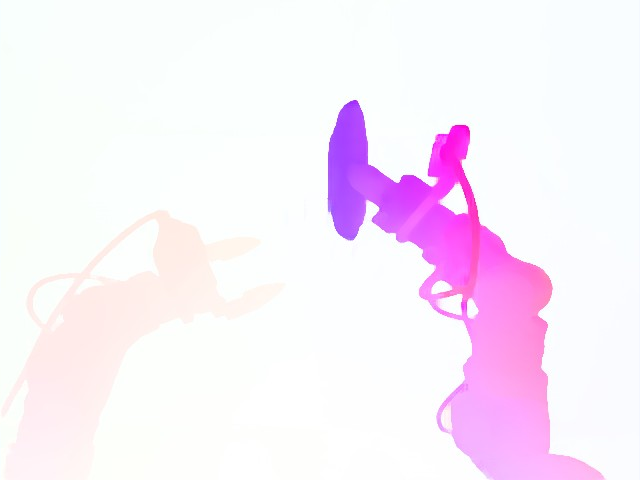
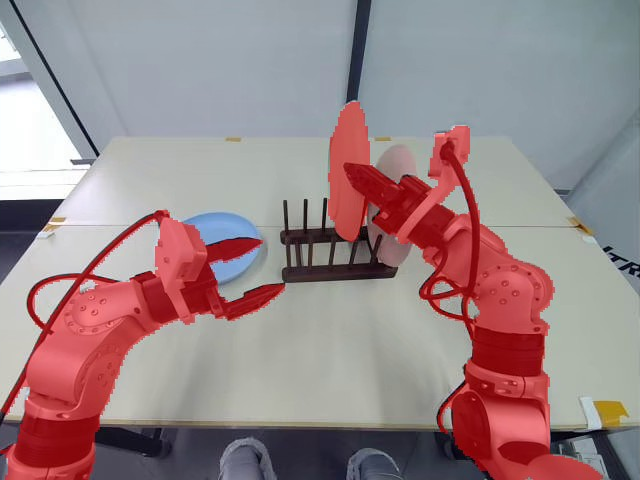
As of this writing, the primary technical artifact is the official project page plus the GitHub repository, not a separate arXiv paper for WLA-1.0. The research idea is still clear enough to implement against: a robot VLM should not only answer where an object is. It should learn what the action will change. Unitree uses optical flow between frame t0 and frame t1 to extract dynamic regions, then a VQ-VAE discretizes those masks into token sequences. Conditioned on the current image and a task description or action, the VLM predicts future dynamic-region mask tokens.
Actions are also discretized in groups: end-effector poses, end-effector joints or hands, and lower-body motion. A residual vector quantization model creates action tokens such as EEF, HAND, and LOWER, giving the VLM a shared temporal interface between pixels, language, state, and motion. When the system becomes WLA, the action expert does not merely output those discrete symbols. It learns to generate continuous action chunks for a real robot.
That distinction matters. This is not an LLM calling a robot API. It is closer to an imitation/diffusion policy conditioned on language, images, and robot state. Language selects the task. Cameras and proprioception describe the situation. The action expert produces the controls.
Architecture you should understand before fine-tuning
The UnifoLM-WLA-1.0-Base checkpoint contains the VLM-side configuration and tokenizer, the action model, and dataset statistics. The default fine-tuning config uses a QwenMMDiT framework. The VLM hidden dimension is 2560 and the config uses flash_attention_2. The robot-state projector is enabled and receives 120 dimensions. The action model is DiT-L with hidden size 1024, 16 layers, 32 attention heads, action dimension 54, action horizon 30, and 4 diffusion inference timesteps.
For a beginner, the meaning is more important than the numbers:
| Config | Practical meaning |
|---|---|
action_dim: 54 |
Each future timestep is a 54-dimensional action vector |
action_horizon: 30 |
Each policy call predicts a 30-step chunk |
target_fps: 30 |
The default chunk covers roughly one second |
robot_state_projector.input_dim: 120 |
60 state values plus a 60-dimensional validity mask |
freeze_modules: qwen_vl_interface |
Default fine-tuning freezes the VLM and trains the action expert plus state projector |
per_device_batch_size: 1 and gradient_accumulation_steps: 8 |
The default is aimed at a single 24GB GPU |
The action-state processing document is the most important file if you collect your own data. A future action is represented as a 54-dimensional vector covering left/right end-effector pose, grippers, dexterous hands, waist, torso, base velocity, relative base pose, height, and leg actions. The current state is a 60-dimensional vector covering absolute left/right end-effector pose, hand state, waist, torso, base velocity, base inertial state, height, and leg joint state. The model-facing robot state becomes 120 dimensions because the 60-dimensional state is concatenated with a slot-aligned 60-dimensional validity mask.
If you have worked through our WholeBodyVLA teleop-train-deploy guide, UnifoLM-WLA will feel like a stricter version of the same idea: normalize all embodiments into shared slots, then use masks to tell the model which modules are present.
Prepare the machine and repository
Use a Linux machine with an NVIDIA GPU. The default full fine-tuning config targets one 24GB GPU. If you have less memory, lower batch size and worker count or start with LoRA. If you plan to unfreeze the VLM, prepare substantially more VRAM and more data.
mkdir -p ~/robot_ws
cd ~/robot_ws

git clone https://github.com/unitreerobotics/unifolm-wla.git
cd unifolm-wla

curl -LsSf https://astral.sh/uv/install.sh | sh
uv sync
uv pip install flash-attn --no-build-isolation
source .venv/bin/activate
Run a small sanity check:
python -c "import torch; print(torch.cuda.is_available())"
python -c "import unifolm_wla; print('unifolm_wla import ok')"
hf --help | head
If flash-attn fails to build, the usual cause is a CUDA/PyTorch mismatch. For a beginner, the fastest route is a stable CUDA/PyTorch image or a cloud GPU template where PyTorch and CUDA already match. Do not start by debugging drivers on the production robot computer.
Download the checkpoint and datasets
Download the base checkpoint:
hf download unitreerobotics/UnifoLM-WLA-1.0-Base \
  --local-dir playground/Pretrained_models/UnifoLM-WLA-1.0-Base
The directory should look like this:
UnifoLM-WLA-1.0-Base/
├── checkpoints/
│   └── model.safetensors
├── config.yaml
├── dataset_statistics.json
└── tokenizer/
For data, Unitree publishes task-level dataset repositories. Dex1 covers tabletop/dexterous manipulation tasks; WBT covers whole-body teleoperation and manipulation. For example:
export DATA_ROOT=$HOME/unifolm_data

hf download unitreerobotics/G1_Dex1_Stack_Block --repo-type dataset \
  --local-dir $DATA_ROOT/UnifoLM_G1_Dex1_Dataset/G1_Dex1_Stack_Block

hf download unitreerobotics/G1_WBT_Brainco_Make_The_Bed --repo-type dataset \
  --local-dir $DATA_ROOT/UnifoLM_WBT_Dataset/G1_WBT_Brainco_Make_The_Bed
Use the structure recommended by the official docs:
$DATA_ROOT/
├── UnifoLM_G1_Dex1_Dataset/
│   ├── G1_Dex1_Stack_Block/
│   └── G1_Dex1_Wipe_Table/
└── UnifoLM_WBT_Dataset/
    ├── G1_WBT_Brainco_Make_The_Bed/
    └── G1_WBT_Brainco_Pickup_Pillow/
The Hugging Face collections list dozens of Dex1 and WBT tasks. Dex1 includes tasks such as Stack_Block, Fold_Towel, Organize_Tools, Pour_Drink, and Open_Bottle_Cap. WBT includes tasks such as Make_The_Bed, Pickup_Pillow, Collect_Plates_Into_Dishwasher, and Put_Clothes_into_Washing_Machine. For the first run, pick one or two tasks close to your target. Do not mix twenty tasks immediately; it becomes too hard to separate schema errors from training behavior.
Configure unitree.yaml
The dataset config needs to point to your data root and cache directory. Conceptually:
data_base: "/home/user/unifolm_data"
cache_dir: "/home/user/unifolm_cache"

datasets:
  - <<: *unitree_base
    name: "unifolm_g1_dex1"
    data_path: "UnifoLM_G1_Dex1_Dataset"
    image_keys: *unitree_img_with_stereo

  - <<: *unitree_fullbody_base
    name: "unifolm_wbt"
    data_path: "UnifoLM_WBT_Dataset"
    image_keys: *unitree_img_wo_stereo
Common beginner mistakes:
| Mistake | Symptom | Fix |
|---|---|---|
| Wrong units | Loss decreases but deployed actions are jerky or scaled wrong | Convert to meters, radians, m/s, and rad/s |
| Wrong quaternion order | End-effector rotation plots look wrong | Use xyzw, not wxyz |
| Mirrored left/right convention | The robot moves the wrong side | Do not mirror the right arm; both arms use the same base frame |
| Missing statistics | Eval runs but denormalized actions are wrong | Keep dataset_statistics.json next to the checkpoint layout |
| WBT data with Dex1 server | Base and finger actions are missing during serving | Extend the adapter/protocol before live WBT deployment |
Run evaluation before training
Before fine-tuning, run local evaluation to prove that the checkpoint, config, and data can be read:
python -m examples.unifolm_wla.eval_files.unitree.eval_local_episode \
  --ckpt_path playground/Pretrained_models/UnifoLM-WLA-1.0-Base/checkpoints/model.safetensors \
  --data_config_path unifolm_wla/dataloader/multi_source_dataset/configs/unitree.yaml \
  --episode_idx 0 \
  --save_dir results/eval_local_episode
This script runs the checkpoint chunk by chunk on one local episode and plots predicted actions against ground-truth actions. That is a better sanity check than watching the training loss. If relative end-effector pose is completely wrong, stop and inspect the schema. If the trend is right but the scale is wrong, inspect normalization and statistics. If only one module is wrong, such as gripper or right leg, inspect the slice mapping for that module.
Full action-expert fine-tuning
The default fine-tuning recipe freezes the VLM and trains only the MMDiT action expert plus the robot-state projector. That is a sensible beginner setting because it preserves the perception/language prior, reduces VRAM pressure, and lowers the chance of destroying spatial reasoning with a small robot dataset.
base_model_dir=playground/Pretrained_models/UnifoLM-WLA-1.0-Base \
bash examples/unifolm_wla/train_files/run_finetune_mmdit_frozen_vlm.sh
Parameters worth editing in unifolm_wla/config/training/mmdit_finetune_frozen_vlm.yaml:
| Parameter | Default | When to change it |
|---|---|---|
max_train_steps |
20000 | Reduce to 2000-5000 for a pilot |
save_interval |
2000 | Reduce if you want early checkpoints |
learning_rate.base |
1e-4 |
Lower it if loss oscillates heavily |
per_device_batch_size |
1 | Keep it at 1 on a 24GB GPU |
gradient_accumulation_steps |
8 | Increase for a larger effective batch |
freeze_modules |
qwen_vl_interface |
Remove only with more VRAM and enough data |
For a small task, use three stages:
- Smoke test, 200-500 steps: the goal is no crash, valid cache, finite loss.
- Pilot, 2,000-5,000 steps: check whether local evaluation plots improve.
- Main run, 20,000 steps: only run this after schema and metrics are clear.
Do not deploy to a real robot just because training loss is lower. With a humanoid, one action channel with the wrong scale can produce unsafe motion. If you need a lower-level safety layer, read our cuRobo + G1 whole-body planning guide before live tests.
LoRA fine-tuning for smaller data or VRAM
The repo includes LoRA configs for both qwen_vl_interface and action_model. For a beginner, the safer first setting is to keep the VLM frozen and LoRA-adapt the action model:
base_model_dir=playground/Pretrained_models/UnifoLM-WLA-1.0-Base \
bash examples/unifolm_wla/train_files/run_lora_finetune_mmdit_frozen_vlm.sh
Example LoRA block:
trainer:
  lora:
    enabled: true
    action_model:
      enabled: true
      r: 16
      lora_alpha: 32
      lora_dropout: 0.05
      target_modules: ["to_q", "to_k", "to_v", "to_out.0", "add_q_proj", "add_k_proj", "add_v_proj", "to_add_out"]
      bias: "none"
LoRA writes small adapter checkpoints such as adapter.safetensors or steps_<n>_adapter.safetensors. That artifact is much easier to distribute than a full checkpoint. For a new tabletop task with a few hundred episodes, LoRA is usually the right starting point. For a new embodiment, a new hand, or complex WBT adaptation, full action-expert fine-tuning may be necessary.
Inference and the current model-server limit
The repo provides a server:
python -m model_server.action_server_wbc_msgpack_unitree \
  --ckpt_path playground/Pretrained_models/UnifoLM-WLA-1.0-Base/checkpoints/model.safetensors \
  --host 0.0.0.0 --port 8600 \
  --instruction "pick up the object"
Then run the evaluator client:
python -m model_server.eval_local_episode_wbc_msgpack_server_only \
  --ckpt_path playground/Pretrained_models/UnifoLM-WLA-1.0-Base/checkpoints/model.safetensors \
  --data_config_path unifolm_wla/dataloader/multi_source_dataset/configs/unitree.yaml \
  --host 127.0.0.1 --port 8600 \
  --episode_idx 0 \
  --save_dir results/eval_local_episode_wbc_msgpack
The important caveat is that the official docs describe the current server path as Dex1 only. The adapter _ACTIVE_SLOT_SPECS mirrors unitree_base; it does not include left_fig6d, right_fig6d, or base_pose, which are needed for WBT. To serve a WBT checkpoint, you must extend the slot spec and the message protocol so finger angles, base pose, and the matching action.* keys are encoded and decoded. For this guide, beginner-safe inference means local evaluation or Dex1 serving; whole-body live deployment needs additional engineering.
How to read the results
The official results come in three layers. First, embodied reasoning: the project page reports UnifoLM-ER-1-4B leading open-source models on seven embodied spatial/multimodal benchmarks, with comparisons against RoboBrain2.0, Qwen3-VL, Cosmos, Thinker, Gemini, and GPT API models. Second, data scale: WLA is trained on roughly 2,500 hours of real-robot data, including Unitree Open Datasets and BitRobot-HIW-500. Third, robot behavior: a single WLA model handles 64 G1 tasks, including 54 tabletop and 10 whole-body tasks, with two-finger grippers and multiple five-finger dexterous hands.
For your own fine-tune, use more grounded metrics:
| Metric | Why it matters |
|---|---|
| Local episode action MSE by module | Shows whether arms, grippers, base, or legs are wrong |
| End-effector pose error | Closest offline proxy for tabletop outcome |
| Gripper open/close accuracy | A wrong gripper can fail a task even with good pose |
| Chunk smoothness | Reveals jumps between action horizons |
| Offline replay video | Easy to review with teammates who do not inspect tensors |
| Real-robot success rate | Only after safety checks |
A good small-team baseline is: evaluate the base checkpoint on the closest task, fine-tune for 2,000 steps, evaluate the same episode plus one held-out episode, inspect plots and replay video, and only then run a low-speed robot pilot.
Safety checklist before real G1 tests
- Camera streams are correct; head and wrist cameras are not swapped or mirrored.
- The state vector is 60 dimensions and the mask matches available modules.
- The action vector is 54 dimensions; remember that action slices
[42:48]and[48:54]are left/right leg actions, while similarly numbered state slices must be interpreted in the state tensor context. - Units are meters, radians, m/s, and rad/s.
- The base frame is x forward, y left, z up.
- Gravity direction in state
[41:44]is normalized. - The checkpoint layout keeps
config.yamlanddataset_statistics.jsonnext tocheckpoints/. - There is a physical e-stop, clear workspace, and low speed/torque limit.
- Do not use the WBT live server path until you extend the Dex1-only adapter.
Sources checked
- Project page: UnifoLM-WLA-1.0
- Repository: unitreerobotics/unifolm-wla
- Model collection: UnifoLM-WLA-1.0 on Hugging Face
- Dex1 dataset collection: UnifoLM_G1_Dex1_Dataset
- WBT dataset collection: UnifoLM_WBT_Dataset