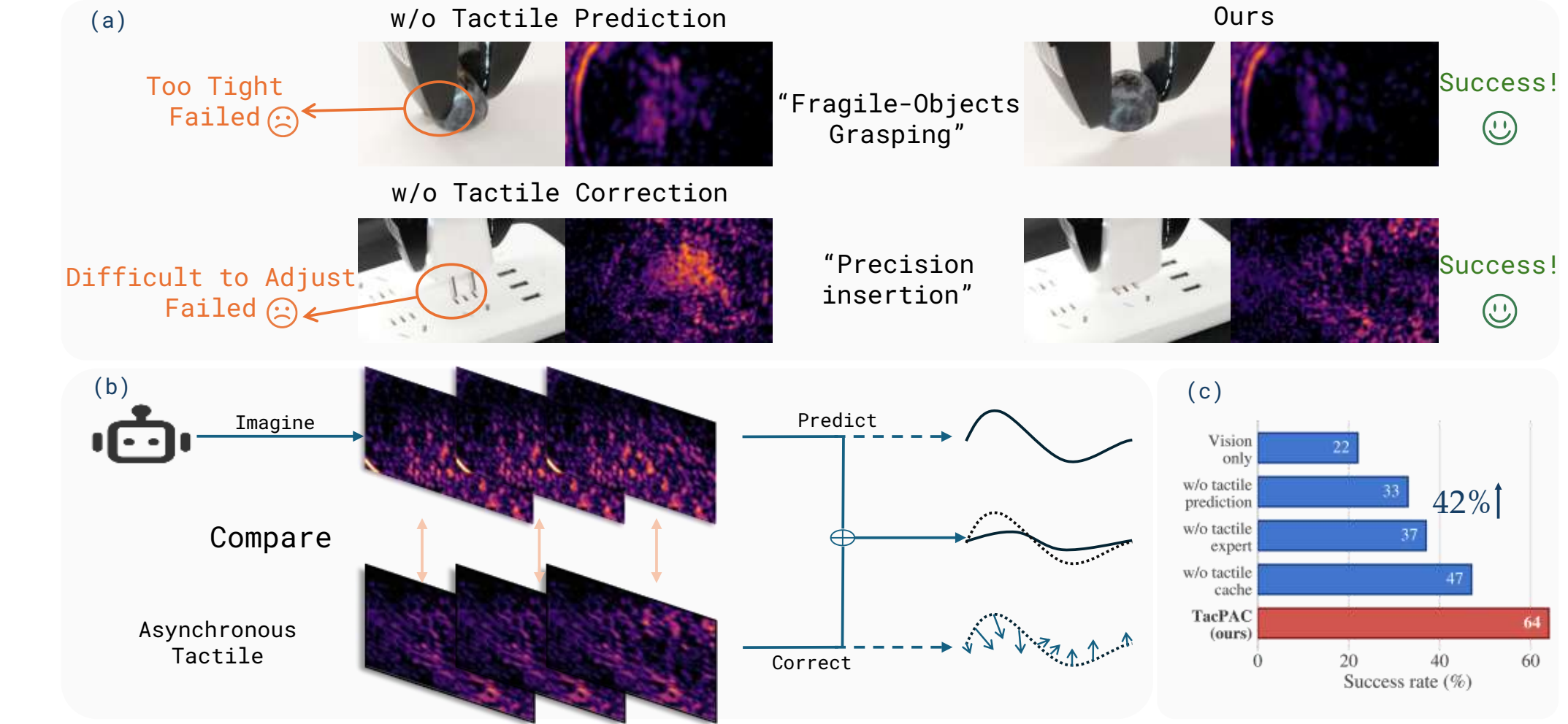
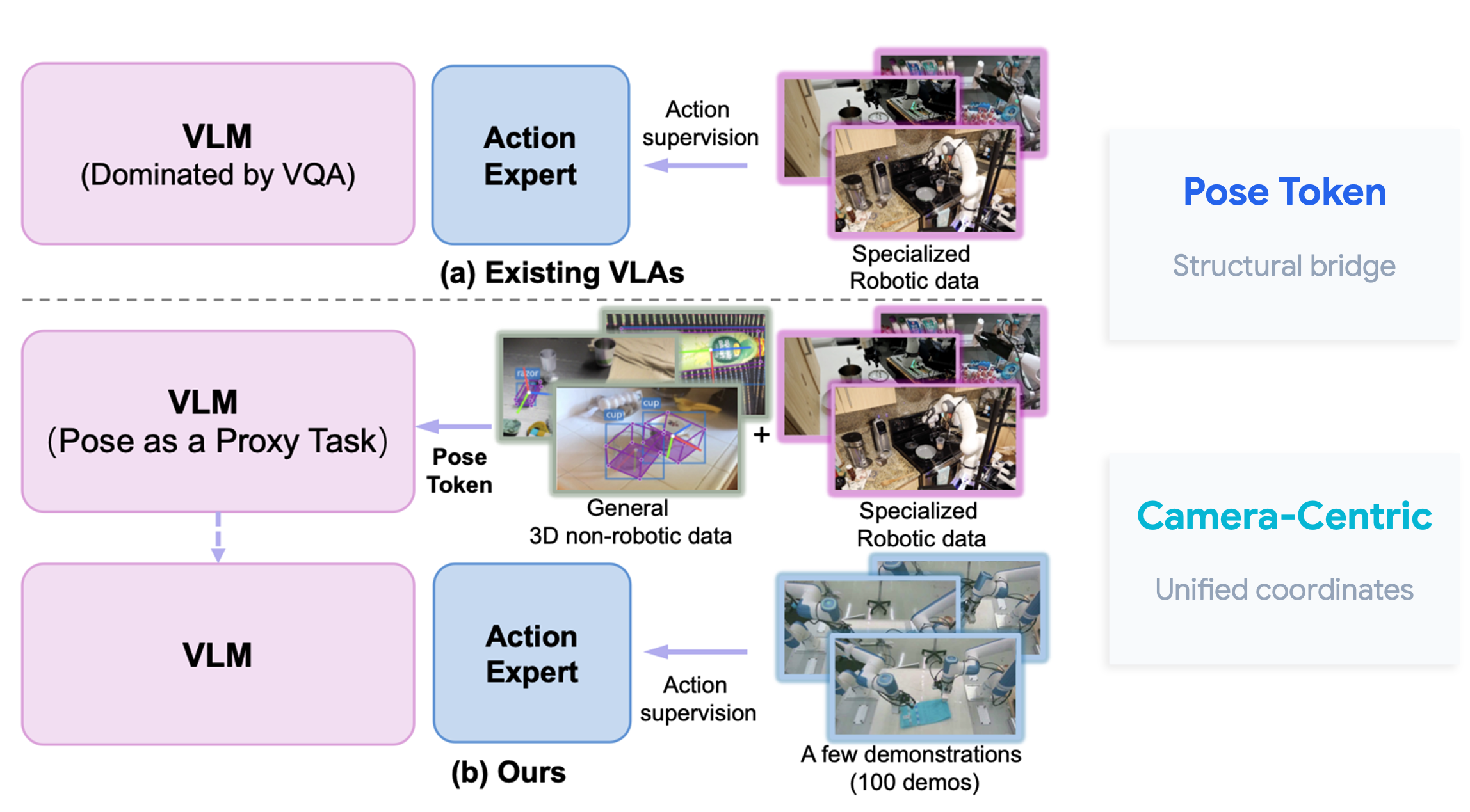
In robot manipulation, a policy that looks good in a clean demo can still fail because of tiny physical errors: the gripper closes a few centimeters off, an object rotates after contact, a shoe lands diagonally, or two robot arms become slightly unsynchronized after a small collision. For Vision-Language-Action (VLA) policies, this is especially painful because most training data still comes from successful expert demonstrations. Once execution drifts away from the neat trajectory distribution, the model may not know how to get back. The paper CARE: Experience-Guided Atomic Corrective Execution for Vision-Language-Action Policies proposes a practical answer: do not only avoid failures; turn failed rollouts into recovery supervision.
This guide explains CARE for readers who know basic Python/PyTorch, have seen VLA systems such as π0 or π0-FAST, and want to understand failure recovery on RoboTwin 2.0. We will cover the paper idea, architecture, installation path, failure distribution modeling, corrective demonstration generation, policy training, inference with a 3D monitor, and the reported results. The original repository is xiaojunlan/care, the paper is arXiv:2609.24118, and the simulator stack builds on RoboTwin 2.0.
The problem CARE solves
Many current VLA policies perform well when they start from a clean initial state. The user gives an instruction such as "place the bread in the skillet", the robot observes the scene, the policy outputs actions, and the benchmark measures final task success. Real deployment is rarely that clean. An object may slip after gripper contact, a pot may tip during lifting, a target may be partially occupied, or the robot may release too early. A small mistake in the first atomic stage can destroy the whole long-horizon task.
Older recovery strategies usually fall into three groups. The first detects a failure and rolls back or replans from an earlier state. This can work, but it treats failure as an exception to remove rather than experience to learn from. The second creates random perturbations around expert states and collects corrective demonstrations. This gives the policy recovery data, but random perturbations may not match the errors actually produced by the policy. The third uses a VLM judge or a world model to reason about failure, but that can introduce hallucination, latency, or weak physical grounding.
CARE asks a different question: how does this policy tend to fail at each atomic stage, and can a VLA learn recovery from those stage-specific deviations? Instead of assuming uniform noise around the expert trajectory, CARE runs the nominal policy, collects failed rollouts, measures geometric deviations at critical moments, fits a stage-conditioned failure distribution, and uses that distribution to synthesize new failure states. The system then collects short corrective demonstrations so the VLA learns how to repair those states.
The important lesson is not only that CARE improves success rate. The bigger idea is methodological: recovery should be treated as a capability with its own data, benchmark, and inference mechanism. If you are building a LeRobot/RoboTwin pipeline for dual-arm or humanoid upper-body manipulation, CARE provides a clear blueprint.
The paper idea in one picture
CARE has two connected halves.
The offline half is Experience-Guided Corrective Data Synthesis. The system first runs a nominal VLA without recovery in simulation or on a real robot. When an atomic stage fails, CARE records the deviation at the stage-critical event. For grasping, that can be the object-gripper misalignment at gripper closure. For placement, it can be the object-target misalignment at release. The paper represents the deviation with translation Δx, Δy, Δz and a yaw offset Δr, then fits a distribution p(d | k) for each stage k. Candidate distributions include Gaussian, Beta, Gamma, Weibull, Log-Normal, and Uniform, selected with AIC and the KS test.
After CARE has a failure distribution, it samples a new deviation, injects it into the stage-relevant relative pose, and rolls the system forward under physics. This detail matters: the synthesized failure state is not just a replay of a previously recorded error. It is a newly generated physical state with contact, gravity, and robot-object interaction. In simulation, an IK/motion-planning oracle creates a short corrective demonstration. In the real world, corrective data is collected through human teleoperation.
The online half is Atomic Corrective Execution. A long task is decomposed into atomic stages. A VLM planner, implemented in the paper with GPT-4.1 at temperature 0, converts the high-level instruction into a stage plan. Each stage has a nominal instruction, geometric cues to monitor, a termination predicate, and candidate corrective instructions. During robot execution, a 3D geometric monitor checks the physical state at critical events. If the predicate is satisfied, the policy continues nominally. If there is a local deviation, the monitor triggers an intra-execution adjustment. If the stage has already failed, it triggers a post-stage re-operation. The low-level actions still come from the same VLA executor, so CARE does not need a separate recovery policy.
Architecture details
You can think of CARE as a recovery wrapper around a VLA backbone.
| Component | Role | Output |
|---|---|---|
| VLM planner | Decomposes the task into atomic stages and defines cues/predicates | Π_k = (u_k, γ_k, ψ_k, U_k) |
| Failure distribution model | Fits real failures from failed rollouts per stage | `p(d |
| Corrective data generator | Samples failure states and collects corrective segments | Recovery trajectories |
| 3D geometric monitor | Checks object, gripper, and target point clouds at critical events | Nominal, adjustment, or re-operation |
| VLA executor | Generates robot actions from observation and selected instruction | Robot actions |
At runtime, the VLA executor receives the robot state, global RGB, wrist RGB, and the active atomic instruction. If the monitor selects a corrective instruction, the language input changes from a broad instruction such as "place the object into the cabinet" to a more specific atomic command such as "re-grasp the object with the right gripper" or "adjust the left shoe toward the target region". Because those corrective behaviors were included during training, the same policy can execute both nominal and corrective actions.
The 3D monitor is not a learned classifier. The paper describes it as a point-cloud predicate checker. At transitions such as gripper closure, object release, or just before a predicted transition when adjustment is enabled, the system uses SAM 3 to segment the gripper, manipulated object, and target region. It uses Depth Anything 3 to estimate depth, then fuses the observations into point clouds. The monitor computes relations such as gripper-object alignment, object-target displacement, and post-contact stability.

For a beginner, the useful simplification is this: CARE does not ask "does this image look failed?" It asks "is the geometric relation required by this stage still true?" For placement, the monitor projects the grasp center and target position onto a support plane and measures their distance. For global envelope grasping, it compares the TCP with the object's principal axis. For local edge grasping, it checks whether the fingertips straddle the edge and maintain safe clearance. That is much less ambiguous than an image-only VLM judge.
What is FSR-Bench?
CARE also introduces Failure State Recovery Benchmark (FSR-Bench) to evaluate recovery directly. A standard manipulation benchmark starts from a clean initial state and measures task success. FSR-Bench starts from an intermediate failure state and asks whether the policy can restore a task-feasible state.

FSR-Bench contains 36 recovery scenarios across five tasks. The Easy regime has 21 local failures that usually require one corrective operation, such as grasp failure, placement offset, and pose misalignment. The Hard regime has 15 structural failures requiring multi-step recovery or bimanual coordination, such as tipping, accidental drop, and target occupation. Each method is evaluated over 100 randomized trials for each task-regime pair, and the metric is Recovery Success Rate (RSR).
The benchmark design separates training and evaluation distributions. Corrective training data for FSR-Bench is generated by uniformly sampling perturbations within each scenario's predefined range. Evaluation states, however, come from empirical failure distributions estimated from a mixture of nominal policies. That means FSR-Bench does not merely test whether a method learned uniform perturbations; it tests recovery from failures that resemble actual policy-induced errors.
Installing CARE and RoboTwin 2.0
The CARE repository states clearly that it is a code-only snapshot built on RoboTwin 2.0: large datasets, assets, checkpoints, videos, and virtual environments are not included. You should not expect a fresh clone to reproduce every paper table immediately. The practical path is to install RoboTwin 2.0 first, prepare assets separately, then use CARE as the layer for failure modeling, corrective data collection, and evaluation.
According to the RoboTwin 2.0 documentation, the best-supported setup is Linux with an NVIDIA GPU. The recommended Python version is 3.10, the recommended CUDA version is 12.1, and visual simulation needs Vulkan/rendering support. If you run inside Docker, NVIDIA_DRIVER_CAPABILITIES should include compute,utility,graphics; missing graphics support can cause Vulkan-related crashes. A minimal setup path is:
conda create -n RoboTwin python=3.10 -y
conda activate RoboTwin
git clone --recurse-submodules https://github.com/RoboTwin-Platform/RoboTwin.git
cd RoboTwin
bash scripts/_install.sh
bash scripts/_download_assets.sh
Once RoboTwin works, clone CARE into a separate workspace:
git clone https://github.com/xiaojunlan/care.git
cd care
conda activate care
The CARE README expects commands to run from the care/ repository root. You must configure RoboTwin assets under assets/, especially embodiment paths such as ./assets/embodiments/aloha-agilex/. You also need an HTTP inference service compatible with π0. The CARE evaluators use GET /health and POST /set_instruction, /predict, and /reset. The README notes that policy/pi0/scripts/serve_policy.py is a WebSocket server and does not implement this HTTP interface, so you need your own compatible HTTP service.
Check the service first:
curl http://127.0.0.1:5000/health
Step 1: run the nominal policy and measure failure
The first CARE step is to run a policy without correction and collect failures. For example, with put_object_cabinet:
bash policy/pi0/eval_put_object_cabinet_no_atom.sh \
  put_object_cabinet demo_randomized 0 http://127.0.0.1:5000 100
This calls policy/pi0/eval_put_object_cabinet_no_atom.py with five arguments: task, task config, seed, server URL, and number of trials. The aggregate success rate is written to eval_result/<task>/pi0/<config>/<label>/<timestamp>/_result.txt.
There is an important repository caveat: this evaluator records success/failure, but it does not automatically export all dx, dy, dz, yaw values at the stage-critical events required to fit the paper's failure distributions. To reproduce CARE properly, add logging at grasp closure or object release, grouped by task, stage, and arm. Fit the distribution from nominal-policy failures only. Do not mix corrective demonstrations into these statistics, because then the distribution no longer represents the nominal policy's errors.
A minimal log record can look like this:
{
  "task": "place_dual_shoes",
  "stage": "right_shoe_place",
  "arm": "right",
  "event": "release",
  "dx": 0.031,
  "dy": -0.018,
  "dz": 0.006,
  "yaw": 0.21,
  "success": false
}
Then fit each scalar component by stage. The paper uses AIC and KS testing to choose a distribution family. In a small lab, it is reasonable to start with a Gaussian or an empirical histogram to debug the pipeline, then implement the full model-selection procedure later.
Step 2: generate corrective demonstrations
After the failure distribution is ready, CARE creates new failure states by sampling deviations and perturbing the relative pose. For put_object_cabinet_regrasp, the README gives this example:
bash collect_data.sh put_object_cabinet_regrasp demo_randomized 0
The script calls script/collect_data.py and writes trajectories to data/put_object_cabinet_regrasp/demo_randomized/. Before running it, set episode_num, collect_data, and save_path in task_config/demo_randomized.yml. You also need to update the relevant sampler in the task environment with your fitted distribution. This is the core difference from random perturbation: the sampler should reflect measured policy failures, not arbitrary ranges.
Once HDF5 episodes are collected, process the data, assign stage labels, attach per-frame instructions, and convert to LeRobot format:
python dealdata/process_task_data.py place_bread_skillet --config demo_randomized
bash policy/pi0/process_data_pi0.sh place_bread_skillet demo_randomized 50
bash policy/pi0/generate.sh \
  policy/pi0/processed_data/place_bread_skillet-demo_randomized-50 \
  lerobot_data/place_bread_skillet
The 50 value is the number of collected episodes. The final argument is an existing local LeRobot dataset to append to. If you introduce a new phase, inspect policy/pi0/scripts/process_data.py and add the correct instruction mapping. This is one of the easiest places to make a silent mistake: if phase labels are wrong, the policy learns corrective actions under mismatched language.
Step 3: train the CARE policy
In the paper's simulation experiments, each method uses 150 nominal expert demonstrations and 50 additional trajectories per error type. For CARE, the additional data consists of experience-guided corrective trajectories; for matched baselines, the same data budget is spent on nominal atomic-stage trajectories. The failure distributions are estimated from 100 preliminary rollouts. The policies are trained for 40,000 gradient steps with batch size 32 and action horizon 50 on two NVIDIA A800 SXM4 80GB GPUs. For FSR-Bench, each recovery type uses 50 corrective trajectories and training runs for 20,000 steps with the same batch size and action horizon.
The CARE repository trains the processed LeRobot data with Future Robots. For this release, the README says to disable MA-VLA agent-order shuffling and image masking in DroidMultiInputs_atom:
shuffle_prob = 0
image_mask_prob = 0
Then compute normalization statistics and launch training:
uv run scripts/compute_norm_stats.py --config-name YOUR_CARE_CONFIG
XLA_PYTHON_CLIENT_MEM_FRACTION=1 uv run scripts/train.py YOUR_CARE_CONFIG --exp-name=care_run
If you are working in a small lab, start with one task and one failure type. For example, use place_dual_shoes, focus on a single placement offset, collect 50 corrective segments, and evaluate RSR before scaling. CARE has many moving parts: RoboTwin assets, the HTTP policy service, data conversion, Future Robots configs, monitor predicates, and evaluation scripts. Debugging one piece at a time is much faster than trying to reproduce every table at once.
Step 4: inference with a 3D monitor
After training, inference is not just a repeated policy call. You need stage-wise planning and monitoring. The point-cloud evaluator for handover_block is a useful example:
python policy/pi0/eval_vla_handover_block_pointcloud.py \
  --config policy/pi0/deploy_policy.yml \
  --server_url http://127.0.0.1:5000 \
  --overrides \
  --task_name handover_block \
  --task_config demo_randomized \
  --ckpt_setting handover_block \
  --seed 0 --policy_name pi0 --test_num 100
--ckpt_setting is the result-directory label; the actual checkpoint is loaded by the HTTP model service. Results are saved under eval_result/handover_block/pi0/demo_randomized/. If point-cloud or debug output is enabled, allocate storage outside the code snapshot because videos, point clouds, and logs can grow quickly.
The inference loop is easiest to remember as:
observe scene
planner gives fixed atomic stages
run selected instruction with VLA
monitor event: grasp close / release / predicted transition
if predicate passes: advance stage
if local deviation: run adjustment instruction
if stage failed: run re-operation instruction
stop when task succeeds or retry budget expires
One practical advantage is that the VLM planner is queried only once at task initialization. CARE does not ask a large model to reason at high frequency inside the control loop. The geometric monitor runs at event-triggered moments, and the VLA executor generates actions normally.
Main results
On seven hard bimanual tasks from RoboTwin 2.0, CARE improves both VLA backbones tested in the paper. With π0, average success rises from 39.6% to 60.7%, a +21.1 point gain. With π0-FAST, average success rises from 17.4% to 33.1%, a +15.7 point gain. The tasks include Lift Pot, Stamp Seal, Place Bread Skillet, Place Dual Shoes, Put Object Cabinet, Handover Block, and Dump Bin Bigbin.
On RoboFactory multi-arm collaboration tasks, CARE also improves performance: π0-FAST gains +9.3 points on average, while π0 gains +12.0 points across two-arm, three-arm, and four-arm tasks. This suggests the method is not tied to a single dual-arm task.
On FSR-Bench, CARE improves recovery for RDT-1B, π0-FAST, and π0. The average RSR of π0 in the Easy regime rises from 38.8% to 57.2%, while the Hard regime rises from 15.8% to 21.2%. Hard recovery remains difficult, especially when the failure requires multi-step repair or bimanual coordination. That is an important result: CARE does not make recovery solved, but it gives researchers a way to measure and improve it directly.
In the real world, the paper uses a dual-arm LeRobot SO-101 platform with 12 DoF, one global RGB camera, and one wrist RGB camera per arm, all running at 30 Hz. Each task uses 50 nominal demonstrations and 20 additional trajectories per error type; 100 preliminary executions estimate the failure distribution. Policy inference runs on an A800 server, while SAM 3 and Depth Anything 3 run locally on an RTX 4090. The paper reports an average real-world task-success gain of 15.9 points.

Deployment checklist for a small lab
If you want to adapt CARE to your own pipeline, start with this checklist:
- Choose one RoboTwin 2.0 task with repeatable failures, such as placement offset or re-grasping.
- Run enough nominal VLA rollouts; 100 preliminary rollouts matches the paper's setup.
- Log deviations at the correct event: grasp closure, object release, or handover contact.
- Fit distributions per stage, not once for the whole task.
- Generate corrective states through physics rollout, not only by teleporting and saving a pose.
- Collect short corrective segments with clear instructions and termination conditions.
- Convert to LeRobot and inspect several episodes before training.
- Train a backbone with matched data budgets for baseline and CARE.
- Write a simple monitor predicate first, then add more geometric cues.
- Report both task success and recovery success, because they answer different questions.
A common mistake is adding too many corrective instructions from the start. Beginners should begin with two types: adjust when the deviation is still local, and re-operate when the atomic stage needs to be repeated. Once that works, add more object-specific or arm-specific instructions.
CARE is not just prompting
CARE is not a prompt that tells the VLA to "be more careful". It changes the data distribution and the execution protocol. The additional data comes from failures produced by the policy itself; execution is controlled by stage predicates; evaluation includes recovery from intermediate failure states. That is why CARE is worth studying for anyone serious about VLA manipulation.
The current repository is not a turnkey reproduction package. Some pieces, such as a distribution-fitting command, the full fixed FSR-Bench initialization manifest, large datasets, and checkpoints, are not included in the snapshot. For research, that is acceptable: the paper and code show enough of the methodology to rebuild the missing parts. For product prototyping, treat CARE as a design pattern and implement the logging, data generation, and monitoring components that match your robot.