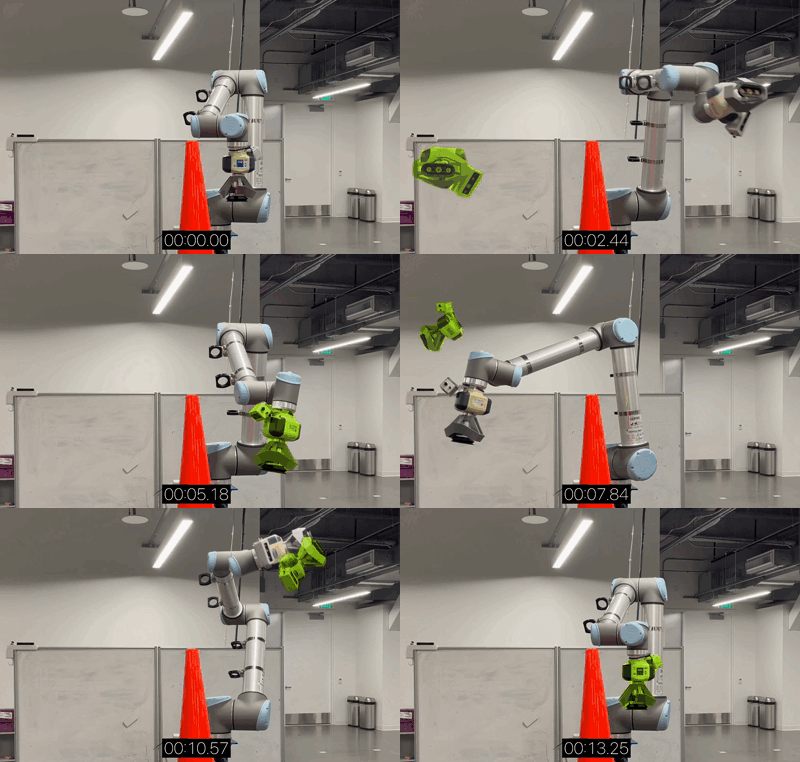
You have a robot arm, an NVIDIA Jetson AGX Orin 64GB, and a cluttered workspace full of objects. The hardest question isn't "can the robot grasp?" but rather "how does the robot decide what to grasp first, where to place it, and how to avoid collisions throughout the entire action sequence?"
That's the core challenge of Task and Motion Planning (TAMP) — and in this article, we'll dive deep into solving it directly on edge devices with the Jetson AGX Orin 64GB, using three technology pillars: cuTAMP (GPU-accelerated TAMP), cuMotion (CUDA motion planning), and VLM-based task planning via TensorRT Edge-LLM.
Why Task Planning on Edge?
First, let's understand why running task planning directly on edge devices matters instead of offloading to the cloud:
- Low latency — Robot manipulation demands control loops under 30ms. Cloud round-trips add 100-500ms in network latency alone.
- Offline operation — Factories, warehouses, and field environments don't always have reliable internet.
- Data security — Camera and sensor data never leaves the device.
- Operating costs — No cloud inference fees for every robot decision.
The NVIDIA Jetson AGX Orin 64GB delivers 275 TOPS of AI performance with an Ampere GPU featuring 2048 CUDA cores, 64 Tensor Cores, dual NVDLA v2.0, and 64GB LPDDR5 — enough to run perception, planning, and control simultaneously.

The TAMP Problem — Task and Motion Planning
TAMP combines two layers of planning:
- Task planning (high level): Decides the action sequence — pick object A first, move to position B, place it down, then pick object C. This is a symbolic reasoning problem.
- Motion planning (low level): Finds the specific trajectory for each action — how the robot arm moves from pose X to pose Y without colliding with obstacles.
The biggest challenge: these two layers are interdependent. The task planner might propose "pick A then pick B," but the motion planner discovers that picking A first blocks the approach path to B. Result? Backtracking, retrying, and exponentially growing computation time.
Traditional Methods and Their Limits
Traditional TAMP solvers like PDDLStream or Lazy-PRM work sequentially (serial):
- Propose a plan skeleton (abstract action sequence)
- Try to solve continuous variables (grasp poses, trajectories) for that skeleton
- If it fails → backtrack, try another skeleton
- Repeat until a solution is found
The problem? Step 2 is the bottleneck. Each attempt to solve continuous variables for a skeleton requires checking inverse kinematics, collision, and stability constraints — all on the CPU, sequentially. For complex problems (many objects, tight spaces), this can take minutes to hours.
cuTAMP — GPU-Parallelized TAMP
cuTAMP (Differentiable GPU-Parallelized Task and Motion Planning) is a paper from MIT CSAIL and NVIDIA Research, published at RSS 2025. The core idea: instead of solving candidates sequentially on CPU, solve thousands of candidates in parallel on GPU.
cuTAMP Architecture
cuTAMP uses bilevel search:
Level 1 — Skeleton enumeration: Enumerate feasible plan skeletons. Each skeleton is an abstract action sequence, e.g., pick(A) → place(A, shelf_top) → pick(B) → place(B, shelf_bottom).
Level 2 — GPU-parallel continuous optimization: For each skeleton, cuTAMP:
- Samples thousands of seeds on GPU — Each seed is a set of continuous values (grasp positions, placement angles, joint configurations)
- Differentiable batch optimization — All seeds are optimized simultaneously on GPU to satisfy:
- Inverse kinematics constraints
- Collision avoidance (robot-object, object-object)
- Stability constraints (placed objects must be stable)
- Cost minimization (shortest path, minimum time)
- Feasibility heuristic — Uses sampling results to estimate skeleton success probability, prioritizing promising skeletons
import torch
from cutamp import CuTAMPSolver, ProblemDef

problem = ProblemDef(
    robot_urdf="franka_panda.urdf",
    objects=["box_A", "box_B", "box_C"],
    goal_predicates=[
        ("on", "box_A", "shelf_top"),
        ("on", "box_B", "shelf_mid"),
        ("on", "box_C", "shelf_bottom"),
    ],
    obstacles=["table", "wall"],
)

solver = CuTAMPSolver(
    num_particles=4096,
    device="cuda",
    max_iterations=200,
    learning_rate=0.01,
)

solution = solver.solve(problem)
# solution.skeleton: ['pick(A)', 'place(A, top)', 'pick(B)', ...]
# solution.trajectories: list of joint-space trajectories
# solution.solve_time: ~2.3 seconds
Benchmark Results
cuTAMP was tested across multiple manipulation domains:
| Domain | Description | cuTAMP | Baseline (serial) |
|---|---|---|---|
| Single-object packing | Place 1 object in tight box | 14x faster | Random init optimization |
| Tetris packing | Pack multiple blocks in frame (only 0.3% valid candidates) | Seconds | Infeasible in reasonable time |
| Stick-Button | Use stick to press button (5,698+ skeletons) | < 1.5 seconds | Minutes |
| Fruit packing | 5 objects, requires obstruction reasoning | Seconds | Tens of seconds |
cuTAMP has been validated on real robots: Franka Panda, Kinova Gen3, and UR5 — always finding solutions in under 30 seconds.
Integration with cuRobo
cuTAMP integrates with cuRobo — NVIDIA's CUDA-accelerated robot motion planning library — to generate executable trajectories. cuRobo runs on GPU, optimizing collision-free trajectories in milliseconds instead of seconds.
cuMotion — Motion Planning on Jetson
While cuTAMP solves "what to do and in what order," cuMotion (part of NVIDIA Isaac ROS) solves "how to move the robot arm." cuMotion is a CUDA-accelerated motion planning library designed to run on Jetson.
cuMotion Features
- Optimal-time, minimal-jerk trajectories: Smooth, time-optimized paths
- GPU-parallel trajectory optimization: Runs multiple trajectory optimizations concurrently
- Collision avoidance: Supports obstacles as cuboids, meshes, or signed distance fields
- MoveIt 2 integration: Plugs directly into the ROS 2 MoveIt ecosystem
- Robot segmentation: Removes the robot from depth streams to avoid false self-collision detection
Performance on Jetson
| Platform | Planning time |
|---|---|
| Jetson Thor | Fraction of a second |
| Jetson AGX Orin | < 1 second (typical) |
| RTX 6000 (discrete GPU) | Tens of milliseconds |
On Jetson AGX Orin 64GB, cuMotion is fast enough for pick-and-place cycle times under 5 seconds — including perception, planning, and execution.
Setting Up cuMotion on Jetson AGX Orin
# Install JetPack 6.x (Ubuntu 22.04 + CUDA 12.x)
sudo apt update && sudo apt install nvidia-jetpack

# Setup Isaac ROS workspace
mkdir -p ~/ros2_ws/src && cd ~/ros2_ws/src
git clone https://github.com/NVIDIA-ISAAC-ROS/isaac_ros_cumotion.git
git clone https://github.com/NVIDIA-ISAAC-ROS/isaac_ros_common.git

# Build in Docker container (recommended)
cd ~/ros2_ws
./src/isaac_ros_common/scripts/run_dev.sh
colcon build --packages-select isaac_ros_cumotion
source install/setup.bash
Using cuMotion with MoveIt 2
import rclpy
from rclpy.node import Node
from moveit_msgs.action import MoveGroup
from geometry_msgs.msg import PoseStamped

class ManipulationPlanner(Node):
    def __init__(self):
        super().__init__('manipulation_planner')
        self._move_group_client = self.create_client(
            MoveGroup, '/move_group'
        )

    def plan_pick(self, target_pose: PoseStamped):
        """Plan a grasp at target_pose.
        cuMotion backend automatically optimizes trajectory on GPU."""
        goal = MoveGroup.Goal()
        goal.request.group_name = "panda_arm"
        goal.request.goal_constraints = [
            self._create_pose_constraint(target_pose)
        ]
        future = self._move_group_client.call_async(goal)
        return future

    def _create_pose_constraint(self, pose):
        from moveit_msgs.msg import Constraints, PositionConstraint
        constraint = Constraints()
        pos = PositionConstraint()
        pos.header = pose.header
        pos.link_name = "panda_hand"
        pos.constraint_region.primitive_poses = [pose.pose]
        constraint.position_constraints.append(pos)
        return constraint
VLM-based Task Planning on Edge
The third approach — and the fastest-growing one — uses Vision-Language Models (VLMs) as task planners. Instead of hand-coding symbolic rules, the VLM observes the camera feed and reasons about "what to do next."
Why VLM for Task Planning?
Traditional TAMP (including cuTAMP) requires domain specification — you must predefine all objects, predicates, and actions. When encountering new objects or situations outside the specification, the system fails.
VLM approach:
- Camera captures workspace image
- VLM analyzes the scene: "There are 3 boxes on the table, 1 bottle tipped over, and the gripper is open"
- User says: "Clean up the table"
- VLM generates plan:
["pick up bottle", "place in bin", "stack boxes neatly"] - Each step is converted to motion commands via a policy or motion planner
TensorRT Edge-LLM for Jetson
NVIDIA developed TensorRT Edge-LLM — an open-source C++ framework for LLM/VLM inference on embedded platforms. Key features:
- EAGLE-3 speculative decoding: Accelerates token generation
- NVFP4 quantization: Reduces model size while preserving accuracy
- Chunked prefill: Optimizes memory for long-context inputs
- Concurrent model serving: Runs multiple models simultaneously

Models That Run on Jetson AGX Orin 64GB
| Model | Parameters | Tokens/sec | Purpose |
|---|---|---|---|
| Qwen2.5-VL-7B | 7B | ~15-20 | Scene understanding + task planning |
| LLaVA-13B | 13B | ~8-12 | Detailed visual reasoning |
| Phi-3.5-Vision | 4.2B | ~25-30 | Lightweight, fast inference |
| VILA 1.5-3B | 3B | ~35-40 | Real-time visual queries |
With 64GB of memory, the Jetson AGX Orin comfortably runs 7-13B models for task planning while retaining enough memory for the perception pipeline and cuMotion.
Complete Pipeline: VLM + cuMotion on Jetson
import torch
from transformers import Qwen2VLForConditionalGeneration, AutoProcessor
from PIL import Image

class EdgeTaskPlanner:
    def __init__(self):
        self.model = Qwen2VLForConditionalGeneration.from_pretrained(
            "Qwen/Qwen2.5-VL-7B-Instruct",
            torch_dtype=torch.float16,
            device_map="cuda"
        )
        self.processor = AutoProcessor.from_pretrained(
            "Qwen/Qwen2.5-VL-7B-Instruct"
        )

    def plan_from_image(self, image: Image, instruction: str):
        """Takes workspace image + instruction, returns task plan."""
        messages = [
            {
                "role": "system",
                "content": (
                    "You are a robot task planner. Given a workspace image "
                    "and instruction, output a JSON list of pick-and-place "
                    "actions. Each action has: object, pick_region, "
                    "place_region."
                )
            },
            {
                "role": "user",
                "content": [
                    {"type": "image", "image": image},
                    {"type": "text", "text": instruction}
                ]
            }
        ]

        text = self.processor.apply_chat_template(
            messages, tokenize=False, add_generation_prompt=True
        )
        inputs = self.processor(
            text=[text], images=[image],
            return_tensors="pt"
        ).to("cuda")

        output_ids = self.model.generate(
            **inputs, max_new_tokens=512, temperature=0.1
        )
        plan = self.processor.batch_decode(
            output_ids, skip_special_tokens=True
        )
        return self._parse_plan(plan[0])

    def _parse_plan(self, raw_output):
        import json
        start = raw_output.find('[')
        end = raw_output.rfind(']') + 1
        return json.loads(raw_output[start:end])

# Usage
planner = EdgeTaskPlanner()
camera_image = Image.open("/dev/video0_capture.jpg")
plan = planner.plan_from_image(
    camera_image,
    "Sort the red boxes to the left bin and blue boxes to the right bin"
)
# plan = [
#     {"object": "red_box_1", "pick_region": [0.3, 0.4], "place_region": [0.1, 0.5]},
#     {"object": "blue_box_1", "pick_region": [0.5, 0.3], "place_region": [0.8, 0.5]},
#     ...
# ]
Comparing the Three Approaches
| Criterion | cuTAMP | cuMotion (standalone) | VLM Task Planning |
|---|---|---|---|
| Input | Domain specification + goal | Start/end pose | Camera image + language |
| Output | Full plan + trajectories | Single trajectory | Action sequence (text) |
| Generalization | Within defined domain | Any reachable pose | Open-world |
| Latency | 1-30s (full plan) | 10-500ms (1 trajectory) | 2-10s (VLM inference) |
| GPU memory | ~4-8GB | ~2-4GB | ~16-32GB (model) |
| Jetson AGX Orin 64GB | ✅ Sufficient | ✅ Very comfortable | ✅ Handles 7-13B |
When to Use What?
- cuTAMP: Complex manipulation problems with many objects requiring optimality guarantees (packing, assembly). Best for factories with well-defined tasks.
- cuMotion: When you already have a task plan (from cuTAMP or VLM) and need fast trajectory generation for the robot arm. Always needed in the pipeline.
- VLM Task Planning: Dynamic environments requiring open-world reasoning, robots accepting natural language commands. Best for service robots and cobots working alongside humans.
Complete Pipeline Setup Guide
Step 1: Prepare Jetson AGX Orin
# Flash JetPack 6.1+ (supports CUDA 12.6, TensorRT 10.x)
# Download SDK Manager: https://developer.nvidia.com/sdk-manager

# Verify GPU
nvidia-smi
# Expected: Orin (nvgpu), 64GB, CUDA 12.6

# Install Docker + nvidia-container-toolkit
sudo apt install nvidia-container-toolkit
sudo systemctl restart docker
Step 2: Install Isaac ROS + cuMotion
# Clone Isaac ROS repos
mkdir -p ~/isaac_ros_ws/src && cd ~/isaac_ros_ws/src
git clone -b release-3.2 \
  https://github.com/NVIDIA-ISAAC-ROS/isaac_ros_cumotion.git
git clone -b release-3.2 \
  https://github.com/NVIDIA-ISAAC-ROS/isaac_ros_common.git

# Build in container
cd ~/isaac_ros_ws
./src/isaac_ros_common/scripts/run_dev.sh
colcon build --symlink-install
source install/setup.bash
Step 3: Install VLM for Task Planning
# In Python environment on Jetson
pip install transformers accelerate pillow

# Download model (will cache to ~/.cache/huggingface)
python -c "
from transformers import AutoProcessor, Qwen2VLForConditionalGeneration
model = Qwen2VLForConditionalGeneration.from_pretrained(
    'Qwen/Qwen2.5-VL-7B-Instruct',
    torch_dtype='float16'
)
print('Model loaded successfully')
"
Step 4: Connect the Pipeline
#!/usr/bin/env python3
"""Full pipeline: Camera → VLM → cuMotion → Robot."""

import rclpy
from rclpy.node import Node
from sensor_msgs.msg import Image as RosImage
from cv_bridge import CvBridge
from PIL import Image
import numpy as np

class FullManipulationPipeline(Node):
    def __init__(self):
        super().__init__('full_pipeline')
        self.bridge = CvBridge()
        self.planner = EdgeTaskPlanner()
        self.motion = ManipulationPlanner()

        self.camera_sub = self.create_subscription(
            RosImage, '/camera/color/image_raw',
            self.on_image, 10
        )
        self.current_task = None

    def on_image(self, msg):
        if self.current_task is not None:
            return

        cv_image = self.bridge.imgmsg_to_cv2(msg, "rgb8")
        pil_image = Image.fromarray(cv_image)

        plan = self.planner.plan_from_image(
            pil_image,
            "Pick up all objects and place them in the sorting bins"
        )

        self.get_logger().info(f"Generated plan: {len(plan)} steps")
        self.execute_plan(plan)

    def execute_plan(self, plan):
        for i, step in enumerate(plan):
            self.get_logger().info(
                f"Step {i+1}/{len(plan)}: {step['object']}"
            )
            pick_pose = self.region_to_pose(step['pick_region'])
            place_pose = self.region_to_pose(step['place_region'])

            self.motion.plan_pick(pick_pose)
            self.motion.plan_pick(place_pose)

    def region_to_pose(self, region):
        from geometry_msgs.msg import PoseStamped
        pose = PoseStamped()
        pose.header.frame_id = "base_link"
        pose.pose.position.x = region[0]
        pose.pose.position.y = region[1]
        pose.pose.position.z = 0.15
        pose.pose.orientation.w = 1.0
        return pose

def main():
    rclpy.init()
    node = FullManipulationPipeline()
    rclpy.spin(node)

if __name__ == '__main__':
    main()
Performance Optimization on Jetson
Memory Management
With 64GB shared memory (CPU + GPU), proper allocation is essential:
| Component | Memory | Notes |
|---|---|---|
| VLM (Qwen2.5-VL-7B, FP16) | ~14GB | Can reduce to ~5GB with INT4 |
| cuMotion | ~2-4GB | Depends on scene complexity |
| Perception (FoundationPose, etc.) | ~4-6GB | Object detection + pose estimation |
| OS + ROS 2 | ~4GB | Base system |
| Total | ~24-28GB | ~36GB headroom remaining |
Quantization for VLM
from transformers import BitsAndBytesConfig

quantization_config = BitsAndBytesConfig(
    load_in_4bit=True,
    bnb_4bit_compute_dtype=torch.float16,
    bnb_4bit_quant_type="nf4",
)

model = Qwen2VLForConditionalGeneration.from_pretrained(
    "Qwen/Qwen2.5-VL-7B-Instruct",
    quantization_config=quantization_config,
    device_map="cuda"
)
# Memory: ~14GB → ~5GB, speed loss < 10%
Power Mode
# High performance mode (60W) for heavy inference
sudo nvpmodel -m 0
sudo jetson_clocks

# Balanced mode (30W) for normal operation
sudo nvpmodel -m 1
Limitations and Future Directions
Current Limitations
- cuTAMP lacks a Jetson-native build — Currently cuTAMP runs on desktop GPUs (RTX series). Porting to Jetson requires compiling cuRobo + custom CUDA kernels for Ampere mobile architecture.
- VLM latency remains high — 2-10 seconds per planning call. Not fast enough for reactive manipulation (needs < 100ms).
- Hallucination risk — VLMs can generate infeasible plans (e.g., grasping objects that are too heavy, placing objects on tilted surfaces).
Future Directions 2026-2027
- Jetson Thor (Q4 2026): 7.5x AI compute vs. Orin, capable of running 20-70B models locally → more accurate and faster VLM planning.
- TensorRT Edge-LLM: Expanding Jetson Orin support with EAGLE-3 speculative decoding for 2-3x speedup.
- Hybrid TAMP + VLM: Using VLM to initialize plans, cuTAMP to refine + guarantee feasibility — combining the strengths of both approaches.
- VLA models on edge: Models like GR00T N1 are running end-to-end on Jetson — perception to action in a single model, bypassing discrete task planning entirely.
Conclusion
Task planning for robot manipulation on edge devices has shifted from "impossible" to "feasible" thanks to three breakthroughs:
- cuTAMP tackles combinatorial explosion with GPU parallelism — from hours to seconds.
- cuMotion generates collision-free trajectories in milliseconds on Jetson — fast enough for real-time control loops.
- VLMs on Jetson AGX Orin 64GB enable open-world reasoning — robots understand natural language and reason in never-before-seen environments.
The Jetson AGX Orin 64GB with 275 TOPS is currently the most powerful edge platform for manipulation — and with Jetson Thor on the horizon, the boundary between edge and cloud AI will continue to blur.
References
- cuTAMP: Differentiable GPU-Parallelized Task and Motion Planning — Shen et al., RSS 2025
- NVIDIA Isaac ROS cuMotion — NVIDIA
- TensorRT Edge-LLM — NVIDIA
- Getting Started with Edge AI on NVIDIA Jetson — NVIDIA Technical Blog
Related Posts
- Deploy YOLOv8 on Jetson Orin — Guide to deploying perception models on Jetson
- Edge AI with NVIDIA Jetson — Overview of the edge AI ecosystem on Jetson
- MoveIt 2 Motion Planning — Deep dive into motion planning with MoveIt 2 and ROS 2