Bạn có một cánh tay robot, một bộ NVIDIA Jetson AGX Orin 64GB, và một đống vật thể cần sắp xếp. Câu hỏi lớn nhất không phải "robot có gắp được không?" mà là "robot biết phải gắp cái gì trước, đặt ở đâu, và làm sao tránh va chạm khi thực hiện toàn bộ chuỗi hành động?"
Đó chính là bài toán Task and Motion Planning (TAMP) — và trong bài viết này, chúng ta sẽ đi sâu vào cách giải quyết nó ngay trên thiết bị edge với Jetson AGX Orin 64GB, sử dụng ba trụ cột công nghệ: cuTAMP (GPU-accelerated TAMP), cuMotion (CUDA motion planning), và VLM-based task planning qua TensorRT Edge-LLM.
Tại sao Task Planning trên Edge?
Trước tiên, hãy hiểu vì sao chúng ta cần chạy task planning trực tiếp trên thiết bị edge thay vì gửi lên cloud:
- Độ trễ thấp — Robot manipulation đòi hỏi control loop dưới 30ms. Gửi request lên cloud mất 100-500ms chỉ riêng network latency.
- Hoạt động offline — Nhà máy, kho hàng, hay môi trường thực địa không phải lúc nào cũng có internet ổn định.
- Bảo mật dữ liệu — Dữ liệu camera, sensor không rời khỏi thiết bị.
- Chi phí vận hành — Không tốn phí cloud inference cho mỗi lần robot ra quyết định.
NVIDIA Jetson AGX Orin 64GB cung cấp 275 TOPS hiệu năng AI, với GPU Ampere 2048 CUDA cores, 64 Tensor Cores, dual NVDLA v2.0, và 64GB LPDDR5 — đủ sức chạy đồng thời perception, planning, và control.

Bài toán TAMP — Task and Motion Planning
TAMP kết hợp hai tầng lập kế hoạch:
- Task planning (tầng cao): Quyết định chuỗi hành động — gắp vật A trước, di chuyển sang vị trí B, đặt xuống, rồi gắp vật C. Đây là bài toán symbolic reasoning.
- Motion planning (tầng thấp): Tìm quỹ đạo cụ thể cho mỗi hành động — robot arm di chuyển từ pose X đến pose Y sao cho không va chạm vật cản.
Thách thức lớn nhất: hai tầng này phụ thuộc lẫn nhau. Task planner có thể đề xuất "gắp vật A rồi gắp vật B", nhưng motion planner phát hiện rằng gắp A trước sẽ chặn đường tiếp cận B. Kết quả? Backtracking, thử lại, và thời gian tính toán tăng theo cấp số nhân.
Phương pháp truyền thống và giới hạn
Các TAMP solver truyền thống như PDDLStream hay Lazy-PRM hoạt động tuần tự (serial):
- Đề xuất một plan skeleton (chuỗi hành động trừu tượng)
- Thử giải continuous variables (vị trí gắp, quỹ đạo) cho skeleton đó
- Nếu thất bại → backtrack, thử skeleton khác
- Lặp lại cho đến khi tìm được solution
Vấn đề? Bước 2 là bottleneck. Mỗi lần thử giải continuous variables cho một skeleton, solver phải kiểm tra inverse kinematics, collision, stability constraints — tất cả trên CPU, tuần tự. Với bài toán phức tạp (nhiều vật thể, không gian hẹp), quá trình này có thể mất hàng phút đến hàng giờ.
cuTAMP — GPU-Parallelized TAMP
cuTAMP (Differentiable GPU-Parallelized Task and Motion Planning) là paper từ MIT CSAIL và NVIDIA Research, published tại RSS 2025. Ý tưởng cốt lõi: thay vì giải từng candidate tuần tự trên CPU, hãy giải hàng nghìn candidates song song trên GPU.
Kiến trúc cuTAMP
cuTAMP sử dụng bilevel search:
Level 1 — Skeleton enumeration: Liệt kê các plan skeleton khả thi. Mỗi skeleton là một chuỗi hành động trừu tượng, ví dụ: pick(A) → place(A, shelf_top) → pick(B) → place(B, shelf_bottom).
Level 2 — GPU-parallel continuous optimization: Với mỗi skeleton, cuTAMP:
- Sampling hàng nghìn seed trên GPU — Mỗi seed là một bộ giá trị continuous (vị trí gắp, góc đặt, joint configurations)
- Differentiable batch optimization — Tất cả seeds được tối ưu hóa đồng thời trên GPU để thỏa mãn:
- Inverse kinematics constraints
- Collision avoidance (robot-object, object-object)
- Stability constraints (vật đặt xuống phải stable)
- Cost minimization (quãng đường ngắn nhất, thời gian ít nhất)
- Feasibility heuristic — Sử dụng kết quả sampling để ước tính xác suất thành công của skeleton, ưu tiên skeleton có triển vọng
import torch
from cutamp import CuTAMPSolver, ProblemDef

problem = ProblemDef(
    robot_urdf="franka_panda.urdf",
    objects=["box_A", "box_B", "box_C"],
    goal_predicates=[
        ("on", "box_A", "shelf_top"),
        ("on", "box_B", "shelf_mid"),
        ("on", "box_C", "shelf_bottom"),
    ],
    obstacles=["table", "wall"],
)

solver = CuTAMPSolver(
    num_particles=4096,
    device="cuda",
    max_iterations=200,
    learning_rate=0.01,
)

solution = solver.solve(problem)
# solution.skeleton: ['pick(A)', 'place(A, top)', 'pick(B)', ...]
# solution.trajectories: list of joint-space trajectories
# solution.solve_time: ~2.3 seconds
Kết quả benchmark
cuTAMP được test trên nhiều domain manipulation:
| Domain | Mô tả | cuTAMP | Baseline (serial) |
|---|---|---|---|
| Single-object packing | Đặt 1 vật vào hộp chật | 14x nhanh hơn | Random init optimization |
| Tetris packing | Xếp nhiều block vào khung (chỉ 0.3% candidates hợp lệ) | Vài giây | Không giải được trong thời gian hợp lý |
| Stick-Button | Dùng que chọc nút (5,698+ skeletons) | < 1.5 giây | Hàng phút |
| Fruit packing | 5 vật thể, cần reasoning về obstruction | Vài giây | Hàng chục giây |
cuTAMP đã validated trên robot thật: Franka Panda, Kinova Gen3, và UR5 — luôn tìm ra solution trong dưới 30 giây.
Tích hợp với cuRobo
cuTAMP tích hợp với cuRobo — NVIDIA's CUDA-accelerated robot motion planning library — để sinh trajectory thực thi. cuRobo chạy trên GPU, tối ưu quỹ đạo collision-free trong milliseconds thay vì seconds.
cuMotion — Motion Planning trên Jetson
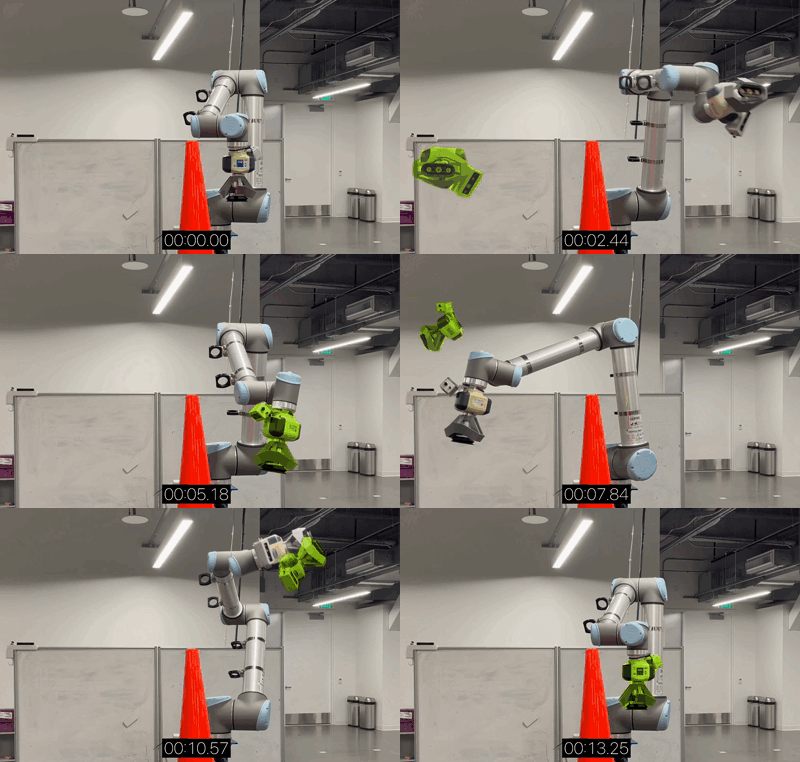
Trong khi cuTAMP giải bài toán "làm gì và theo thứ tự nào", cuMotion (phần của NVIDIA Isaac ROS) giải bài toán "di chuyển tay robot như thế nào". cuMotion là thư viện CUDA-accelerated cho motion planning, được thiết kế chạy trên Jetson.
Đặc điểm cuMotion
- Optimal-time, minimal-jerk trajectories: Quỹ đạo mượt, tối ưu thời gian
- GPU-parallel trajectory optimization: Chạy nhiều trajectory optimization đồng thời
- Collision avoidance: Hỗ trợ obstacles dạng cuboids, meshes, hoặc signed distance fields
- Tích hợp MoveIt 2: Plug-in trực tiếp vào ROS 2 MoveIt ecosystem
- Robot segmentation: Loại bỏ robot khỏi depth stream để tránh self-collision detection sai
Hiệu năng trên Jetson
| Platform | Planning time |
|---|---|
| Jetson Thor | Fraction of a second |
| Jetson AGX Orin | < 1 second (typical) |
| RTX 6000 (discrete GPU) | Tens of milliseconds |
Trên Jetson AGX Orin 64GB, cuMotion đủ nhanh cho ứng dụng pick-and-place cycle time dưới 5 giây — bao gồm cả perception, planning, và execution.
Setup cuMotion trên Jetson AGX Orin
# Cài JetPack 6.x (Ubuntu 22.04 + CUDA 12.x)
sudo apt update && sudo apt install nvidia-jetpack

# Setup Isaac ROS workspace
mkdir -p ~/ros2_ws/src && cd ~/ros2_ws/src
git clone https://github.com/NVIDIA-ISAAC-ROS/isaac_ros_cumotion.git
git clone https://github.com/NVIDIA-ISAAC-ROS/isaac_ros_common.git

# Build trong Docker container (recommended)
cd ~/ros2_ws
./src/isaac_ros_common/scripts/run_dev.sh
colcon build --packages-select isaac_ros_cumotion
source install/setup.bash
Sử dụng cuMotion với MoveIt 2
import rclpy
from rclpy.node import Node
from moveit_msgs.action import MoveGroup
from geometry_msgs.msg import PoseStamped

class ManipulationPlanner(Node):
    def __init__(self):
        super().__init__('manipulation_planner')
        self._move_group_client = self.create_client(
            MoveGroup, '/move_group'
        )

    def plan_pick(self, target_pose: PoseStamped):
        """Lên kế hoạch gắp vật tại target_pose.
        cuMotion backend tự động tối ưu trajectory trên GPU."""
        goal = MoveGroup.Goal()
        goal.request.group_name = "panda_arm"
        goal.request.goal_constraints = [
            self._create_pose_constraint(target_pose)
        ]
        # cuMotion solver chạy trên GPU, trả về
        # optimal-time, collision-free trajectory
        future = self._move_group_client.call_async(goal)
        return future

    def _create_pose_constraint(self, pose):
        from moveit_msgs.msg import Constraints, PositionConstraint
        constraint = Constraints()
        pos = PositionConstraint()
        pos.header = pose.header
        pos.link_name = "panda_hand"
        pos.constraint_region.primitive_poses = [pose.pose]
        constraint.position_constraints.append(pos)
        return constraint
VLM-based Task Planning trên Edge
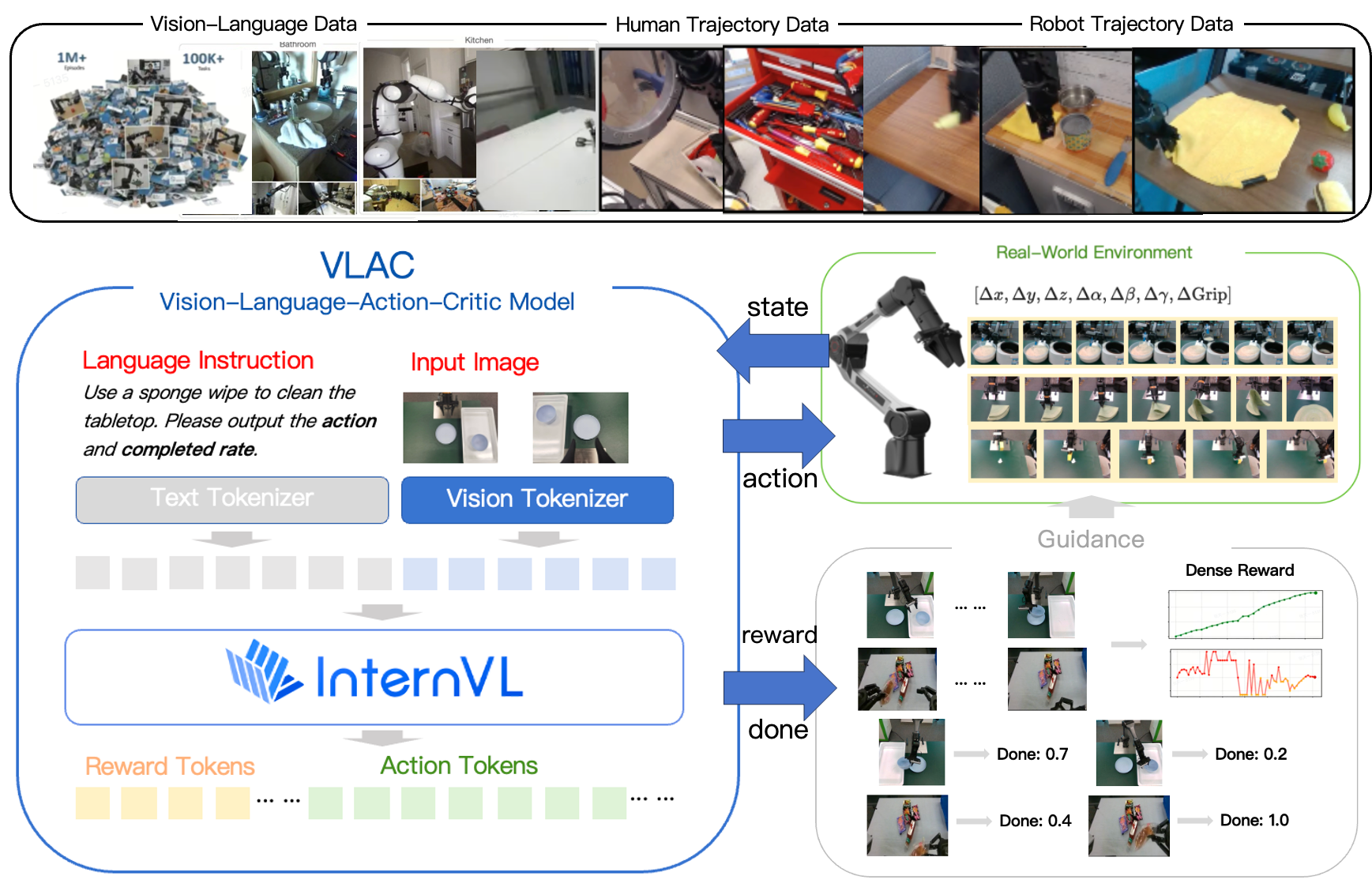
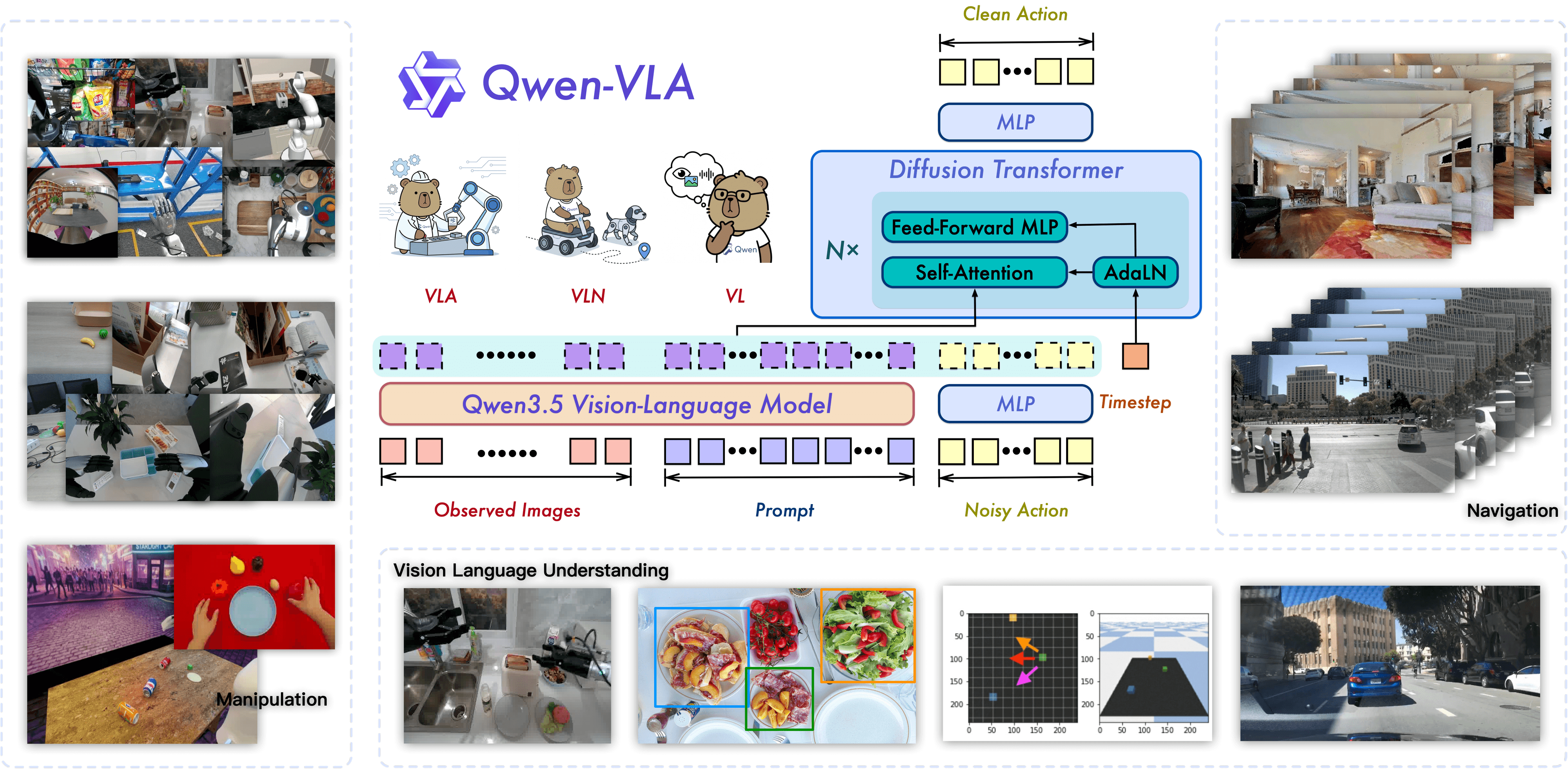
Phương pháp thứ ba — và đang phát triển nhanh nhất — là dùng Vision-Language Models (VLMs) làm task planner. Thay vì hand-code symbolic rules, VLM nhìn camera feed và suy luận "nên làm gì tiếp theo".
Tại sao VLM cho Task Planning?
TAMP truyền thống (kể cả cuTAMP) cần domain specification — bạn phải định nghĩa trước tất cả objects, predicates, actions. Khi gặp vật thể mới hoặc tình huống không nằm trong specification, hệ thống bó tay.
VLM approach:
- Camera chụp ảnh workspace
- VLM phân tích scene: "Có 3 hộp trên bàn, 1 chai nước đổ, và gripper đang mở"
- User nói: "Dọn dẹp bàn"
- VLM sinh plan:
["pick up bottle", "place in bin", "stack boxes neatly"] - Mỗi step được chuyển thành motion command qua policy hoặc motion planner
TensorRT Edge-LLM cho Jetson
NVIDIA phát triển TensorRT Edge-LLM — framework C++ mã nguồn mở cho LLM/VLM inference trên embedded platforms. Các tính năng chính:
- EAGLE-3 speculative decoding: Tăng tốc generation
- NVFP4 quantization: Giảm model size, giữ accuracy
- Chunked prefill: Tối ưu memory cho long-context input
- Concurrent model serving: Chạy nhiều model đồng thời

Models chạy được trên Jetson AGX Orin 64GB
| Model | Parameters | Tokens/sec | Mục đích |
|---|---|---|---|
| Qwen2.5-VL-7B | 7B | ~15-20 | Scene understanding + task planning |
| LLaVA-13B | 13B | ~8-12 | Detailed visual reasoning |
| Phi-3.5-Vision | 4.2B | ~25-30 | Lightweight, fast inference |
| VILA 1.5-3B | 3B | ~35-40 | Real-time visual queries |
Với 64GB memory, Jetson AGX Orin chạy thoải mái model 7-13B cho task planning, đồng thời vẫn còn memory cho perception pipeline và cuMotion.
Pipeline hoàn chỉnh: VLM + cuMotion trên Jetson
import torch
from transformers import Qwen2VLForConditionalGeneration, AutoProcessor
from PIL import Image

class EdgeTaskPlanner:
    def __init__(self):
        self.model = Qwen2VLForConditionalGeneration.from_pretrained(
            "Qwen/Qwen2.5-VL-7B-Instruct",
            torch_dtype=torch.float16,
            device_map="cuda"
        )
        self.processor = AutoProcessor.from_pretrained(
            "Qwen/Qwen2.5-VL-7B-Instruct"
        )

    def plan_from_image(self, image: Image, instruction: str):
        """Nhận ảnh workspace + instruction, trả về task plan."""
        messages = [
            {
                "role": "system",
                "content": (
                    "You are a robot task planner. Given a workspace image "
                    "and instruction, output a JSON list of pick-and-place "
                    "actions. Each action has: object, pick_region, "
                    "place_region."
                )
            },
            {
                "role": "user",
                "content": [
                    {"type": "image", "image": image},
                    {"type": "text", "text": instruction}
                ]
            }
        ]

        text = self.processor.apply_chat_template(
            messages, tokenize=False, add_generation_prompt=True
        )
        inputs = self.processor(
            text=[text], images=[image],
            return_tensors="pt"
        ).to("cuda")

        output_ids = self.model.generate(
            **inputs, max_new_tokens=512, temperature=0.1
        )
        plan = self.processor.batch_decode(
            output_ids, skip_special_tokens=True
        )
        return self._parse_plan(plan[0])

    def _parse_plan(self, raw_output):
        import json
        start = raw_output.find('[')
        end = raw_output.rfind(']') + 1
        return json.loads(raw_output[start:end])

# Sử dụng
planner = EdgeTaskPlanner()
camera_image = Image.open("/dev/video0_capture.jpg")
plan = planner.plan_from_image(
    camera_image,
    "Sort the red boxes to the left bin and blue boxes to the right bin"
)
# plan = [
#     {"object": "red_box_1", "pick_region": [0.3, 0.4], "place_region": [0.1, 0.5]},
#     {"object": "blue_box_1", "pick_region": [0.5, 0.3], "place_region": [0.8, 0.5]},
#     ...
# ]
So sánh ba phương pháp
| Tiêu chí | cuTAMP | cuMotion (standalone) | VLM Task Planning |
|---|---|---|---|
| Input | Domain specification + goal | Start/end pose | Camera image + language |
| Output | Full plan + trajectories | Single trajectory | Action sequence (text) |
| Generalization | Trong domain đã define | Bất kỳ reachable pose | Open-world |
| Latency | 1-30s (toàn bộ plan) | 10-500ms (1 trajectory) | 2-10s (VLM inference) |
| GPU memory | ~4-8GB | ~2-4GB | ~16-32GB (model) |
| Jetson AGX Orin 64GB | ✅ Đủ | ✅ Rất thoải mái | ✅ Đủ cho 7-13B |
Khi nào dùng gì?
- cuTAMP: Bài toán manipulation phức tạp, nhiều vật thể, cần optimality guarantee (packing, assembly). Phù hợp nhà máy với task được định nghĩa rõ.
- cuMotion: Đã có task plan (từ cuTAMP hoặc VLM), cần sinh trajectory nhanh cho robot arm. Luôn cần trong pipeline.
- VLM Task Planning: Môi trường thay đổi, cần open-world reasoning, robot nhận lệnh bằng ngôn ngữ tự nhiên. Phù hợp service robot, cobot làm việc cùng người.
Hướng dẫn Setup Pipeline Hoàn chỉnh
Bước 1: Chuẩn bị Jetson AGX Orin
# Flash JetPack 6.1+ (hỗ trợ CUDA 12.6, TensorRT 10.x)
# Download SDK Manager: https://developer.nvidia.com/sdk-manager

# Verify GPU
nvidia-smi
# Expected: Orin (nvgpu), 64GB, CUDA 12.6

# Cài Docker + nvidia-container-toolkit
sudo apt install nvidia-container-toolkit
sudo systemctl restart docker
Bước 2: Cài Isaac ROS + cuMotion
# Clone Isaac ROS repos
mkdir -p ~/isaac_ros_ws/src && cd ~/isaac_ros_ws/src
git clone -b release-3.2 \
  https://github.com/NVIDIA-ISAAC-ROS/isaac_ros_cumotion.git
git clone -b release-3.2 \
  https://github.com/NVIDIA-ISAAC-ROS/isaac_ros_common.git

# Build trong container
cd ~/isaac_ros_ws
./src/isaac_ros_common/scripts/run_dev.sh
colcon build --symlink-install
source install/setup.bash
Bước 3: Cài VLM cho Task Planning
# Trong Python environment trên Jetson
pip install transformers accelerate pillow

# Download model (sẽ cache vào ~/.cache/huggingface)
python -c "
from transformers import AutoProcessor, Qwen2VLForConditionalGeneration
model = Qwen2VLForConditionalGeneration.from_pretrained(
    'Qwen/Qwen2.5-VL-7B-Instruct',
    torch_dtype='float16'
)
print('Model loaded successfully')
"
Bước 4: Kết nối Pipeline
#!/usr/bin/env python3
"""Full pipeline: Camera → VLM → cuMotion → Robot."""

import rclpy
from rclpy.node import Node
from sensor_msgs.msg import Image as RosImage
from cv_bridge import CvBridge
from PIL import Image
import numpy as np

class FullManipulationPipeline(Node):
    def __init__(self):
        super().__init__('full_pipeline')
        self.bridge = CvBridge()
        self.planner = EdgeTaskPlanner()
        self.motion = ManipulationPlanner()

        self.camera_sub = self.create_subscription(
            RosImage, '/camera/color/image_raw',
            self.on_image, 10
        )
        self.current_task = None

    def on_image(self, msg):
        if self.current_task is not None:
            return

        cv_image = self.bridge.imgmsg_to_cv2(msg, "rgb8")
        pil_image = Image.fromarray(cv_image)

        plan = self.planner.plan_from_image(
            pil_image,
            "Pick up all objects and place them in the sorting bins"
        )

        self.get_logger().info(f"Generated plan: {len(plan)} steps")
        self.execute_plan(plan)

    def execute_plan(self, plan):
        for i, step in enumerate(plan):
            self.get_logger().info(
                f"Step {i+1}/{len(plan)}: {step['object']}"
            )
            # Chuyển pick_region thành 3D pose qua depth camera
            pick_pose = self.region_to_pose(step['pick_region'])
            place_pose = self.region_to_pose(step['place_region'])

            # cuMotion tính trajectory
            self.motion.plan_pick(pick_pose)
            self.motion.plan_pick(place_pose)

    def region_to_pose(self, region):
        from geometry_msgs.msg import PoseStamped
        pose = PoseStamped()
        pose.header.frame_id = "base_link"
        pose.pose.position.x = region[0]
        pose.pose.position.y = region[1]
        pose.pose.position.z = 0.15
        pose.pose.orientation.w = 1.0
        return pose

def main():
    rclpy.init()
    node = FullManipulationPipeline()
    rclpy.spin(node)

if __name__ == '__main__':
    main()
Tối ưu hiệu năng trên Jetson
Memory Management
Với 64GB shared memory (CPU + GPU), cần phân bổ hợp lý:
| Component | Memory | Ghi chú |
|---|---|---|
| VLM (Qwen2.5-VL-7B, FP16) | ~14GB | Có thể giảm xuống ~8GB với INT4 |
| cuMotion | ~2-4GB | Tùy complexity scene |
| Perception (FoundationPose, etc.) | ~4-6GB | Object detection + pose estimation |
| OS + ROS 2 | ~4GB | Base system |
| Tổng | ~24-28GB | Còn ~36GB headroom |
Quantization cho VLM
from transformers import BitsAndBytesConfig

quantization_config = BitsAndBytesConfig(
    load_in_4bit=True,
    bnb_4bit_compute_dtype=torch.float16,
    bnb_4bit_quant_type="nf4",
)

model = Qwen2VLForConditionalGeneration.from_pretrained(
    "Qwen/Qwen2.5-VL-7B-Instruct",
    quantization_config=quantization_config,
    device_map="cuda"
)
# Memory: ~14GB → ~5GB, speed loss < 10%
Power Mode
# High performance mode (60W) cho inference nặng
sudo nvpmodel -m 0
sudo jetson_clocks

# Balanced mode (30W) cho operation bình thường
sudo nvpmodel -m 1
Hạn chế và hướng phát triển
Hạn chế hiện tại
- cuTAMP chưa có Jetson-native build — Hiện tại cuTAMP chạy trên desktop GPU (RTX series). Port sang Jetson cần compile cuRobo + custom CUDA kernels cho Ampere mobile architecture.
- VLM latency vẫn cao — 2-10 giây cho mỗi lần planning. Chưa đủ nhanh cho reactive manipulation (cần < 100ms).
- Hallucination risk — VLM có thể sinh plan không khả thi (ví dụ: gắp vật quá nặng, đặt vật lên bề mặt nghiêng).
Hướng phát triển 2026-2027
- Jetson Thor (Q4 2026): 7.5x AI compute so với Orin, đủ chạy model 20-70B local → VLM planning chính xác hơn, nhanh hơn.
- TensorRT Edge-LLM: Đang mở rộng support cho Jetson Orin, với EAGLE-3 speculative decoding giúp tăng tốc 2-3x.
- Hybrid TAMP + VLM: Dùng VLM để initialize plan, cuTAMP để refine + guarantee feasibility — kết hợp ưu điểm cả hai.
- VLA models on edge: Các model như GR00T N1 đang chạy end-to-end trên Jetson — perception đến action trong một model duy nhất, bỏ qua task planning rời rạc.
Kết luận
Task planning cho robot manipulation trên edge device đã chuyển từ "không thể" sang "khả thi" nhờ ba đột phá:
- cuTAMP giải bài toán combinatorial explosion bằng GPU parallelism — từ hàng giờ xuống vài giây.
- cuMotion sinh trajectory collision-free trong milliseconds trên Jetson — đủ nhanh cho real-time control loop.
- VLM trên Jetson AGX Orin 64GB cho phép open-world reasoning — robot hiểu ngôn ngữ tự nhiên và suy luận trong môi trường chưa thấy bao giờ.
Jetson AGX Orin 64GB với 275 TOPS là platform edge mạnh nhất hiện tại cho manipulation — và với Jetson Thor sắp ra mắt, ranh giới giữa edge và cloud AI sẽ càng mờ đi.
Tham khảo
- cuTAMP: Differentiable GPU-Parallelized Task and Motion Planning — Shen et al., RSS 2025
- NVIDIA Isaac ROS cuMotion — NVIDIA
- TensorRT Edge-LLM — NVIDIA
- Getting Started with Edge AI on NVIDIA Jetson — NVIDIA Technical Blog
Bài viết liên quan
- Deploy YOLOv8 trên Jetson Orin — Hướng dẫn deploy model perception trên Jetson
- Edge AI với NVIDIA Jetson — Tổng quan edge AI ecosystem trên Jetson
- MoveIt 2 Motion Planning — Deep dive vào motion planning với MoveIt 2 và ROS 2