Introduction: Data Is the Fuel of Robot Learning
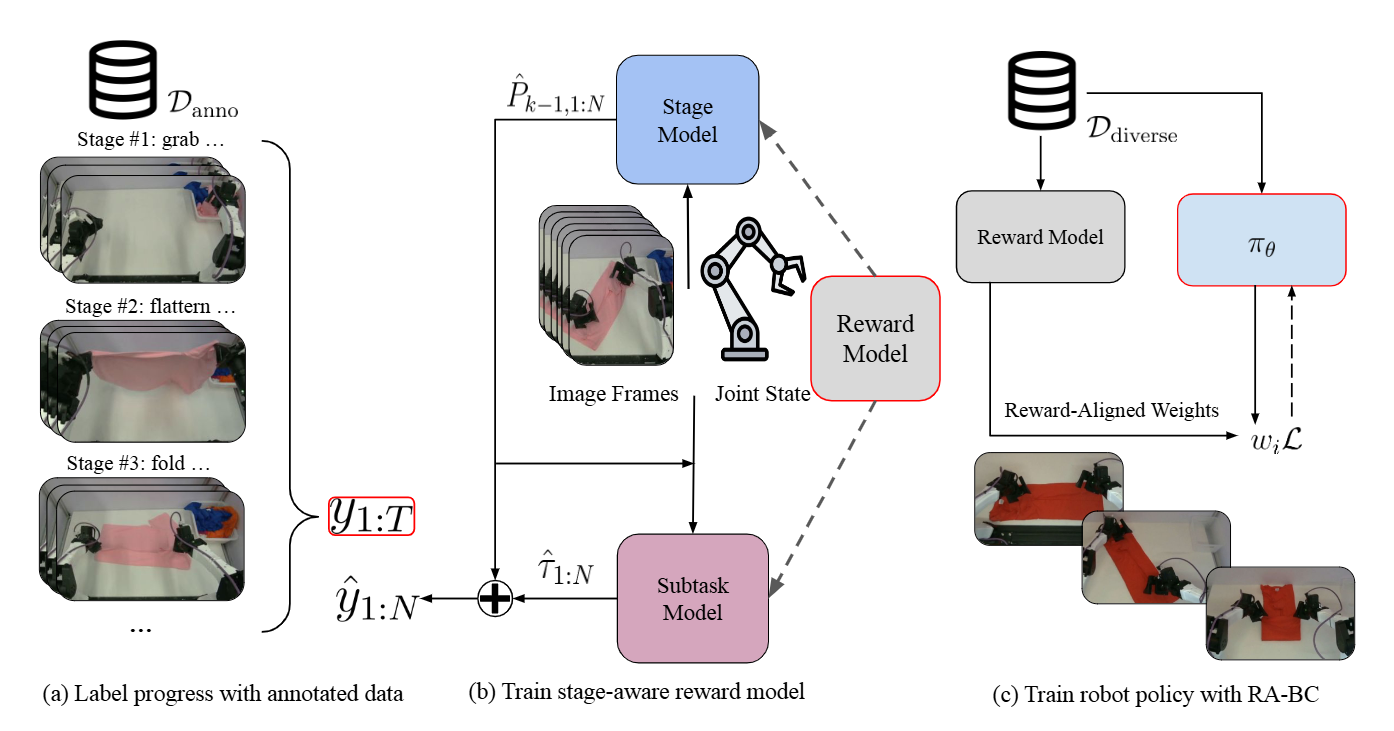
If you've read the previous post about the LeRobot Framework, you know that LeRobot provides powerful policies like ACT and Diffusion Policy. But no matter how good a policy is, it's useless without quality data. In imitation learning, data consists of demonstrations — instances where you "show" the robot how to perform a task.
This post — the second in the VLA & LeRobot Mastery series — will guide you through collecting data via teleoperation in simulation environments. We'll go from initial setup to a complete dataset ready for training.

Why Teleoperation?
There are three main ways to collect data for robot learning:
| Method | Pros | Cons |
|---|---|---|
| Teleoperation | High quality, controllable | Time-consuming, needs operator |
| Scripted Policy | Fast, automated | Unnatural, limited diversity |
| Autonomous (RL) | No human needed | Needs reward design, less stable |
Teleoperation — where a human directly controls the robot through a controller — produces the most natural data. Humans know how to grasp objects efficiently, and the natural diversity in control patterns helps policies learn better.
Setting Up the Simulation Environment
Installing Dependencies
# Install LeRobot with simulation support
pip install lerobot[simulation]

# Or install MuJoCo separately
pip install mujoco gymnasium-robotics

# Install robosuite (optional, many task environments)
pip install robosuite

# Verify MuJoCo works
python -c "import mujoco; print(f'MuJoCo version: {mujoco.__version__}')"
Choosing the Right Environment
LeRobot supports multiple simulators, each with its own advantages:
# MuJoCo — Most accurate physics, most popular
import mujoco
import mujoco.viewer

# robosuite — Many ready-made task environments
import robosuite as suite
env = suite.make(
    env_name="Lift",           # Task: lift a cube
    robots="Panda",            # Franka Panda robot
    has_renderer=True,         # Render for viewing
    has_offscreen_renderer=True,  # Offscreen for camera obs
    use_camera_obs=True,       # Use camera observations
    camera_names=["agentview", "robot0_eye_in_hand"],
    camera_heights=480,
    camera_widths=640,
)

# Gymnasium Robotics — Standard interface
import gymnasium as gym
env = gym.make("FrankaPickAndPlace-v3", render_mode="human")
Setting Up Teleoperation
Keyboard Teleoperation (Simplest)
import numpy as np
import gymnasium as gym

class KeyboardTeleop:
    """Control robot with keyboard — suitable for simple 2D tasks."""

    def __init__(self):
        self.action = np.zeros(4)  # [dx, dy, dz, gripper]
        self.speed = 0.05
        self.running = True

    def get_action_from_key(self, key):
        """Map key presses to actions."""
        action = np.zeros(4)
        key_map = {
            'w': (0, self.speed),    # Forward
            's': (0, -self.speed),   # Backward
            'a': (1, -self.speed),   # Left
            'd': (1, self.speed),    # Right
            'q': (2, self.speed),    # Up
            'e': (2, -self.speed),   # Down
            'g': (3, 1.0),          # Gripper close
            'r': (3, -1.0),         # Gripper open
        }
        if key in key_map:
            idx, val = key_map[key]
            action[idx] = val
        return action

def record_keyboard_episode(env, teleop, max_steps=500):
    """Record a single episode controlled by keyboard."""
    obs, info = env.reset()
    episode_data = []

    for step in range(max_steps):
        # Get action from keyboard input
        key = get_keyboard_input()  # Platform-specific function
        action = teleop.get_action_from_key(key)

        # Execute action
        next_obs, reward, terminated, truncated, info = env.step(action)

        # Save frame
        episode_data.append({
            "observation.image": obs.get("image", None),
            "observation.state": obs.get("state", None),
            "action": action,
        })

        obs = next_obs
        if terminated or truncated:
            break

    return episode_data
SpaceMouse Teleoperation (Professional)
SpaceMouse (3Dconnexion) is an ideal 6-DOF input device for robot manipulation:
import numpy as np

class SpaceMouseTeleop:
    """Teleoperation with SpaceMouse 6-DOF.

    SpaceMouse provides 6 axes: tx, ty, tz, rx, ry, rz
    Maps directly to end-effector delta pose.
    """

    def __init__(self, pos_sensitivity=1.0, rot_sensitivity=1.0):
        try:
            import pyspacemouse
            self.device = pyspacemouse
            success = pyspacemouse.open()
            if not success:
                raise RuntimeError("SpaceMouse not found!")
        except ImportError:
            raise ImportError("Install: pip install pyspacemouse")

        self.pos_sensitivity = pos_sensitivity
        self.rot_sensitivity = rot_sensitivity
        self.gripper_state = 1.0  # 1.0 = open, -1.0 = closed

    def get_action(self):
        """Read SpaceMouse state and return 7D action."""
        state = self.device.read()

        # Map SpaceMouse axes to robot action
        action = np.zeros(7)  # [dx, dy, dz, drx, dry, drz, gripper]

        # Position deltas
        action[0] = state.x * self.pos_sensitivity
        action[1] = state.y * self.pos_sensitivity
        action[2] = state.z * self.pos_sensitivity

        # Rotation deltas
        action[3] = state.roll * self.rot_sensitivity
        action[4] = state.pitch * self.rot_sensitivity
        action[5] = state.yaw * self.rot_sensitivity

        # Gripper toggle (SpaceMouse button)
        if state.buttons[0]:
            self.gripper_state *= -1
        action[6] = self.gripper_state

        return action

    def close(self):
        self.device.close()

Leader-Follower Teleoperation (ALOHA Style)
This method uses two identical robots — a leader (human-controlled) and a follower (performs the task):
from lerobot.common.robot_devices.robots.manipulator import ManipulatorRobot

def setup_leader_follower():
    """Setup leader-follower system for ALOHA."""
    robot = ManipulatorRobot(
        robot_type="aloha",
        leader_arms={
            "left": FeetechMotorsBus(port="/dev/ttyACM0"),
            "right": FeetechMotorsBus(port="/dev/ttyACM1"),
        },
        follower_arms={
            "left": FeetechMotorsBus(port="/dev/ttyACM2"),
            "right": FeetechMotorsBus(port="/dev/ttyACM3"),
        },
        cameras={
            "top": OpenCVCamera(0, fps=30, width=640, height=480),
            "wrist_left": OpenCVCamera(1, fps=30, width=640, height=480),
            "wrist_right": OpenCVCamera(2, fps=30, width=640, height=480),
        },
    )
    return robot
Recording Data with LeRobot
Using the Built-in Record Command
# Record 50 episodes in simulation
python lerobot/scripts/control_robot.py \
    --robot.type=so100 \
    --control.type=record \
    --control.fps=30 \
    --control.repo_id=my-user/my-pick-place-dataset \
    --control.num_episodes=50 \
    --control.single_task="Pick the red cube and place it on the green target"
Custom Recording with Code
import numpy as np
import torch
from lerobot.common.datasets.lerobot_dataset import LeRobotDataset

def create_dataset_for_recording(repo_id, robot_type="so100"):
    """Create a new LeRobotDataset for recording."""
    dataset = LeRobotDataset.create(
        repo_id=repo_id,
        fps=30,
        robot_type=robot_type,
        features={
            "observation.images.top": {
                "dtype": "video",
                "shape": (480, 640, 3),
                "names": ["height", "width", "channels"],
            },
            "observation.images.wrist": {
                "dtype": "video",
                "shape": (480, 640, 3),
                "names": ["height", "width", "channels"],
            },
            "observation.state": {
                "dtype": "float32",
                "shape": (6,),
                "names": ["joint_positions"],
            },
            "action": {
                "dtype": "float32",
                "shape": (6,),
                "names": ["joint_positions_target"],
            },
        },
    )
    return dataset

def record_episodes(env, teleop, dataset, num_episodes=50, max_steps=500):
    """Record multiple teleop demonstration episodes.

    Args:
        env: Gymnasium environment
        teleop: Teleop controller (keyboard, SpaceMouse, etc.)
        dataset: Created LeRobotDataset
        num_episodes: Number of episodes to record
        max_steps: Maximum steps per episode
    """
    successful_episodes = 0

    for ep in range(num_episodes):
        print(f"\n{'='*50}")
        print(f"Episode {ep+1}/{num_episodes}")
        print(f"Press Enter to start, 'q' to quit...")

        if input().strip() == 'q':
            break

        obs, info = env.reset()

        for step in range(max_steps):
            # Get action from teleop
            action = teleop.get_action()

            # Save current frame
            dataset.add_frame({
                "observation.images.top": obs["image_top"],
                "observation.images.wrist": obs["image_wrist"],
                "observation.state": obs["state"],
                "action": action,
            })

            # Execute action
            obs, reward, terminated, truncated, info = env.step(action)

            if terminated:
                success = info.get("is_success", False)
                if success:
                    successful_episodes += 1
                    print(f"  Success! ({step+1} steps)")
                else:
                    print(f"  Failed ({step+1} steps)")
                break

            if truncated:
                print(f"  Timed out ({step+1} steps)")
                break

        # Save episode to dataset
        dataset.save_episode()
        print(f"  Success rate: {successful_episodes}/{ep+1} "
              f"({successful_episodes/(ep+1)*100:.0f}%)")

    return dataset
Episode Structure in LeRobotDataset
Understanding episode structure is crucial for debugging and analyzing data:
from lerobot.common.datasets.lerobot_dataset import LeRobotDataset

dataset = LeRobotDataset("lerobot/aloha_sim_transfer_cube_human")

# Overview information
print(f"Total frames: {dataset.num_frames}")
print(f"Total episodes: {dataset.num_episodes}")
print(f"FPS: {dataset.fps}")

# Analyze each episode
for ep_idx in range(min(5, dataset.num_episodes)):
    ep_start = dataset.episode_data_index["from"][ep_idx].item()
    ep_end = dataset.episode_data_index["to"][ep_idx].item()
    ep_length = ep_end - ep_start
    duration = ep_length / dataset.fps

    print(f"\nEpisode {ep_idx}:")
    print(f"  Frames: {ep_start} to {ep_end} ({ep_length} frames)")
    print(f"  Duration: {duration:.1f}s")

    # Analyze action distribution
    actions = torch.stack([
        dataset[i]["action"] for i in range(ep_start, ep_end)
    ])
    print(f"  Action range: [{actions.min():.3f}, {actions.max():.3f}]")
    print(f"  Action std: {actions.std(dim=0).mean():.4f}")
Tips for High-Quality Data Collection
1. Optimal Camera Placement
# Camera placement significantly impacts policy quality
camera_configs = {
    # Overhead camera (bird's eye) — good for spatial reasoning
    "top": {
        "position": [0.0, 0.0, 1.2],
        "orientation": [0, -90, 0],  # Looking straight down
        "fov": 60,
    },
    # 45-degree angle camera — balances depth and overview
    "angle": {
        "position": [0.5, -0.5, 0.8],
        "orientation": [-30, -45, 0],
        "fov": 60,
    },
    # Wrist camera — detailed grasping view
    "wrist": {
        "position": "attached_to_ee",
        "fov": 90,  # Wide angle for wrist cam
    },
}

# Rule of thumb:
# - Use at least 2 cameras (1 overview + 1 wrist)
# - Overview camera should see entire workspace
# - Wrist camera helps policy see objects during grasping
2. Consistency in Demonstrations
def validate_episode_quality(episode_data, min_steps=50, max_idle_ratio=0.3):
    """Check episode quality before saving.

    Args:
        episode_data: List of frames
        min_steps: Minimum number of steps
        max_idle_ratio: Maximum ratio of idle (no movement) frames

    Returns:
        (is_valid, reason): Tuple (bool, str)
    """
    if len(episode_data) < min_steps:
        return False, f"Too short ({len(episode_data)} < {min_steps} steps)"

    # Check idle ratio
    actions = np.array([f["action"] for f in episode_data])
    action_norms = np.linalg.norm(actions[:, :3], axis=1)  # Position only
    idle_frames = np.sum(action_norms < 0.001)
    idle_ratio = idle_frames / len(actions)

    if idle_ratio > max_idle_ratio:
        return False, f"Too much idle ({idle_ratio:.0%} > {max_idle_ratio:.0%})"

    # Check for abnormal action values
    if np.any(np.abs(actions) > 10.0):
        return False, "Abnormal action values (>10.0)"

    return True, "OK"
3. Filtering Bad Episodes
def filter_dataset_by_success(dataset, min_reward=0.5):
    """Filter out unsuccessful episodes."""
    good_episodes = []

    for ep_idx in range(dataset.num_episodes):
        ep_start = dataset.episode_data_index["from"][ep_idx].item()
        ep_end = dataset.episode_data_index["to"][ep_idx].item()

        # Get final episode reward
        final_frame = dataset[ep_end - 1]

        if final_frame.get("reward", 0) >= min_reward:
            good_episodes.append(ep_idx)

    print(f"Keeping {len(good_episodes)}/{dataset.num_episodes} episodes "
          f"({len(good_episodes)/dataset.num_episodes*100:.0f}%)")

    return good_episodes
Complete Example: Collecting 50 Pick-Place Episodes
Here's the complete workflow for collecting a dataset for a pick-and-place task:
import numpy as np
import gymnasium as gym
from lerobot.common.datasets.lerobot_dataset import LeRobotDataset

def make_pick_place_env():
    """Create a pick-place simulation environment."""
    env = gym.make(
        "FrankaPickAndPlace-v3",
        render_mode="human",
        max_episode_steps=500,
    )
    return env

def scripted_pick_place_policy(obs, phase="approach"):
    """Simple scripted policy for pick-place.

    Can be used instead of teleop to quickly create datasets for testing.
    """
    ee_pos = obs["observation"][:3]      # End-effector position
    obj_pos = obs["desired_goal"][:3]    # Object position
    target_pos = obs["achieved_goal"][:3] # Target position

    action = np.zeros(4)

    if phase == "approach":
        above_obj = obj_pos.copy()
        above_obj[2] += 0.05
        action[:3] = (above_obj - ee_pos) * 10
        action[3] = 1.0  # Gripper open
    elif phase == "grasp":
        action[:3] = (obj_pos - ee_pos) * 10
        action[3] = -1.0  # Gripper close
    elif phase == "lift":
        action[:3] = np.array([0, 0, 0.1])
        action[3] = -1.0
    elif phase == "place":
        action[:3] = (target_pos - ee_pos) * 10
        action[3] = -1.0

    return np.clip(action, -1, 1)

def collect_pick_place_dataset(num_episodes=50):
    """Collect a complete pick-place dataset."""
    env = make_pick_place_env()

    dataset = LeRobotDataset.create(
        repo_id="my-user/pick-place-50ep",
        fps=30,
        robot_type="franka",
        features={
            "observation.image": {
                "dtype": "video",
                "shape": (480, 640, 3),
                "names": ["height", "width", "channels"],
            },
            "observation.state": {
                "dtype": "float32",
                "shape": (10,),
                "names": ["robot_state"],
            },
            "action": {
                "dtype": "float32",
                "shape": (4,),
                "names": ["dx", "dy", "dz", "gripper"],
            },
        },
    )

    for ep in range(num_episodes):
        obs, info = env.reset()
        done = False
        step = 0

        while not done:
            if step < 30:
                action = scripted_pick_place_policy(obs, "approach")
            elif step < 50:
                action = scripted_pick_place_policy(obs, "grasp")
            elif step < 80:
                action = scripted_pick_place_policy(obs, "lift")
            else:
                action = scripted_pick_place_policy(obs, "place")

            # Add small noise for diversity
            action[:3] += np.random.normal(0, 0.01, 3)

            dataset.add_frame({
                "observation.image": obs.get("image", np.zeros((480,640,3))),
                "observation.state": obs["observation"],
                "action": action,
            })

            obs, reward, terminated, truncated, info = env.step(action)
            done = terminated or truncated
            step += 1

        dataset.save_episode()

        if (ep + 1) % 10 == 0:
            print(f"Recorded {ep+1}/{num_episodes} episodes")

    dataset.push_to_hub()
    print(f"\nComplete! {dataset.num_episodes} episodes, "
          f"{dataset.num_frames} total frames")

    env.close()
    return dataset

dataset = collect_pick_place_dataset(num_episodes=50)
Reference Papers
- RoboTurk: A Crowdsourcing Platform for Robotic Skill Learning — Mandlekar et al., CoRL 2018 — Web-based robot data collection platform
- MimicGen: A Data Generation System for Scalable Robot Learning — Mandlekar et al., CoRL 2023 — Automatic data augmentation from few demonstrations
- ACT: Learning Fine-Grained Bimanual Manipulation — Zhao et al., RSS 2023 — Teleoperation framework for ALOHA
Conclusion and Next Steps
Collecting high-quality data is the most critical step in imitation learning. Remember the key principles: consistent demonstrations, diverse camera angles, and filtering bad episodes. Quality matters more than quantity — 50 good episodes often outperform 200 poor ones.
In the next post — Training Single-Arm Policies: ACT & Diffusion Policy — we'll use the dataset we just collected to train and compare the two most popular policies.
If you want to learn more about imitation learning foundations, check out the Imitation Learning basics post.
Related Posts
- LeRobot Framework Deep Dive — Complete architecture and API guide for LeRobot
- Imitation Learning for Manipulation — Theoretical foundations of imitation learning
- ACT: Action Chunking with Transformers — Deep dive into the ACT policy