Why is Simulation Critical in Robotics?
If you're doing robotics — whether research or product — simulation is an indispensable tool. The reason is simple: training and testing on real robots is too slow, too expensive, and too dangerous.
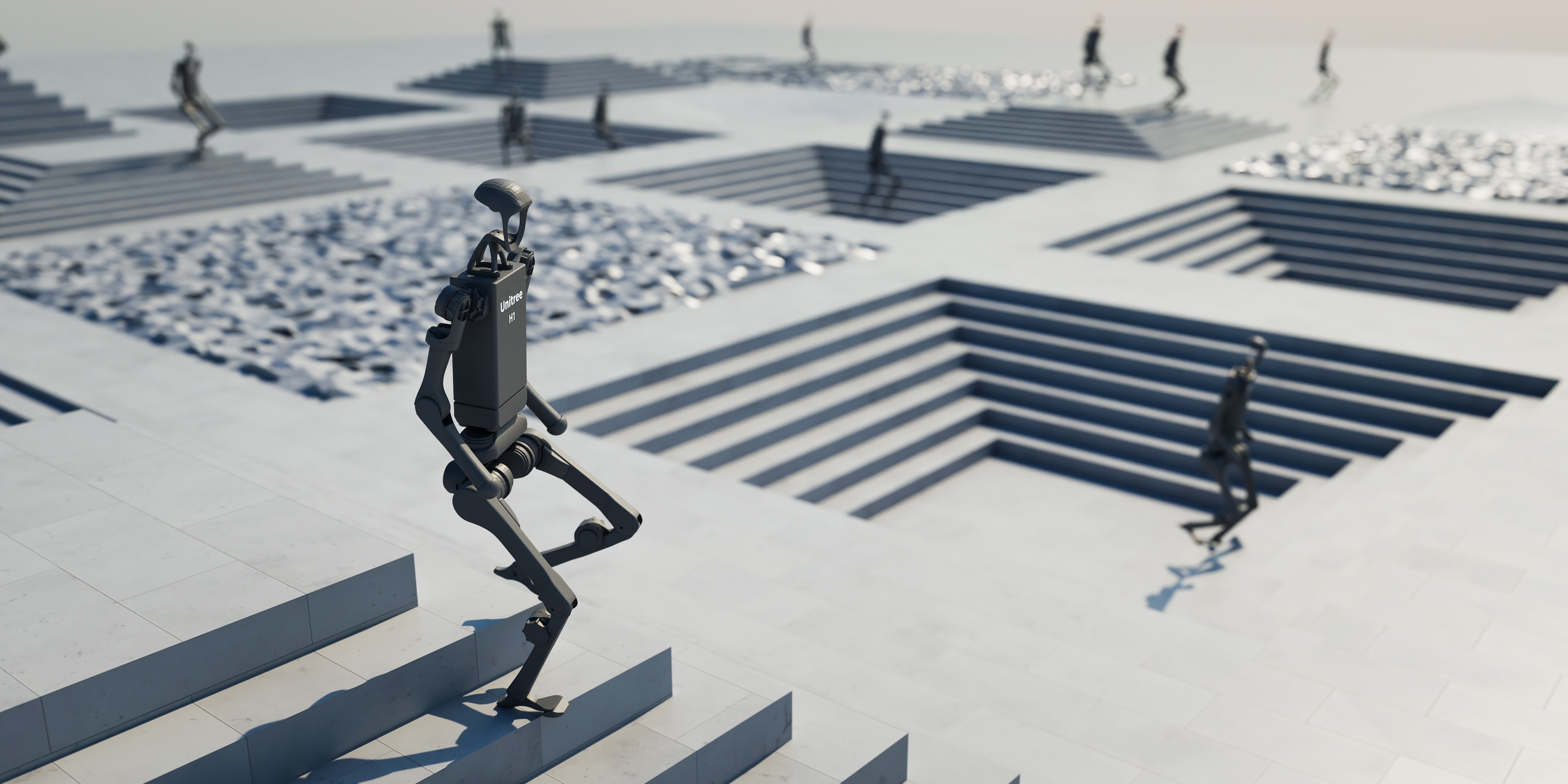
A robot arm costs 50,000 USD; every collision can damage the gripper or break joints. In simulation, you run 4,096 robots in parallel, each performing thousands of episodes per hour, completely free and nobody gets hurt.
But not all simulators are created equal. In this post, I'll compare in detail the 3 leading simulators today: MuJoCo, NVIDIA Isaac Sim/Lab, and Gazebo Harmonic — so you choose the right tool for your project.

MuJoCo — Fastest Physics Engine for Contact
MuJoCo (Multi-Joint dynamics with Contact) was developed by Emo Todorov, then acquired by DeepMind and open-sourced in 2022. It's the most widely used physics engine in robot learning research.
Strengths
- Most accurate contact physics: MuJoCo uses convex optimization to solve contact forces, yielding more stable and accurate results than impulse-based methods. From version 3.2+, native convex collision detection is default.
- Extremely fast on CPU: On a single CPU core, MuJoCo simulates hundreds of times faster than real-time for robot manipulation tasks.
- MJX — GPU acceleration with JAX: MuJoCo XLA (MJX) enables simulation on GPU/TPU via JAX, achieving thousands of parallel environments. From version 3.3.5, MJX-Warp supports NVIDIA GPUs.
- Deformable objects (MuJoCo 3.x): New Flex element supports soft body simulation — lines, triangles, tetrahedra — with separate collision and deformation meshes.
- Signed Distance Field (SDF) collision: New collision primitives not limited to convex shapes.
- Free, Apache 2.0 license.
Weaknesses
- Basic rendering (OpenGL), not photorealistic
- No built-in domain randomization framework
- ROS 2 integration requires additional wrapper
Installation
pip install mujoco
# Or with GPU support (JAX backend)
pip install mujoco-mjx
Quick Example
import mujoco
import mujoco.viewer

# Load model from XML
model = mujoco.MjModel.from_xml_path("robot_arm.xml")
data = mujoco.MjData(model)

# Simulate 1000 steps
for _ in range(1000):
    mujoco.mj_step(model, data)
    print(f"Joint positions: {data.qpos[:3]}")

# Visualize
mujoco.viewer.launch(model, data)
NVIDIA Isaac Sim / Isaac Lab — GPU-Accelerated Powerhouse
Isaac Sim is NVIDIA's simulation platform, built on Omniverse. Isaac Lab (formerly Isaac Gym + Orbit) is an open-source framework for robot learning on Isaac Sim.
Latest versions: Isaac Sim 5.0 and Isaac Lab 2.2 (GA at SIGGRAPH 2025).
Strengths
- Massive GPU parallelism: Run 10,000+ environments in parallel on single GPU with PhysX 5. RL policy training is 100x faster than CPU-based simulators.
- Photorealistic rendering: RTX ray-tracing for high-quality synthetic data generation — critical for vision-based sim-to-real.
- Tiled rendering (Isaac Lab 2.2): 1.2x speedup by combining outputs from simultaneous simulations into single image.
- Built-in domain randomization: Visual + dynamics randomization integrated, easy to configure.
- Newton Physics Engine: Co-developed with Google DeepMind and Disney Research, available in Isaac Lab.
- Isaac Lab-Arena: New framework for scalable policy evaluation, co-developed with Lightwheel.
- Free (requires NVIDIA GPU).
Weaknesses
- Requires NVIDIA GPU (RTX 3070+ recommended)
- Steep learning curve: Omniverse ecosystem is complex
- Heavy installation: ~15 GB, many dependencies
- Only officially supported on Ubuntu
Installation
# 1. Install Isaac Sim 5.0 from NVIDIA Omniverse Launcher
# 2. Clone Isaac Lab
git clone https://github.com/isaac-sim/IsaacLab.git
cd IsaacLab
# 3. Install
./isaaclab.sh --install

Gazebo Harmonic — ROS 2 Native Simulator
Gazebo (formerly Ignition Gazebo) is the oldest and most widely used simulator in the robotics ecosystem. Gazebo Harmonic is the latest LTS, compatible with ROS 2 Jazzy and Humble.
Strengths
- ROS 2 native integration: Built-in integration via
ros_gzbridge — topics, services, actions work seamlessly. This is the biggest strength. - Largest ecosystem: Thousands of robot models, plugins, tutorials from the community. Most manufacturers provide Gazebo models.
- Multi-robot simulation: Designed for multi-robot scenarios from the start — swarm, fleet management, multi-agent.
- Multiple physics engines: Supports ODE, Bullet, DART, TPE — choose the engine that fits the task.
- Full sensor simulation: LiDAR, camera, IMU, GPS, contact sensors... all publish ROS 2 topics.
- Free, Apache 2.0 license.
Weaknesses
- No GPU parallelism: CPU-only, cannot scale thousands of environments for RL
- Average physics accuracy: Not as good as MuJoCo for contact-rich tasks
- Average rendering: Better than MuJoCo but not photorealistic like Isaac Sim
- Slowest: ~1K steps/s, not suitable for large-scale RL training
Installation
# Ubuntu 22.04 + ROS 2 Jazzy
sudo apt-get install ros-jazzy-ros-gz

# Or standalone
sudo apt-get install gz-harmonic
Quick Example
# Launch Gazebo with robot model
gz sim -r shapes.sdf

# Bridge with ROS 2
ros2 run ros_gz_bridge parameter_bridge \
  /model/robot/joint_state@sensor_msgs/msg/JointState[gz.msgs.Model
Comprehensive Comparison Table
| Criterion | MuJoCo 3.x | Isaac Sim 5.0 / Lab 2.2 | Gazebo Harmonic |
|---|---|---|---|
| Physics engine | MuJoCo (convex opt) | PhysX 5 + Newton | ODE/Bullet/DART |
| Contact accuracy | Highest | High | Average |
| Speed (CPU) | ~50K+ steps/s | N/A (GPU-only) | ~1K steps/s |
| GPU parallel | MJX: 1,000+ envs | 10,000+ envs | No |
| Rendering | OpenGL (basic) | RTX ray-tracing | OGRE (average) |
| Domain randomization | Manual / MJX | Built-in, extensive | Plugin-based |
| ROS 2 integration | Community wrapper | Isaac ROS | Native (best) |
| Sensor simulation | Basic | Photorealistic cameras | Full (LiDAR, IMU...) |
| Multi-robot | Limited | Yes (GPU parallel) | Best |
| Deformable objects | Yes (flex, MuJoCo 3.x) | Yes (PhysX 5) | Limited |
| Learning curve | Average | High (Omniverse) | Low |
| Price | Free (Apache 2.0) | Free (NVIDIA GPU required) | Free (Apache 2.0) |
| OS | Windows/Mac/Linux | Ubuntu (official) | Ubuntu/Mac |
| Best use case | RL research, manipulation | Large-scale RL, visual sim-to-real | ROS 2 prototyping, multi-robot |
When to Use What?
Choose MuJoCo when:
- You're doing robot manipulation research needing accurate contact physics
- You need to benchmark RL algorithms (MuJoCo is the standard benchmark)
- You don't have a powerful NVIDIA GPU or need to run on Mac/CPU
- You need deformable object simulation (MuJoCo 3.x flex)
- You want a physics engine that's lightweight, fast, and easy to integrate
# Check if MuJoCo works
import mujoco
print(f"MuJoCo version: {mujoco.__version__}")
m = mujoco.MjModel.from_xml_string('<mujoco><worldbody><light/><geom type="plane" size="1 1 .01"/></worldbody></mujoco>')
d = mujoco.MjData(m)
mujoco.mj_step(m, d)
print("MuJoCo is working!")
Choose Isaac Sim / Isaac Lab when:
- You need massive parallelism for RL training (4,096 - 10,000+ envs)
- You need photorealistic rendering for visual sim-to-real transfer
- You have NVIDIA RTX GPU (3070+, recommended 4080+)
- You're working on locomotion or manipulation policies with domain randomization
- You need synthetic data generation for computer vision
Choose Gazebo when:
- You're working on a ROS 2 project and need seamless integration
- You need multi-robot simulation (fleet, swarm)
- You need a full sensor suite (LiDAR, camera, IMU, GPS) publishing via ROS topics
- You don't need RL training (just test behavior, navigation, planning)
- You want to prototype quickly with ready-made ecosystem
Case Studies: Who Uses What?
OpenAI — MuJoCo for Rubik's Cube
OpenAI used MuJoCo to train Shadow Dexterous Hand to solve Rubik's Cube. Reason for choosing MuJoCo: accurate contact physics for dexterous manipulation and ability to simulate fast on CPU clusters. They combined it with Automatic Domain Randomization (ADR) to bridge the sim-to-real gap.
Boston Dynamics + NVIDIA — Isaac Lab for Spot
NVIDIA showcased training Spot quadruped locomotion in Isaac Lab with thousands of parallel environments. RSL-RL PPO training on RTX A6000 achieved ~90,000 FPS. Policy transferred zero-shot to real robot, walking on diverse terrains.
Open Robotics — Gazebo for ROS 2 Ecosystem
Most competitions like RoboCup, DARPA SubT use Gazebo. Reason: ROS 2 native, multi-robot support, and largest ecosystem. NASA JPL uses Gazebo for Mars rover simulation.
Research Labs — Combined Tools
Many labs like Stanford IRIS, Berkeley BAIR use MuJoCo for manipulation research and Isaac Lab for locomotion. No single tool fits all.
Combining Multiple Simulators
In practice, many teams use combination of simulators:
- Gazebo to prototype and test ROS 2 stack (navigation, planning, perception)
- MuJoCo or Isaac Lab to train RL policies
- Isaac Sim to generate synthetic training data for vision models
- Deploy everything to real robot via ROS 2
Gazebo (prototype + ROS 2 test)
  → MuJoCo / Isaac Lab (RL training)
    → Isaac Sim (synthetic data + visual DR)
      → Real robot (ROS 2 deploy)
This pipeline leverages each tool's strengths: Gazebo for ROS integration, MuJoCo/Isaac Lab for training speed, Isaac Sim for rendering quality.

2026 Trends
GPU-Acceleration is Default
With MJX-Warp (MuJoCo on NVIDIA GPU) and Newton Physics Engine (Isaac Lab), the lines between simulators are blurring. Everything is heading toward GPU parallelism.
Foundation Models Need Simulation
Foundation models like RT-2, Octo need diverse simulation data for pre-training. Isaac Lab-Arena was created precisely for this need — scalable evaluation for generalist robot policies.
Open-Source Accelerating
All 3 simulators are free and open-source (or free-to-use). Barrier to entry has never been lower.
Next in Series
This is Part 1 of the Simulation for Robotics series. In upcoming posts:
- Part 2: Getting Started with MuJoCo: From Installation to First Robot Simulation — Hands-on tutorial creating robot arm in MuJoCo
- Part 3: NVIDIA Isaac Lab: GPU-Accelerated RL Training from Zero — Train locomotion policy with 4,096 parallel environments
Related Articles
- Sim-to-Real Transfer: Train in Simulation, Run in Reality — Domain randomization, system identification and best practices
- RL for Bipedal Walking — Reinforcement learning for walking robots
- Foundation Models for Robotics: RT-2, Octo, OpenVLA — Combining sim-to-real with foundation models
- Edge AI with NVIDIA Jetson — Deploy models to edge devices post sim-to-real