Why Detailed Comparison of MuJoCo and Isaac Lab?
If you've read the 3 simulators overview, you know MuJoCo and Isaac Lab are top choices for robot learning. But when starting a real project, questions get specific: Which physics engine is more accurate for contact-rich manipulation? What's the actual GPU throughput? Which ecosystem helps ship faster?
This post dives deep with benchmark numbers, code for both platforms, and trade-offs that official docs don't mention clearly.

MuJoCo 3.x: Major Changes
MJX and MuJoCo-Warp — Two GPU Paths
MuJoCo 3.x offers two ways to run on GPU:
MJX (MuJoCo XLA) — JAX backend running on GPU/TPU via XLA compilation. Used in MuJoCo Playground, open-source framework that won Outstanding Demo Paper at RSS 2025. MJX achieves 2.7 million steps/second on 8-chip TPU v5 and 650,000 steps/second on Apple M3 Max.
MuJoCo-Warp — NVIDIA Warp backend, developed by Google DeepMind as part of Newton Physics Engine. Official benchmarks show MuJoCo-Warp is significantly faster than MJX on NVIDIA GPUs:
- Locomotion tasks: 152x faster than MJX on RTX 4090
- Manipulation tasks: 313x faster than MJX on RTX 4090
- Humanoid simulation: 70x speedup over MJX
# MuJoCo MJX — JAX backend
import mujoco
from mujoco import mjx
import jax
import jax.numpy as jnp

# Load model
model = mujoco.MjModel.from_xml_path("humanoid.xml")
mjx_model = mjx.put_model(model)

# Batch simulation — 4096 environments in parallel
batch_size = 4096
rng = jax.random.PRNGKey(0)
mjx_data = jax.vmap(lambda _: mjx.put_data(model, mujoco.MjData(model)))(
    jnp.arange(batch_size)
)

# Step all environments simultaneously
@jax.jit
def batch_step(mjx_model, mjx_data):
    return jax.vmap(mjx.step, in_axes=(None, 0))(mjx_model, mjx_data)

mjx_data = batch_step(mjx_model, mjx_data)
print(f"Simulated {batch_size} environments in parallel")
Convex Collision Detection (MuJoCo 3.2+)
From version 3.2, MuJoCo uses native convex collision detection by default. Significant improvements for contact-rich tasks:
- Convex-convex contacts solved via optimization rather than impulse-based
- Signed Distance Field (SDF) collision for non-convex geometries
- Deformable objects via flex elements — supports lines, triangles, tetrahedra
Flex Elements — Soft Body Simulation
MuJoCo 3.x introduces flex elements for deformable object simulation:
<!-- MuJoCo XML — Deformable cloth -->
<mujoco>
  <worldbody>
    <body name="cloth">
      <composite type="grid" count="10 10 1" spacing="0.05">
        <skin texcoord="true"/>
        <joint kind="main" damping="0.01"/>
        <geom type="sphere" size="0.01" mass="0.001"/>
      </composite>
    </body>
  </worldbody>
</mujoco>
Isaac Lab 2.x: GPU Parallelism at Scale
Architecture
Isaac Lab 2.x (formerly Orbit + Isaac Gym) runs on Isaac Sim and Omniverse. Architecture has 3 layers:
- Isaac Sim (Omniverse app) — rendering, USD scene management
- PhysX 5 — GPU-accelerated physics engine
- Isaac Lab — RL training framework, environment wrappers
Tiled Rendering (Isaac Lab 2.2)
New feature combines render outputs from multiple environments into single image, achieving 1.2x rendering speedup for vision-based policy training.
Newton Physics Engine — Shared Future
Newton Physics Engine, developed by NVIDIA, Google DeepMind and Disney Research, is the new open-source physics engine (beta since Sept 2025, managed by Linux Foundation). Newton integrates both MuJoCo-Warp and PhysX, allowing physics solver switching without changing training code.
Built on NVIDIA Warp and OpenUSD, Newton supports differentiable physics — enables gradient computation through simulation.
# Isaac Lab 2.x — Environment setup
import isaaclab
from isaaclab.envs import ManagerBasedRLEnv

# Config for locomotion task
env_cfg = {
    "num_envs": 4096,
    "physics_engine": "physx",  # or "newton" for Newton backend
    "sim": {
        "dt": 0.005,
        "substeps": 2,
        "gpu_found_lost_pairs_capacity": 2**23,
    }
}

env = ManagerBasedRLEnv(cfg=env_cfg)
obs = env.reset()

# Training loop
for i in range(1000):
    actions = policy(obs)
    obs, rewards, dones, infos = env.step(actions)

Detailed Benchmark Comparison
Physics Accuracy
| Test Case | MuJoCo 3.x | Isaac Lab (PhysX 5) | Notes |
|---|---|---|---|
| Contact force accuracy | Convex optimization (very high) | Impulse-based + TGS solver | MuJoCo more accurate for fine manipulation |
| Friction model | Elliptic friction cone | Pyramid approximation | MuJoCo more realistic |
| Deformable objects | Flex elements (native) | PhysX 5 FEM | Both supported |
| Fluid simulation | No | Particle-based (PhysX 5) | Isaac Lab advantage |
| Joint limit enforcement | Constraint-based (exact) | Penalty-based | MuJoCo more stable |
Throughput — Parallel Environments
| Metric | MuJoCo MJX (GPU) | MuJoCo-Warp (GPU) | Isaac Lab (PhysX 5) |
|---|---|---|---|
| Humanoid locomotion | ~100K steps/s (A100) | ~7M steps/s (RTX 4090) | ~5M steps/s (RTX 4090) |
| Manipulation (single arm) | ~200K steps/s | ~63M steps/s (RTX 4090) | ~8M steps/s (RTX 4090) |
| Max parallel envs | 4,096 (typical) | 8,192+ | 10,000+ |
| TPU support | Yes (JAX native) | No | No |
| Apple Silicon | Yes (Metal via JAX) | No | No |
Rendering Quality
| Feature | MuJoCo | Isaac Lab |
|---|---|---|
| Engine | OpenGL (basic) | RTX ray-tracing |
| Photorealistic | No | Yes |
| Synthetic data gen | No (needs third-party) | Built-in (Replicator) |
| Tiled rendering | No | Yes (1.2x speedup) |
| Visual domain randomization | Manual | Built-in, extensive |
GPU Utilization
Important point often overlooked: actual GPU utilization.
MuJoCo MJX: JAX → XLA compilation has high startup overhead (JIT compilation takes 30-60 seconds). After that, GPU utilization ~70-85% for physics, but no rendering workload.
MuJoCo-Warp: Native NVIDIA Warp, GPU utilization 90%+ for physics. This is why throughput exceeds MJX on NVIDIA hardware.
Isaac Lab: GPU shared between physics (PhysX) and rendering (RTX). Physics-only mode achieves ~85% utilization. With rendering enabled, total utilization is higher but physics throughput drops ~20-30%.
Ecosystem and Developer Experience
MuJoCo
- Documentation: Excellent, detailed, clear examples
- Community: Large (research-focused), active GitHub issues
- Model zoo: dm_control suite, MuJoCo Playground tasks, Robosuite (Stanford)
- RL frameworks: Compatible with Gymnasium, Stable-Baselines3, CleanRL, Brax
- Install:
pip install mujoco— 5 minutes to run - ROS 2: Community wrapper (mujoco_ros2), unofficial
Isaac Lab
- Documentation: Good but complex (Omniverse layer)
- Community: Rapidly developing, NVIDIA support direct
- Model zoo: Built-in environments for locomotion, manipulation, dexterous hands
- RL frameworks: RSL-RL (native), RL Games, Stable-Baselines3
- Install: ~15GB, requires Omniverse Launcher — 1-2 hours setup
- ROS 2: Isaac ROS (official, good)
Workflow Comparison
MuJoCo workflow:
  pip install mujoco → write XML model → Python script → train
  Setup time: 10 minutes

Isaac Lab workflow:
  Install Omniverse → Install Isaac Sim → Clone IsaacLab
  → ./isaaclab.sh --install → config YAML → train
  Setup time: 2-4 hours
When to Choose MuJoCo 3.x?
- Research-first: Need to reproduce papers, benchmark algorithms. Most RL papers use MuJoCo.
- Contact-rich manipulation: Grasping, dexterous hands, assembly — MuJoCo physics more accurate.
- Multi-platform: Run on Mac (Apple Silicon), TPU, or cloud without NVIDIA GPU.
- Lightweight: Prototype fast, no Omniverse overhead.
- Deformable objects: Cloth, soft bodies with flex elements.
When to Choose Isaac Lab 2.x?
- Visual sim-to-real: Need photorealistic rendering for vision policies (RTX ray-tracing).
- Massive scale training: 10,000+ parallel environments, synthetic data generation.
- Production pipeline: Simulation → Isaac ROS → deploy to real robot.
- Domain randomization: Built-in visual + physics randomization.
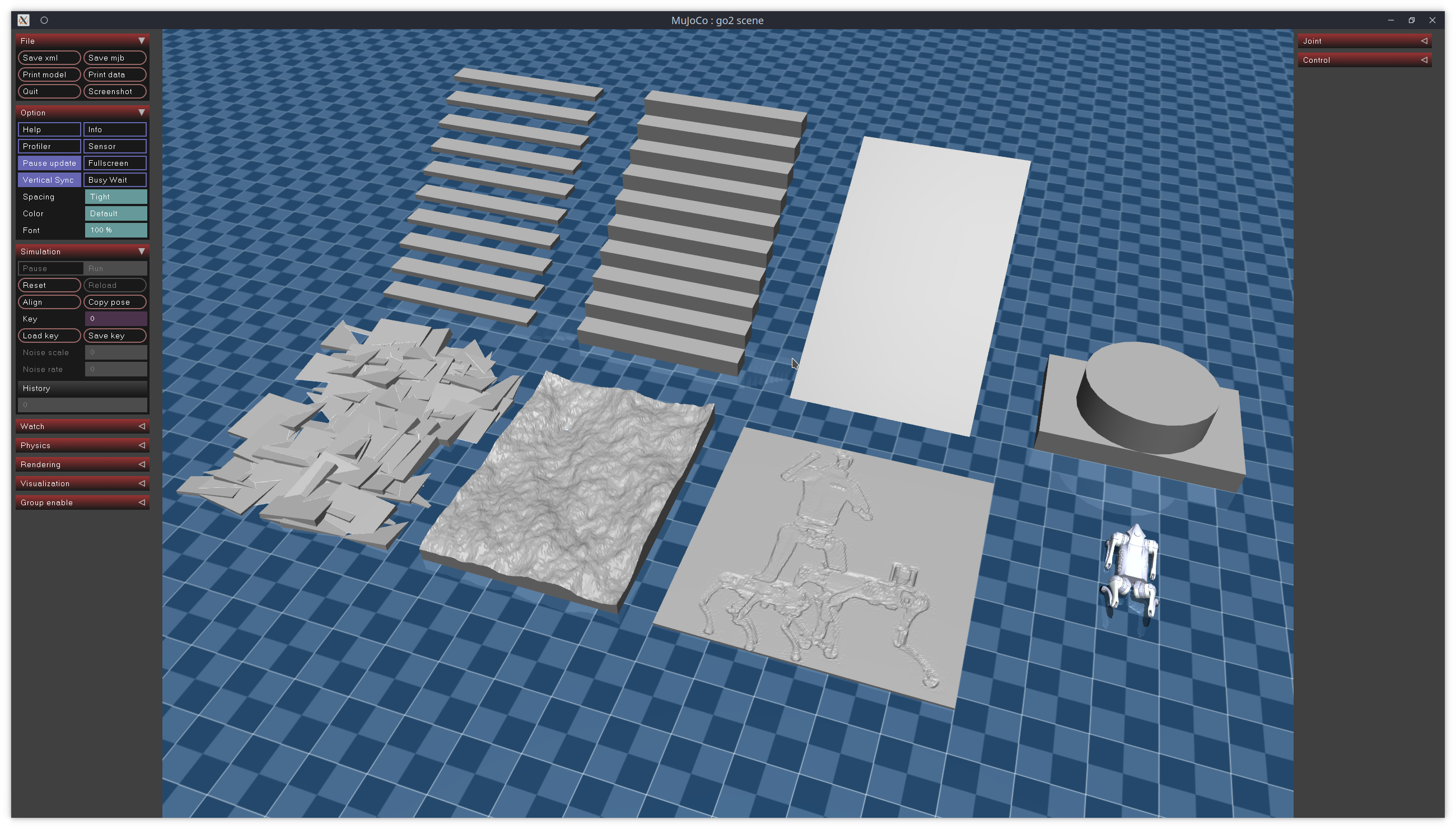
- Locomotion tasks: Terrain generation, quadruped/humanoid training superior.
Real-World Case Studies
Google DeepMind — MuJoCo Playground
Google DeepMind developed MuJoCo Playground, open-source framework for robot learning. Runs entirely on GPU via MJX, enabling locomotion policy training in minutes on single GPU instead of hours. Won Outstanding Demo Paper at RSS 2025.
ETH Zurich RSL — Isaac Lab for ANYmal
Robotic Systems Lab (RSL) used Isaac Lab to train locomotion policies for ANYmal quadruped. Ran 4,096 parallel environments on RTX A6000, achieving ~90,000 FPS training throughput. Policy transferred zero-shot to real robot, traversing various terrains.
Toyota Research Institute — Hybrid Approach
Toyota Research Institute uses MuJoCo for manipulation research (contact accuracy critical for grasping) and Isaac Lab for locomotion + visual sim-to-real. This is the common pattern in top labs: not choosing one, using the right tool for each task.
Combining Both — 2026 Trend
With Newton Physics Engine, boundaries between MuJoCo and Isaac Lab blur. Newton allows:
- Use MuJoCo-Warp solver within Isaac Lab environment
- Switch solvers without changing training code
- Differentiable physics for gradient-based optimization
Ideal workflow:
Prototype (MuJoCo, lightweight)
  → Scale training (Isaac Lab + MuJoCo-Warp/Newton)
    → Visual DR + Synthetic data (Isaac Sim rendering)
      → Deploy (Isaac ROS → Real robot)
Many top research labs — Stanford IRIS, Berkeley BAIR, CMU Robotics Institute — now follow this hybrid approach.
Summary
| Criterion | Winner | Reason |
|---|---|---|
| Physics accuracy | MuJoCo | Convex optimization, friction model |
| GPU throughput (NVIDIA) | MuJoCo-Warp | 152-313x faster than MJX |
| Rendering | Isaac Lab | RTX ray-tracing, photorealistic |
| Ease of use | MuJoCo | pip install, 10 minutes setup |
| Production pipeline | Isaac Lab | Isaac ROS, Omniverse ecosystem |
| Multi-platform | MuJoCo | Mac, TPU, cloud |
| Visual sim-to-real | Isaac Lab | Built-in domain randomization |
| Research adoption | MuJoCo | Standard benchmark, more papers |
No simulator is "best" — only the one most suitable for your project. Understanding trade-offs helps make the right choice from the start, saving weeks of refactoring later.
Related Articles
- Simulation for Robotics: MuJoCo vs Isaac Sim vs Gazebo — 3 simulators overview
- Getting Started with MuJoCo: Install to First Simulation — MuJoCo hands-on tutorial
- NVIDIA Isaac Lab: GPU-Accelerated RL Training from Zero — Training locomotion policy
- Sim-to-Real Transfer: Train in Simulation, Run in Reality — Domain randomization and best practices
- Domain Randomization: Bridge Between Sim and Real — DR techniques in detail