Why Behavior Trees Matter for Whole-Body VLA
Cyclo Intelligence is a ROBOTIS Physical AI workflow system for AI Worker, OMY, OMX, and other robots that expose ROS 2 topics. The important recent addition is not just another model backend. ROBOTIS added a Behavior Tree (BT) system directly inside the Cyclo Intelligence orchestrator, so a robot operator can compose long-horizon workflows from deterministic control nodes and learned VLA inference nodes. The original Open Robotics Discourse announcement frames the problem clearly: GR00T N1.7 policies are flexible at perception, language understanding, and action generation, but real robots still need safety checks, exception handling, pause/resume semantics, and rule-based control.
That separation is especially important for whole-body VLA on humanoids. If you send a single prompt such as “clean the table” and let a learned policy run continuously, the model is implicitly responsible for planning, recovery, posture initialization, timing, stop conditions, and hardware safety. That is too much surface area for one neural policy. A deployable stack should split responsibility:
| Layer | Main responsibility | Example in Cyclo + GR00T |
|---|---|---|
| Behavior Tree | Long-horizon order, loops, pauses, recovery | Load model, set safe posture, rotate base, resume VLA, stop, reset |
| GR00T N1.7 VLA | Perception-grounded skill segments | “Pick up the paper cup”, “place it on the tray” |
| Cyclo Brain runtime | Load policy, read observations, produce action chunks, publish commands | main-runtime, engine-process, action buffer |
| Low-level robot stack | Control cadence, joint/mobile topics, limits, E-stop | ROS 2 topics, RobotClient, robot controller |
This guide is based on the original ROBOTIS-GIT/cyclo_intelligence project, the Cyclo Intelligence documentation, the Behavior Trees manual, the BT-Based Whole-body VLA Framework announcement, NVIDIA/Isaac-GR00T, and the GR00T-WholeBodyControl workflow. As of this article, I could not find a dedicated academic paper for Cyclo BT-VLA itself. Treat Cyclo as the original engineering project, while the model side is grounded in the GR00T N1 white paper and the GR00T N1.7 release.
For broader context, read NVIDIA GR00T + SONIC Whole-Body VLA first if you are new to GR00T N1.7 and SONIC. Then read WholeBodyVLA teleop-train-deploy tutorial if you want the data lifecycle from teleoperation to inference. Cyclo Intelligence sits at the operational layer: it turns a VLA checkpoint into something you can load, pause, resume, stop, clear, monitor, and compose inside a robot workflow.
Core Idea: Make the VLA a Leaf Node
A Behavior Tree is not a machine learning model. It is a control structure. A Sequence ticks child nodes in order and fails when a required step fails. A Loop repeats a branch. Action nodes do concrete work: rotate the base, set joints, wait for a duration, or send a command to the inference runtime. The strength of a BT is observability. Every node returns RUNNING, SUCCESS, or FAILURE, so you can see where the robot is in the workflow and why execution stopped.
For VLA deployment, the key problem is lifecycle, not just prompting. GR00T N1.7 generates action chunks from images, language instructions, and proprioceptive state. A real humanoid task usually has several phases:
- Move the robot into a stable posture.
- Rotate or move the base toward the workspace.
- Load the right checkpoint and keep it paused in memory.
- Resume the VLA for a short perception-grounded manipulation segment.
- Stop inference so old actions do not keep driving the robot.
- Reset arms or base, move to the next region, and repeat.
- Clear the model session after the task ends.
In Cyclo, the SendCommand BT node is the bridge between the tree and the inference pipeline. It supports four BT-level commands: LOAD, RESUME, STOP, and CLEAR. The detail that matters is how LOAD works. The source code runs LOAD as a two-stage sequence: first it starts inference to load or reuse the policy, then it immediately stops inference so the policy ends up paused in memory. The next BT node can then run deterministic initialization before a later RESUME node lets the VLA generate actions. This avoids a common deployment failure: the model starts producing actions while the robot posture, camera viewpoint, or workspace alignment is still wrong.
At the system level, Cyclo Brain uses a two-process runtime:
Web UI / BT Manager / CLI
        |
        v
/<backend>/inference_command
        |
        v
Main Runtime
  - owns session state
  - manages the action buffer
  - publishes robot commands at control_hz
        |
        v
Engine Process
  - loads GR00T or LeRobot policy
  - reads observations through RobotClient
  - preprocesses camera/state/language
  - returns an action chunk shaped (T, D)
For the GR00T backend, GR00TInference loads Gr00tPolicy, syncs a Hugging Face token if the gated backbone is needed, creates a RobotClient, reads RGB camera frames, joint positions, and optionally odometry for mobile state. Its get_action_chunk() method builds an observation dictionary with video, state, and language, calls policy.get_action(observation), and concatenates output action modalities into a (T, D_total) chunk. The Main Runtime buffers that chunk and pops one command at the configured control cadence. When the buffer is empty, it does not repeat the previous action. Pause, stop, unload, and output-mode changes clear buffered actions so stale commands cannot unexpectedly hit the robot.
Where GR00T N1.7 and SONIC Fit
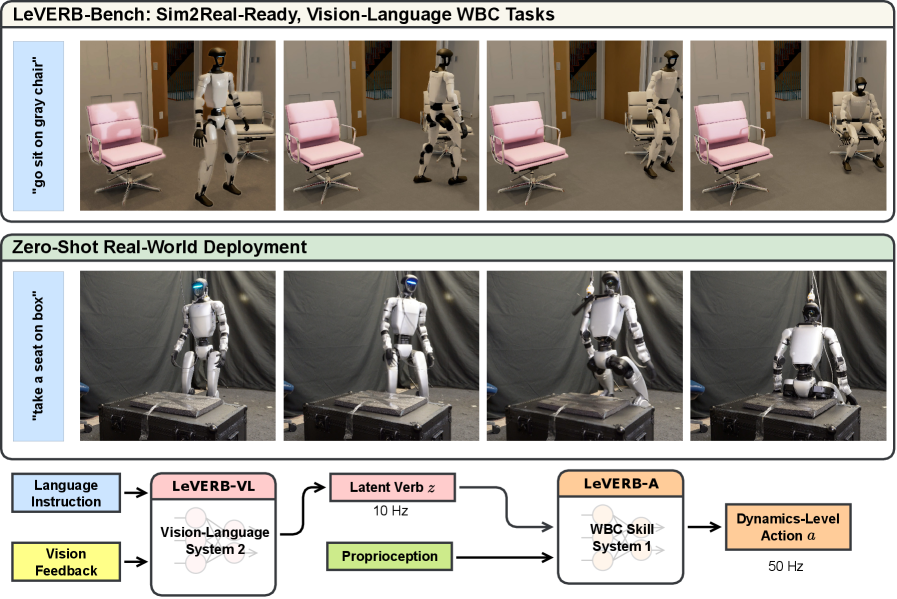
GR00T N1.7 is NVIDIA’s open reasoning Vision-Language-Action model for humanoid robots. NVIDIA describes it as a 3B-parameter model using an Action Cascade architecture: System 2 is a Cosmos-Reason2-2B vision-language backbone that processes image tokens and language instructions into high-level action tokens; System 1 is a Diffusion Transformer that turns those tokens and live robot state into continuous robot actions. The public release supports fine-tuning with LeRobot format, policy-server deployment, and multiple embodiments.
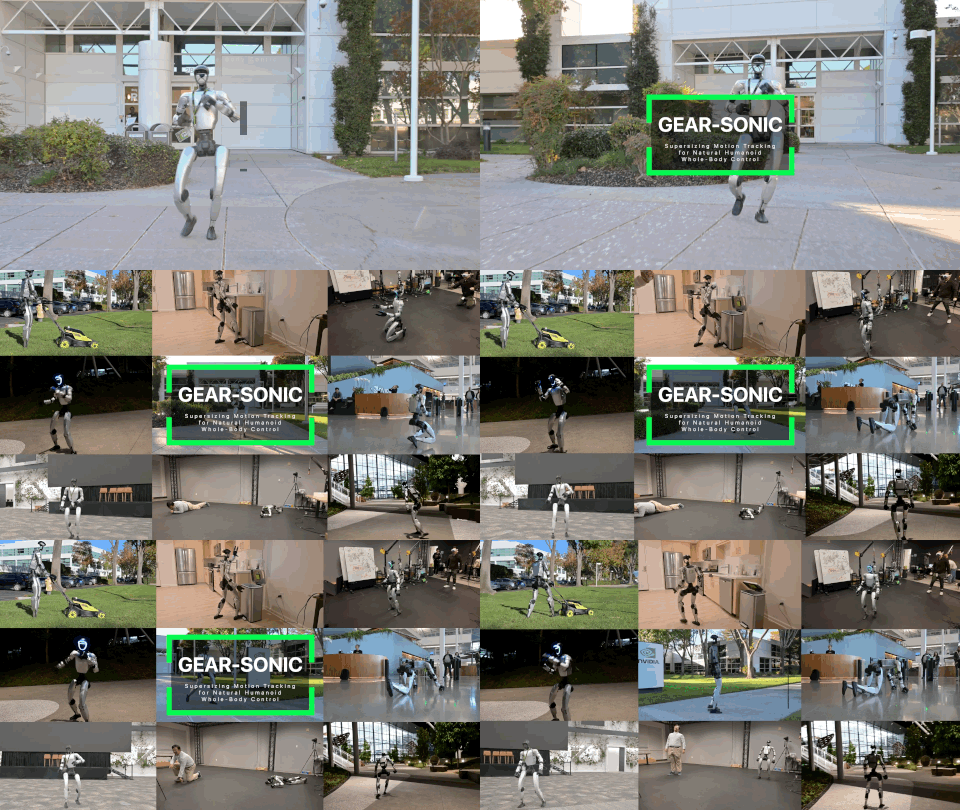
For whole-body Unitree G1 workflows, Isaac-GR00T supports the UNITREE_G1_SONIC embodiment with the GEAR-SONIC controller. Instead of making the VLA directly predict every full-body joint target, the VLA predicts 64-dimensional SONIC latent motion tokens. SONIC decodes those latents into full-body joint commands at 50 Hz, including legs, arms, and hands. This split is practical: the VLA handles semantic and task-conditioned intent, while the learned whole-body controller handles coordinated motion and balance.

Inside Cyclo Intelligence, GR00T N1.7 is an inference backend next to ACT, SmolVLA, XVLA, Pi0, Pi0.5, and Diffusion. The Inference page lets you select GR00T N1.7, start the Docker backend, enter Task Instruction, enter Policy Path, and click Start. The BT Manager uses the same runtime contract through SendCommand. You do not need a separate ROS 2 node just to load, pause, resume, and stop the model inside a task tree.
Installing Cyclo Intelligence
Begin with a robot PC or workstation that already has Docker, the robot ROS 2 topics, camera streams, and joint/state publishing working. The ROBOTIS docs show installation from the main repository:
cd $HOME
git clone --recurse-submodules https://github.com/ROBOTIS-GIT/cyclo_intelligence.git
cd $HOME/cyclo_intelligence
./docker/container.sh start
For an existing installation:
cd $HOME/cyclo_intelligence
git pull
git submodule update --init --recursive
./docker/container.sh start
Open the web UI in a browser:
http://<robot-ip>/
For local access on the robot:
http://127.0.0.1/
The working data directory is bind-mounted from:
$HOME/cyclo_intelligence/docker/workspace
On the Home page, select the correct robot type before using Record, Inference, or BT Manager. Click Refresh Robot Type List, choose the current robot, then click Set Robot Type. This choice affects the orchestrator, recording pipeline, dataset conversion options, and Cyclo Brain inference runtime. If the robot type is wrong, the policy may still load, but the camera mapping, joint groups, action dimensions, or topic names can be wrong.
Useful container commands:
./docker/container.sh status
./docker/container.sh logs
./docker/container.sh enter
./docker/container.sh stop
When debugging, separate errors by layer. Docker/backend errors show up as backend OFF, image missing, Main Down, or Engine Down. Sensor errors show up as missing camera frames, missing joint groups, or no odometry. Model errors usually involve an invalid checkpoint path, missing Hugging Face token, mismatched modality config, or not enough GPU memory. This separation matters because a runtime wiring bug can look like a bad VLA policy if you only watch the robot.
Preparing a GR00T N1.7 Checkpoint
There are two practical paths. The quick path is to use a GR00T N1.7 checkpoint already fine-tuned for the relevant robot and task. The Cyclo docs give this example Hugging Face repo ID:
ROBOTIS/cyclo_intelligence_groot_n1.7_model
and this local checkpoint path:
/policy_checkpoints/groot/cyclo_intelligence_groot_n1.7_model
On the host, checkpoint folders are bind-mounted into policy containers:
| Backend | Host path | Container path |
|---|---|---|
| LeRobot | $HOME/cyclo_intelligence/cyclo_brain/policy/lerobot/checkpoints |
/policy_checkpoints/lerobot |
| GR00T | $HOME/cyclo_intelligence/cyclo_brain/policy/groot/checkpoints |
/policy_checkpoints/groot |
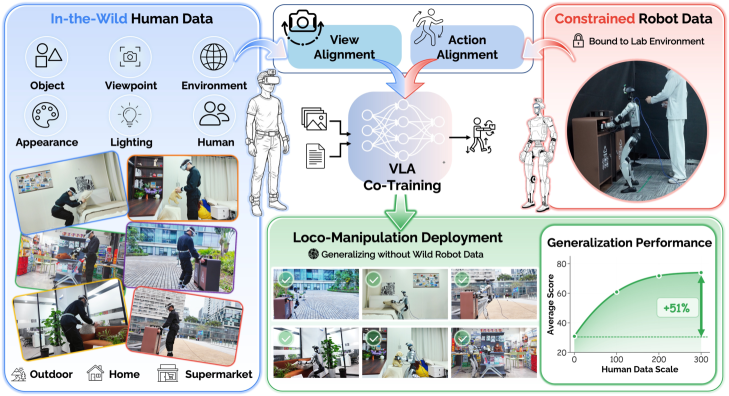
The production path is to fine-tune GR00T N1.7 on your robot and task. For whole-body G1 + SONIC, NVIDIA’s workflow is: collect teleoperated demonstrations using the SONIC stack, fine-tune Isaac-GR00T N1.7 on the exported dataset, then deploy the policy through PolicyServer + SONIC. If you need a deeper model-side explanation, read GR00T N1.7 EgoScale fine-tune, especially the part about why human egocentric data improves N1.7 before task fine-tuning.
A typical Isaac-GR00T fine-tuning command looks like:
uv run python gr00t/experiment/launch_finetune.py \
  --base-model-path nvidia/GR00T-N1.7-3B \
  --dataset-path /path/to/your/lerobot_dataset \
  --output-dir /path/to/output_checkpoint \
  --modality-config-path /path/to/your_modality_config.py \
  --embodiment-tag new_embodiment \
  --global-batch-size 12 \
  --max-steps 2000
For SONIC, the important idea is that the action target may be a latent representation decoded by the whole-body controller, not a naive direct prediction of every joint command. Keep the controller used for teleoperation consistent with the controller used during deployment. NVIDIA’s technical material emphasizes that the whole-body controller selected during teleoperation determines the training distribution. If you switch controllers after training, you changed the action distribution the policy learned.
Building the First Behavior Tree
The ROBOTIS Behavior Trees manual includes an XML example that is close to a real GR00T N1.7 workflow. A simplified version looks like this:
<Sequence name="DemoSequence">
  <SendCommand
    name="LoadModel"
    command="LOAD"
    model="groot:n17"
    policy_path="/workspace/model/groot/your_model_path"
    task_instruction="Pick up the paper cup."
    inference_mode="robot"
    inference_hz="15"
    control_hz="100"
    chunk_align_window_s="0.3"/>

  <JointControl
    name="InitPosition"
    enable_head="true"
    enable_arms="true"
    enable_lift="true"
    duration="2.0"/>

  <Rotate name="TurnLeft" angle_deg="90.0"/>

  <Loop name="RepeatPickPlace" max_iterations="3">
    <SendCommand
      name="ResumeInference"
      command="RESUME"
      task_instruction="Pick up the paper cup."/>
    <Wait name="HoldInference" duration="3.0"/>
    <SendCommand name="StopInference" command="STOP"/>
    <JointControl name="InitArms" enable_arms="true" duration="5.0"/>
  </Loop>

  <SendCommand name="UnloadModel" command="CLEAR"/>
</Sequence>
Here is how to read it:
LoadModelloads the GR00T N1.7 checkpoint, then leaves the model paused in memory.InitPositionsets the head, arms, and lift to a known posture.Rotatealigns the mobile base or body with the workspace.ResumeInferencelets the VLA run with a concrete task instruction.Waitgives the model a bounded window to produce and execute action chunks.StopInferencepauses the policy before the workflow proceeds.InitArmsresets the arms before the next iteration.Clearunloads the session at the end.
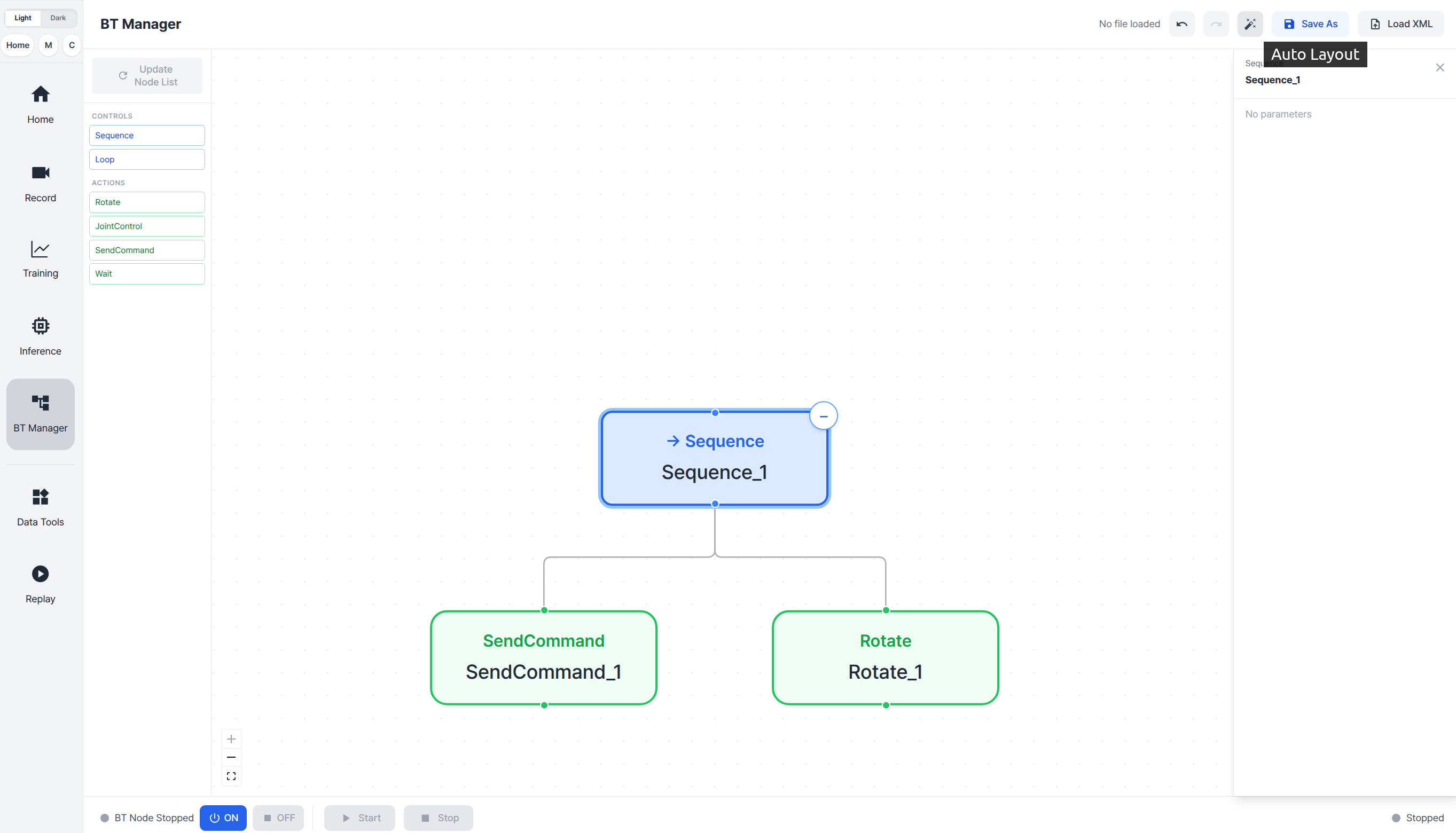
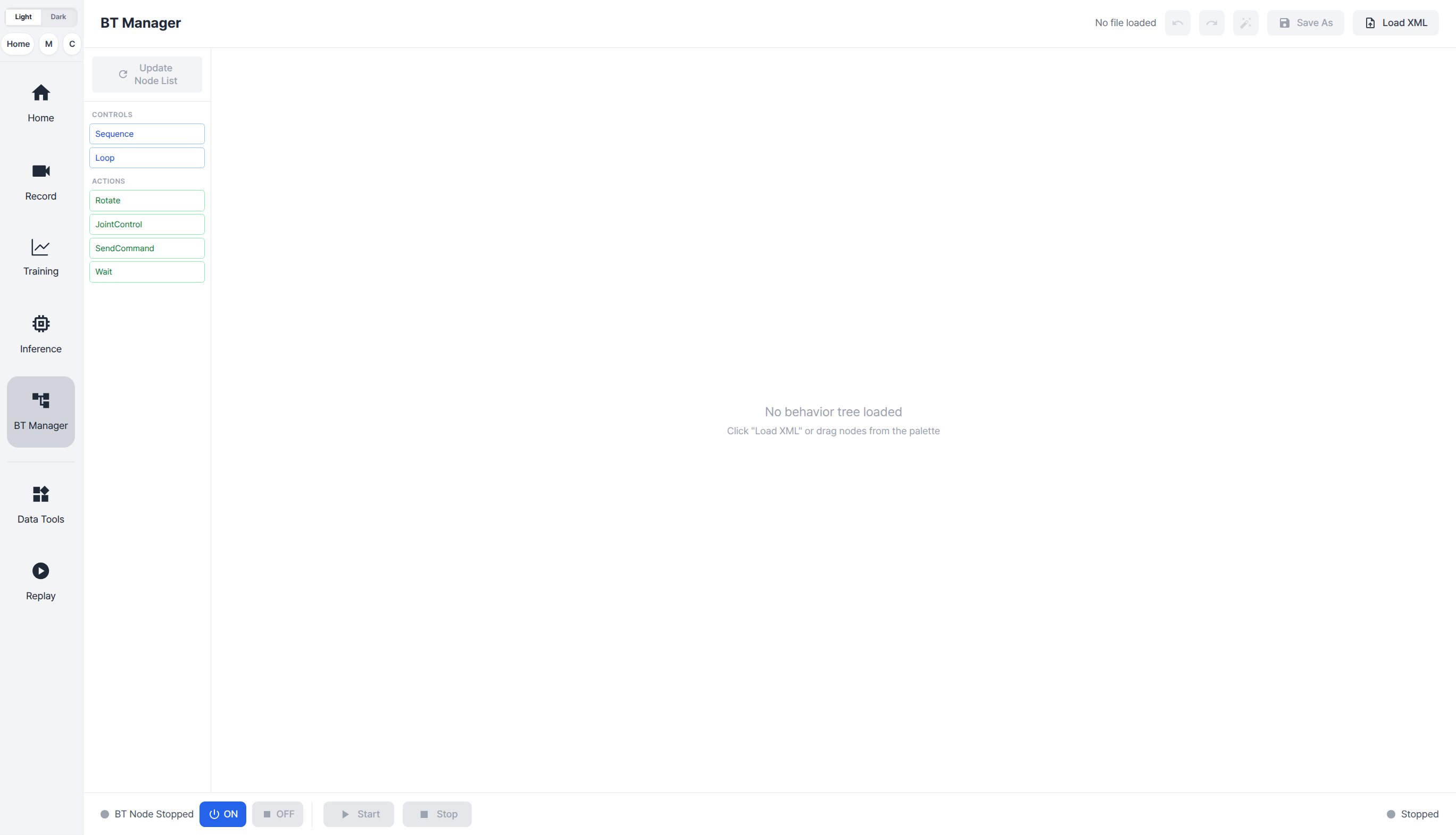
You do not have to hand-write XML first. The BT Manager lets you drag nodes onto a canvas, connect them, edit parameters, auto-layout the graph, save XML, and reload trees. If you add custom Python action nodes under orchestrator/orchestrator/bt/actions/ or custom control nodes under orchestrator/orchestrator/bt/controls/, the registry scans those folders. Class names become XML tags, and constructor keyword arguments become editable BT Manager ports. For beginners, use built-in nodes first; write custom nodes only after the lifecycle is working.
Practical Training Pipeline
A realistic training pipeline for Cyclo + GR00T N1.7 should be staged:
1. Choose a small task with a clear reset condition
2. Record demonstrations with Cyclo Data or SONIC teleoperation
3. Check cameras, joints, mobile state, and timestamps
4. Convert the dataset to LeRobot format
5. Fine-tune GR00T N1.7 with the correct modality config
6. Copy the checkpoint into Cyclo's GR00T checkpoint path
7. Test dry-run or simulation mode
8. Test robot mode with a short BT and an operator on E-stop
9. Expand into a long-horizon BT with loops and recovery
Do not begin with “clean the whole table.” Start with a skill such as “pick up the paper cup” or “place the object on the tray.” Once the skill is reliable in a short window, use BT to repeat it, move between regions, reset posture, and stop inference between segments. That is the main engineering pattern: the VLA handles the perception/contact-heavy segment, while the BT handles order, timing, timeout, and recovery.
Record enough data for the model to see the actual deployment viewpoint and action distribution:
| Data | Why it matters |
|---|---|
| Main RGB camera | Object and scene grounding |
| Wrist or side camera if available | Contact and local pose |
| Joint positions and velocities | Proprioceptive state input |
| Mobile base or odometry for moving tasks | Whole-body or mobile manipulation state |
| Language instruction | Task conditioning |
| Controller action targets | Supervision for fine-tuning |
Modality config is a common source of failure. A checkpoint may expect a key such as video.cam_left_head while the robot config exposes a stream named camera_left. Cyclo’s GR00T runtime includes camera-source resolution and joint-group matching, but you should still inspect the robot YAML and model config. If action output dimension is wrong, do not assume the model is bad. Check action modalities, joint order, normalization stats, and embodiment tag first.
Inference and Latency Tuning
Cyclo exposes inference_hz, control_hz, and chunk_align_window_s. A beginner-friendly interpretation is:
| Parameter | Meaning | Initial value to try |
|---|---|---|
inference_hz |
How often the model generates a fresh action chunk | 10-15 Hz for a heavy VLA |
control_hz |
How often commands are published to the robot | 50-100 Hz depending on controller |
chunk_align_window_s |
Alignment window between chunks and the control loop | 0.2-0.3 s |
Cyclo’s GR00T runtime can run PyTorch eager or TensorRT DiT acceleration. The source code expects a TensorRT engine such as dit_model_bf16.trt when tensorrt_dit is requested. If acceleration is explicitly requested and unavailable, loading can fail; if it is optional, Cyclo can fall back to PyTorch. Use PyTorch first to validate behavior, camera mapping, and action dimensions. Then optimize latency. Accelerating a miswired pipeline only makes failures harder to inspect.
A safe inference lifecycle is:
LOAD model
  -> wait until INFERENCING
  -> STOP immediately
  -> wait until PAUSED
JointControl / Rotate / setup
RESUME VLA
Wait bounded duration
STOP VLA
Reset deterministic posture
CLEAR at end
This pattern prevents two dangerous errors. First, the VLA does not run before the robot is ready. Second, the policy is stopped after the inference window, so a stale or late chunk does not continue commanding the robot outside the intended branch. On a whole-body humanoid, that lifecycle discipline is more valuable than a longer prompt.
Results and How to Read the Demo
The public ROBOTIS demo for this framework shows a robot autonomously gathering cups and handling a trash bin. It is a qualitative demo, not a benchmark table like LIBERO or SimplerEnv. The important thing to watch is the workflow shape: the robot transitions posture, runs inference only during selected VLA segments, stops the model, moves to the next deterministic step, and repeats.
GR00T N1.7 results should be read at a different level. NVIDIA describes N1.7 as a 3B open reasoning VLA model with commercial licensing, LeRobot-format support, EgoScale pretraining on 20,854 hours of human egocentric video, and validation across loco-manipulation, tabletop manipulation, and dexterous bimanual tasks. Those claims describe the base model. The Cyclo BT-VLA result describes an engineering pattern: placing that model inside a runtime with explicit lifecycle control, UI observability, and Behavior Tree debugging.

ROBOTIS also shared a related Discourse post on expert intervention for VLA fine-tuning: adding 100 intervention episodes to an initial 150 episodes improved success rate from 62% to 93%. That is not the same benchmark as the BT-VLA demo, but it reinforces the same deployment lesson. Robust VLA systems are not built only by choosing a bigger model. They need data collection, recovery data, inference runtime, lifecycle control, and orchestration.
Beginner Deployment Checklist
Before running a real humanoid, walk through this checklist:
| Item | Check |
|---|---|
| Robot type | The UI selected the correct robot type and shows connected |
| Cameras | Camera topics have fresh frames and correct rotation |
| Joint groups | YAML joint groups match the model modality config |
| Model path | Checkpoint is under /policy_checkpoints/groot/... |
| Hugging Face token | The account can access GR00T/Cosmos backbones if needed |
| Dry-run | Simulation or publish_to_robot=false mode works |
| BT lifecycle | LOAD -> PAUSED -> RESUME -> STOP -> CLEAR reaches expected phases |
| Safety | E-stop, workspace bounds, velocity limits, and operator are ready |
| Logging | Inference recordings are saved for regression debugging |
If a BT fails, do not start by rewriting the prompt. Check which node returned failure. If LoadModel fails, inspect backend process state, checkpoint path, token, and GPU memory. If ResumeInference fails, inspect /task/inference_status. If the model runs but the robot does not move, check output mode, action buffer, and command topics. If the robot moves in the wrong direction, check camera mapping, joint order, action normalization, and embodiment tag.
When to Use BT + VLA
Use BT + VLA when the task has repeated structure or deterministic segments around open-ended manipulation. Examples include clearing cups one at a time, picking objects from multiple locations, opening a drawer before grasping, or doing mobile manipulation in a semi-structured room. The BT lets you fix what is known and use the VLA only where semantic generalization and contact handling matter.
Do not use BT as a way to hide a weak skill policy. If “pick up the paper cup” succeeds only 20% of the time, a loop will just repeat failure faster. Go back to data collection, intervention, fine-tuning, workspace constraints, or controller tuning. If the short skill already succeeds 80-90% of the time, BT can help turn that skill into a longer, safer workflow through resets, timeouts, and recovery branches.
The practical takeaway is simple: Cyclo Intelligence does not magically turn GR00T N1.7 into a complete robot operating system, but it provides a strong deployment pattern. Treat GR00T N1.7 as the semantic motor skill, SONIC or another WBC as the whole-body execution layer, Cyclo Brain as the action-chunk runtime, and Behavior Trees as the orchestration layer. When those responsibilities are explicit, debugging and scaling humanoid VLA workflows becomes much more manageable.