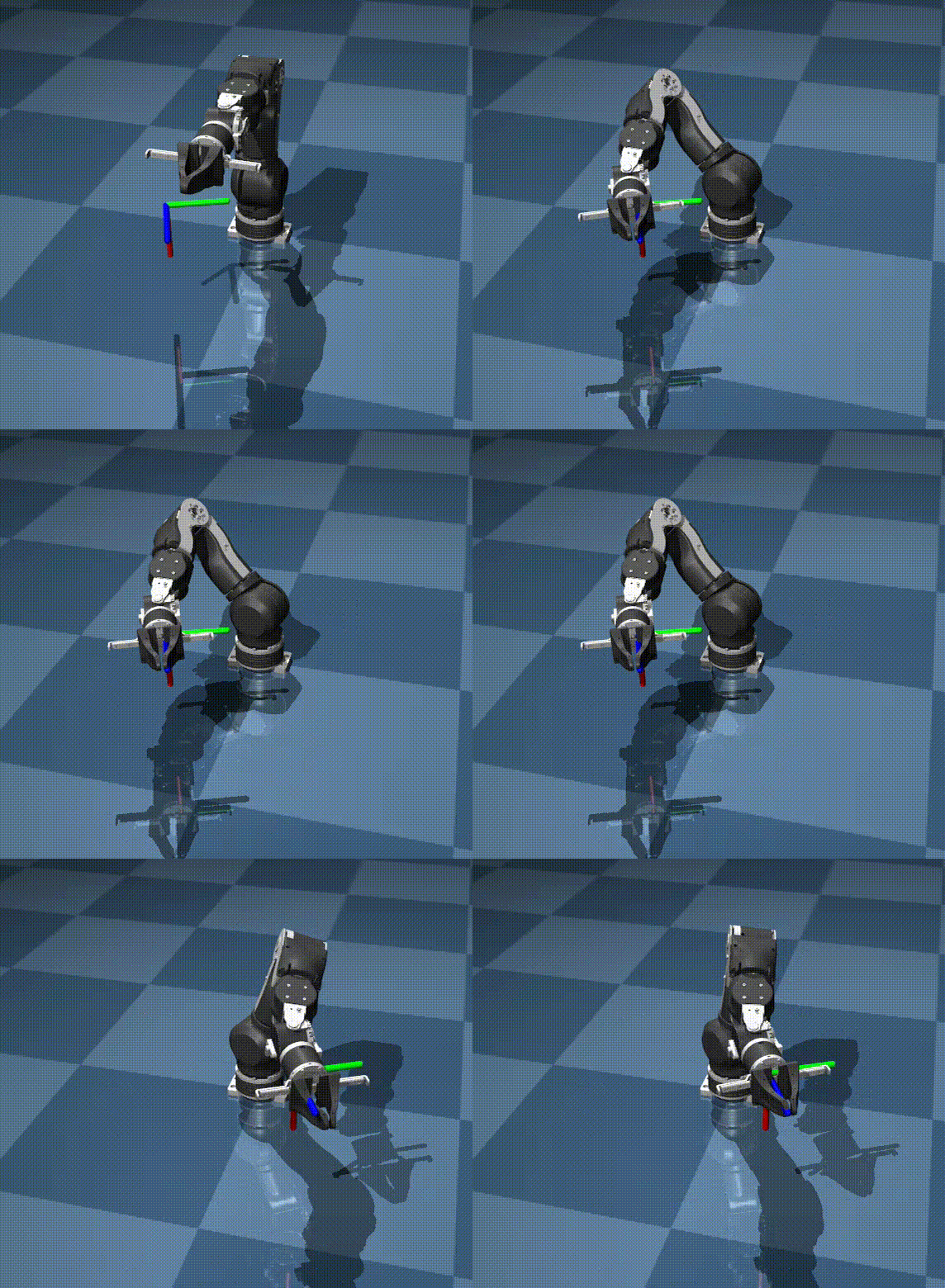
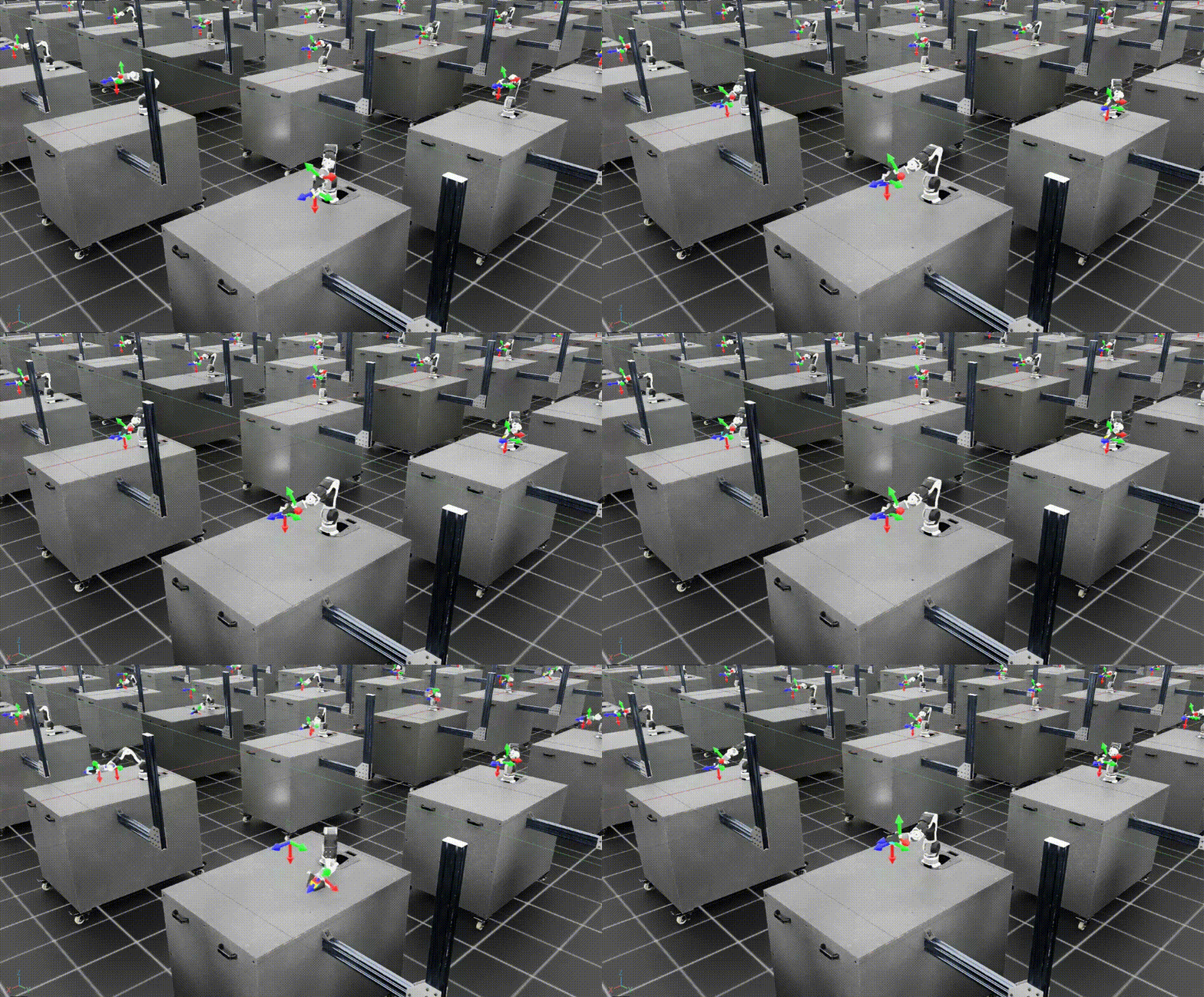
Sim-to-Real Transfer cho OpenArm với SimpleVLA-RL
Bạn đã có một VLA policy được train bằng SimpleVLA-RL trong Isaac Lab — SFT tạo baseline, GRPO đẩy success rate lên cao. Giờ đến bước quan trọng nhất và cũng khó nhất trong toàn bộ pipeline: đưa model từ simulation sang robot thật. Đây là lúc mọi giả định về physics, visual, và dynamics bị thử thách bởi thực tế.
Bài này sẽ hướng dẫn chi tiết từ setup hardware OpenArm, tạo inference server, ánh xạ action từ sim sang real, đến các kỹ thuật giảm sim-to-real gap. Chúng ta cũng sẽ xem kết quả tham khảo từ paper SimpleVLA-RL trên robot Piper và phân tích cách áp dụng cho OpenArm.
Sim-to-Real Gap: Ba kẻ thù chính
Trước khi đi vào code, hãy hiểu tại sao policy train trong sim thường không hoạt động hoàn hảo trên robot thật. Có ba loại gap chính:
1. Visual Gap — Mắt sim khác mắt thật
Rendering trong Isaac Lab dù đã rất đẹp nhưng vẫn khác camera thật. Ánh sáng, shadow, texture, reflection — tất cả đều khác. Một hộp carton trong sim có bề mặt hoàn hảo, trong khi hộp thật có vết nhăn, tem nhãn, và phản chiếu ánh sáng không đều.
2. Dynamics Gap — Vật lý sim khác vật lý thật
Ma sát giữa gripper và hộp carton trong sim được mô phỏng bằng công thức toán học đơn giản. Trong thực tế, ma sát phụ thuộc vào chất liệu bề mặt, độ ẩm, lực kẹp, góc tiếp xúc — vô số yếu tố mà sim không thể capture hết.
3. Action Gap — Điều khiển sim khác điều khiển thật
Trong sim, khi bạn gửi joint_position = 1.57, khớp robot nhảy đến vị trí đó ngay lập tức (hoặc theo một dynamic model đơn giản). Trên robot thật, motor có quán tính, có backlash (khe hở cơ khí), có delay từ CAN bus communication — tất cả tạo ra sự khác biệt giữa action sim và action thật.

Bước 1: Setup Hardware OpenArm
Kết nối CAN Bus
OpenArm sử dụng giao thức CAN bus để giao tiếp với các motor servo. Có hai cách kết nối:
Cách 1: Dùng openarm_can library (không phụ thuộc LeRobot)
# Cài openarm_can — thư viện giao tiếp trực tiếp với OpenArm
pip install openarm-can

# Hoặc clone từ source
git clone https://github.com/OpenArm-org/openarm_can.git
cd openarm_can
pip install -e .
# Test kết nối
from openarm_can import OpenArmController

controller = OpenArmController(
    can_interface="can0",      # CAN bus interface
    baudrate=1000000,          # 1Mbps
)

# Kiểm tra tất cả servo đều respond
status = controller.ping_all()
print(f"Found {len(status)} servos: {status}")
# Expected: Found 8 servos: [1, 2, 3, 4, 5, 6, 7, 8]
Cách 2: Dùng lerobot CLI chỉ cho hardware setup
# CHỈ dùng cho setup CAN — training vẫn là SimpleVLA-RL
pip install lerobot

# Setup CAN interface
sudo ip link set can0 type can bitrate 1000000
sudo ip link set can0 up

# Verify
candump can0  # Phải thấy CAN frames
Lưu ý: chúng ta dùng LeRobot CLI chỉ để setup CAN hardware vì nó có sẵn scripts tiện lợi. Toàn bộ training và inference vẫn 100% SimpleVLA-RL pipeline.
Calibrate Joints
Calibration đảm bảo vị trí zero của mỗi khớp trong code tương ứng với vị trí zero thật trên robot:
from openarm_can import OpenArmController, Calibrator

controller = OpenArmController(can_interface="can0")
calibrator = Calibrator(controller)

# Bước 1: Đưa robot về home position (tay duỗi thẳng đứng)
# Làm bằng tay hoặc dùng teach pendant
input("Đưa robot về home position rồi nhấn Enter...")

# Bước 2: Ghi nhận offset cho mỗi khớp
offsets = calibrator.calibrate()
print(f"Joint offsets: {offsets}")

# Bước 3: Lưu calibration
calibrator.save("openarm_calibration.json")
Mount Camera
Camera position là yếu tố cực kỳ quan trọng cho sim-to-real. Trong sim, bạn đã đặt camera ở một vị trí cụ thể — camera thật phải ở vị trí tương tự:
# Camera parameters trong Isaac Lab (từ Part 9)
SIM_CAMERA = {
    "position": [0.5, 0.0, 1.2],   # x, y, z relative to base
    "target": [0.3, 0.0, 0.75],    # Look-at point (table center)
    "fov": 69,                      # Field of view (degrees)
    "resolution": [640, 480],       # Raw resolution
}

# Trên robot thật: mount USB webcam ở cùng vị trí
# Dùng thước đo để đặt camera:
# - 50cm trước robot base
# - 120cm cao (ngang vai robot)
# - Hướng xuống bàn, FOV ~69 độ
# - Logitech C920 có FOV 78° → zoom in nhẹ hoặc crop
Tips khi mount camera:
- Dùng tripod hoặc giá cố định — camera rung sẽ giết policy
- Đánh dấu vị trí camera trên bàn để lần sau setup lại chính xác
- Chụp ảnh từ sim và từ real cạnh nhau để so sánh góc nhìn
Bước 2: Tạo Inference Server
Thay vì chạy VLA model trực tiếp trên máy tính điều khiển robot (thường yếu), chúng ta tạo một inference server trên máy có GPU mạnh:
Architecture
┌─────────────────────────────────────────────────────────┐
│                    GPU Server                           │
│  ┌─────────────────────────────────────────────────┐    │
│  │  SimpleVLA-RL Inference                         │    │
│  │  (OpenVLA-OFT model loaded in GPU memory)       │    │
│  │  POST /predict → {image} → {action_8dof}       │    │
│  └─────────────────────────────────────────────────┘    │
└────────────────────┬────────────────────────────────────┘
                     │ HTTP (LAN)
┌────────────────────┴────────────────────────────────────┐
│                Robot Controller PC                      │
│  ┌────────────┐    ┌──────────────┐    ┌────────────┐  │
│  │ USB Camera │───>│ Control Loop │───>│ OpenArm    │  │
│  │ (Logitech) │    │ (30 Hz)      │    │ CAN Bus    │  │
│  └────────────┘    └──────────────┘    └────────────┘  │
└─────────────────────────────────────────────────────────┘
Inference Server Code
# inference_server.py — Chạy trên GPU server
import torch
import numpy as np
from flask import Flask, request, jsonify
from PIL import Image
import io
import time

# Load SimpleVLA-RL checkpoint
from prismatic.models import load_vla_model

app = Flask(__name__)

# Global model — load 1 lần khi start server
MODEL = None
DEVICE = "cuda:0"

def load_model(checkpoint_path):
    """Load trained SimpleVLA-RL model"""
    global MODEL
    print(f"Loading model from {checkpoint_path}...")
    MODEL = load_vla_model(
        checkpoint_path,
        device=DEVICE,
        use_flash_attn=True,
    )
    MODEL.eval()
    print("Model loaded successfully!")

@app.route("/predict", methods=["POST"])
def predict():
    """
    Nhận image → trả về action 8-DoF
    Input: multipart form with 'image' field (JPEG)
    Output: JSON {"action": [8 floats], "inference_ms": float}
    """
    start = time.time()

    # Đọc image từ request
    image_file = request.files["image"]
    image = Image.open(io.BytesIO(image_file.read())).convert("RGB")
    image = image.resize((224, 224))  # Resize cho VLA input

    # Task description — cố định cho box grasping
    task = "Pick up the carton box from the table"

    # Inference
    with torch.no_grad():
        action = MODEL.predict_action(
            image=image,
            instruction=task,
            unnorm_key="openarm_box_grasp",  # Denormalize key
        )

    # action shape: (8,) — 7 joint positions + 1 gripper
    action_list = action.cpu().numpy().tolist()

    inference_ms = (time.time() - start) * 1000

    return jsonify({
        "action": action_list,
        "inference_ms": inference_ms,
    })

@app.route("/health", methods=["GET"])
def health():
    return jsonify({"status": "ok", "model_loaded": MODEL is not None})

if __name__ == "__main__":
    import sys
    checkpoint = sys.argv[1] if len(sys.argv) > 1 else "./checkpoints/openarm-rl-v1/best"
    load_model(checkpoint)
    app.run(host="0.0.0.0", port=5000, threaded=False)
Chạy Server
# Trên GPU server
conda activate simplevla
python inference_server.py ./checkpoints/openarm-rl-v1/best

# Test
curl -X POST http://gpu-server:5000/predict \
    -F "image=@test_image.jpg"
# Expected: {"action": [0.12, -0.34, ...], "inference_ms": 45.2}
Inference time trên 1 GPU A100 khoảng 30-60ms — đủ nhanh cho control loop 10-30 Hz.
Bước 3: Action Mapping Sim → Real
Đây là bước mà nhiều người bỏ qua rồi tự hỏi tại sao robot hoạt động kỳ lạ trên thực tế.
Joint Limit Clipping
Joint ranges trong sim có thể khác với giới hạn vật lý thật của OpenArm:
# action_mapper.py

import numpy as np

# Giới hạn khớp THẬT của OpenArm (từ datasheet)
REAL_JOINT_LIMITS = {
    0: (-2.96, 2.96),    # Joint 1 (base) — hẹp hơn sim
    1: (-1.48, 1.48),    # Joint 2 (shoulder)
    2: (-1.48, 1.48),    # Joint 3 (elbow)
    3: (-2.96, 2.96),    # Joint 4 (wrist 1)
    4: (-1.48, 1.48),    # Joint 5 (wrist 2)
    5: (-2.96, 2.96),    # Joint 6 (wrist 3)
    6: (-1.48, 1.48),    # Joint 7 (wrist 4)
    7: (0.0, 1.0),       # Gripper
}

def clip_to_real_limits(action):
    """Clip action values to real joint limits"""
    clipped = np.copy(action)
    for i, (low, high) in REAL_JOINT_LIMITS.items():
        clipped[i] = np.clip(action[i], low, high)
    return clipped
Exponential Moving Average (EMA) Smoothing
Model VLA output có thể nhảy giữa các step — trên sim không sao vì sim chấp nhận mọi thứ. Trên robot thật, những bước nhảy đột ngột gây rung và hao mòn motor:
class ActionSmoother:
    """Smooth actions với EMA để tránh jerk trên robot thật"""

    def __init__(self, alpha=0.7, action_dim=8):
        """
        alpha: EMA weight (0.5-0.9)
            - 0.5: rất smooth nhưng phản ứng chậm
            - 0.9: ít smooth nhưng phản ứng nhanh
            - 0.7: khuyến nghị cho manipulation
        """
        self.alpha = alpha
        self.prev_action = np.zeros(action_dim)
        self.initialized = False

    def smooth(self, action):
        if not self.initialized:
            self.prev_action = action.copy()
            self.initialized = True
            return action

        smoothed = self.alpha * action + (1 - self.alpha) * self.prev_action
        self.prev_action = smoothed.copy()
        return smoothed

    def reset(self):
        self.initialized = False
Control Frequency Matching
Tần số control phải khớp với tần số trong sim:
import time

class ControlLoop:
    """Main control loop — chạy trên robot controller PC"""

    def __init__(self, server_url, controller, target_hz=20):
        self.server_url = server_url
        self.controller = controller  # OpenArmController
        self.target_hz = target_hz
        self.dt = 1.0 / target_hz
        self.smoother = ActionSmoother(alpha=0.7)

    def run_episode(self, max_steps=400):
        """Chạy 1 episode trên robot thật"""
        import requests
        import cv2

        camera = cv2.VideoCapture(0)  # USB camera
        camera.set(cv2.CAP_PROP_FRAME_WIDTH, 640)
        camera.set(cv2.CAP_PROP_FRAME_HEIGHT, 480)

        self.smoother.reset()

        for step in range(max_steps):
            step_start = time.time()

            # 1. Capture image
            ret, frame = camera.read()
            if not ret:
                print("Camera error!")
                break

            # 2. Encode image
            _, buffer = cv2.imencode('.jpg', frame,
                                     [cv2.IMWRITE_JPEG_QUALITY, 85])

            # 3. Send to inference server
            response = requests.post(
                f"{self.server_url}/predict",
                files={"image": ("frame.jpg", buffer.tobytes(), "image/jpeg")}
            )
            action = np.array(response.json()["action"])

            # 4. Post-process action
            action = clip_to_real_limits(action)
            action = self.smoother.smooth(action)

            # 5. Send to robot
            self.controller.set_joint_positions(action[:7])  # 7 joints
            self.controller.set_gripper(action[7])           # gripper

            # 6. Maintain control frequency
            elapsed = time.time() - step_start
            if elapsed < self.dt:
                time.sleep(self.dt - elapsed)

            # Log
            if step % 20 == 0:
                hz = 1.0 / max(elapsed, 0.001)
                print(f"Step {step}/{max_steps} | "
                      f"Hz: {hz:.1f} | "
                      f"Action: [{', '.join(f'{a:.2f}' for a in action[:3])}...]")

        camera.release()
Bước 4: Giảm Sim-to-Real Gap
4.1 Domain Randomization (trong sim)
Nếu bạn đã dùng domain randomization khi thu thập demo trong Isaac Lab (như đã hướng dẫn ở bài 9), policy sẽ robust hơn. Nếu chưa, hãy quay lại và retrain với randomization:
# Domain randomization parameters (Isaac Lab)
randomization = {
    "lighting": {
        "intensity": (0.5, 1.5),     # 50-150% cường độ
        "color_temp": (4000, 7000),  # Kelvin
        "direction": "random",
    },
    "camera": {
        "position_noise": 0.02,      # ±2cm random offset
        "fov_noise": 2,              # ±2 degree FOV variation
    },
    "box": {
        "position_noise": 0.05,      # ±5cm vị trí
        "size_scale": (0.8, 1.2),    # 80-120% kích thước
        "texture": "random",         # Random texture mỗi episode
    },
    "table": {
        "friction": (0.3, 0.8),      # Random ma sát
        "color": "random",
    },
}
4.2 Camera Matching
# So sánh ảnh sim vs real
# 1. Chụp 1 frame từ sim (Isaac Lab)
# 2. Chụp 1 frame từ real camera
# 3. So sánh side by side

# Checklist camera matching:
# ✅ Cùng resolution (640x480 hoặc 224x224 sau resize)
# ✅ Cùng FOV (hoặc crop real camera để match)
# ✅ Cùng vị trí tương đối với robot base
# ✅ Cùng hướng nhìn (góc pitch, yaw)
# ❌ KHÔNG cần match ánh sáng chính xác — domain randomization xử lý
4.3 Background Simplification
Một trick đơn giản nhưng hiệu quả: dọn sạch background. VLA model nhìn toàn bộ frame 224x224 — nếu background lộn xộn (đồ đạc, người đi lại, màn hình), model sẽ bị confuse.
Background tốt cho sim-to-real:
✅ Tường trắng/xám đơn sắc phía sau
✅ Bàn sạch, chỉ có hộp carton target
✅ Ánh sáng đều, không có bóng mạnh
✅ Không có vật thể di chuyển trong frame

Background xấu:
❌ Monitor/TV phía sau (pixel sáng, chữ chạy)
❌ Nhiều vật thể trên bàn ngoài target
❌ Ánh sáng tự nhiên thay đổi (cửa sổ)
❌ Người đi lại trong frame

4.4 Fine-tune với Real Demos (Optional nhưng rất hiệu quả)
Nếu success rate trên real thấp hơn sim nhiều (điều gần như chắc chắn xảy ra), thu thập 10-20 real demonstrations và fine-tune model:
# Quy trình fine-tune real:
# 1. Teleoperate OpenArm thủ công 10-20 lần gắp hộp thành công
# 2. Record image + joint positions mỗi step
# 3. Format thành dataset giống sim demos
# 4. SFT thêm 500-1000 steps với LR thấp (1e-6)

# Tại sao chỉ cần 10-20 demos?
# Vì model đã hiểu manipulation qua sim training.
# Real demos chỉ cần dạy nó "recalibrate" visual + dynamics.
# Quá nhiều real demos (>50) có thể gây overfitting.
Bước 5: Evaluate trên Robot Thật
Protocol đánh giá
# eval_real.py
import json
from datetime import datetime

class RealEvaluator:
    def __init__(self, control_loop, num_trials=10):
        self.loop = control_loop
        self.num_trials = num_trials
        self.results = []

    def run_evaluation(self):
        for trial in range(self.num_trials):
            print(f"\n{'='*50}")
            print(f"Trial {trial+1}/{self.num_trials}")
            print(f"{'='*50}")

            # 1. Reset: đặt hộp carton lên bàn ở vị trí random
            input(f"Đặt hộp carton lên bàn ở vị trí mới, nhấn Enter...")

            # 2. Đưa robot về home position
            self.loop.controller.go_home()
            time.sleep(2)

            # 3. Chạy episode
            self.loop.run_episode(max_steps=400)

            # 4. Ghi nhận kết quả (manual)
            success = input("Gắp thành công? (y/n): ").lower() == 'y'
            failure_mode = ""
            if not success:
                failure_mode = input(
                    "Failure mode (miss/position/timeout/collision): "
                )

            self.results.append({
                "trial": trial + 1,
                "success": success,
                "failure_mode": failure_mode,
                "timestamp": datetime.now().isoformat(),
            })

            # 5. Mở gripper, về home
            self.loop.controller.open_gripper()
            self.loop.controller.go_home()

        # Tổng kết
        successes = sum(1 for r in self.results if r["success"])
        rate = successes / self.num_trials * 100
        print(f"\n{'='*50}")
        print(f"RESULTS: {successes}/{self.num_trials} = {rate:.1f}%")
        print(f"{'='*50}")

        # Lưu kết quả
        with open("real_eval_results.json", "w") as f:
            json.dump(self.results, f, indent=2)
Kết quả tham khảo từ paper (Piper robot)
SimpleVLA-RL paper báo cáo kết quả real-world trên robot Piper (7-DoF, khác OpenArm nhưng cùng class):
┌──────────────────────────────────────────────────────┐
│  SimpleVLA-RL Real-World Results (Piper Robot)       │
├─────────────────────┬──────────┬──────────┬──────────┤
│ Task                │ SFT Only │ SFT + RL │ Change   │
├─────────────────────┼──────────┼──────────┼──────────┤
│ Average (4 tasks)   │ 17.5%    │ 38.5%    │ +120%    │
│ Stack Bowls         │ 38%      │ 70%      │ +84%     │
│ Click Bell          │ 30%      │ 60%      │ +100%    │
│ Fold Towel          │ 0%       │ 18%      │ N/A      │
│ Pour Water          │ 2%       │ 6%       │ +200%    │
├─────────────────────┴──────────┴──────────┴──────────┤
│ * OpenArm box grasping kỳ vọng tương đương hoặc cao │
│   hơn Stack Bowls vì task đơn giản hơn               │
└──────────────────────────────────────────────────────┘
Dựa trên kết quả này, với OpenArm gắp hộp carton (task đơn giản hơn Stack Bowls), chúng ta kỳ vọng:
- SFT only: 20-35% success rate trên robot thật
- SFT + RL: 45-70% success rate trên robot thật
- SFT + RL + real fine-tune (10 demos): 60-80%
Phân tích Failure Modes trên Robot Thật
Từ kinh nghiệm thực tế, các failure modes phổ biến nhất khi deploy VLA trên robot thật:
1. Grasp Failure (30-40% of failures)
- Gripper đóng quá sớm hoặc quá muộn
- Nguyên nhân: timing trong sim khác real do CAN bus latency
- Fix: Tăng EMA alpha (smoother actions) hoặc giảm control frequency
2. Positioning Error (25-35% of failures)
- Robot tiếp cận hộp từ góc sai
- Nguyên nhân: camera position hơi khác sim
- Fix: Điều chỉnh camera mount hoặc fine-tune với real demos
3. Visual Confusion (15-25% of failures)
- Robot "nhìn" sai vì background khác sim
- Nguyên nhân: thiếu domain randomization trong training
- Fix: Dọn background hoặc retrain với more randomization
4. Motor Overshoot (5-10% of failures)
- Robot vượt quá target position rồi rung
- Nguyên nhân: PID gains trên motor không match sim
- Fix: Tune PID trên OpenArm hoặc giảm action magnitude
Tips cho Box Grasping cụ thể
Gắp hộp carton có một số đặc thù cần lưu ý:
Gripper Opening phải match kích thước hộp
# Tính gripper opening tối ưu
BOX_WIDTH = 0.12  # 12cm chiều rộng hộp
GRIPPER_MAX_OPEN = 0.08  # 8cm max opening (OpenArm gripper)

# Nếu hộp rộng hơn gripper max → phải gắp cạnh dài
# Nếu hộp vừa → gắp cạnh ngắn an toàn hơn

# Trong reward function, thêm điều kiện:
# success = box_lifted AND gripper_force > threshold
# Không chỉ check position — check cả lực kẹp
Tiếp cận từ trên xuống (top-down) hiệu quả nhất
Với hộp carton đặt trên bàn, approach từ trên xuống (vertical) cho tỷ lệ thành công cao nhất vì:
- Gripper alignment đơn giản — chỉ cần căn X, Y
- Gravity hỗ trợ khi kẹp — hộp không trượt sang bên
- Ít va chạm với bàn hơn so với approach ngang
Domain Randomization cho hộp
# Trong Isaac Lab, randomize:
box_randomization = {
    "position_x": (0.2, 0.5),    # Range trên bàn
    "position_y": (-0.15, 0.15),  # Left-right
    "rotation_z": (-45, 45),      # Xoay ±45 độ
    "size_scale": (0.8, 1.3),     # Kích thước 80-130%
    "texture": ["cardboard_plain", "cardboard_printed",
                "cardboard_worn", "cardboard_wet"],
    "mass": (0.1, 0.5),           # 100g - 500g
}
Complete Pipeline Diagram
┌─────────────────────────────────────────────────────┐
│                COMPLETE PIPELINE                     │
│                                                      │
│  Isaac Lab Sim                                       │
│       │                                              │
│       ▼                                              │
│  RL Expert Demos (500-1000 episodes)                │
│       │                                              │
│       ▼                                              │
│  SFT Training (OpenVLA-OFT) ──── ~20% success      │
│       │                                              │
│       ▼                                              │
│  RL Training (GRPO) ──────────── ~50% success       │
│       │                                              │
│       ▼                                              │
│  Sim Evaluation (100 episodes)                      │
│       │                                              │
│       ▼                                              │
│  Sim-to-Real Transfer ◄── BẠN ĐANG Ở ĐÂY          │
│       │                                              │
│       ▼                                              │
│  Real Evaluation (10 trials)                        │
│       │                                              │
│       ▼                                              │
│  Real Fine-tune (10-20 demos) ── ~65% success       │
│       │                                              │
│       ▼                                              │
│  Iterate & Improve                                  │
└─────────────────────────────────────────────────────┘

Bước tiếp theo
Sau khi có kết quả real-world evaluation đầu tiên, vòng lặp cải thiện bắt đầu:
- Phân tích failure modes → Hiểu robot thất bại ở đâu
- Thu thập thêm real demos tập trung vào scenarios thất bại
- Fine-tune model trên real data
- Evaluate lại → Lặp lại cho đến khi đạt target success rate
SimpleVLA-RL cho chúng ta một lợi thế lớn: thay vì chỉ thu thập thêm demo (như Imitation Learning thuần), chúng ta có thể quay lại sim, chạy thêm RL epochs tập trung vào failure scenarios, rồi transfer lại sang real. Đây là closed-loop improvement mà Imitation Learning đơn thuần không có.
Con đường từ 0% đến robot gắp hộp tự động không hề dễ — nhưng với SimpleVLA-RL, mỗi lần iteration đều mang lại cải thiện đo được. Kiên nhẫn và systematic approach là chìa khóa.
Bài viết liên quan
- SimpleVLA-RL (10): SFT & RL Training cho OpenArm — Train VLA model cho OpenArm bằng SFT và GRPO
- SimpleVLA-RL (4): Kết quả thực nghiệm — Phân tích kết quả paper gốc trên LIBERO và Piper
- SimpleVLA-RL (2): Kiến trúc chi tiết — Hiểu sâu về OpenVLA-OFT và GRPO algorithm