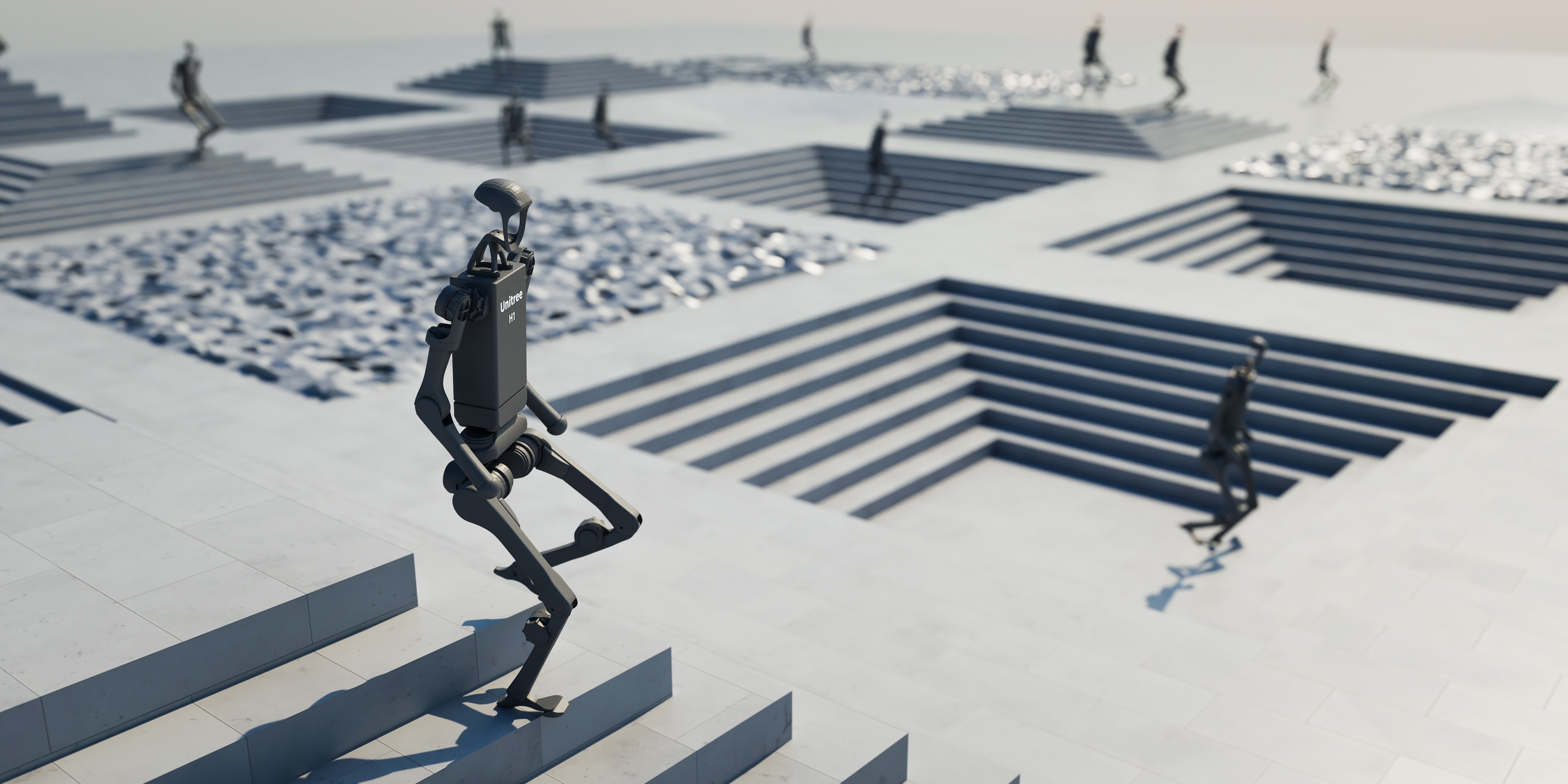
What is a Digital Twin?
A digital twin is a real-time digital replica of a physical system — could be a robot, production line, or entire factory. Unlike traditional simulation, digital twin continuously synchronizes with real system via sensor data, enabling real-time monitoring, prediction, and optimization.
┌──────────────┐    sensor data     ┌──────────────────┐
│  Physical    │ ──────────────────► │   Digital Twin    │
│  System      │                    │   (Simulation)    │
│  (Robot,     │ ◄────────────────── │                  │
│   Factory)   │    control cmds    │   - 3D model      │
│              │                    │   - Physics engine │
│              │                    │   - AI inference   │
└──────────────┘                    └──────────────────┘
       │                                    │
       │         ┌──────────────┐          │
       └────────►│  Dashboard   │◄─────────┘
                 │  Analytics   │
                 │  Alerts      │
                 └──────────────┘
According to McKinsey, digital twins can reduce operational costs by 10-20% and reduce downtime by 30-50% in manufacturing. Gartner predicts that by 2027, over 50% of large manufacturing enterprises will use digital twins.

ROS 2 + Gazebo Harmonic Integration
Gazebo Harmonic (latest version of Gazebo, formerly called Ignition) natively integrates with ROS 2 via ros_gz bridge — enabling digital twin development with full ROS 2 ecosystem.
ros_gz Bridge Architecture
"""
ROS 2 + Gazebo Harmonic digital twin setup.
Launch file for a robot cell with sensor streaming.
"""
# launch/digital_twin.launch.py

from launch import LaunchDescription
from launch.actions import (
    DeclareLaunchArgument,
    IncludeLaunchDescription,
)
from launch.substitutions import LaunchConfiguration
from launch_ros.actions import Node


def generate_launch_description():
    # Gazebo simulation
    gazebo = IncludeLaunchDescription(
        "ros_gz_sim",
        launch_arguments={
            "gz_args": "-r factory_floor.sdf",
        }.items(),
    )

    # ROS-Gazebo bridge: sync sensor data and commands
    bridge = Node(
        package="ros_gz_bridge",
        executable="parameter_bridge",
        arguments=[
            # Robot joint states: Gazebo -> ROS 2
            "/joint_states@sensor_msgs/msg/JointState[gz.msgs.Model",
            # Camera: Gazebo -> ROS 2
            "/camera/image@sensor_msgs/msg/Image[gz.msgs.Image",
            "/camera/depth@sensor_msgs/msg/Image[gz.msgs.Image",
            # LiDAR: Gazebo -> ROS 2
            "/lidar/scan@sensor_msgs/msg/LaserScan[gz.msgs.LaserScan",
            # Joint commands: ROS 2 -> Gazebo
            "/joint_commands@std_msgs/msg/Float64MultiArray]gz.msgs.Double_V",
        ],
        output="screen",
    )

    # Digital twin sync node
    sync_node = Node(
        package="digital_twin_core",
        executable="sync_node",
        parameters=[{
            "sync_rate": 30.0,        # Hz
            "real_robot_topic": "/real/joint_states",
            "sim_robot_topic": "/joint_states",
            "sync_mode": "real_to_sim",  # Mirror real robot in sim
        }],
    )

    # Analytics dashboard
    dashboard = Node(
        package="digital_twin_core",
        executable="analytics_node",
        parameters=[{
            "metrics": ["cycle_time", "energy", "accuracy", "collisions"],
            "log_dir": "/data/analytics",
            "alert_thresholds": {
                "cycle_time_max": 15.0,      # seconds
                "energy_per_cycle_max": 500,  # Joules
                "position_error_max": 0.005,  # meters
            },
        }],
    )

    return LaunchDescription([
        gazebo,
        bridge,
        sync_node,
        dashboard,
    ])
Digital Twin Sync Node
The most critical node — synchronizing state between real robot and digital twin:
"""
Digital Twin Sync Node.
Receives data from real robot, updates simulation in real-time.
"""
import rclpy
from rclpy.node import Node
import numpy as np
from sensor_msgs.msg import JointState
from geometry_msgs.msg import PoseStamped
from std_msgs.msg import Float64MultiArray
from diagnostic_msgs.msg import DiagnosticArray, DiagnosticStatus


class DigitalTwinSyncNode(Node):
    """Synchronize real robot with digital twin."""

    def __init__(self):
        super().__init__("digital_twin_sync")

        # Parameters
        self.sync_rate = self.declare_parameter("sync_rate", 30.0).value
        self.position_error_threshold = self.declare_parameter(
            "position_error_threshold", 0.01
        ).value  # meters

        # State buffers
        self.real_joint_pos = None
        self.sim_joint_pos = None
        self.sync_errors = []

        # Subscribers — real robot
        self.create_subscription(
            JointState, "/real/joint_states", self.real_joint_cb, 10
        )

        # Subscribers — simulation
        self.create_subscription(
            JointState, "/sim/joint_states", self.sim_joint_cb, 10
        )

        # Publisher — command sim to match real
        self.sim_cmd_pub = self.create_publisher(
            Float64MultiArray, "/sim/joint_commands", 10
        )

        # Publisher — diagnostics
        self.diag_pub = self.create_publisher(
            DiagnosticArray, "/diagnostics", 10
        )

        # Sync timer
        period = 1.0 / self.sync_rate
        self.create_timer(period, self.sync_loop)

        self.get_logger().info(
            f"Digital Twin Sync running at {self.sync_rate}Hz"
        )

    def real_joint_cb(self, msg: JointState):
        self.real_joint_pos = np.array(msg.position)

    def sim_joint_cb(self, msg: JointState):
        self.sim_joint_pos = np.array(msg.position)

    def sync_loop(self):
        """Main sync loop — mirror real state in sim."""
        if self.real_joint_pos is None:
            return

        # Send real positions to sim
        cmd = Float64MultiArray()
        cmd.data = self.real_joint_pos.tolist()
        self.sim_cmd_pub.publish(cmd)

        # Compute sync error
        if self.sim_joint_pos is not None:
            error = np.linalg.norm(
                self.real_joint_pos - self.sim_joint_pos
            )
            self.sync_errors.append(error)

            # Keep last 100 errors
            if len(self.sync_errors) > 100:
                self.sync_errors.pop(0)

            # Publish diagnostics
            self.publish_diagnostics(error)

    def publish_diagnostics(self, current_error: float):
        """Publish sync quality diagnostics."""
        avg_error = np.mean(self.sync_errors)

        diag = DiagnosticArray()
        diag.header.stamp = self.get_clock().now().to_msg()

        status = DiagnosticStatus()
        status.name = "Digital Twin Sync"

        if avg_error < self.position_error_threshold:
            status.level = DiagnosticStatus.OK
            status.message = f"Sync OK (error: {avg_error:.4f}m)"
        elif avg_error < self.position_error_threshold * 3:
            status.level = DiagnosticStatus.WARN
            status.message = f"Sync degraded (error: {avg_error:.4f}m)"
        else:
            status.level = DiagnosticStatus.ERROR
            status.message = f"Sync LOST (error: {avg_error:.4f}m)"

        diag.status.append(status)
        self.diag_pub.publish(diag)


def main(args=None):
    rclpy.init(args=args)
    node = DigitalTwinSyncNode()
    rclpy.spin(node)
    node.destroy_node()
    rclpy.shutdown()


if __name__ == "__main__":
    main()
NVIDIA Isaac Sim + Omniverse for Photorealistic Digital Twins
While Gazebo suits functional simulation, NVIDIA Isaac Sim (built on Omniverse) provides photorealistic rendering with RTX ray-tracing — enabling digital twins that look identical to real factories.
Isaac Sim Digital Twin Architecture
┌─────────────────────────────────────────────────────┐
│               NVIDIA Omniverse                       │
│                                                      │
│  ┌──────────┐  ┌──────────┐  ┌───────────────┐ │
│  │ Isaac Sim │  │ Omniverse│  │  Omniverse    │ │
│  │ (Physics) │  │ Create   │  │  Nucleus      │ │
│  │           │  │ (Visuals)│  │  (Asset DB)   │ │
│  └─────┬────┘  └────┬─────┘  └───────┬───────┘ │
│        │            │                 │          │
│        └────────────┼─────────────────┘          │
│                     │                            │
│              ┌──────┴──────┐                     │
│              │  USD Scene  │                     │
│              │  (Factory)  │                     │
│              └──────┬──────┘                     │
└─────────────────────┼───────────────────────────┘
                      │
            ┌─────────┼─────────┐
            │         │         │
    ┌───────┴──┐  ┌───┴────┐  ┌┴──────────┐
    │ ROS 2    │  │ REST   │  │ Streaming  │
    │ Bridge   │  │ API    │  │ Client     │
    └──────────┘  └────────┘  └────────────┘
Factory Layout Optimization
One of the most powerful use cases: optimizing factory layout before investing in hardware.
"""
Factory layout optimization using Isaac Sim.
Simulate throughput with different layouts.
"""
from dataclasses import dataclass
import numpy as np


@dataclass
class WorkStation:
    """A workstation in the factory."""

    name: str
    position: tuple  # (x, y) meters
    process_time: float  # seconds per unit
    footprint: tuple = (2.0, 2.0)  # width x depth meters


@dataclass
class FactoryLayout:
    """Layout configuration for factory."""

    name: str
    stations: list  # List[WorkStation]
    conveyor_speed: float = 0.5  # m/s
    num_agvs: int = 3

    def calculate_total_distance(self) -> float:
        """Calculate total transport distance between stations."""
        total = 0.0
        for i in range(len(self.stations) - 1):
            p1 = np.array(self.stations[i].position)
            p2 = np.array(self.stations[i + 1].position)
            total += np.linalg.norm(p2 - p1)
        return total

    def estimate_cycle_time(self) -> float:
        """Estimate cycle time for 1 product."""
        process_time = sum(s.process_time for s in self.stations)
        transport_time = self.calculate_total_distance() / self.conveyor_speed
        return process_time + transport_time

    def estimate_throughput(self, hours: float = 8.0) -> int:
        """Estimate throughput in N hours."""
        cycle = self.estimate_cycle_time()
        # Assume pipeline overlap 60%
        effective_cycle = cycle * 0.4 + max(
            s.process_time for s in self.stations
        )
        return int(hours * 3600 / effective_cycle)


# Compare 2 layouts
layout_a = FactoryLayout(
    name="Linear Layout",
    stations=[
        WorkStation("Loading", (0, 0), 5.0),
        WorkStation("Welding", (5, 0), 12.0),
        WorkStation("Assembly", (10, 0), 15.0),
        WorkStation("QC", (15, 0), 8.0),
        WorkStation("Packing", (20, 0), 6.0),
    ],
)

layout_b = FactoryLayout(
    name="U-Shape Layout",
    stations=[
        WorkStation("Loading", (0, 0), 5.0),
        WorkStation("Welding", (4, 0), 12.0),
        WorkStation("Assembly", (4, 4), 15.0),
        WorkStation("QC", (0, 4), 8.0),
        WorkStation("Packing", (0, 2), 6.0),
    ],
)

for layout in [layout_a, layout_b]:
    print(f"\n{layout.name}:")
    print(f"  Total distance: {layout.calculate_total_distance():.1f}m")
    print(f"  Est. cycle time: {layout.estimate_cycle_time():.1f}s")
    print(f"  Est. throughput (8h): {layout.estimate_throughput()} units")

Industrial Use Cases
1. Robot Cell Design and Validation
Before buying and installing robots (cost $100K-500K per cell), use digital twin to:
- Validate reach — can robot reach all required positions?
- Cycle time optimization — optimize trajectory for maximum throughput
- Collision check — detect potential collisions early
- Ergonomics — define safety zones for nearby workers
2. Predictive Maintenance
Digital twin monitors wear patterns and predicts when maintenance is needed:
"""
Predictive maintenance using digital twin data.
Detect anomalies from sensor patterns.
"""
import numpy as np
from collections import deque


class PredictiveMaintenanceMonitor:
    """Monitor robot health using digital twin sensor data."""

    def __init__(self, window_size: int = 1000):
        self.window_size = window_size
        self.torque_history = deque(maxlen=window_size)
        self.vibration_history = deque(maxlen=window_size)
        self.temperature_history = deque(maxlen=window_size)

        # Baseline statistics (from first N samples)
        self.baseline_torque_mean = None
        self.baseline_torque_std = None
        self.calibration_complete = False

    def update(
        self,
        joint_torques: np.ndarray,
        vibration_rms: float,
        motor_temperatures: np.ndarray,
    ):
        """Update with new sensor data."""
        self.torque_history.append(np.mean(np.abs(joint_torques)))
        self.vibration_history.append(vibration_rms)
        self.temperature_history.append(np.max(motor_temperatures))

        # Calibrate baseline
        if (
            not self.calibration_complete
            and len(self.torque_history) >= self.window_size
        ):
            self.baseline_torque_mean = np.mean(self.torque_history)
            self.baseline_torque_std = np.std(self.torque_history)
            self.calibration_complete = True

    def check_health(self) -> dict:
        """Check health status."""
        if not self.calibration_complete:
            return {"status": "calibrating", "alerts": []}

        alerts = []

        # Torque anomaly (joint wear)
        current_torque = np.mean(list(self.torque_history)[-50:])
        torque_zscore = (
            (current_torque - self.baseline_torque_mean)
            / max(self.baseline_torque_std, 1e-6)
        )
        if torque_zscore > 3.0:
            alerts.append({
                "type": "JOINT_WEAR",
                "severity": "WARNING",
                "message": (
                    f"Torque increased {torque_zscore:.1f} sigma from baseline"
                ),
                "recommendation": "Check joint lubrication within 7 days",
            })

        # Vibration anomaly
        current_vib = np.mean(list(self.vibration_history)[-50:])
        if current_vib > 2.0:  # mm/s RMS
            alerts.append({
                "type": "VIBRATION_HIGH",
                "severity": "CRITICAL",
                "message": f"Vibration RMS: {current_vib:.2f} mm/s",
                "recommendation": "Stop machine, inspect bearings and belt",
            })

        # Temperature anomaly
        max_temp = max(self.temperature_history)
        if max_temp > 80.0:  # Celsius
            alerts.append({
                "type": "OVERHEATING",
                "severity": "CRITICAL",
                "message": f"Motor temperature: {max_temp:.1f}C",
                "recommendation": "Reduce duty cycle or check cooling",
            })

        status = "OK" if not alerts else max(
            a["severity"] for a in alerts
        )
        return {"status": status, "alerts": alerts}
3. Factory Layout Optimization
Simulate multiple layout configurations to find optimal throughput — saving months of trial-and-error on real factory floor.
4. Operator Training
Digital twin provides safe training environment for new operators — learn to operate robots, handle failures without risk of damaging equipment.
Vietnamese Factories and Digital Twins
Samsung Bắc Ninh
Samsung Electronics Vietnam (SEV) in Bắc Ninh is one of the world's largest smartphone manufacturing plants. With over 60,000 workers and thousands of robots on production lines, digital twin delivers:
- Line balancing optimization — balance load across assembly stations, reduce bottlenecks
- Quality prediction — predict defect rates from sensor data on welding/soldering stations
- AGV fleet management — simulate and optimize paths for hundreds of AGVs in factory
Foxconn Bắc Giang
Foxconn is pushing "Lighthouse Factory" in Vietnam, with digital twin as core component:
- Robot cell simulation — validate new layouts before deployment, reduce setup time by 70%
- Energy optimization — simulate consumption patterns, find opportunities to save 15-25%
- Supply chain visibility — connect factory digital twin with supplier data
ROI for Small and Medium Factories
Digital twin isn't just for "big players". With open-source tools (ROS 2 + Gazebo), Vietnamese SME factories can also benefit:
| Investment | Estimated Cost | Expected ROI |
|---|---|---|
| Hardware (PC + sensors) | $5,000-15,000 | - |
| Software (ROS 2 + Gazebo) | $0 (open-source) | - |
| Implementation (3-6 months) | $20,000-50,000 | - |
| Year 1 savings | - | $30,000-80,000 |
| Reduce downtime 20-30% | - | $15,000-40,000 |
| Optimize throughput 10-15% | - | $10,000-25,000 |
| Reduce defect rate 15-20% | - | $5,000-15,000 |
Payback period: Usually 6-18 months depending on factory scale.
Digital Twin Deployment Roadmap
Phase 1: Monitoring (1-2 months)
- Install basic sensors (joint states, temperature, vibration)
- Setup ROS 2 + Gazebo digital twin
- Dashboard displaying real-time status
Phase 2: Analysis (2-4 months)
- Collect historical data
- Implement predictive maintenance
- Cycle time analysis and bottleneck detection
Phase 3: Optimization (4-6 months)
- Layout optimization simulation
- Robot trajectory optimization
- Energy optimization
Phase 4: Autonomous (6-12 months)
- AI-based scheduling
- Self-optimizing parameters
- Closed-loop control via digital twin

Conclusion
Digital twins are transitioning from "nice-to-have" to critical infrastructure for manufacturing. With ROS 2 + Gazebo Harmonic for functional simulation and NVIDIA Isaac Sim + Omniverse for photorealistic visualization, building digital twins is more accessible than ever.
For Vietnamese factories — undergoing rapid digital transformation — digital twin is a natural step after deploying IoT sensors and MES systems. Clear ROI, open-source tools available, and increasing competitive pressure make this a sound investment.
Related Articles
- Digital Twin in Manufacturing: From Concept to Reality — Deep dive into digital twin concepts
- Sim-to-Real Pipeline: From Training to Real Robot — Pipeline for deploying AI from sim to real
- Domain Randomization: Key to Sim-to-Real Transfer — DR technique for robust transfer
- Sim-to-Real Transfer: Train simulation, run reality — Sim-to-real overview