From Theory to Practice: Training and Deploying Locomotion Policy
In Part 1 and Part 2, we learned the theory of locomotion and how to formulate RL for walking. Now it's time to get hands-on: train a locomotion policy from scratch and deploy it to a real robot.
This post will cover 2 main parts:
- legged_gym: Open-source framework from ETH Zurich for training quadruped locomotion
- Unitree Go2: The cheapest 4-legged robot capable of running RL policies — and how to deploy

legged_gym — Framework from ETH Zurich
Background
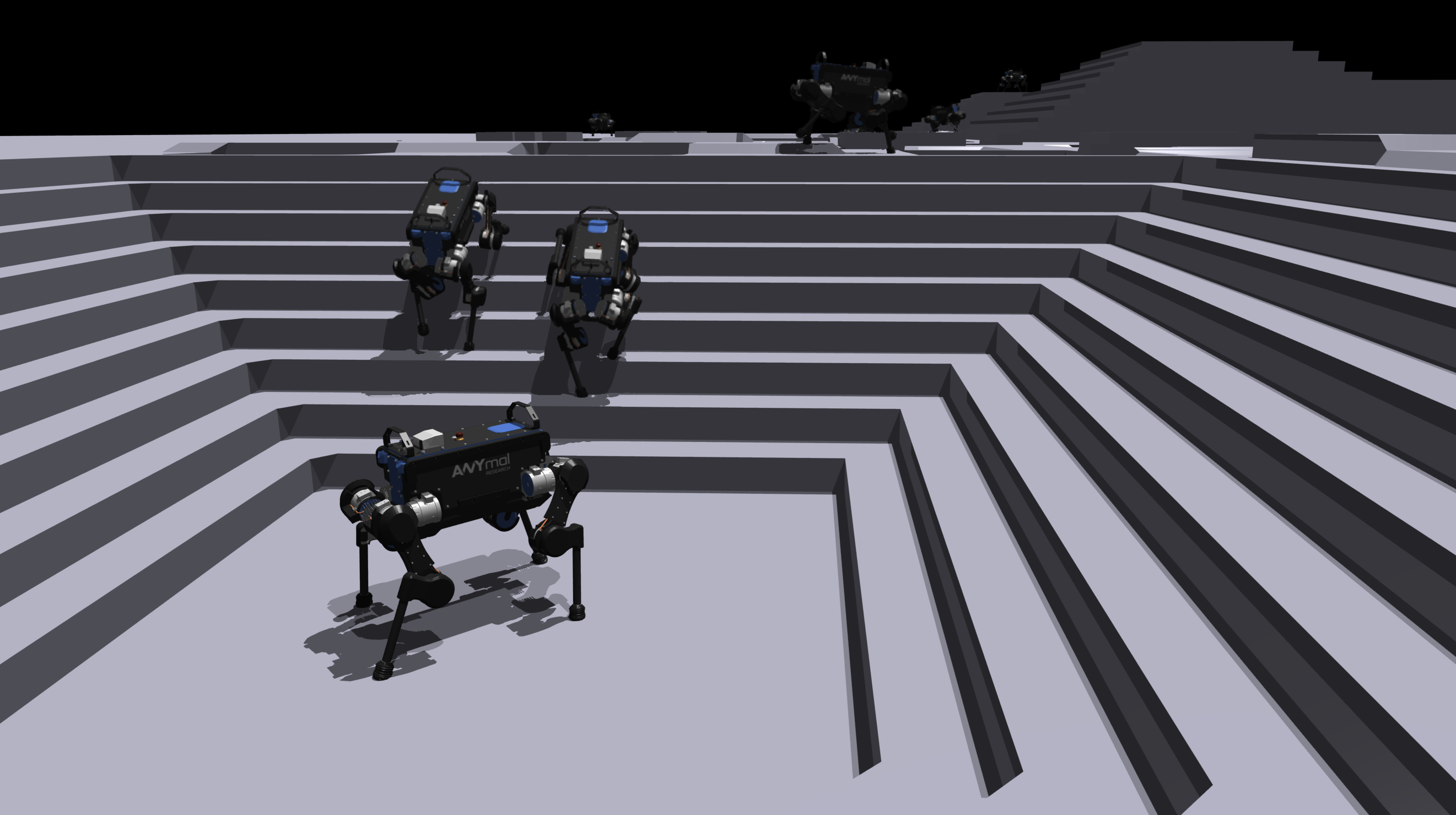
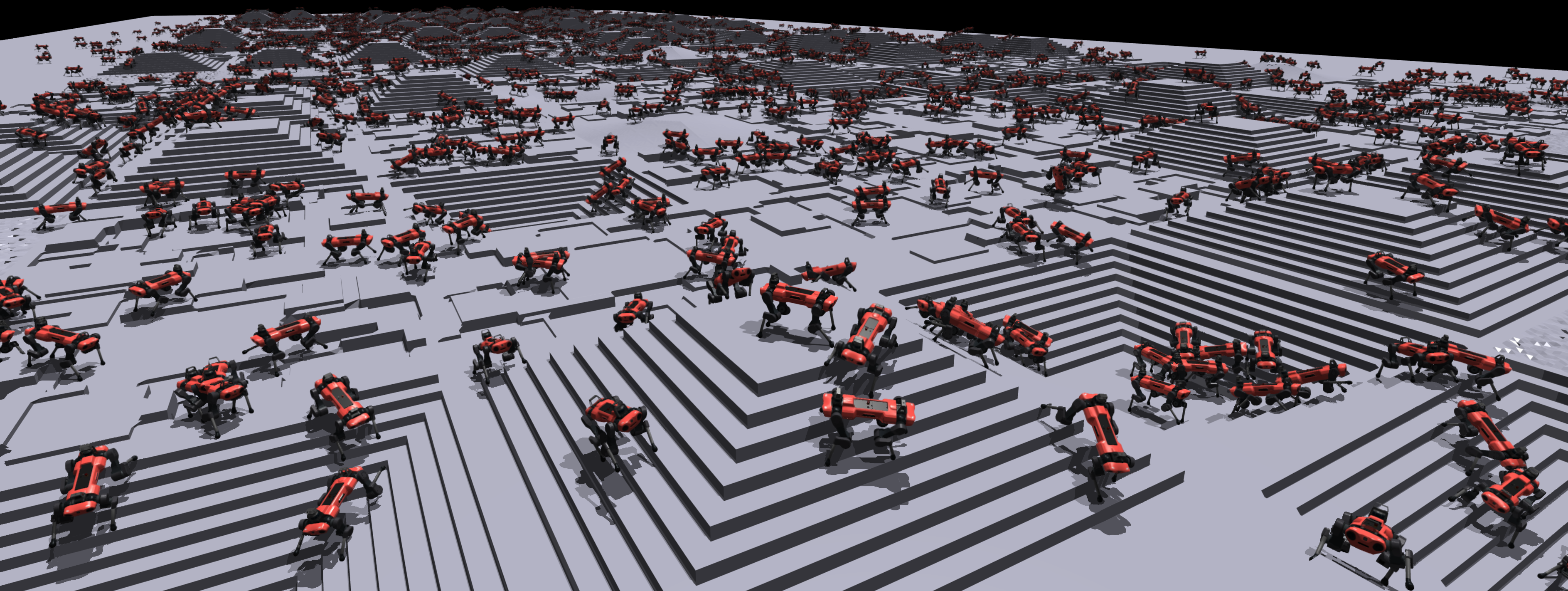
legged_gym is the codebase accompanying paper "Learning to Walk in Minutes Using Massively Parallel Deep Reinforcement Learning" (Rudin et al., CoRL 2022) from Robotic Systems Lab, ETH Zurich. This is the paper that defines how to train modern locomotion:
- 4,096 parallel environments on single GPU
- Train ANYmal quadruped to walk on rough terrain in minutes
- Game-inspired terrain curriculum
- Open-source on GitHub: leggedrobotics/legged_gym
The paper has been cited over 800 times and legged_gym has become the default starting point for anyone wanting to do locomotion RL.
Setup
# 1. Clone repos
git clone https://github.com/leggedrobotics/legged_gym.git
git clone https://github.com/leggedrobotics/rsl_rl.git

# 2. Install Isaac Gym Preview (NVIDIA)
# Download from https://developer.nvidia.com/isaac-gym
cd isaacgym/python
pip install -e .

# 3. Install rsl_rl (RL library from ETH)
cd ../../rsl_rl
pip install -e .

# 4. Install legged_gym
cd ../legged_gym
pip install -e .

# 5. Verify
python -c "from legged_gym.envs import *; print('legged_gym OK')"
Note: Isaac Gym Preview requires NVIDIA GPU with driver >= 470. legged_gym doesn't yet support Isaac Lab — to migrate, see Isaac Lab guide.
Code Structure
legged_gym/
├── envs/
│   ├── base/
│   │   ├── legged_robot.py      # Base env: physics, rewards, observations
│   │   └── legged_robot_config.py  # Config class
│   ├── anymal_c/                 # ANYmal C config
│   │   ├── anymal_c_flat_config.py
│   │   └── anymal_c_rough_config.py
│   ├── anymal_d/                 # ANYmal D config
│   ├── a1/                       # Unitree A1 config
│   └── __init__.py               # Registry
├── scripts/
│   ├── train.py                  # Training script
│   └── play.py                   # Evaluation script
└── resources/
    └── robots/                   # URDF models
        ├── anymal_c/
        ├── anymal_d/
        └── a1/
Train ANYmal Policy
# Train ANYmal D on rough terrain
python legged_gym/scripts/train.py --task anymal_d_rough

# Default: 4096 envs, 1500 iterations
# Takes ~15-20 minutes on RTX 3090/4090
During training, you'll see metrics:
Iteration: 100/1500
  Mean reward: 12.3 (increased from 2.1 at iter 0)
  Mean episode length: 850 steps (max 1000)
  Tracking error (lin vel): 0.18 m/s
  Tracking error (ang vel): 0.12 rad/s
  Mean torque: 8.2 Nm
Customize Reward Function
Main config file for rewards: anymal_d_rough_config.py
class AnymalDRoughCfg(LeggedRobotCfg):
    class rewards:
        class scales:
            # === Tracking (encouraging) ===
            tracking_lin_vel = 1.0     # track linear velocity
            tracking_ang_vel = 0.5     # track angular velocity

            # === Regularization (penalizing) ===
            lin_vel_z = -2.0           # penalize jumping up
            ang_vel_xy = -0.05         # penalize lateral tipping
            orientation = -0.0         # penalize tilting
            torques = -0.00001         # penalize energy consumption
            dof_vel = -0.0            # penalize joint velocity
            dof_acc = -2.5e-7          # penalize joint acceleration (smoothness)
            base_height = -0.0         # penalize height deviation
            feet_air_time = 1.0        # encourage swing phase
            collision = -1.0           # penalize body collision
            feet_stumble = -0.0        # penalize foot stumbling
            action_rate = -0.01        # penalize rapid action changes
            stand_still = -0.0         # penalize standing still under command
Important tip: Start with default config, change only 1-2 weights at a time. Changing many weights simultaneously makes debugging very difficult.
Evaluate Policy
# Visualize policy
python legged_gym/scripts/play.py --task anymal_d_rough

# With custom checkpoint
python legged_gym/scripts/play.py --task anymal_d_rough \
    --load_run <run_name> --checkpoint <iteration>
Add New Robot (Unitree Go2)
To add Go2 to legged_gym:
# legged_gym/envs/go2/go2_config.py
from legged_gym.envs.base.legged_robot_config import LeggedRobotCfg

class Go2RoughCfg(LeggedRobotCfg):
    class init_state(LeggedRobotCfg.init_state):
        pos = [0.0, 0.0, 0.34]  # Go2 is lower than ANYmal
        default_joint_angles = {
            # Hip, thigh, calf for 4 legs
            "FL_hip_joint": 0.1,
            "FL_thigh_joint": 0.8,
            "FL_calf_joint": -1.5,
            "FR_hip_joint": -0.1,
            "FR_thigh_joint": 0.8,
            "FR_calf_joint": -1.5,
            "RL_hip_joint": 0.1,
            "RL_thigh_joint": 1.0,
            "RL_calf_joint": -1.5,
            "RR_hip_joint": -0.1,
            "RR_thigh_joint": 1.0,
            "RR_calf_joint": -1.5,
        }

    class control(LeggedRobotCfg.control):
        stiffness = {"joint": 20.0}   # PD gains for Go2
        damping = {"joint": 0.5}
        action_scale = 0.25
        decimation = 4  # policy runs 50Hz (sim 200Hz / 4)

    class asset(LeggedRobotCfg.asset):
        file = "{LEGGED_GYM_ROOT_DIR}/resources/robots/go2/urdf/go2.urdf"
        foot_name = "foot"
        terminate_after_contacts_on = ["base"]

    class rewards:
        class scales:
            tracking_lin_vel = 1.5
            tracking_ang_vel = 0.5
            feet_air_time = 1.0
            torques = -0.0001
            action_rate = -0.01
            collision = -1.0

Unitree Go2 — 4-Legged Robot for RL Research
Why Go2?
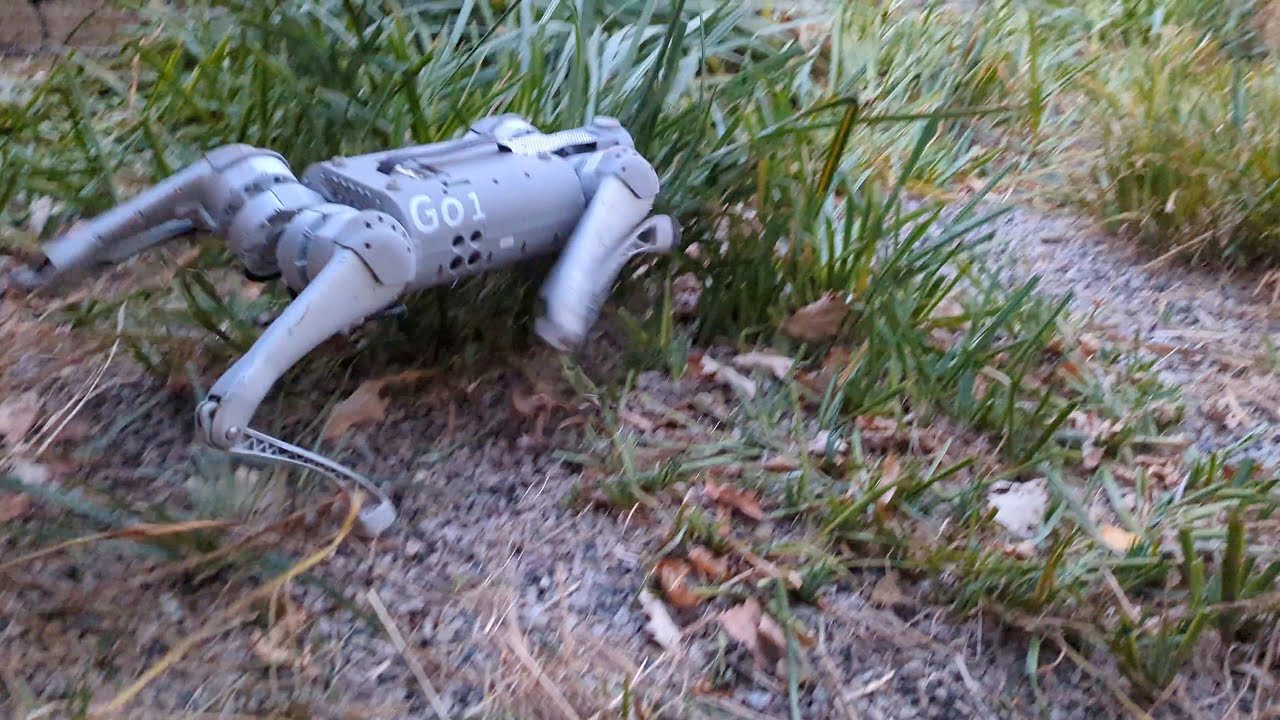
Unitree Go2 is the cheapest quadruped robot capable of running custom RL policies:
| Specification | Go2 (Air) | Go2 (Pro) | Go2 (Edu) |
|---|---|---|---|
| Price | ~$1,600 | ~$2,800 | ~$3,500 |
| Compute | None | None | NVIDIA Jetson Orin |
| SDK | Basic | Basic | Full (unitree_sdk2) |
| Max speed | 3.5 m/s | 3.5 m/s | 3.5 m/s |
| Weight | 15 kg | 15 kg | 15 kg |
| Battery | ~2h | ~2h | ~2h |
| Custom policy | Hard | Hard | Possible |
Recommendation: Buy Go2 Edu if you want to deploy custom RL policies. Air/Pro versions have limited SDK and no Jetson Orin for inference.
Go2 SDK and ROS 2
Unitree provides unitree_sdk2 (C++) and unitree_sdk2_python to control Go2:
# unitree_sdk2_python -- low-level control
from unitree_sdk2py.core.channel import ChannelPublisher
from unitree_sdk2py.idl.unitree_go.msg import LowCmd, LowState

class Go2Controller:
    def __init__(self):
        self.pub = ChannelPublisher("rt/lowcmd", LowCmd)
        self.pub.Init()

    def send_joint_commands(self, positions, kp=20.0, kd=0.5):
        """
        Send position commands to 12 joints
        positions: np.array shape (12,)
        """
        cmd = LowCmd()
        for i in range(12):
            cmd.motor_cmd[i].mode = 0x01  # servo mode
            cmd.motor_cmd[i].q = positions[i]
            cmd.motor_cmd[i].kp = kp
            cmd.motor_cmd[i].kd = kd
            cmd.motor_cmd[i].tau = 0.0
        self.pub.Write(cmd)
Go2 also supports ROS 2 through unitree_ros2:
# Install unitree ROS 2 package
cd ~/ros2_ws/src
git clone https://github.com/unitreerobotics/unitree_ros2.git
cd ~/ros2_ws && colcon build

# Launch Go2 driver
ros2 launch unitree_ros2 go2_driver_launch.py
Deploy RL Policy to Go2
Step 1: Export Policy to ONNX
import torch

# Load trained policy
policy = torch.load("logs/anymal_d_rough/model_1500.pt")
policy.eval()

# Dummy input
dummy_obs = torch.randn(1, 45)

# Export ONNX
torch.onnx.export(
    policy.actor,              # export only actor (not critic)
    dummy_obs,
    "locomotion_policy.onnx",
    input_names=["observation"],
    output_names=["action"],
    opset_version=11,
)
print("Exported locomotion_policy.onnx")
Step 2: Inference on Jetson Orin (Go2)
import onnxruntime as ort
import numpy as np
from unitree_sdk2py.core.channel import ChannelSubscriber, ChannelPublisher
from unitree_sdk2py.idl.unitree_go.msg import LowCmd, LowState

class PolicyRunner:
    """
    Run RL policy on Go2 Jetson Orin
    Inference loop: 50Hz
    """
    def __init__(self, onnx_path="locomotion_policy.onnx"):
        # Load ONNX model
        self.session = ort.InferenceSession(
            onnx_path,
            providers=["CUDAExecutionProvider", "CPUExecutionProvider"]
        )

        # Default standing pose (must match training exactly)
        self.default_dof_pos = np.array([
            0.1, 0.8, -1.5,   # FL
            -0.1, 0.8, -1.5,  # FR
            0.1, 1.0, -1.5,   # RL
            -0.1, 1.0, -1.5,  # RR
        ], dtype=np.float32)

        self.action_scale = 0.25
        self.previous_action = np.zeros(12, dtype=np.float32)

        # Unitree SDK
        self.cmd_pub = ChannelPublisher("rt/lowcmd", LowCmd)
        self.cmd_pub.Init()
        self.state_sub = ChannelSubscriber("rt/lowstate", LowState)
        self.state_sub.Init()

    def get_observation(self, state, command):
        """
        Build observation from robot state.
        MUST match exactly with observation used during training.
        """
        obs = np.concatenate([
            state.imu_state.gyroscope,        # 3: angular velocity
            self._get_projected_gravity(state), # 3: gravity in body frame
            state.motor_state[:12].q - self.default_dof_pos,  # 12: joint pos
            state.motor_state[:12].dq,         # 12: joint vel
            command,                            # 3: velocity command
            self.previous_action,               # 12: previous action
        ]).astype(np.float32)

        return obs.reshape(1, -1)

    def step(self, observation):
        """Run inference and send command"""
        # ONNX inference (~0.5ms on Jetson Orin)
        action = self.session.run(
            None,
            {"observation": observation}
        )[0].flatten()

        # Action -> joint targets
        target_pos = self.default_dof_pos + action * self.action_scale

        # Send command
        cmd = LowCmd()
        for i in range(12):
            cmd.motor_cmd[i].mode = 0x01
            cmd.motor_cmd[i].q = float(target_pos[i])
            cmd.motor_cmd[i].kp = 20.0
            cmd.motor_cmd[i].kd = 0.5
            cmd.motor_cmd[i].tau = 0.0
        self.cmd_pub.Write(cmd)

        self.previous_action = action
        return action

# Main loop
runner = PolicyRunner("locomotion_policy.onnx")
command = np.array([0.5, 0.0, 0.0])  # walk forward at 0.5 m/s

import time
while True:
    state = runner.state_sub.Read()
    obs = runner.get_observation(state, command)
    runner.step(obs)
    time.sleep(0.02)  # 50 Hz
Sim-to-Real Gap and How to Solve It
This is the hardest part of locomotion RL. Policy works perfectly in sim but falls immediately on the real robot. Main causes:
1. Motor Model Mismatch
Sim assumes motors are ideal — instant response, no friction, no backlash. Real motors have:
# Sim-to-real motor differences
motor_reality = {
    "latency": "5-15ms delay between command and response",
    "friction": "static + viscous friction in gearbox",
    "backlash": "0.5-2 deg play in gear train",
    "torque_limit": "actual limit 10-20% lower than spec",
    "temperature": "motor heats up → torque decreases",
}
Solution: Domain randomization for motor parameters (covered in Part 2).
2. Observation Mismatch
Joint encoders on real robot have different noise and bias from simulation:
# Add noise to observations during training
obs_noise = {
    "joint_pos": 0.01,     # rad -- encoder noise
    "joint_vel": 1.5,      # rad/s -- finite difference noise
    "angular_vel": 0.2,    # rad/s -- gyroscope noise
    "gravity": 0.05,       # -- accelerometer noise
}
3. Ground Contact Model
Sim uses simplified contact model (Coulomb friction, rigid bodies). Real ground has:
- Compliance (soft)
- Varying friction (slippery/rough)
- Deformation (soil, sand, grass)
Solution: Randomize friction coefficient (0.5-1.25) and restitution (0.0-0.4) during training.
4. Timing Mismatch
Policy expects exact timestep (20ms) but real-time system has jitter:
# Real-time loop with timing compensation
import time

target_dt = 0.02  # 50 Hz
while True:
    t_start = time.perf_counter()

    # Policy inference + command
    state = get_state()
    obs = make_observation(state)
    action = policy.step(obs)
    send_command(action)

    # Precise timing
    elapsed = time.perf_counter() - t_start
    if elapsed < target_dt:
        time.sleep(target_dt - elapsed)
    else:
        print(f"WARNING: loop overrun {elapsed*1000:.1f}ms > {target_dt*1000:.1f}ms")
Deployment Checklist for Locomotion Policy
Before letting the real robot run the policy:
- Test in sim with maximum noise and randomization
- Export ONNX and test inference speed on Jetson (<5ms)
- Verify observation mapping — joint order, IMU frame, units must match EXACTLY with training
- Verify action mapping — joint order, action scale, default pose
- Safety stop — emergency stop button, torque limits, joint limits
- Start on flat ground — don't try hard terrain immediately
- Start with low velocity — command 0.2 m/s first, then increase gradually
- Have someone hold safety harness — in case of falls

Other Quadruped Robots for Research
Beyond Go2, there are many other options:
| Robot | Manufacturer | Price | Highlights |
|---|---|---|---|
| Go2 Edu | Unitree | ~$3,500 | Cheapest with Jetson + full SDK |
| B2 | Unitree | ~$15,000 | Industrial, 40kg payload |
| Spot | Boston Dynamics | ~$75,000 | Most stable, great SDK, expensive |
| ANYmal D | ANYbotics | ~$100,000+ | Research-grade, IP67, autonomy |
| A1 | Unitree | ~$2,500 (discontinued) | Many papers used it, older but affordable |
| Laikago | Unitree | Discontinued | Previous generation, still has community |
Recommendation: Go2 Edu for budget research, Spot for industry applications, ANYmal for academic research with funding.
Next in the Series
You now know how to train and deploy a locomotion policy on a real robot. In the next part:
- Part 4: Walk These Ways: Adaptive Locomotion — One Policy — How to train 1 policy for many movement types?
Related Posts
- Locomotion Basics: From ZMP to CPG — Part 1: foundational theory
- RL for Locomotion: PPO, reward shaping and curriculum — Part 2: RL formulation
- Walk These Ways: Adaptive locomotion one policy — Part 4: multi-gait paper
- NVIDIA Isaac Lab: GPU-accelerated RL training from zero — Isaac Lab tutorial in detail
- Edge AI with NVIDIA Jetson — Deploy models on Jetson (used for Go2)