Gemma 4 — The Biggest Leap in Open-Source AI
On April 2, 2026, Google officially released Gemma 4 — their latest generation of open-source AI models under the Apache 2.0 license. This isn't just an incremental upgrade. It's a fundamental shift: for the first time, an open-source model family offers full multimodal support (vision + audio), native agentic workflows with function calling, and runs on edge devices from Raspberry Pi to NVIDIA Jetson.
For robotics, Gemma 4 enables deploying genuinely intelligent AI directly on robots without cloud connectivity — a critical requirement in factories, warehouses, and outdoor environments.

Why Gemma 4 Matters for Robotics
1. Apache 2.0 License — True Commercial Freedom
Gemma 3 used the restrictive "Gemma Terms of Use" license. Gemma 4 switches to Apache 2.0, meaning you can:
- Integrate into commercial products without permission
- Fork, modify, and fine-tune freely
- No user count or revenue thresholds to worry about
For robotics startups, this is huge. You can build production AI products on Gemma 4 with zero licensing costs or legal concerns.
2. Native Multimodal — See, Hear, Understand
All Gemma 4 variants support vision (image processing). The edge models (E2B and E4B) additionally support native audio input — speech recognition and audio context understanding.
In robotics, this translates to:
- Camera perception: Robots can "see" and understand their environment — object detection, sign reading, person detection
- Voice commands: Control robots via speech without a separate ASR module
- Scene understanding: Combine vision + language for complex queries ("how many boxes are on shelf B3?")
3. Agentic Workflows — Robots That Make Decisions
Gemma 4 was built from the ground up with agentic capabilities:
- Native function calling: The model can invoke external functions/APIs naturally
- Structured JSON output: Returns structured data for robot systems to parse
- Multi-step reasoning: Analyzes problems → plans → executes step by step
This is the key to building autonomous robots. Instead of just detecting objects, the robot can plan and act:
# Example: Gemma 4 as the "brain" of a warehouse robot
# Model receives camera image → analyzes → calls control functions

tools = [
    {
        "name": "move_to_location",
        "description": "Move robot to specified coordinates",
        "parameters": {
            "x": {"type": "float", "description": "X coordinate (meters)"},
            "y": {"type": "float", "description": "Y coordinate (meters)"}
        }
    },
    {
        "name": "pick_object",
        "description": "Pick up object at current location",
        "parameters": {
            "object_id": {"type": "string", "description": "ID of object to pick"}
        }
    },
    {
        "name": "place_object",
        "description": "Place object at specified bin",
        "parameters": {
            "target_bin": {"type": "string", "description": "Target bin ID"}
        }
    }
]

# Combined image + instruction prompt
response = model.generate(
    image=camera_frame,
    prompt="Look at the camera image. Find the box labeled 'A-103', "
           "move to it, pick it up, and place it in bin B2.",
    tools=tools
)
# Gemma 4 returns ordered function calls:
# 1. move_to_location(x=3.2, y=7.8)
# 2. pick_object(object_id="A-103")
# 3. move_to_location(x=1.0, y=2.5)
# 4. place_object(target_bin="B2")
Gemma 4 Model Lineup
Gemma 4 is organized into two clear tiers: Edge (on-device) and Frontier (high performance).
| Model | Params | Architecture | VRAM | Multimodal | Robotics Use Case |
|---|---|---|---|---|---|
| E2B | 2B | Dense | ~2GB | Vision + Audio | Raspberry Pi, micro-robots |
| E4B | 8B (MoE, ~4B active) | MoE | ~4GB | Vision + Audio | Jetson Orin Nano, drones, AMRs |
| 26B A4B | 26B (MoE, ~4B active) | MoE | ~12GB | Vision | Jetson AGX Orin, workstations |
| 31B | 31B | Dense | ~16GB | Vision | Servers, training stations |
E2B and E4B — The Edge Robotics Sweet Spot
The two edge models are Gemma 4's strongest offering for robotics:
E2B (2B parameters) — The most compact model, runs on Raspberry Pi 5 (8GB RAM). Suited for:
- Educational robots and learning kits
- IoT devices needing voice understanding
- Micro-robots with limited resources
E4B (8B parameters, MoE architecture) — The "sweet spot" for robotics. Uses Mixture of Experts: 8B total parameters but only ~4B active per inference, making it significantly faster than a standard dense 8B model. Ideal for:
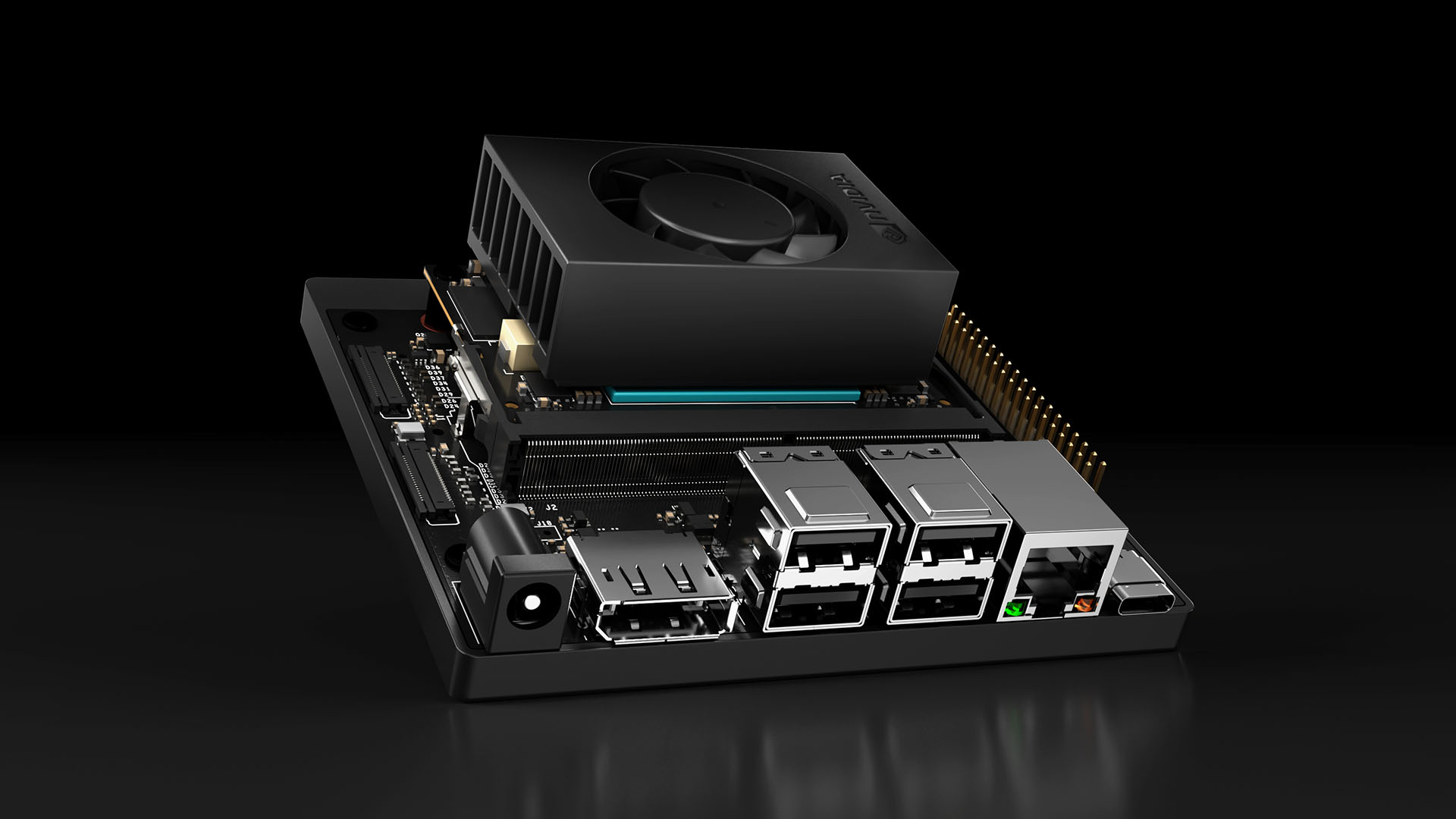
- NVIDIA Jetson Orin Nano/NX
- Warehouse AMR robots
- Drones requiring real-time image processing
- Cobots on production lines

26B A4B — MoE for Workstations
The 26B model uses MoE architecture with only ~4B active parameters per inference. Result: faster than Gemma 3 27B on every benchmark while using less VRAM. On Jetson AGX Orin (64GB), this model runs comfortably and suits:
- Research robots needing complex reasoning
- Central servers coordinating robot fleets
- Factory edge servers processing multiple camera streams
Comparison with Other Open-Source Models
| Criteria | Gemma 4 E4B | Llama 3.2 3B | Phi-4 Mini (3.8B) | Qwen2.5 7B |
|---|---|---|---|---|
| License | Apache 2.0 | Llama License | MIT | Apache 2.0 |
| Vision | ✅ Native | ✅ | ✅ | ✅ |
| Audio | ✅ Native | ❌ | ❌ | ❌ |
| Function calling | ✅ Native | ⚠️ Limited | ⚠️ Limited | ✅ |
| Context window | 256K | 128K | 128K | 128K |
| Edge optimized | ✅ Designed for edge | ⚠️ Possible | ⚠️ Possible | ❌ |
| Jetson support | ✅ Official NVIDIA | Community | Community | Community |
Gemma 4 E4B stands out in three areas: native audio (no competitor has this), 256K context (double the competition), and official NVIDIA support for Jetson.
Deploying Gemma 4 on NVIDIA Jetson
Setup on Jetson Orin Nano
# Install Ollama on Jetson (ARM64)
curl -fsSL https://ollama.com/install.sh | sh

# Pull Gemma 4 E4B model
ollama pull gemma4:e4b

# Quick test
ollama run gemma4:e4b "Describe the objects you see in a warehouse"
Integration with ROS 2
#!/usr/bin/env python3
"""
ROS 2 node using Gemma 4 for camera image processing.
Runs on Jetson Orin Nano with Gemma 4 E4B.
"""
import rclpy
from rclpy.node import Node
from sensor_msgs.msg import Image
from std_msgs.msg import String
from cv_bridge import CvBridge
import requests
import base64
import json
import cv2


class GemmaVisionNode(Node):
    def __init__(self):
        super().__init__('gemma_vision_node')
        self.bridge = CvBridge()

        # Subscribe to camera images
        self.image_sub = self.create_subscription(
            Image, '/camera/image_raw', self.image_callback, 10
        )

        # Publish detection results
        self.result_pub = self.create_publisher(
            String, '/gemma/detection_result', 10
        )

        # Ollama API endpoint (running locally on Jetson)
        self.ollama_url = "http://localhost:11434/api/generate"

        self.get_logger().info("Gemma Vision Node started — model: gemma4:e4b")

    def image_callback(self, msg):
        # Convert ROS Image → OpenCV → base64
        cv_image = self.bridge.imgmsg_to_cv2(msg, "bgr8")
        _, buffer = cv2.imencode('.jpg', cv_image)
        img_base64 = base64.b64encode(buffer).decode('utf-8')

        # Send to Gemma 4 via Ollama
        payload = {
            "model": "gemma4:e4b",
            "prompt": (
                "Analyze this image from a warehouse robot camera. "
                "List all objects detected with their approximate positions "
                "(left/center/right, near/far). "
                "Return as JSON array."
            ),
            "images": [img_base64],
            "stream": False,
            "format": "json"
        }

        try:
            response = requests.post(
                self.ollama_url, json=payload, timeout=5.0
            )
            result = response.json()["response"]

            # Publish result
            result_msg = String()
            result_msg.data = result
            self.result_pub.publish(result_msg)

            self.get_logger().info(f"Detection: {result[:100]}...")

        except requests.exceptions.Timeout:
            self.get_logger().warn("Gemma inference timeout — skipping frame")


def main(args=None):
    rclpy.init(args=args)
    node = GemmaVisionNode()
    rclpy.spin(node)
    node.destroy_node()
    rclpy.shutdown()


if __name__ == '__main__':
    main()
Inference Benchmarks on Jetson
Based on benchmarks from the NVIDIA Developer Blog:
| Model | Jetson Orin Nano (8GB) | Jetson Orin NX (16GB) | Jetson AGX Orin (64GB) |
|---|---|---|---|
| Gemma 4 E2B | ~35 tok/s | ~50 tok/s | ~80 tok/s |
| Gemma 4 E4B | ~15 tok/s | ~25 tok/s | ~45 tok/s |
| Gemma 4 26B A4B | ❌ OOM | ~8 tok/s | ~20 tok/s |
With Gemma 4 E4B on Jetson Orin Nano, inference time for a short response (~50 tokens) is approximately 3-4 seconds — acceptable for many robotics applications that don't require sub-100ms responses.
Practical Use Cases
1. Quality Inspection in Manufacturing
A quality inspection robot on a production line using Gemma 4 E4B + industrial camera:
# Quality inspection prompt
inspection_prompt = """
Inspect the product in this image. Classify as:
- OK: Product passes quality check
- NG_SCRATCH: Surface scratch detected
- NG_DENT: Dent detected
- NG_COLOR: Color mismatch

Return JSON: {"result": "OK/NG_xxx", "confidence": 0.0-1.0,
"defect_location": "description of defect location if any"}
"""
The advantage over specialized models: Gemma 4 can explain why a product failed, not just classify it. This helps engineers analyze root causes faster.
2. Interactive Guide Robots
Combining E4B's vision + audio:
- Customer asks a question via voice → E4B processes speech
- Camera sees the product the customer is pointing at → E4B describes it
- Response text → TTS engine speaks it out
3. Fleet Management with Central AI
Using Gemma 4 26B on an edge server to coordinate AMR fleets:
- Receive images from multiple cameras → analyze warehouse status
- Automatically assign tasks to each robot
- Detect anomalies (misplaced items, people in danger zones)

Gemma 4 Edge vs Cloud API — When to Use What
| Criteria | Gemma 4 Edge | Cloud API (GPT-4o, Claude) |
|---|---|---|
| Latency | 50-200ms | 500-2000ms |
| Offline | ✅ Fully | ❌ Requires internet |
| Cost | One-time hardware | Pay per token |
| Security | Data stays on device | Data sent to cloud |
| Quality | Good for specific tasks | Best for complex tasks |
| Updates | Self-managed | Automatic |
Optimal robotics strategy: Use Gemma 4 edge for real-time tasks (obstacle detection, voice commands, quality inspection) and cloud APIs for complex non-urgent tasks (long-term planning, report analysis, model fine-tuning).
Getting Started Roadmap
If you want to start building with Gemma 4, here's the recommended path:
Step 1: Experiment on your computer
# Install Ollama + pull Gemma 4
ollama pull gemma4:e4b
# Test with webcam images
python3 test_gemma_vision.py
Step 2: Deploy to Jetson
- Flash JetPack 6.x
- Install Ollama ARM64
- Test inference speed, ensure it meets requirements
Step 3: Integrate with ROS 2
- Create a ROS 2 node like the example above
- Connect camera topic → Gemma node → action/planning node
Step 4: Fine-tune for your domain
# Use Unsloth or LoRA for fine-tuning
# on your own dataset (product images, warehouse layouts, etc.)
pip install unsloth
python3 finetune_gemma4.py \
    --model gemma4-e4b \
    --dataset ./my_warehouse_data \
    --output ./gemma4-warehouse-v1
Step 5: Monitor and iterate
- Log inference time and accuracy
- Collect edge cases → add to training data
- Re-fine-tune periodically
Conclusion
Gemma 4 marks a turning point for open-source AI in robotics. The combination of Apache 2.0 license, native multimodal (vision + audio), agentic capabilities, and edge optimization creates a complete solution that previously required stitching together multiple separate models.
The hardware cost is remarkably low (Jetson Orin Nano ~$249) with zero software licensing fees. For robotics teams of any size, there's never been a better time to start experimenting with on-device AI.
The best time to start is now.