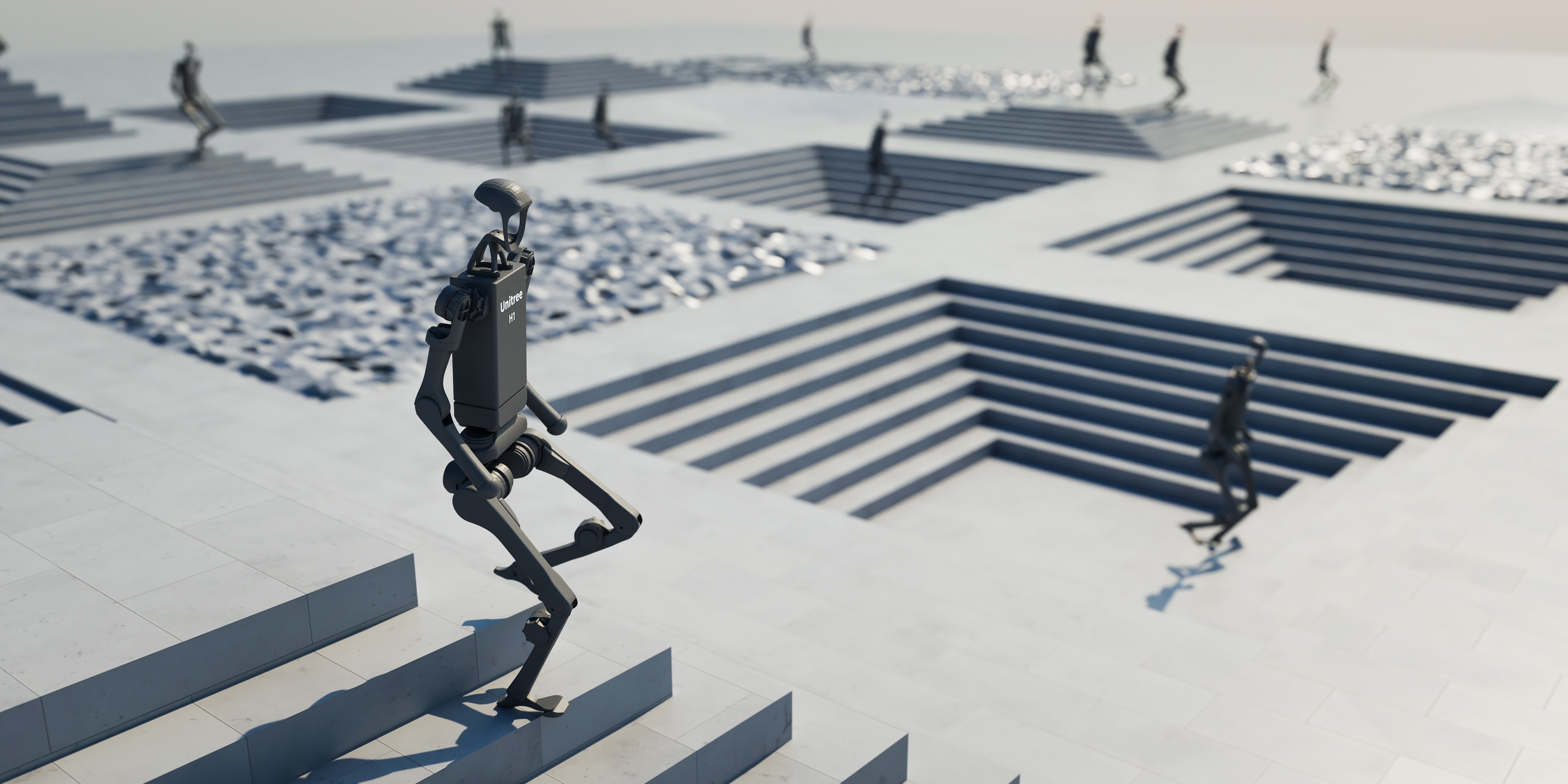
Digital Twin là gì?
Digital twin là bản sao số real-time của một hệ thống vật lý — có thể là một robot, một dây chuyền sản xuất, hoặc toàn bộ nhà máy. Khác với simulation thông thường, digital twin liên tục đồng bộ với hệ thống thật qua sensor data, cho phép monitoring, dự đoán và tối ưu hóa liên tục.
┌──────────────┐    sensor data     ┌──────────────────┐
│  Physical    │ ──────────────────► │   Digital Twin    │
│  System      │                    │   (Simulation)    │
│  (Robot,     │ ◄────────────────── │                  │
│   Factory)   │    control cmds    │   - 3D model      │
│              │                    │   - Physics engine │
│              │                    │   - AI inference   │
└──────────────┘                    └──────────────────┘
       │                                    │
       │         ┌──────────────┐          │
       └────────►│  Dashboard   │◄─────────┘
                 │  Analytics   │
                 │  Alerts      │
                 └──────────────┘
Theo McKinsey, digital twins có thể giảm 10-20% chi phí vận hành và giảm 30-50% downtime trong manufacturing. Gartner dự đoán đến 2027, hơn 50% doanh nghiệp sản xuất lớn sẽ dùng digital twins.

ROS 2 + Gazebo Harmonic Integration
Gazebo Harmonic (phiên bản mới nhất của Gazebo, trước đây gọi là Ignition) tích hợp native với ROS 2 qua ros_gz bridge — cho phép xây dựng digital twins với full ROS 2 ecosystem.
Kiến trúc ros_gz bridge
"""
ROS 2 + Gazebo Harmonic digital twin setup.
Launch file cho một robot cell với sensor streaming.
"""
# launch/digital_twin.launch.py

from launch import LaunchDescription
from launch.actions import (
    DeclareLaunchArgument,
    IncludeLaunchDescription,
)
from launch.substitutions import LaunchConfiguration
from launch_ros.actions import Node


def generate_launch_description():
    # Gazebo simulation
    gazebo = IncludeLaunchDescription(
        "ros_gz_sim",
        launch_arguments={
            "gz_args": "-r factory_floor.sdf",
        }.items(),
    )

    # ROS-Gazebo bridge: sync sensor data và commands
    bridge = Node(
        package="ros_gz_bridge",
        executable="parameter_bridge",
        arguments=[
            # Robot joint states: Gazebo -> ROS 2
            "/joint_states@sensor_msgs/msg/JointState[gz.msgs.Model",
            # Camera: Gazebo -> ROS 2
            "/camera/image@sensor_msgs/msg/Image[gz.msgs.Image",
            "/camera/depth@sensor_msgs/msg/Image[gz.msgs.Image",
            # LiDAR: Gazebo -> ROS 2
            "/lidar/scan@sensor_msgs/msg/LaserScan[gz.msgs.LaserScan",
            # Joint commands: ROS 2 -> Gazebo
            "/joint_commands@std_msgs/msg/Float64MultiArray]gz.msgs.Double_V",
        ],
        output="screen",
    )

    # Digital twin sync node
    sync_node = Node(
        package="digital_twin_core",
        executable="sync_node",
        parameters=[{
            "sync_rate": 30.0,        # Hz
            "real_robot_topic": "/real/joint_states",
            "sim_robot_topic": "/joint_states",
            "sync_mode": "real_to_sim",  # Mirror real robot trong sim
        }],
    )

    # Analytics dashboard
    dashboard = Node(
        package="digital_twin_core",
        executable="analytics_node",
        parameters=[{
            "metrics": ["cycle_time", "energy", "accuracy", "collisions"],
            "log_dir": "/data/analytics",
            "alert_thresholds": {
                "cycle_time_max": 15.0,      # seconds
                "energy_per_cycle_max": 500,  # Joules
                "position_error_max": 0.005,  # meters
            },
        }],
    )

    return LaunchDescription([
        gazebo,
        bridge,
        sync_node,
        dashboard,
    ])
Digital Twin Sync Node
Node quan trọng nhất — đồng bộ trạng thái giữa robot thật và digital twin:
"""
Digital Twin Sync Node.
Nhận data từ robot thật, cập nhật simulation real-time.
"""
import rclpy
from rclpy.node import Node
import numpy as np
from sensor_msgs.msg import JointState
from geometry_msgs.msg import PoseStamped
from std_msgs.msg import Float64MultiArray
from diagnostic_msgs.msg import DiagnosticArray, DiagnosticStatus


class DigitalTwinSyncNode(Node):
    """Đồng bộ robot thật với digital twin."""

    def __init__(self):
        super().__init__("digital_twin_sync")

        # Parameters
        self.sync_rate = self.declare_parameter("sync_rate", 30.0).value
        self.position_error_threshold = self.declare_parameter(
            "position_error_threshold", 0.01
        ).value  # meters

        # State buffers
        self.real_joint_pos = None
        self.sim_joint_pos = None
        self.sync_errors = []

        # Subscribers — robot thật
        self.create_subscription(
            JointState, "/real/joint_states", self.real_joint_cb, 10
        )

        # Subscribers — simulation
        self.create_subscription(
            JointState, "/sim/joint_states", self.sim_joint_cb, 10
        )

        # Publisher — command sim để match real
        self.sim_cmd_pub = self.create_publisher(
            Float64MultiArray, "/sim/joint_commands", 10
        )

        # Publisher — diagnostics
        self.diag_pub = self.create_publisher(
            DiagnosticArray, "/diagnostics", 10
        )

        # Sync timer
        period = 1.0 / self.sync_rate
        self.create_timer(period, self.sync_loop)

        self.get_logger().info(
            f"Digital Twin Sync running at {self.sync_rate}Hz"
        )

    def real_joint_cb(self, msg: JointState):
        self.real_joint_pos = np.array(msg.position)

    def sim_joint_cb(self, msg: JointState):
        self.sim_joint_pos = np.array(msg.position)

    def sync_loop(self):
        """Main sync loop — mirror real state trong sim."""
        if self.real_joint_pos is None:
            return

        # Gửi real positions đến sim
        cmd = Float64MultiArray()
        cmd.data = self.real_joint_pos.tolist()
        self.sim_cmd_pub.publish(cmd)

        # Tính sync error
        if self.sim_joint_pos is not None:
            error = np.linalg.norm(
                self.real_joint_pos - self.sim_joint_pos
            )
            self.sync_errors.append(error)

            # Keep last 100 errors
            if len(self.sync_errors) > 100:
                self.sync_errors.pop(0)

            # Publish diagnostics
            self.publish_diagnostics(error)

    def publish_diagnostics(self, current_error: float):
        """Publish sync quality diagnostics."""
        avg_error = np.mean(self.sync_errors)

        diag = DiagnosticArray()
        diag.header.stamp = self.get_clock().now().to_msg()

        status = DiagnosticStatus()
        status.name = "Digital Twin Sync"

        if avg_error < self.position_error_threshold:
            status.level = DiagnosticStatus.OK
            status.message = f"Sync OK (error: {avg_error:.4f}m)"
        elif avg_error < self.position_error_threshold * 3:
            status.level = DiagnosticStatus.WARN
            status.message = f"Sync degraded (error: {avg_error:.4f}m)"
        else:
            status.level = DiagnosticStatus.ERROR
            status.message = f"Sync LOST (error: {avg_error:.4f}m)"

        diag.status.append(status)
        self.diag_pub.publish(diag)


def main(args=None):
    rclpy.init(args=args)
    node = DigitalTwinSyncNode()
    rclpy.spin(node)
    node.destroy_node()
    rclpy.shutdown()


if __name__ == "__main__":
    main()
NVIDIA Isaac Sim + Omniverse cho Photorealistic Digital Twins
Trong khi Gazebo phù hợp cho functional simulation, NVIDIA Isaac Sim (xây trên Omniverse) cung cấp photorealistic rendering với RTX ray-tracing — cho phép digital twins trông giống hệt nhà máy thật.
Kiến trúc Isaac Sim Digital Twin
┌─────────────────────────────────────────────────┐
│               NVIDIA Omniverse                   │
│                                                  │
│  ┌──────────┐  ┌──────────┐  ┌───────────────┐ │
│  │ Isaac Sim │  │ Omniverse│  │  Omniverse    │ │
│  │ (Physics) │  │ Create   │  │  Nucleus      │ │
│  │           │  │ (Visuals)│  │  (Asset DB)   │ │
│  └─────┬────┘  └────┬─────┘  └───────┬───────┘ │
│        │            │                 │          │
│        └────────────┼─────────────────┘          │
│                     │                            │
│              ┌──────┴──────┐                     │
│              │  USD Scene  │                     │
│              │  (Factory)  │                     │
│              └──────┬──────┘                     │
└─────────────────────┼───────────────────────────┘
                      │
            ┌─────────┼─────────┐
            │         │         │
    ┌───────┴──┐  ┌───┴────┐  ┌┴──────────┐
    │ ROS 2    │  │ REST   │  │ Streaming  │
    │ Bridge   │  │ API    │  │ Client     │
    └──────────┘  └────────┘  └────────────┘
Factory Layout Optimization
Một trong những use cases mạnh nhất: tối ưu layout nhà máy trước khi đầu tư hardware.
"""
Factory layout optimization dùng Isaac Sim.
Mô phỏng throughput với các layout khác nhau.
"""
from dataclasses import dataclass
import numpy as np


@dataclass
class WorkStation:
    """Một trạm làm việc trong nhà máy."""

    name: str
    position: tuple  # (x, y) meters
    process_time: float  # seconds per unit
    footprint: tuple = (2.0, 2.0)  # width x depth meters


@dataclass
class FactoryLayout:
    """Layout configuration cho nhà máy."""

    name: str
    stations: list  # List[WorkStation]
    conveyor_speed: float = 0.5  # m/s
    num_agvs: int = 3

    def calculate_total_distance(self) -> float:
        """Tính tổng khoảng cách vận chuyển giữa các trạm."""
        total = 0.0
        for i in range(len(self.stations) - 1):
            p1 = np.array(self.stations[i].position)
            p2 = np.array(self.stations[i + 1].position)
            total += np.linalg.norm(p2 - p1)
        return total

    def estimate_cycle_time(self) -> float:
        """Ước tính cycle time cho 1 sản phẩm."""
        process_time = sum(s.process_time for s in self.stations)
        transport_time = self.calculate_total_distance() / self.conveyor_speed
        return process_time + transport_time

    def estimate_throughput(self, hours: float = 8.0) -> int:
        """Ước tính throughput trong N giờ."""
        cycle = self.estimate_cycle_time()
        # Giả sử pipeline overlap 60%
        effective_cycle = cycle * 0.4 + max(
            s.process_time for s in self.stations
        )
        return int(hours * 3600 / effective_cycle)


# So sánh 2 layouts
layout_a = FactoryLayout(
    name="Linear Layout",
    stations=[
        WorkStation("Loading", (0, 0), 5.0),
        WorkStation("Welding", (5, 0), 12.0),
        WorkStation("Assembly", (10, 0), 15.0),
        WorkStation("QC", (15, 0), 8.0),
        WorkStation("Packing", (20, 0), 6.0),
    ],
)

layout_b = FactoryLayout(
    name="U-Shape Layout",
    stations=[
        WorkStation("Loading", (0, 0), 5.0),
        WorkStation("Welding", (4, 0), 12.0),
        WorkStation("Assembly", (4, 4), 15.0),
        WorkStation("QC", (0, 4), 8.0),
        WorkStation("Packing", (0, 2), 6.0),
    ],
)

for layout in [layout_a, layout_b]:
    print(f"\n{layout.name}:")
    print(f"  Total distance: {layout.calculate_total_distance():.1f}m")
    print(f"  Est. cycle time: {layout.estimate_cycle_time():.1f}s")
    print(f"  Est. throughput (8h): {layout.estimate_throughput()} units")

Use Cases trong công nghiệp
1. Robot Cell Design và Validation
Trước khi mua robot và lắp đặt (chi phí $100K-500K per cell), dùng digital twin để:
- Validate reach — robot có với tới tất cả vị trí cần thiết không?
- Cycle time optimization — tối ưu trajectory cho throughput cao nhất
- Collision check — phát hiện va chạm tiềm ẩn
- Ergonomics — safety zone cho người làm việc gần robot
2. Predictive Maintenance
Digital twin theo dõi wear patterns và dự đoán khi nào cần bảo trì:
"""
Predictive maintenance dùng digital twin data.
Phát hiện anomaly từ sensor patterns.
"""
import numpy as np
from collections import deque


class PredictiveMaintenanceMonitor:
    """Monitor robot health dùng digital twin sensor data."""

    def __init__(self, window_size: int = 1000):
        self.window_size = window_size
        self.torque_history = deque(maxlen=window_size)
        self.vibration_history = deque(maxlen=window_size)
        self.temperature_history = deque(maxlen=window_size)

        # Baseline statistics (from first N samples)
        self.baseline_torque_mean = None
        self.baseline_torque_std = None
        self.calibration_complete = False

    def update(
        self,
        joint_torques: np.ndarray,
        vibration_rms: float,
        motor_temperatures: np.ndarray,
    ):
        """Cập nhật sensor data mới."""
        self.torque_history.append(np.mean(np.abs(joint_torques)))
        self.vibration_history.append(vibration_rms)
        self.temperature_history.append(np.max(motor_temperatures))

        # Calibrate baseline
        if (
            not self.calibration_complete
            and len(self.torque_history) >= self.window_size
        ):
            self.baseline_torque_mean = np.mean(self.torque_history)
            self.baseline_torque_std = np.std(self.torque_history)
            self.calibration_complete = True

    def check_health(self) -> dict:
        """Kiểm tra health status."""
        if not self.calibration_complete:
            return {"status": "calibrating", "alerts": []}

        alerts = []

        # Torque anomaly (joint wear)
        current_torque = np.mean(list(self.torque_history)[-50:])
        torque_zscore = (
            (current_torque - self.baseline_torque_mean)
            / max(self.baseline_torque_std, 1e-6)
        )
        if torque_zscore > 3.0:
            alerts.append({
                "type": "JOINT_WEAR",
                "severity": "WARNING",
                "message": (
                    f"Torque tăng {torque_zscore:.1f} sigma so với baseline"
                ),
                "recommendation": "Kiểm tra bôi trơn joints trong 7 ngày",
            })

        # Vibration anomaly
        current_vib = np.mean(list(self.vibration_history)[-50:])
        if current_vib > 2.0:  # mm/s RMS
            alerts.append({
                "type": "VIBRATION_HIGH",
                "severity": "CRITICAL",
                "message": f"Vibration RMS: {current_vib:.2f} mm/s",
                "recommendation": "Dừng máy, kiểm tra bearing và belt",
            })

        # Temperature anomaly
        max_temp = max(self.temperature_history)
        if max_temp > 80.0:  # Celsius
            alerts.append({
                "type": "OVERHEATING",
                "severity": "CRITICAL",
                "message": f"Motor temperature: {max_temp:.1f}C",
                "recommendation": "Giảm duty cycle hoặc kiểm tra cooling",
            })

        status = "OK" if not alerts else max(
            a["severity"] for a in alerts
        )
        return {"status": status, "alerts": alerts}
3. Factory Layout Optimization
Mô phỏng nhiều layout configurations để tìm ra throughput tối ưu — tiết kiệm hàng tháng trial-and-error trên sàn nhà máy thật.
4. Operator Training
Digital twin cung cấp môi trường training an toàn cho operators mới — học vận hành robot, xử lý sự cố mà không rủi ro hỏng thiết bị.
Nhà máy Việt Nam và Digital Twins
Samsung Bắc Ninh
Samsung Electronics Việt Nam (SEV) tại Bắc Ninh là một trong những nhà máy sản xuất smartphone lớn nhất thế giới. Với hơn 60,000 công nhân và hàng nghìn robot trên dây chuyền, digital twin mang lại:
- Tối ưu line balancing — cân bằng tải giữa các trạm assembly, giảm bottleneck
- Quality prediction — dự đoán defect rate dựa trên sensor data từ welding/soldering stations
- AGV fleet management — mô phỏng và tối ưu đường đi của hàng trăm AGV trong nhà máy
Foxconn Bắc Giang
Foxconn đang đẩy mạnh "Lighthouse Factory" tại Việt Nam, trong đó digital twin là component cốt lõi:
- Robot cell simulation — validate layout mới trước khi deploy, giảm 70% setup time
- Energy optimization — mô phỏng consumption patterns, tìm cơ hội tiết kiệm 15-25%
- Supply chain visibility — kết nối digital twin nhà máy với supplier data
ROI cho nhà máy vừa và nhỏ
Digital twin không chỉ dành cho các "ông lớn". Với open-source tools (ROS 2 + Gazebo), các nhà máy vừa và nhỏ Việt Nam cũng có thể áp dụng:
| Đầu tư | Chi phí ước tính | ROI kỳ vọng |
|---|---|---|
| Hardware (PC + sensors) | $5,000-15,000 | - |
| Software (ROS 2 + Gazebo) | $0 (open-source) | - |
| Implementation (3-6 tháng) | $20,000-50,000 | - |
| Tiết kiệm năm 1 | - | $30,000-80,000 |
| Giảm downtime 20-30% | - | $15,000-40,000 |
| Tối ưu throughput 10-15% | - | $10,000-25,000 |
| Giảm defect rate 15-20% | - | $5,000-15,000 |
Payback period: Thường 6-18 tháng tùy quy mô nhà máy.
Roadmap triển khai Digital Twin
Phase 1: Monitoring (1-2 tháng)
- Lắp sensors cơ bản (joint states, temperature, vibration)
- Setup ROS 2 + Gazebo digital twin
- Dashboard hiển thị real-time status
Phase 2: Analysis (2-4 tháng)
- Collect historical data
- Implement predictive maintenance
- Cycle time analysis và bottleneck detection
Phase 3: Optimization (4-6 tháng)
- Layout optimization simulation
- Trajectory optimization cho robots
- Energy optimization
Phase 4: Autonomous (6-12 tháng)
- AI-based scheduling
- Self-optimizing parameters
- Closed-loop control qua digital twin

Tổng kết
Digital twins đang chuyển từ "nice-to-have" sang critical infrastructure cho manufacturing. Với ROS 2 + Gazebo Harmonic cho functional simulation và NVIDIA Isaac Sim + Omniverse cho photorealistic visualization, việc xây dựng digital twin giờ đây accessible hơn bao giờ hết.
Đối với nhà máy Việt Nam — đang trong giai đoạn chuyển đổi số mạnh mẽ — digital twin là bước tiến tự nhiên sau khi đã triển khai IoT sensors và MES systems. ROI rõ ràng, công cụ open-source sẵn có, và nhu cầu cạnh tranh ngày càng cao khiến đây trở thành investment hợp lý.
Bài viết liên quan
- Digital Twin trong Manufacturing: Từ concept đến thực tế — Deep dive vào digital twin concepts
- Sim-to-Real Pipeline: Từ training đến robot thật — Pipeline deploy AI từ sim sang real
- Domain Randomization: Chìa khóa Sim-to-Real Transfer — Kỹ thuật DR cho robust transfer
- Sim-to-Real Transfer: Train simulation, chạy thực tế — Tổng quan sim-to-real