Introduction: When Robots Learn from the Real World
In previous posts of the VLA & LeRobot Mastery series, we learned how to use imitation learning — collecting demonstrations and training policies to mimic human behavior. This approach works well, but has a fundamental limitation: the policy is only as good as the demo data. If demos are imperfect, the policy is imperfect.
Reinforcement learning (RL) solves this by allowing robots to improve themselves through trial and error. But traditional RL on real robots is extremely difficult — robots need thousands of trials, each failure can damage hardware, and there is no way to "reset" the environment like in simulation.

HIL-SERL (Human-in-the-Loop Sample-Efficient Reinforcement Learning) is LeRobot v0.5's answer to this challenge. Instead of letting the robot learn entirely on its own, a human stands by and intervenes when needed — like teaching a child to ride a bicycle, you hold the seat from behind and only catch them when they are about to fall.
In this post, we will walk through the entire HIL-SERL workflow from A to Z — from hardware setup, collecting demonstrations, to training RL on a real robot with human interventions.
What is HIL-SERL? Three Core Ingredients
HIL-SERL combines three elements to transform real-robot RL from "nearly impossible" into "a few hours of work":
1. Offline Demonstrations + Reward Classifier
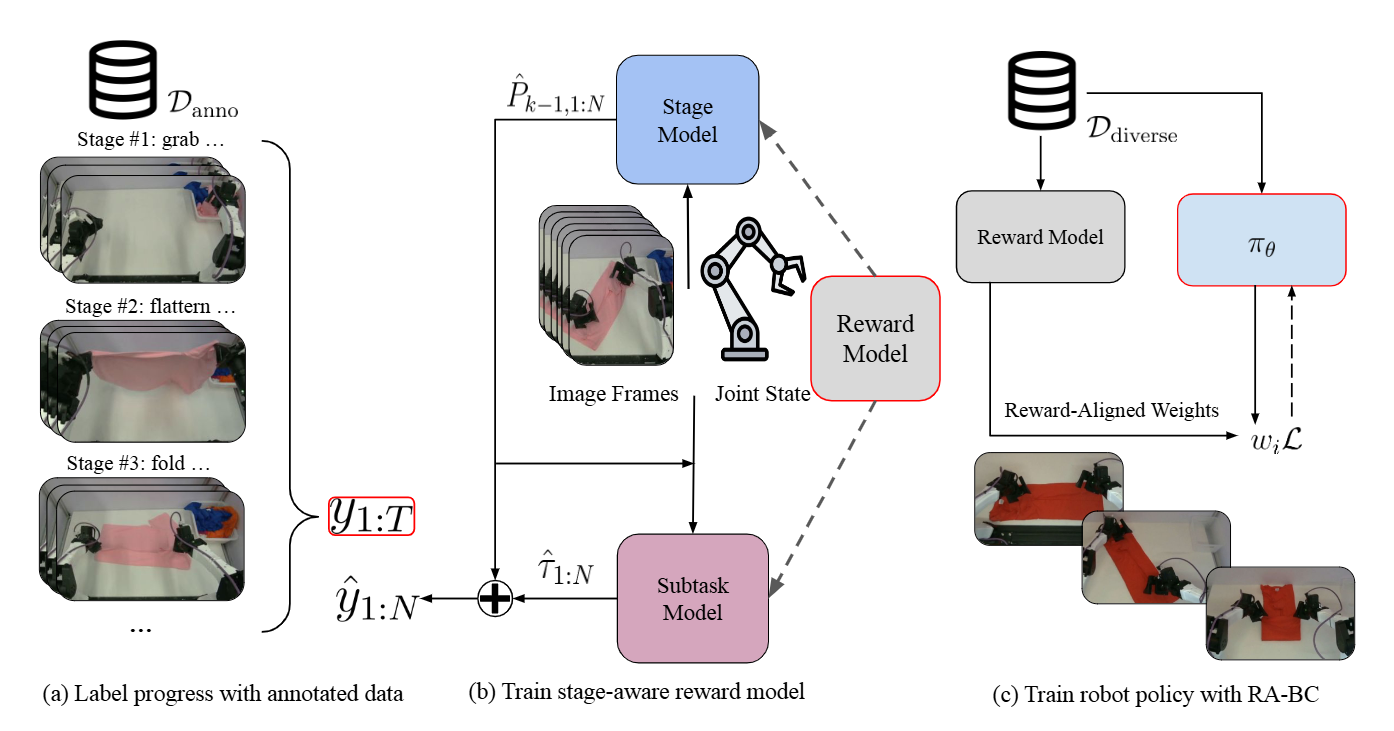
Before the robot starts self-learning, you need to provide a "starting point" — a small set of demos (~15 episodes) so the policy has an initial baseline. Additionally, you train a reward classifier — a small CNN that classifies "success" vs "failure" — so the robot knows when it is doing the right thing.
If you have read the post on RL basics, this is exactly how we solve the sparse reward problem — instead of designing complex reward functions, you use a classifier that learns from data.
2. Actor-Learner SAC Loop + Human Interventions
The training architecture splits into two processes running in parallel:
| Process | Role | Runs on |
|---|---|---|
| Actor | Controls the real robot, collects experience | Machine connected to robot |
| Learner | Updates policy from replay buffer | Powerful GPU (same or different machine) |
The two processes communicate via gRPC — the Actor sends transitions (state, action, reward, next_state) to the Learner, and the Learner sends back updated policy weights.
The RL algorithm used is SAC (Soft Actor-Critic) — an off-policy algorithm famous for sample efficiency, perfect for real robots where every interaction is precious.
The key point: while the Actor runs the policy, a human holds a gamepad and can intervene at any time. When the policy is about to do something dangerous (collision, dropping an object), you press the trigger to take over and manually control for a few seconds before handing back to the policy.
3. Safety Tools
HIL-SERL provides safety mechanisms:
- Joint limits: constrain the exploration space so the robot cannot leave the safe workspace
- End-effector control: instead of controlling individual joints (dangerous), control end-effector position (much safer)
- Emergency stop: press a button to stop immediately
- Workspace bounds: a 3D box within which the robot is allowed to move
Comparison with SimpleVLA-RL
If you are familiar with SimpleVLA-RL, the key difference:
| Feature | SimpleVLA-RL | HIL-SERL |
|---|---|---|
| Environment | Simulation only | Real robot |
| Human involvement | None | Real-time intervention |
| Safety | Sim reset | Joint limits + workspace bounds |
| Sample efficiency | Moderate | High (SAC + demos) |
| Hardware | GPU only | GPU + robot + gamepad + camera |
Hardware Requirements
Before diving into code, prepare the following hardware:
| Device | Requirements | Estimated Cost |
|---|---|---|
| GPU | NVIDIA with ≥8GB VRAM (RTX 3060+) | Already have |
| Robot arm | SO-100 or SO-101 follower | $200–$500 |
| Leader arm (optional) | SO-100/SO-101 leader for teleop | $200–$500 |
| Gamepad | Xbox/PS USB controller | $30–$50 |
| USB Camera | Logitech C920 or similar, 1–2 units | $50–$80 each |
| Workspace | Flat table, large enough for robot + objects | Already have |
Minimum total cost: ~$300 (using gamepad instead of leader arm)

Step 1: Install LeRobot with HIL-SERL
HIL-SERL is an extension module in LeRobot v0.5. Installation is straightforward:
# Clone LeRobot if you haven't already
git clone https://github.com/huggingface/lerobot.git
cd lerobot

# Install with HIL-SERL extras
pip install -e ".[hilserl]"
The hilserl package pulls additional dependencies:
grpcio— Actor-Learner communicationgymnasium— gym environment wrapper- Utilities for reward classification and data processing
Verify the installation:
python -c "from lerobot.rl import actor, learner; print('HIL-SERL ready!')"
Step 2: Find Workspace Bounds (Joint Limits)
This step is critically important and often skipped. You need to define the safe zone within which the robot is allowed to move during exploration.
lerobot-find-joint-limits \
    --robot.type=so100_follower \
    --teleop.type=so100_leader \
    --teleop.port=/dev/ttyACM1
This command will:
- Connect to the follower robot and leader arm
- You move the follower using the leader arm to extreme positions of the workspace
- The script records min/max for each joint
- Outputs a config file with joint limits
Why is this necessary?
In RL, the policy will try random actions — especially early in training. Without joint limits:
- The robot can slam into the table
- The gripper can try to open past its mechanical limit
- The arm can rotate into self-collision positions
Joint limits create a "safety box" — the policy can only explore within this box.
If you are using a gamepad instead of a leader arm:
lerobot-find-joint-limits \
    --robot.type=so100_follower \
    --teleop.type=gamepad \
    --teleop.port=/dev/input/js0
Use analog sticks to move the robot to extreme positions, then press the confirm button.
Important note: Joint limits also enable switching to end-effector control mode — instead of sending target angles for each joint, you send target positions (x, y, z) and orientation for the end-effector. This is much safer for RL because the action space is smaller and more intuitive.
Step 3: Collect Demonstrations (~15 Episodes)
HIL-SERL needs a small demo set to:
- Warm-start the policy — give the policy a good baseline instead of starting from random
- Train the reward classifier — distinguish success from failure
- Fill the replay buffer — SAC needs initial data to begin learning
Environment configuration
Create env_config.json:
{
    "mode": "record",
    "fps": 10,
    "control_mode": "gamepad",
    "robot_type": "so100_follower",
    "cameras": {
        "top": "/dev/video0",
        "wrist": "/dev/video2"
    },
    "workspace_bounds": {
        "x": [-0.15, 0.15],
        "y": [0.10, 0.40],
        "z": [0.01, 0.25]
    },
    "episode_length": 300,
    "dataset_repo_id": "your-username/hilserl-pickup-demos"
}
Collecting with gamepad
python -m lerobot.rl.gym_manipulator --config_path env_config.json
Gamepad mapping during collection:
| Button | Function |
|---|---|
| Left stick | Move end-effector X/Y |
| Right stick | Move end-effector Z / rotate |
| Right trigger (RT) | Close gripper |
| Left trigger (LT) | Open gripper |
| A (Xbox) / X (PS) | Mark episode success |
| B (Xbox) / O (PS) | Mark episode failure |
| Y (Xbox) / triangle (PS) | Rerecord current episode |
| Start | End session |
Tips for good demos
- Vary starting positions: Place objects at different positions on the table
- Vary strategies: Sometimes approach from the left, sometimes from the right
- Natural speed: Not too fast, not too slow — about 2-3 seconds per action
- ~15 episodes is enough: HIL-SERL is designed for small datasets. More demos do not help much beyond this point
- Quality over quantity: Each demo should be successful and smooth
Step 4: Process Dataset — Crop ROI
This is a step many people skip but it significantly impacts results. RL is highly sensitive to background distractions — if the camera sees the entire room, the policy may get "distracted" by irrelevant objects.
python -m lerobot.rl.crop_dataset_roi \
    --repo-id your-username/hilserl-pickup-demos
This command will:
- Display the first frame from each camera
- You draw a bounding box around the workspace area
- All frames are cropped to the selected ROI
- Resized to 128x128 pixels
Why 128x128? It is a trade-off between information and speed:
- RL needs fast inference (10 FPS real-time)
- With a SAC policy (not a large VLA), 128x128 contains enough information
- Low GPU memory usage means you can store more frames in the replay buffer
Why is cropping important?
Imagine you are learning to cook. If someone keeps walking back and forth behind you, you will get distracted. RL works the same way — the policy tries to find patterns in the entire image, and background noise significantly slows down learning. Cropping to the workspace helps the policy focus on what matters.
Step 5: Train the Reward Classifier
The reward classifier is a small CNN that classifies the current state as "success" or "failure". This step is optional but highly recommended because:
- No need to hand-design reward functions (very hard for manipulation)
- The classifier learns from the demos you already collected
- More accurate than binary reward (success at end of episode or not)
Collect reward data (optional)
For a more accurate classifier, collect additional data with terminate_on_success=false:
{
    "mode": "record",
    "terminate_on_success": false,
    "episode_length": 500
}
When terminate_on_success=false, the episode continues even after the task succeeds, giving you more positive examples (frames in the success state).
Train the classifier
Create reward_classifier_train_config.json:
{
    "model": "resnet10",
    "cameras": ["top", "wrist"],
    "classification": "binary",
    "dataset_repo_id": "your-username/hilserl-pickup-demos",
    "batch_size": 32,
    "num_epochs": 50,
    "learning_rate": 1e-3,
    "output_dir": "./reward_classifier"
}
lerobot-train --config_path reward_classifier_train_config.json
The classifier uses ResNet-10 — a compact CNN that is powerful enough for binary classification. It takes input from 2 cameras (top + wrist) and outputs the probability of success.
Validation accuracy should be >90% before proceeding. If it is lower, collect more demos or double-check your labels.
Step 6: Train RL with Actor-Learner Architecture
This is the main event — where the robot truly "learns by itself". You need to open two terminals running in parallel.

Create the training config
File train_config.json:
{
    "policy": {
        "type": "sac",
        "actor_lr": 3e-4,
        "critic_lr": 3e-4,
        "temperature_init": 1e-2,
        "discount": 0.99,
        "tau": 0.005,
        "image_encoder": "resnet10",
        "storage_device": "cuda"
    },
    "environment": {
        "fps": 10,
        "robot_type": "so100_follower",
        "cameras": {
            "top": "/dev/video0",
            "wrist": "/dev/video2"
        },
        "control_mode": "end_effector",
        "workspace_bounds": "from_joint_limits"
    },
    "training": {
        "replay_buffer_size": 100000,
        "batch_size": 256,
        "utd_ratio": 10,
        "policy_parameters_push_frequency": 4,
        "max_episodes": 500,
        "warmup_episodes": 0
    },
    "human_intervention": {
        "enabled": true,
        "device": "gamepad",
        "port": "/dev/input/js0"
    },
    "reward_classifier": {
        "path": "./reward_classifier/best_model.pt"
    },
    "dataset": {
        "demo_repo_id": "your-username/hilserl-pickup-demos"
    }
}
Terminal 1: Start the Learner
python -m lerobot.rl.learner --config_path train_config.json
The Learner will:
- Load demo data into the replay buffer
- Initialize the SAC policy
- Begin listening for transitions from the Actor via gRPC
- Continuously sample batches from the replay buffer and update the policy
- Push new policy weights to the Actor every 4 seconds
Terminal 2: Start the Actor
python -m lerobot.rl.actor --config_path train_config.json
The Actor will:
- Connect to the real robot
- Receive policy weights from the Learner
- Run the policy on the robot, collecting (state, action, reward, next_state)
- Send transitions to the Learner
- Listen for gamepad input — if you press the trigger, the Actor switches to manual control
Actor-Learner Data Flow
Actor (real robot)                    Learner (GPU)
     |                                      |
     |  --- transitions (gRPC) ---------->  |
     |                                      |  -> Add to replay buffer
     |                                      |  -> Sample batch
     |                                      |  -> Update SAC (critic + actor)
     |  <-- policy weights (gRPC) --------  |
     |                                      |
     |  -> Run new policy                   |
     |  -> Collect new transitions          |
     +--------------------------------------+
              (continuous loop)
The Art of Human Intervention
Human intervention is the deciding factor in HIL-SERL's success. This is not just "pressing a button to save the robot" — it is a skill that requires practice.
When to intervene
| Situation | Intervene? | Reason |
|---|---|---|
| Robot about to collide hard | Yes — immediately | Protect hardware |
| Robot going wrong direction but safe | No | Let it experience failure and learn |
| Robot repeating same mistake | Yes — gently | Show it the correct path |
| Robot almost succeeding but missing | No | It will self-correct over multiple attempts |
| Robot completely frozen | Yes | Reset episode and start over |
Golden Rules
-
Let the policy explore first: In the first 5-10 episodes, minimize interventions (unless dangerous). The policy needs to experience failure to learn.
-
Short interventions, not long ones: When taking over, intervene just enough to correct the direction, then hand back control immediately. Long interventions mean you are doing demonstrations, not teaching RL.
-
Intervention rate must decrease over time: This is the most important metric.
- Episodes 1-20: intervention rate ~50-70% (policy is immature)
- Episodes 50-100: intervention rate ~20-30% (learning)
- Episodes 100+: intervention rate <10% (near convergence)
- If the intervention rate is not decreasing, check config/reward
-
Consistency: Intervene in the same "style". If you previously taught the robot to approach from the left, do not suddenly teach from the right.
Key Hyperparameters
temperature_init: 1e-2
This is SAC's entropy temperature — it controls the balance between exploration and exploitation.
- High (1e-1): more random policy, more exploration — good early on but slow to converge
- Low (1e-3): more deterministic policy, more exploitation — converges fast but can get stuck
- 1e-2 is the sweet spot for most manipulation tasks
SAC automatically adjusts the temperature during training, so the initial value is not critical. But if it is too high, the robot will behave erratically at the start of training.
policy_parameters_push_frequency: 4 (seconds)
How often the Learner pushes new weights to the Actor.
- Low (1-2s): Actor always uses the latest policy — faster learning but higher bandwidth
- High (10-20s): Actor uses stale policy — slower learning but more stable
- 4s is a good default — balances freshness and stability
storage_device: "cuda"
Determines where the replay buffer is stored.
- "cuda": Stored on GPU — 10x faster sampling but uses VRAM
- "cpu": Stored on RAM — slower but saves VRAM
If you have a GPU with 16GB+ VRAM, use "cuda". With 8GB, "cpu" is the safer choice.
utd_ratio: 10
Update-to-Data ratio — the number of policy updates per new transition.
- High (20-50): policy updated more per sample — more sample efficient but prone to overfitting
- Low (1-4): fewer updates — more stable but needs more data
- 10 is standard for HIL-SERL, validated across many tasks
Expected Training Time
| Task | Demos | RL Episodes | Real Time | Hardware |
|---|---|---|---|---|
| Simple pick & place | 15 | 100-200 | 1-2 hours | RTX 3060 + SO-100 |
| Stacking 2 cubes | 15 | 200-400 | 2-4 hours | RTX 3060 + SO-100 |
| Insertion (peg-in-hole) | 20 | 300-500 | 3-5 hours | RTX 4070 + SO-101 |
| Multi-step assembly | 25 | 500-1000 | 5-8 hours | RTX 4090 + SO-101 |
For comparison: Pure RL (without demos, without human interventions) typically requires 10-100x more time for the same task. HIL-SERL achieves remarkable sample efficiency by combining all three ingredients.
Common Troubleshooting
Robot movements are jerky and not smooth
Cause: FPS is too high for the inference speed.
Fix: Reduce fps in the config from 10 to 5. Check GPU utilization — if it is >95%, model inference is the bottleneck.
Intervention rate not decreasing after 100+ episodes
Cause: Reward classifier is inaccurate, or the task is too hard for the current number of demos.
Fix:
- Check reward classifier accuracy on the validation set
- Collect 10-15 more demos if the task is complex
- Simplify the task (e.g., reduce variation in object positions)
Actor and Learner lose connection
Cause: gRPC timeout or network issues.
Fix: Ensure both processes run on the same machine. If running on separate machines, make sure the firewall allows the gRPC port (default 50051).
Policy "forgets" after having learned well
Cause: Catastrophic forgetting — the replay buffer gets overwritten by low-quality new data.
Fix: Increase replay_buffer_size and ensure demo data is always kept in the buffer (check demo_ratio in the config).
Comparison: HIL-SERL vs Pure Imitation Learning
Now that we understand both methods from this series (imitation learning via SmolVLA and RL via HIL-SERL), let us compare:
| Criterion | Imitation Learning | HIL-SERL |
|---|---|---|
| Data needed | 50-200 demos | 15 demos + RL episodes |
| Demo time | 30-60 minutes | 10-15 minutes |
| Training time | 2-8 hours (GPU only) | 1-5 hours (GPU + robot) |
| Robot needed during training | No | Yes |
| Self-improving | No | Yes |
| Can exceed demo quality | No | Yes |
| Setup complexity | Medium | High |
When to use which?
- Imitation Learning: Simple tasks, high-quality demos, no need to exceed human performance
- HIL-SERL: Challenging tasks, need policy better than demos, willing to sit with the robot
Ideal workflow: Start with imitation learning (fast, simple), and if it is not good enough, fine-tune with HIL-SERL. This is exactly the "best of both worlds" philosophy we will explore in the next post about PEFT/LoRA deployment.
Conclusion
HIL-SERL is one of the most groundbreaking features in LeRobot v0.5. It transforms real-robot reinforcement learning — once considered "only for million-dollar labs" — into something anyone with an SO-100 robot, a gamepad, and a few spare hours can do.
Remember three core principles:
- Good demos = good start — 15 high-quality episodes
- Crop ROI = focus — remove distractions, accelerate learning
- Human intervention = an art — intervene at the right time, in the right amount, and decrease over time
In the next post, we will wrap up the series with a production-ready workflow: PEFT/LoRA fine-tuning to save GPU resources and deploying VLAs on real robots with Real-Time Chunking. Continue reading at PEFT/LoRA Fine-tuning & VLA Deployment.
Related Posts
- LeRobot v0.5: What's New — Overview of all new features in version 0.5
- RL Basics for Robotics — Essential RL theory you need before using HIL-SERL
- LeRobot Ecosystem Guide — Comprehensive guide to the LeRobot ecosystem