Why K3s for Edge Robot Fleet?
Managing Docker on a single edge device is simple — but when your fleet scales to 50, 100, or 500 robots, you need an orchestrator. K3s is a lightweight Kubernetes distribution, developed by Rancher (now part of SUSE) specifically for edge and IoT. The binary is only ~70MB, runs smoothly on ARM64 with 512MB RAM — perfect for robots running Jetson Nano, Raspberry Pi, or any single-board computer.
Unlike full K8s, K3s removes unnecessary edge components (cloud controller, heavy storage drivers) and replaces etcd with SQLite or a much lighter embedded etcd. Result: you get full Kubernetes API without needing beefy servers.

Architecture: Control Plane + K3s Agents
The deployment model for robot fleet has 2 layers:
┌──────────────────────────────────────────────┐
│          CONTROL PLANE (Cloud/Server)         │
│  ┌────────────┐ ┌──────────┐ ┌─────────────┐│
│  │ K3s Server │ │ FluxCD   │ │ Prometheus  ││
│  │ (API)      │ │ (GitOps) │ │ + Grafana   ││
│  └────────────┘ └──────────┘ └─────────────┘│
│          │          │              │          │
│          ▼          ▼              ▼          │
│      ┌─────── Tailscale VPN Mesh ──────┐    │
└──────┼──────────────────────────────────┼────┘
       │                                  │
┌──────▼──────┐  ┌──────────────┐  ┌─────▼───────┐
│  Robot #1   │  │  Robot #2    │  │  Robot #N   │
│  K3s Agent  │  │  K3s Agent   │  │  K3s Agent  │
│  ARM64      │  │  ARM64       │  │  ARM64      │
│  Jetson     │  │  RPi 4       │  │  Jetson     │
└─────────────┘  └──────────────┘  └─────────────┘
Control plane runs on a cloud server (could be OCI free tier ARM64) — hosting K3s server, GitOps controller, and monitoring stack. Each robot runs K3s agent, automatically joining the cluster via VPN mesh.
Installing K3s Server and Agent
K3s Server (on cloud)
# Install K3s server with embedded etcd
curl -sfL https://get.k3s.io | INSTALL_K3S_EXEC="server \
  --cluster-init \
  --tls-san=k3s.vnrobo.com \
  --disable=traefik \
  --write-kubeconfig-mode=644" sh -

# Get token for agents to join
cat /var/lib/rancher/k3s/server/node-token
K3s Agent (on each robot)
# Install K3s agent — just one command
curl -sfL https://get.k3s.io | K3S_URL="https://k3s.vnrobo.com:6443" \
  K3S_TOKEN="<server-token>" \
  INSTALL_K3S_EXEC="agent \
    --node-label=robot-type=welding \
    --node-label=factory=hanoi-01 \
    --node-label=zone=production" sh -
Labels let you target deployments to specific robot groups — for example, update only welding robots at Hanoi factory.
Docker Multi-Stage Build for ARM64
Each robot runs its own container application. Multi-stage build keeps images small for edge:
# === Build stage ===
FROM --platform=$TARGETPLATFORM python:3.11-slim AS builder

WORKDIR /app
COPY requirements.txt .
RUN pip install --no-cache-dir --prefix=/install -r requirements.txt

COPY src/ ./src/
# Pre-compile Python files
RUN python -m compileall src/

# === Runtime stage ===
FROM --platform=$TARGETPLATFORM python:3.11-slim

RUN groupadd -r robot && useradd -r -g robot -d /app robot
COPY --from=builder /install /usr/local
COPY --from=builder /app/src /app/src

WORKDIR /app
USER robot

HEALTHCHECK --interval=30s --timeout=5s \
  CMD python -c "import requests; requests.get('http://localhost:8080/health')"

CMD ["python", "src/main.py"]
Build multi-architecture and push to registry:
# Create buildx builder
docker buildx create --name fleet-builder --use

# Build ARM64 + AMD64, push to ghcr.io
docker buildx build \
  --platform linux/arm64,linux/amd64 \
  -t ghcr.io/vnrobo/robot-controller:v2.1.0 \
  -t ghcr.io/vnrobo/robot-controller:latest \
  --push .
Image is only ~85MB instead of ~900MB — saves bandwidth during OTA updates over 4G/5G.
FluxCD: GitOps for Robot Fleet
GitOps means Git repository is the single source of truth. You push manifests to Git, FluxCD automatically reconciles cluster state. No SSH into individual robots, no manual kubectl apply commands.
Installing FluxCD
# Bootstrap FluxCD into K3s cluster
flux bootstrap github \
  --owner=vnrobo \
  --repository=fleet-config \
  --path=clusters/production \
  --personal
Git Repository Structure
fleet-config/
├── clusters/
│   └── production/
│       ├── flux-system/         # FluxCD components
│       └── kustomization.yaml   # Entry point
├── apps/
│   ├── robot-controller/
│   │   ├── deployment.yaml
│   │   ├── service.yaml
│   │   └── kustomization.yaml
│   └── telemetry-agent/
│       ├── daemonset.yaml
│       └── kustomization.yaml
└── infrastructure/
    ├── monitoring/
    │   ├── prometheus.yaml
    │   └── grafana.yaml
    └── networking/
        └── tailscale.yaml
Kubernetes Manifests for Robots
# apps/robot-controller/deployment.yaml
apiVersion: apps/v1
kind: Deployment
metadata:
  name: robot-controller
  namespace: fleet
spec:
  replicas: 1  # 1 per robot node
  selector:
    matchLabels:
      app: robot-controller
  template:
    metadata:
      labels:
        app: robot-controller
    spec:
      nodeSelector:
        robot-type: welding        # Deploy only to welding robots
      tolerations:
        - key: "edge"
          operator: "Exists"
      containers:
        - name: controller
          image: ghcr.io/vnrobo/robot-controller:v2.1.0
          resources:
            limits:
              memory: "256Mi"
              cpu: "500m"
            requests:
              memory: "128Mi"
              cpu: "250m"
          env:
            - name: ROBOT_ID
              valueFrom:
                fieldRef:
                  fieldPath: spec.nodeName
            - name: MQTT_BROKER
              value: "mqtt.vnrobo.com"
          ports:
            - containerPort: 8080
          livenessProbe:
            httpGet:
              path: /health
              port: 8080
            initialDelaySeconds: 10
            periodSeconds: 30
OTA Updates: Rolling and Canary
Rolling Update — Sequential Update
By default, K8s rolling update updates pods one by one. With robot fleet, you want tighter control:
# apps/robot-controller/deployment.yaml
spec:
  strategy:
    type: RollingUpdate
    rollingUpdate:
      maxUnavailable: 1       # Maximum 1 robot offline at a time
      maxSurge: 0             # No new pods (edge has no spare resources)
Canary Deployment — Test on Few Robots First
Use Flagger (FluxCD add-on) for canary deployments:
# apps/robot-controller/canary.yaml
apiVersion: flagger.app/v1beta1
kind: Canary
metadata:
  name: robot-controller
  namespace: fleet
spec:
  targetRef:
    apiVersion: apps/v1
    kind: Deployment
    name: robot-controller
  progressDeadlineSeconds: 600
  analysis:
    interval: 60s
    threshold: 3              # 3 failures → rollback
    iterations: 5             # 5 verification rounds
    metrics:
      - name: error-rate
        thresholdRange:
          max: 1              # Rollback if error > 1%
        interval: 60s
      - name: latency-p99
        thresholdRange:
          max: 500            # Rollback if p99 > 500ms
        interval: 60s
Canary workflow: push new image to Git, FluxCD detects change, Flagger deploys to 10% of robots, monitors metrics, if OK continues rollout, if error auto-rollback. Zero human intervention.
Monitoring: Prometheus + Grafana on Edge
Each robot exposes metrics via /metrics endpoint. Prometheus on control plane scrapes over VPN:
# infrastructure/monitoring/prometheus-scrape.yaml
apiVersion: monitoring.coreos.com/v1
kind: ServiceMonitor
metadata:
  name: robot-metrics
  namespace: monitoring
spec:
  selector:
    matchLabels:
      app: robot-controller
  endpoints:
    - port: metrics
      interval: 30s
      path: /metrics
  namespaceSelector:
    matchNames:
      - fleet
Key metrics to collect from robots:
| Metric | Description | Alert Threshold |
|---|---|---|
robot_cpu_temp |
CPU temperature | > 80°C |
robot_battery_pct |
Battery remaining | < 20% |
robot_task_latency_ms |
Processing latency | > 200ms (p95) |
robot_connection_status |
Connection status | == 0 (offline) |
robot_error_count |
Cumulative errors | > 10/min |
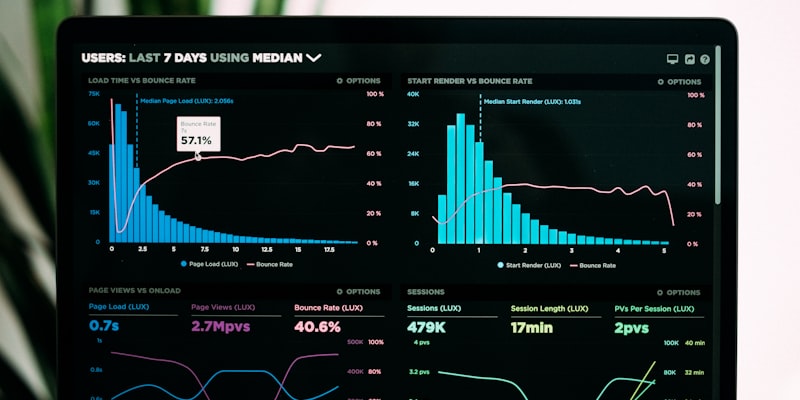
Grafana dashboard displays fleet overview: factory map with real-time robot status, historical performance charts, and alerts for anomalies.
Networking: Tailscale VPN Mesh
Robots in factories are typically behind NAT and complex firewalls. Tailscale (built on WireGuard) creates peer-to-peer mesh VPN — each robot connects directly to control plane without opening ports:
# On each robot — single command
curl -fsSL https://tailscale.com/install.sh | sh
tailscale up --authkey=tskey-auth-xxxxx --hostname=robot-$(hostname)
Advantages over traditional VPN:
- Zero-config firewall: no need to open factory router ports
- Auto-reconnect: robots reconnect automatically after network loss
- Granular ACL: control plane accesses robots, but robots don't access each other
- MagicDNS: reference robots by name
robot-hanoi-01instead of IP
For self-hosted solution, Headscale is an open-source alternative to Tailscale server.
End-to-End Deployment Process
Complete workflow summary from code to robot:
Developer pushes code
       │
       ▼
GitHub Actions: build + test + push ARM64 image
       │
       ▼
Developer updates image tag in fleet-config repo
       │
       ▼
FluxCD detects change (polls every 60s)
       │
       ▼
Flagger canary deploys: 10% of robots
       │
       ▼
Prometheus checks metrics (5 rounds × 60s)
       │
       ├── OK → Rollout 100% fleet
       └── FAIL → Auto rollback
Entire process requires no SSH into any robot. You just push code and push manifests — the system handles the rest.
Conclusion
Docker + K3s + FluxCD is a powerful combination for robot fleet management. K3s brings Kubernetes power to small edge devices, FluxCD makes Git your single source of truth, and Tailscale solves complex factory networking. With canary deployment and automatic monitoring, you can confidently update hundreds of robots without downtime worries.
If your fleet is under 20 robots, Docker Compose + Watchtower may be enough (see Docker for IoT article). But when you scale, K3s is the natural next step — and you won't regret it.
Related Articles
- Kubernetes for Robot Fleet: From Docker to K8s — Overview of Kubernetes architecture for robotics
- Deploying IoT Applications with Docker and Docker Compose — Docker fundamentals for edge devices
- Robot Fleet Management: Monitoring and Coordination — Fleet management overview
