GR00T whole-body VLA data: dùng open dataset
Disclosure: Bài viết có thể chứa affiliate/referral links. Nếu bạn mua hoặc đăng ký qua các link đó, VnRobo có thể nhận commission hoặc credit. Nội dung kỹ thuật ưu tiên tính đúng và khả năng chạy được.
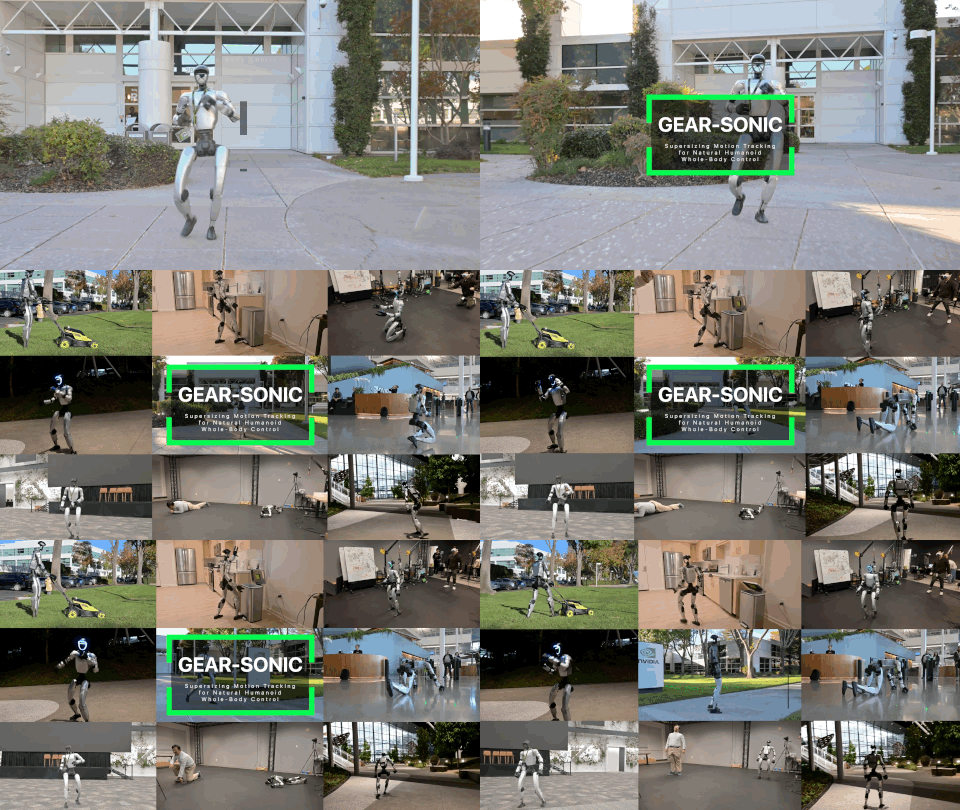
Series này nói thẳng vào phần dễ lỗi nhất khi dùng NVIDIA Isaac-GR00T cho whole-body VLA: dữ liệu. Model GR00T N1.5/N1.7 không chỉ cần ảnh và câu lệnh; nó cần dataset đúng format, đúng state/action slicing, đúng modality.json, đúng embodiment-tag, và nếu dùng whole-body kiểu UNITREE_G1 / GEAR-SONIC, action space còn phải khớp với decoder/controller.
Phần 1 dùng open/public dataset. Mục tiêu là bạn có một dataset tải từ Hugging Face, verify được theo format GR00T-LeRobot rồi chạy được fine-tune hoặc ít nhất open-loop inference.
Nguồn chính và điều cần biết trước
Theo README hiện tại của NVIDIA/Isaac-GR00T, GR00T N1.7 dùng workflow: prepare data → inference → fine-tune → evaluate → deploy. Dataset dùng flavor của LeRobot v2 và cần thêm meta/modality.json để mô tả cách tách state/action/video. N1.7 hiện là Early Access, nên một số path/flag có thể đổi trước GA.
Nguồn kỹ thuật nên đọc kèm:
- NVIDIA/Isaac-GR00T README
- Isaac-GR00T data preparation guide
- Isaac-GR00T fine-tune new embodiment
- Isaac-GR00T policy API / embodiment tags
- GR00T-WholeBodyControl VLA workflow
- GR00T-WholeBodyControl VLA inference
Những dataset public đáng xem:
| Dataset | Khi nào dùng | Ghi chú |
|---|---|---|
nvidia/Arena-G1-Loco-Manipulation-Task |
Sim/public G1 loco-manipulation | Có thư mục lerobot, meta/modality.json, được mô tả là GR00T-Lerobot formatted dataset. |
nvidia/PhysicalAI-Robotics-GR00T-Teleop-G1 |
Real/teleop G1 public examples | Có các task con như g1-pick-pear, cấu trúc LeRobot + modality.json. |
PID0930/g1-inspire-pick-cube-gr00t-lerobot |
Unitree G1 + Inspire hands, nhỏ để smoke test | Dataset card ghi dùng NEW_EMBODIMENT và config riêng. Cần kiểm chứng path config trong repo của bạn. |
SensoriRobotics/g1_locomanipulation_sdg |
Synthetic G1 loco-manipulation | Dataset card ghi LeRobot v2.0 cho GR00T N1.6; phù hợp học format/mix data. |
Không phải dataset G1 nào cũng dùng được với UNITREE_G1_SONIC. Nếu action là raw joint positions, base velocity hoặc custom hand pose, bạn thường phải dùng NEW_EMBODIMENT và modality config riêng. Nếu dataset là SONIC latent action space, lúc đó mới dùng UNITREE_G1_SONIC.
Lộ trình thực dụng để chạy thành công
Nếu mục tiêu của bạn là thật sự train/infer được, đừng bắt đầu bằng custom sim hay robot thật ngay. Đi theo thứ tự này:
1. Tải một public GR00T-LeRobot dataset đã có meta/modality.json
2. Verify dataset và in thử 1 parquet row
3. Chạy smoke fine-tune 100 step với config khớp dataset
4. Load checkpoint bằng open-loop eval hoặc PolicyServer
5. Sau đó mới thay bằng data sim hoặc data real của bạn
6. Nếu dùng G1 + SONIC, giữ rõ 2 phần:
   - GR00T VLA fine-tune: học action 78-dim SONIC latent + hands
   - SONIC controller training: học decoder/controller, xem Phần 4
Điểm quan trọng: Phần 1-3 không train SONIC controller từ motion data. Chúng train/fine-tune GR00T VLA trên LeRobot dataset. SONIC controller có thể dùng checkpoint đã release; chỉ tự train/fine-tune SONIC khi bạn cần controller/motion foundation mới hoặc embodiment mới.
1.1 Download open dataset
Mục tiêu
Tải dataset public về local, không làm mất cấu trúc thư mục, và xác định nó thuộc loại:
- SONIC latent whole-body: dùng
UNITREE_G1_SONIC. - G1 raw/custom action: dùng
NEW_EMBODIMENT+ modality config riêng. - Arm/tabletop dataset: không phù hợp trực tiếp cho whole-body, chỉ dùng để test loader hoặc code path.
Yêu cầu môi trường
Máy tải dataset:
- Ubuntu 22.04/24.04 hoặc Linux tương đương.
- Python 3.10+.
git-lfs,uv,huggingface_hub.- Dung lượng trống: ít nhất 2-10 GB cho public dataset nhỏ; nhiều hơn nếu tải dataset video lớn.
Máy train/inference:
- Inference/open-loop nhỏ: GPU 16-24 GB VRAM có thể thử với batch nhỏ, nhưng dễ OOM.
- Fine-tune debug: thực dụng hơn với 1 GPU 48-80 GB VRAM.
- Fine-tune whole-body nghiêm túc: 4+ GPU 80 GB VRAM là mức nên chuẩn bị. NVIDIA GEAR docs khuyến nghị multi-GPU cho workflow G1/SONIC.
- N1.7 base model tải từ Hugging Face khoảng nhiều GB; cần network ổn định.
Setup repo Isaac-GR00T
sudo apt update
sudo apt install -y git git-lfs
git lfs install

git clone --recurse-submodules https://github.com/NVIDIA/Isaac-GR00T.git
cd Isaac-GR00T

# Theo README N1.7, repo dùng uv.
curl -LsSf https://astral.sh/uv/install.sh | sh
uv sync --all-extras

# Nếu dataset/model cần auth hoặc license acceptance.
uv run hf auth login
Nếu đã clone thiếu submodule:
git submodule update --init --recursive
Tải dataset Arena G1 có thư mục LeRobot
Dataset nvidia/Arena-G1-Loco-Manipulation-Task là lựa chọn tốt để học format vì card ghi có dataset GR00T-Lerobot converted trong thư mục lerobot.
mkdir -p datasets

uv run hf download nvidia/Arena-G1-Loco-Manipulation-Task \
  --repo-type dataset \
  --include "lerobot/**" \
  --local-dir datasets/arena_g1_loco

find datasets/arena_g1_loco -maxdepth 3 -type f | head -40
Nếu repo lưu trực tiếp lerobot/meta, dataset root để đưa vào GR00T sẽ là:
export DATASET_ROOT="$PWD/datasets/arena_g1_loco/lerobot"
Nếu hf download tạo thêm lớp thư mục, kiểm tra bằng:
find datasets/arena_g1_loco -name modality.json -print
Tải G1 teleop public example
uv run hf download nvidia/PhysicalAI-Robotics-GR00T-Teleop-G1 \
  --repo-type dataset \
  --include "g1-pick-pear/**" \
  --local-dir datasets/g1_teleop_public

export DATASET_ROOT="$PWD/datasets/g1_teleop_public/g1-pick-pear"
Dataset này có meta/modality.json với các slice state/action như left_leg, right_leg, waist, left_arm, left_hand, right_arm, right_hand. Đây là ví dụ tốt để hiểu whole-body slicing, nhưng lệnh train chính xác phụ thuộc config/embodiment mà checkpoint của bạn hỗ trợ.
Tải dataset nhỏ để smoke test
uv run hf download PID0930/g1-inspire-pick-cube-gr00t-lerobot \
  --repo-type dataset \
  --local-dir datasets/g1_inspire_pick_cube

export DATASET_ROOT="$PWD/datasets/g1_inspire_pick_cube"
Dataset card ghi dùng --embodiment-tag NEW_EMBODIMENT và examples/G1Inspire/g1_inspire_config.py. Path này cần kiểm chứng theo branch Isaac-GR00T bạn đang dùng; nếu file không tồn tại, bạn phải tự tạo modality config từ meta/modality.json.
1.2 Chuyển/verify GR00T-LeRobot format
Mục tiêu
Dataset hợp lệ phải có ít nhất:
dataset_root/
├── meta/
│   ├── info.json
│   ├── episodes.jsonl
│   ├── tasks.jsonl
│   └── modality.json
├── data/
│   └── chunk-000/
│       ├── episode_000000.parquet
│       └── episode_000001.parquet
└── videos/
    └── chunk-000/
        └── observation.images.ego_view/
            ├── episode_000000.mp4
            └── episode_000001.mp4
Một số LeRobot v2.1 exporter lưu parquet dưới dạng data/train-00000.parquet thay vì data/chunk-000/episode_*.parquet. GR00T docs mô tả cấu trúc chunk/episode, nhưng GR00T-WholeBodyControl data collection docs cũng hiển thị output data/train-00000.parquet. Vì vậy:
- Nếu dataset đến từ GR00T-WholeBodyControl exporter mới, loader có thể vẫn nhận.
- Nếu loader Isaac-GR00T của bạn lỗi, cần chuyển về layout chunk/episode hoặc dùng branch đúng version. Đây là điểm cần kiểm chứng theo version.
Kiểm tra file bắt buộc
test -f "$DATASET_ROOT/meta/info.json"
test -f "$DATASET_ROOT/meta/episodes.jsonl"
test -f "$DATASET_ROOT/meta/tasks.jsonl"
test -f "$DATASET_ROOT/meta/modality.json"

python -m json.tool "$DATASET_ROOT/meta/modality.json" | head -80
head -3 "$DATASET_ROOT/meta/episodes.jsonl"
head -3 "$DATASET_ROOT/meta/tasks.jsonl"
find "$DATASET_ROOT/data" -type f | head
find "$DATASET_ROOT/videos" -type f | head
Script verify nhanh
Tạo script:
mkdir -p tools
cat > tools/verify_groot_lerobot_dataset.py <<'PY'
import argparse
import json
from pathlib import Path

import pandas as pd

def read_jsonl(path):
    rows = []
    with path.open("r", encoding="utf-8") as f:
        for line in f:
            line = line.strip()
            if line:
                rows.append(json.loads(line))
    return rows

def main():
    parser = argparse.ArgumentParser()
    parser.add_argument("dataset")
    args = parser.parse_args()

    root = Path(args.dataset)
    meta = root / "meta"
    required = ["info.json", "episodes.jsonl", "tasks.jsonl", "modality.json"]
    for name in required:
        path = meta / name
        if not path.exists():
            raise SystemExit(f"missing {path}")

    modality = json.loads((meta / "modality.json").read_text())
    for section in ["state", "action"]:
        if section not in modality:
            raise SystemExit(f"modality.json missing {section}")

    episodes = read_jsonl(meta / "episodes.jsonl")
    tasks = read_jsonl(meta / "tasks.jsonl")
    parquet_files = sorted((root / "data").rglob("*.parquet"))
    video_files = sorted((root / "videos").rglob("*.mp4"))

    if not episodes:
        raise SystemExit("episodes.jsonl is empty")
    if not parquet_files:
        raise SystemExit("no parquet files under data/")

    print(f"episodes: {len(episodes)}")
    print(f"tasks: {len(tasks)}")
    print(f"parquet files: {len(parquet_files)}")
    print(f"video files: {len(video_files)}")
    print("state keys:", list(modality["state"].keys()))
    print("action keys:", list(modality["action"].keys()))

    sample = pd.read_parquet(parquet_files[0])
    print("sample parquet:", parquet_files[0])
    print("columns:", list(sample.columns)[:50])
    print("rows:", len(sample))
    print("OK")

if __name__ == "__main__":
    main()
PY

uv pip install pandas pyarrow
uv run python tools/verify_groot_lerobot_dataset.py "$DATASET_ROOT"
Kết quả đúng:
episodes: ...
tasks: ...
parquet files: ...
video files: ...
state keys: [...]
action keys: [...]
rows: ...
OK
Kiểm tra modality.json
Ví dụ whole-body raw/action slicing thường có dạng:
{
  "state": {
    "left_leg": { "start": 0, "end": 6 },
    "right_leg": { "start": 6, "end": 12 },
    "waist": { "start": 12, "end": 15 },
    "left_arm": { "start": 15, "end": 22 },
    "left_hand": { "start": 22, "end": 29 },
    "right_arm": { "start": 29, "end": 36 },
    "right_hand": { "start": 36, "end": 43 }
  },
  "action": {
    "left_leg": { "start": 0, "end": 6 },
    "right_leg": { "start": 6, "end": 12 }
  },
  "video": {
    "ego_view": {
      "original_key": "observation.images.ego_view"
    }
  }
}
Với SONIC latent action, action không phải raw joint target. Theo GR00T-WholeBodyControl docs, action per inference step cho UNITREE_G1_SONIC là 78 chiều: 64-dim motion token + 7 left hand + 7 right hand. Nếu dataset của bạn không có dạng này, đừng ép dùng UNITREE_G1_SONIC.
Nếu dataset là LeRobot v3
Isaac-GR00T docs nói GR00T hiện dùng LeRobot v2 và có script convert v3 sang v2:
uv run python scripts/lerobot_conversion/convert_v3_to_v2.py \
  --input-dir /path/to/lerobot_v3_dataset \
  --output-dir datasets/my_dataset_v2
Tên flag chính xác cần kiểm chứng bằng:
uv run python scripts/lerobot_conversion/convert_v3_to_v2.py --help
Sau convert, thêm hoặc kiểm tra lại meta/modality.json.
1.3 Training/fine-tune
Mục tiêu
Chạy fine-tune GR00T trên dataset public. Có hai nhánh:
- Dataset khớp embodiment có sẵn: dùng tag có sẵn.
- Dataset custom G1/raw whole-body: dùng
NEW_EMBODIMENT+ modality config.
Chọn embodiment tag
Theo Policy API docs:
| Trường hợp | Embodiment tag |
|---|---|
| DROID relative EEF/joint | OXE_DROID_RELATIVE_EEF_RELATIVE_JOINT |
| LIBERO Panda | LIBERO_PANDA |
| G1 + SONIC latent WBC | UNITREE_G1_SONIC |
| Robot/dataset custom | NEW_EMBODIMENT |
Quy tắc thực dụng:
Nếu modality/action = SONIC latent 64 + hands:
  dùng UNITREE_G1_SONIC
Nếu modality/action = raw joints / custom hands / custom base:
  dùng NEW_EMBODIMENT + config riêng
Preflight trước khi fine-tune
Trước khi copy lệnh dài, kiểm tra launcher và config trước. Đây là bước giúp tránh 80% lỗi shape/tag:
cd Isaac-GR00T

uv run python gr00t/experiment/launch_finetune.py --help | \
  grep -E "dataset|embodiment|modality|base-model|max-steps|num-gpus"

export DATASET_ROOT=/abs/path/to/dataset
export MODALITY_CONFIG=/abs/path/to/configs/my_robot_config.py

test -d "$DATASET_ROOT"
test -f "$DATASET_ROOT/meta/modality.json"
test -f "$MODALITY_CONFIG"
python -m json.tool "$DATASET_ROOT/meta/modality.json" >/tmp/modality.pretty.json
Nếu branch Isaac-GR00T của bạn đổi tên flag, ưu tiên output từ --help của branch đó. Không đoán flag theo bài viết cũ.
Smoke test fine-tune với NEW_EMBODIMENT
export NUM_GPUS=1
export DATASET_ROOT=/abs/path/to/dataset
export MODALITY_CONFIG=/abs/path/to/configs/my_robot_config.py
export OUT=/tmp/groot_public_g1_smoke

test -f "$MODALITY_CONFIG"

CUDA_VISIBLE_DEVICES=0 uv run python \
  gr00t/experiment/launch_finetune.py \
  --base-model-path nvidia/GR00T-N1.7-3B \
  --dataset-path "$DATASET_ROOT" \
  --embodiment-tag NEW_EMBODIMENT \
  --modality-config-path "$MODALITY_CONFIG" \
  --num-gpus $NUM_GPUS \
  --output-dir "$OUT" \
  --save-total-limit 2 \
  --save-steps 100 \
  --max-steps 100 \
  --global-batch-size 4 \
  --dataloader-num-workers 2
Không dùng config SO100 hoặc config robot khác cho dataset G1. Với Unitree G1 / Inspire / raw whole-body dataset, MODALITY_CONFIG phải khớp meta/modality.json. Nếu repo không có sẵn examples/G1Inspire/g1_inspire_config.py, tạo file config riêng là bắt buộc. Đây là điểm cần kiểm chứng theo dataset.
Fine-tune với UNITREE_G1_SONIC
Dùng khi dataset thật sự là SONIC latent action dataset:
export NUM_GPUS=4
export DATASET_ROOT=/abs/path/to/sonic_lerobot_dataset
export MODALITY_CONFIG=gr00t/configs/data/embodiment_configs.py
export OUT=/mnt/checkpoints/groot_g1_sonic_public

test -f "$DATASET_ROOT/meta/modality.json"
test -f "$MODALITY_CONFIG"

uv run torchrun --nproc_per_node=$NUM_GPUS --master_port=29500 \
  gr00t/experiment/launch_finetune.py \
  --base-model-path nvidia/GR00T-N1.7-3B \
  --dataset-path "$DATASET_ROOT" \
  --embodiment-tag UNITREE_G1_SONIC \
  --modality-config-path "$MODALITY_CONFIG" \
  --num-gpus $NUM_GPUS \
  --output-dir "$OUT" \
  --save-total-limit 5 \
  --save-steps 5000 \
  --max-steps 20000 \
  --use-wandb \
  --global-batch-size 32 \
  --color-jitter-params brightness 0.3 contrast 0.4 saturation 0.5 hue 0.08 \
  --dataloader-num-workers 4
Nếu dùng torchrun, README nhấn mạnh nên dùng uv run torchrun để đúng virtual environment.
Output mẫu
/mnt/checkpoints/groot_g1_sonic_public/
├── checkpoint-5000/
├── checkpoint-10000/
├── checkpoint-15000/
├── checkpoint-20000/
├── config.json
├── processor_config.json
└── runs/ hoặc wandb/
Tiêu chí "đã làm đúng"
- Training không lỗi loader trong 100-500 step đầu.
- GPU memory ổn định, không tăng vô hạn.
- Loss giảm hoặc ít nhất không NaN.
- Checkpoint có
config.json,processor_config.json, model weights. - Nếu dùng
NEW_EMBODIMENT, checkpoint lưu modality config để inference không cần import nhiều config cùng lúc.
1.4 Inference và đánh giá
Open-loop evaluation
Open-loop không chứng minh robot sẽ chạy tốt, nhưng bắt lỗi shape, modality, normalization rất nhanh.
uv run python gr00t/eval/open_loop_eval.py \
  --dataset-path "$DATASET_ROOT" \
  --embodiment-tag NEW_EMBODIMENT \
  --model-path "$OUT/checkpoint-100" \
  --traj-ids 0 \
  --action-horizon 16 \
  --steps 200 \
  --modality-keys single_arm gripper
--modality-keys phải khớp config của bạn. Với whole-body raw G1, giá trị ví dụ single_arm gripper có thể sai. Chạy:
uv run python gr00t/eval/open_loop_eval.py --help
và kiểm tra modality keys từ config/dataset.
PolicyServer cho whole-body / deployment
Nếu checkpoint là UNITREE_G1_SONIC:
Terminal 1, trên GPU machine:
uv run python gr00t/eval/run_gr00t_server.py \
  --model-path /mnt/checkpoints/groot_g1_sonic_public/checkpoint-20000 \
  --embodiment-tag UNITREE_G1_SONIC \
  --device cuda:0 \
  --port 5550
Terminal 2, từ repo GR00T-WholeBodyControl:
python gear_sonic/scripts/launch_inference.py \
  --policy-host <gpu_machine_ip> \
  --policy-port 5550 \
  --camera-host 192.168.123.164 \
  --prompt "pick up the soda can and place it in the bin"
Simulation:
python gear_sonic/scripts/launch_inference.py --sim \
  --policy-host 127.0.0.1 \
  --policy-port 5550 \
  --prompt "pick up the apple"
Tiêu chí "đã làm đúng"
run_gr00t_server.pyload checkpoint không báo mismatch embodiment.- Client
pinghoặc request action được. - Action shape đúng:
UNITREE_G1_SONIC: 78 chiều mỗi inference step theo docs.- Custom
NEW_EMBODIMENT: đúng action dimension trongmodality.json.
- Open-loop predicted action không NaN/Inf.
- Nếu chạy sim, robot không đứng im do action all-zero hoặc mismatch control loop.
Lỗi thường gặp và cách fix
| Lỗi | Nguyên nhân thường gặp | Cách fix |
|---|---|---|
missing meta/modality.json |
Dataset LeRobot thường chưa phải GR00T-LeRobot | Tạo meta/modality.json theo state/action/video slicing. |
unknown embodiment tag |
Dùng tag không có trong version repo | Chạy policy.md/--help, kiểm tra tag hiện có; dùng NEW_EMBODIMENT nếu custom. |
shape mismatch |
State/action dim trong parquet không khớp modality/config | In sample parquet, so sánh dim với modality.json; sửa slicing. |
video key not found |
modality.json video key khác folder video |
Map đúng original_key và folder videos/.... |
| OOM khi fine-tune | Batch quá lớn, worker/shard quá nặng, GPU VRAM thấp | Giảm --global-batch-size, --dataloader-num-workers, dùng ít shard, gradient checkpointing nếu repo hỗ trợ. |
Address already in use khi PolicyServer |
Port ZMQ đang bị chiếm | Dùng --port 5551 và client cùng port. |
Dùng UNITREE_G1_SONIC nhưng action raw joint |
Sai embodiment/action space | Chuyển sang NEW_EMBODIMENT hoặc convert action sang SONIC latent nếu có pipeline chính thức. |
Bài viết liên quan
- GR00T whole-body VLA data: sinh data sim
- GR00T whole-body VLA data: có cần data real?
- GR00T whole-body VLA: train SONIC controller
- WBC + VLA mới nhất cho humanoid